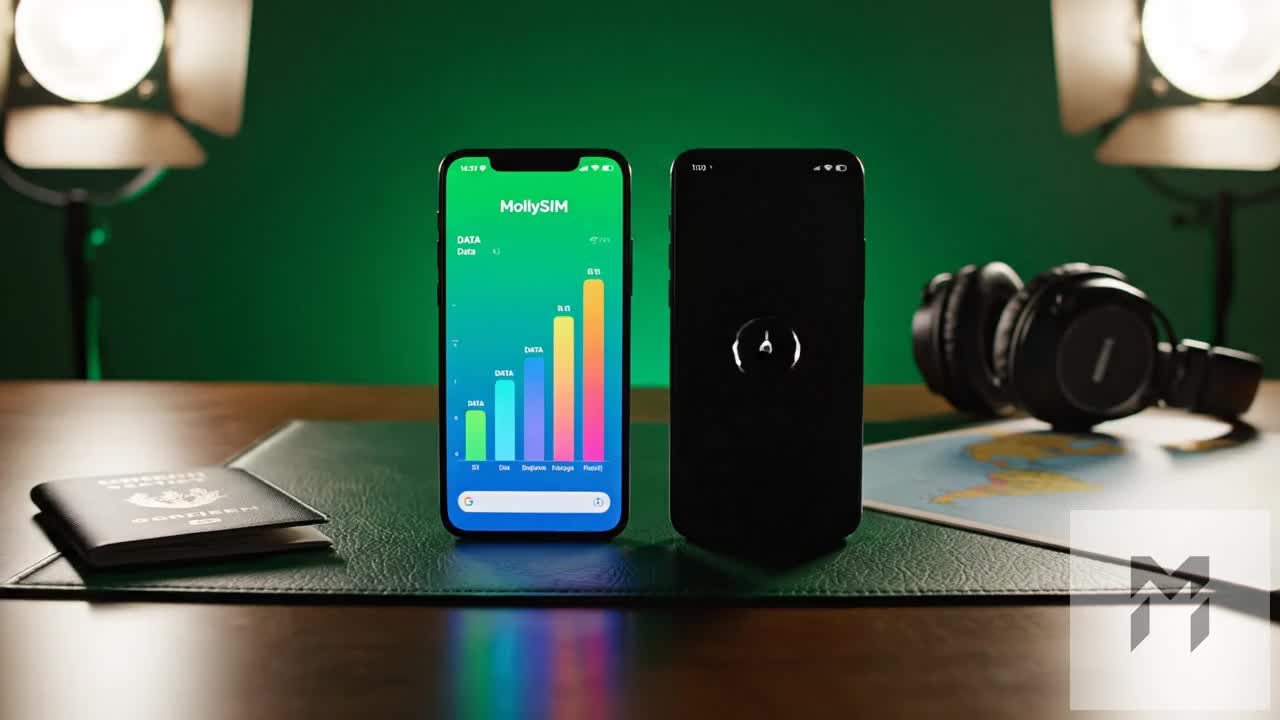
The Illusion of Cheap Daily Rates: Hidden Fees at Airport Wi-Fi Counters
Travelers browsing terminal arrival halls or third-party booking aggregators are frequently greeted by aggressive marketing: sleek digital banners advertising mobile Wi-Fi hotspots for as little as $3.50 to $5.00 per day. On paper, a 10-day trip across Europe or East Asia looks like a trivial $40 connectivity expense.
In practice, the checkout counter tells a radically different story.
The low base rate offered by pocket Wi-Fi kiosks is classic loss-leader pricing. Once you arrive at the airport desk, the real cost structure reveals itself through a cascade of non-optional fees, hardware surcharges, and defensive upsells designed to extract maximum margin from exhausted travelers.
+-------------------------------------------------------------------------------+
|                      THE POCKET WI-FI COST CREEP TRAP                        |
|                                                                               |
|  Advertised Base Rate:       $3.99/day  -->  $39.90 (10 Days)                |
|  Compulsory Device Guard:    $6.00/day  -->  $60.00                           |
|  Power Bank Add-on:          $2.50/day  -->  $25.00                           |
|  Airport Processing Fee:     Flat Rate  -->  $15.00                           |
|  ---------------------------------------------------------------------------  |
|  TRUE BILLED EXPENSE:                        $139.90 (3.5x Original Price!)   |
|  + Pending Credit Card Hold (Deposit):      $250.00 (Tied-up Credit Limit)   |
+-------------------------------------------------------------------------------+
The Line-Item Deconstruction: What You Actually Pay
Airport rental desks rely on traveler fatigue. After a 14-hour transpacific or transatlantic flight, most passengers will sign whatever waiver is placed in front of them just to leave the terminal. Here is what gets added to the invoice:
- Temporary Security Authorizations ($150 to $300): Wi-Fi rental companies do not simply hand over a $200 hardware router without collateral. They place a pre-authorization hold against your credit card balance. For budget-conscious travelers or digital nomads managing tight credit limits abroad, having hundreds of dollars locked away for up to 14 business days after return is a major financial inconvenience.
- Mandatory "Optional" Device Insurance ($4 to $8/day): Because replacement fees for lost, damaged, or water-logged routers range between $200 and $450, counter agents aggressively push daily damage waivers. Declining this coverage leaves you personally liable for standard cosmetic wear, screen scratches, or overheated lithium-ion batteries.
- Ancillary Hardware Rentals: Pocket routers rarely last a full day of active navigation. Counter staff capitalize on this by renting external power banks ($2–$4/day), proprietary universal wall adapters ($1.50/day), and extra cables—turning a single device rental into a bulky bundle of accessories.
- Airport Pickup and Processing Surcharges: Kiosk operators routinely tack on airport concession recovery fees ($10 to $18 per rental) simply for the privilege of collecting the router on-site rather than via domestic mail.
Physical Friction vs. Instant Digital Delivery
Beyond the financial disparity lies the logistical penalty: the physical terminal counter queue.
During peak morning and evening international bank arrivals at hubs like Tokyo Haneda (HND), London Heathrow (LHR), or Seoul Incheon (ICN), wait times at pocket Wi-Fi distribution desks routinely exceed 40 to 60 minutes. Travelers must present physical passports, sign physical rental agreements, verify hardware condition under kiosk lighting, and pack multiple charging cables into their carry-on luggage before even leaving the terminal.
| Feature / Metric | Airport Pocket Wi-Fi Kiosk | Modern Digital eSIM (MollySIM) |
|---|---|---|
| Upfront Security Hold | $150.00 – $300.00 (Blocked credit) | $0.00 (Zero deposit) |
| Real Daily Cost (with Protection) | $12.00 – $18.00 / day | $1.50 – $3.50 / day |
| Collection Time | 30–60 min terminal queue | Instant via QR Code / In-App |
| Hardware Liability | High ($250+ loss penalty) | None (Embedded software profile) |
| Throttled Speed (FUP Limit) | Typically 128 kbps (Completely unusable) | 384 kbps (Runs Maps, Messaging & Apple Pay) |
By transitioning to digital provisioning with providers like MollySIM, the entire airport hardware layer is eliminated. There are no credit holds, no rental return deadlines, and no accessory packs taking up pocket space.
Furthermore, while traditional rental routers ruthlessly throttle connections down to a non-functional 128 kbps once daily data limits are reached, premium eSIM architecture maintains a 384 kbps Fair Use Policy (FUP) floor—nearly three times faster than standard rental counters. This ensures critical travel applications like Apple Pay, Uber, and Google Maps remain fully operational even when high-speed allowances are exhausted, with zero surprise line items on your post-trip statement.
The Hardware Reality: Battery Degradation, Overheating, and $300 Loss Penalties
🇪🇺 Europe 33 Countries High-Speed Travel eSIM & SIM Plans
Instant QR code activation, hotspot enabled, with guaranteed 384kbps fallback speed to keep Maps & Digital Wallets active.
Relying on physical hardware for travel connectivity introduces a fragile, failure-prone link into your itinerary. While pocket Wi-Fi providers frequently market "all-day 12- to 15-hour battery life," the operational reality on the ground tells a vastly different story.
Rental fleets operate on tight capital margins, continuously recycling the same hotspot units across dozens of rental cycles every year. This continuous cycle of rapid charging and deep discharging rapidly degrades the internal lithium-ion cells, cutting real-world performance to a fraction of the original factory specification.
The Thermal Throttling & Battery Drain Cycle
When two or more devices connect to a portable router to stream navigation, upload photos, or run background syncs, the device’s cellular modem and Wi-Fi transceivers operate under peak load. The consequences are immediate:
- Severe Battery Depletion: Advertised 12-hour operational windows frequently collapse to just 4 to 5 hours under realistic multi-device usage.
- Thermal Throttling: As internal components overheat inside a pocket or daypack, the router automatically scales back processor speeds and RF output, leading to random disconnections and latency spikes.
- The "Power Bank Tax": Travelers are forced to carry a secondary 10,000mAh power bank, dedicated charging bricks, and cables solely to keep the rental hotspot alive past 2:00 PM.
The Disproportionate Financial Liability of Hardware Damage
Carrying an external router transforms a routine holiday into a high-liability assignment. If you drop the unit on cobblestone streets, expose it to a rainstorm, or misplace it in a rideshare, rental contracts trigger severe penalty schedules that dwarfed the original rental cost.
| Hardware Incident / Component | Typical Rental Kiosk Penalty | MollySIM eSIM Profile |
|---|---|---|
| Lost / Stolen Pocket Router | $250.00 – $350.00 | $0.00 (Pure software) |
| Cracked Display or Water Damage | $120.00 – $200.00 | $0.00 (Zero external parts) |
| Lost AC Adapter / Proprietary Cable | $20.00 – $35.00 per item | $0.00 (Uses standard phone cables) |
| Administrative Restocking Surcharge | $30.00 – $50.00 | $0.00 (Instant digital setup) |
These penalty charges are routinely debited directly against the mandatory security hold placed on your credit card at the airport counter, offering little room for dispute.
Eliminating the Physical Vulnerability Layer
Transitioning to digital architecture completely removes the physical liability chain. By downloading a data plan directly to your device's internal modem via MollySIM, you carry zero extra hardware, eliminate battery management friction, and risk no property damage fees.
Even if your daily high-speed tier runs out during a demanding day of sightseeing, digital eSIM infrastructure ensures you aren't left stranded. MollySIM's built-in 384 kbps Fair Use Policy (FUP) keeps core navigation tools like Apple Maps, Google Maps, and Apple Pay running smoothly without interruption—a reliability floor that dead pocket Wi-Fi batteries simply cannot deliver.
Return Logistics Nightmares: Missed Drop-Boxes and Compounding Late Penalties
The single most failure-prone phase of the pocket Wi-Fi lifecycle occurs during the final two hours of your journey: the return protocol. While rental companies market airport kiosks and terminal drop-boxes as effortless conveniences, the operational reality of international departure halls turns physical returns into a high-risk logistics gamble.
The Terminal Bottleneck: Pre-Security Traps and Early Departures
The vast majority of airport drop-boxes and rental counters are positioned in landside areas (pre-security). Once you clear passport control and baggage screening into the airside departure lounge, turning back is legally impossible without canceling your flight boarding pass with airport security.
Travelers consistently fall into three critical return traps:
- Closed Kiosks on Off-Peak Flights: Early-morning red-eyes (5:00 AM departures) and late-night transits regularly operate outside counter operating hours (typically 07:00 to 22:00). If the physical drop-box is full, jammed, or locked inside a shuttered concession unit, you are left with zero options.
- Terminal Discrepancies: Flying out of a secondary terminal or budget airline satellite concourse often means there is no dedicated drop-box for your specific rental provider, requiring an extra 45-minute inter-terminal transit you rarely have time to execute.
- The "Pack-and-Forget" Phenomenon: In the rush to repack luggage and weigh baggage at check-in counters, pocket Wi-Fi units often end up buried in deep carry-on pockets, only discovered mid-flight over international airspace.
The Compounding Late-Fee Trap
Boarding your flight with an unreturned pocket Wi-Fi unit triggers automated penalty protocols pre-authorized against your credit card. Rental terms strictly mandate that the device must be logged into their inventory by a specified cut-off time, after which aggressive fee structures activate.
| Post-Trip Liability Event | Physical Pocket Wi-Fi Router | MollySIM Travel eSIM |
|---|---|---|
| Daily Late Fee Penalty | $15.00 – $30.00 per calendar day | $0.00 (Plan expires automatically) |
| International Courier (Lithium Battery) | $60.00 – $110.00 (FedEx/DHL tracked) | $0.00 (Zero physical transport) |
| Customs Clearance Processing Fee | $25.00 – $40.00 | $0.00 (Purely digital delivery) |
| Full Hardware Replacement Conversion | Billed at Day 5–7 ($250.00+) | $0.00 (No hardware liability) |
Returning the device from abroad is not as simple as dropping it into a standard mailbox. Because pocket routers contain high-capacity lithium-ion cells, international aviation safety rules (IATA Dangerous Goods Regulations) prohibit standard postal transport. You are forced to pay for specialized international courier logistics—complete with battery declarations and commercial invoices—often costing upwards of $80 simply to return a gadget you rented for $30.
Zero-Logistics Connectivity: The Digital Advantage
Digital profiles completely dismantle this administrative friction. Transitioning your travel data to MollySIM replaces physical counters, mail envelopes, and hardware tracking with automated software lifecycles.
Physical Rental:   Reserve ➔ Airport Queue ➔ Carry Hardware ➔ Airport Drop-box ➔ Card Hold Released
MollySIM eSIM:     Scan QR ➔ Instant Connectivity ➔ Automatic Digital Expiry (Zero Return Logistics)
When your trip concludes, your eSIM simply ceases data transmission or auto-expires based on your selected duration—no physical items to return, no credit card security holds to track, and zero possibility of post-trip billing disputes.
Even during your departure rush when public airport Wi-Fi networks fail or throttle connections, MollySIM maintains uninterrupted background connectivity. Unlike budget eSIM providers that cut data completely or throttle you down to an unusable 128 kbps, MollySIM delivers a 384 kbps Fair Use Policy (FUP) baseline—3x faster than the industry standard. This ensures that gate changes, digital boarding pass updates, Apple Pay transactions, and ride-hailing apps continue functioning seamlessly all the way to your departure gate.
Direct Breakdown: Pocket Wi-Fi vs. MollySIM Travel eSIM
To evaluate whether renting hardware still makes financial and operational sense, we must look beyond basic daily rental fees. A comprehensive comparison reveals structural flaws in the hardware rental model that software-defined profiles have solved entirely.
| Evaluation Metric | Traditional Pocket Wi-Fi Rental | MollySIM Travel eSIM |
|---|---|---|
| Total Cost of Ownership (TCO) | Daily rates ($6–$12/day) + deposit ($100–$200) + pickup/courier fees ($15–$30) + mandatory insurance. | Transparent upfront cost based on chosen data pack; zero deposits, zero logistics overhead. |
| Setup & Activation Time | 20–45 mins (Airport queue, paperwork, identity verification, manual pairing). | < 60 seconds (Pre-install via QR code or app; instant auto-connect upon landing). |
| Hardware Liability & Risk | High ($150–$350 replacement fee for lost unit, cable, pouch, or broken screen). | Zero liability. Pure software profile embedded on your native smartphone logic board. |
| Device Independence | Tethered range (must stay within 10 meters of group/device at all times). | Complete freedom. Each traveler operates independently with localized data. |
| Power Draw & Luggage Weight | Adds 150g–250g to pocket/daypack; requires daily overnight recharging alongside your phone. | 0g added weight. Negligible device battery impact using native cellular modems. |
| Network Redundancy | Locked to a single physical local SIM inside the router; no fallback if carrier drops. | Dynamic multi-carrier switching; automatically routes to the strongest local Tier-1 partner. |
| Post-Quota Safety Net (FUP) | Hard disconnect or extreme throttling to unusable speeds (64–128 kbps). | 384 kbps Fair Use Policy baseline (3x faster than standard market limits). |
The Anatomy of the Paradigm Shift: Why Hardware Lost
The transition from pocket Wi-Fi routers to modern travel eSIMs is not merely a convenience upgrade—it is a fundamental restructuring of international roaming economics and reliability.
1. Decoupling Connectivity from Physical Assets
Carrying a pocket Wi-Fi device turns an essential utility into a continuous liability. If you separate from your travel group at a crowded station like Shinjuku or Gare du Nord, anyone without the physical hub loses messaging, navigation, and payment capabilities instantly. With MollySIM, connectivity is integrated directly into each traveler's handset, preserving personal autonomy without inflating group travel budgets.
2. The 384 kbps Safety Net vs. Total Digital Blackout
Most travelers underestimate what happens when a data allotment is reached mid-trip. Standard pocket Wi-Fi units and budget eSIM providers cut speeds down to 64 kbps or 128 kbps. At 128 kbps, modern secure applications time out during basic SSL/TLS handshakes, rendering Google Maps routing, Uber booking, and banking apps completely non-functional.
MollySIM engineers its network around a 384 kbps Fair Use Policy (FUP) floor. By tripling the industry baseline, your connection retains enough bandwidth to process encrypted API calls for:
- Real-time GPS rerouting and point-of-interest lookups on navigation apps.
- Apple Pay and Google Wallet token authentication at transit turnstiles.
- Low-bandwidth VoIP audio calls and messaging via WhatsApp, iMessage, and Signal.
3. Native Network Optimization
Pocket Wi-Fi routers operate as middleman repeaters: your phone communicates over local Wi-Fi to the router, which then communicates over cellular networks to local cell towers. This dual-radio bridge introduces signal latency, packet loss, and severe battery drain on both devices. By removing the intermediary hardware, MollySIM allows your smartphone’s internal modem to negotiate directly with native Tier-1 cellular towers, ensuring lower latency and superior power efficiency throughout your travel day.
The 'Tethered Together' Trap: Why Shared Routers Ruin Group Dynamics
Rental agencies frequently pitch a single pocket Wi-Fi unit as an economical "all-in-one" solution for couples, families, and travel groups. On paper, connecting five smartphones to one router appears cost-effective. In practice, sharing a physical hotspot creates an invisible digital leash that fractures itineraries, inflates travel stress, and introduces severe safety vulnerabilities.
+-------------------------------------------------------------------+
|                     THE 10-METER DIGITAL LEASH                    |
|                                                                   |
|   [ Traveler A ] <--- 5m (OK) ---> [ ROUTER ] <--- 5m (OK) --->  |
|                                                                   |
|   [ Traveler B ] <----------------- 15m (DISCONNECTED) ---------> |
|   * No Maps  * No Messaging  * No Ride-Hailing  * Zero Autonomy   |
+-------------------------------------------------------------------+
The 10-Meter Invisible Leash
Wi-Fi signals degrade exponentially through physical obstructions. While a pocket router boasts a theoretical 10-to-15-meter range in an open field, real-world urban travel environments tell a different story:
- Dense Crowds and Transit Hubs: Heavy foot traffic in hubs like Shinjuku Station or London King’s Cross creates extreme 2.4GHz/5GHz interference, dropping effective broadcast range down to less than 5 meters.
- Structural Attenuation: Reinforced concrete walls, multi-floor department stores, and historic masonry scatter Wi-Fi signals instantly.
- Separation Anxiety in Retail & Cultural Sites: If one partner wants to browse an electronics boutique while the other visits a cosmetics counter across the street, one party is left completely disconnected—unable to check currency conversions, message the other, or look up reviews.
       [ Router Carrier ] (Stays on Ground Floor)
               |
        =============== Concrete Floor Slab ===============
               | (Signal Dropped / Zero Connectivity)
       [ Stranded Partner ] (Browsing 2nd Floor)
This dynamic forces groups into artificial lockstep. Every coffee run, restroom break, and spontaneous detour requires unanimous group movement simply to keep everyone’s messaging apps online.
The Single-Point-of-Failure Vulnerability
Centralizing a group’s entire communication lifeline into a single battery-powered plastic box creates an unacceptable single point of failure (SPOF).
| Stress Scenario | Shared Pocket Wi-Fi Outcome | Individual MollySIM Profiles |
|---|---|---|
| Accidental Separation on Transit | One traveler boards a crowded metro train before doors close; the other is left on the platform with zero connectivity, no maps, and no messaging. | Both travelers maintain continuous cellular data, coordinate meetup points instantly via WhatsApp, or reroute using live transit apps. |
| Battery Depletion | Hotspot battery drains to 0% after 6 hours of powering multiple devices; the entire group loses access simultaneously. | Each smartphone draws power exclusively from its internal battery, preserving decentralized communication for the full day. |
| Hardware Loss or Theft | Router is misplaced at a restaurant; the entire group goes dark, facing $150–$300 replacement liabilities. | Zero physical hardware to lose; profiles remain securely embedded inside each traveler's device. |
Decentralized Connectivity: Group Autonomy via Individual eSIMs
Modern travel logistics demand independent connectivity for every traveler. Provisioning individual eSIM profiles directly to each handset removes group friction entirely:
[ Traveler 1: iPhone ] ----> Direct Tier-1 5G Connection (Independent)
[ Traveler 2: Pixel ]  ----> Direct Tier-1 5G Connection (Independent)
[ Traveler 3: Galaxy ] ----> Direct Tier-1 5G Connection (Independent)- True Navigational Independence: Group members can split up across cities based on individual interests—museums, shopping, or dining—and reconvene seamlessly using live location sharing.
- Cost Parity with Superior Utility: With MollySIM, equipping each traveler with their own dedicated data profile often costs less than the aggregate daily rental, deposit, and insurance fees of a commercial pocket Wi-Fi unit.
- Guaranteed Communication Baselines: Even if a high-speed data allotment is exhausted during heavy media usage, MollySIM’s 384 kbps Fair Use Policy floor—unlike the unusable 128 kbps throttles common elsewhere—guarantees that no individual is ever cut off from critical navigation, emergency messaging, or Apple Pay and Google Wallet transit passes.
The MollySIM Advantage: Instant OTA Delivery and Continuous 384kbps Backup
The transition from clunky, rented hardware to software-defined travel connectivity reaches its peak efficiency with digital eSIM deployment. Rather than standing in airport terminal queues or stressing over returning a lithium-ion hotspot before security check-in, modern global travelers leverage digital-first solutions like MollySIM for instantaneous deployment, granular Dual-SIM management, and industry-leading reliability safety nets.
1. Pre-Departure Zero-Touch Provisioning (OTA)
MollySIM replaces physical distribution logistics with Over-The-Air (OTA) Remote SIM Provisioning (RSP) using standard GSMA architecture. Setup takes less than two minutes before leaving home:
- Instant Digital Issuance: The moment a transaction completes, MollySIM’s automated SM-DP+ (Subscription Manager Data Preparation) server generates a unique embedded profile sent immediately via email.
- Pre-Flight Installation: Travelers can scan the activation QR code while connected to home Wi-Fi hours or days before departure. The profile remains dormant until it registers on a foreign cell tower.
- Touchdown Handshake: As soon as the aircraft wheels touch down in any of over 150 supported destination countries, turning off Airplane Mode triggers an automatic handshake with local tier-1 network providers (e.g., SoftBank/NTT Docomo in Japan, EE/Vodafone in the UK, Chunghwa Telecom in Taiwan), eliminating airport Wi-Fi hunting entirely.
2. Native Dual-SIM Dual Standby (DSDS): Never Miss a Bank 2FA
Physical pocket Wi-Fi routers bypass device-level SIM slots, but they introduce a critical vulnerability: if you disconnect from the router, you lose all data-dependent services. Conversely, swapping your native physical SIM card with a local travel plastic SIM completely disables your home phone number.
Deploying MollySIM preserves native Dual-SIM Dual Standby (DSDS) functionality across modern iOS and Android devices:
- Primary Domestic Line (Physical SIM or Primary eSIM): Set strictly for Voice & SMS. This ensures uninterrupted receipt of incoming two-factor authentication (2FA) one-time passwords (OTPs) from credit card issuers, banking portals, and verification services at zero roaming data cost.
- Secondary Travel Line (MollySIM eSIM): Set as the Dedicated Cellular Data Line with Data Roaming enabled. All app traffic, map rendering, web browsing, and VoIP calls route across local high-speed data pipes.
3. The 384 kbps Safety Floor: Why Usable Fallback Speeds Matter
The greatest hidden risk of prepaid travel connectivity is the "Data Wall"—the moment a high-speed bucket runs out mid-transit. Most travel SIM and pocket Wi-Fi providers enforce predatory Fair Use Policies (FUP) that throttle exhausted lines down to 64 kbps or 128 kbps, rendering the connection functionally dead.
MollySIM engineers a critical resilience factor by establishing a 384 kbps Fair Use Policy floor—a continuous speed ceiling that is 3x faster than legacy competitors.
| Critical Travel Application | 64 kbps – 128 kbps (Competitor Standard) | 384 kbps (MollySIM FUP Safety Net) |
|---|---|---|
| Google Maps / Apple Maps | Fails to load vector tiles; routing timeouts. | Loads vector maps & recalculates turn-by-turn routes smoothly. |
| Uber / Grab / Bolt | App hangs on driver location handshake; dispatch errors. | Pins pickup location, fetches fare quotes, and tracks drivers in real-time. |
| WhatsApp / iMessage | Text-only with heavy delays; media/voice notes fail completely. | Instant text delivery, voice call support, and fast audio note downloads. |
| Apple Pay / Google Wallet | Token authentication verification often drops. | Processes merchant pass updates and secure token handshakes reliably. |
| Translate Apps | Live speech translation fails; severe text latency. | Real-time text translation and short speech-to-text queries function normally. |
By combining carrier-direct Tier-1 data routing with a resilient 384 kbps non-zero baseline, MollySIM guarantees that unexpected data consumption spikes will never strand a traveler in a foreign city without critical transit and communication capabilities.
🇪🇺 Europe 33 Countries High-Speed Travel eSIM & SIM Plans
Instant QR code activation, hotspot enabled, with guaranteed 384kbps fallback speed to keep Maps & Digital Wallets active.