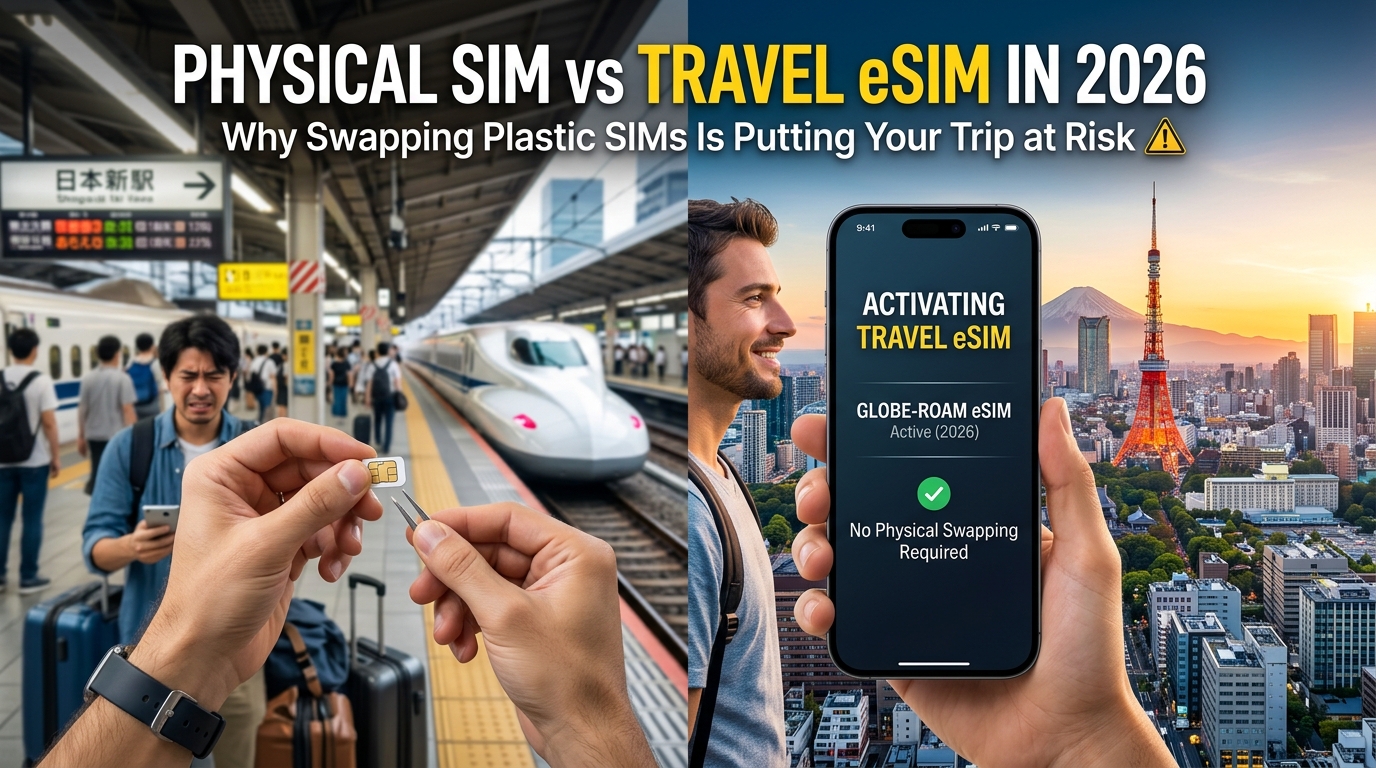
Physical SIM vs Travel eSIM in 2026: Why Swapping Plastic SIMs Is Putting Your Trip at Risk
The Airport Kiosk Trap: Cybersecurity and Identity Risks of Tourist Physical SIMs
For decades, the standard ritual upon clearing customs in a foreign country was heading straight to the arrivals hall telecom booth. You hand over your unlocked phone, pass across your physical passport, and wait while a kiosk clerk with a paperclip swaps out your tiny tray.
In 2026, cybersecurity researchers view this routine as one of the most glaring operational security (OpSec) vulnerabilities a international traveler can commit. What looks like standard bureaucratic compliance is actually an unvetted pipeline of identity document exposure, unauthorized hardware access, and telecom fraud.
The Identity Paper Trail: Unregulated Document Handling
In most jurisdictions, telecom regulations mandate "Know Your Customer" (KYC) identity verification before activating a local cellular profile. While intended to prevent illicit use, the execution at tourist kiosks is notoriously insecure:
- Unencrypted Personal Device Scans: Instead of using closed-loop enterprise scanners, kiosk vendors routinely photograph your passport photo page, visa stamp, and boarding pass using their personal smartphones. These unencrypted images sit in commercial cloud camera rolls (like iCloud or Google Photos) indefinitely.
- Secondary Market Data Leakage: In high-traffic transit hubs across Southeast Asia, Southern Europe, and Latin America, local regulatory databases are poorly maintained or operated by low-bid third-party franchise contractors. Breached tourist registration databases frequently end up on dark web marketplaces, fueling credential stuffing and synthetic identity theft.
- Targeted SIM Swap Exploitation: If a bad actor gains access to a verified scan of your passport paired with knowledge of your domestic carrier (easily harvested while inspecting your removed home SIM), executing an unauthorized SIM-swap attack on your primary banking number becomes trivial.
Technical Hazards: Recycled Chips and Malicious Configuration Profiles
The physical plastic card handed to you at an airport booth is not always fresh from a secure telecom foundry. Secondary markets thrive on "recycled" or modified physical SIM cards.
When a vendor inserts a physical SIM, they often request your device passcode to configure network settings manually. This exposes your device to:
- Malicious APN (Access Point Name) Provisioning: Unofficial carrier profiles can redirect unencrypted DNS queries and web traffic through proxy servers, exposing active browser sessions and unencrypted travel credentials.
- Burner Number Contamination: Recycled tourist numbers often retain fraud flags from previous users. You may find incoming calls from debt collectors, blocked ride-hailing app registrations, or sudden blacklisting by local payment gateways.
- Hardware-Level Interception: High-risk transit hubs have seen instances of modified SIM interposers ("thin SIM" overlays) designed to intercept outbound authentication SMS codes before they reach the operating system.
Kiosk Physical SIM vs. Encrypted Digital Delivery
| Security Vector | Airport / Street Kiosk Physical SIM | MollySIM Digital eSIM Delivery |
|---|---|---|
| Identity Verification | Manual passport photo stored on vendor devices | Zero physical document handovers at foreign kiosks |
| Hardware Handling | Third-party clerk physically handles unlocked device | Direct, encrypted over-the-air (OTA) provisioning |
| Traffic Routing | Local unknown proxy/APN configurations | Tier-1 GSMA-compliant global carrier backbones |
| Failsafe Connectivity | Immediate hard cutoff or unmonitored drop | Continuous 384kbps FUP (3x standard 128kbps speed) |
Eliminating Third-Party Risk with MollySIM
Securing your mobile data abroad requires removing human handling and hardware swapping from the equation entirely. MollySIM bypasses foreign street kiosks and arrivals hall counters by provisioning verified, GSMA-certified digital profiles directly to your smartphone's embedded secure element (eSE).
There are no sketchy photocopy processes, no unvetted intermediaries handling your unlocked device, and no modified plastic chips. Everything is configured over an encrypted remote provisioning channel before you even step off the aircraft.
Furthermore, MollySIM protects travelers from unexpected connectivity dropouts. While standard tourist physical SIMs abruptly cut off service or throttle speeds down to a useless 128kbps once high-speed allocations expire, MollySIM features an industry-leading 384kbps Fair Use Policy (FUP) threshold. At triple the standard fallback speed, critical travel tools like Google Maps navigation, Apple Pay authentication, and encrypted messaging run smoothly without forcing you into an emergency top-up at another risky physical vendor.
The Hardware Vulnerability: Dropped Nano-SIMs, Bent Trays, and Stranded Travelers
🇺🇸 United States High-Speed Travel eSIM & SIM Plans
Instant QR code activation, hotspot enabled, with guaranteed 384kbps fallback speed to keep Maps & Digital Wallets active.
Handling physical plastic chips while in transit represents an archaic mechanical vulnerability that modern mobile hardware was never designed to endure. A standard nano-SIM measures just 12.3mm × 8.8mm × 0.67mm and weighs less than a fraction of a gram. Attempting to extract, swap, and store this microscopic piece of plastic inside a dimly lit airplane cabin, on a crowded train platform, or over an airport restroom sink is an operational failure waiting to happen.
Beyond simple inconvenience, physical SIM management introduces acute hardware risks and severe logistical bottlenecks that can paralyze your communication abroad.
1. The Costly Mechanics of Hardware Damage
Modern smartphones are tightly sealed, precision-engineered unibodies. Forcing open the SIM mechanism with makeshift tools or misaligning physical trays frequently leads to permanent device failure:
- Compromised IP68 Ingress Protection: The SIM tray is one of the few physical openings on an IP68-rated waterproof smartphone, protected solely by a microscopic silicone gasket. Repeatedly prying the tray open, stretching the gasket, or pinching it upon reinsertion destroys the watertight seal, leaving your $1,000+ flagship vulnerable to immediate water damage in humid or rainy environments.
- Internal Logic Board Pin Shear: Forcing an incorrectly seated nano-SIM or a cheap foreign plastic adapter back into the housing can snag and bend the microscopic gold contact pins soldered directly to your phone's mainboard. Repairing broken SIM reader pins requires complex microsoldering or a complete motherboard replacement costing upwards of $300 to $600.
- Emergency Tool Failures: Travelers rarely carry dedicated SIM ejector tools, resorting instead to sewing needles, bent safety pins, or earrings. These makeshift implements frequently snap inside the ejector hole, jam the mechanical release spring, or inadvertently puncture nearby microphone membranes.
+-----------------------------------------------------------------------------------+
|                        THE ANATOMY OF A TRANSIT SIM SWAP FAILURE                  |
+-----------------------------------------------------------------------------------+
|                                                                                   |
|   1. Makeshift Ejector Tool       2. Damaged IP68 Gasket        3. Misaligned Tray|
|      (Pins snap in port)             (Loss of waterproofing)       (Plaque shears |
|              |                               |                      logic pins)   |
|              v                               v                           v        |
|    [ ⚙️ Eject Hole ] ------------> [ 💧 Rubber Seal ] ---------> [ ⚡ SIM Pins ]  |
|                                                                                   |
+-----------------------------------------------------------------------------------+
2. The Lost Primary SIM: The Ultimate 2FA Lockout
Dropping a domestic nano-SIM onto high-pile aircraft carpet or between train floorboards is more than an annoyance—it can completely cut off access to your digital life.
When your primary carrier SIM is lost abroad:
- Critical 2FA SMS Authentication Fails: Most banking portals, corporate VPNs, email services, and credit card verification systems still rely on SMS one-time passwords (OTPs) routed directly to your domestic mobile number.
- Replacement Abroad is Impossible: Due to strict SIM-swap fraud and anti-identity-theft regulations, telecom providers will not ship a replacement physical SIM card to an international address.
- The In-Person Deadlock: Most Tier-1 domestic carriers require the account holder to physically visit a domestic retail branch with government-issued photo ID to issue a replacement SIM, stranding you without access to financial accounts for the remainder of your trip.
3. Physical Fragility vs. Embedded eUICC Architecture
The entire paradigm of manipulating physical plastic belongs to an earlier generation of telecommunications. Transitioning to a purely digital architecture eliminates physical failure points while safeguarding your primary line.
| Failure Point | Physical Nano-SIM Swapping | Digital Provisioning via MollySIM |
|---|---|---|
| Physical Integrity | High risk of lost chips, bent pins, broken gaskets | Zero mechanical wear; fully solid-state inside eUICC |
| Primary Number Access | Primary SIM must be removed and stored safely | Dual-SIM active standby; keep your home line for 2FA SMS |
| Recovery from Loss | Impossible while abroad; requires domestic shipping | Instant OTA re-download to any compatible device |
| Deployment Speed | Manual extraction, storage, and re-insertion | Scan and connect in under 60 seconds |
By utilizing MollySIM, international travelers decouple connectivity from physical vulnerabilities. MollySIM profiles deploy directly to your device’s embedded secure element (eUICC), allowing your primary home SIM to remain securely locked inside the tray to receive essential two-factor authentication codes.
Combined with robust operational continuity—such as MollySIM’s guaranteed 384kbps Fair Use Policy (FUP) speed that ensures critical apps like Apple Pay and Google Maps remain fully functional even after high-speed bucket exhaustion—the zero-hardware approach delivers the security and resilience that modern international travel demands.
Modern Dual-SIM Architecture: Keeping Bank 2FA Alive Without Roaming Shock
The greatest operational compromise of legacy travel SIM swapping was the complete blackout of your home identity. Removing your domestic SIM to insert a local prepaid card immediately severed your connection to banking alerts, fraud verification prompts, and essential SMS-based two-factor authentication (2FA). Modern smartphones eliminate this trade-off through Dual SIM Dual Standby (DSDS) architecture.
In modern flagships—including the Apple iPhone 15/16/17 series, Samsung Galaxy S24/S25/S26, and Google Pixel 8/9/10—the baseband modem runs two concurrent digital transceivers on a single radio frequency front-end. This allows your device to idle simultaneously on your domestic home carrier (to capture incoming authentication tokens) and a dedicated data profile from MollySIM for uninterrupted local high-speed browsing.
                    ┌────────────────────────────────────────┐
                    │      Flagship DSDS Modem / eUICC       │
                    └───────────────────┬────────────────────┘
                                        │
             ┌──────────────────────────┴──────────────────────────┐
             ▼                                                     ▼
┌─────────────────────────┐                               ┌─────────────────────────┐
│   Primary Domestic SIM  │                               │      MollySIM eSIM      │
│  (Physical or Profile)  │                               │    (Data Provisioning)  │
├─────────────────────────┤                               ├─────────────────────────┤
│ • Inbound SMS (Free)    │                               │ • 5G/4G Ultra-Fast Data │
│ • Bank 2FA Alerts       │                               │ • App Navigation & Maps │
│ • Voice Standby         │                               │ • VOIP / Messaging / Web│
│ ✖ Data Roaming: OFF     │                               │ ✔ Data Roaming: ON      │
└─────────────────────────┘                               └─────────────────────────┘
Step-by-Step Configuration Matrix
To eliminate the risk of accidental domestic roaming charges—where carriers routinely charge upwards of $10 to $15 per day just for background data leakage—you must strictly configure your device’s network routing table before touchdown.
1. Configuration for iOS (iPhone 15, 16, 17 Series)
- Navigate to:
Settings>Cellular(orMobile Data). - Set Cellular Data: Select MollySIM.
- Toggle Off "Allow Cellular Data Switching": This is critical. Disabling this toggle prevents iOS from falling back to your domestic line when traveling through low-coverage cells.
- Set Default Voice Line: Select Primary (Home SIM) so iMessage and inbound caller ID integrity are preserved.
- Configure Primary SIM Profile: Tap your Primary SIM > Toggle Data Roaming OFF.
- Configure MollySIM Profile: Tap MollySIM > Toggle Data Roaming ON (this enables international APN routing via MollySIM's tier-1 partner backbones).
2. Configuration for Android (Samsung Galaxy & Google Pixel)
- Navigate to:
Settings>Connections(orNetwork & internet) >SIM Manager. - Set Preferred SIM for Mobile Data: Select MollySIM.
- Set Calls and Messages: Set to Primary SIM or "Ask every time".
- Disable Auto Data Switching: Turn off Data Switching and Backup Calling on the primary slot.
- Primary SIM Sub-menu: Tap your domestic carrier profile and verify Roaming is switched OFF.
- MollySIM Sub-menu: Verify Mobile Data is switched ON and Roaming is switched ON.
Network Traffic Isolation
| Traffic Type | Routing Engine | Carrier Billing Profile | Risk Exposure |
|---|---|---|---|
| Inbound 2FA SMS | Primary Home SIM | Domestic Carrier (Zero-rated incoming) | $0.00 (Free across 99% of global carriers) |
| Outbound Bank Verification Calls | Primary Home SIM | Domestic Carrier (Standard roaming call rates) | Pay-per-use only if answered/dialed manually |
| All App & Web Traffic | MollySIM | Prepaid MollySIM Data Bundle | Capped cost; zero overage risk |
| Continuous Background Sync | MollySIM | 384kbps MollySIM FUP Safeguard | $0.00; keeps Maps and Apple Pay alive without fail |
By decoupling high-bandwidth data consumption from your home phone identity, your device routes all heavy telemetry through MollySIM’s local low-latency nodes. Even under extreme data consumption where high-speed buckets are depleted, MollySIM enforces a 384kbps Fair Use Policy (FUP) baseline.
Unlike the industry-standard 128kbps throttles that cause map interfaces, payment gateways, and banking apps to time out, 384kbps provides three times the throughput—comfortably sustaining dynamic routing in Google Maps and instant token handshakes for Apple Pay or Google Wallet without ever exposing your primary carrier to unexpected roaming penalties.
Head-to-Head Comparison: Physical Tourist SIM vs. Pocket Wi-Fi vs. MollySIM eSIM
Choosing how to connect across foreign networks directly affects your device security, battery longevity, and transaction reliability. The three leading travel connectivity models—physical plastic SIM cards, rented pocket Wi-Fi routers, and modern digital travel eSIMs like MollySIM—handle identity management and data delivery under vastly different technical frameworks.
Feature Matrix
| Evaluation Metric | Physical Tourist SIM | Pocket Wi-Fi Rental | MollySIM Travel eSIM |
|---|---|---|---|
| Installation & Setup Speed | 15–45 mins (Airport queues, paper forms, physical tray swapping) | 20–40 mins (Pick-up queues, deposits, device configuration) | < 60 seconds (Instant QR scan / OTA digital profile install) |
| Hardware Loss Risk | High (Losing primary nano-SIM during swap; damaged tray) | Extreme ($150–$300 replacement penalty for lost terminal/cables) | Zero (100% digital architecture embedded in device logic board) |
| Identity & KYC Privacy | Low (Passports photocopied by unvetted airport kiosk vendors) | Moderate (Credit card holds and identity verification at counter) | High (Direct, encrypted online checkout; minimal identity exposure) |
| Dual-SIM 2FA Compatibility | Broken (Primary home line disabled unless using a dual-tray phone) | Partial (Requires keeping home SIM active with data roaming off) | Native (Home SIM handles inbound SMS 2FA; MollySIM handles all data) |
| Multi-Country Border Crossing | Manual (Must purchase new plastic SIMs per regulatory zone) | Restricted (Requires regional device upgrades or daily surcharge) | Seamless (Single regional/global profile auto-switches local IMSIs) |
| Out-of-Data Behavior | Hard Cutoff (Immediate connection drop without warning) | Throttled to 64–128kbps or total cutoff upon hitting daily caps | Guaranteed 384kbps FUP (3x faster than industry average; zero dropouts) |
| Device Battery Impact | Baseline single-modem power consumption | High battery drain (Continuous Wi-Fi search and tethering protocols) | Optimized (Direct baseband modem access; no secondary Wi-Fi drain) |
| Total Cost Efficiency | Medium upfront cost; prone to high per-gigabyte airport markups | Low daily rate illusion; high real cost (device insurance + deposit) | High (Transparent prepaid tiers; zero peripheral or hardware fees) |
Architectural Superiority of the Digital Provisioning Standard
The operational differences between these options extend beyond convenience—they dictate your travel security posture and digital resilience in three primary areas:
1. Elimination of Hardware Dependency and Peripheral Overhead
Pocket Wi-Fi units introduce a dual-point failure model. A traveler must continuously charge, carry, and guard a separate lithium-ion-powered transceiver. If the unit runs out of battery, overheats, or is mislaid in transit, all connected devices instantly lose connectivity, and the traveler faces punitive replacement fees.
Physical tourist SIMs carry an equally severe mechanical risk: extracting a microscopic nano-SIM on a train or in a bustling terminal frequently leads to lost or damaged home SIM cards, cutting off domestic carrier access indefinitely. MollySIM operates directly through the host device's embedded universal integrated circuit card (eUICC), eliminating physical media entirely.
2. Identity Continuity and Unbroken Dual-SIM Telemetry
Swapping out a domestic SIM for a physical tourist card severes your device from your financial identity. The moment your home card leaves the tray, inbound verification codes for credit card purchases, bank logins, and authentication alerts fail to deliver.
By contrast, activating a MollySIM profile establishes an isolated secondary data pipe. Your primary domestic line remains active in a standby state to receive free inbound SMS verification tokens, while all high-throughput routing shifts securely to local carrier nodes.
3. The 384kbps Safety Baseline vs. Hard Connection Drops
Standard physical tourist packages enforce a hard cutoff when your prepaid balance hits zero, immediately severing access to map routing, rideshare platforms, and digital translation. Competing eSIM services frequently throttle data to a restrictive 128kbps or 64kbps—speeds inadequate for modern web interfaces, which routinely drop SSL/TLS handshakes under high packet latency.
MollySIM resolves this with a 384kbps baseline under its Fair Use Policy (FUP). By sustaining three times the throughput of legacy throttles, the profile provides enough bandwidth to render navigation routes, process digital wallet tokens (such as Apple Pay and Google Wallet), and send instant messaging telemetry, ensuring you are never left digitally stranded.
Avoiding Hard Data Cutoffs: The Vital Importance of MollySIM's 384kbps Graceful Fallback
Few travel scenarios induce more immediate panic than watching your smartphone lose all data connectivity while standing on an unfamiliar platform at midnight. With traditional prepaid physical SIM cards, this "hard cutoff" is standard operating procedure. When your purchased 5GB or 10GB bucket hits zero bytes, the carrier's gateway simply severs the data session. The DNS lookups fail, your map tile loading freezes, ride-hailing apps throw timeout errors, and you are left completely stranded in a foreign city without a lifeline.
Even modern travel eSIM providers often handle balance exhaustion poorly by throttling data to an unusable 64kbps or 128kbps. Under modern internet protocols, these legacy throttle speeds are virtually equivalent to a total disconnect because heavy HTTPS encryption and SSL/TLS handshakes automatically time out before a single packet can render.
To solve this vulnerability, MollySIM implements a 384kbps graceful fallback under its Fair Use Policy (FUP), engineering a permanent safety net beneath every high-speed data plan.
The Anatomy of a Throttled Connection: Why 128kbps Fails in 2026
Modern web applications do not behave like the lightweight text pages of a decade ago. Every transaction—from requesting an Uber to loading a transit route—requires rapid cryptographic handshakes, dynamic API polling, and continuous background telemetry.
| Connection Tier | Real-World Throughput | TLS/SSL Handshake Success | Real-World Application Response |
|---|---|---|---|
| 0kbps (Physical SIM Hard Cutoff) | 0 KB/s | 0% (Connection Severed) | Complete digital blackout; no maps, emergency messaging, or rideshare. |
| 64kbps / 128kbps (Legacy Throttles) | 8 – 16 KB/s | < 20% (Frequent Timeouts) | Apps register network errors; vector map tiles fail to load; payment gateways fail. |
| 384kbps (MollySIM FUP Baseline) | 48 KB/s | > 98% (Stable) | Unbroken survival connectivity; navigation, ride-hailing, and messaging remain operational. |
At 128kbps, the round-trip latency (RTT) spikes so high under TCP packet retransmission that apps like Uber or Google Maps declare the network dead and abort the request. At 384kbps—three times the legacy standard—packet pipelines remain open, allowing your device to successfully complete authentication exchanges and stream critical low-bandwidth data.
What 384kbps Realistically Supports on the Ground
The 384kbps safety baseline is not designed for streaming 4K video, but it provides continuous, unthrottled access to mission-critical digital utilities:
- Turn-by-Turn Navigation (Google Maps, Apple Maps): While satellite imagery will pause, vector map rendering, search queries, real-time routing adjustments, and transit schedules load cleanly and accurately.
- Ride-Hailing & Micro-Mobility (Uber, Grab, Bolt, Lime): Ride dispatch protocols require minimal payload size once authenticated. At 384kbps, you can pinpoint your location, request vehicles, communicate with drivers, and track arrivals without lag.
- Instant Encrypted Messaging (WhatsApp, iMessage, Signal, Telegram): Text messaging, location sharing, and emergency voice notes transfer instantaneously. Text-based group chats remain fully synchronized.
- Digital Wallets and Mobile Banking (Apple Pay, Google Pay): Tokenized payment systems require minimal bandwidth to verify identity and process localized NFC transactions.
- Basic Communications (Email & Translation): Emergency emails load reliably, and translation apps (like Google Translate or DeepL) process live text requests without interruption.
+-------------------------------------------------------------------------+
|                  MOLLYSIM 384kbps SURVIVAL BASELINE                      |
|                                                                         |
|  [Vector Maps]      [Ride Hailing]      [SMS / Token Auth]   [Text Chat]|
|   Google Maps           Uber / Grab        Inbound Banking     WhatsApp |
|        ✔                     ✔                    ✔                ✔    |
+-------------------------------------------------------------------------+
Eliminating the "Top-Up Panic"
Physical SIM cards force users into an aggressive retail loop: when data expires, you must search for physical top-up scratch cards or hunt for unsecured public Wi-Fi networks just to purchase additional gigabytes.
By maintaining a dedicated 384kbps pipeline, MollySIM ensures your mobile browser can always access the eSIM dashboard directly to purchase top-ups, extend validity, or upgrade data tiers instantly on your terms—without panic, without connection drops, and without leaving your transit route unprotected.
Step-by-Step Migration: How to Safely Provision Your MollySIM Before Takeoff
Transitioning from a legacy plastic SIM card to a cloud-provisioned eSIM eliminates hardware risks entirely, but the setup must be executed correctly to prevent accidental domestic roaming fees. Provisioning your profile takes less than five minutes and should ideally be completed 24 to 48 hours prior to boarding your flight.
Follow this technical workflow to configure your device for seamless international connectivity.
Phase 1: Hardware Verification & Profile Acquisition
Before purchasing data, confirm your handset contains an active Embedded Universal Integrated Circuit Card (eUICC) chip and is unlocked from carrier restrictions.
- Verify eUICC Capability via Dial Code: Open your phone’s keypad and dial
*#06#. If your device is eSIM-compatible, an EID (Embedded Identity Document) 32-digit barcode and number will appear alongside your standard IMEI. - Confirm Carrier Lock Status:
- iOS: Navigate to Settings > General > About > Carrier Lock. Confirm it displays "No SIM restrictions".
- Android: Navigate to Settings > Connections > Mobile Networks > Network Operators (or check directly with your domestic provider).
- Select Your Destination Route: Navigate to MollySIM and select your target destination or regional bundle (e.g., Europe 33 Countries, Asia-Pacific, or Global). Every tier includes MollySIM’s unthrottled routing engine backed by the continuous 384kbps Fair Use Policy safety net—triple the standard 128kbps speed floor found across legacy providers.
Phase 2: System Installation (iOS & Android)
Upon checkout, you will receive an activation QR code via email and your user dashboard. Connect to a stable home or office Wi-Fi network to install the profile.
+-------------------------------------------------------------------------------+
|                       DUAL-SIM ROUTING CONFIGURATION                          |
+------------------------------------+------------------------------------------+
| SETTING / PARAMETER                | RECOMMENDED VALUE                        |
+------------------------------------+------------------------------------------+
| Cellular / Mobile Data             | MollySIM Travel Profile                  |
| Allow Mobile Data Switching        | OFF (Critical: Prevents carrier leakage) |
| Primary Line (Domestic SIM) Data   | Data Roaming: OFF                        |
| Primary Line SMS / Calls           | ON (Keeps inbound bank 2FA active)       |
| MollySIM Line Data Roaming         | ON (Required for localized partner nodes)|
+------------------------------------+------------------------------------------+
On Apple iOS (iPhone XS / 11 / 12 / 13 / 14 / 15 / 16 Series)
- Go to Settings > Cellular (or Mobile Data) > Add eSIM.
- Select Use QR Code and scan the code provided by MollySIM.
- Label the profile: When prompted, assign a custom label such as "MollySIM Data" or "Travel Data" to keep it visually isolated from your Primary SIM.
- Set Default Voice Line to Primary (this keeps your home number reachable for incoming SMS verification codes).
- Assign Mobile Data exclusively to MollySIM Data.
On Google Pixel & Samsung Galaxy (Android 11+)
- Go to Settings > Network & Internet (or Connections) > SIMs (or SIM Manager).
- Tap Add eSIM / Download a SIM and scan your MollySIM QR code.
- Once downloaded, tap the profile and set its label to "MollySIM Travel".
- Set the Preferred SIM for Mobile Data to the MollySIM profile.
Phase 3: Touchdown Activation & Troubleshooting
Keep the MollySIM line turned off (or leave Data Roaming disabled for that specific eSIM) until your aircraft departs. Once your flight touches down at your destination:
- Disable Airplane Mode: Turn off Airplane Mode while taxiing to the gate.
- Turn On MollySIM Line & Roaming: Go to your cellular settings, ensure the MollySIM line is toggled ON, and set Data Roaming to ON only for the MollySIM profile.
- Verify Network Selection: Leave Network Selection on "Automatic". MollySIM dynamically handshakes with the Tier-1 local carrier offering the highest localized signal density.
- APN Configuration (Automated): For 99% of devices, the Access Point Name (APN) configures automatically. If data does not immediately populate, navigate to Cellular Data Network, confirm the APN field matches the instructions in your MollySIM confirmation email, and toggle Airplane Mode on and off once to force a fresh baseband handshake.
🇺🇸 United States High-Speed Travel eSIM & SIM Plans
Instant QR code activation, hotspot enabled, with guaranteed 384kbps fallback speed to keep Maps & Digital Wallets active.