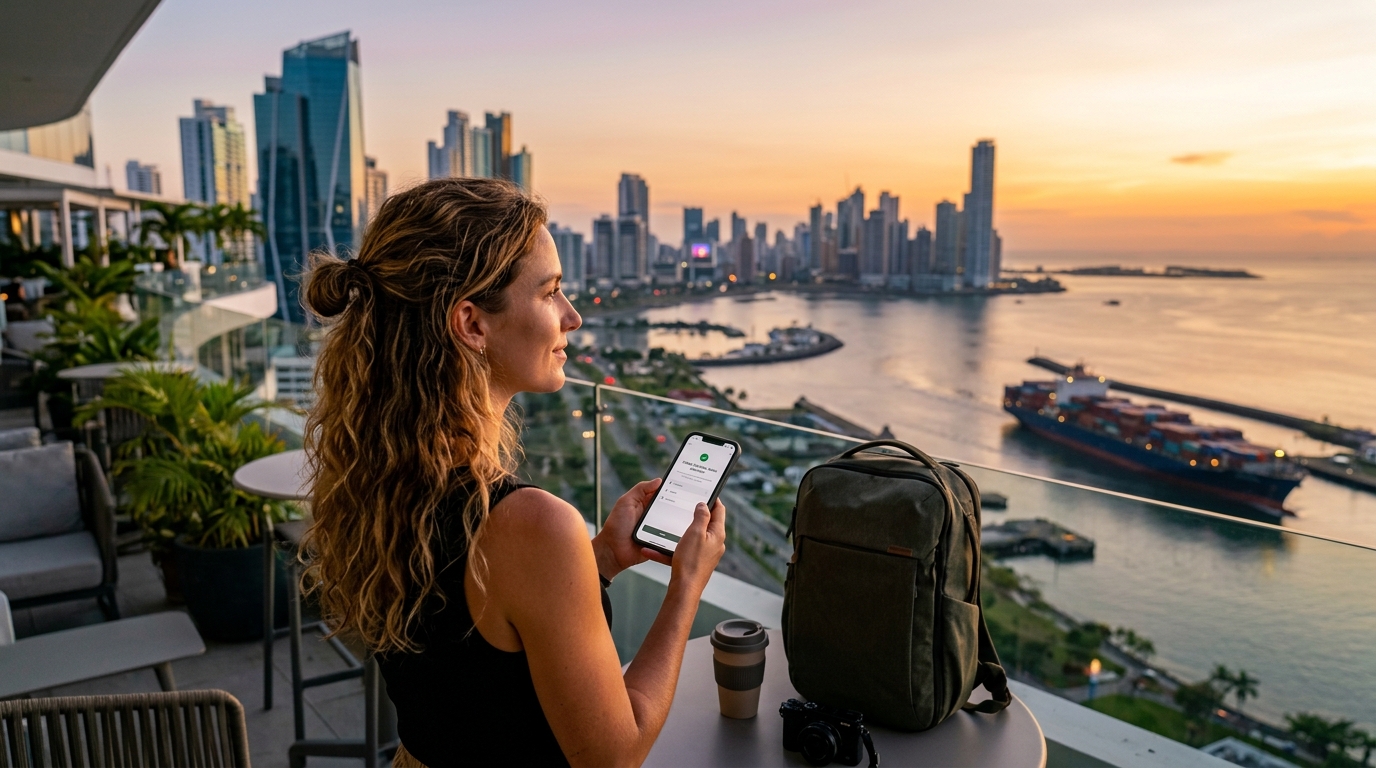
Panama Canal to Bocas del Toro: 2026 Panama Travel eSIM & Connectivity Guide
Panama's Mobile Network Infrastructure: Tigo vs. +Móvil Spectrum & Coverage Breakdown
Following the regulatory exit and liquidation of Digicel Panama, the national telecommunications landscape has consolidated into an effective tier-1 duopoly: Tigo Panama (operated by Millicom) and +Móvil (Cable & Wireless Panama / Liberty Latin America). For international travelers moving between dense urban financial corridors and remote rainforest archipelagos, understanding the underlying Radio Access Network (RAN) deployment and spectrum allocation of these two giants is essential for uninterrupted connectivity.
The Core Spectrum Landscape: 4G LTE-A and 5G Deployments
Panama’s mobile network strategy relies heavily on a dual-layer spectrum model designed to handle extreme density in the capital while projecting macro coverage across rugged topography:
- Low-Band (Sub-1 GHz): Band 28 (700 MHz APT). This is the single most critical spectrum band in Panama. Because 700 MHz signals propagate over long distances and penetrate dense tropical tree canopies and building concrete with minimal attenuation, both carriers use Band 28 as their foundational rural coverage layer. If your device lacks Band 28 support, you will experience severe dead zones along the Inter-American Highway and across the Bocas del Toro islands.
- Mid-Band (Capacity Layer): Band 2 (1900 MHz) & Band 4 (AWS 1700/2100 MHz). Deployed extensively in Panama City, Colón, and David. These bands support Carrier Aggregation (LTE-Advanced), delivering baseline data rates exceeding 60–100 Mbps in clear line-of-sight conditions.
- 5G NR Rollouts (Non-Standalone - NSA): Heading into 2026, 5G commercial deployments remain tightly clustered within Panama City's high-value business districts—specifically Costa del Este, Punta Pacífica, Obarrio (the Banking Center), and San Francisco. Both Tigo and +Móvil utilize sub-6 GHz spectrum (primarily n78 / 3.5 GHz) overlaid on existing LTE cores, prioritizing massive multi-user capacity over national footprint expansion.
Carrier Head-to-Head: Infrastructure & Regional Dominance
| Metric / Feature | Tigo Panama (Millicom) | +Móvil (Cable & Wireless) |
|---|---|---|
| Primary 4G/LTE Bands | Band 2, Band 4 (AWS), Band 28 | Band 2, Band 4 (AWS), Band 28 |
| Active 5G Deployments | Costa del Este, Financial District, PTY Airport | Obarrio, Punta Pacífica, Santa María |
| Rural Strongholds | Pacific Coast, Azuero Peninsula, Chiriquí | Caribbean Coast, Guna Yala, Darién frontiers |
| Island Infrastructure | Solid across Isla Colón (Bocas Town) | Superior microwave links to outer Bocas cays |
| Fiber Backhaul Health | Massive urban hybrid fiber-coaxial backbone | Extensive legacy national transport network |
Tigo Panama possesses immense fiber backhaul capacity in urban hubs thanks to its legacy Cable Onda acquisition, giving it exceptionally low latency in the capital and along major arterial toll roads like the Corredor Sur and Corredor Norte.
Conversely, +Móvil maintains deep historical ties to national infrastructure programs. Their microwave link relays across the Caribbean coastline give them an edge in isolated archipelago sectors, such as outer Bastimentos and small indigenous comarcas where commercial incentives for private tower builds are low.
Dynamic Core Switching with MollySIM
Navigating this regional duopoly manually with local plastic SIMs often leaves travelers stranded when crossing regional carrier boundaries. MollySIM bypasses this infrastructure friction by deploying dynamic carrier profiles that negotiate handoffs with underlying tier-1 towers based on real-time signal quality.
- Zero-Touch APN Provisioning: The eSIM automatically provisions the required Access Point Name configurations upon landing at Tocumen International Airport (PTY), eliminating manual baseband configuration.
- Adaptive Tower Handoffs: As you transition from the urban microcells of Panama City to the long-range Band 28 installations along the mountain passes of Chiriquí, the eSIM profile dynamically routes your data path to the strongest local radio link.
- High-Floor FUP Safety Net: If you exhaust your high-speed data allocation while navigating remote mangroves, MollySIM's Fair Use Policy maintains a throttled baseline speed of 384 kbps—triple the industry standard 128 kbps. This ensures critical travel applications like Apple Pay, Google Maps vector rendering, and WhatsApp emergency VoIP routing continue operating without service interruption.
Regional Connectivity Guide: From Panama City Skyscrapers to Bocas Reefs & San Blas Isles
🇺🇸 United States High-Speed Travel eSIM & SIM Plans
Instant QR code activation, hotspot enabled, with guaranteed 384kbps fallback speed to keep Maps & Digital Wallets active.
Panama’s geographic diversity creates a complex RF environment. A single nationwide carrier rarely delivers uniform service across the country's high-rise financial corridors, dense cloud forests, and remote coral cays. Understanding local infrastructure performance helps you manage bandwidth expectations and eliminate unexpected dead zones.
┌───────────────────────┬───────────────────────┬────────────────────────┐
│ Region                │ Expected Throughput   │ Typical Latency (Ping) │
├───────────────────────┼───────────────────────┼────────────────────────┤
│ Panama City Metro     │ 65 – 180 Mbps (LTE/5G)│ 18 – 35 ms             │
│ Boquete & Highlands   │ 15 – 45 Mbps (4G LTE) │ 45 – 75 ms             │
│ San Blas (Guna Yala)  │ 2 – 10 Mbps (3G/4G)   │ 90 – 160 ms            │
│ Bocas del Toro Core   │ 10 – 35 Mbps (4G LTE) │ 50 – 85 ms             │
│ Outer Bocas Islands   │ 0.5 – 5 Mbps / Edge   │ 110 – 220 ms           │
└───────────────────────┴───────────────────────┴────────────────────────┘
1. Panama City Metro: Casco Viejo, Punta Pacifica & Miraflores
The capital features robust fiber-backhauled macrocells and small-cell distributions:
- Punta Pacifica & Financial District: Expect carrier-aggregated LTE-A and early-stage 5G deployments delivering up to 180 Mbps. Concrete-and-glass skyscraper canyons can occasionally attenuate higher-frequency bands (B2/B4), but dynamic network switching quickly falls back to high-penetration sub-1GHz frequencies.
- Casco Viejo: Thick colonial calicanto (limestone and sea-rock) walls heavily shield interior courtyards and boutique hotel suites. Step onto rooftop terraces or streets for clean line-of-sight to coastal towers.
- Miraflores & Pedro Miguel Locks: Strong direct coverage spans the Panama Canal visitor centers, maintaining continuous 45+ Mbps bandwidth for uninterrupted 4K video uploads of transiting ships.
2. Chiriquí Highlands: Boquete, Caldera & Volcán Barú
As you ascend past 1,200 meters into the cloud forests of Chiriquí, volcanic topography alters signal propagation:
- Boquete Valley: The downtown corridor and Bajo Mono enjoy consistent 4G coverage over Band 28 (700 MHz). Digital nomads working from local coffee estates will find low-jitter connections suitable for multi-party Zoom calls.
- Volcán Barú Hiking Trails: Base camps retain cellular contact, but deep ravines create severe shadow zones. Tower access becomes sporadic on the Paso del Respingo trail.
- High-Altitude Redundancy: If high-speed limits are exhausted mid-hike, MollySIM's 384 kbps Fair Use Policy (FUP) floor ensures vector maps on AllTrails and Google Maps continue caching without the failure rates typical of standard 128 kbps throttles.
3. San Blas / Guna Yala Archipelago: Off-Grid Realities
San Blas operates largely off-grid, with over 365 islands running primarily on solar arrays, diesel generators, and localized microwave backhaul links pointed toward mainland mountain towers:
- Cartí & El Porvenir (Western Hubs): Proximate to the mainland road terminus, these anchor points receive stable 3G/4G signals. Speeds hover between 5 and 15 Mbps—plenty for messaging, remote bookings, and web browsing.
- Outer Cays (Cayos Holandeses & Cayos Chichime): Traditional cell service drops significantly here. Certain islands catch fringe coverage, but marine dead zones are common.
- Pro Tip: Download your return transport vouchers, boat transfer coordinates, and offline translation packs before leaving your Panama City hotel.
4. Bocas del Toro: Isla Colón, Carenero & Outlying Bastimentos
The Caribbean archipelago relies on a network of mainland microwave relays split across several island towers:
- Bocas Town (Isla Colón) & Carenero: Both hubs feature stable LTE with 20–40 Mbps downlink speeds. Co-working spaces, cafes, and waterfront docks maintain reliable connectivity for remote work.
- Bastimentos (Old Bank vs. Red Frog Beach): Old Bank enjoys line-of-sight access to the Bocas Town macro tower. Moving around the southern point toward Red Frog Beach or Wizard Beach exposes travelers to dense jungle headlands that block mainland signals.
- Water Taxi Transit Routes: High-speed panga routes between Almirante and Isla Colón pass through localized dead patches mid-bay. Having an eSIM that auto-negotiates with the active tower along the coastal shipping lane minimizes dropped data streams during transit.
5. Transit Corridors: Albrook Terminal, Interamericana & Domestic Airstrips
Panama's major transit nodes are notorious for carrier-specific congestion and signal dropouts:
- Albrook Grand Terminal & Gelabert Airport (PAC): Thousands of daily commuters strain single-carrier base stations inside the terminal. Multi-network profiles circumvent localized congestion by routing through the least loaded alternate network.
- The Interamericana Highway: Driving the 8-hour stretch between Panama City and David reveals rural dead zones along the coastal plains of Veraguas and Coclé.
- Bocas del Toro Isla Colón Airport (BOC): Cellular service locks in immediately upon final approach over the bay, allowing you to hail local transport or confirm your water taxi transfer before stepping onto the tarmac.
Connectivity Matrix: Local SIM Cards vs. Pocket Wi-Fi vs. Roaming vs. MollySIM
Navigating connectivity across Panama’s diverse topography requires understanding the trade-offs between cost, hardware friction, network fallback redundancy, and legal bureaucracy. While Tocumen International Airport (PTY) offers immediate retail options upon deplaning, these traditional pathways carry distinct logistical bottlenecks compared to cloud-provisioned eSIM profiles.
The comparative matrix below details the operational differences across the four dominant connectivity pathways available to travelers in Panama:
| Evaluation Metric | Local Physical SIM (Claro / +Más Móvil / Tigo Kiosks) | Pocket Wi-Fi Rental (Airport Pick-up) | Domestic Carrier Roaming (AT&T, Verizon, Vodafone) | MollySIM Panama eSIM |
|---|---|---|---|---|
| Setup Friction & Delivery | High: Wait in terminal retail queues; physically swap nano-SIM cards. | High: Device collection at counter, battery management, return drop-off. | Low: Auto-activates on network ping upon landing. | Zero Friction: Instant QR delivery via email; install prior to departure. |
| KYC / Passport Registration | Mandatory: Passport scan and photo registration required by Panamanian telco law (ASEP). | Moderate: Credit card deposit hold ($150–$250) and identity verification. | None: Covered by home contract. | None: No passport uploads or personal identity verification required. |
| Average Cost per GB | Moderate ($3.00 – $5.00 / GB in airport kiosks). | High ($8.00 – $14.00 / day flat rental). | Very High ($10.00 – $15.00 / day passes). | Low to Moderate ($1.80 – $3.50 / GB) with flexible bundle options. |
| Multi-Carrier Redundancy | None: Hard-locked to a single operator's native base stations. | None: Device is tied to a single local SIM card slot. | Dynamic roaming, but subject to home carrier steering agreements. | Dual/Multi-Network: Dynamic switching across premier Panamanian infrastructure. |
| 2FA Bank SMS Preservation | Broken: Removing your domestic SIM disables inbound OTP/2FA banking codes. | Preserved (requires keeping home SIM active on Wi-Fi calling). | Preserved, but risks accidental cellular data trigger charges. | Fully Preserved: Operates seamlessly on secondary DSDS slot alongside your primary SIM. |
| Post-Cap Throttle (FUP) | Hard disconnect or severe drop to unrouted 64 kbps. | Throttled to 128 kbps after daily data allotment. | Throttled to 128 kbps or steep per-megabyte overage billing. | Soft Cap at 384 kbps (3x faster than industry average; keeps navigation & messaging live). |
The Operational Reality: Why Traditional Channels Fall Short in Panama
1. The PTY Airport KYC Bottleneck vs. Instant eSIM Provisioning
Panama’s national public services authority (Autoridad Nacional de los Servicios Públicos, or ASEP) mandates strict Know-Your-Customer (KYC) identity verification for all prepaid SIM registrations. Purchasing a physical SIM at Tocumen International Airport (PTY) or Albrook Mall requires presenting your physical passport, waiting for retail agents to input biometrics into local carrier databases, and enduring manual APN configurations. Furthermore, airport kiosks routinely charge a 200–300% markup on SIM starter kits compared to city-center bodegas.
Digital deployment through MollySIM completely bypasses the KYC hurdle. By provisioning the cellular profile remotely to your smartphone’s embedded eUICC chip, your device latches onto local Panamanian towers the second your landing gear touches down at PTY, PAC, or BOC—eliminating the need to locate open kiosks during late-night arrivals.
2. Protecting Dual-SIM Dual-Standby (DSDS) for Banking Security
Swapping out your primary physical SIM card for a local Panamanian chip severs access to your home carrier's cellular channel. This breaks incoming Short Message Service (SMS) Two-Factor Authentication (2FA) for credit card validation, wire transfers, and account logins—a catastrophic point of failure if your bank flags a transaction in Casco Viejo or Bocas Town.
An eSIM operates alongside your home SIM using Dual-SIM Dual-Standby (DSDS) architecture. By delegating all data consumption to MollySIM while leaving your primary carrier line passive for inbound SMS verification, you avoid accidental roaming overages without sacrificing account security.
+-------------------------------------------------------------------+
|                        SMARTPHONE DSDS SLOT                       |
+---------------------------------+---------------------------------+
|          PRIMARY LINE           |         SECONDARY ESIM          |
|      (Physical Home SIM)        |       (MollySIM Data Line)      |
+---------------------------------+---------------------------------+
|  * Voice/SMS: ON (Passive)      |  * Cellular Data: ACTIVE        |
|  * Data Roaming: OFF            |  * Network: Multi-Carrier (PA)  |
|  * Purpose: Bank 2FA / OTPs     |  * Purpose: Navigation / VoIP   |
+---------------------------------+---------------------------------+
3. Uninterrupted Functionality with 384 kbps Fair Use Policies
Most international roaming passes and budget virtual operators enforce aggressive Fair Use Policies (FUP), throttling user speeds to an unusable 64 kbps or 128 kbps once the primary high-speed bucket is depleted. At 128 kbps, basic vector-tile map rendering freezes, and ride-hailing apps timeout.
MollySIM implements a 384 kbps continuous fallback speed—three times the industry benchmark. Even if you exhaust your high-speed quota while off-grid on Bastimentos or transiting the Interamericana Highway, critical protocols such as Google Maps navigation, Uber/Indrive API calls, Apple Pay tokenization, and WhatsApp text transmissions continue to operate without leaving you stranded.
Tocumen Airport (PTY) Arrival Playbook & MollySIM Installation Walkthrough
Landing at Tocumen International Airport (PTY)—the "Hub of the Americas"—or Scarlett Martínez International Airport (RIH) in Río Hato drops you into a fast-paced transit environment. Tocumen’s public Wi-Fi infrastructure notoriously restricts sessions to 30 timed minutes via a mandatory captive portal that frequently drops authentication packets inside the immigration queues.
Pre-installing your MollySIM profile before departure guarantees that your device establishes an encrypted cellular handshake the moment wheels touch the runway, bypassing congested airport Wi-Fi entirely.
Pre-Departure Setup (Do This at Home)
Install your eSIM 12 to 24 hours before your flight while connected to a trusted, stable home or office Wi-Fi network. Installation requires an active internet connection to download the profile from the remote SM-DP+ (Subscription Manager Data Preparation) server.
Method A: Instant QR Code Provisioning
- Open your device’s camera and scan the QR code delivered in your MollySIM confirmation email.
- When the OS prompt appears, tap Add eSIM (iOS) or Download SIM (Android).
- Label the profile "MollySIM" or "Panama Travel" to distinguish it from your primary line.
- Important: Keep the eSIM toggled OFF or keep Data Roaming DISABLED until you touch down in Panama to prevent premature local billing triggers on your home network.
Method B: Manual SM-DP+ Installation
If you cannot scan the QR code directly from your primary screen:
- iOS: Navigate to
Settings>Cellular>Add eSIM>Use QR Code>Enter Details Manually. Paste the SM-DP+ Address and Activation Code provided in your dashboard. - Android (Samsung/Pixel): Navigate to
Settings>Connections / Network & internet>SIM manager>Add eSIM>Enter activation code.
Touchdown Protocol: Step-by-Step Activation
Follow this exact OS-specific configuration matrix as soon as the aircraft clears active runway operations at PTY or RIH:
| Configuration Step | iOS (iPhone 11–16 Pro Max) | Android (Samsung Galaxy / Google Pixel) |
|---|---|---|
| 1. Primary Line Setup | Keep Primary active for Calls/SMS; Turn Data Roaming OFF | Keep Primary SIM active for Calls/SMS; Set Mobile Data to Secondary |
| 2. Select Data eSIM | Go to Settings > Cellular > Cellular Data > Select MollySIM | Go to Settings > Connections > SIM manager > Mobile Data: MollySIM |
| 3. Cellular Data Switching | Toggle Allow Cellular Data Switching to OFF (Prevents domestic carrier data leaks) | Disable Auto data switching |
| 4. Enable Roaming | Tap MollySIM > Toggle Data Roaming ON | Tap MollySIM > Toggle Data roaming ON |
Network Latching & Terminal Navigation
Once configured, the MollySIM profile executes an IMSI attach request with local cell towers (+Móvil / Tigo) within 15 to 45 seconds.
+-----------------------------------------------------------------------+
|                 IMMEDIATE TERMINAL CONNECTIVITY TASKS                 |
+-----------------------------------------------------------------------+
|  [✓] Panama Digital Pass: Retrieve customs declarations instantly     |
|  [✓] Ride-Hailing Coordination: Summon Uber at Terminal 1 / T2 levels |
|  [✓] Ground Transport: Update transfer drivers via WhatsApp VoIP      |
|  [✓] Zero Captive Portal Lag: Avoid PTY’s 30-minute public Wi-Fi limits|
+-----------------------------------------------------------------------+
With continuous low-latency data ready before you deplane, you can pull up your electronic customs QR codes, access your hotel reservation portals, and summon an Uber to Tocumen's Terminal 1 or Terminal 2 designated ride-share pick-up zones without competing for congested terminal bandwidth.
Even if you run out of high-speed data while managing airport logistics, MollySIM’s built-in 384 kbps fallback Fair Use Policy keeps your map pins, ride status, and messaging functional—delivering 3x the speed of standard 128 kbps competitor throttles.
Troubleshooting APN & Carrier Registration
If your device displays "No Service" or fails to establish an IP address after 60 seconds, execute these direct hardware overrides:
- APN Configuration (If not automatically provisioned):
- Go to
Cellular Data Network(iOS) orAccess Point Names(Android). - Set the APN field to the specific string listed in your MollySIM activation voucher (e.g.,
globaldataorinternet). - Leave Username and Password blank.
- Manual Network Operator Search:
- Go to
Settings>Cellular>Network Selection. - Toggle off Automatic.
- Allow your phone to scan available PLMN IDs, then manually tap +Móvil (Cable & Wireless Panama) or Tigo Panama.
- Toggle Airplane Mode: Force a fresh baseband handshake by toggling Airplane Mode on for 10 seconds, then off.
Dual-SIM Routing Blueprint: Keeping Banking 2FA Active While Leveraging High-Speed Travel Data
The modern digital nomad and international traveler faces a persistent security hurdle: accessing financial dashboards, corporate VPNs, and wire verification portals while abroad requires real-time SMS Two-Factor Authentication (2FA). Leaving your domestic carrier line completely active abroad often triggers predatory $10–$15/day international day passes (e.g., Verizon TravelPass, AT&T International Day Pass, or EE Roaming Passes), while removing your primary physical SIM locks you out of crucial verification tokens entirely.
By deploying a hardware-level Dual-SIM configuration, you can route all bandwidth-heavy network traffic through a local digital pipeline while maintaining an open channel for zero-cost incoming SMS authentication codes.
Step-by-Step Dual-SIM Configuration
To isolate data transmission to MollySIM while keeping your primary line active solely for verification, execute these operating system adjustments before or immediately upon landing in Panama:
1. iOS Configuration (iPhone 11 through iPhone 16 Pro Max)
- Navigate to Settings > Cellular (or Mobile Data).
- Under SIMs, tap your domestic SIM (Home Carrier) and label it Primary; tap your MollySIM profile and label it Travel Data.
- Tap Default Voice Line > Select Primary. (Incoming text messages/SMS are typically free worldwide on major global networks; verify with your domestic provider that incoming SMS does not trigger daily roaming fees).
- Tap Cellular Data > Select Travel Data (MollySIM).
- Critical Step: Toggle Allow Cellular Data Switching to OFF. If left active, your iPhone will quietly hop back to your domestic line in dead zones, triggering carrier day-pass surcharges.
- Tap your Primary SIM entry > toggle Data Roaming to OFF.
- Tap your MollySIM entry > toggle Data Roaming to ON.
2. Android Configuration (Samsung One UI & Google Pixel)
- Navigate to Settings > Connections (or Network & Internet) > SIM Card Manager.
- Under Preferred SIM, set Calls and Messages to your primary home carrier.
- Set Mobile Data exclusively to your MollySIM profile.
- Navigate to Mobile Networks > Select your Primary SIM > disable Data Roaming.
- Select your MollySIM profile > enable Data Roaming.
- On Samsung devices, ensure Auto Data Switching is toggled OFF.
Dual-SIM Routing Architecture
| Setting Parameter | Domestic Home SIM (Verizon / AT&T / EE) | MollySIM Panama Profile |
|---|---|---|
| SIM Status | Active (Standby) | Active (Primary Engine) |
| Voice & SMS Assignment | Default Voice Line | Secondary |
| Cellular Data Assignment | Disabled | Active / Default |
| Data Roaming Toggle | OFF (Prevents Billing Triggers) | ON (Required for Latency Routing) |
| Allow Data Switching | Disabled (System-wide) | Disabled (System-wide) |
OS Optimization: Squeezing Maximum Mileage from Your Data
Remote Panamanian provinces—such as the outer islands of Bocas del Toro (Bastimentos, Solarte) and the Darién Gap corridor—can fluctuate in raw cellular throughput. Configuring your device to eliminate silent background data drain preserves both battery cycles and high-speed bandwidth allotments:
- Background App Refresh Management:
- Go to Settings > General > Background App Refresh (iOS) or Settings > Apps > Special App Access (Android).
- Restrict background refreshing to mission-critical messaging (WhatsApp, Signal) and navigation. Terminate background access for social media feeds (Instagram, TikTok) and cloud sync utilities.
- Bandwidth Optimization for Cloud Storage:
- In Apple Photos, Google Photos, or Dropbox, switch uploads to Wi-Fi Only. Unchecked 4K video syncing over cellular will rapidly deplete your mobile data allowance.
- Pre-caching Offline Maps:
- Open Google Maps, tap your profile icon > Offline Maps > Select Your Own Map.
- Download the complete geographic zones for Panama City/Canal Corridor, Chiriquí Highlands (Boquete), and the Bocas del Toro Archipelago. This allows turn-by-turn GPS location processing without requesting new map vector tiles over cellular towers.
Should you exhaust your targeted high-speed data tier while trekking in remote archipelagos, MollySIM’s automated 384 kbps Fair Use Policy (FUP) baseline maintains enough sustained throughput to keep WhatsApp end-to-end messaging, Apple Pay transaction tokens, and Google Maps real-time location vectors operational without stranding you mid-transit—a vast operational upgrade over legacy travel SIMs that hard-throttle down to an unusable 128 kbps.
Remote Work & Rainforest Safety: The Strategic Power of MollySIM's 384kbps Unlimited Fallback
Nothing derails a remote work expedition or deep-country transit faster than an unexpected data cutoff. Traditional prepaid travel SIMs and budget roaming profiles operate on a binary model: once you exhaust your high-speed quota, your connection is either terminated instantly or throttled to an unusable 64 kbps or 128 kbps.
In real-world terms, a 128 kbps throttle causes standard HTTPS handshakes and modern API calls to time out, rendering your device practically offline. In contrast, MollySIM integrates a continuous 384 kbps Fair Usage Policy (FUP) baseline across its global packages. By delivering 3x the throughput of competitor throttles, this persistent data pipeline bridges the gap between high-speed leisure browsing and mission-critical functionality.
Bandwidth Performance: 384 kbps vs. Industry Standard Throttles
| Critical Mobile Function | Traditional Roaming (64–128 kbps) | MollySIM 384 kbps Unlimited Fallback |
|---|---|---|
| WhatsApp / Signal Voice Calls | Severe jitter, packet loss, frequent drops | Clear HD Audio (Opus codec requires 24–64 kbps) |
| Google Maps Live Rerouting | Timeouts on vector/traffic packet requests | Real-time Navigation & Coordinate Sync |
| Ride-Hailing (Uber / InDrive) | Driver location and dispatch API timeouts | Full Dispatch, Tracking & Fare Confirmation |
| Slack / Microsoft Teams | Message send failures; sync hangs | Continuous Real-Time Chat & Direct Messaging |
| Apple Pay / Google Wallet | Token validation fails if security check times out | Instant Gateway Security Authentication |
| Email Sync (Gmail / Outlook) | Complete fetch failure | Rapid Text & Metadata Delivery (Excl. heavy files) |
Field Operations in Remote Panama: Never Stranded Offline
Whether navigating the remote breaks of Santa Catalina, crossing the cloud forests of Boquete, or staying near the Darién buffer zones, sustaining baseline cellular connectivity is a non-negotiable safety requirement.
At a sustained 384 kbps, core applications operate reliably even with zero high-speed gigabytes remaining:
- Field Communications & SOS: WhatsApp voice calls utilize dynamic audio compression codecs that stream cleanly at 32–48 kbps. At 384 kbps, you have more than five times the overhead required to maintain a crystal-clear VoIP call to your emergency contact, guide, or logistics coordinator without audio breakup.
- Vector Routing Under Dense Canopy: While heavy satellite imagery will pause, vector-based navigation engines like Google Maps, Apple Maps, and Waze download low-overhead coordinate packages in fractions of a second, ensuring turn-by-turn route calculations and live GPS track recalculations proceed uninterrupted.
- Urban Transit Dispatch: In transit hubs like David or suburban edges of Panama City, hailing an Uber or InDrive requires lightweight server pings to transmit your pickup coordinates and process fare security tokens—actions that execute fluidly at 384 kbps without throwing connection errors.
- Asynchronous Remote Work: For digital nomads balancing deliverables while island-hopping across Bocas del Toro, a depleted high-speed bucket won’t lock you out of your team’s workspace. Slack, Jira, Trello, and standard text-based email protocols sync seamlessly in the background, allowing you to review pull requests, respond to production alerts, and manage client communications until you reach your next fixed Wi-Fi access point.
By eliminating hard data cliffs, MollySIM ensures your mobile device remains an active, reliable navigation beacon and communication tool across every province in Panama.
🇺🇸 United States High-Speed Travel eSIM & SIM Plans
Instant QR code activation, hotspot enabled, with guaranteed 384kbps fallback speed to keep Maps & Digital Wallets active.