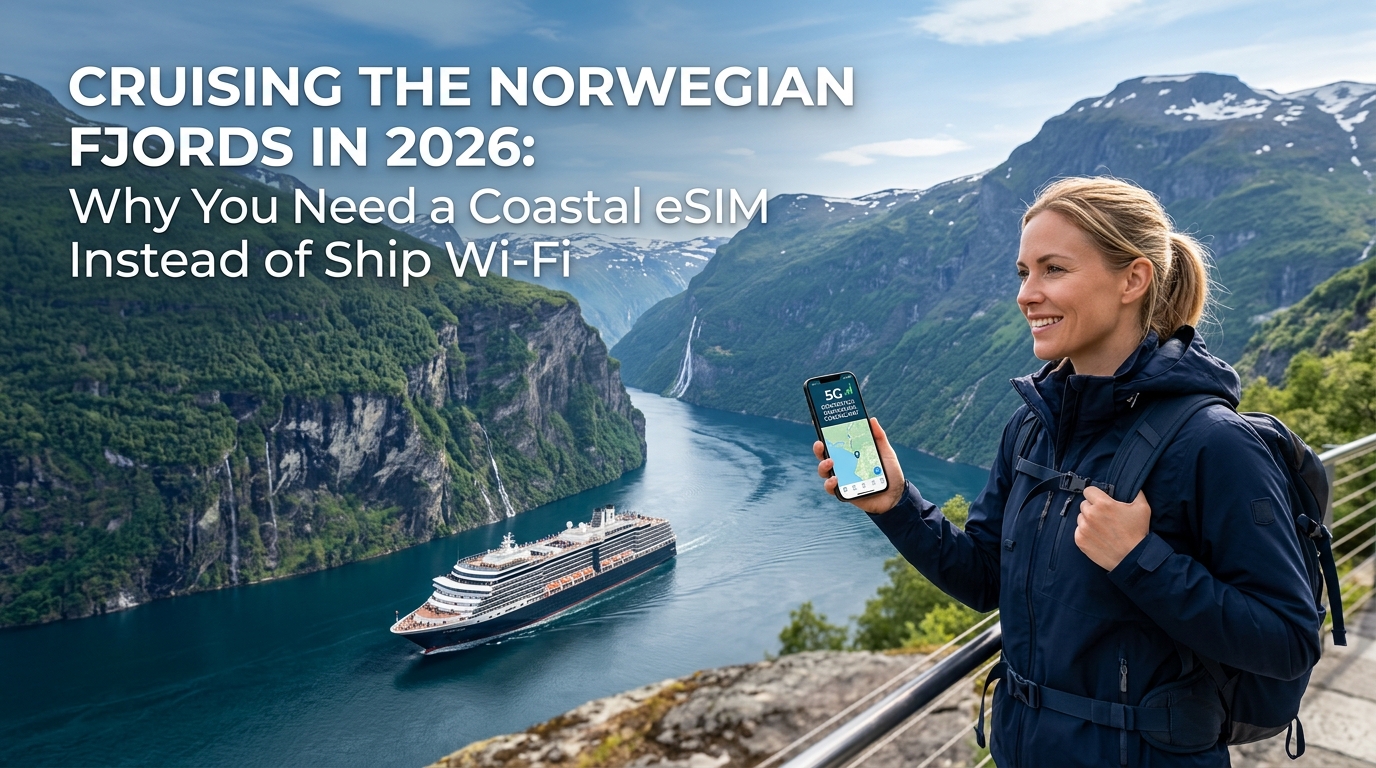
The Fjord Connectivity Myth: Terrestrial 5G Masts vs. Shipboard Satellite Wi-Fi
One of the most persistent misconceptions among cruise passengers is the assumption that because a ship is on the water, the only way to stay connected is through the vessel's satellite Wi-Fi system. In open-ocean transatlantic crossings, satellite connectivity is indeed the sole option. However, cruising the Norwegian coastline—from the historic harbor of Bergen, through the razor-thin corridors of the Nærøyfjord and Geirangerfjord, inland to Flåm, and northward past the Arctic Circle to Tromsø—is fundamentally different.
Norwegian fjord cruising is near-coastal and inland waterway navigation. You are rarely more than a few nautical miles—and often just a few hundred meters—from solid ground.
       [ Terrestrial Mast on Cliff ]
                  / \
                 /   \  Direct Line-of-Sight (Ultra-low latency: ~15-25ms)
                /     \
   ~~~~~~~~~~~~[Cruise Ship]~~~~~~~~~~~~~~~~~~~~~~~~~~~~~~~~~~~~~~~~~~~~~~~~~
                \     /
                 \   /  Topographical Masking: Sheer 1,000m cliffs
                  \ /   block low-angle Starlink & VSAT orbital paths
                   X
             [Blocked Satellite]
The World's Most Advanced Maritime Cellular Grid
Norway boasts arguably the most sophisticated coastal telecommunications infrastructure on earth. Dominated by tier-1 network operators Telenor and Telia, billions of kroner have been invested into engineering base stations across sheer basalt cliffs, remote island skerries, and mountain plateaus.
This infrastructure was built with a dual mandate:
- Maritime Safety and Search-and-Rescue (SAR): Providing high-bandwidth emergency and operational coverage for the nation's massive commercial fishing fleets, offshore energy sectors, and daily passenger ferries (Hurtigruten and Havila).
- Universal Service Mandates: Ensuring that even the most isolated fjord hamlets (such as Gudvangen or Geiranger) maintain high-speed broadband access.
Because these 4G and 5G base stations sit hundreds of meters above sea level on cliff edges, their antennas project outward and downward directly across the navigable shipping lanes. For 90% to 95% of a standard fjord cruise itinerary, your smartphone is well within the line-of-sight beam of a high-capacity terrestrial tower.
The Satellite Bottleneck: Topographical Masking and Canyon Effects
While modern low-Earth orbit (LEO) constellations like Starlink have improved shipboard satellite internet, maritime satellite arrays face severe physical limitations inside steep fjords:
- Topographical Masking (Canyon Effect): In deep incisions like Geirangerfjord or Nærøyfjord, vertical mountain walls rise over 1,000 meters (3,280 feet) directly out of the water. These rock faces create a narrow "skyline canyon," obstructing the low-angle orbital lines of sight required for satellite handshakes. When the ship passes close to a cliff wall, satellite dishes lose tracking, resulting in dropped connections and severe packet loss.
- Bridge and Shadow Occlusion: Sailing beneath monumental infrastructure like the Hardanger Bridge completely interrupts satellite signals, knocking out active voice and video connections.
- Onboard Network Contention: Even when the ship's satellite link is stable, that single shared connection is split among 3,000 to 5,000 passengers and crew. During peak morning and evening hours, local shipboard Wi-Fi routers experience extreme congestion, driving latency above 300ms.
Coastal 5G vs. Shipboard Satellite Wi-Fi
| Feature / Metric | Terrestrial Coastal 4G/5G | Shipboard Satellite Wi-Fi (VSAT / LEO) |
|---|---|---|
| Typical Latency | 15–35 ms (Ultra-responsive) | 60–250+ ms (High jitter & bufferbloat) |
| Average Download Speed | 80–350+ Mbps (Direct mast link) | 5–25 Mbps (Throttled per-device allocation) |
| Fjord Wall Vulnerability | Minimal (Towers point directly into waterways) | High (Topographical masking causes signal dropouts) |
| Port & Shore Continuity | Unbroken coverage on deck, tenders, and onshore | Drops instantly once leaving onboard Wi-Fi range |
| Streaming & Video Calls | Smooth 4K streaming and stable VoIP | Frequent degradation, packet loss, or service blocking |
Maintaining Unbroken Connectivity with a Local eSIM
By using a dedicated travel eSIM, your device connects directly to the local Telenor and Telia terrestrial masts rather than routing through the cruise ship's overburdened satellite hub.
For reliable continuous access, choosing an eSIM provider with consumer-first network policies makes a practical difference. For example, MollySIM provides direct routing via Norway’s premier host networks and includes a 384kbps Fair Use Policy (FUP) speed limit on its data plans. While many generic travel eSIMs drop your connection to an unusable 128kbps once high-speed caps are reached, a 384kbps baseline is roughly three times faster—ensuring critical travel tools like Google Maps, Apple Pay, authentication apps, and messaging platforms function without interruption, whether you are on the top deck or exploring a remote tender port.
The $30/Day Satellite Wi-Fi and 'Cellular at Sea' Roaming Trap
🌐 Global Travel High-Speed Travel eSIM & SIM Plans
Instant QR code activation, hotspot enabled, with guaranteed 384kbps fallback speed to keep Maps & Digital Wallets active.
Cruising through the dramatic waterways of western Norway often lulls travelers into a false sense of digital security. Many passengers assume their standard mobile plan's roaming feature or the ship’s packaged Wi-Fi will handle their connectivity needs. In reality, relying on cruise line connectivity models creates a double-edged trap: exorbitant daily package fees paired with severe technical restrictions, alongside the catastrophic financial risk of maritime roaming networks.
The Artificial Scarcity of Shipboard Wi-Fi Packages
Modern cruise operators market their onboard satellite internet as an all-inclusive window to the world, but the fine print reveals heavy technical and financial friction:
- Aggressive Per-Device Pricing: Onboard internet tiers on major lines sailing the fjords—such as Royal Caribbean, Norwegian Cruise Line, MSC, and Princess—routinely cost between $25 and $35 per day for a single device. For a 7-night itinerary, a couple connecting two smartphones faces an added operational cost of $350 to $500 just to check emails and browse the web.
- Device Locking and Gatekeeping: These plans use captive portals that tie access to a single hardware MAC address or force tedious log-in/log-out cycles whenever you switch between a phone, tablet, or laptop.
- Aggressive Traffic Shaping and Protocol Blocks: To conserve scarce satellite bandwidth across thousands of passengers, shipboard firewalls frequently block or throttle high-bandwidth protocols. Corporate VPN tunnels (IPsec, WireGuard, OpenVPN), peer-to-peer services, cloud backup synchronization (iCloud, Google Photos), and even real-time video platforms (FaceTime, Zoom) are routinely degraded or outright disabled on base-tier packages.
The Maritime Cell Trap: How "Cellular at Sea" Causes Multi-Thousand-Dollar Invoices
The most dangerous financial hazard aboard a cruise ship is not the overpriced Wi-Fi—it is the ship’s internal cell tower, commonly operating under network identifiers like MCP (Maritime Communications Partner / Telenor Maritime) or WMS (Wireless Maritime Services).
When a cruise ship enters transit, international maritime regulations permit the vessel to activate its onboard cellular transceivers. If your home carrier's SIM card has "Data Roaming" toggled on, your device will silently authenticate with this private maritime network.
Because maritime towers route data over private satellite backhauls, standard domestic roaming agreements do not apply:
- Excluded from Domestic Travel Passes: Popular carrier add-ons (such as AT&T International Day Pass, Verizon TravelPass, or EU domestic roaming regulations) explicitly exclude maritime, aeronautical, and satellite networks.
- Predatory Pay-As-You-Go Rates: Unregulated maritime data rates average between $10.00 and $15.00 per single megabyte. At this rate, a standard smartphone running silent background tasks—such as an automated operating system update (500 MB) or photo stream backup (1 GB)—can generate an invoice between $5,000 and $15,000 in just a few hours.
- Delayed Cell Deactivation: Cruise operators frequently delay powering down their maritime transceivers until the vessel is firmly tied to the pier. During the long, slow approaches through narrow fjords like the Aurlandsfjord or Sunnylvsfjorden, your phone may stay locked to the predatory maritime signal even though high-speed Norwegian 4G/5G terrestrial towers are clearly visible on the cliffs nearby.
| Network Type | Average Daily/Usage Cost | Latency | Typical Limitations | Risk of Bill Shock |
|---|---|---|---|---|
| Ship Satellite Wi-Fi | $25–$35 / day / device | 60–250+ ms | Single-device locks, blocked VPNs, throttled streaming | Capped at package price |
| Cellular at Sea (MCP/WMS) | $10–$15 / per MB | 600–1,200 ms | Unthrottled pay-as-you-go data consumption | Extreme ($1,000+ accidental bills) |
| Direct Coastal eSIM | ~$2–$4 / day (Prepaid) | 5–35 ms | None (Unrestricted terrestrial data access) | Zero (Prepaid, isolated billing) |
Total Financial Isolation via Local Prepaid Data
Using a dedicated local data profile eliminates maritime roaming risk. By disabling data roaming on your primary domestic line and routing all mobile data through an independent, prepaid provider like MollySIM, your phone is physically prevented from generating satellite overage fees.
Furthermore, unlike restrictive cruise networks that disconnect you the moment you reach high-speed limits, MollySIM features a 384kbps Fair Use Policy (FUP) baseline. Even if you completely exhaust your high-speed allowance while streaming video along the Geirangerfjord, the 384kbps continuous baseline—three times faster than the 128kbps throttle standard among legacy travel eSIMs—keeps vital apps like Apple Pay, Google Maps, messaging, and two-factor authentication functioning without forcing you to purchase the cruise ship's emergency day pass.
Comparative Analysis: Cruise Wi-Fi vs. Home Roaming vs. Local Coastal eSIM
To understand why relying on onboard internet during a Norwegian fjord itinerary leads to both technical frustration and inflated travel budgets, we must examine how the three primary connectivity models perform under real-world maritime conditions.
The table below contrasts standard ship satellite Wi-Fi tiers, typical domestic carrier roaming passes (such as AT&T International Day Pass or Verizon TravelPass), and a dedicated coastal Norway eSIM across critical operational benchmarks:
| Feature / Metric | Cruise Wi-Fi (Basic Tier) | Cruise Wi-Fi (Premium / Starlink) | Home Carrier Roaming Pass | Local Coastal eSIM (MollySIM) |
|---|---|---|---|---|
| Average Daily Cost | $18 – $25 / day | $28 – $38 / day | $10 – $12 / day | $1.50 – $3.50 / day |
| Typical Speeds (Down / Up) | 0.5–2 Mbps / 0.5 Mbps | 5–25 Mbps / 2–5 Mbps | 15–50 Mbps / 5–15 Mbps | 100–350 Mbps / 25–60 Mbps |
| Average Latency | 600–900 ms (GEO) | 70–180 ms (LEO) | 80–150 ms (Rerouted) | 15–35 ms (Native Local Routing) |
| Multi-Device Tethering | Blocked / Single-device lock | Pay extra per device | Allowed (drawn from daily cap) | Fully Unlocked Hotspot |
| Port & Shore Usability | 0% (Ship footprint only) | 0% (Ship footprint only) | 100% (Terrestrial towers) | 100% (Continuous Shore & Fjord Coverage) |
| VoIP & Video Calling | Blocked / Degraded | Variable (jitter-prone) | Stable | Flawless (Ultra-low packet loss) |
| Post-Allowance Throttle | Hard cutoff / Repurchase | Hard cutoff / Repurchase | 128 kbps (Unusable for modern web) | 384 kbps Fair Use Baseline |
Evaluating the Real-World Cost-to-Performance Ratio
When analyzing connectivity on a Norwegian cruise, raw pricing must be weighted against usable bandwidth, latency, and geographic utility.
7-Day Norway Itinerary Connectivity Costs:
┌─────────────────────────────────────────────────────────────┐
│ Cruise Premium Wi-Fi (1 Device): $210 - $266                │
│ Home Carrier Day Pass:           $70 - $84                  │
│ MollySIM Norway Coastal Data:    $12 - $22                  │
└─────────────────────────────────────────────────────────────┘
*eSIM delivers an average of 85% to 92% direct cash savings*
1. The 80%+ Financial Dividend
For a standard 7-night sailing from Bergen to Geiranger and Ålesund:
- Cruise Ship Premium Satellite: Expect to pay between $196 and $266 per single registered device. If traveling as a couple sharing separate devices, costs frequently exceed $400.
- Domestic Carrier International Roaming: Daily passes run $70 to $84 per line for 7 days, often with small daily high-speed allowances (typically 0.5 GB to 2 GB) before dropping to dial-up speeds.
- Direct Coastal eSIM via MollySIM: A 10 GB to 20 GB prepaid high-speed package averages $12 to $22 total for the entire voyage.
On a 14-day extended Arctic or North Cape itinerary, the discrepancy expands drastically: ship Wi-Fi tops $450 to $530, whereas a comprehensive regional eSIM package remains under $35, translating to over 88% net savings.
2. Delivering 5x to 10x Higher Throughput
Even Starlink-equipped vessels share a central satellite terminal array among 2,000 to 5,000 passengers and crew members. During peak morning and sea-day evening hours, local Wi-Fi contention causes severe packet loss, high jitter, and download speeds dropping below 5 Mbps.
In contrast, Norway's fjord infrastructure leverages direct fiber-fed base stations mounted on cliff edges and coastal islands by operators Telenor and Telia. A coastal eSIM connects directly to these low-congestion cellular nodes, consistently delivering 100 to 350 Mbps over 5G and 4G/LTE.
3. True Port-to-Peak Portability and FUP Continuity
The definitive flaw of ship Wi-Fi is that it evaporates the moment you step off the gangway. Whether you are navigating the switchbacks of Trollstigen, booking a local RIB boat safari in Olden, or paying for the Fløibanen funicular in Bergen, ship internet provides zero utility on land.
Furthermore, standard travel eSIMs or carrier roaming passes impose punitive 128kbps speed throttles once high-speed allocations run out—effectively breaking modern encrypted apps. MollySIM mitigates this with a resilient 384kbps Fair Use Policy (FUP) baseline. Even under maximum data consumption, critical travel infrastructure—such as point-of-sale verification, Apple Wallet authentication, and Google Maps GPS navigation—remains fully operational anywhere along the Norwegian coastline.
Step-by-Step Technical Guide: Locking Cellular Selection and Evading Maritime Networks
Cruise ships crossing open waters activate shipboard satellite microcells—often broadcasting under network names like MCP, Cellular at Sea, Telenor Maritime, or NOR-18. Connecting to these maritime networks without a dedicated maritime package triggers satellite backhaul roaming rates that frequently exceed $10 to $20 per megabyte on standard home carriers.
To guarantee zero accidental connections to maritime satellite cells while preserving shore-based high-speed connectivity throughout the fjords, configure your device using the exact steps below.
Phase 1: Neutralize Your Primary Home SIM
Before entering Norwegian waters, isolate your domestic carrier line to eliminate background data leakage while keeping SMS active for two-factor authentication (2FA).
- iOS (iPhone): Go to
Settings>Cellular(orMobile Service). Tap your Primary/Home SIM and toggle Data Roaming to OFF. UnderCellular Data, ensure your travel eSIM is selected as the active data line, and toggle Allow Cellular Data Switching to OFF. - Android (Samsung/Pixel/Xiaomi): Go to
Settings>Network & Internet(orConnections) >SIMs. Select your Primary SIM, tap Mobile Data / Roaming, and switch it OFF. Set your travel eSIM as the Preferred SIM for Mobile Data.
Phase 2: Force Manual Network Selection (iOS & Android)
By default, smartphones search for the strongest broadcast signal. In narrow passages, a vessel’s onboard microcell can overpower terrestrial antennas on the cliffs. Disabling automated scanning locks your phone exclusively to land-based infrastructure.
On Apple iOS:
- Open
Settings>Cellular(orMobile Service) > select your travel eSIM profile. - Tap Network Selection.
- Toggle the Automatic switch to OFF.
- Allow 15 to 30 seconds for the device to scan all available broadcast signals.
- Manually select either Telenor (recommended for northern/narrow fjords) or Telia N.
On Android OS:
- Open
Settings>Connections>Mobile Networks(orNetwork & Internet>SIMs> select eSIM). - Tap Network Operators (or Automatically select network).
- Toggle off Automatically select network.
- From the detected carrier list, select Telenor Norway or Telia Norge.
Phase 3: APN & Roaming Verification for Your Travel eSIM
For providers like MollySIM, profile provisioning is automated, but confirming these settings ensures zero initial handshake delay:
| Setting Parameter | Required Configuration | Function / Purpose |
|---|---|---|
| eSIM Data Roaming | ENABLED (ON) | Allows data routing through Norwegian regional gateways |
| Primary SIM Roaming | DISABLED (OFF) | Prevents maritime satellite billing surges on domestic lines |
| Cellular Switching | DISABLED (OFF) | Stops OS from falling back to your domestic SIM during weak spots |
| Network APN | Auto / globaldata (per instructions) | Directs IP packet encapsulation through regional mobile cores |
Field Troubleshooting: Deep Fjord Handshakes & Mountain Bends
When rounding deep geographic cuts—such as the sharp 90-degree bend from Sunnylvsfjorden into Geirangerfjord or navigating the sheer vertical rock faces of Nærøyfjord—the phone's modem can temporarily cling to an obstructed base station behind a rock face.
- Perform a Baseband Reset: Swipe down to access Control Center / Quick Settings, toggle Airplane Mode ON, wait 15 seconds, and toggle it OFF. This forces the modem to clear its baseband cache and attach to the nearest line-of-sight mast (often transmitting on long-range 700MHz/800MHz Band 20/28).
- Toggle Between Tier-1 Partners: If you hit an ultra-deep shadow zone where Telenor’s signal is occluded by an overhanging cliff shelf, manually switch the Network Selection to Telia N.
- FUP Bandwidth Continuity: If high-speed allotments are exhausted mid-voyage, standard providers cut transmission to 128kbps, failing SSL handshakes on navigation apps. With MollySIM’s 384kbps baseline Fair Use Policy (FUP)—operating at triple the industry average—vector mapping on Google Maps, local ferry timetables, and point-of-sale authentications via Apple Pay continue functioning without timeouts.
Port-by-Port Connectivity Field Guide: From Bergen to Tromsø
Modern cruise itineraries across the Norwegian coastline typically sail between 1 and 3 nautical miles from the mainland or inner archipelago shores. Because radio frequency (RF) propagation over saltwater encounters minimal terrain obstruction when direct line-of-sight (LOS) is maintained, terrestrial macro masts mounted along Norway's highway infrastructure (such as the E39 and E6 corridors) provide continuous multi-gigabit coverage directly to your cabin balcony.
Here is what to expect across the primary cruise stops and transit corridors from Western Norway into the Arctic Circle.
                       NORWEGIAN COASTAL 5G TOPOGRAPHY

  [Tromsø] 70°N ====== (Arctic Fiber Backhaul / Band n28 + n78)
         \
      [Lofoten] ====== (Island-to-Island Microwave Relays / High LOS)
            \
         [Ålesund] === (Offshore Low-Band Marine Propagation 700MHz)
               \
      [Geirangerfjord] (Cliff-Face Multi-Path RF Signal Reflection)
               |
            [Flåm] === (Fjord-Level Microcells along Railway/E16)
               |
          [Bergen] === (Ultra-Dense Urban C-Band 5G Infrastructure)
1. Bergen & Stavanger: Urban C-Band Saturation
- Primary Bands: Band n78 (3.5GHz), Band 3 (1800MHz), Band 1 (2100MHz)
- Real-World Speeds: 450–850 Mbps Down / 60–110 Mbps Up
- Field Dynamics: Docking at Bergen’s Skolten or Jektevik terminals places your device in direct proximity to ultra-dense urban base stations. This is the optimal window to cache offline maps, sync cloud drives, and download media libraries before entering the deeper marine corridors.
- Key Use Case: Running instantaneous point-of-sale validations via Apple Pay/Google Wallet and navigating the cobblestone alleys of Bryggen or Gamle Stavanger without relying on fragmented terminal public Wi-Fi.
2. Flåm & Aurlandsfjord: The Narrow Sognefjord Branch
- Primary Bands: Band 20 (800MHz), Band 28 (700MHz), Band 8 (900MHz)
- Real-World Speeds: 65–180 Mbps Down / 20–45 Mbps Up
- Field Dynamics: As the ship maneuvers through the Aurlandsfjord toward Flåm, sheer 1,000-meter cliffs flank both sides. Coverage is sustained by microcells deployed along the shoreline roads (Fv243 and E16) and mountain-top repeater arrays.
- Key Use Case: Pier-side ticketing. Securing last-minute seat allocations for the Flåmsbana (Flåm Railway) requires real-time transaction processing. Using a dedicated coastal eSIM profile like MollySIM prevents the connection timeouts common on shipboard networks during peak gangway departures.
       [Mountain Repeater]
             /        \
   (Direct LOS)      (Direct LOS)
         /                \
   [Cruise Ship]      [Flåm Pier / Railway]
   ~~~~~~~~~~~~~      ~~~~~~~~~~~~~~~~~~~~~
      Aurlandsfjord Water Level (Dense Band 20/28 Reach)
3. Geirangerfjord & The Seven Sisters: Natural RF Amplification
- Primary Bands: Band 20 (800MHz), Band n28 (700MHz 5G)
- Real-World Speeds: 40–120 Mbps Down / 15–35 Mbps Up
- Field Dynamics: The passage past the Seven Sisters (De syv søstre) and Suitor (Friaren) waterfalls is one of the most topographically dramatic nautical passages in the world. While satellite links frequently suffer azimuth dropouts due to mountain blockage, terrestrial 4G/5G signals experience multi-path reflections: radio waves bounce between the near-vertical gneiss rock walls, maintaining stable data links throughout the 15-kilometer fjord run.
- Key Use Case: Live-streaming 4K sail-aways on YouTube, Instagram, or TikTok from the top deck directly as the ship rotates in front of the waterfalls.
4. Ålesund & The Coastal Sea Corridors
- Primary Bands: Band 28 (700MHz), Band 20 (800MHz), Band n78 (City Center)
- Real-World Speeds: 110–320 Mbps Down / 30–65 Mbps Up
- Field Dynamics: The transit from the open Norwegian Sea into the Art Nouveau port of Ålesund showcases the range of long-range low-band frequencies (700/800MHz). Transmitters situated on coastal islands project usable broadband up to 15 kilometers offshore.
- Key Use Case: Live GPS tracking and vector map rendering while ascending the 418 steps up Mount Aksla to the Fjellstua viewpoint. If high-speed data balances run low mid-climb, MollySIM’s 384kbps baseline Fair Use Policy (FUP) keeps turn-by-turn navigation and messaging fully operable without stalling.
5. Lofoten Archipelago (Svolvær & Leknes): Island-to-Island Relays
- Primary Bands: Band 3 (1800MHz), Band 20 (800MHz), Band n28 (700MHz)
- Real-World Speeds: 90–240 Mbps Down / 25–50 Mbps Up
- Field Dynamics: The Lofoten Wall (Lofotveggen) consists of interconnected mountainous islands linked by microwave relay towers and subsea fiber. Crossing the Vestfjorden to Svolvær offers uninterrupted line-of-sight signal paths across the open water.
- Key Use Case: Offloading aerial drone footage and RAW photography sets to cloud storage (Google Drive/Dropbox) directly from the ship's stateroom while transiting between Reinefjorden and the Henningsvær channels.
+-------------------+--------------------+--------------------+------------------------------------+
| Port / Region     | Dominant Frequency | Avg. Speed (Down)  | Recommended User Activity          |
+-------------------+--------------------+--------------------+------------------------------------+
| Bergen / Skolten  | n78 (3.5GHz) / B3  | 450 - 850 Mbps     | Bulk media download & cloud backup |
| Flåm Pier         | B20 (800MHz) / B8  | 65 - 180 Mbps      | Flåmsbana e-ticket purchasing      |
| Geirangerfjord    | n28 (700MHz) / B20 | 40 - 120 Mbps      | 4K HDR live-stream sail-away       |
| Ålesund Harbor    | n78 / B28 (700MHz) | 110 - 320 Mbps     | Real-time pedestrian navigation    |
| Lofoten Islands   | B3 / B20 (800MHz)  | 90 - 240 Mbps      | High-bitrate drone media offload   |
| Tromsø Port       | n78 / B1 (2100MHz) | 300 - 600 Mbps     | Remote desktop / Video conferencing|
+-------------------+--------------------+--------------------+------------------------------------+
6. Tromsø: Arctic High-Speed Connectivity at 70° North
- Primary Bands: Band n78 (3.5GHz), Band 1 (2100MHz), Band 3 (1800MHz)
- Real-World Speeds: 300–600 Mbps Down / 40–90 Mbps Up
- Field Dynamics: Despite sitting well above the Arctic Circle, Tromsø is a major university hub backed by high-capacity subsea fiber routes. The harbor area at Prostneset and Breivika provides full-spectrum 5G performance comparable to Oslo or Copenhagen.
- Key Use Case: Hosting high-definition Zoom/Teams video conferences and processing multi-gigabyte client deliverables from the ship lounge while docked, bypassing the restricted bandwidth limits of cruise ship satellite plans.
Why MollySIM is the Ultimate 2026 Norwegian Fjord Cruising Companion
Navigating the dramatic topography of Western Norway requires an eSIM infrastructure that accounts for sudden transitions between open waters, deep glacial valleys, and remote coastal ports. While traditional roaming passes and generic international SIMs struggle with single-carrier locks, MollySIM has engineered a dedicated connectivity architecture specifically adapted to the maritime-terrestrial demands of 2026 fjord itineraries.
1. Dynamic Tier-1 Dual-Carrier Peering: Telenor & Telia
The geographical reality of Norwegian fjords is defined by towering vertical basalt walls that intermittently block direct line-of-sight to cell towers. A single-operator eSIM will inevitably hit dead zones when a vessel rounds a headland where only one carrier has deployed a microcell.
MollySIM solves this through unthrottled, multi-carrier network profile switching between Norway's two primary telecommunications giants: Telenor and Telia.
- Automated Network Latching: Your device continuously queries local base stations and latches onto whichever carrier provides the highest Reference Signal Received Power (RSRP) and Signal-to-Interference-plus-Noise Ratio (SINR).
- Fjord-Level Redundancy: If Telia's coverage drops behind a cliff face in the Aurlandsfjord, MollySIM seamlessly shifts data routing to Telenor’s 700MHz (Band 28/n28) mast without interrupting your active data session or requiring manual APN reconfiguration.
2. The 384kbps Always-On Safety Net vs. Competitor 128kbps Throttling
A primary pain point for cruise passengers using fixed-data packages is the abrupt "data wall"—a complete cut-off of internet access once the high-speed data tier is exhausted. Competitor eSIMs that do offer post-cap connectivity typically throttle down to an unusable 64kbps to 128kbps, speeds at which modern HTTPS handshakes, vector map downloads, and secure payment protocols inevitably time out.
MollySIM integrates a guaranteed 384kbps unlimited baseline bandwidth fallback under its Fair Use Policy (FUP). Operating at three times the speed of legacy travel eSIMs, this baseline bandwidth maintains functional, uninterrupted utility even if you fully consume your high-speed allowance:
| Service / Application | Performance on Competitor 128kbps eSIMs | Performance on MollySIM 384kbps Fallback |
|---|---|---|
| Google Maps / Apple Maps | Fails to render vector map tiles; constant GPS search errors | Smooth vector tile rendering and active turn-by-turn routing |
| WhatsApp / iMessage | Text-only delivery; high failure rate on voice calls | Crystal-clear VoIP audio calls and rapid photo transmission |
| Apple Pay / Google Wallet | Token authentication frequently drops due to SSL timeout | Instant payment processing and dynamic token validation |
| Banking / 2FA Verification | Banking apps fail initial security handshakes | Seamless biometric login and instant SMS/Push 2FA retrieval |
| Cruise Line Port Apps | Timed-out ashore schedule syncing | Fast retrieval of shore excursion tickets and boarding passes |
3. Transparent Deployment and Zero-Friction Setup
Managing shipboard internet often involves standing in long customer service lines to debug captive portal logins on satellite networks. In contrast, deploying MollySIM takes less than two minutes prior to departure:
- Pre-Embarkation Installation: Scan the digital QR profile directly to your eSIM-compatible iOS or Android device while connected to your home or airport Wi-Fi.
- Automated Scandinavian Handshake: Keep the eSIM line toggled on as your secondary data provider. The moment your ship crosses into Norwegian territorial waters or docks at the embarkation port in Bergen, Stavanger, or Oslo, the eSIM authenticates instantly against local towers.
- No Hidden Surcharges: There are no automatic overage charges, surprise satellite roaming bills, or recurring platform subscription traps.
By combining direct access to Norway's nationwide 5G infrastructure with a resilient 384kbps operational failsafe, MollySIM eliminates the high latency, restrictive device caps, and inflated pricing of traditional cruise satellite packages.
🌐 Global Travel High-Speed Travel eSIM & SIM Plans
Instant QR code activation, hotspot enabled, with guaranteed 384kbps fallback speed to keep Maps & Digital Wallets active.