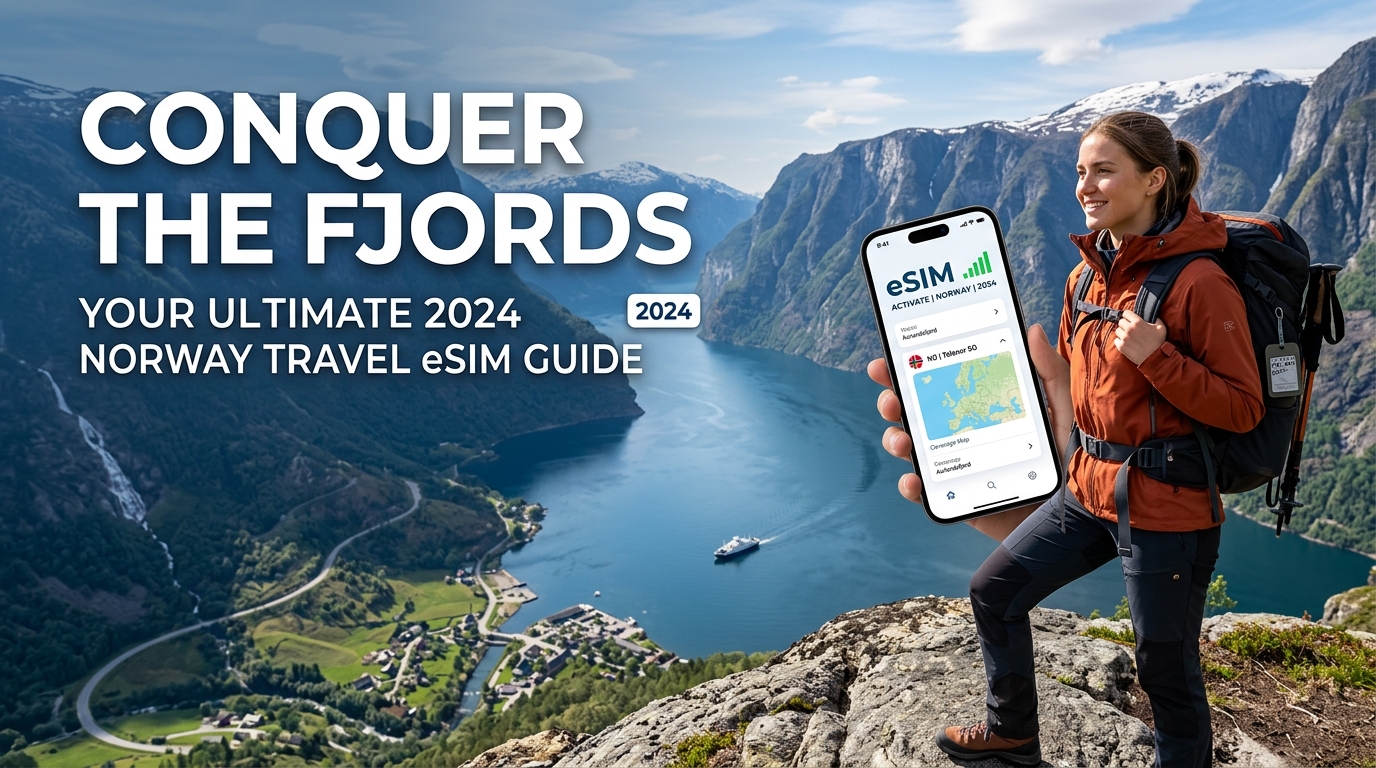
Conquer the Fjords: Your Ultimate 2026 Norway Travel eSIM Guide
Introduction to Conquer the Fjords: Your Ultimate 2026 Norway Travel eSIM Guide
Norway. The very name conjures images of breathtaking fjords carving through ancient mountains, the ethereal dance of the Northern Lights across a star-dusted sky, and vibrant cities nestled amidst pristine wilderness. From the dramatic cliffs of Preikestolen to the colorful Bryggen wharf in Bergen, and the cosmopolitan buzz of Oslo, Norway offers an unparalleled journey into nature's grandeur and rich cultural heritage. As you plan your adventure to this Scandinavian jewel, one crucial element often overlooked until the last minute is seamless, reliable, and affordable connectivity. In 2026, staying connected isn't just a convenience; it's an essential tool for navigation, safety, sharing your experiences, and managing your travel logistics.
The Modern Traveler's Connectivity Conundrum in Norway
For years, international travelers faced a limited set of options for mobile data abroad, each fraught with its own set of compromises. Traditional international roaming plans from home carriers often come with exorbitant costs, unpredictable charges, and frustratingly slow speeds that can quickly deplete your travel budget and patience. Imagine trying to load a critical map or confirm a booking only to be met with endless buffering or a bill shock upon your return.
The alternative, purchasing a local physical SIM card upon arrival, presents its own hurdles. This typically involves navigating unfamiliar airports or local shops, deciphering foreign languages, and often requiring passport registration. Then there's the physical act of swapping out your home SIM card, risking its loss, and potentially dealing with a phone that's locked to your home network. For travelers on a tight itinerary, or those visiting multiple countries, this process is an unnecessary drain on precious travel time and energy. Furthermore, in Norway's vast and often remote landscapes, ensuring consistent network coverage can be a genuine concern, making reliable data even more critical for safety and peace of mind.
Embracing the Future: The Power of eSIM for Norwegian Adventures
Enter the eSIM (embedded Subscriber Identity Module) – a revolutionary technology that has transformed how we access mobile data while traveling. An eSIM is a digital SIM card embedded directly into your device, eliminating the need for a physical card. This means no more searching for local stores, no more fumbling with tiny trays, and no more worrying about losing your primary SIM. With an eSIM, you can activate a local data plan for Norway directly from your smartphone, often before you even depart, ensuring you're connected the moment your plane touches down.
The benefits are profound: instant activation, the ability to switch between multiple plans, and the convenience of keeping your home number active for calls and texts while using the eSIM for data. For a country like Norway, where you might be navigating remote hiking trails, relying on public transport schedules, or simply sharing stunning fjord photos with loved ones, an eSIM provides the uninterrupted digital lifeline you need. It’s the ultimate solution for avoiding connectivity headaches, allowing you to immerse yourself fully in the natural beauty and cultural richness of your Norwegian adventure.
MollySIM: Your Premium Connectivity Partner for Norway
While many eSIM providers exist, not all are created equal, especially when it comes to the demanding connectivity needs of a Norwegian adventure. This is where MollySIM (https://mollysim.com) distinguishes itself as the premier choice for travelers seeking uncompromising performance and reliability. MollySIM understands that basic connectivity isn't enough when you're relying on your phone for critical functions like navigation, payments, and emergency communication across a diverse landscape.
The standout feature that sets MollySIM apart is its industry-leading 384kbps Fair Use Policy speed limit. This might sound technical, but its practical implications for your travel experience are immense. Many competitor eSIMs throttle speeds down to a mere 128kbps after a certain data threshold, which can render essential apps frustratingly slow or even unusable. In contrast, MollySIM's 384kbps speed is three times faster, providing a tangible difference in performance that directly impacts your ability to navigate and transact seamlessly.
Imagine effortlessly pulling up Google Maps or Apple Maps to navigate the winding roads of the Atlantic Ocean Road or find your way through Oslo's bustling streets, without frustrating delays. Picture making seamless Apple Pay or other contactless payments at a local café in Bergen, or quickly checking train schedules in Myrdal. These everyday tasks, which become critical during travel, rely heavily on consistent and responsive data speeds. MollySIM's superior speed ensures that your digital tools remain fully functional, allowing you to focus on the awe-inspiring beauty of Norway rather than battling slow internet.
This guide, "Conquer the Fjords: Your Ultimate 2026 Norway Travel eSIM Guide," is designed to equip you with everything you need to know about leveraging the power of eSIM technology for your Norwegian journey, with a special focus on why MollySIM is the smart choice for a truly connected and stress-free experience. We'll delve into the specifics of choosing the right plan, activation steps, troubleshooting tips, and much more, ensuring your digital lifeline is as robust as Norway's majestic landscapes.
Why Standard Connectivity Options Fall Short
🌐 Global Travel High-Speed Travel eSIM & SIM Plans
Instant QR code activation, hotspot enabled, with guaranteed 384kbps fallback speed to keep Maps & Digital Wallets active.
While the allure of Norway's majestic fjords and vibrant cities is undeniable, the reality of staying connected often presents a significant hurdle for international travelers. Relying on your home carrier's roaming, scrambling for local SIM cards, or lugging around a pocket Wi-Fi device can quickly detract from your adventure. These traditional options, while seemingly straightforward, often fall short in terms of convenience, cost-effectiveness, and most critically, consistent performance.
The Limitations of Local Network Carriers
Norway boasts a highly advanced telecommunications infrastructure, primarily served by three major network operators: Telenor, Telia, and Ice. These carriers offer excellent 4G and increasingly 5G coverage across populated areas and even many remote regions. However, acquiring a local physical SIM card as a tourist comes with its own set of challenges. You'll typically need to:
- Locate a physical store: This means spending valuable travel time searching for a mobile shop in a new city.
- Navigate language barriers: While many Norwegians speak excellent English, specific technical terms or plan details might be harder to grasp.
- Provide identification: Norwegian regulations often require tourists to register their SIM cards with a valid passport, adding an extra layer of bureaucracy.
- Understand complex plans: Local prepaid plans might not always be optimized for short-term tourist use, potentially leading to overpaying for features you don't need or running out of data unexpectedly.
Furthermore, once you've gone through this process, you're still tied to a single physical SIM, requiring you to swap out your home SIM and potentially lose access to your primary number for calls and texts.
Physical SIMs vs. eSIMs vs. Pocket WiFi: A Detailed Comparison
Understanding the nuances between different connectivity methods is crucial for an informed decision. Each has distinct advantages and disadvantages that can significantly impact your travel experience.
Physical SIM Cards
- Pros: Direct access to local network speeds (often 4G/5G), potentially cheaper for very long stays if you commit to a local contract.
- Cons: Requires physical purchase and installation, risk of losing your home SIM, ID registration hassles, limited to one device, often less flexible for short-term tourist needs, and can be more expensive than eSIMs for comparable data.
Pocket WiFi Devices
- Pros: Can connect multiple devices simultaneously (phones, tablets, laptops), dedicated internet device, often good speeds when signal is strong.
- Cons: Another device to carry and charge, rental costs (daily/weekly) can quickly accumulate, often requires a deposit, pickup/drop-off logistics can be inconvenient, potential for hidden fees, security concerns if not properly managed, and a single point of failure (if the device runs out of battery or breaks, all connected devices lose internet). For a solo traveler, this is often overkill and overpriced.
eSIMs (Electronic SIMs)
- Pros: Digital delivery and instant activation (often before you even land), no physical swapping required, allows you to keep your home SIM active for calls/texts (dual SIM functionality), flexible plans for various durations and data needs, often multi-country options, and environmentally friendly.
- Cons: Requires an eSIM-compatible device (most modern smartphones), initial setup might seem unfamiliar to first-time users (though it's straightforward with a good guide).
The Critical Difference: Pricing and Speed
Beyond the logistical hurdles, the actual performance and cost of these options are paramount.
- Local Physical SIMs: While offering native network speeds, tourist-specific prepaid plans can sometimes be surprisingly expensive for limited data, especially if you're not staying for an extended period. The upfront effort and potential for language barriers add an invisible cost.
- Pocket WiFi: The daily rental fees for Pocket WiFi devices quickly add up, often making them the most expensive option for individual travelers or even small groups compared to well-priced eSIMs. You're paying for the device rental on top of the data.
- eSIMs: This is where eSIMs, particularly those from providers like MollySIM (https://mollysim.com), truly shine. They offer transparent, prepaid pricing without hidden fees or long-term commitments. More importantly, they address a critical pain point: speed consistency.
Many competitor eSIMs, after a certain data threshold, throttle speeds down to a frustratingly slow 128kbps. This can render essential navigation apps like Google Maps or Apple Maps virtually unusable, turn contactless payments via Apple Pay or Google Pay into a test of patience, and make simple tasks like checking train schedules or messaging impossible.
In stark contrast, MollySIM's Fair Use Policy maintains a 384kbps speed limit after your initial high-speed data is consumed. This is three times faster than the industry standard for throttled speeds. This tangible difference ensures that even when your primary data is used up, you can still reliably:
- Navigate the winding roads of the Atlantic Ocean Road or find your way through Oslo's bustling streets with Google Maps or Apple Maps without frustrating delays.
- Make seamless Apple Pay or other contactless payments at a local café in Bergen.
- Quickly check train schedules in Myrdal or look up opening hours for a museum.
This superior sustained speed means your digital lifeline remains robust, allowing you to focus on the awe-inspiring beauty of Norway rather than battling slow internet. MollySIM offers a connected and stress-free experience, ensuring that your connectivity is as reliable as Norway's majestic landscapes.
MollySIM: Your Perfect Connectivity Partner
Building on the critical need for consistent, reliable connectivity even after your primary data is consumed, MollySIM (https://mollysim.com) emerges as the quintessential partner for your Norwegian adventure. We understand that your travel experience shouldn't be interrupted by frustratingly slow internet, which is why MollySIM is engineered from the ground up to deliver premium performance and unparalleled reliability across Norway's diverse landscapes.
Engineered for Excellence: Direct Routing and Premium Performance
At the heart of MollySIM's superior service lies its commitment to direct routing. Unlike many generic eSIM providers that might route your data through multiple international hubs to cut costs, MollySIM prioritizes a direct, optimized path to the internet. This means your data travels fewer "hops" to reach its destination, significantly reducing latency and boosting overall speed. For you, the traveler, this translates into:
- Faster Loading Times: Web pages, social media feeds, and streaming content load quicker.
- More Responsive Apps: Navigation, banking, and communication apps feel snappier and more fluid.
- Reduced Lag: Essential for video calls with loved ones or quick information lookups.
This direct routing strategy is coupled with partnerships with tier-1 mobile networks within Norway. By leveraging the country's most robust and extensive infrastructure, MollySIM ensures you receive the strongest possible signal and the most consistent speeds, whether you're exploring the urban vibrancy of Oslo, cruising through the majestic fjords, or hiking in the remote wilderness of Jotunheimen National Park. This commitment to premium network access means your digital lifeline is as dependable as Norway's efficient public transport.
The MollySIM Fair Use Policy: 3x Faster, Always Functional
Where MollySIM truly distinguishes itself is in its Fair Use Policy (FUP) speed limit. While many competitor eSIMs drastically throttle speeds down to an almost unusable 128kbps after your high-speed data allowance is depleted, MollySIM maintains a generous 384kbps speed limit. This isn't just a minor improvement; it's a three-fold increase in sustained speed, making a monumental difference in your ability to remain connected and functional.
Consider the practical implications of this superior FUP speed:
- Seamless Navigation: At 384kbps, Google Maps and Apple Maps remain perfectly functional. You can reliably search for directions, load detailed maps, and receive real-time traffic updates as you navigate the winding scenic routes like the Atlantic Ocean Road or find your way through Bergen's historic Bryggen wharf. This prevents the frustrating delays and dropped connections common with slower throttled speeds, ensuring you never get lost.
- Effortless Contactless Payments: Making payments with Apple Pay or Google Pay at a local bakery in Stavanger or a souvenir shop in Flåm becomes a smooth, quick process. The higher speed ensures the transaction goes through without hesitation, avoiding awkward delays at the checkout.
- Essential Communication & Information: You can still send and receive messages on WhatsApp, check urgent emails, look up train and ferry schedules, access digital boarding passes, or quickly verify museum opening hours. Even light web browsing remains viable, allowing you to stay informed and organized without constant buffering.
- Peace of Mind: Knowing that your essential digital tools will continue to work reliably, even if you've consumed your primary data, provides invaluable peace of mind. It allows you to focus on the breathtaking beauty of Norway, from the Northern Lights in Tromsø to the Pulpit Rock hike, rather than worrying about your internet connection.
MollySIM's commitment to a 384kbps FUP speed isn't merely a technical specification; it's a promise of uninterrupted utility and a stress-free travel experience. It ensures that your connectivity is robust enough to support your journey, making MollySIM (https://mollysim.com) the intelligent choice for your 2026 Norway adventure.
Step-by-Step Installation and Activation Guide
Seamlessly activating your MollySIM (https://mollysim.com) eSIM is crucial for uninterrupted connectivity during your Norway adventure. This detailed guide provides bulletproof steps for both iOS and Android devices, ensuring you're connected from the moment you land.
### iOS Device Installation
Follow these steps to quickly install and activate your MollySIM eSIM on your iPhone, preparing you for immediate connectivity across Norway's stunning landscapes:
- Connect to Wi-Fi: Ensure your iPhone is connected to a stable Wi-Fi network. This is essential for downloading the eSIM profile.
- Access Settings: Go to your iPhone's Settings app.
- Navigate to Cellular: Tap on Cellular (or Mobile Data in some regions).
- Add eSIM: Select Add eSIM or Add Cellular Plan.
- Choose Activation Method:
- Scan QR Code (Recommended): Position your iPhone's camera over the QR code provided by MollySIM in your confirmation email. The device will automatically detect and prompt you to add the eSIM.
- Enter Details Manually: If scanning isn't an option (e.g., viewing the QR on the same device), tap Enter Details Manually. You will then need to input the SM-DP+ Address and Activation Code precisely as provided by MollySIM.
- Confirm & Download: Follow the on-screen prompts to confirm adding the plan. Your iPhone will download and activate the eSIM profile, a process that typically takes a minute or two.
- Label Your eSIM: Assign a clear label to your new eSIM, such as "MollySIM Norway" or "Norway Travel," for easy identification within your settings.
- Set Default for Mobile Data: Navigate to Settings > Cellular > Cellular Data and select your newly labeled MollySIM Norway eSIM as the primary line for mobile data.
- Manage Voice & SMS (Optional): Decide whether your existing physical SIM or the eSIM will handle calls and messages. For most travelers, using the MollySIM eSIM purely for data while keeping the home SIM for occasional calls/texts (if roaming is affordable) is the most practical approach.
- Enable Data Roaming: This is a critical step for international eSIMs. For your MollySIM Norway eSIM, ensure Data Roaming is toggled ON. Rest assured, as a pre-paid data plan from MollySIM, enabling roaming on this eSIM will not incur unexpected charges; it simply allows your eSIM to connect to local Norwegian networks.
- Verify APN Settings (If Needed): MollySIM usually auto-configures the correct APN settings. However, if you experience connectivity issues, navigate to Settings > Cellular > [Your MollySIM eSIM] > Cellular Data Network and verify the APN settings against any specific details provided by MollySIM.
- Test Connectivity: Open a web browser (like Safari) or Apple Maps to confirm your connection to the Norwegian network.
### Android Device Installation
Activating your MollySIM (https://mollysim.com) eSIM on an Android device is equally straightforward, preparing you for seamless data access across Norway's breathtaking fjords and cities.
- Connect to Wi-Fi: Begin by connecting your Android phone to a stable Wi-Fi network, which is necessary for downloading the eSIM profile.
- Access Settings: Open your Android phone's Settings app.
- Navigate to Network & Internet: Tap on Network & internet (or Connections on some Samsung devices).
- Manage SIMs: Select SIMs or Mobile network.
- Add eSIM: Look for options such as "Add more," "Download a SIM," or a "+" icon next to SIMs.
- Choose Activation Method:
- Scan QR Code (Recommended): Tap Use a QR code (or similar wording). Use your phone's camera to scan the QR code provided by MollySIM in your confirmation email.
- Enter Details Manually: If you cannot scan the QR code, tap Enter it manually (or similar). You will need to input the SM-DP+ Address and Activation Code exactly as provided by MollySIM.
- Confirm & Download: Follow the on-screen prompts to confirm adding the eSIM. Your device will then download and activate the eSIM profile, usually within a couple of minutes.
- Label Your eSIM: Name your new eSIM clearly, such as "MollySIM Norway" or "Norway Travel," for easy identification within your phone's settings.
- Set Default SIM for Mobile Data: Go back to Settings > Network & internet > SIMs. Under "Mobile data" or "Preferred SIM for mobile data," select your newly labeled MollySIM Norway eSIM.
- Manage Calls & SMS (Optional): Configure your preferred SIM for calls and SMS. Many travelers opt to use their home SIM for these services (if roaming is affordable) and dedicate the eSIM purely to data.
- Enable Data Roaming: Crucially, ensure Data Roaming is toggled ON for your MollySIM Norway eSIM. This enables it to connect to local Norwegian networks without incurring additional costs on your pre-paid MollySIM data plan.
- Verify APN Settings (If Needed): While MollySIM typically auto-configures APN settings, if you experience connectivity issues, navigate to Settings > Network & internet > SIMs > [Your MollySIM eSIM] > Access Point Names (APN). Check against any specific APN details provided by MollySIM.
- Test Connectivity: Open a web browser (like Chrome) or Google Maps to verify your connection to the Norwegian network.
### Essential Tips for a Smooth eSIM Experience
- Initial Setup on Wi-Fi: Always perform the eSIM download and activation while connected to a strong, reliable Wi-Fi network to prevent interruptions.
- Do Not Delete Prematurely: Once installed, avoid deleting your eSIM profile unless you are absolutely certain you won't need it again. Re-installation with the same QR code may not be possible.
- Troubleshooting: Restart Device: If you've followed all steps and still lack connectivity, a simple device restart can often resolve minor network glitches.
- MollySIM's FUP Advantage: Even after exhausting your high-speed data allowance, MollySIM's industry-leading 384kbps Fair Use Policy (FUP) speed ensures essential services remain functional. This speed is 3x faster than many competitors' 128kbps FUP, meaning you can still reliably use Google Maps for navigation, process Apple Pay/Google Pay transactions, send WhatsApp messages, and check critical information like ferry schedules without frustrating slowdowns. This continuous, usable connectivity is a core benefit of choosing MollySIM (https://mollysim.com) for your Norway trip.
- Seek Support: Should you encounter persistent issues, MollySIM's customer support is readily available to provide tailored assistance.
Practical Travel Tips for Staying Connected
Beyond simply installing your eSIM, mastering a few practical strategies can significantly enhance your connectivity experience in Norway, ensuring you maximize your data, stay secure, and navigate with ease. From conserving precious gigabytes to leveraging local digital tools, these tips will keep you seamlessly connected throughout your fjord adventure.
Conserving Your Data: Smart Strategies for Every Traveler
Even with generous data plans, it's wise to adopt habits that minimize unnecessary data consumption. This is particularly valuable if you're exploring remote areas where Wi-Fi might be scarce, or if you want to ensure your high-speed data lasts for critical moments.
- Disable Background App Refresh: Many apps constantly refresh content in the background, consuming data even when not actively in use.
- iOS: Go to Settings > General > Background App Refresh and either turn it off entirely or selectively disable it for data-hungry apps like social media, news feeds, or cloud services.
- Android: Navigate to Settings > Network & internet > Data Saver (or similar, depending on your device) and enable it. You can also go to Settings > Apps & notifications > [App Name] > Mobile data & Wi-Fi and toggle off "Background data."
- Turn Off Automatic Updates: Prevent your phone from downloading large app updates or operating system patches over cellular data. Configure your device to only update apps when connected to Wi-Fi.
- iOS: Settings > App Store > App Downloads (set to "Ask Always") and Automatic Downloads (toggle off "App Updates").
- Android: Open Google Play Store > Menu > Settings > Network preferences > Auto-update apps and select "Over Wi-Fi only."
- Download Content Offline: Before heading out for the day, download maps, music, podcasts, and streaming videos (from services like Netflix or Spotify) while connected to your hotel's Wi-Fi. This eliminates the need to stream over cellular data, saving significant bandwidth.
- Utilize Data Saver Modes: Many web browsers (like Chrome) and even some social media apps offer built-in data saver modes that compress images and videos, reducing the data footprint of your browsing.
- Manage Location Services: Review which apps have access to your location and set them to "While Using" or "Never" for non-essential services. Constant GPS pinging can consume both data and battery.
- Limit Push Notifications: While useful, excessive push notifications from non-critical apps can trigger background data usage. Adjust notification settings for less important apps.
Navigating Norway's Cashless Society: Digital Wallets and Payments
Norway is one of the most cashless societies in the world. From major cities to remote villages, you'll find that card payments and digital wallets are overwhelmingly preferred, often to the point where cash is not accepted. Ensuring your digital payment methods are ready is crucial.
- Apple Pay / Google Pay: Set up your credit or debit cards in Apple Wallet or Google Wallet before you travel. These are widely accepted at virtually all points of sale. The convenience of tapping your phone or watch for payments is unparalleled. Crucially, even if you exhaust your high-speed data allowance, MollySIM's industry-leading 384kbps Fair Use Policy (FUP) speed is more than sufficient to process these transactions smoothly. This speed is 3x faster than many competitors' 128kbps FUP, meaning you won't be left stranded at the checkout if your data slows down.
- Local Payment Apps (Vipps): While Vipps is Norway's dominant mobile payment app, it typically requires a Norwegian bank account and national ID number to set up. For most tourists, relying on Apple Pay, Google Pay, or physical credit/debit cards is the most practical approach.
- Always Carry a Physical Card: While rare, technical glitches can happen. Always have a physical credit or debit card (preferably a no-foreign-transaction-fee card) as a backup.
Essential Local Apps for a Seamless Norwegian Journey
Beyond your standard social media and communication apps, several local applications can significantly enhance your travel experience in Norway, helping you navigate, plan, and stay informed.
- Transportation:
- RuterBillett / RuterReise: Essential for public transport in Oslo and the surrounding Viken region. Purchase tickets, plan routes, and check schedules.
- Skyss Billett / Skyss Reise: For public transport in Bergen and Vestland county.
- AtB Mobillett / AtB Reise: For public transport in Trondheim and Trøndelag county.
- Vy: Norway's national railway company. Use this app to book train tickets across the country.
- Entur: A comprehensive national travel planner that combines trains, buses, ferries, and local transport, helping you plan multi-modal journeys.
- Navigation:
- Google Maps / Apple Maps: Indispensable for walking, driving, and public transport directions. Remember to download offline maps for areas you'll be exploring without guaranteed connectivity, especially in remote fjord regions.
- Weather:
- Yr.no: The official weather app from the Norwegian Meteorological Institute. Highly accurate and localized forecasts are crucial for planning outdoor activities in Norway's unpredictable climate.
- Communication:
- WhatsApp: Widely used in Norway for messaging, calls, and sharing media. Ensure you have it set up to communicate with tour operators, accommodations, or new friends.
- Emergency:
- 112: While not an app, remember Norway's universal emergency number for police, fire, and ambulance services.
Proactive Cellular Data Management
Staying on top of your data usage is key to avoiding unexpected slowdowns or additional costs. MollySIM (https://mollysim.com) offers tools and features designed to make this process straightforward.
- Monitor Data Usage Regularly:
- iOS: Go to Settings > Cellular > Cellular Data Usage. You can see total usage and individual app usage.
- Android: Navigate to Settings > Network & internet > Internet > [Your eSIM] > App data usage.
- Regularly checking this allows you to identify any apps consuming excessive data and adjust their settings accordingly.
- Understand Your eSIM's Fair Use Policy (FUP): With MollySIM, even if you exhaust your high-speed data, you're not completely cut off. The 384kbps FUP speed ensures continuous, usable connectivity. This means you can still reliably use Google Maps for navigation, process Apple Pay/Google Pay transactions, send WhatsApp messages, and check critical information like ferry schedules without frustrating slowdowns. This continuous, usable connectivity is a core benefit of choosing MollySIM for your Norway trip, providing peace of mind.
- Easy Data Top-Ups: Should you find yourself needing more high-speed data, MollySIM makes it simple to purchase additional data directly through their platform (https://mollysim.com). This flexibility ensures you're never truly disconnected.
- Leverage Free Wi-Fi: Whenever available at hotels, cafes, or public spaces, connect to free Wi-Fi networks to offload data-intensive tasks like large downloads, streaming, or cloud backups. This conserves your eSIM data for when you truly need it on the go.
Conclusion and Final Checklist
As you prepare to embark on your unforgettable journey through Norway's majestic fjords, vibrant cities, and serene landscapes, securing reliable and seamless connectivity is paramount. This guide has illuminated how an eSIM, particularly one from a provider like MollySIM (https://mollysim.com), transforms your travel experience from potentially frustrating to effortlessly connected. Gone are the days of hunting for local SIM cards, grappling with language barriers, or enduring exorbitant roaming charges. With an eSIM, you land ready to navigate, communicate, and share your adventures from the moment your plane touches down.
The core takeaway is the unparalleled convenience and peace of mind an eSIM offers. It’s not just about having internet access; it’s about having smart internet access. You gain the flexibility to pre-purchase data plans tailored to your trip duration and usage, activate instantly, and manage your connectivity with unprecedented ease. This digital solution ensures you can effortlessly check ferry schedules, book last-minute accommodations, share breathtaking fjord panoramas with loved ones, or simply find the nearest authentic Norwegian bakery without a second thought. MollySIM's commitment to a superior user experience, including its robust 384kbps Fair Use Policy (FUP) speed, stands out as a critical advantage. This FUP speed, significantly faster than many competitors' 128kbps limits, means that even if you exhaust your high-speed data, essential functions like Google Maps navigation, Apple Pay/Google Pay transactions, and WhatsApp messaging remain reliably usable – a true game-changer for uninterrupted travel.
Your Ultimate Pre-Departure Connectivity Checklist
Before you set off to conquer the fjords, take a moment to review this comprehensive checklist. Ensuring these steps are covered will guarantee a smooth, connected, and stress-free experience from Oslo to the Lofoten Islands.
- Confirm Device eSIM Compatibility:
- Double-check that your smartphone (or tablet/smartwatch) supports eSIM technology. Most modern flagship devices from Apple (iPhone XR/XS and newer), Samsung (Galaxy S20 and newer), Google (Pixel 3 and newer), and others are compatible. A quick online search for your specific model will confirm this.
- Purchase Your MollySIM eSIM Plan:
- Visit https://mollysim.com well in advance of your departure.
- Select a data package that aligns with your estimated usage and the duration of your trip to Norway. Consider a slightly larger package than you think you'll need for extra peace of mind, or be prepared for easy top-ups.
- Install Your eSIM Profile:
- Once purchased, you'll receive a QR code or manual installation details.
- Follow the instructions carefully to install the MollySIM profile on your device before you leave home. This typically involves scanning the QR code via your phone's settings.
- Do NOT activate the plan until you arrive in Norway (unless specified otherwise by MollySIM for pre-activation testing). Simply install the profile.
- Configure eSIM Settings (Post-Arrival):
- Upon arrival in Norway, navigate to your phone's cellular settings.
- Enable the MollySIM eSIM and ensure it is set as your primary data line.
- Disable Data Roaming for your home SIM to prevent accidental charges.
- Verify that APN settings are automatically configured or follow MollySIM's specific instructions if manual input is required.
- Download Offline Maps and Essential Apps:
- Before leaving your home country (or while connected to Wi-Fi in Norway), download offline maps for key regions you'll be visiting using Google Maps or Apple Maps. This is invaluable for navigation in areas with patchy signal or when relying on the FUP speed.
- Ensure all critical travel apps (e.g., airline, hotel booking, public transport, currency converter, WhatsApp) are updated and functional.
- Understand MollySIM's Fair Use Policy (FUP):
- Familiarize yourself with the 384kbps FUP speed and what it means for your usage. Reassure yourself that even if you hit your high-speed data limit, you'll still be able to use essential services like navigation, payment apps, and messaging without significant disruption. This is a key differentiator for MollySIM.
- Plan for Data Top-Ups:
- Know how to access your MollySIM account (https://mollysim.com) and purchase additional data should you need it. Bookmark the page or save your login details for quick access.
- Leverage Free Wi-Fi Strategically:
- Make a conscious effort to connect to free Wi-Fi networks at hotels, cafes, and public spaces whenever possible. Use these opportunities for data-intensive tasks like uploading photos, streaming, or large downloads, conserving your eSIM data for when you're on the move.
- Charge Power Banks and Devices:
- Ensure all your devices, especially your smartphone, are fully charged, and pack a reliable power bank. Long days of exploration and constant navigation can drain batteries quickly.
- Emergency Contacts and Information:
- Store important emergency numbers (local emergency services, embassy contact, MollySIM support) both digitally and physically.
- Have digital copies of your passport, tickets, and accommodation bookings accessible offline.
By meticulously following this checklist, you're not just buying an eSIM; you're investing in a seamless, connected, and ultimately more enjoyable Norwegian adventure. MollySIM empowers you to focus on the breathtaking beauty of the fjords, the charm of its cities, and the warmth of its culture, knowing your digital lifeline is robust and reliable. Safe travels!
🌐 Global Travel High-Speed Travel eSIM & SIM Plans
Instant QR code activation, hotspot enabled, with guaranteed 384kbps fallback speed to keep Maps & Digital Wallets active.