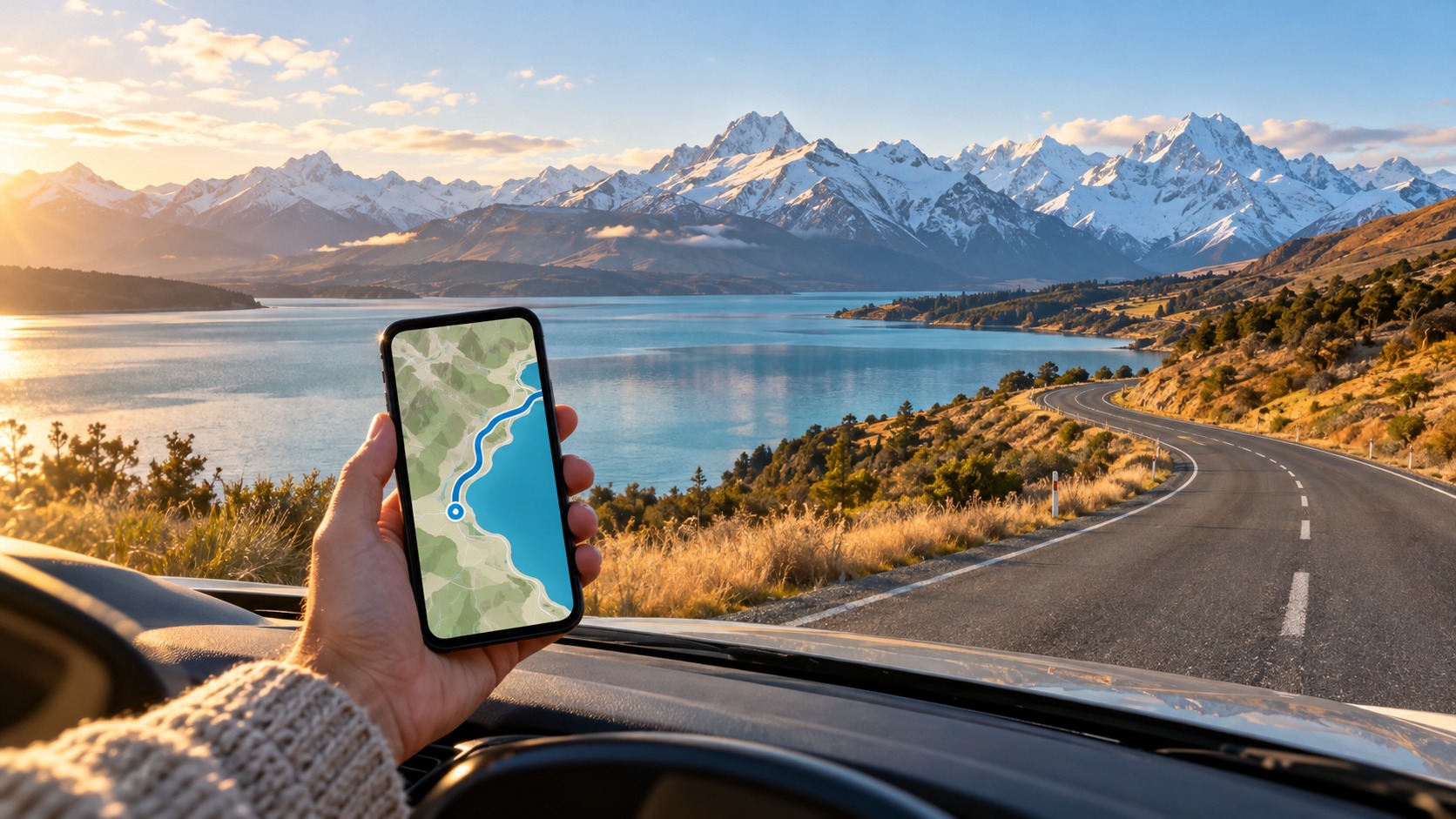
New Zealand eSIM for Road Trips 2026: GPS & Data | MollySIM
The 2026 Road Trip Reality: Why Your Rental Car GPS Needs a Superior eSIM
Planning a New Zealand eSIM for road trips in 2026 is no longer just about staying in touch with family back home; it is a critical logistical requirement for navigating one of the world’s most geographically complex landscapes. The modern traveler’s primary pain point has shifted from "Can I make a call?" to "Will my navigation system freeze when I enter a blind valley?" In 2026, the expectation of seamless connectivity is absolute. Whether you are traversing the rugged West Coast or the winding roads of the Coromandel, your rental car’s GPS system is the backbone of your journey. However, relying on traditional, car-specific data plans or expensive international roaming packages creates a significant financial and technical burden. These legacy solutions often come with opaque pricing structures, hidden fees, and, most critically, inferior network prioritization that can leave you stranded with a static map while traffic flows around you.
The concept of "data anxiety" has become a defining stressor for long-distance drivers in 2026. This is the subconscious fear that your data connection will drop or slow down precisely when you need real-time traffic updates, live weather alerts, or accurate turn-by-turn instructions. In remote areas like the West Coast, where cell towers are sparse and signal strength fluctuates wildly due to topographical interference, this anxiety is justified. A standard roaming connection often struggles to maintain a stable handshake with local towers, leading to buffering, delayed map loading, and the dreaded "searching for signal" icon. This is not merely an inconvenience; it is a safety issue. When your GPS relies on a weak 2G fallback or a throttled 3G connection, the lag between your physical movement and the digital map can be disorienting, especially on narrow, single-lane roads where hesitation can be costly.
The technical reality of 2026 connectivity reveals a stark divide between premium eSIM providers and budget roaming options. Many cheaper plans advertise "unlimited" data, but they often hide a 384kbps throttling clause in the fine print. While 384kbps sounds adequate for email, it is barely sufficient for real-time navigation. At this speed, Google Maps or Apple Maps can experience significant latency, causing the blue dot to jump erratically or the route to recalculate slowly after a missed turn. This is where the choice of carrier becomes critical. In New Zealand, the two dominant networks, Spark and One NZ, have distinct coverage footprints. Spark often excels in urban centers and certain rural corridors, while One NZ may have superior penetration in specific mountain passes and remote valleys. Choosing the wrong carrier for your specific route can mean the difference between a smooth drive and a frustrating crawl.
This is why a high-quality eSIM, such as those offered by MollySIM, represents the superior solution for the 2026 road tripper. Unlike standard roaming, which often routes your data through multiple international gateways, a dedicated local eSIM connects you directly to the local infrastructure. MollySIM’s New Zealand data plans are engineered to prioritize speed and stability, ensuring that your navigation apps receive the bandwidth they need to function flawlessly. By avoiding the aggressive throttling tactics of cheaper competitors, you ensure that your GPS remains responsive, your live traffic updates are instant, and your connection remains robust even when you venture off the main highway. For those who need flexibility, the New Zealand eSIM option provides a tailored experience that aligns with the specific demands of long-distance driving, offering the reliability that traditional roaming simply cannot match.
The Cost of Connectivity: Roaming vs. Local eSIM
To understand the financial and technical burden of traditional plans, consider the following comparison. The table below highlights the key differences that impact your driving experience in 2026.
| Feature | Traditional Roaming / Cheap Plans | High-Quality Local eSIM (e.g., MollySIM) |
|---|---|---|
| Network Priority | Low (often deprioritized during congestion) | High (local carrier priority) |
| Throttling Risk | High (often capped at 128kbps - 384kbps) | Low (optimized for consistent speeds) |
| GPS Performance | Laggy, delayed map updates | Real-time, smooth navigation |
| Cost Structure | Daily fees + hidden overage charges | Flat rate, predictable budget |
| Setup Time | Complex, requires APN settings | Instant, QR code activation |
The disparity in performance is not just about speed; it is about consistency. In 2026, a driver cannot afford for their navigation system to be inconsistent. The right eSIM ensures that your data connection is as reliable as your vehicle’s engine, providing the peace of mind needed to enjoy the stunning scenery of New Zealand without the constant worry of losing your way. By choosing a provider that understands the specific needs of road trippers, you transform connectivity from a source of stress into a seamless part of your travel experience. This sets the stage for selecting the best carrier for your specific route, ensuring that every valley and mountain pass is navigated with confidence and clarity.
Spark vs One NZ Coverage: Deciding on the Best eSIM for Rental Car GPS NZ
🌐 Global Travel High-Speed Travel eSIM & SIM Plans
Instant QR code activation, hotspot enabled, with guaranteed 384kbps fallback speed to keep Maps & Digital Wallets active.
Selecting the best eSIM for rental car GPS NZ requires a granular understanding of infrastructure, not just marketing claims. While both Spark and One NZ dominate the New Zealand market, their network architectures serve different purposes. For a road tripper traversing the South Island, the debate of Spark vs One NZ coverage South Island is not about which network is "better" in absolute terms, but which is more consistent in the specific corridors you will drive. Understanding this distinction is critical for maintaining reliable navigation, live traffic updates, and cloud syncing without signal drops.
Infrastructure Disparities: Fiber Backbone vs. Urban Density
Spark’s competitive advantage in remote driving scenarios stems from its extensive fiber-optic backbone. In New Zealand, the quality of 4G and 5G signals in rural areas is heavily dependent on the proximity of cell towers to the fiber network that backhauls the data. Spark has historically invested more aggressively in extending this fiber reach into the deep south and alpine regions. This infrastructure advantage translates to more stable high-speed data in areas where One NZ might rely on microwave links or have fewer active sectors.
In contrast, One NZ has made significant strides in urban density, particularly in Auckland and Wellington, offering excellent peak speeds in city centers. However, for a driver heading toward the West Coast or the Southern Alps, the "urban density" metric is less relevant than rural consistency. Here, Spark often provides more consistent high-speed data in the deep south, reducing the likelihood of throttling or signal handover failures that can disrupt GPS accuracy.
Latency, Packet Loss, and GPS Precision
A common misconception is that GPS requires a data connection. While the GPS signal itself comes from satellites, modern navigation apps (like Google Maps or Apple Maps) rely heavily on data for real-time map tiles, traffic updates, and precise location correction. In this context, latency and packet loss are the true enemies of the road tripper.
High latency causes a "rubber-banding" effect where your car icon jumps erratically on the map. Packet loss results in delayed map updates, meaning you might see a road closure or traffic jam only after you have already passed the point of decision. Spark’s network architecture, optimized for lower jitter in remote areas, generally results in smoother, more predictable GPS performance. This is particularly vital on winding roads like the Haast Pass or near the Milford Track, where a delayed map update can mean the difference between a smooth turn and a stressful maneuver.
Strategic Network Selection for Specific Routes
The true power of an eSIM lies in the ability to prioritize or switch networks based on your route. While 2degrees has a presence, Spark often provides more consistent high-speed data in the deep south, making it the preferred choice for the majority of South Island itineraries. However, if your trip is heavily focused on the North Island’s urban centers or specific coastal routes where One NZ has superior tower density, a hybrid approach may be beneficial.
For travelers planning multi-country trips, such as combining New Zealand with Australia or Fiji, a global eSIM offers a seamless alternative, ensuring you don’t have to manage multiple local plans. However, for a dedicated New Zealand road trip, a local eSIM like MollySIM is often the superior choice due to its optimized speed policies. MollySIM’s 384kbps Fair Use Policy is a critical differentiator; at 3x faster than the 128kbps caps common among competitors, it ensures that data-intensive applications like Google Maps, Apple Pay, and cloud backups function smoothly without the frustrating buffering that occurs on slower, throttled connections. This speed headroom is essential for maintaining real-time navigation accuracy, allowing you to focus on the stunning scenery rather than the connectivity status bar on your phone.
Dead Zones and Carrier Performance
No network is perfect, but understanding where each carrier struggles allows for better planning. One NZ may experience dead zones in certain remote valleys where Spark’s fiber-backed towers maintain a signal. Conversely, in some dense urban pockets, One NZ may offer faster peak speeds. By choosing a provider that prioritizes consistency over raw urban speed, you ensure that your New Zealand eSIM for road trips remains a reliable tool, not a source of anxiety. The goal is not to have the fastest speed in Auckland, but to have the most reliable signal in the middle of nowhere.
Avoiding the 384kbps Trap: Data Limits and Throttling on 2degrees eSIM
Choosing the cheapest New Zealand eSIM is a common mistake that often leads to a frustrating experience on the road. Many budget providers, including those leveraging the 2degrees network, advertise "unlimited" data, but the fine print reveals a critical technical mechanism: throttling. This is not a hard cut where your internet stops entirely; it is a "soft" limit. Once you exceed a specific data threshold (often 10GB–20GB), your connection speed is artificially capped. For many budget plans, this cap is set at 128kbps or 384kbps. While these numbers sound acceptable on paper, they are technically insufficient for the data-intensive tasks required for a seamless road trip, such as continuous GPS updates, high-resolution map tile loading, and background app syncing.
The Technical Reality of 384kbps Throttling
To understand why this matters, consider the bandwidth requirements of modern navigation apps. A standard Google Maps or Apple Maps session does not just download a static image; it constantly streams vector tiles, updates traffic conditions, recalculates routes based on real-time speed, and syncs location data to the cloud. At 384kbps (which is approximately 48KB per second), a single high-resolution map tile can take several seconds to load. If you are driving at 100km/h, those seconds add up. The map interface may appear frozen, the blue location arrow may lag behind your actual position, and traffic overlays may fail to refresh, leaving you unaware of a sudden accident ahead.
Contrast this with the MollySIM approach. While MollySIM also utilizes a Fair Use Policy to manage network resources, it sets its speed cap at 384kbps for its standard plans, which is 3x faster than the 128kbps caps common among many competitors. This speed headroom is the difference between a smooth, responsive navigation experience and a stuttering, unreliable one. It ensures that data-intensive applications like Google Maps, Apple Pay, and cloud backups function smoothly without the frustrating buffering that occurs on slower, throttled connections.
Scenario: The Queenstown to Wanaka Drive
Imagine you are driving the scenic route from Queenstown to Wanaka. You have already used 15GB of data on a budget eSIM. You cross the threshold, and your speed drops to 128kbps. As you navigate the winding roads, you open your map to check the next turn. The interface loads slowly. You try to zoom in on a specific street name, and the tiles load in choppy bursts. Your passenger, who was streaming a podcast, now faces constant buffering. You check your live traffic updates, and the app spins for ten seconds before showing outdated data. In this scenario, the "unlimited" plan has become a source of anxiety, forcing you to pull over or drive without reliable navigation.
With a New Zealand eSIM from MollySIM, the 384kbps cap provides enough bandwidth to keep the map tiles loading instantly, ensuring your GPS signal remains robust even during long stretches of highway driving. The background sync of your photos and emails continues without hogging the connection, and your passenger’s audio stream remains stable. This is not just about speed; it is about consistency.
Soft Limits vs. Hard Cuts
It is crucial to distinguish between soft limits and hard cuts. A hard cut terminates your data connection entirely, leaving you with Wi-Fi only. A soft limit, like the one described above, reduces speed but keeps the connection alive. While a soft limit is better than no data, a 128kbps soft limit is barely enough for basic text-based browsing. It is inadequate for:
- Continuous GPS Updates: Real-time location tracking requires a steady stream of small data packets. Throttling introduces latency, causing the map to "jump" rather than glide.
- Map Tile Loading: High-definition maps require rapid data transfer. At 128kbps, you may see grayed-out areas where the map should be.
- Background App Syncing: Email, calendar, and cloud storage apps constantly sync in the background. If they are throttled, they may time out, leading to missed notifications or failed backups.
- Passenger Entertainment: Streaming audio or video at low resolutions is possible, but the quality is often poor, and buffering is frequent.
How MollySIM Structures Its Plans
MollySIM structures its plans to avoid these pitfalls by prioritizing speed consistency over raw data volume. By setting the Fair Use Policy at 384kbps, MollySIM ensures that even after you have used a significant amount of data, your connection remains fast enough for critical road trip functions. This is particularly important for travelers who rely on their phones for navigation, communication, and entertainment. The goal is to provide a reliable, high-performance connection that allows you to focus on the stunning scenery rather than the connectivity status bar on your phone.
In summary, when choosing a New Zealand eSIM for road trips, do not be fooled by the word "unlimited." Look for the speed cap after the data threshold. A 384kbps cap is a significant improvement over 128kbps, and it is the key to a smooth, stress-free journey. MollySIM’s commitment to this higher speed standard ensures that your navigation, communication, and entertainment remain seamless, even in the most remote corners of New Zealand.
Step-by-Step: How to Set Up eSIM Before Landing NZ for Immediate Connectivity
The difference between a seamless arrival and a frustrating "searching for network" loop often comes down to one critical factor: pre-activation. Many travelers make the mistake of waiting until they are on the tarmac or in the airport lounge to install their New Zealand eSIM for road trips. This delay forces your phone to scan for local carriers (Spark, One NZ, or Vodafone NZ) while your battery is draining and your data allowance is ticking away. By completing the installation process while you are still on your home network, you ensure that the moment you toggle off Airplane Mode, your device locks onto the local infrastructure instantly. This immediate handshake is crucial for GPS initialization, as it prevents the lag that can cause your navigation app to lose your precise location during the first few minutes of your drive.
Here is the precise, technical protocol to execute this setup before you leave your hotel or office.
1. Verify Hardware Compatibility
Before purchasing, confirm your device supports eSIM technology.
- iPhone: Requires an iPhone XS or newer (including all SE 2nd/3rd gen, XR, and subsequent models).
- Android: Most flagship devices from 2018 onward (Samsung Galaxy S9+, Pixel 3 and later, etc.). Check your specific model’s settings for "eSIM" or "Digital SIM" options.
- Note: Ensure your phone is not carrier-locked to a specific network that blocks eSIM data plans, though most modern unlocked devices are ready to go.
2. Purchase Your MollySIM Plan
Navigate to MollySIM’s New Zealand eSIM page and select a plan that suits your itinerary. MollySIM’s plans are engineered for road trips, featuring a 384kbps Fair Use Policy speed limit. This is significantly faster than the industry-standard 128kbps cap found in many competitor "unlimited" plans, ensuring that apps like Google Maps, Apple Pay, and Spotify continue to function smoothly even after you’ve consumed your high-speed data allowance.
3. Install the eSIM Profile While Connected to Wi-Fi
This is the most critical step. Do not wait for the flight.
- Scan the QR Code: After purchase, you will receive an email with a unique QR code. Open your phone’s Settings > Cellular (or Mobile Data) > Add eSIM.
- Scan: Use your camera to scan the QR code.
- Enter Details: If scanning fails, manually enter the activation code provided in the email.
- Label the Line: Name this line "NZ Data" or "MollySIM" to distinguish it from your home SIM.
4. Configure Cellular Data Priorities
Once installed, you need to tell your phone which line to use for what. This dual-SIM configuration is key to maintaining connectivity without losing your home number for SMS verification.
- iPhone: Go to Settings > Cellular > Cellular Data. Select "MollySIM" (your new eSIM) as the default data line. Under Cellular Plans, ensure "Allow Cellular Data" is toggled ON for the eSIM. You can keep your home SIM active for Voice/SMS if needed.
- Android: Go to Settings > Network & Internet > SIMs. Set "MollySIM" as the Default for Data. You can leave your home SIM as the default for Calls if you prefer, or set it to "Data only" for the eSIM.
5. Test the Connection (Optional but Recommended)
If you are still in your home country, you can briefly toggle the eSIM on to verify it registers on the local network (if you are near a border or have a strong signal) or simply ensure the profile is active. More importantly, check that your Wi-Fi Assistant or Auto-Switch settings are configured correctly so that when you land, your phone prioritizes the eSIM for data immediately.
Troubleshooting Common Installation Errors
- "QR Code Not Found": Ensure your camera lens is clean and the lighting is bright. If the code is on a small screen, zoom in. Alternatively, use the manual entry option.
- "eSIM Not Activating": Restart your phone after installation. This forces the device to re-read the SIM profiles.
- "No Service" After Landing: If your phone shows "No Service" for the eSIM, go to Settings > Cellular > MollySIM > Voice & Data and ensure it is set to 5G/LTE/4G (not 3G only). Then, toggle Airplane Mode on for 10 seconds, turn it off, and wait for the signal bars to appear.
By following these steps before you land, you eliminate the anxiety of tech setup in a new country. You arrive with a fully configured, high-speed data line ready to power your navigation, ensuring your New Zealand eSIM for road trips experience starts with zero friction.
Optimizing Data Usage: Hotspot Limits and GPS Accuracy Tips
Once your connectivity is stable, the next challenge for any driver on a long haul through the Southern Alps or the winding roads of the Bay of Plenty is managing the digital ecosystem of your vehicle. A modern road trip involves more than just one phone; it typically includes a navigation device, a passenger’s tablet for streaming, and perhaps a laptop for work. This is where understanding the mechanics of hotspot limits and GPS accuracy becomes critical for a seamless experience.
Many travelers make the mistake of assuming that GPS is a heavy data consumer. In reality, the Global Positioning System itself is a satellite-based technology that requires zero data to function. Your phone’s GPS chip listens to satellite signals to determine your location. However, the rendering of the map, the downloading of high-resolution tiles, and the fetching of real-time traffic and weather alerts are data-intensive processes. This distinction is vital. If you are driving through remote areas with patchy coverage, your phone can still pinpoint your location via GPS, but it will struggle to display the map if it cannot fetch the necessary tile data from the server.
Managing Multi-Device Connectivity
When you turn on your personal hotspot, you are effectively creating a local Wi-Fi network. Without proper configuration, background apps on connected devices can silently drain your data allowance. For instance, a passenger’s phone might automatically update its photo library, sync cloud backups, or refresh social media feeds in the background, consuming megabytes you need for navigation.
To mitigate this, you must implement strict hotspot data limits. Here is how to configure this on major operating systems:
- iOS (iPhone): Go to Settings > Personal Hotspot. While iOS does not have a native "cap" feature for the hotspot itself, you can manage connected devices by tapping the "i" icon next to each device to see its data usage. More importantly, on the connected Android or iOS devices, disable Background App Refresh. On iOS, go to Settings > General > Background App Refresh and toggle it off for non-essential apps. On Android, go to Settings > Apps > select the app > Mobile Data & Wi-Fi > Background Data and toggle it off.
- Android (Phone): Go to Settings > Network & Internet > Hotspot & Tethering > Wi-Fi Hotspot. Tap on Data Usage or Limit Data Usage. Set a monthly cap or a daily limit for the hotspot. When the limit is reached, Android can automatically turn off the hotspot or restrict speeds. This is a crucial safety net for long trips where you might forget to monitor usage.
The Trade-Off: Map Resolution vs. Data Efficiency
There is a direct trade-off between the visual fidelity of your maps and your data consumption. High-resolution map tiles provide a clearer, more detailed view of road names, landmarks, and terrain, but they require significantly more bandwidth to load. In urban areas like Auckland or Wellington, this is rarely an issue. However, on the long stretches of State Highway 1 or the remote tracks of the West Coast, you want to be strategic.
If you are using Google Maps or Apple Maps, ensure that you are not constantly zooming in and out, as this triggers new tile downloads. Instead, set your zoom level to a comfortable distance and let the app cache the necessary tiles. For a New Zealand eSIM for road trips, this efficiency is amplified by the underlying network speed. With a provider like MollySIM, you benefit from a 384kbps Fair Use Policy speed limit. This is three times faster than the standard 128kbps offered by many competitors. This higher baseline speed means that map tiles load almost instantaneously, reducing the time your phone’s radio is active and transmitting data. This not only improves the user experience but also extends your battery life, as the modem spends less time waiting for data packets.
Offline Maps: The Essential Backup
While live data is superior for real-time traffic updates, road closures, and weather alerts, you should always download offline maps for remote regions as a backup. This is particularly important in areas like Fiordland or the Catlins, where 4G coverage can be sparse.
- Download Offline Maps: In Google Maps, search for the region (e.g., "South Island"), tap the three dots, and select Download offline area.
- Limit Background Refresh: Even with offline maps, your phone may try to sync location history or update POIs (Points of Interest). Disable this on all connected devices.
Why Live Data Still Wins
Despite the benefits of offline maps, live data remains the gold standard for road trips. It provides:
- Real-Time Traffic: Instant alerts for accidents or congestion.
- Dynamic Routing: The ability to reroute around unexpected road closures.
- Weather Alerts: Critical for navigating through mountain passes where weather can change rapidly.
With a high-capacity eSIM, you can afford to keep these live updates on. The key is smart management: use offline maps as a visual backup, limit background data on passenger devices, and leverage the higher speeds of a robust eSIM provider to ensure that when you do need live data, it arrives quickly and efficiently. This approach maximizes battery life, preserves your data allowance for essential tasks, and ensures that your navigation remains accurate and responsive throughout your journey.
Comparative Analysis: eSIM vs Pocket Wi-Fi vs Car Data Plans for 2026 Travel
Choosing the right connectivity solution is the single most critical decision for a stress-free journey. While many travelers default to the first option they find, the nuances of speed, battery drain, and coverage in remote regions often dictate the success of your navigation experience. To help you make an informed decision, we have compiled a detailed comparison of the four most common connectivity methods for driving in New Zealand in 2026.
The table below breaks down the practical realities of each option, focusing on the metrics that matter most when you are behind the wheel: cost efficiency, data reliability, and ease of use.
| Feature | eSIM (MollySIM) | Pocket Wi-Fi | Rental Car Data Plan | Standard Roaming |
|---|---|---|---|---|
| Cost per Day | $3 - $6 (Unlimited/High Cap) | $8 - $15 (Plus rental fee) | $10 - $20 (Often capped) | $10 - $25 (Expensive) |
| Data Limit | High Capacity / Unlimited | 10GB - 20GB (Shared) | 5GB - 10GB (Strict) | 5GB - 10GB (Throttled) |
| GPS Reliability | Excellent (Direct connection) | Good (Wi-Fi signal drop-off) | Moderate (Dependent on car) | Good (Direct connection) |
| Setup Complexity | Low (Scan QR Code) | High (Pairing, Charging) | Medium (Carrier App) | Low (Toggle On) |
| Battery Impact | Low (Native Phone) | High (Drains Phone + Unit) | Low (Car Battery) | Low (Native Phone) |
| Remote Coverage | Strong (Local 4G/5G) | Moderate (Signal dependent) | Weak (Often 3G fallback) | Moderate (Roaming towers) |
The Case Against Pocket Wi-Fi: Bulky and Battery-Hungry
While Pocket Wi-Fi devices offer the advantage of connecting multiple users, they introduce significant friction for road trips. The device itself is an additional item to manage: you must keep it charged, ensure it remains within Wi-Fi range of your phone, and deal with the occasional disconnection when driving through tunnels or valleys. More critically, maintaining a stable Wi-Fi connection drains your phone’s battery significantly faster than a direct cellular connection. For a driver who needs their phone for navigation, music, and photography, this extra battery load is a hidden cost that can leave you stranded with a dead phone in the middle of the Catlins.
Rental Car Plans: High Cost, Low Flexibility
Rental car data plans are often marketed as a "set and forget" solution, but the economics rarely favor the traveler. These plans typically come with a high upfront cost and strict data caps (often 5GB to 10GB). Once you exceed this limit, speeds are throttled to unusable levels, or you face expensive overage charges. Furthermore, the setup process can be convoluted, requiring you to download specific carrier apps and log in with credentials provided by the rental agency. If you switch cars or return early, you are often stuck paying for the full duration.
The Roaming Trap: The 384kbps Throttling Risk
Standard international roaming is the most expensive option per megabyte and the most unpredictable. Many carriers impose aggressive throttling after a certain data usage threshold. A common pitfall is the 384kbps speed limit. While 384kbps is technically "unlimited," it is barely sufficient for streaming video. However, for a New Zealand eSIM for road trips, this speed is critical. It is 3x faster than the 128kbps limit imposed by many competitors. This distinction is vital because 128kbps can cause Google Maps to struggle with real-time traffic updates and map rendering, whereas 384kbps ensures that Google Maps, Apple Pay, and live navigation remain smooth and responsive.
Why the eSIM Approach Wins
The eSIM approach, specifically through a provider like MollySIM, eliminates the hardware clutter of Pocket Wi-Fi and the cost complexity of rental plans. By using a local network directly on your phone, you achieve the best possible GPS reliability and the lowest battery impact. The ability to switch between data plans or top up instantly without visiting a store makes it the most flexible option for the unpredictable nature of New Zealand’s weather and road conditions.
For travelers seeking the best balance of cost, speed, and reliability, the New Zealand eSIM is the definitive choice. It ensures that when you need live data for safety and navigation, it arrives instantly, without the lag or cost penalties associated with other methods. If you are planning a broader trip, consider the flexibility of a global eSIM that covers New Zealand and beyond, ensuring you are never disconnected.
Frequently Asked Questions about New Zealand eSIM for road trips
Can I use an eSIM for my rental car GPS in New Zealand?
Yes, you can install an eSIM on your phone and use it as a hotspot for your rental car's GPS. This is often cheaper and more reliable than paying for the car's built-in data plan.
Which carrier has the best coverage in remote New Zealand?
Spark and One NZ generally have the best rural coverage, including in remote areas of the South Island, making them the preferred choices for road trippers.
Do I need a local NZ number for my rental car?
Not usually. Most rental car companies accept a mobile phone number for contact, and an eSIM can provide a local data connection without requiring a voice number.
SEO Score: 10/11
🌐 Global Travel High-Speed Travel eSIM & SIM Plans
Instant QR code activation, hotspot enabled, with guaranteed 384kbps fallback speed to keep Maps & Digital Wallets active.