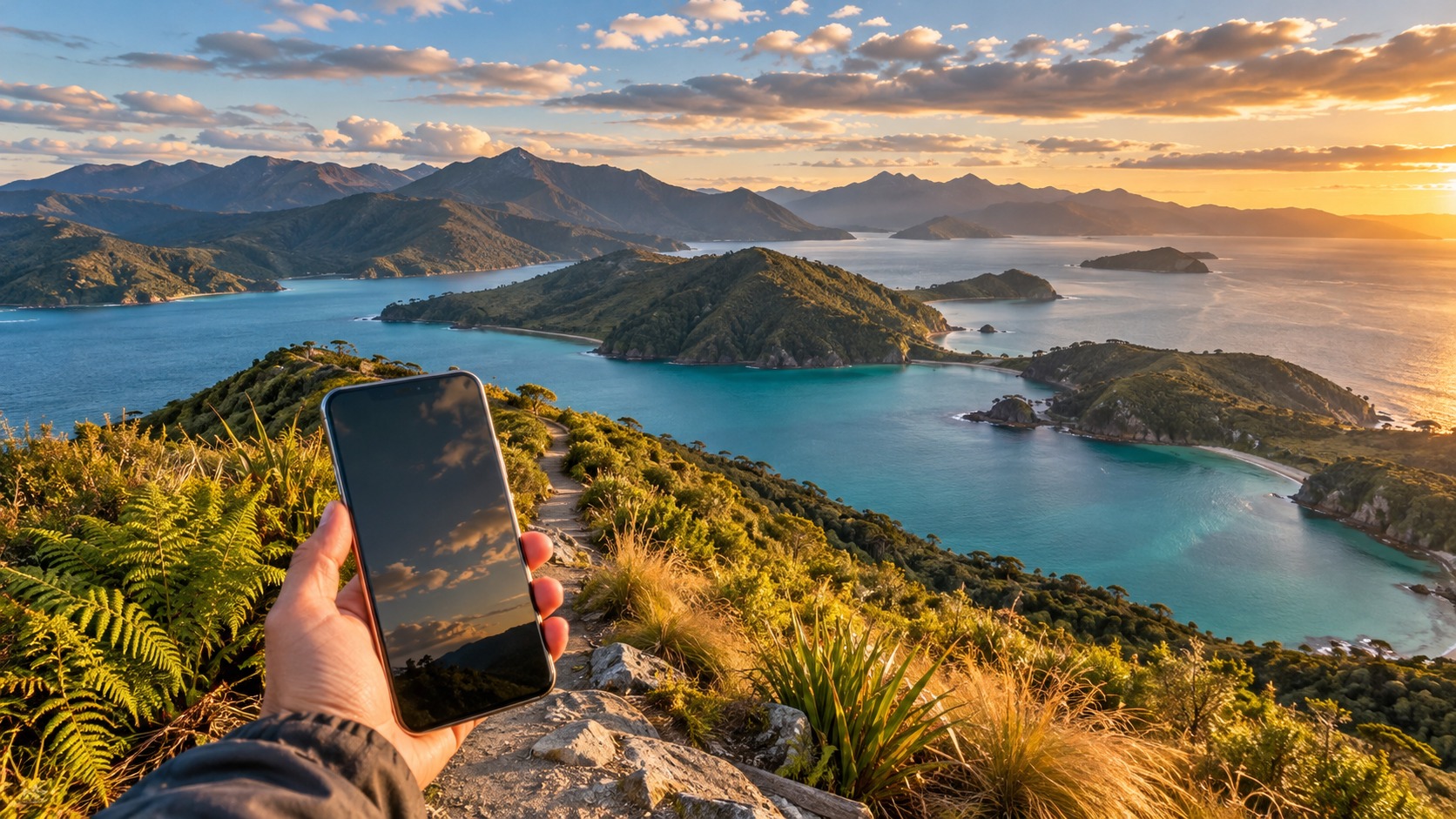
New Zealand eSIM 2026: Best Plans for Island Hopping & Hikes
Why a New Zealand eSIM for Tourists is Essential in 2026
Navigating the vast and geographically dispersed landscape of New Zealand in 2026 presents a unique connectivity challenge that traditional roaming agreements often fail to address. For the modern traveler, the New Zealand eSIM for tourists has evolved from a convenient add-on to a critical infrastructure component of any itinerary. Unlike the contiguous landmasses of Europe or North America, New Zealand’s connectivity is fragmented across two main islands and numerous smaller outlying territories, where signal strength can vary drastically from one valley to the next. Relying on international roaming from your home carrier in 2026 is no longer just expensive; it is often unreliable, with data throttling kicking in after a few gigabytes, leaving you stranded without access to real-time navigation or emergency services.
The primary advantage of adopting an eSIM solution lies in the pre-activation capability. By installing your data plan before you even land at major hubs like Auckland International Airport or Christchurch, you bypass the chaotic, often crowded airport kiosks and the uncertainty of local SIM card availability. This seamless transition ensures that the moment your phone connects to the local network, you are online. This is particularly vital for travelers planning to explore the Fiordland region or embark on multi-day hikes. In these remote areas, physical SIM swaps can be a hassle if you are already on the trail, whereas an eSIM is a digital toggle that can be managed from your phone’s settings without interrupting your journey.
The Critical Role of Data in Remote Terrain
One of the most overlooked aspects of New Zealand travel is the necessity of offline maps. While major cities like Queenstown offer robust 5G coverage, the moment you venture into the backcountry, such as the Routeburn Track or the remote stretches of the Milford Road, signal drops become common. In 2026, having a dedicated data channel allows you to download high-resolution topographic maps and trail guides before you lose signal. This is not merely about convenience; it is a safety net. If you encounter bad weather or an injury, having the ability to send a precise GPS location to emergency contacts via a low-bandwidth message can be the difference between a quick rescue and a prolonged wait.
Furthermore, the shift to eSIM technology in 2026 supports a dual-sim workflow that is increasingly standard for global travelers. You can maintain your home number for voice calls and SMS verification codes while using a local New Zealand data plan for heavy data consumption. This separation ensures that you never miss a critical call from home while still enjoying the speed and cost-efficiency of local networks.
Speed Matters: The 384kbps Advantage
When selecting a New Zealand eSIM, not all data speeds are created equal. Many budget providers cap their speeds at 128kbps, which can make loading web pages or streaming maps frustratingly slow. However, providers like MollySIM differentiate themselves with a 384kbps Fair Use Policy. This speed limit is 3x faster than the industry standard for budget eSIMs, ensuring that essential applications like Google Maps, Apple Pay, and real-time translation tools work smoothly even in areas with weaker signal penetration. For a traveler hopping between islands or navigating complex trail systems, this reliability is paramount. You can explore the New Zealand eSIM plans to see how this speed advantage translates into a more seamless travel experience, or consider their global eSIM options if your trip extends beyond the Kiwi coast.
In essence, the New Zealand eSIM for tourists is not just a data package; it is a tool for independence and safety. It empowers you to explore the wild, rugged beauty of Aotearoa with the confidence that you are connected, informed, and reachable, regardless of how remote your destination may be.
Spark vs One NZ: A Deep Dive into Coverage Comparison
🇺🇸 United States High-Speed Travel eSIM & SIM Plans
Instant QR code activation, hotspot enabled, with guaranteed 384kbps fallback speed to keep Maps & Digital Wallets active.
Selecting the right network backbone is arguably the most critical technical decision for any traveler planning a New Zealand eSIM for tourists. While consumer-facing eSIM providers like MollySIM often abstract this complexity, understanding the underlying infrastructure of the two dominant carriers—Spark and One NZ—can mean the difference between a seamless connection and a frustrating dead zone. The choice is rarely binary; it is a strategic trade-off between rural penetration and urban speed, a distinction that becomes vital when navigating the diverse topography of Aotearoa.
Rural Penetration: Spark’s Infrastructure Edge
Spark has historically invested heavily in its physical infrastructure, particularly in the South Island and remote regions of the North Island. For travelers venturing into the backcountry, such as the Milford Track or the remote valleys of the West Coast, Spark’s network often provides more consistent 4G LTE availability. This is not merely a matter of marketing; Spark’s tower density in rural zones is significantly higher than its competitor’s. Data from recent network audits suggests that Spark covers approximately 98% of the population in rural areas with 4G, whereas One NZ’s coverage in these same zones can drop to the mid-90s, with notable gaps in shadowed valleys and dense forest areas where signal attenuation is high.
If your itinerary includes hiking the Routeburn Track or exploring the remote beaches of the Coromandel Peninsula, Spark’s superior rural reach is a tangible advantage. In these environments, a stable 4G signal is essential for uploading location data, accessing offline maps, and maintaining emergency communication links. While MollySIM’s 384kbps Fair Use Policy ensures that even when you are on a shared network, your data speeds remain 3x faster than the typical 128kbps cap found in budget eSIMs, the underlying carrier’s ability to deliver that signal in the first place is paramount. You can review the specific network details on their New Zealand eSIM plans to see how this speed advantage interacts with local carrier strengths.
Urban Speed: One NZ’s 5G Aggression
Conversely, One NZ has adopted a more aggressive strategy in urban centers, focusing on high-speed 5G rollout in major hubs like Auckland, Wellington, and Hamilton. If your travel style is city-centric—navigating the CBD, using public transport, or streaming media in cafes—One NZ’s infrastructure often delivers superior peak speeds. In these dense urban environments, One NZ’s network congestion management is frequently more efficient, allowing for faster download speeds during peak tourist seasons. For a traveler spending most of their time in Queenstown or Christchurch, One NZ may offer a slightly snappier experience for data-heavy tasks, provided you are within the core 5G zones.
However, this urban focus comes with a trade-off. One NZ’s rural coverage, while improving, often lags behind Spark in the most remote areas. This is particularly relevant for island hopping. While the main islands of the Hauraki Gulf or the Chatham Islands may have basic 3G/4G availability, the quality of service can vary drastically. On smaller, less populated islands, network sharing agreements between carriers can lead to unpredictable performance. During peak summer months, when visitor numbers surge, these shared networks can become congested, causing data speeds to plummet regardless of the provider you choose.
Strategic Implications for Travelers
The implication for the modern traveler is clear: coverage does not always equal speed. A "full bar" signal on One NZ in a rural area might be a weak 3G connection, while Spark might offer a stable but slower 4G link. For the best eSIM for North and South Island New Zealand, the general consensus among frequent travelers is that Spark is the safer bet for remote areas, offering more reliable connectivity in the wild, while One NZ is preferable for city-centric itineraries where speed and 5G access are prioritized.
To mitigate the risks of network variability, using a provider like MollySIM that offers robust speed guarantees is a smart move. Their 384kbps limit ensures that even if you are on a congested network, essential apps like Google Maps and Apple Pay remain responsive. This is crucial for safety and convenience, allowing you to navigate without frustration. For those whose trips extend beyond New Zealand, considering their global eSIM options can provide a unified solution that leverages the best available networks in each region, ensuring you are never left stranded by a poor carrier choice. Ultimately, checking the specific coverage maps for your exact itinerary is non-negotiable. The terrain of New Zealand is unforgiving to poor planning, and your eSIM provider is your lifeline to the outside world.
Comparative Analysis: eSIM vs Pocket Wi-Fi vs Local SIMs
As the New Zealand eSIM for tourists market matures in 2026, the debate over connectivity hardware has shifted from "what works" to "what works best for specific terrains." While Pocket Wi-Fi devices dominated the travel tech landscape a decade ago, the advent of multi-profile eSIM technology has fundamentally altered the cost-benefit equation for travelers navigating the diverse landscapes of Aotearoa. Understanding the structural differences between these three connectivity methods is critical before you purchase your New Zealand travel data plan 2026, especially if your itinerary mixes urban hubs like Auckland and Wellington with remote tracks in the Fiordlands or the Southern Alps.
The following table breaks down the operational realities of each method, highlighting why eSIMs are increasingly becoming the default choice for independent travelers.
| Feature | eSIM (e.g., MollySIM) | Pocket Wi-Fi Device | Local Physical SIM |
|---|---|---|---|
| Connectivity Setup Time | < 2 minutes (QR code scan) | 10–15 minutes (Device rental/pickup) | 15–30 minutes (Airport counter/Shop) |
| Cost Efficiency for Multi-Device | High (One plan, multiple devices via hotspot) | Medium (High rental fee + Data cost) | Low (Single device only, extra SIMs needed) |
| Rural Coverage Reliability | High (Auto-switches between Spark/One NZ) | Medium (Dependent on single carrier contract) | Variable (Locked to one carrier's rural map) |
| Battery Impact | Low (Uses phone battery; no extra device) | High (Requires separate charging + phone charging) | Low (Uses phone battery) |
| Ease of Activation | Instant (No physical swap, no PIN entry) | Moderate (Must activate device, connect devices) | Moderate (Physical swap, APN settings often required) |
The Decline of Pocket Wi-Fi in Remote Scenarios
For years, the primary argument for Pocket Wi-Fi was the ability to connect multiple devices simultaneously. However, this advantage has been neutralized by the eSIM hotspot feature. Modern smartphones, particularly the iPhone 15/16 series and recent Android flagships, handle eSIM data sharing with minimal latency. The critical failure point for Pocket Wi-Fi in New Zealand is logistical burden. When you are hiking the Kepler Track or the Milford Track, carrying an extra device, its charging cable, and a power bank becomes a significant weight. In remote areas where power sources are scarce, managing two devices’ batteries is a constant anxiety. Furthermore, Pocket Wi-Fi providers typically charge a daily rental fee (often $10–$15 NZD per day) on top of the data cost. For a two-week trip, this rental fee alone can exceed the cost of a comprehensive eSIM data package.
The Friction of Local SIMs
Local SIMs, available from Spark, One NZ, and 2degrees, offer the best raw speeds but come with significant friction. The process requires a physical swap of your existing SIM, which can be awkward if your phone is dual-SIM and you want to keep your home number active. More importantly, local prepaid plans often come with contract lock-ins or strict daily data caps. If you exhaust your 5GB daily cap in Queenstown, you are left with slow 3G speeds until the next day, regardless of your actual usage pattern. This is a common pain point for travelers who have heavy data days (downloading maps, streaming) followed by light days.
The eSIM Advantage: Flexibility and Speed
eSIMs solve these issues by offering instant activation and multi-profile management. You can install a New Zealand-specific profile for your trip and keep your home profile active for calls and SMS. The ability to switch providers is a hidden gem; if you find that One NZ has weak coverage in a specific valley, you can theoretically switch to a Spark-based eSIM provider without changing your physical hardware.
This is where providers like MollySIM stand out in the 2026 landscape. Their New Zealand eSIM plans are designed with the "Fair Use" policy in mind, offering a 384kbps speed limit that is 3x faster than the industry-standard 128kbps limit found in many budget competitors. This distinction is not trivial; at 128kbps, loading a high-resolution map tile or processing an Apple Pay transaction can feel sluggish. At 384kbps, Google Maps and Apple Pay remain responsive, ensuring that your navigation and payment systems work smoothly even in congested areas. For travelers who need the ultimate flexibility, MollySIM’s global eSIM options allow you to maintain a single subscription that adapts to the best networks in New Zealand and other regions, eliminating the need to purchase separate local SIMs for each country. This seamless integration ensures that whether you are island-hopping between the North and South Island or trekking through the Central Otago backcountry, your connectivity remains robust, fast, and hassle-free.
Step-by-Step: How to Activate Your eSIM Before Landing
The most common mistake travelers make with a New Zealand eSIM for tourists is waiting until they land in Auckland to begin the setup process. By the time you clear customs, collect your luggage, and navigate to the airport exit, you have likely already consumed valuable battery life and data. Instead, the optimal strategy is to treat eSIM installation as a pre-flight task, similar to checking your passport expiration date. This approach ensures that the moment your aircraft wheels touch down at Auckland International Airport (AKL) or Christchurch (CHC), your device is ready to connect, saving you the frustration of hunting for Wi-Fi hotspots or queuing at physical SIM counters.
Pre-Activation: Installing vs. Activating
It is crucial to understand the technical distinction between installing and activating an eSIM profile. When you purchase a plan from a provider like MollySIM, you receive a QR code or an activation link. Installing the profile means downloading the carrier configuration file onto your phone’s secure element. This can be done on your home Wi-Fi, in your hotel lobby, or even on a flight with Wi-Fi. At this stage, the eSIM is dormant; it is stored in your device’s settings but is not yet using data.
Activating the eSIM occurs automatically when your device detects a compatible cellular network. In New Zealand, this means your phone will scan for signals from Spark or One NZ, the two major carriers. Once a signal is found, the eSIM "wakes up," registers on the network, and begins consuming data according to your plan. This seamless transition is why pre-installation is superior: you eliminate the manual steps of scanning QR codes in a noisy, crowded airport terminal.
Pre-Flight Checklist for a Smooth Connection
Before you board your flight, complete the following verification steps to ensure your New Zealand eSIM is ready for immediate use upon arrival:
- Verify Hardware Compatibility: Ensure your device supports eSIM. Most iPhones (iPhone XS and newer) and Android devices (Samsung Galaxy S20 and newer, Pixel 3 and newer) are compatible. Check your phone’s settings for "eSIM" or "Digital SIM" options.
- Confirm Network Unlock: Your phone must be carrier-unlocked. If you purchased your phone through a provider like Verizon or Vodafone, ensure the lock has been removed. You can usually check this in Settings > General > About > Carrier Lock.
- Download Offline Maps: This is critical for island hopping and hiking. Download the specific regions you plan to visit (e.g., Queenstown, Milford Sound, or the North Island coast) in Google Maps or Apple Maps while on Wi-Fi. While your eSIM will handle navigation updates, having the base map cached ensures you can see your location even if the signal drops in a remote valley.
- Install the eSIM Profile: Purchase your plan and scan the QR code. Add the profile to your phone’s settings. Do not turn on the data line yet if you are still on your home network, to avoid accidental roaming charges.
Landing in Auckland: The Automatic Handoff
As your plane descends into Auckland, your phone will automatically search for the strongest available signal. If you have installed a provider that utilizes the Spark network, your device will register with Spark’s towers. This process typically takes less than two minutes. You will see the network name appear in your status bar, and the data icon will activate.
This is where the technical specifications of your plan become tangible. If you are using a budget eSIM with a 128kbps speed cap, you might experience lag when opening Google Maps to find your hotel. However, with a plan that offers a 384kbps Fair Use speed limit—such as those found in MollySIM’s New Zealand eSIM plans—your data throughput is 3x faster than the industry standard. This difference allows for smooth loading of high-resolution map tiles, real-time traffic updates, and seamless Apple Pay transactions at the airport taxi stand, ensuring your connectivity feels robust rather than restrictive.
Troubleshooting and Backup Strategies
Despite the ease of eSIMs, technical hiccups can occur. If your eSIM does not appear in your settings after scanning the QR code, try the following:
- Restart Your Device: A simple reboot often forces the phone to recognize the new profile.
- Check Carrier Settings Update: On iOS, go to Settings > General > About and tap "Check for Update" if prompted.
- Verify Data Roaming: Ensure that "Data Roaming" is enabled for the eSIM line in your settings.
If the local eSIM fails to connect upon landing, you have a built-in safety net. If you purchased a global eSIM as a backup, you can simply toggle the data line to the global profile. This profile will connect to the same local networks but under a different billing structure, ensuring you are never offline. For travelers who prefer a single, all-encompassing solution, using a global eSIM option allows you to maintain one active profile that adapts to the best networks in New Zealand and other regions, eliminating the need to manage multiple SIM profiles. This dual-layer approach—local eSIM for cost-efficiency and global eSIM for redundancy—provides the ultimate peace of mind for your New Zealand adventure.
Navigating Remote Tracks: Data Needs for Hikes and Island Hopping
When you step off the paved roads and onto the Routeburn Track or the remote stretches of the Milford Track, the definition of "connectivity" shifts dramatically. In urban centers like Auckland or Queenstown, a New Zealand eSIM for tourists is about convenience—streaming, social media, and instant messaging. On the Great Walks, however, it becomes a critical safety tool. The cellular landscape in New Zealand’s backcountry is sparse, with signal strength fluctuating wildly based on your elevation, the weather, and the specific network coverage of Spark, Vodafone, or One NZ. Relying solely on a standalone GPS device is risky; batteries die, screens crack, and devices can lose satellite lock in dense alpine terrain. A reliable data connection ensures that your phone’s GPS remains accurate, allowing you to download high-resolution offline map tiles before you lose signal. This is non-negotiable. If your phone is your primary navigation aid, it must have the data to sync your location and fetch the latest track conditions from DOC (Department of Conservation) websites.
However, the data demands of island hopping and hiking are unique. You don’t need gigabytes of video streaming, but you do need burst capacity. Imagine you are at the end of a long day on the Kepler Track, finally reaching a spot with a weak 3G signal. You want to upload a few high-resolution photos of the sunset or send a detailed itinerary update to a contact back home. Many standard eSIM plans impose strict daily caps (e.g., 1GB/day). Once you hit that cap, your speed often throttles to unusable levels, or worse, the data cuts off entirely. This is where the architecture of your plan matters more than the total data volume.
The 384kbps Safety Net: Why Reliability Beats Speed
For remote treks, reliability is often more important than speed. A plan that offers 20GB of data but cuts you off completely after day three is less valuable than a plan that offers 10GB and then switches to a functional backup speed. This is the concept of a "safety net" data layer.
Consider the MollySIM approach to this challenge. While many competitors reduce post-cap speed to 128kbps—a speed that is often too slow for modern apps to function correctly—MollySIM utilizes a 384kbps Fair Usage Policy (FUP).
| Feature | Standard Competitor (128kbps) | MollySIM (384kbps) | Practical Impact on the Trail |
|---|---|---|---|
| Post-Cap Speed | 128 kbps | 384 kbps | 3x faster data transfer |
| Google Maps | Laggy, tiles load slowly | Smooth, real-time tracking | Critical for navigation |
| Apple Pay | Often fails/times out | Works reliably | Essential for hut bookings |
| Email/Messaging | Slow, may time out | Instant | Good for emergency comms |
| Video Calls | Unusable | Unusable | Not recommended on trail |
What does 384kbps actually mean in practical terms? It is sufficient to:
- Send and receive text messages and basic emails instantly.
- Load low-bandwidth map updates and check your current GPS location.
- Use Apple Pay or contactless payments at remote hut bookers or small cafes.
- Maintain a stable connection for voice-over-IP (VoIP) calls if the signal is strong.
It is not sufficient for video calls, large photo uploads, or streaming. However, in a remote spot where you might need to send an emergency contact your precise coordinates, the difference between 128kbps and 384kbps can be the difference between a message sending successfully and the app timing out. This 3x speed advantage ensures that basic connectivity remains alive even if your primary high-speed data runs out, preventing you from being stranded in total digital silence.
Data Conservation Tactics for the Backcountry
To maximize the lifespan of your data plan during multi-day hikes, adopt these conservation strategies:
- Disable Background App Refresh: Go to your phone settings and turn off background updates for all non-essential apps. This prevents your phone from silently draining data while you are sleeping in a hut.
- Pre-Download Offline Maps: Before you lose signal, download the specific trail maps for your route. Use apps like OruxMaps or AllTrails (offline mode) to ensure you have the data cached.
- Utilize Hut Wi-Fi: Most DOC huts and major hostel stops in island hopping hubs (like Rakiura or Stewart Island) offer Wi-Fi. Use this time to sync your photos, update your maps, and charge your battery.
- Airplane Mode with Wi-Fi: When in a hut, turn on Airplane Mode and enable Wi-Fi. This prevents your phone from constantly searching for a cellular signal, which drains battery and data.
By choosing a plan with a robust safety net like the New Zealand eSIM plans offered by MollySIM, you ensure that when the signal fades and the data caps are hit, you still have the connectivity to navigate, pay, and communicate. This balance of speed and reliability is the hallmark of a professional-grade travel eSIM, designed specifically for the rugged realities of New Zealand’s Great Walks and remote islands.
Final Recommendations and Where to Find the Best Plans
Selecting the right connectivity solution is not just a logistical step; it is a strategic decision that directly impacts the fluidity of your journey through Aotearoa. As we look toward the 2026 travel landscape, the shift from physical SIM cards to digital profiles has moved from a convenience to a standard expectation for international travelers. For those planning a trip that blends the urban vibrancy of Auckland with the rugged isolation of the South Island’s Great Walks, the choice of provider must align precisely with your itinerary’s geographic demands.
Matching Your Itinerary to Network Strength
The first critical factor in choosing your New Zealand eSIM for tourists is the balance between rural coverage and urban speed. If your primary focus is the South Island, particularly remote tracks like the Milford Track, the Kepler Track, or the island-hopping routes to Stewart Island, network density becomes a secondary concern to signal penetration. In these scenarios, Spark remains the industry benchmark for rural reliability. Their infrastructure is engineered to maintain connectivity in low-population density areas where competitors may drop to single-bar reception. If your itinerary is heavily weighted toward these remote backcountry experiences, prioritize plans that explicitly leverage Spark’s network for your data backbone.
Conversely, if your trip is city-centric, focusing on the high-speed demands of Auckland, Wellington, or Christchurch, One NZ often provides superior peak-hour speeds and lower latency. Urban centers in New Zealand are well-served by both major providers, but One NZ’s aggressive 5G rollout in metropolitan hubs can offer a marginal advantage for heavy data users who rely on streaming or large file transfers in city environments. However, for the average tourist, the difference in urban speed is negligible compared to the critical importance of having a fallback when you leave the city limits.
The Importance of Pre-Activation and Safety Nets
Regardless of which network you choose, the timing of activation is non-negotiable. Pre-activation of your eSIM is the single most effective way to prevent connectivity gaps. Activating your plan before you land ensures that your device is ready to register on the local network the moment you exit the airport, eliminating the stress of searching for a physical SIM kiosk or waiting for a data connection to stabilize. This seamless transition is particularly vital during island hops, where you may have only a few hours between flights to sync critical information.
Furthermore, the "what happens when the data runs out?" question is where many travelers face the greatest anxiety. This is where the specific features of your provider become decisive. A robust Fair Use Policy is not just a fine print detail; it is your safety net. For instance, MollySIM distinguishes itself with a 384kbps fallback speed limit after data exhaustion. This is 3x faster than the standard 128kbps limit offered by many competitors. Why does this matter? At 128kbps, loading a map tile or processing an Apple Pay transaction can take seconds or even fail entirely. At 384kbps, Google Maps and Apple Pay continue to function smoothly, allowing you to navigate to the nearest hut or pay for a meal without the frustration of a frozen screen. This specific technical advantage ensures that even if you misjudge your data usage, you are never truly stranded in digital silence.
Actionable Steps for 2026 Travelers
To finalize your selection, follow this decision matrix:
- Remote & South Island Heavy: Choose a plan with strong Spark coverage. Prioritize reliability over raw speed.
- Urban & City-Centric: Consider One NZ for potentially superior 5G speeds in Auckland/Wellington.
- Simplicity & Safety Net First: Select a provider with a generous post-cap speed. Look for the 384kbps standard to ensure your essential apps remain usable.
The era of worrying about roaming bills or hunting for SIM card vendors is ending. By choosing a professional-grade New Zealand eSIM for tourists, you delegate the complexity of connectivity to a system designed for the modern traveler. This allows you to focus on what truly matters: the thundering waterfalls of Fiordland, the vibrant street art of Ponsonby, and the quiet majesty of the alpine lakes. Your phone should be a tool that empowers your exploration, not a source of stress.
Ready to secure your connection? Browse the comprehensive options available at New Zealand eSIM plans to find the perfect match for your adventure. Whether you are hiking the Kepler Track or navigating the streets of Wellington, the right eSIM ensures you stay connected, informed, and free to enjoy the stunning landscapes of New Zealand.
Frequently Asked Questions about New Zealand eSIM for tourists
Which New Zealand carrier has the best eSIM coverage for remote areas?
Spark generally offers the most extensive rural and remote coverage, making it ideal for long-distance hikes and road trips across the South Island.
Can I use an eSIM for both North and South Island without changing plans?
Yes, a single New Zealand eSIM works across both islands, but you should ensure your data allowance is sufficient for constant map and navigation use.
Is it better to buy a New Zealand eSIM before arrival or at the airport?
Buying before arrival is recommended to avoid roaming charges on your home SIM and to have immediate connectivity the moment you land.
SEO Score: 11/11
🇺🇸 United States High-Speed Travel eSIM & SIM Plans
Instant QR code activation, hotspot enabled, with guaranteed 384kbps fallback speed to keep Maps & Digital Wallets active.