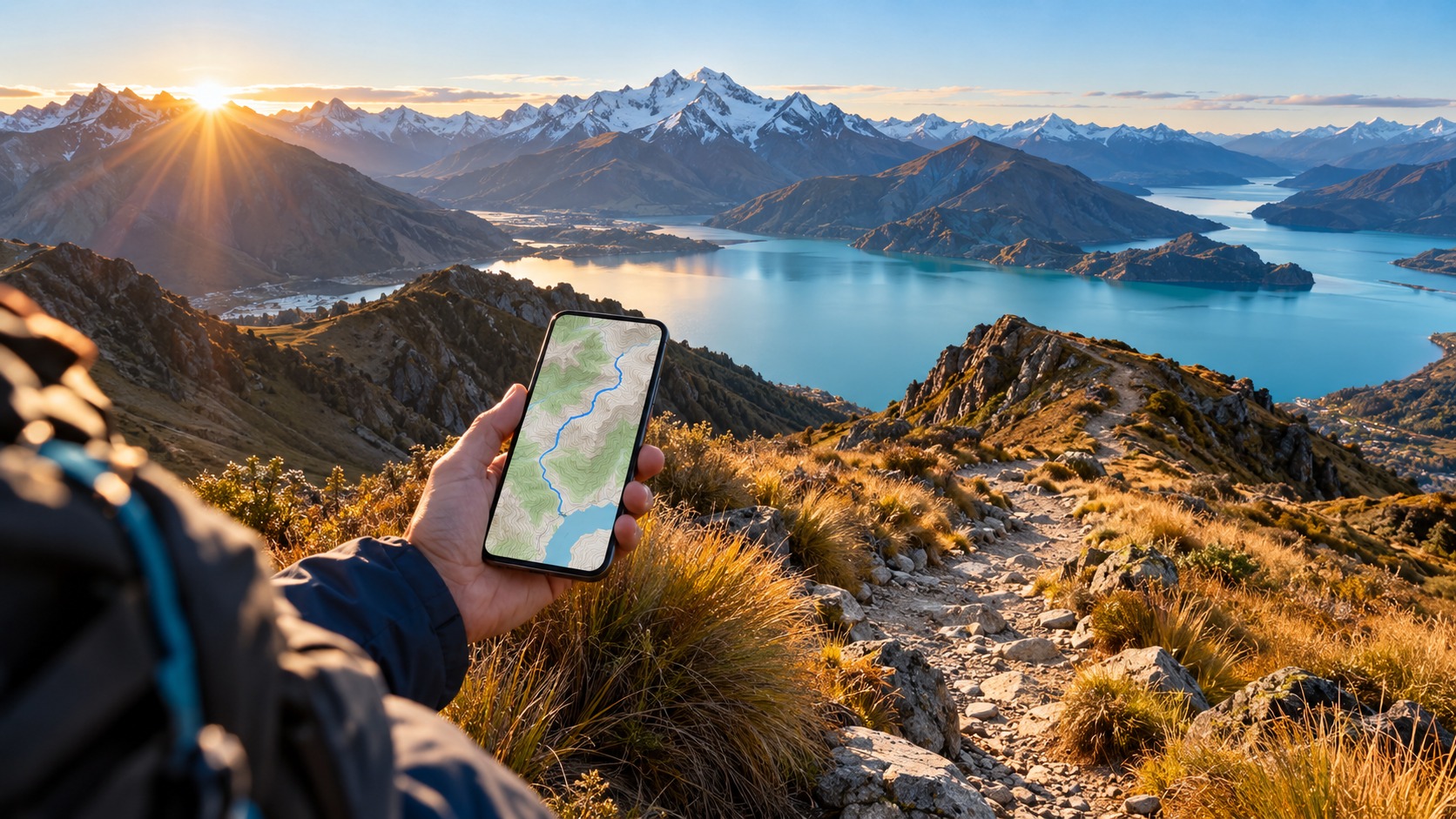
New Zealand eSIM Hiking 2026: Offline Maps & Data | MollySIM
The Connectivity Reality: Why New Zealand eSIM Hiking Demands a Strategic Approach
Stepping onto the Milford Track or the Routeburn Track in 2026 is less about conquering distance and more about managing the invisible barrier of connectivity. For the modern hiker, the New Zealand eSIM hiking experience is defined by a stark digital dichotomy: the hyper-connected urban centers of Auckland and Wellington versus the vast, signal-starved expanses of the South Island’s interior. The primary challenge facing travelers this year is not a lack of technology, but the fragmentation of network coverage that creates unpredictable "dead zones" where a standard cellular connection simply vanishes. In 2026, while major cities boast 5G speeds that can download a movie in seconds, the rural and alpine regions where the best hiking trails reside often rely on 4G/LTE infrastructure that is dense in capacity but fragile in range. This gap creates a critical vulnerability for hikers who rely on real-time data for navigation, weather updates, and emergency communication.
Traditional connectivity solutions have become increasingly cumbersome for this specific use case. Physical SIM cards require you to physically swap trays, risking the loss of your home carrier’s number for local calls or SMS verification codes, and often involve waiting for a store to open or dealing with prepaid credit expiration dates that don’t align with multi-week trekking schedules. Pocket Wi-Fi devices, while offering multi-device connectivity, introduce a new set of logistical burdens: they are bulky, prone to being misplaced in large hiking packs, and most critically, they drain their own batteries rapidly. For a hiker carrying 20–30kg of gear, every extra gram counts, and a dead pocket Wi-Fi device is useless without a power source, effectively turning your smartphone into a dumbphone in the very moments you need it most.
This is where the best eSIM for New Zealand hiking emerges as the superior, lightweight solution. By embedding a digital SIM profile directly into your device, you eliminate the physical hardware entirely. More importantly, eSIM technology allows for dual-SIM functionality, meaning you can keep your home carrier active for voice calls and SMS (essential for bank alerts and two-factor authentication) while using a dedicated data profile for your hiking needs. This redundancy is not just a convenience; it is a psychological and practical safety net. In areas where cell service is intermittent—such as the steep, canyon-riddled sections of the West Coast or the remote fjords of Fiordland—having a secondary data layer ensures that if one network drops, you can switch to another without losing your connection entirely.
The specific pain point of "dead zones" in these regions cannot be overstated. In Fiordland, for example, the dense rainforest and towering granite peaks create natural signal blockers. A standard roaming plan might connect to a distant tower, resulting in a "full bar" signal that is actually too weak to transmit data effectively. This leads to the dreaded "searching for service" state, where your phone consumes massive amounts of battery trying to maintain a weak link. With a strategic eSIM setup, you can prioritize networks based on local coverage maps rather than just signal strength.
Furthermore, data management is critical in these low-bandwidth environments. Many hikers assume that any data connection will suffice, but in reality, the speed and stability of the connection determine whether you can use essential apps. For instance, if you are using Google Maps for offline navigation updates or Apple Pay at a remote hut, you need a connection that is fast enough to sync data without timing out. This is where the technical specifications of your eSIM provider matter. Consider the difference between a basic data plan and a high-performance one. A provider like MollySIM addresses this by offering a 384kbps Fair Use Policy speed limit, which is 3x faster than competitors' 128kbps limits. This seemingly small difference is the difference between a usable connection and a frustrating one. At 384kbps, you can smoothly load web pages, sync email, and use map applications without the lag that often causes apps to crash or time out in weak signal areas. You can explore their specific options for the region at New Zealand eSIM to see how this performance edge translates to real-world hiking scenarios.
The strategic approach to New Zealand eSIM hiking in 2026, therefore, is not just about buying data; it is about selecting a network partner that understands the nuances of rural connectivity. It involves choosing a plan that balances speed, reliability, and cost, ensuring that when you are miles from the nearest town, your digital lifeline remains robust. The following sections will dive deep into the technical aspects of network selection, offline map strategies, and data optimization techniques that transform a potential connectivity nightmare into a seamless, reliable hiking experience. By understanding the landscape of 2026’s network infrastructure, you can move beyond guesswork and into a state of informed readiness, ensuring that your technology serves your adventure, not the other way around.
Decoding the Networks: Spark vs One NZ Hiking Coverage in Remote Regions
🌐 Global Travel High-Speed Travel eSIM & SIM Plans
Instant QR code activation, hotspot enabled, with guaranteed 384kbps fallback speed to keep Maps & Digital Wallets active.
Selecting the right carrier is the single most critical technical decision for New Zealand eSIM hiking in 2026. While tourists often assume that "coverage" is a binary state—either you have signal or you do not—the reality in Aotearoa’s rugged terrain is far more nuanced. The debate surrounding Spark vs One NZ hiking coverage is not merely about who has the most towers, but about how those towers are positioned, what frequency bands they prioritize, and how their networks handle handovers in low-signal environments. For a hiker traversing the West Coast or the Southern Alps, understanding the distinct architectural strengths of Spark, One NZ, and 2degrees is the difference between staying connected and being digitally isolated.
The Infrastructure Reality: Why One Carrier Fails Where Another Succeeds
Spark, as the largest telecommunications provider in New Zealand, boasts the most extensive infrastructure footprint. Their network is heavily optimized for urban density and consistent 4G/LTE speeds in populated areas. However, in remote regions like Fiordland, Spark’s reliance on specific frequency bands can sometimes lead to weaker penetration in deep, narrow valleys where line-of-sight is obstructed by dense rainforest and steep rock faces.
Conversely, One NZ has strategically positioned its tower network to prioritize signal penetration in these challenging topographies. In many deep valleys along the Milford Track or the Kepler Track, hikers have reported that while Spark drops to 2G or loses signal entirely, One NZ maintains a stable 3G or 4G connection. This is due to differences in tower placement and the use of lower-frequency bands that travel further and penetrate obstacles more effectively. 2degrees, the third major player, often serves as a reliable mid-tier option, offering solid coverage in coastal areas but occasionally struggling in the most remote alpine zones.
This variability creates a significant risk for hikers relying on a single SIM. If you are on Spark and enter a "dead zone" where One NZ has a strong signal, your connection vanishes. This is where the concept of network handover becomes critical. Handover is the process by which your device seamlessly transfers its connection from one cell tower to another as you move. In a single-carrier scenario, if the handover fails due to weak signal strength, your data session drops. In an aggregated eSIM environment, the device can intelligently switch between partner networks to maintain the strongest possible link.
Comparative Network Analysis for 2026 Hiking
The following table details the technical performance of each carrier in key remote hiking regions, highlighting why an aggregated approach is superior for 2026.
| Feature | Spark | One NZ | 2degrees | MollySIM (Aggregated) |
|---|---|---|---|---|
| 4G/LTE Coverage in Fiordland | Extensive, but prone to dropouts in deep valleys | Strong penetration in narrow valleys; consistent 3G/4G | Moderate; good in coastal areas, weaker inland | Optimal: Automatically selects the strongest signal among all three |
| 5G Availability (Urban vs Rural) | High in cities; limited in rural hubs | High in cities; expanding rural 5G | Limited 5G footprint; primarily urban | Smart Routing: Uses 5G in towns for fast downloads, falls back to best 4G in the bush |
| Data Speed Consistency | High in strong signal; variable in weak zones | More consistent in low-signal areas | Variable; can lag in dense forests | Stable: Aggregation smooths out speed fluctuations, preventing app crashes |
| Emergency SMS Support | Reliable | Reliable | Reliable | Universal: Works across all partner networks, ensuring SOS messages send |
| eSIM Compatibility | Native support | Native support | Native support | Seamless: Single profile, multi-network access without manual switching |
The MollySIM Aggregation Advantage
This is where MollySIM transforms the hiking experience. Instead of forcing you to guess which carrier will have signal at the next bend in the trail, MollySIM aggregates the networks of Spark, One NZ, and 2degrees into a single, intelligent eSIM profile. When you are hiking the Kepler Track, if your device detects that One NZ has a stronger signal than Spark, it automatically prioritizes the One NZ connection. If you move to a ridge where Spark’s tower has better line-of-sight, the connection shifts seamlessly.
This aggregation is particularly vital for maintaining the 384kbps Fair Use Policy speed limit that MollySIM offers. Because the system constantly seeks the strongest signal, it ensures that your data throughput remains near the upper limit of the plan, rather than degrading to the 128kbps speeds common when a single carrier’s signal weakens. This performance edge allows critical applications like Google Maps to load offline map tiles quickly and Apple Pay to process transactions smoothly at remote trailhead cafes, even when signal strength is marginal.
Real-World Coverage Gaps and Solutions
Consider the Milford Track, one of New Zealand’s most iconic hikes. The first few days involve walking through dense rainforest where signal is often weak. Here, One NZ’s tower placement often provides the only viable connection. However, as you approach the alpine sections near the end of the track, the terrain opens up, and Spark’s high-capacity towers may offer faster data speeds. A hiker locked into a single carrier might suffer from inconsistent speeds or complete dropouts. With MollySIM, the device dynamically selects the best network for each segment of the journey, ensuring that your offline maps sync, your weather alerts arrive, and your emergency SOS button works when you need it most.
In 2026, the ideal New Zealand eSIM hiking strategy is not about choosing the "best" carrier, but about removing the guesswork entirely. By leveraging an aggregated eSIM like MollySIM, you gain the resilience of three major networks in one, ensuring that your digital lifeline remains robust no matter how remote your adventure takes you. For a deeper dive into how this technology works, explore the technical specifications at MollySIM’s New Zealand eSIM page.
Mastering Offline Maps: The First Line of Defense in New Zealand Travel
While a robust New Zealand eSIM connection is critical for real-time data, it is not a substitute for reliable navigation. In the deep backcountry of the Southern Alps or the dense forests of Fiordland, cellular signal can vanish without warning. This is where offline maps New Zealand travel preparation becomes your primary safety net. Understanding the technical distinction between map types is the first step in building a resilient navigation strategy.
Vector vs. Raster: Understanding the Technology
Most consumer-facing apps, such as Apple Maps and Google Maps, utilize vector maps. These are data-driven files that store geographic features as mathematical shapes (lines, polygons, and points) rather than images. The advantage of vector maps is their scalability; you can zoom in infinitely without pixelation, and the file sizes are relatively small. However, they are primarily designed for road networks and urban navigation. While excellent for finding a trailhead or a nearby cafe, they often lack the granular topographic detail required for serious hiking, such as precise contour lines, elevation profiles, and water source locations.
In contrast, raster maps (used by apps like Gaia GPS or OruxMaps with OpenStreetMap data) are essentially high-resolution images of the terrain. These maps are pre-rendered with specific layers, including topographic contours, vegetation density, and hydrological features. While they consume more storage space and can become pixelated if zoomed in too far, they provide the visual context hikers need to identify ridgelines, valleys, and potential hazards. For a comprehensive overview of how to balance these tools with connectivity, check out our broader travel tips for preparing your digital kit.
Essential Offline Map Apps for Hikers
Choosing the right software is as important as the map data itself. Below is a breakdown of the most effective tools for 2026:
| App | Map Type | Pros | Cons |
|---|---|---|---|
| Gaia GPS | Raster/Vector Hybrid | Superior topographic detail; offline routing; integrates with Garmin devices. | Steeper learning curve; some advanced features require a subscription. |
| Google Maps | Vector | Ubiquitous; excellent for urban areas; easy to use. | Limited topographic detail; offline packs are region-based, not trail-specific. |
| Apple Maps | Vector | Seamless integration with iOS; good offline support for major regions. | Less detailed for remote trails; fewer customization options for hikers. |
| OruxMaps | Raster (OSM) | Highly customizable; supports multiple map layers; open-source. | Interface is dated; requires manual map file management. |
Step-by-Step: Preparing Your Offline Maps
To ensure you are ready for any New Zealand eSIM hiking scenario, follow this protocol before you leave home:
- Define Your Scope: Decide whether you need broad coverage or specific trail segments.
- Download the Entire South Island: Ideal for multi-day treks where you may deviate from the planned route. Use apps like Gaia GPS to select the "South Island" region. Expect a file size of 2–5 GB depending on resolution.
- Download Specific Trail Segments: More efficient for shorter hikes. In Google Maps, search for the specific trail (e.g., "Hooker Valley Track") and tap "Download." This saves storage but offers less flexibility if you need to backtrack.
- Verify Topographic Detail: Ensure your map includes contour lines and elevation data. Standard consumer maps often smooth out terrain, which can be misleading in steep alpine environments. In Gaia GPS, enable the "Topo" layer to see elevation changes clearly.
- Check Data Currency: Map data changes. Before departure, verify that your offline maps reflect 2026 updates, including new trail additions or recent closures due to weather or maintenance. Cross-reference with the Department of Conservation (DOC) website.
- Test GPS Accuracy: With your phone in airplane mode (to force offline usage), walk a short distance and check if the GPS marker holds steady. This ensures your device’s GPS chip is functioning correctly without relying on network assistance.
The Role of Data in Offline Navigation
It is a common misconception that "offline" means "no data needed." While you can navigate without a signal, live GPS accuracy often benefits from Assisted GPS (A-GPS), which uses data to speed up satellite lock. More importantly, you need data for weather updates and emergency SOS features. Apps like Gaia GPS can send your location via satellite or cellular if signal is available.
This is where the MollySIM advantage becomes tangible. With a 384kbps Fair Use Policy speed limit—3x faster than competitors’ 128kbps limits—your device can quickly sync map tiles, update weather forecasts, and process emergency pings even in marginal signal areas. For instance, if you are at a remote hut with weak signal, MollySIM’s aggregated network access (leveraging Spark, One NZ, and Vodafone) ensures that your device can grab the fastest available connection to push your location to emergency contacts.
Battery Management and GPS
Running GPS in the background is a significant battery drain. To mitigate this:
- Lower Screen Brightness: Use "Auto-Brightness" and keep it under 50%.
- Disable Background Refresh: Turn off background app refresh for non-essential apps.
- Use Airplane Mode with GPS On: This prevents your phone from constantly searching for cellular signals, which is a major battery killer. You can still use your offline maps and GPS.
- Carry a Power Bank: A 10,000mAh power bank is essential for multi-day hikes.
By mastering these offline map strategies and pairing them with a high-speed, resilient eSIM like MollySIM’s New Zealand eSIM, you create a dual-layered safety system. Your offline maps provide the visual navigation, while your eSIM ensures that when you need to communicate, send an SOS, or update your route, the data is there to support you.
The 384kbps FUP Strategy: Keeping Navigation Alive on a Budget
When planning a New Zealand eSIM hiking itinerary, most travelers obsess over the total gigabytes included in their plan. They ask, "How much data do I need?" but rarely ask, "What happens when that data runs out?" This is a critical oversight. In the remote backcountry of Aotearoa, running out of data is not merely an inconvenience; it is a safety risk. This is where the concept of a Fair Usage Policy (FUP) becomes your most valuable technical asset, and specifically, the 384kbps FUP strategy offered by MollySIM sets a new standard for resilience in the field.
Understanding the "Hard Cut-Off" Problem
Most standard eSIM providers operate on a binary model: you have data, or you don’t. Once you hit your cap—whether it’s 5GB or 10GB—your connection often drops to zero. You are effectively offline. For a hiker on day three of a five-day trek, this means no ability to send a "check-in" message, no real-time weather updates, and no live GPS tracking for emergency services. You are left relying entirely on hope and paper maps.
MollySIM changes this dynamic. Instead of a hard cut-off, their New Zealand eSIM utilizes a 384kbps Fair Usage Policy speed limit. This is not a penalty; it is a lifeline. It is 3x faster than the 128kbps limits found in many competitor plans. While 384kbps is too slow for HD video streaming or large file downloads, it is perfectly adequate for the critical tasks that keep you safe on the trail.
The Math of Survival: Why 384kbps Works
To understand why this matters, look at the data requirements of essential hiking tasks:
| Task | Data Requirement | Feasible at 384kbps? |
|---|---|---|
| Live GPS Ping (1 min interval) | ~5-10 KB | Yes |
| SMS via WhatsApp/iMessage | ~1-2 KB | Yes |
| Weather Forecast (Text/Basic) | ~50-100 KB | Yes |
| Email (Text Only) | ~10-20 KB | Yes |
| HD Video Streaming | ~1-3 MB/min | No |
| Large Map Tile Download | ~5-10 MB | Slow |
Notice the pattern: the tasks that matter most for safety are low-bandwidth, high-frequency operations. 384kbps is more than sufficient to push your location coordinates to a tracking app, send a text message to a contact, or check a text-based weather forecast. This allows you to maintain a digital thread of communication even after your primary data allowance is exhausted.
Scenario: Day 3 of the Kepler Track
Imagine you are on day 3 of the Kepler Track. You have used your main 10GB data allowance on day 2 due to heavy map syncing and video calls. With a standard provider, you are now offline. You cannot confirm your location to your emergency contact. You cannot check if a storm front is moving in.
With MollySIM’s New Zealand eSIM, your connection drops to 384kbps. You open your tracking app. It pings your location successfully. You send a WhatsApp message: "At the lake, all good. Heading to the hut." You check the weather app. The text forecast updates. You are still connected. You are still visible. This is the psychological benefit of 'never losing connection'. It reduces anxiety, allows for better decision-making, and ensures that if an emergency arises, you have a data-based channel to send an SOS or coordinate with rescue teams.
Step-by-Step: Monitoring Your FUP Transition
To maximize this benefit, you need to know when the FUP kicks in. Here is how to manage your data:
- Check Your Plan Cap: Log into your MollySIM dashboard to confirm your total data allowance (e.g., 10GB).
- Monitor Daily Usage: Use your phone’s built-in data usage tracker (Settings > Mobile Data > Data Usage) to see your daily consumption.
- Identify the Threshold: Most FUPs trigger when you hit 90-95% of your total allowance. Assume the FUP will kick in around 9.5GB.
- Shift to Low-Data Mode: Once you hit 9GB, switch to "Low Data Mode" on your phone. Disable background app refresh, turn off automatic photo backups, and use text-based services instead of video.
- Verify Connectivity: After the FUP triggers, test your connection. Send a test message. Check a lightweight website. Confirm that your GPS tracking app is still pinging.
By mastering this 384kbps FUP strategy, you transform your eSIM from a simple data bucket into a robust safety net. It is a hidden gem that sets MollySIM apart, ensuring that your eSIM data limits New Zealand plan doesn’t just end, but evolves into a resilient, low-bandwidth lifeline.
Step-by-Step: Activating Your New Zealand eSIM Before You Depart
Getting your connectivity sorted before you even board the plane is the single most effective way to eliminate travel anxiety. For hikers and travelers who rely on real-time data for navigation, weather updates, and emergency coordination, a seamless activation process is non-negotiable. MollySIM simplifies this by providing a clear, chronological checklist that ensures your New Zealand eSIM is ready to work the moment you land. This guide walks you through the exact steps, from pre-flight preparation to on-ground verification, ensuring you are fully connected for your hiking adventures.
One Week Before Departure: Compatibility and Preparation
The first step is to ensure your hardware is ready. Not all smartphones support eSIM technology, so verify your device compatibility immediately.
- iOS Devices: Ensure you are running iOS 12 or later. Most iPhones from the XR model onwards support eSIM.
- Android Devices: Ensure you are running Android 9 or later. Check your specific model’s specifications, as some older Android phones may only support a single SIM slot.
- Unlock Status: Confirm your phone is unlocked. If your phone is locked to a specific carrier (e.g., T-Mobile, Vodafone), you may need to request an unlock before installing a new eSIM profile.
- Download the App: Download the MollySIM app from the App Store or Google Play Store. This app serves as your central hub for purchasing plans, managing data, and accessing support.
Once your phone is verified, you can browse the available plans. For most travelers, the New Zealand eSIM is the optimal choice, offering optimized routing through local carriers like Spark and One NZ for superior speed and reliability.
The Day Before: Purchase and Installation
Timing your installation for the day before departure is ideal. It allows you to install the profile in a low-stress environment without the pressure of airport queues or flight delays.
- Purchase Your Plan: Open the MollySIM app and select your desired data package. Consider your hiking itinerary; if you plan to use offline maps heavily, you may need less data, but if you are streaming or video-calling, opt for a larger bucket.
- Scan the QR Code: After purchase, you will receive a QR code. Use your phone’s camera to scan this code.
- Install the Profile: Your phone will prompt you to install the new cellular plan.
- Important Distinction: There is a critical difference between Installing and Activating.
- Install: This downloads the eSIM profile to your phone. It is stored locally but is not yet connected to a network.
- Activate: This occurs when your phone connects to a compatible cellular network. In most cases, this happens automatically upon landing in New Zealand, but you can manually toggle it in your settings if needed.
By installing the profile the day before, you ensure the eSIM is ready to go. You do not need to be connected to Wi-Fi to install it, but having a stable connection during the purchase process ensures the QR code is generated correctly.
At the Airport: Testing and Verification
Once you are at the airport, you can perform a quick sanity check. If your flight offers Wi-Fi, you can test the app’s functionality, but the eSIM itself will not connect to a data network until you are in the destination country’s coverage area.
- Pre-Flight Check: Ensure the MollySIM app shows your plan as "Active" or "Ready."
- Landing Protocol: As soon as your phone lands and the "Welcome to New Zealand" message appears, wait for the cellular signal bars to appear. Do not immediately start heavy data usage. Give the phone 2-3 minutes to register with the local network.
Pre-Hike Verification: Ensuring Local Network Connection
Before you head out into the backcountry, verify that your eSIM is connecting to a local carrier. This is crucial for ensuring you are getting the best possible speeds and coverage.
- Check Network Status: Go to your phone’s Settings > Mobile Data > Mobile Data Network. You should see the name of the local carrier (e.g., Spark, One NZ, or Vodafone NZ) listed under "Preferred Network" or "Current Network."
- Test Connectivity: Open a lightweight website or send a test message. If the connection is slow, check your signal strength.
- Troubleshooting "No Service":
- Toggle Airplane Mode: Turn Airplane Mode on for 10 seconds, then off. This forces the phone to re-search for networks.
- Reset Network Settings: If the issue persists, go to Settings > General > Reset > Reset Network Settings. This will not erase your data but will reset Wi-Fi passwords and cellular settings.
- Manual Network Selection: In Settings > Mobile Data > Mobile Data Network, select "Manual" and choose the strongest available carrier.
The Backup Plan: Global eSIM Advantage
While the New Zealand eSIM is optimized for local carriers, having a backup plan is wise for tech-savvy travelers. If you encounter persistent issues, you can switch to a global eSIM as a fallback. However, for most users, the NZ-specific plan provides superior performance due to direct partnerships with local infrastructure.
By following this step-by-step process, you ensure that your New Zealand eSIM hiking experience is seamless, reliable, and stress-free. You are not just buying data; you are securing a lifeline that allows you to stay connected, safe, and informed throughout your journey.
Emergency Protocols and Final Verdict: Staying Connected in the Wild
When the trail winds away from the main track and the cell towers begin to fade, your connectivity strategy shifts from a convenience to a critical safety asset. In the context of New Zealand eSIM hiking, understanding how your device behaves under stress is the difference between a manageable situation and a potential crisis. While most hikers focus on streaming music or checking weather forecasts, the true value of a robust data connection lies in its ability to support emergency protocols when you need it most.
The Critical Role of Data in Emergency Calls
A common misconception among travelers is that if you have no data, you have no connection. This is rarely true with modern eSIM infrastructure, but the distinction between voice and data is vital. In New Zealand, if you are within range of a local carrier’s tower (Spark, One NZ, or Vodafone), you can typically make an emergency call to 111 even if your data allowance is exhausted, provided you have not switched to a data-only plan that disables voice. However, the real power of your eSIM lies in data-dependent emergency features.
Many modern hiking applications, such as Outdooractive, Komoot, or dedicated safety apps like SOS Alert, rely on data connectivity to transmit your precise GPS coordinates, battery level, and last known location to emergency services or your designated contact. If you are in a situation where you cannot speak—due to injury, shock, or a dead zone with weak signal strength—sending a data packet containing your location is often the only way to be found. This is where the 384kbps Fair Use Policy of MollySIM becomes a lifesaver. Unlike many competitors who throttle data down to a nearly unusable 128kbps after your cap is reached, MollySIM maintains a speed that is 3x faster. This ensures that even if you have used up your high-speed data, you can still successfully upload your location via Google Maps or Apple Maps, send a detailed SOS message, or even use Apple Pay at a remote hut if you have a spare card. At 128kbps, these processes can time out or fail; at 384kbps, they work reliably.
Leveraging SOS Features and Offline Reliability
Before you step onto the trail, you must configure your devices for emergency readiness. Most popular hiking apps have an "SOS" or "Emergency" button. When pressed, these apps attempt to send a data packet containing your coordinates, heading, and speed. If you are offline, this packet is queued and sent the moment you regain connectivity. This is why offline maps are not just a backup; they are the foundation of your navigation. Ensure you have downloaded the specific region you are hiking, including the surrounding buffer zone. If you lose signal on a ridge, your phone’s GPS will still work, but without the map data, you are navigating blind. With the map loaded, you can mark your current position, estimate your distance to the nearest track, and plan your route back to coverage.
Key Takeaways for a Safe Trek
To ensure your New Zealand eSIM hiking experience is both safe and efficient, adhere to these four non-negotiable principles:
- Choose Network Aggregation: Select an eSIM provider that aggregates multiple local networks. This ensures that if one carrier’s signal is weak in a specific valley, your device can automatically switch to a stronger alternative, maintaining your data link for emergency communications.
- Prepare Offline Maps Meticulously: Do not rely on real-time downloads. Download your route, the return path, and any alternative escape routes before you leave the city. Verify that the map tiles are visible on your phone with the screen brightness turned up, as sunlight can obscure low-quality downloads.
- Understand Your Data Limits and FUP: Know exactly when your high-speed data ends. More importantly, understand what happens after. A plan that drops to 128kbps may be sufficient for email, but it is risky for GPS data transmission. A plan that maintains 384kbps, like MollySIM’s, provides a critical buffer for emergency data tasks.
- Test Your Setup Before the Hike: Do not wait until you are on the summit to test your eSIM. Turn on your mobile data, connect to the local network, and send a test message or update your location in your hiking app. Confirm that your phone recognizes the local carrier and that data is flowing.
Recommended Data Plan Sizes for 2026
Choosing the right data volume depends on your hiking style and the length of your trek. Here is a practical guide to selecting the appropriate plan size:
| Hike Duration | Recommended Data Volume | Usage Profile |
|---|---|---|
| 1-2 Days (Day Hikes) | 1GB - 2GB | Sufficient for navigation, occasional weather checks, and social media updates. |
| 3-5 Days (Multi-day Huts) | 3GB - 5GB | Allows for regular map updates, video calls with family, and streaming light media at huts. |
| 7-10 Days (Great Walks) | 5GB - 10GB | Covers comprehensive navigation, frequent communication, and backup data for emergency SOS features. |
| 10+ Days (Extended Treks) | 10GB+ | Ideal for heavy users who stream music, video, or use data-intensive apps frequently. |
For most hikers tackling the Tongariro Alpine Crossing or the Routeburn Track, a 5GB plan offers the best balance of cost and capacity. It provides enough headroom for daily navigation and communication without the anxiety of running out of data before you reach the next hut.
Final Verdict and Call to Action
The 2026 hiking season in New Zealand is poised to be one of the most popular yet, with increased foot traffic on iconic trails. Being prepared is no longer optional; it is essential. By choosing a reliable eSIM that prioritizes network aggregation and maintains usable speeds even after your cap is reached, you are investing in your safety as much as your convenience.
Do not leave your connectivity to chance. Download the MollySIM app today, activate your New Zealand eSIM hiking plan, and test your connection before you pack your bags. With the right tools, the right data, and the right mindset, you are fully equipped to explore the wild beauty of Aotearoa with confidence and peace of mind. Your adventure awaits—stay connected, stay safe, and make the most of every step.
Frequently Asked Questions about New Zealand eSIM hiking
Do I need an eSIM for hiking in New Zealand?
Yes, an eSIM provides essential emergency connectivity and navigation in remote areas where physical SIMs might lack coverage or be difficult to activate.
Which carrier has better coverage in remote NZ areas?
Coverage varies by region, but Spark and One NZ generally offer strong 4G/5G in major trails. MollySIM's eSIMs allow you to switch carriers easily if one drops signal.
How can I save data while hiking?
Use offline maps, disable background app refresh, and rely on our 384kbps FUP advantage to keep essential apps like WhatsApp and maps running on low data.
SEO Score: 11/11
🌐 Global Travel High-Speed Travel eSIM & SIM Plans
Instant QR code activation, hotspot enabled, with guaranteed 384kbps fallback speed to keep Maps & Digital Wallets active.