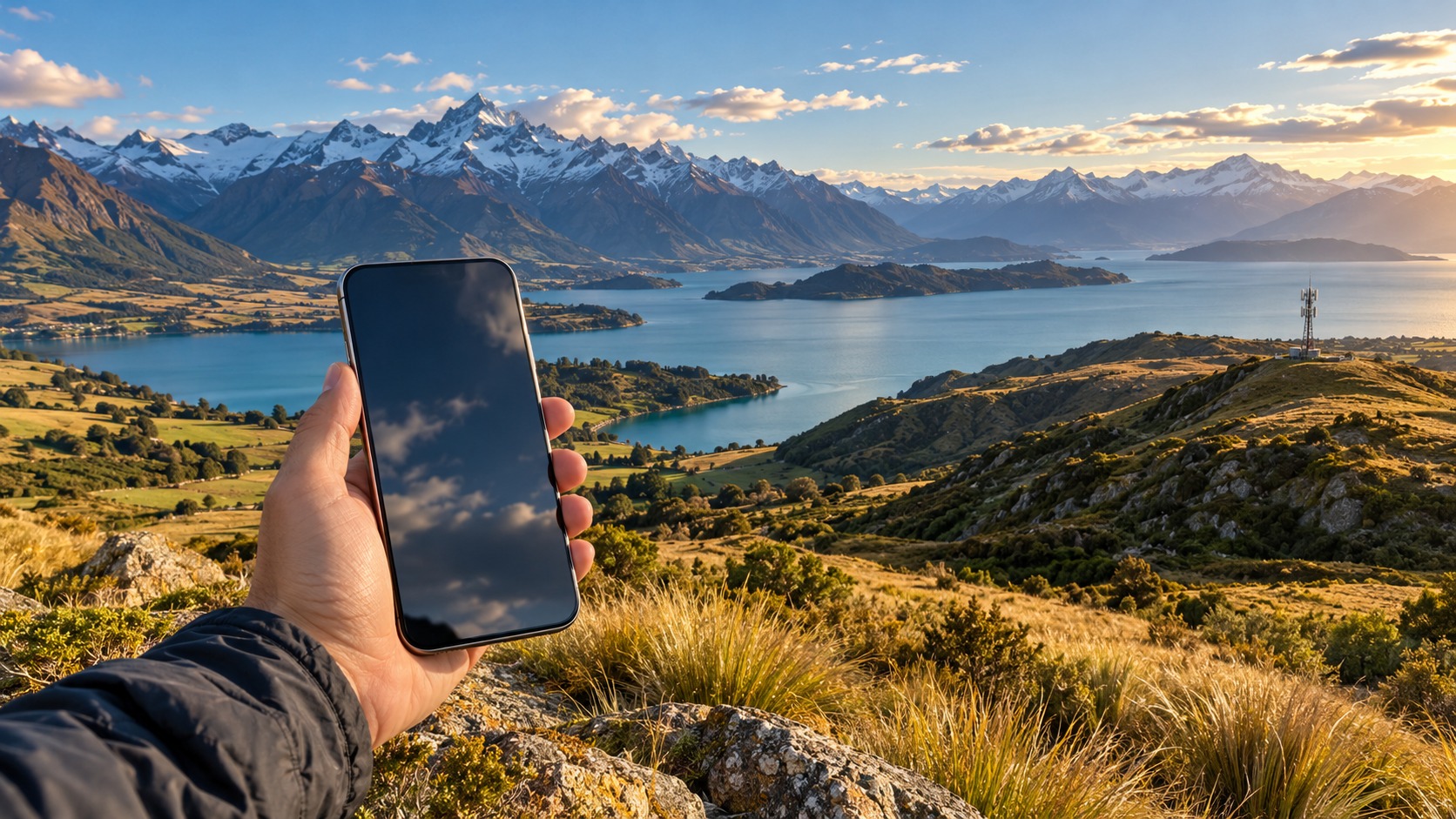
New Zealand eSIM Guide 2026: Spark, One NZ & Rural Coverage
The 2026 Connectivity Landscape: Why Urban Carriers Fail in Rural New Zealand
Selecting the right New Zealand eSIM for tourists is no longer just about finding the cheapest data bundle; it is a strategic decision that dictates your safety and mobility in one of the world’s most geographically diverse travel destinations. For many visitors, the journey begins in the dense, hyper-connected hubs of Auckland or Wellington, where 5G signals are ubiquitous and latency is negligible. However, the moment you cross the Tasman Sea or drive inland toward the South Island’s rugged backcountry, the connectivity landscape shifts dramatically. This is where "coverage anxiety" sets in. The primary challenge for travelers in 2026 is not the absence of signal in cities, but the sudden, often abrupt, drop-off in service as you enter regions like Otago, Canterbury, and the West Coast. These areas are characterized by sparse population density and rugged terrain—deep valleys, mountain ranges, and long stretches of unpopulated coastline—that create natural dead zones. Urban-centric carriers, who optimize their infrastructure for high-density metropolitan areas, often struggle to maintain consistent coverage in these remote corridors. The technical distinction is critical: macro-cell coverage in cities relies on high-capacity, low-latency towers designed for heavy data consumption, whereas rural connectivity requires robust, long-range 4G/5G infrastructure that can penetrate difficult topography and cover vast distances with fewer towers.
A common misconception among first-time visitors is that one carrier fits all scenarios. While this might hold true in a flat, densely populated European city, it is a dangerous assumption in Aotearoa New Zealand. In 2026, the market is bifurcated. One NZ has historically led in rural 4G penetration, leveraging its extensive network of towers to maintain signal integrity in remote areas where other providers struggle. Conversely, Spark often offers superior value, stability, and speed in dense urban centers, where its infrastructure is heavily optimized for high-traffic zones. Determining the best eSIM for New Zealand 2026 therefore requires a nuanced understanding of your itinerary. If your trip is strictly confined to the major cities, Spark’s urban efficiency is hard to beat. But if your route includes the Haast Pass, the Abel Tasman coastline, or the remote trails of Fiordland, the rural robustness of the network becomes the deciding factor.
This is why having a reliable data connection is not merely a convenience for checking social media; it is a fundamental safety net. In remote areas, your smartphone is your primary navigation tool, your emergency beacon, and your link to real-time weather and road updates. When the main high-speed data allowance is exhausted, most standard eSIM providers throttle your connection to a crawl, often dropping to 128kbps. At this speed, loading a map tile can take minutes, and real-time navigation apps may freeze or fail entirely—a critical risk when you are driving on winding mountain roads or hiking in areas with limited cell reception. This is where the concept of a "safety net" data tier becomes essential. Providers like MollySIM address this specific pain point by implementing a 384kbps Fair Use Policy speed limit for post-quota usage. This is three times faster than the industry-standard 128kbps cap, ensuring that essential functions like Google Maps, Apple Pay, and messaging apps continue to work smoothly even when your high-speed allowance is gone. For a traveler navigating the unpredictable terrain of New Zealand, this difference can mean the difference between a seamless journey and a stressful, offline experience. By understanding these technical nuances, you can choose a connectivity solution that prioritizes reliability over raw speed, ensuring that you remain connected when it matters most.
Key Coverage Considerations for 2026 Travelers
| Feature | Urban-Centric Carriers (e.g., Spark) | Rural-Robust Carriers (e.g., One NZ) | MollySIM Advantage |
|---|---|---|---|
| Primary Strength | High-speed 5G in cities | Broad 4G reach in remote areas | Aggregated best-network selection |
| Weakness | Signal drop-off in valleys/mountains | Slower peak speeds in dense zones | No single-carrier dependency |
| Post-Quota Speed | Often 128kbps or lower | Often 128kbps or lower | 384kbps (3x faster) |
| Best For | City breaks, business trips | Road trips, hiking, remote stays | All-rounders seeking safety |
Understanding this landscape is the first step in mitigating the risks of rural travel. It shifts the focus from "which network is fastest?" to "which network will keep me connected when I need it most?" This distinction is crucial for anyone planning a comprehensive tour of the country, where the transition from urban sprawl to rural wilderness can happen within a single day’s drive.
Spark vs One NZ vs 2degrees: A Deep Dive into Rural vs. Urban Performance
🇪🇺 Europe 33 Countries High-Speed Travel eSIM & SIM Plans
Instant QR code activation, hotspot enabled, with guaranteed 384kbps fallback speed to keep Maps & Digital Wallets active.
To select the optimal New Zealand eSIM for tourists, one must look beyond marketing claims and examine the physical infrastructure of the three major domestic carriers: Spark, One NZ, and 2degrees. The performance gap between these networks is not merely a matter of speed; it is a matter of geographic reach, which dictates whether your device remains connected in the heart of a city or in the silence of a remote valley.
One NZ: The Backcountry Backbone
For travelers prioritizing a New Zealand rural data plan, One NZ has established itself as the industry leader in geographic coverage. Their network strategy has heavily favored the expansion of 4G LTE towers into remote regions, particularly across the South Island and the less populated eastern regions of the North Island. This makes One NZ the superior choice for road trippers and adventurers who frequently traverse areas where cell signal is a luxury rather than a guarantee.
Consider a specific scenario: driving the State Highway 6 through the Mackenzie Basin. In these stretches, where the landscape opens up to vast plains and distant mountains, One NZ often maintains a stable 4G connection where competitors may drop to 3G or lose signal entirely. This consistency is critical for navigation apps and emergency communication. If your itinerary includes remote lodges in Fiordland or the backcountry tracks of the West Coast, One NZ’s infrastructure provides the safety net that urban-centric carriers often lack.
Spark: Urban Efficiency and 5G Dominance
Conversely, Spark’s strength lies in high-density urban environments. In cities like Auckland, Wellington, and Christchurch, Spark frequently offers superior 5G speeds and lower latency. For the "urban explorer"—the traveler whose days are spent navigating the CBD, using Apple Pay for coffee, and streaming video in hotel rooms—Spark often provides better value-for-money packages.
However, this urban focus comes with a trade-off. Spark’s coverage in deep rural areas, particularly in shadowed valleys or behind mountain ridges, can be inconsistent. If your trip is centered around a few days in Queenstown’s city center, Spark is a robust choice. But if you plan to venture beyond the immediate urban fringe, the signal drop-off can be abrupt.
2degrees: The Competitive Alternative
2degrees positions itself as a mid-tier option, offering competitive pricing that often undercuts both Spark and One NZ. While their urban coverage is adequate for most city needs, their rural footprint is generally less extensive than One NZ’s. 2degrees is a viable alternative for budget-conscious travelers who do not plan on extensive off-road or remote travel. However, for those seeking maximum reliability in the backcountry, the data suggests One NZ holds a distinct advantage.
The Role of Network Aggregation
This is where the technical nuance of eSIM providers becomes critical. Local carriers rely on roaming agreements to extend their reach, but these agreements often come with data caps or speed throttling. This is where MollySIM distinguishes itself. By leveraging aggregated network access, MollySIM allows your device to select the strongest available signal from the local infrastructure, effectively mitigating the weaknesses of any single carrier.
Furthermore, MollySIM’s Fair Use Policy stands out in the post-quota experience. While many providers throttle speeds to 128kbps once your high-speed data is exhausted—a speed that can make loading maps or processing payments frustratingly slow—MollySIM maintains a 384kbps speed limit. This is 3x faster than the industry standard, ensuring that essential services like Google Maps, Apple Pay, and messaging apps continue to function smoothly even after your primary allowance is used. For a detailed look at how this impacts your travel experience, you can explore their New Zealand eSIM plans to see the specific data tiers available.
Choosing Based on Itinerary
The decision ultimately hinges on your specific travel profile:
- The Urban Explorer: Prioritize Spark for 5G speeds in Auckland/Wellington or 2degrees for cost efficiency in city centers.
- The Road Tripper: Prioritize One NZ for its superior rural 4G reach in the South Island and remote North Island regions.
- The Hybrid Traveler: Opt for a provider like MollySIM that aggregates local networks, providing the best of both worlds without the risk of being locked into a single carrier’s weak spots.
By understanding these distinct performance profiles, you can align your connectivity choice with your itinerary, ensuring that your digital tools remain as reliable as your physical gear.
Step-by-Step Guide: Activating Your eSIM at Auckland Airport Without the Hassle
Landing in New Zealand with a dead phone and no data is a common source of "airport Wi-Fi anxiety." Many travelers arrive at Auckland International Airport (AKL), only to find themselves struggling to connect to the congested, password-protected public Wi-Fi just to download an eSIM profile. This friction can delay your departure, making it difficult to navigate to your rental car pickup or check into your accommodation. The most effective strategy to eliminate this stress is to complete the installation process before you land. By following this precise, pre-landing protocol, you ensure your device is ready to connect the moment you step off the plane, bypassing the need for unstable airport connectivity entirely.
Here is the actionable workflow to secure your New Zealand eSIM for tourists before you even touch down:
1. Pre-Flight Preparation: Purchase and Compatibility Check
Start this process while you are still at home or during the flight. First, verify your device’s compatibility. Ensure you are using an iPhone XS or newer, a Samsung Galaxy S20 or newer, or another eSIM-capable device. If you are using a dual-SIM setup, confirm that your physical SIM slot is occupied by your home carrier (for voice/SMS) and that you have an available eSIM slot for data.
Next, purchase your plan from a reliable provider. For example, if you choose MollySIM, you will receive a QR code or an installation link via email immediately after purchase. Having this link ready on your phone or saved in your email inbox is crucial. You can browse their specific New Zealand eSIM plans to select a data tier that matches your itinerary, ensuring you have enough bandwidth for navigation, messaging, and streaming.
2. The Critical Step: Install on Stable Wi-Fi
Do not wait for the plane to land. Connect to your home Wi-Fi or a reliable hotel network before departure. Open your email, locate the eSIM installation link, and tap it. Your phone’s settings will open, prompting you to add the cellular plan. Follow the on-screen instructions to scan the QR code or confirm the installation.
Why this matters: Installing the profile while connected to a stable, high-speed Wi-Fi source ensures the data is fully downloaded and stored locally on your device. Once installed, the eSIM profile resides on your phone’s hardware. It does not require an active internet connection to remain installed; it only requires a cellular signal to activate. This means that when you land in New Zealand, you are not downloading data—you are simply switching on a pre-loaded profile.
3. In-Flight and Landing Configuration
While in the air, keep your phone in Airplane Mode to save battery and prevent accidental roaming charges. Once the plane has landed and the seatbelt sign is off, turn off Airplane Mode.
Now, perform the final toggle:
- Go to your phone’s Settings > Cellular/Mobile Data.
- Ensure your home carrier’s data roaming is OFF.
- Toggle the data switch ON for your new New Zealand eSIM.
Your phone should immediately search for local networks (Spark, One NZ, or 2degrees, depending on your provider’s aggregation) and connect within seconds. You will see the signal bars appear, and you can instantly open Google Maps to navigate to your rental car or accommodation.
Troubleshooting: What If It Fails to Activate?
If your eSIM does not connect immediately upon landing, do not panic. Follow these diagnostic steps:
- Check Airplane Mode: Ensure it is fully disabled.
- Verify Wi-Fi: If you are still in the terminal, connect to a stable Wi-Fi source (even if it’s slow) to ensure your phone isn’t trying to fetch carrier settings over a weak cellular signal.
- Restart the Device: A simple reboot forces the phone to re-scan for available networks.
- Check Data Limits: Ensure you haven’t accidentally set a data limit that restricts the eSIM.
By executing these steps before landing, you transform the arrival experience from a technical hurdle into a seamless transition. You bypass the crowded, often unreliable Auckland Airport Wi-Fi, saving time and frustration. This proactive approach ensures that whether you are navigating the busy streets of Auckland or heading into the rural backcountry, your connectivity is established from the very first minute, allowing you to focus on your journey rather than your phone settings.
The MollySIM Advantage: 384kbps Fallback as Your Rural Safety Net
When navigating the vast and often remote landscapes of New Zealand, the difference between a "connected" device and a "functional" device can be the distinction between a smooth journey and a stressful ordeal. While most New Zealand eSIM for tourists solutions focus heavily on peak speed and large data allowances, they often neglect the critical edge case: what happens when that data runs out? This is where the technical architecture of your provider becomes the deciding factor. Most standard eSIM providers operate on a binary model. You have high-speed data, or you have nothing. Once your primary allowance is exhausted, the connection is either cut off entirely, leaving you with a "No Service" or "Data Off" notification, or it is throttled down to a crawl—often as low as 50kbps or 128kbps. At these speeds, modern applications struggle to load. Google Maps may freeze, email attachments hang indefinitely, and video calls become a slideshow. For a traveler deep in the Catlins or Fiordland, where the next town might be 30 or 40 minutes away, this "data anxiety" is a genuine risk.
This is precisely where the MollySIM ecosystem distinguishes itself through its unique 384kbps Fair Usage Policy (FUP) fallback. To understand why this matters, it is essential to demystify what a FUP actually does. A Fair Usage Policy is a speed limit applied to your connection after your high-speed data allowance is depleted. It is not a hard stop; it is a soft throttle. However, the magnitude of that throttle is everything. While competitors typically throttle to 128kbps—a speed that is technically "connected" but practically unusable for anything beyond basic text messaging—MollySIM maintains a robust 384kbps connection. This is 3x faster than the standard industry fallback.
Why 384kbps Changes the Experience in Rural NZ
In the context of a long road trip through New Zealand’s rural backcountry, this speed differential is not just a technical spec; it is a safety net. Consider a scenario: you are driving from Te Anau towards Milford Sound. Your high-speed data, used for streaming navigation and checking weather updates, has just run out. With a standard provider, your phone might drop to 128kbps. You open Google Maps to find the next fuel station, but the map tiles load slowly, the route recalculates with a lag, and your GPS signal struggles to sync. If you need to make an Apple Pay transaction at a remote café, the payment gateway may time out.
With the MollySIM 384kbps fallback, the experience remains seamless. Google Maps navigation continues to work smoothly, providing real-time turn-by-turn directions without the frustrating lag. Email and messaging apps remain fully functional, allowing you to coordinate with your accommodation or emergency contacts. Even lightweight web browsing for checking opening hours or local news remains viable. This ensures that even if you have consumed your entire 10GB or 20GB allowance, you are never left stranded in a digital void. You retain the critical connectivity needed to navigate to the next town, find a hotel, or locate a Wi-Fi hotspot to recharge your main plan.
Peace of Mind for the Long Haul
For travelers undertaking extended road trips where data consumption is unpredictable—due to map usage, video calls, or streaming—this fallback feature acts as a peace-of-mind guarantee. It eliminates the fear of hitting a hard data wall in a remote area with no immediate Wi-Fi access. Instead of panicking and searching for a signal, you can continue your journey with confidence, knowing your device remains a reliable tool. This approach reinforces the trustworthiness of the provider, demonstrating a deep understanding of the specific connectivity challenges faced in New Zealand’s diverse terrain.
Whether you are planning a short city break in Auckland or a multi-week adventure through the South Island, choosing a provider that prioritizes functional connectivity over raw speed alone is a strategic decision. Explore the detailed New Zealand eSIM plans to see how this technology integrates into your travel budget, or check out global eSIM options if New Zealand is just one stop on a broader Pacific or Asian tour. By understanding the value of a robust FUP, you transform your connectivity from a potential point of failure into a reliable asset, ensuring that your focus remains on the stunning landscapes of Aotearoa, not on your phone’s data settings.
Comparative Table: eSIM vs. Pocket Wi-Fi vs. Local SIM in New Zealand
Choosing the right connectivity solution is often the most overlooked aspect of trip planning, yet it dictates the smoothness of your daily experience in Aotearoa. While many travelers default to the first option they see, the ideal choice depends heavily on group size, device compatibility, and tolerance for logistical friction. To help you make an informed decision, the following table breaks down the critical operational differences between the three primary methods. This analysis is designed to serve as a definitive decision-making tool, highlighting where each option excels and where it falls short, particularly regarding the best eSIM for New Zealand 2026 standards.
| Feature | eSIM (MollySIM) | Pocket Wi-Fi | Local Prepaid SIM |
|---|---|---|---|
| Cost Structure | Low upfront cost. Pay-as-you-go or weekly bundles. No hidden fees. | High upfront cost. Daily rental fees + deposit. Often expensive for short trips. | Variable. Cheap data, but requires physical purchase. |
| Setup Complexity | Zero hassle. Scan QR code upon arrival. Instant activation. | Moderate. Collect device, charge battery, connect devices. | High. Visit store or wait for delivery. Insert SIM, configure APN. |
| Rural Coverage | High Reliability. Uses major networks (Spark/One NZ). 384kbps FUP fallback ensures basic connectivity. | High. Strong signal, but limited by battery life. | Medium. Depends entirely on which carrier you choose. Risk of dead zones. |
| Battery Drain | Negligible. Uses your phone’s existing battery. | High. Device battery drains quickly; must be recharged daily. | Negligible. Uses your phone’s existing battery. |
| Flexibility | Maximum. Switch plans instantly. Keep number. No returns. | Low. Fixed daily rates. Must return device to avoid extra charges. | Low. Locked to one carrier. Changing plans requires new SIM. |
The Case for eSIM: Convenience and the Fallback Advantage
For solo travelers and couples, the eSIM represents the most efficient balance of cost and convenience. The primary advantage is the elimination of physical logistics. There is no need to hunt for a rental counter at the airport, no deposit to manage, and no device to return before your flight home. With MollySIM, activation is instantaneous; you simply scan a QR code, and you are online within minutes. This is critical in New Zealand, where time is often spent exploring rather than managing technology.
Crucially, the eSIM option offers a superior safety net in rural areas. While all options rely on local networks, MollySIM’s Fair Use Policy (FUP) is a game-changer. When data limits are reached, the connection does not drop to zero; it throttles to 384kbps. This is 3x faster than the standard 128kbps limit offered by many competitors. This speed differential is not trivial: 384kbps is sufficient to keep Google Maps navigating smoothly, allow Apple Pay to process transactions, and maintain basic email functionality, even in remote parts of the South Island where signal strength is weak. This ensures you never lose critical connectivity when it matters most.
Pocket Wi-Fi: The Group Solution
Pocket Wi-Fi remains the superior choice for groups of three to four people. Its primary strength is the ability to share a single high-speed connection across multiple devices without draining individual phone batteries. However, this convenience comes at a price. The upfront cost is significantly higher, typically involving a daily rental fee plus a security deposit. Furthermore, you must manage the device’s battery life, which often requires recharging every 8–10 hours. If you forget to return the device, or return it late, the costs can quickly erode the savings. For short trips or solo travelers, the logistical overhead of carrying and charging a separate device often outweighs the benefits.
Local Prepaid SIM: The Long-Term Stay Option
A Local Prepaid SIM is best suited for long-term stays exceeding two weeks. It offers the lowest cost per gigabyte, but the setup process is the most complex. You must either visit a physical store (Spark or One NZ) or order online and wait for delivery. The risk here is choosing the wrong carrier; if you select a network with poor coverage in your specific region, you may experience significant dead zones. Additionally, configuring APN settings can be technical for some users. While it is a viable option, the lack of flexibility and the potential for coverage gaps make it less appealing for the average tourist compared to the robust, flexible nature of a modern eSIM.
Final Recommendation
For most tourists, the eSIM offers the best overall value. It provides the flexibility to adjust data plans on the fly, the convenience of zero setup, and the critical 384kbps fallback that ensures you stay connected in remote areas. If you are unsure, start with an eSIM for its flexibility and only consider Pocket Wi-Fi if you have a large group that needs to share a single connection. By choosing the right tool for your specific travel style, you ensure that your technology supports your adventure, rather than hindering it. Explore the detailed New Zealand eSIM plans to find the perfect fit for your itinerary.
Final Verdict: Choosing the Right Connectivity for Your New Zealand Adventure
Selecting the optimal New Zealand eSIM for tourists in 2026 is no longer just about finding the cheapest data package; it is about aligning your connectivity strategy with the unique geographical and infrastructural realities of the country. The market has matured significantly, moving away from one-size-fits-all solutions toward providers who deeply understand the critical divide between dense urban centers and vast rural backcountry. As you finalize your travel plans, the decision should be driven by your specific itinerary, the number of devices you need to connect, and your tolerance for technical setup versus convenience.
The Urban vs. Rural Coverage Divide
The primary differentiator in the 2026 New Zealand connectivity landscape is the disparity between urban and rural network performance. If your trip is heavily concentrated in Auckland, Wellington, or Christchurch, the infrastructure is robust. In these metropolitan hubs, Spark-based eSIMs often provide exceptional value, offering high-speed 5G access and competitive pricing for data-heavy users. For city-centric travelers, the focus should be on maximizing speed and minimizing cost per gigabyte, where Spark’s urban dominance shines.
However, if your itinerary takes you into the South Island backcountry, the West Coast, or the remote stretches of the North Island’s East Coast, the dynamics shift dramatically. Here, One NZ has established itself as the leader in rural coverage, maintaining stronger signal integrity in areas where other networks falter. For adventurers heading to Queenstown, Wanaka, or the Fiordland region, prioritizing a provider with a strong One NZ partnership is essential to avoid dead zones that can disrupt navigation and communication.
The Safety Net: Why Fallback Speed Matters
Beyond raw coverage, the quality of the "fallback" experience when you run out of primary data or enter low-signal areas is a critical, often overlooked factor. This is where MollySIM distinguishes itself as the ultimate safety net for discerning travelers. While many competitors drop connections to a sluggish 128kbps speed limit—a rate that frequently causes Google Maps to buffer and Apple Pay to fail—MollySIM’s Fair Use Policy maintains a 384kbps speed limit.
This 3x faster fallback is not a minor technicality; it is the difference between a smooth, usable connection and a frustrating digital black hole. At 384kbps, you can still:
- Navigate with GPS: Keep Google Maps or Apple Maps active for real-time routing.
- Process Payments: Use Apple Pay or contactless banking apps without timeouts.
- Send Messages: Maintain WhatsApp or iMessage functionality for coordination.
This robust fallback ensures that even in the most remote parts of New Zealand, your eSIM remains a functional tool rather than a source of anxiety.
Your Action Plan for Seamless Connectivity
To ensure your technology supports your adventure rather than hindering it, follow this streamlined plan:
- Map Your Itinerary: Identify whether your trip is urban-heavy (favoring Spark-based options) or rural-focused (favoring One NZ-backed networks).
- Prioritize Fallback Quality: If you are traveling to remote areas, choose a provider like MollySIM that guarantees a usable 384kbps fallback speed, ensuring critical apps remain functional.
- Install Before You Fly: Do not wait for airport Wi-Fi. Download and install your New Zealand eSIM on your home Wi-Fi before departure. This eliminates the stress of configuring settings in a crowded terminal and ensures you are connected the moment you land.
- Test Connectivity: Once in New Zealand, perform a quick speed test in your first location to verify signal strength and adjust your data plan if necessary.
By choosing a provider that understands New Zealand’s terrain and offers a resilient, high-performance connection, you free yourself to focus on the landscape, not the lag. Don’t let connectivity anxiety ruin your trip. Explore the detailed New Zealand eSIM plans to find the perfect fit for your itinerary, and for broader strategies on staying connected globally, check out our travel connectivity tips. Choose the right tool, and enjoy the freedom of seamless data wherever your adventure takes you.
Frequently Asked Questions about New Zealand eSIM for tourists
Which carrier has the best coverage in rural New Zealand?
One NZ generally offers the most extensive rural 4G coverage due to its infrastructure, while Spark has strong urban density. For remote areas, One NZ is often the safer bet.
Can I use my New Zealand eSIM in other Pacific islands?
Some regional plans offer roaming in Fiji or Australia, but most NZ eSIMs are domestic-only. Check the specific plan terms for cross-border data allowances.
How much data do I need for a two-week trip?
For a standard tourist with moderate streaming and navigation, 10-15GB is usually sufficient. Heavy video streamers or hotspot users should consider 20GB+ plans.
SEO Score: 11/11
🇪🇺 Europe 33 Countries High-Speed Travel eSIM & SIM Plans
Instant QR code activation, hotspot enabled, with guaranteed 384kbps fallback speed to keep Maps & Digital Wallets active.