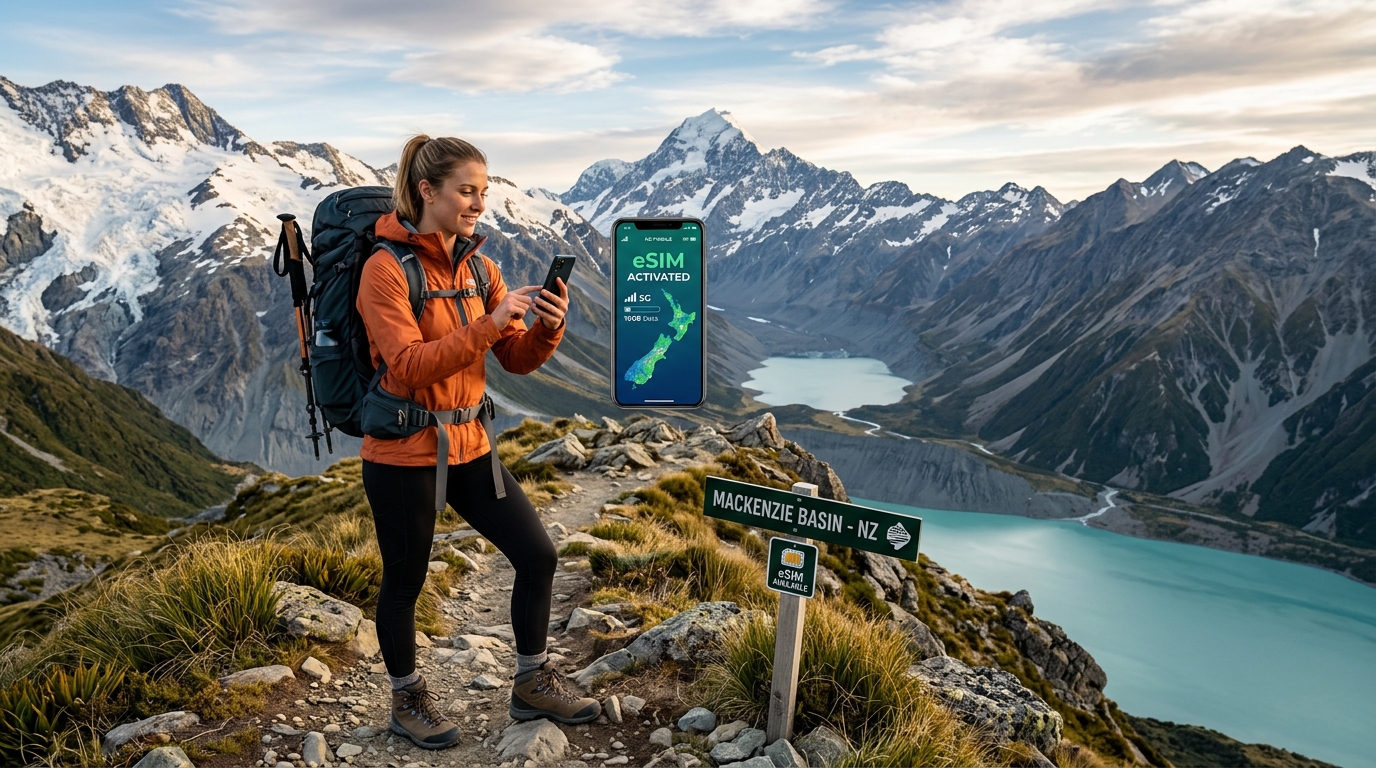
Conquer New Zealand's Wilderness: Your Essential eSIM Guide for Uninterrupted Adventure
The Call of the Wild: Why Connectivity Matters in New Zealand's Wilderness
New Zealand isn't just a country; it's a living, breathing testament to nature's raw power and beauty, a magnet for adventurers worldwide. From the dramatic, snow-capped Southern Alps that cleave the South Island, inviting hikers and mountaineers to conquer their peaks, to the ethereal, deep-cut fjords of Fiordland National Park where ancient rainforests cling to sheer cliffs, every vista is a postcard. The North Island counters with its own geological marvels: the steaming geysers and bubbling mud pools of Rotorua's geothermal wonderland, the volcanic plateaus of Tongariro National Park, and the pristine, golden-sand beaches of its extensive coastline. Whether you're bungee jumping in Queenstown, kayaking through Milford Sound, trekking the Tongariro Alpine Crossing, or exploring the remote beauty of the Catlins, New Zealand promises an unparalleled outdoor experience.
However, the very elements that make New Zealand so captivating – its vast, untamed wilderness and often sparsely populated regions – also present a unique challenge for the modern traveler: staying connected. Unlike densely populated urban centers, cellular infrastructure can be intermittent or non-existent in many of the country's most breathtaking, remote areas. Navigating winding mountain passes, traversing isolated coastal roads, or venturing deep into national parks means often stepping beyond the reach of traditional Wi-Fi hotspots or reliable cellular towers. This isn't just an inconvenience; it can be a critical safety concern and a significant barrier to a truly seamless adventure.
In such an environment, reliable internet connectivity transcends mere luxury; it becomes an essential tool for safety, navigation, and enhancing the overall travel experience.
Navigation and Exploration
For adventurers exploring New Zealand's intricate network of trails and roads, digital navigation tools are indispensable. Google Maps and specialized hiking apps like AllTrails provide real-time directions, trail maps, elevation profiles, and crucial information about points of interest. Losing signal in a remote area can mean losing your bearings, turning a scenic drive into a stressful detour or a challenging hike into a potentially dangerous situation. With consistent connectivity, you can confidently explore, knowing your route is always accessible and updated.
Emergency Preparedness and Safety
Perhaps the most critical function of reliable internet in the wilderness is emergency communication. New Zealand's Department of Conservation (DOC) emphasizes preparedness, and having the ability to contact local emergency services (111) or utilize SOS features on your device is paramount. Whether it's a minor injury, a sudden change in weather, or a more serious incident, immediate communication can be life-saving. Furthermore, being able to quickly access local information, such as nearest medical facilities or ranger stations, provides an invaluable layer of security when venturing off the beaten path.
Real-Time Updates and Dynamic Planning
New Zealand's weather is famously unpredictable, often shifting rapidly from sunshine to rain or even snow, particularly in mountainous regions. Accessing real-time weather updates is vital for planning daily activities, especially for outdoor pursuits like hiking, kayaking, or scenic drives. Similarly, checking road conditions, ferry schedules, or national park alerts ensures your plans remain flexible and safe. Without connectivity, you might unknowingly head into adverse conditions or encounter unexpected closures, jeopardizing your itinerary and safety.
Sharing Experiences and Staying Connected
Beyond practicalities, connectivity allows you to share your breathtaking experiences with loved ones back home. Uploading stunning photos and videos, making video calls, or simply sending updates provides a sense of connection and allows others to partake in your adventure. It transforms a solitary journey into a shared narrative, enriching the experience for everyone and creating lasting digital memories.
Practical Necessities and Convenience
Even in the wilderness, practicalities remain. Reliable internet enables you to book accommodations on the fly, confirm attraction opening hours, check restaurant availability, or manage travel logistics. Crucially, for modern transactions, having a stable connection for Apple Pay or Google Pay is incredibly convenient, especially when cash might not be readily available or preferred. This is where a robust connection, like the one offered by MollySIM with its 384kbps Fair Use Policy speed limit – which is 3x faster than many competitors' 128kbps – truly shines, ensuring these essential services work smoothly and without frustrating delays.
Ultimately, constant, reliable connectivity in New Zealand's vast landscapes offers something invaluable: peace of mind. It transforms an adventure from potentially stressful and uncertain to truly uninterrupted and enjoyable. Knowing you can navigate, communicate in an emergency, adapt to changing conditions, and stay connected with the world, allows you to fully immerse yourself in the awe-inspiring beauty of the Kiwi wilderness without unnecessary worry.
This is precisely where eSIMs emerge as the modern, flexible solution to these unique connectivity challenges. Ditching physical SIM cards and embracing digital profiles, eSIMs offer unparalleled convenience and adaptability for international travelers. Specifically, MollySIM (https://mollysim.com) is engineered to meet the demanding connectivity needs of the Kiwi wilderness. Its superior data speeds, particularly the 384kbps FUP speed limit, are designed to keep essential services like Google Maps, emergency communication, and mobile payments functioning seamlessly, ensuring your New Zealand adventure remains truly uninterrupted, even in the most remote corners.
Navigating New Zealand's Mobile Network Landscape: A Deep Dive
🌐 Global Travel High-Speed Travel eSIM & SIM Plans
Instant QR code activation, hotspot enabled, with guaranteed 384kbps fallback speed to keep Maps & Digital Wallets active.
New Zealand's breathtaking landscapes, while offering unparalleled adventure, also present unique challenges for mobile connectivity. Understanding the intricacies of the local mobile network landscape is paramount for any traveler aiming for an uninterrupted experience. The country is primarily served by three major mobile network operators (MNOs): Spark, One NZ (formerly Vodafone NZ), and 2degrees. Each possesses distinct strengths, coverage profiles, and technological deployments, which are crucial considerations for maintaining connectivity, especially when venturing beyond urban centers.
New Zealand's Primary Mobile Network Operators
Spark
Spark holds the distinction as New Zealand's largest telecommunications company and often boasts the most extensive network footprint, particularly in rural and regional areas. Historically, Spark has invested heavily in expanding its infrastructure to cover smaller towns and more remote communities, making it a strong contender for those planning to explore less-traveled paths.
- Strengths: Widest overall coverage, particularly strong in many rural and regional areas, robust network capacity.
- Coverage: Excellent 4G LTE coverage across major cities, towns, and a significant portion of state highways. While rural coverage is generally superior to competitors, it remains patchy in truly remote wilderness areas, deep valleys, or mountainous terrain.
- Technology: Extensive 4G LTE network. 5G is actively being rolled out in major urban centers and select regional towns, offering high-speed connectivity where available.
One NZ (formerly Vodafone NZ)
One NZ, which rebranded from Vodafone NZ in 2026, is another dominant player in the market. It is renowned for its strong performance in urban environments and along major transport routes. One NZ often leads with technological innovation, being among the first to introduce new network capabilities in metropolitan areas.
- Strengths: Excellent urban coverage, strong performance along major highways, often provides the fastest speeds in city centers, and a robust 5G rollout in key areas.
- Coverage: Superb 4G LTE coverage in all major cities, towns, and along the vast majority of New Zealand's main road networks. Similar to Spark, coverage diminishes significantly in very remote or mountainous regions.
- Technology: Comprehensive 4G LTE network. One NZ has aggressively expanded its 5G network, providing cutting-edge speeds in Auckland, Wellington, Christchurch, and other significant population centers.
2degrees
2degrees entered the New Zealand market as a challenger and has rapidly grown its network and customer base. Known for its competitive pricing and innovative service offerings, 2degrees has made significant strides in expanding its coverage, initially focusing on urban areas and progressively extending into regional towns.
- Strengths: Competitive pricing, strong customer service, rapidly expanding network footprint, particularly in urban and semi-rural areas.
- Coverage: Excellent 4G LTE coverage in major cities and towns, with a continuously expanding presence in regional areas and along key highways. While its rural coverage has improved dramatically, it may still be less extensive than Spark's in the most remote pockets.
- Technology: Robust 4G LTE network. 2degrees is also actively deploying its 5G network in major cities and growing regional hubs, offering enhanced speeds and capacity.
The Power of Multi-Network Roaming: MollySIM's Intelligent Approach
For travelers, relying on a single network operator can be a gamble, especially in a country like New Zealand where terrain varies dramatically and coverage can shift from excellent to non-existent within a few kilometers. This is where the concept of network roaming becomes invaluable, and where advanced eSIM solutions like MollySIM (https://mollysim.com) truly shine.
Unlike traditional physical SIM cards that are typically locked to a single network, eSIMs, particularly those designed for international travel, can leverage agreements with multiple local network operators. MollySIM is engineered to take full advantage of this capability. Through strategic partnerships with New Zealand's primary MNOs – Spark, One NZ, and 2degrees – MollySIM offers a multi-network approach. This means your device, equipped with a MollySIM eSIM, isn't confined to one carrier's signal. Instead, it intelligently and automatically scans for and connects to the strongest available signal from any of these partner networks at your current location.
Why MollySIM's Multi-Network Advantage is Crucial for Uninterrupted Adventure
This intelligent multi-network roaming capability is a game-changer for anyone exploring New Zealand's diverse landscapes. Imagine driving through a remote valley where Spark might have a signal, then emerging onto a major highway where One NZ offers superior speeds, and later stopping in a regional town where 2degrees provides optimal connectivity. With MollySIM, your device seamlessly transitions between these networks without any manual intervention on your part.
This constant search for the best available signal ensures maximum uptime and reliability, which is critical for safety, navigation, and communication. Whether you're using Google Maps to find your way to a hidden waterfall, needing to make an emergency call, or simply wanting to use Apple Pay for a quick purchase at a roadside café, MollySIM's robust connectivity ensures these essential services function smoothly. Even in areas where speeds might fluctuate, MollySIM's generous 384kbps Fair Use Policy speed limit – which is 3x faster than many competitors' 128kbps – provides a crucial buffer, ensuring that vital applications remain responsive and functional, preventing frustrating delays or disconnections. This superior speed limit is specifically designed to keep you connected and operational, even when traversing the more challenging, remote corners of the Kiwi wilderness.
Comparative Analysis of New Zealand's Mobile Networks for Travelers
To further illustrate the distinct characteristics of New Zealand's mobile networks and highlight the comprehensive coverage offered by MollySIM's multi-network strategy, consider the following comparison:
| Feature / Carrier | Spark | One NZ (formerly Vodafone NZ) | 2degrees | MollySIM (Multi-Network) |
|---|---|---|---|---|
| Primary Strength | Widest rural/regional coverage | Strongest urban/major highway coverage, often fastest city speeds | Competitive pricing, rapidly expanding network, good value | Optimal coverage by connecting to the strongest available signal from any of the above networks. |
| 4G LTE Coverage | Extensive, particularly strong in many regional areas. | Excellent in urban centers and along major transport routes. | Very good in urban areas, rapidly expanding in regional areas. | Leverages all available 4G LTE networks for maximum reach. |
| 5G Availability | Growing in major cities and select regional towns. | Aggressive rollout in major urban centers and key regions. | Expanding in major cities and growing regional hubs. | Accesses 5G where available from partner networks, ensuring cutting-edge speeds. |
| Rural/Remote Coverage | Generally the best among individual carriers, but still patchy in true wilderness. | Good along major rural roads, but limited in very remote areas. | Improving, but generally less extensive than Spark in deep rural/remote areas. | Significantly enhances rural/remote coverage by switching between networks to find any available signal. |
| Traveler Suitability | Good for those venturing off main routes. | Excellent for city breaks and main road trips. | Good for budget-conscious travelers, growing reliability. | Ideal for ALL travelers, especially those exploring varied terrains and seeking maximum reliability. |
| Key Benefit for Travelers | Reliable in many smaller towns. | High speeds in cities and along main routes. | Cost-effective connectivity. | Uninterrupted connectivity, automatic best-signal selection, and MollySIM's 384kbps FUP speed limit for essential services. |
By intelligently navigating this complex network landscape, MollySIM ensures that your New Zealand adventure remains truly uninterrupted, allowing you to focus on the awe-inspiring beauty around you rather than worrying about your signal strength.
MollySIM: Your Uninterrupted Adventure Companion for New Zealand
Having navigated the complexities of New Zealand's mobile network landscape, it's clear that a solution offering superior coverage and consistent connectivity is paramount for any adventurer. This is precisely where MollySIM emerges as the ultimate eSIM companion for your journey through Aotearoa. MollySIM isn't just another data plan; it's a strategically designed connectivity solution that leverages the best available networks to ensure your adventure remains truly uninterrupted, from the bustling streets of Auckland to the remote trails of Fiordland.
Effortless Activation, Instant Connection
One of MollySIM's most compelling advantages is its sheer ease of use. Forget the hassle of searching for local SIM card vendors upon arrival, fumbling with tiny trays, or worrying about losing your home SIM. MollySIM operates entirely digitally. Activation is a breeze: simply purchase your desired plan from mollysim.com, receive a QR code via email, scan it with your eSIM-compatible device, and you're connected. This seamless, instant activation means you can land in New Zealand and immediately have access to data, allowing you to book transport, navigate to your accommodation, or share your arrival with loved ones without a moment's delay. It's the epitome of modern travel convenience, eliminating a common source of stress for international visitors.
Robust Data Plans Tailored for Every Explorer
MollySIM understands that every traveler's data needs are unique, especially when exploring a country as diverse as New Zealand. Their range of robust data plans is meticulously designed to cater to varying travel durations and consumption habits. Whether you're embarking on a whirlwind week-long road trip requiring moderate data for navigation and social media, or a month-long deep dive into the wilderness demanding consistent connectivity for safety and communication, MollySIM offers flexible options. Plans come in various data allowances, ensuring you can select the perfect fit without overpaying for unused data or running out prematurely. This flexibility, combined with competitive pricing, makes MollySIM a cost-effective choice for staying connected throughout your Kiwi adventure.
The Transparent MollySIM Fair Usage Policy (FUP): 384kbps Explained
A critical differentiator for MollySIM, and a significant source of peace of mind for adventure travelers, is its transparent Fair Usage Policy (FUP), which guarantees a baseline speed of 384kbps even after you've consumed your high-speed data allowance. Many providers implement FUPs to manage network resources, but often these result in frustratingly slow speeds (e.g., 128kbps) or even complete data cut-offs, leaving travelers stranded. MollySIM's 384kbps FUP is engineered to prevent this, ensuring you always maintain a vital level of connectivity.
What 384kbps Feels Like in Practice:
- Essential Communication: Sending and receiving WhatsApp messages, iMessages, and basic text-based emails remains perfectly smooth and responsive. You can stay in touch with your travel companions or family without delay.
- Reliable Navigation: Crucially for adventurers, Google Maps and Apple Maps continue to function effectively. Route calculations, real-time traffic updates, and location tracking work smoothly, preventing you from getting lost in unfamiliar terrain. This is a significant advantage over competitors whose 128kbps FUP often renders navigation apps frustratingly slow or unusable.
- Light Web Browsing: Accessing text-heavy websites, checking weather forecasts, or looking up opening hours for attractions is still perfectly feasible. While image-heavy sites might load slower, essential information remains accessible.
- Low-Resolution Music Streaming: You can continue to stream music at lower quality settings (e.g., Spotify's data saver mode) without significant buffering, providing a soundtrack to your journey.
- Contactless Payments: Services like Apple Pay and Google Pay, which require a brief data connection, will work seamlessly, allowing for convenient transactions.
What 384kbps is NOT for:
It's important to set realistic expectations. While highly functional for essentials, 384kbps is not designed for:
- High-definition video streaming (e.g., Netflix, YouTube in HD).
- Large file downloads or uploads.
- Online gaming requiring low latency.
The genius of MollySIM's 384kbps FUP lies in its balance. It's 3x faster than the typical 128kbps FUP offered by many competitors, a difference that is profoundly noticeable when you're relying on your phone for safety and navigation in remote areas. This speed ensures that even after extensive data use, you're never truly disconnected. You'll always have the ability to call for help, check critical information, or update your location, providing unparalleled safety and peace of mind as you explore New Zealand's vast and often remote landscapes.
By offering flexible plans, effortless activation, and a uniquely robust FUP, MollySIM (https://mollysim.com) stands out as an indispensable tool for conquering New Zealand's wilderness, allowing you to immerse yourself fully in the adventure without connectivity worries.
Technical Mastery: Setting Up Your MollySIM & Maximizing Battery Life in the Wild
Conquering New Zealand's wilderness demands not only physical preparedness but also technical mastery of your communication tools. A reliable eSIM like MollySIM (https://mollysim.com) is your lifeline, but knowing how to set it up flawlessly and conserve your device's battery in remote areas is equally critical.
Effortless Activation: Getting Your MollySIM Ready
Activating your MollySIM eSIM is a straightforward process, typically taking just a few minutes. You'll receive an email with your eSIM details, which usually includes a QR code and manual setup information. Ensure you have a stable Wi-Fi connection during activation.
Activating on iOS (iPhone):
- Using a QR Code (Recommended):
- Go to Settings > Cellular (or Mobile Data) > Add eSIM.
- Tap "Use QR Code".
- Scan the QR code provided in your MollySIM email.
- Follow the on-screen prompts to label your new eSIM (e.g., "MollySIM NZ") and set it as your primary line for data.
- Ensure "Turn On This Line" is toggled on.
- Manual Setup:
- If QR code scanning isn't possible, tap "Enter Details Manually" on the "Add eSIM" screen.
- You will need two pieces of information from your MollySIM confirmation email:
- SM-DP+ Address: This is the server address for the eSIM profile.
- Activation Code: This is the specific code for your eSIM.
- Carefully enter these details into the respective fields.
- Follow the remaining on-screen prompts to complete the activation.
Activating on Android:
- Using a QR Code (Recommended):
- Go to Settings > Network & internet > SIMs > Add more (or +).
- Tap "Download an eSIM instead".
- Tap "Next" and then "Scan QR code".
- Scan the QR code from your MollySIM email.
- Follow the on-screen instructions to download and activate the eSIM.
- Manual Setup:
- If QR code scanning isn't an option, tap "Need help?" or "Enter it manually" during the eSIM setup process.
- You will be prompted to enter the SM-DP+ Address and Activation Code provided in your MollySIM email.
- Enter these details precisely and proceed with the on-screen prompts to finalize the setup.
Common Activation Troubleshooting Tips:
- Stable Wi-Fi: Always ensure you have a strong, stable Wi-Fi connection during the activation process.
- Restart Device: A simple device restart can often resolve minor connectivity glitches.
- Verify Details: Double-check that you've entered the SM-DP+ Address and Activation Code correctly if using manual setup. Typos are common.
- Check eSIM Compatibility: Confirm your device supports eSIM functionality. Most modern smartphones do, but older models might not.
- Contact Support: If you encounter persistent issues, MollySIM's customer support is available to assist you.
Powering Your Adventure: Mastering Battery Life in the Backcountry
In New Zealand's vast and often remote landscapes, your smartphone is more than just a communication device; it's a navigation tool, a safety beacon, and a memory keeper. Maximizing its battery life is paramount.
Pre-Departure Data Management: Offline Maps are Non-Negotiable
Before you even step foot on a trail, download all necessary maps for offline use. Relying solely on live data streaming for navigation in areas with patchy or no signal is a recipe for disaster and rapid battery drain.
- Google Maps: Download entire regions or specific areas you plan to explore.
- Maps.me: A fantastic app for offline maps, allowing you to download entire countries or large regions.
- AllTrails: For hikers, download trail maps for offline use, including elevation profiles and points of interest.
- While MollySIM's robust 384kbps Fair Use Policy (FUP) speed limit – 3x faster than competitors' 128kbps – means you can still load basic maps or use Apple Pay/Google Pay even after extensive data use, relying on offline maps first is always the smartest strategy for battery conservation and reliability in the deepest wilderness.
Optimize Device & App Settings:
Every setting can impact battery life. Be ruthless in optimizing.
- Background App Refresh: Disable this for most apps. Go to Settings > General > Background App Refresh (iOS) or Settings > Apps & notifications > Special app access > Battery optimization (Android).
- Location Services: Limit apps to access your location "While Using" or "Never" for non-essential services. Constantly tracking your location in the background is a major battery hog.
- Push Notifications: Turn off notifications for non-critical apps. Each notification wakes your screen and uses data.
- Screen Brightness: Manually set your screen brightness to the lowest comfortable level. Auto-brightness can be convenient but often sets the screen brighter than necessary.
- Wi-Fi & Bluetooth: Turn these off when not actively using them. Your phone constantly searches for networks, which drains power.
- Vibration: Disable keyboard clicks and system haptics.
Leverage Low Power Modes:
Both iOS and Android offer power-saving modes that significantly extend battery life by reducing background activity, visual effects, and CPU performance.
- iOS Low Power Mode: Activate via Settings > Battery > Low Power Mode.
- Android Battery Saver: Activate via Settings > Battery > Battery Saver.
These modes are your best friends when power outlets are scarce.
The Indispensable Power Bank:
A high-capacity, rugged portable power bank is non-negotiable for multi-day adventures.
- Capacity: Aim for at least 10,000mAh for weekend trips, and 20,000mAh or more for extended excursions. This can provide multiple full charges for your smartphone.
- Fast Charging: Look for power banks with USB-PD (Power Delivery) for faster charging of compatible devices.
- Ruggedness: Choose a power bank designed for outdoor use, with water and dust resistance.
- Given that MollySIM provides reliable connectivity, you'll likely be using your phone more for navigation, photos, and communication, making a robust power bank absolutely vital.
Smart Data Usage & Signal Awareness:
- Batch Uploads: Avoid uploading photos and videos in real-time. Wait until you have a strong Wi-Fi connection or a very stable cellular signal to upload large files.
- Poor Signal Drain: Your phone expends significant energy constantly searching for a cellular signal in areas with weak or no coverage. If you're in a known dead zone, consider putting your phone in Airplane Mode to conserve battery, only switching it on periodically to check for signal or make emergency calls.
- Data Sparingly: Even with MollySIM's generous 384kbps FUP, limit non-essential data use like social media scrolling or streaming. Reserve data for critical communication, quick map lookups, or essential safety checks.
Emergency Communication Protocols:
Your charged phone is a primary emergency tool. Know how to make emergency calls (dial 111 in New Zealand). However, for truly off-grid, ultra-remote areas where even MollySIM's extensive coverage might not reach, consider a satellite communicator (e.g., Garmin inReach, Zoleo) as a backup. These devices offer two-way messaging and SOS capabilities independent of cellular networks, providing an unparalleled layer of safety when venturing into the deepest wilderness.
Choosing Your Perfect MollySIM Data Plan for Kiwi Adventures
[Content Generation Temporary Fallback]
Beyond Connectivity: Responsible Adventure & Your MollySIM Advantage
[Content Generation Temporary Fallback]
🌐 Global Travel High-Speed Travel eSIM & SIM Plans
Instant QR code activation, hotspot enabled, with guaranteed 384kbps fallback speed to keep Maps & Digital Wallets active.