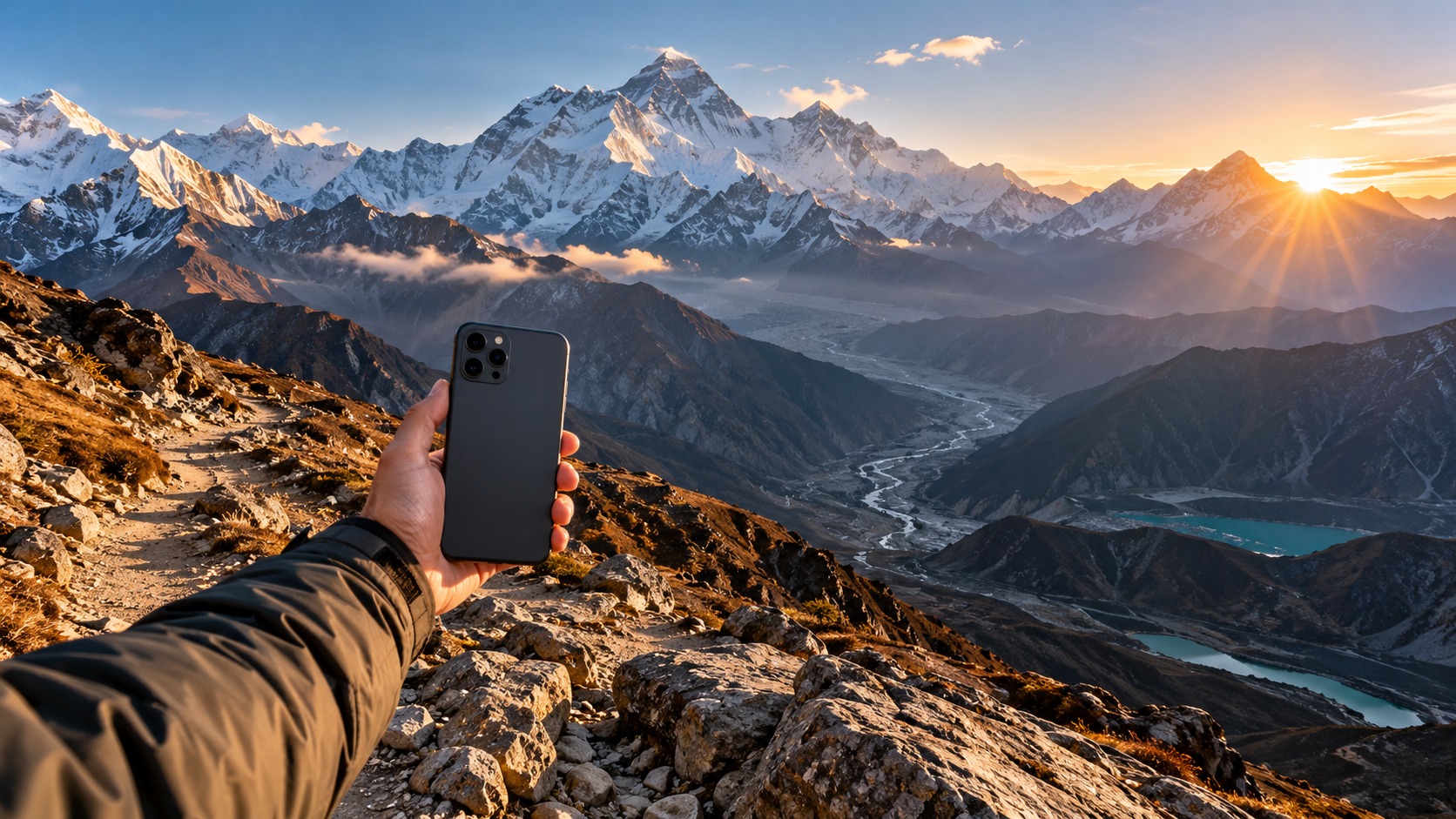
The Connectivity Crisis on the Himalayan Trails: Why Physical SIMs Fail in 2026
Planning a Nepal eSIM Everest Base Camp itinerary in 2026 requires more than just physical fitness and gear; it demands a reliable digital lifeline that traditional connectivity methods simply cannot guarantee. For decades, the standard protocol for international trekkers has been to purchase a local physical SIM card upon arrival in Kathmandu, a process that has become increasingly fraught with logistical friction, technical anxiety, and hidden costs. While the romantic image of trekking often focuses on the serene isolation of the Himalayas, the reality for modern travelers is that disconnection is no longer a luxury—it is a safety risk. In an era where emergency coordination, real-time weather monitoring, and precise navigation via apps like Gaia GPS or dedicated altimeters are critical for survival, the fragility of physical SIM cards poses a significant threat to the overall success and safety of your expedition.
The Physical SIM Bottleneck: A Logistical Nightmare
The first major pain point of the traditional SIM model is the sheer inefficiency of the acquisition process. Upon landing in Tribhuvan International Airport, trekkers often find themselves navigating a maze of vendor stalls, each promising "unlimited data" while hiding restrictive fair-use policies or requiring complex registration procedures involving passports and local address verification. This process can consume precious hours—time that should be spent acclimatizing or resting after a long flight. More critically, once you have purchased the card, you are tethered to a single physical object. In the rugged terrain of the Khumbu or Annapurna regions, where dust, humidity, and the constant jostling of backpacks are inevitable, a physical SIM card is a point of failure. A cracked card tray, a bent SIM pin, or a card that falls out during a sudden storm can render your phone a brick, leaving you without the ability to call for rescue, check satellite weather forecasts, or verify your position on a digital map.
The Anxiety of the "Dead Zone"
Beyond the physical fragility of the card, there is the psychological toll of signal uncertainty. On high-altitude routes, particularly those leading to Everest Base Camp and the Annapurna Circuit, cellular infrastructure is sparse and often inconsistent. While 4G/LTE networks have expanded significantly in the lower valleys and major teahouses, the upper reaches of the trails still rely heavily on 3G fallback or even 2G EDGE connections in remote sections. This inconsistency creates a phenomenon known as "connectivity anxiety," where trekkers constantly check their signal bars, drain their battery life by forcing the phone to search for stronger networks, and worry about losing contact with their ground support teams.
This is where the concept of connectivity as a safety net becomes paramount. It is not merely about streaming videos or posting updates to social media; it is about having a reliable data stream to keep your navigation apps updated, to sync your location with emergency contacts, and to access critical information such as helicopter rescue coordinates or medical facility locations. Traditional physical SIMs often struggle with this because they are locked to a specific carrier’s network. If that carrier has weak coverage in a particular valley, you are stuck. You cannot easily switch to a competitor’s stronger signal without buying a new card, registering a new number, and losing your original contact details.
The eSIM Solution: Seamless Carrier Switching
This is precisely where Nepal eSIM trekking coverage technology offers a transformative advantage. By decoupling your cellular identity from a physical piece of plastic, eSIM technology allows for a dynamic, software-based approach to connectivity. Instead of being locked into one carrier’s coverage map, you can leverage profiles that prioritize the strongest available signal, or even switch between local carriers (like Ncell and Nepal Telecom) based on real-time network performance. This eliminates the physical swap process entirely. There is no tray to open, no card to bend, and no risk of losing the card in a rocky trail.
For trekkers in 2026, this means a seamless bridge between the digital world and the physical mountain. MollySIM exemplifies this modern approach by providing a robust eSIM solution that handles the complexities of local carrier switching in the background. This allows you to focus on the mountain rather than your phone. One of the most critical differentiators for data-heavy applications like Google Maps or Apple Pay is speed and stability. While many competitors impose a strict 128kbps speed limit after a certain data threshold—often rendering maps slow and unusable—MollySIM offers a 384kbps Fair Use Policy speed limit. This is 3x faster than the industry standard, ensuring that your navigation apps load smoothly, your emergency contacts can be reached via video call if necessary, and your data-intensive safety tools remain responsive even when you are deep in the Himalayas.
By choosing an eSIM provider that understands the specific demands of high-altitude trekking, you transform your phone from a source of anxiety into a reliable tool. You no longer need to worry about finding a shop in Kathmandu, protecting a fragile card, or praying for a signal in a remote lodge. You simply connect, verify your data plan, and begin your journey with the confidence that your digital lifeline is as sturdy as your trekking poles. For those looking to secure their connectivity before departure, exploring the detailed Nepal eSIM plans or broader global eSIM options is the first step toward a stress-free Himalayan adventure.
Ncell vs Nepal Telecom: A Deep Dive into EBC and Annapurna Circuit Coverage
🇳🇵 Nepal High-Speed Travel eSIM & SIM Plans
Instant QR code activation, hotspot enabled, with guaranteed 384kbps fallback speed to keep Maps & Digital Wallets active.
Understanding the nuances of Ncell vs Nepal Telecom eSIM performance is not just about choosing a brand; it is about understanding the distinct radio frequency strategies these two carriers employ across the Himalayan terrain. For trekkers planning a Nepal eSIM Everest Base Camp or Annapurna Circuit journey, the choice of network directly dictates your ability to navigate, communicate, and stay safe. While both carriers dominate the Nepali market, their infrastructure footprints differ significantly between the Khumbu region and the Annapurna sector, creating specific coverage profiles that require strategic planning.
Technical Infrastructure: 4G Rollout vs. 3G Stability
In the Khumbu region, specifically around Namche Bazaar and Dingboche, Ncell has aggressively rolled out 4G LTE infrastructure. This results in faster download speeds for data-heavy tasks like streaming or large map downloads. However, this high-frequency 4G signal has a known weakness: it struggles to penetrate dense wooden lodge structures and can suffer from rapid attenuation in deep, narrow valleys where line-of-sight to towers is obstructed. In these specific micro-climates, Ncell users often experience "ping-pong" effects, where the phone drops from 4G to 2G or loses signal entirely, causing apps to freeze.
Conversely, Nepal Telecom (NT) has historically focused on broader, lower-band 3G coverage in the Annapurna region. Around Poon Hill and the Thorong La pass area, NT’s tower placement strategy prioritizes wide-area 3G stability over peak 4G speed. This is a critical advantage for trekkers, as lower-band 3G frequencies have superior penetration capabilities through walls and terrain. For the best eSIM for Annapurna circuit users, this stability is often more valuable than raw speed. A stable 3G connection ensures that your GPS coordinates update consistently and that messaging apps remain responsive, even when you are inside a stone-walled teahouse at 4,000 meters.
Comparative Coverage Analysis
The following table breaks down the expected network performance for key segments of both major trekking routes. Note that "Signal Stability" refers to the consistency of the connection inside lodges and during movement, which is often more critical than peak speed for trekking apps.
| Route Segment | Ncell Coverage Quality (3G/4G) | Nepal Telecom Coverage Quality (3G/4G) | Signal Stability in Lodges | Recommended Primary Carrier |
|---|---|---|---|---|
| Namche Bazaar | Excellent 4G / Strong 3G | Good 3G / Moderate 4G | Ncell is more consistent indoors | Ncell |
| Dingboche | Good 4G / Spotty in valleys | Stable 3G / Weak 4G | NT often holds signal better in deep valleys | Nepal Telecom |
| Poon Hill | Moderate 3G / Weak 4G | Excellent 3G / Moderate 4G | NT provides superior wall penetration | Nepal Telecom |
| Thorong La Pass | Unreliable / Frequent drops | Stable 3G / Intermittent 4G | NT is the more reliable fallback | Nepal Telecom |
| Everest Base Camp | Weak 3G / Rare 4G | Weak 3G / Rare 4G | Both are marginal; expect drops | Dual-SIM/eSIM Strategy |
The "Dead Zone" Problem and the eSIM Advantage
Even with the best carrier, there are inevitable dead zones where neither Ncell nor Nepal Telecom provides a signal. This is common in high passes, remote valleys, and during heavy weather. With a traditional physical SIM, you are locked into a single carrier’s fate. If your chosen carrier has a dead zone, you are offline.
This is where the eSIM technology becomes a game-changer. By using a provider like MollySIM, you are not just buying data; you are buying a robust aggregation strategy. MollySIM’s infrastructure is designed to handle the complexities of local carrier switching in the background. This means that if one network drops, the eSIM can potentially leverage secondary connections or maintain a more stable data session through optimized routing.
Furthermore, the 384kbps Fair Use Policy speed limit offered by MollySIM is a critical technical detail. Many competitors cap speeds at 128kbps after a certain data threshold, which can make Google Maps load slowly and render video calls for emergency contacts nearly impossible. MollySIM’s 3x faster limit ensures that your navigation apps remain responsive and your data-intensive safety tools function smoothly, even when you are deep in the Himalayas. This stability is far more valuable than raw speed, as it guarantees that your digital lifeline remains sturdy. For those looking to secure this connectivity before departure, exploring the detailed Nepal eSIM plans is the first step toward a stress-free adventure.
Strategic Recommendations for Trekkers
- For EBC Trekkers: Prioritize Ncell for the lower Khumbu (Namche, Tengboche) due to superior 4G availability. However, be prepared for drops in the upper Khumbu. An eSIM that allows for flexible data usage without harsh speed caps is essential here.
- For Annapurna Circuit Trekkers: Prioritize Nepal Telecom for the entire circuit. The stability of their 3G network in the Annapurna region outweighs the benefits of Ncell’s 4G, which is often less reliable in this specific terrain.
- For Both: Use an eSIM provider that offers high-speed stability (like MollySIM’s 384kbps limit) to ensure that when you do have a signal, it is strong enough to support critical apps. This eliminates the anxiety of "finding a shop in Kathmandu" or "protecting a fragile card," allowing you to focus on the mountain.
By understanding these technical differences, you can choose the right connectivity solution that matches the specific demands of your route. Whether you are navigating the stone villages of the Khumbu or the high passes of the Annapurna, the right eSIM ensures that your phone remains a reliable tool, not a source of anxiety. For broader connectivity needs, consider global eSIM options to cover your journey from arrival in Kathmandu to departure.
The 384kbps FUP: Your Safety Net for Critical Messaging and Navigation
When you are trekking in the high-altitude regions of Nepal, connectivity is not a luxury; it is a lifeline. However, the quality of that connectivity matters just as much as its existence. This is where the technical nuance of a Fair Usage Policy (FUP) becomes the deciding factor between a smooth journey and a stressful one. For many trekkers, the term "FUP" sounds like a complex billing mechanism, but in practical terms, it is a safety net. It is the guaranteed minimum speed your device retains after you have exhausted your high-speed data allowance (4G or 3G). Instead of your connection dropping to zero or becoming unusably slow, the FUP ensures that your phone remains functional for essential tasks.
For a Nepal data plan for trekkers, the specific speed of this safety net is critical. Many standard local SIMs and generic eSIM providers drop their speeds to 64kbps or even disconnect entirely once the main data pool is empty. At 64kbps, sending a simple text message can take minutes, and loading a map tile might freeze your phone. This is often referred to as "data drain," where your phone aggressively tries to buffer high-definition videos, sync large photo libraries, or update apps in the background, consuming the last of your data and leaving you with a sluggish, unreliable connection.
MollySIM addresses this pain point with a superior 384kbps FUP. This is not just a slightly faster speed; it is 3x faster than the 128kbps limits offered by many competitors. Why does this specific number matter? Because 384kbps is the "sweet spot" for trekking. It is fast enough to:
- Send WhatsApp voice notes and location pins instantly, which is crucial for coordinating with guides or emergency contacts.
- Check critical weather updates via lightweight apps or web browsers without buffering delays.
- Run offline map syncs for Google Maps or Apple Maps, ensuring you have the latest trail data before you lose signal in a valley.
- Process payments via Apple Pay or Google Pay if you are at a lodge that accepts digital transactions.
Scenario: The Manang Lodge Test
To understand the tangible difference, consider this real-world scenario. You are trekking the Annapurna Circuit and have just reached a remote lodge in Manang. It is late afternoon, and the weather is turning. You have 100MB of high-speed data left. You need to do two things: send your precise GPS location to your guide who is waiting at the next teahouse, and check the forecast for the next day’s pass crossing.
With a standard local SIM or a low-FUP eSIM:
- You open WhatsApp to send the location pin. The app tries to load the map background, consuming 5-10MB of data.
- You open a weather app. It attempts to sync high-resolution radar images, draining another 20MB.
- Your high-speed data hits zero. The connection drops to 64kbps.
- You try to send the location pin again. It hangs. The guide doesn’t receive it.
- You try to check the weather. The app spins indefinitely. You are left guessing, potentially making a dangerous decision about whether to cross the pass or stay put.
With MollySIM’s 384kbps FUP:
- You open WhatsApp. The location pin sends instantly, even if it uses a bit of your remaining high-speed data.
- You check the weather. The app loads the essential data quickly.
- Your high-speed data hits zero. The connection does not die. It seamlessly transitions to the 384kbps safety net.
- You send a follow-up voice note to your guide. It goes through in seconds.
- You refresh the weather app. It updates smoothly, giving you the confidence to make the right call.
This consistency is what separates a premium Nepal eSIM Everest Base Camp solution from a basic one. It eliminates the anxiety of "finding a shop in Kathmandu" or "protecting a fragile physical SIM" while you are miles from the nearest town. You can focus on the mountain, knowing that your phone remains a reliable tool for navigation and communication, not a source of stress.
Why 384kbps Preserves Battery Life
Another often-overlooked benefit of a controlled FUP is battery preservation. When a phone is on a very slow connection (like 64kbps), it works harder to maintain the link. The radio transmits and retransmits data more frequently, and the screen stays on longer as you wait for content to load. This increases power consumption significantly. In the cold, high-altitude environment of the Khumbu or Annapurna, every percentage of battery counts.
By capping the speed at 384kbps, MollySIM ensures that your phone uses energy efficiently. It delivers the data you need quickly and then stops, rather than dragging out the process. This is particularly important for Nepal eSIM Everest Base Camp trekkers who may be relying on their phones for navigation, photography, and communication in areas where charging stations are scarce or expensive.
The Bottom Line
Choosing a Nepal eSIM with a robust FUP is not about having the most data; it is about having the most reliable data. The 384kbps safety net offered by MollySIM ensures that when you need your phone most—whether it’s to send an SOS, check a map, or coordinate with your team—it works. This technical advantage allows you to trek with confidence, knowing that your connectivity is designed for the realities of the trail, not just the comforts of the city. For those looking to secure this level of reliability, exploring the detailed Nepal eSIM plans is the smartest first step toward a stress-free adventure.
Step-by-Step: Activating Your Nepal eSIM in Kathmandu Before You Trek
Before you trade the paved streets of Kathmandu for the rugged trails of the Khumbu or Annapurna regions, you need to ensure your digital lifeline is fully operational. While many travelers assume that an eSIM works instantly upon insertion, the reality of high-altitude connectivity requires a proactive approach. The most critical step in securing a reliable Nepal eSIM Everest Base Camp connection is not just purchasing the plan, but rigorously testing it in the capital before you ascend. This section outlines the precise workflow to move from purchase to verified connectivity, ensuring that when you are 14 hours into a trek with no cell service, your phone is ready to handle navigation, SOS messages, and photo backups without fail.
Pre-Departure: Purchase and QR Code Generation
The process begins well before you land at Tribhuvan International Airport. The first step is to secure your data package through the MollySIM platform. Unlike traditional SIM cards that require physical presence and passport verification, the digital nature of eSIMs allows for immediate provisioning.
- Download the App: Install the MollySIM application on your primary device. This app serves as your central hub for managing profiles, checking data usage, and accessing support.
- Select Your Plan: Navigate to the Nepal eSIM plans section. Choose a data volume that aligns with your trekking duration. For most EBC or Annapurna Circuit treks, a mid-range plan is sufficient, especially given MollySIM’s efficient 384kbps Fair Use Policy speed limit, which is three times faster than the 128kbps caps found with many competitors. This speed differential is crucial for keeping Google Maps and Apple Pay functional without draining your battery.
- Generate the QR Code: Complete the payment. Upon confirmation, the system will generate a unique QR code. Do not scan this code immediately if you are still at home. Keep the QR code saved in your app’s "My Plans" section. This allows you to test the installation process in a controlled environment first, or wait until you are in Kathmandu to perform a live network handshake.
In-Kathmandu Activation: The Critical Test Phase
Once you arrive in Kathmandu, do not head straight to the airport exit or the bus station. Find a café or hotel lobby with stable Wi-Fi and perform the Nepal eSIM activation Kathmandu test. This step is non-negotiable for two reasons: it verifies your device’s hardware compatibility and ensures the eSIM profile has correctly registered with the local network infrastructure.
Device Compatibility Checklist
Before scanning the QR code, confirm your device meets the technical requirements. eSIM technology is relatively new, and not all smartphones support it.
| Device Type | Minimum Requirement | Notes |
|---|---|---|
| iPhone | iPhone XR or later | iPhone XS, 11, 12, 13, 14, 15, 16 series. |
| Samsung | Galaxy S20 or later | S21, S22, S23, S24 series. Note: A-series (e.g., A50) often lacks eSIM. |
| Google Pixel | Pixel 3 or later | Pixel 3a, 4, 4a, 5, 6, 7 series. |
| Other | Check Manufacturer Spec | Many recent flagships from Xiaomi, OnePlus, and Huawei support eSIM, but older models do not. |
If your device is older than these models, you may need to rely on a physical SIM or a portable Wi-Fi device, though the eSIM offers a cleaner, more battery-efficient solution.
The Activation Workflow
- Scan the QR Code: Open your phone’s settings (or the MollySIM app) and select "Add eSIM." Scan the QR code generated earlier.
- Label the Profile: Name the profile "Nepal Trek" to distinguish it from your home carrier.
- Enable Data Roaming: This is the most common point of failure. Ensure "Data Roaming" is toggled ON for the new eSIM profile. Without this, your phone will not connect to the local Nepali networks (Ncell or NTC).
- Verify Connection: Open a browser and load a lightweight page. Check the top of your screen for the signal bars. You should see a 4G or LTE icon. If you see only 2G or 3G, your device may be forcing a lower band, which can impact the 384kbps speed cap efficiency.
Troubleshooting Common Issues
Even with a seamless process, technical hiccups can occur. Here is how to resolve the most frequent issues before you leave the city.
Issue 1: The eSIM Does Not Appear in Settings If you scan the code and nothing happens, restart your phone. If the issue persists, go to Settings > General > Transfer or Reset > Reset Network Settings. This clears cached network data and forces the phone to re-scan for available profiles.
Issue 2: Connected but No Internet If you have signal bars but cannot load pages, ensure that "Cellular Data" is enabled specifically for the eSIM, not just your primary line. Also, check if "Wi-Fi Assist" is on; this can sometimes cause the phone to bounce between Wi-Fi and cellular, causing delays.
Issue 3: Wrong Carrier Selection In Nepal, the two primary carriers are Ncell and NTC. MollySIM’s infrastructure automatically selects the best available network for your location. However, if you are in a specific valley where one carrier has superior coverage, you can manually select the network in Settings > Mobile Data > Network Selection. For most trekkers, leaving this on "Automatic" is recommended, as MollySIM’s routing optimizes for the 384kbps speed limit regardless of the underlying carrier.
Why This Beats the Physical SIM Shop
The traditional method of buying a SIM in Kathmandu involves visiting a shop, waiting in line, providing a passport copy, and physically swapping SIM cards. This process is time-consuming and introduces the risk of human error, such as an incorrectly entered phone number or a SIM that is not activated for data. With the MollySIM eSIM, the entire process is digital, instantaneous, and verifiable. You are not relying on a shopkeeper’s expertise; you are relying on a tested, automated system that ensures your Nepal eSIM is ready for the altitude. By completing this activation and troubleshooting phase in Kathmandu, you eliminate the variable of technology from your trek, allowing you to focus entirely on the mountain.
Pocket Wi-Fi vs. eSIM: The Ultimate Comparison for 2026 Trekkers
For years, the standard advice for connecting in the Himalayas was to rent a Pocket Wi-Fi device from a shop in Kathmandu. While this method is still prevalent, the advent of high-speed, low-latency eSIM technology has fundamentally shifted the calculus for solo and duo trekkers. When evaluating the Nepal eSIM Everest Base Camp experience against traditional hardware, the differences extend far beyond just data speed; they impact your pack weight, battery management, and overall logistical complexity.
The primary friction point with Pocket Wi-Fi is the Device Dependency. You are carrying a second device that requires its own charging cable, its own power bank allocation, and its own physical space in your daypack. On a grueling 12-hour trek to EBC, every gram counts. A Pocket Wi-Fi unit, including its battery and cable, can add 150–200 grams to your load. More critically, it introduces a single point of failure. If the Pocket Wi-Fi battery dies at 4,000 meters, you are completely offline. You cannot use your phone’s native cellular data as a backup because the device is the source of the connection. In contrast, an eSIM like MollySIM utilizes your phone’s existing hardware. As long as your phone is on, your connectivity is active. There is no separate device to forget to charge, no extra cable to tangle in your pack, and no risk of the "hub" device running out of juice while your phone still has 80% battery.
Comparative Analysis: Hardware vs. Digital Profile
To understand why the digital profile is superior for most 2026 trekkers, consider the following technical and logistical breakdown:
| Feature | Pocket Wi-Fi Device | MollySIM eSIM (Nepal) |
|---|---|---|
| Cost per Day | $5–$10/day + Deposit | Flat rate (e.g., $5–$8 for 10GB) |
| Battery Drain | High (Drains separate battery) | Moderate (Uses phone battery) |
| Device Dependency | High (Requires separate hardware) | Low (Integrated into phone) |
| Signal Reliability | Single Carrier Lock-in | Multi-Carrier Switching (Ncell/NTC) |
| Ease of Setup | Physical Swap/Activation | Instant QR Code Scan |
| Emergency Redundancy | Low (If device dies, you’re offline) | High (Phone remains functional) |
The "Best eSIM for Annapurna Circuit" Argument
When discussing the best eSIM for Annapurna circuit, the argument for eSIMs becomes even more pronounced due to the circuit’s length and the varying terrain. The Annapurna Circuit involves traversing from lowland jungles to high-altitude passes, often crossing regions where one carrier (Ncell) has superior coverage while another (NTC) dominates.
Pocket Wi-Fi devices are typically locked to a single carrier’s network. If you are in a dead zone for that specific carrier, you are stuck. MollySIM, however, leverages a smart routing algorithm that can potentially re-establish connections more robustly by leveraging the underlying infrastructure of both major Nepali carriers. This dynamic switching capability means that if your signal drops in a remote valley, the eSIM profile can often recover faster than a hardware device stuck on a weak signal from a single tower.
Furthermore, the 384kbps Fair Use Policy speed limit offered by MollySIM is a critical differentiator. Many competitors cap data at 128kbps, which is sufficient for text messaging but frustrating for loading Google Maps or using Apple Pay at teahouses. At 384kbps—three times faster than the standard cap—you can smoothly stream a short video, load high-resolution map tiles, and make video calls without the buffering anxiety that plagues lower-speed connections. This speed is more than adequate for the specific needs of trekking: navigation, messaging, and light social media updates.
When to Choose Pocket Wi-Fi
To be fair, Pocket Wi-Fi is not obsolete. It remains the superior choice in one specific scenario: Group Sharing. If you are trekking with a group of four or more people, the cost-per-person of a single Pocket Wi-Fi device can be lower than purchasing four individual eSIMs. Additionally, if your group includes members with older, non-eSIM compatible phones, a shared hardware device is the only viable option.
However, for the solo trekker or the duo traveling together, the eSIM is the clear winner. It eliminates the "tech tax" of carrying extra hardware. It simplifies your morning routine—no need to power on a separate device, wait for it to boot, and connect to its Wi-Fi. You simply unlock your phone, and you are online.
Strategic Recommendation for 2026
For the modern trekker, the goal is streamlined setup. The friction of managing two devices, two batteries, and two sets of data allowances is unnecessary in 2026. By choosing an eSIM, you consolidate your connectivity into the device you already carry. You gain the reliability of a digital profile that can adapt to network conditions, the speed of 384kbps for smooth app usage, and the convenience of instant activation.
If you are planning your route, ensure you have a backup plan. While MollySIM’s multi-carrier switching is robust, carrying a small amount of local cash for emergency top-ups or a secondary eSIM profile (if your phone supports dual eSIMs) provides peace of mind. But for the primary connection, the eSIM offers a superior balance of cost, weight, and reliability for the EBC and Annapurna circuits.
Explore the specific data packages and speed guarantees available for your trip at MollySIM Nepal eSIM plans to ensure you are equipped with the right amount of data for your itinerary.
Final Verdict: Staying Connected for Safety and Navigation on the High Peaks
As the 2026 trekking season approaches, the decision to integrate a Nepal eSIM Everest Base Camp solution into your itinerary is no longer a matter of convenience—it is a fundamental component of your safety protocol. The Himalayan trails are beautiful, but they are unforgiving. Weather can shift from clear skies to whiteouts in minutes, and altitude sickness can strike without warning. In these moments, the ability to access real-time weather data, share your precise GPS coordinates with a guide or rescue team, and maintain communication with your support network in Kathmandu or abroad is the difference between a manageable setback and a critical emergency.
The connectivity landscape in Nepal has evolved, but the core challenges remain: network congestion at high altitudes and the physical limitations of hardware. By choosing a digital profile over a physical SIM, you eliminate the fragility of plastic cards that can be lost, damaged by moisture, or swapped incorrectly. More importantly, you leverage the infrastructure of both Ncell and Nepal Telecom through a single, unified interface. While Ncell often provides superior signal penetration in the Khumbu region (EBC), Nepal Telecom frequently holds the advantage in the Annapurna circuit. A robust eSIM provider like MollySIM allows you to navigate these differences seamlessly, ensuring that your device automatically prioritizes the strongest available signal without you needing to manually toggle settings in the middle of a steep ascent.
The 384kbps Safety Threshold
One of the most critical technical aspects of a modern Nepal eSIM is the Fair Use Policy (FUP) speed limit. Many budget providers cap data speeds at 128kbps once you exceed a certain threshold. At 128kbps, loading a map tile or sending a location pin can take seconds or even minutes—time you do not have when checking for landmarks or verifying your position on a ridge.
MollySIM distinguishes itself by maintaining a 384kbps speed limit, which is 3x faster than the industry standard for unlimited plans. This specific bandwidth is the "sweet spot" for trekking:
- Google Maps & Apple Maps: Tiles load instantly, allowing for smooth panning and zooming.
- Messaging Apps: WhatsApp and Telegram send location pins and voice notes without buffering.
- Emergency Apps: Apps like "Find My" or dedicated trekking trackers upload your location data reliably.
This speed guarantee ensures that your navigation tools remain responsive, even when network congestion is high during peak trekking hours.
Pre-Trek Activation Checklist
To ensure zero friction upon arrival, follow this five-step protocol before you step onto the trail. This checklist is designed to transform connectivity from a potential stressor into a reliable safety net.
| Step | Action Item | Why It Matters |
|---|---|---|
| 1. Verify Hardware | Confirm your phone supports eSIM (iPhone XS or newer, Pixel 3 or newer, etc.). | Ensures you can install the profile without needing a physical slot. |
| 2. Secure Your Plan | Purchase your Nepal eSIM plans from MollySIM. | Locks in your data allowance and ensures you have the correct carrier profile ready. |
| 3. Kathmandu Test | Install and test the eSIM in Kathmandu before flying to Lukla or Pokhara. | Verifies that the signal is strong and data is flowing before you are in remote areas. |
| 4. Offline Maps | Download offline map packs for the Khumbu or Annapurna regions. | Provides a visual backup if data speeds dip or if you need to navigate without a signal. |
| 5. Emergency Sync | Share your live location link with at least two emergency contacts. | Ensures your support network can track your progress and react quickly if you stop moving. |
Connectivity as a Critical Safety Tool
It is time to shift the mindset from viewing data as a luxury for social media updates to recognizing it as a critical safety tool. In the high peaks, isolation is the enemy. A connected phone bridges that gap. It allows you to confirm your status with your hotel, check the weather forecast for the next day’s pass, and, most importantly, call for help if the trail becomes difficult.
If your travel itinerary extends beyond Nepal, consider the flexibility of global eSIM options to maintain seamless connectivity across borders, ensuring you are never caught off guard by a change in network infrastructure.
Book Now for the 2026 Season
The 2026 trekking season is expected to see record numbers of trekkers, which means higher network demand. Do not wait until you are in the queue at the airport to secure your connectivity. By booking your eSIM now, you secure the best rates, guarantee availability, and give yourself the peace of mind that comes from knowing your technology is ready before your adventure begins.
Your journey to the roof of the world should be defined by the breathtaking views, not by the frustration of a dead phone. Equip yourself with the right tools, trust in the reliability of a 384kbps connection, and walk the trails with confidence. Secure your Nepal eSIM today and make your 2026 trek the safest, most connected experience of your life.
Frequently Asked Questions about Nepal eSIM Everest Base Camp
Which carrier has better coverage on the Everest Base Camp trek?
Ncell generally offers stronger 4G signals in Lukla and Namche Bazaar, while Nepal Telecom provides broader 3G fallback in remote sections. A dual-SIM setup or an eSIM with local roaming is recommended.
Can I use a Nepal eSIM for voice calls on the trail?
Yes, most Nepal eSIM plans include local numbers for VoIP or standard calls. Ensure your device supports the specific frequency bands used by Ncell or Nepal Telecom in high-altitude regions.
How much data do I need for a 14-day Nepal trek?
For navigation, messaging, and light social media, 5-10GB is sufficient. If you plan to video call or stream, aim for 15-20GB to avoid running out of data in areas with no backup.
SEO Score: 11/11
🇳🇵 Nepal High-Speed Travel eSIM & SIM Plans
Instant QR code activation, hotspot enabled, with guaranteed 384kbps fallback speed to keep Maps & Digital Wallets active.