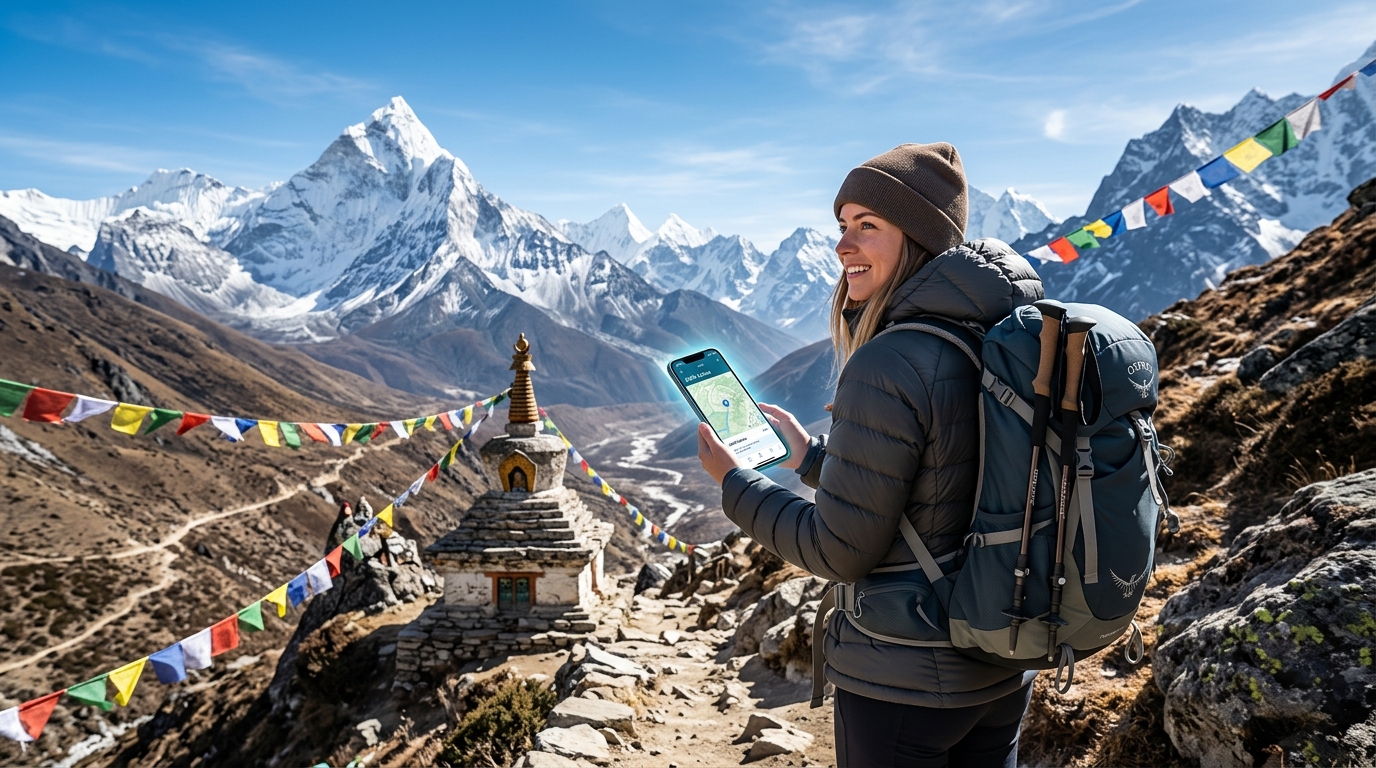
Conquer the Himalayas: The Ultimate Nepal Travel eSIM Guide for Trekkers
Conquering the Himalayas: Why Connectivity is Your Ultimate Trekking Gear
Nepal's Himalayas beckon with an irresistible allure, a majestic tapestry of snow-capped peaks, ancient trails, and profound spiritual landscapes. For trekkers, it's an unparalleled adventure – a journey of self-discovery amidst breathtaking vistas, challenging altitudes, and the serene beauty of remote mountain communities. From the iconic Everest Base Camp trek to the serene Annapurna Circuit, these expeditions promise memories that last a lifetime. Yet, amidst the grandeur and the thrill of the unknown, one critical aspect is often overlooked until it becomes a dire necessity: reliable communication. In such remote and challenging environments, connectivity transcends mere convenience; it transforms into an indispensable piece of trekking gear, as vital as your sturdy boots or warm sleeping bag.
The traditional approach to staying connected in Nepal presents a myriad of hurdles that can quickly dampen the spirit of adventure. Imagine arriving in Kathmandu, eager to hit the trails, only to be confronted with the scarcity of physical SIM cards in the very villages you'll pass through. While major cities like Kathmandu and Pokhara offer options, securing a local SIM often involves a bureaucratic gauntlet. Foreigners are typically required to provide passport photos, multiple copies of identification, and navigate complex registration forms, often compounded by language barriers and lengthy queues. This isn't just an inconvenience; it's valuable trekking time lost, adding unnecessary stress before your journey even truly begins.
Even if you manage to acquire a local SIM, the reliability of the local network infrastructure is a significant concern once you venture beyond the bustling city limits. While coverage might be adequate in urban centers, it rapidly diminishes as you ascend into the higher altitudes and more isolated regions of the Himalayas. Trekkers frequently encounter vast dead zones where signals vanish entirely, leaving them truly disconnected. This unreliability can be more than frustrating; it can compromise safety, leaving you without a lifeline when you need it most.
In the vast, unpredictable expanse of the Himalayas, connectivity isn't a luxury; it's a vital safety tool. Consider these critical applications:
- Navigation: Accessing real-time maps like Google Maps or Apple Maps, checking your GPS location, and verifying trail markers are crucial for staying on course and preventing getting lost, especially in adverse weather conditions.
- Emergency Communication: The ability to swiftly contact your trekking guide, local rescue services, or even family members in case of an injury, illness, or other unforeseen emergency is paramount. Every minute can count in a remote mountain environment.
- Weather Updates: Mountain weather is notoriously fickle. Receiving timely updates on sudden blizzards, heavy rainfall, or potential landslides can be the difference between a safe passage and a dangerous predicament.
- Group Coordination: Staying in touch with members of your trekking group, especially if you get separated or need to coordinate meeting points, ensures everyone's safety and keeps the expedition running smoothly.
- Peace of Mind: For both the trekker and their loved ones back home, the ability to send a quick message or check in provides immense peace of mind, allowing everyone to fully embrace the experience without undue worry.
This is precisely where the modern, seamless solution of an eSIM like MollySIM (https://mollysim.com) steps in. MollySIM directly addresses these pain points, eliminating the need for physical SIM cards, cumbersome registration processes, and the anxiety of unreliable connections. It promises peace of mind and enhanced safety for every adventurer. With MollySIM, you can activate your data plan digitally, often before you even leave home, ensuring you're connected the moment you land in Nepal. Furthermore, MollySIM offers a superior experience with its 384kbps Fair Use Policy speed limit, which is a remarkable 3x faster than many competitors' 128kbps. This significant speed advantage means your essential applications like Google Maps and Apple Pay (for pre-trek purchases or in larger towns) will work smoothly, allowing you to download detailed maps, receive critical weather alerts, and communicate effectively without frustrating delays. In the challenging terrain of the Himalayas, such reliable, high-speed connectivity isn't just an advantage; it's your ultimate trekking gear, empowering you to conquer the mountains with confidence and security.
eSIM vs. Physical SIMs: The Ultimate Connectivity Showdown for Himalayan Trekkers
🌐 Global Travel High-Speed Travel eSIM & SIM Plans
Instant QR code activation, hotspot enabled, with guaranteed 384kbps fallback speed to keep Maps & Digital Wallets active.
In the rugged, awe-inspiring landscape of the Himalayas, reliable communication isn't just a convenience; it's a critical component of safety, navigation, and peace of mind. Trekkers often face a crucial decision regarding how they'll stay connected, weighing the pros and cons of traditional physical SIM cards, portable pocket Wi-Fi devices, and the revolutionary eSIM technology. For the unique demands of a Nepal trek, where infrastructure can be sparse and emergencies demand immediate action, understanding these options is paramount.
Let's break down the ultimate connectivity showdown:
| Feature | Physical SIM (Local) | Pocket Wi-Fi (Rental) | MollySIM eSIM (Recommended) |
|---|---|---|---|
| Ease of Acquisition | Requires local purchase, queues, passport, forms. | Pre-order/rental, pick-up/drop-off logistics. | Online purchase, instant digital delivery (QR code). |
| Activation Process | Manual insertion, often requires store activation. | Connect to Wi-Fi network. | Scan QR code, simple phone settings. |
| Reliability in Remote Areas | Highly variable, often unavailable. | Dependent on device signal, can be bulky. | Leverages best available local network (Ncell/NTC). |
| Cost Predictability | Unpredictable, hidden fees, top-ups. | Daily rental fees, potential overage charges. | Transparent, pre-paid plans, no hidden costs. |
| Device Compatibility | Requires physical SIM slot, unlocked phone. | Separate device to carry, charge. | Compatible with most modern smartphones, no physical slot. |
| Security | Potential for data breaches during registration. | Fairly secure, but device loss is a risk. | Enhanced digital security, no physical card to lose. |
| Data Speeds | Variable, dependent on network congestion. | Good in cities, can degrade remotely. | High-speed data where available, with crucial FUP. |
| Emergency Use | Can be difficult if no signal/SIM. | Relies on device battery, single point of failure. | Always-on connectivity, even with FUP, crucial for safety. |
| Flexibility | Limited to one carrier, difficult to switch. | Tied to rental period, no personal number. | Easy to switch plans, manage digitally. |
| Battery Drain | Minimal. | Significant for both phone and Wi-Fi device. | Minimal, comparable to local SIM. |
The Trekkers' Connectivity Dilemma: A Deeper Dive
Ease of Acquisition & Activation Process
For the intrepid trekker, the journey often begins long before the first step on the trail. With a physical SIM, this involves a mandatory detour to an NTC or Ncell store in Kathmandu or Pokhara. Imagine: navigating bustling city streets, enduring potentially long queues, presenting your passport, providing photocopies, filling out forms, and often grappling with language barriers – all before you've even started your adventure. This time-consuming, bureaucratic process can eat into valuable pre-trek preparation time and add unnecessary stress. Once acquired, you still need to manually insert the tiny card and hope for seamless activation.
Pocket Wi-Fi rentals streamline this slightly, requiring pre-order and then a pick-up/drop-off at the airport or a designated location. While avoiding store queues, it introduces logistical dependencies and the risk of delays or device unavailability.
In stark contrast, an eSIM like MollySIM revolutionizes this initial hurdle. Acquisition is entirely online, from anywhere in the world. You simply purchase your plan, receive a QR code digitally, and activate it with a quick scan and a few taps in your phone settings. This can be done before you even leave home, ensuring you land in Nepal with immediate, active connectivity, eliminating all pre-trek stress and allowing you to focus on the mountains ahead.
Reliability in Remote Areas & Data Speeds
The true test of any connectivity solution in Nepal is its performance in remote, high-altitude regions. Physical SIMs often struggle, with signal becoming highly variable or completely non-existent once you venture beyond larger towns. Data speeds can be frustratingly slow, even in areas with coverage, due to network congestion.
Pocket Wi-Fi devices face similar limitations, as their signal strength is ultimately dependent on the same local cellular networks. Furthermore, they add another layer of potential failure, as the device itself needs to maintain a signal and function correctly.
MollySIM eSIMs leverage the best available local networks (Ncell/NTC) directly through your smartphone, often providing superior reach and stability compared to a separate Wi-Fi device. Crucially, MollySIM offers a 384kbps Fair Use Policy (FUP) speed limit, which is a remarkable 3x faster than many competitors' 128kbps. This isn't just a number; it's a game-changer. Even if your high-speed data allowance is exhausted, this enhanced FUP speed ensures essential applications like Google Maps can still download detailed maps, Apple Pay (for pre-trek purchases or in larger towns) works smoothly, critical weather alerts can be received, and communication apps remain functional. In the challenging terrain of the Himalayas, this reliable, higher-speed connectivity, even at FUP, is invaluable for navigation, safety, and staying informed.
Cost Predictability & Flexibility
With physical SIMs, costs can be unpredictable. You might encounter hidden fees, struggle with currency exchange, and face the stark reality of being unable to top-up your data or credit once you're deep on trails like the EBC or Annapurna Circuit, where no NTC/Ncell stores exist.
Pocket Wi-Fi rentals come with daily fees, and potential hidden charges for damage or exceeding data limits, tying you to a specific rental period.
MollySIM eSIMs offer complete cost transparency with pre-paid plans. You know exactly what you're paying for upfront, with no hidden fees. Furthermore, the digital nature of eSIMs provides unparalleled flexibility. You can easily monitor your data usage, switch plans, or top-up your data digitally from anywhere with an internet connection – a true lifesaver when physical stores are miles away.
Security & Emergency Use
The security implications of connectivity are often overlooked but are vital for trekkers. Registering a physical SIM often involves sharing sensitive personal details like passport copies, which can pose a data breach risk. Losing a physical SIM card means losing your connectivity and potentially your number.
Pocket Wi-Fi devices are generally secure, but the loss of the device itself poses a risk, and reliance on a single device battery for connectivity can be a critical point of failure in an emergency.
MollySIM eSIMs enhance digital security by eliminating the need to repeatedly handle physical cards or share sensitive personal information at multiple points. There's no physical card to lose or damage. For emergency use, the always-on connectivity, even at FUP speeds, is paramount. Whether it's sending an SOS message, sharing your location, or receiving critical updates, an eSIM provides a robust, reliable lifeline, directly through your primary device, without the added burden of managing a separate gadget or worrying about its battery life. This seamless integration into your smartphone makes it an indispensable tool for safety in the remote Himalayan wilderness.
MollySIM: Your Himalayan Lifeline – High-Speed Data & Crucial 384kbps FUP
For trekkers venturing into the majestic, yet often isolated, landscapes of the Himalayas, reliable connectivity isn't just a convenience—it's a critical safety tool. MollySIM stands out as a premier eSIM solution, specifically engineered to meet the demanding needs of adventurers in Nepal. It offers a powerful combination of high-speed data for daily trekking necessities and an industry-leading Fair Usage Policy (FUP) speed that acts as an indispensable safety net, ensuring you're never truly disconnected.
High-Speed Data for the Modern Trekker
The days of trekking in complete digital isolation are largely over, and for good reason. High-speed data transforms the trekking experience, making it safer, more informed, and more enjoyable. MollySIM's robust data packages provide the bandwidth necessary for:
- Real-time GPS Navigation: Essential for staying on track, verifying your position, and exploring alternative routes. Apps like Google Maps and Maps.me become powerful allies, allowing you to download map sections, track your progress, and locate nearby lodges or water sources with precision.
- Instant Weather Updates: Mountain weather is notoriously unpredictable. Access to up-to-the-minute forecasts is crucial for planning your day, deciding whether to push on or seek shelter, and avoiding dangerous storms or heavy snowfall.
- Researching Trail Conditions: Before setting out or at the end of a day, high-speed data allows you to quickly check for recent trail reports, potential hazards like landslides, bridge conditions, or even water availability, ensuring you're always prepared.
- Quick Communication: Whether coordinating with your guide, trekking agency, porters, or fellow trekkers, instant messaging via WhatsApp or other platforms is invaluable. It facilitates logistics, emergency contact, and simply staying in touch.
- Sharing Breathtaking Moments: The Himalayas offer unparalleled photographic opportunities. High-speed data allows you to quickly upload photos and short videos to social media, share your journey with friends and family, or even make brief video calls from a scenic viewpoint, bringing your loved ones closer to your adventure.
The Unrivaled 384kbps FUP: Your Emergency Lifeline
While high-speed data is fantastic, what happens when your allowance runs out? This is where MollySIM truly distinguishes itself with its crucial 384kbps Fair Usage Policy (FUP) speed. Unlike many competitors who throttle speeds down to a barely functional 128kbps, MollySIM maintains a guaranteed basic speed that is 3x faster, providing continuous, essential connectivity even after your high-speed data is consumed. This isn't just a feature; it's a critical safety net, offering unparalleled peace of mind in remote areas where any form of connectivity can make the difference between safety and peril.
Consider these life-saving examples of what 384kbps can still achieve:
- Critical WhatsApp Messages: Send and receive text-based emergency messages, share vital information, or coordinate rescue efforts. The speed is more than adequate for reliable text communication.
- Loading Text-Based Weather Forecasts: While video might buffer, you can still load and refresh text-heavy weather apps or websites, ensuring you have the latest atmospheric conditions.
- Checking Emails for Vital Updates: Receive important updates from your trekking agency, flight confirmations, or emergency communications without delay.
- Sending Precise Location Pins: Crucially, you can send accurate GPS location pins via messaging apps to rescuers or your trekking team. This pinpoint accuracy can drastically reduce search times in an emergency.
- Low-Bandwidth Audio Calls: In a pinch, WhatsApp audio calls can often function at 384kbps, allowing for verbal communication when text isn't enough. While not HD quality, it provides a vital voice link.
- Basic Navigation & Transactions: Even at FUP speeds, basic Google Maps functionality, such as loading map tiles and receiving turn-by-turn directions, can still operate. Furthermore, essential digital transactions like Apple Pay can process smoothly, a testament to the usability of this speed.
This sustained 384kbps FUP ensures that even in the most challenging situations, you retain a functional connection, allowing you to communicate, navigate, and access critical information. It's a testament to MollySIM's commitment to trekkers' safety and connectivity.
Optimized Network Coverage: Ncell & NTC Partnership
MollySIM intelligently leverages the best available local networks in Nepal to ensure maximum possible coverage across the country, including many remote trekking regions. By partnering with leading Nepalese providers, primarily Ncell and NTC (Nepal Telecom), MollySIM ensures that its users benefit from the most extensive and reliable infrastructure present. This strategic partnership means that wherever a signal exists, MollySIM users are more likely to connect, providing a consistent and robust digital lifeline throughout their Himalayan adventure. This seamless integration into your smartphone, combined with superior network access and an industry-leading FUP, makes MollySIM (https://mollysim.com) an indispensable tool for safety and convenience in the remote Himalayan wilderness.
Nepal's Mobile Network Landscape: What Trekkers Can Expect from Ncell & NTC
Navigating the majestic, yet often remote, terrain of the Himalayas requires a clear understanding of the digital lifeline available. While Nepal's mobile network infrastructure has seen significant advancements, particularly in urban centers, the reality for trekkers is a nuanced blend of connectivity and isolation. MollySIM, by intelligently leveraging the networks of Ncell and NTC (Nepal Telecom), aims to provide the most robust connection possible, but it's crucial for trekkers to set realistic expectations.
In major urban hubs like Kathmandu and Pokhara, trekkers can expect generally excellent 4G/LTE coverage from both Ncell and NTC. These areas boast reliable speeds suitable for streaming, video calls, and all standard online activities. However, as you venture deeper into the mountains, the network landscape transforms dramatically. While both providers are continually expanding their reach, the challenging topography of the Himalayas presents inherent limitations.
Everest Base Camp (EBC) Trek: A Patchwork of Connectivity
The iconic Everest Base Camp (EBC) trek, drawing thousands annually, offers a surprisingly decent level of connectivity in many of its villages, particularly compared to other remote regions globally. Both Ncell and NTC have invested in infrastructure along this popular route.
- Village Connectivity: Trekkers will often find 3G or even 4G/LTE signal in key villages such as Lukla, Phakding, Namche Bazaar, Tengboche, and Dingboche. NTC, in particular, operates its "Everest Link" service, which provides internet access (often Wi-Fi based, but also cellular) in many lodges and settlements. MollySIM users will automatically connect to the strongest available Ncell or NTC signal in these areas.
- Higher Altitudes: Coverage can extend remarkably high, with intermittent signal sometimes available even up to Lobuche and Gorak Shep. However, this is rarely consistent.
- Dead Zones: Trekkers must anticipate significant dead zones. These are prevalent between villages, in deep river valleys where signals struggle to penetrate, and at higher altitudes where the terrain blocks transmission or infrastructure is non-existent. For instance, the stretch between Phakding and Namche Bazaar, or sections above Dingboche, often experience patchy or non-existent service.
- Lodge Reliance: Connectivity is often strongest and most reliable at lodges or designated Wi-Fi hotspots, which might require a separate payment for access. Even with a MollySIM eSIM, while you'll have access to the best cellular signal, Wi-Fi might be a more stable option in certain lodge settings.
Annapurna Circuit/Base Camp (ABC) Trek: Varied Terrain, Varied Signal
The Annapurna region, with its diverse landscapes ranging from lush rhododendron forests to arid high-altitude deserts, presents a similar, if not more varied, pattern of mobile network coverage.
- Lower Regions: In the lower sections of the Annapurna Circuit and ABC trek, such as Nayapul, Ghandruk, Ghorepani, and even up to Chame or Chomrong, trekkers can generally expect decent 3G/4G coverage from both Ncell and NTC. These areas are more populated and accessible, allowing for better infrastructure.
- Higher Altitudes & Remote Sections: As you ascend to higher altitudes or venture into more secluded valleys, service becomes increasingly sporadic and intermittent. Areas like Manang on the Circuit often have surprisingly good Ncell/NTC coverage, but beyond this, particularly towards Thorong La Pass or the remote sections of the Tilicho Lake trek, connectivity will diminish significantly. Similarly, on the ABC trek, beyond Machhapuchhre Base Camp (MBC) and certainly at Annapurna Base Camp (ABC) itself, signal is often non-existent or extremely weak.
- Secluded Valleys & Passes: Expect to be entirely offline in certain passes, deep gorges, or isolated valleys where line-of-sight to cell towers is impossible.
Maximizing Connectivity, Managing Expectations
While MollySIM provides access to the best available Ncell and NTC network at any given location, trekkers must understand that even with the most advanced technology, there will be areas in the Himalayas with absolutely no signal. The sheer scale and ruggedness of the mountains make 100% ubiquitous coverage an impossibility.
This reality underscores the importance of preparation: always download offline maps (like those from Google Maps or Maps.me) before you depart, and have a backup communication plan, such such as a satellite messenger, for emergencies in truly remote zones. However, for the vast majority of your trek where a signal does exist, MollySIM maximizes your chances of staying connected. By intelligently connecting to the strongest local network where coverage exists, and offering an industry-leading 384kbps Fair Use Policy speed limit (3x faster than many competitors), MollySIM ensures that even in areas with patchy service, critical functions like basic Google Maps navigation and essential digital transactions via Apple Pay can still operate smoothly, giving you the best possible shot at communication and safety throughout your Himalayan adventure.
Mastering Your MollySIM: Essential Data & Battery Conservation Tips for Long Treks
Embarking on a Himalayan trek with your MollySIM is about smart resource management. While MollySIM provides robust connectivity where available, the remote nature of the trails demands a proactive approach to conserving both your data allowance and your device's battery life. Mastering these techniques will ensure your essential communication and navigation tools remain operational throughout your adventure.
Strategic Data Conservation for Trekkers
Every megabyte counts when you're far from civilization. Implement these strategies to stretch your MollySIM data further:
- Download Comprehensive Offline Maps: This is arguably the most critical data-saving step. Before you even leave Kathmandu, download detailed offline maps for your entire trekking route using apps like Google Maps, Maps.me, or AllTrails. This eliminates the need to constantly download map tiles over cellular data, which is a significant data consumer. You'll still be able to navigate accurately even in areas with no signal.
- Limit High-Bandwidth Activities: Resist the urge to stream video (YouTube, Netflix) or music (Spotify, Apple Music) over cellular data. These activities consume enormous amounts of data very quickly. Save your entertainment for when you have access to lodge Wi-Fi or have pre-downloaded content.
- Disable Automatic App Updates & Cloud Syncing: Your phone's default settings often allow apps to update automatically and photos/videos to sync to cloud services (iCloud, Google Photos) in the background. Navigate to your phone's settings (iOS: Settings > App Store; Android: Play Store > Settings) and disable automatic updates. Similarly, turn off automatic cloud syncing for media until you're connected to Wi-Fi.
- Manage Background App Refresh: Many apps refresh their content in the background, consuming data even when you're not actively using them. Go to your phone's settings (iOS: Settings > General > Background App Refresh; Android: Settings > Network & internet > Data Saver or individual app settings) and disable this feature for all non-essential applications.
- Leverage Lodge Wi-Fi for Heavy Tasks: When you reach a teahouse or lodge that offers Wi-Fi (even if it's slow or paid), use this opportunity for data-intensive tasks. This is the ideal time to upload photos and videos, make video calls to loved ones, or download any necessary updates.
- Set Data Usage Limits: Most modern smartphones allow you to set monthly or daily data limits and receive alerts when you're approaching them. This proactive monitoring (iOS: Settings > Cellular > Cellular Data Options; Android: Settings > Network & internet > Data usage) can prevent accidental overconsumption of your MollySIM data.
- Compress Media Before Sharing: If you absolutely must share photos or short videos over cellular data, consider compressing them first. Many messaging apps offer built-in compression options, or you can use a dedicated photo compression app to reduce file sizes significantly before sending.
- Enable Low-Data Modes for Messaging Apps: Popular messaging apps like WhatsApp often have a "Low Data Usage" mode in their settings. Activating this can reduce the data consumed during calls and message synchronization, making your MollySIM data last longer for essential communication.
Maximizing Battery Life on the Trail
A dead phone is useless. Given the scarcity and cost of charging points in the Himalayas, meticulous battery management is paramount:
- Toggle Cellular Data Off When Not Needed: Your phone constantly searches for a signal when cellular data is enabled, even if no signal is present. Turn off your MollySIM cellular data (iOS: Control Center or Settings > Cellular; Android: Quick Settings or Settings > Network & internet) when you're not actively using it, especially overnight or during long stretches of trekking where you know signal is unlikely.
- Utilize Airplane Mode in No-Signal Zones: In areas where you consistently have no cellular signal, switch your phone to Airplane Mode. This prevents your device from endlessly searching for a network, which is a major battery drain. You can still use offline maps and other downloaded content in this mode.
- Lower Screen Brightness: The screen is one of the biggest power consumers. Keep your screen brightness as low as comfortably possible. Disable auto-brightness and manually adjust it.
- Close Unnecessary Background Applications: Swipe away or force-quit apps running in the background that you're not actively using. While modern operating systems are efficient, multiple open apps can still consume resources.
- Carry Multiple High-Capacity Power Banks: This is non-negotiable. Charging opportunities are rare and often expensive in teahouses. Invest in at least two high-capacity power banks (e.g., 20,000mAh or more each). Crucially, keep your power banks and phone warm in cold weather, ideally in an inner jacket pocket or sleeping bag. Cold temperatures drastically reduce battery efficiency and capacity.
- Consider an Emergency Feature Phone: For critical situations, carrying a basic, inexpensive feature phone with a long battery life can be a lifesaver. It can hold a local SIM (or your MollySIM if compatible) and serve as a backup for essential calls or texts if your smartphone battery dies.
Emergency Preparedness with MollySIM
Even with the best conservation efforts, there might be moments of minimal connectivity. This is where MollySIM's robust design truly shines. Its industry-leading 384kbps Fair Use Policy speed limit (which is 3x faster than many competitors' 128kbps) is specifically engineered to ensure that even with minimal data, critical functions remain viable. This speed allows for smooth operation of essential services like basic Google Maps navigation (when offline maps aren't sufficient), essential digital transactions via Apple Pay or other mobile wallets at larger lodges, and most importantly, the ability to send and receive text-based emergency messages via apps like WhatsApp or SMS.
Always remember that while MollySIM maximizes your chances of staying connected, a comprehensive emergency plan is vital. Inform your trekking agency of your daily itinerary, ensure your guide carries a satellite phone for dire emergencies, and consider carrying a personal satellite messenger for truly off-grid communication.
Seamless Setup: Your Step-by-Step Guide to Activating MollySIM for Nepal
Embarking on a Himalayan trek requires meticulous planning, and ensuring seamless connectivity is a crucial part of that preparation. MollySIM makes this process straightforward, allowing you to focus on the breathtaking landscapes ahead. This guide will walk you through every step, from pre-purchase considerations to post-arrival troubleshooting, ensuring your MollySIM is ready to keep you connected on the trails of Nepal.
Pre-Purchase & Planning: Laying the Groundwork
Before you even think about packing your trekking poles, a few essential steps will guarantee a smooth MollySIM experience.
- 1. Choose Your Ideal MollySIM Plan:
MollySIM offers a range of data plans tailored for various travel durations and usage needs. Consider the length of your trek (e.g., 10-day Everest Base Camp, 3-week Annapurna Circuit) and your anticipated data consumption. While trekking, data usage might be lower than daily life, but you'll still need it for essential communication, navigation, and occasional updates. MollySIM's industry-leading 384kbps Fair Use Policy speed limit (which is 3x faster than many competitors' 128kbps) is specifically designed to handle critical functions efficiently. This speed ensures that even with minimal data, you can reliably use Google Maps for navigation (especially when offline maps need a refresh or for real-time traffic/route updates in towns), conduct essential digital transactions via Apple Pay or other mobile wallets at larger lodges, and send/receive text-based messages via WhatsApp or email. Select a plan that offers enough data to cover your entire trip, plus a buffer for unexpected needs.
- 2. Verify Device Compatibility – A Critical Step:
This is perhaps the most crucial pre-purchase check. Not all smartphones support eSIM technology. Before making any purchase, you must confirm that your device is eSIM compatible and unlocked. Most newer flagship smartphones (iPhone XR/XS and newer, Samsung Galaxy S20 and newer, Google Pixel 3 and newer, etc.) support eSIMs, but it's always best to double-check. Visit the MollySIM website (https://mollysim.com) and navigate to their dedicated compatibility checker or FAQ section. Entering your phone's model there will quickly confirm if it's ready for an eSIM. Purchasing an eSIM for an incompatible device will lead to activation issues and frustration.
- 3. The Online Purchase Process:
Once you've selected your plan and confirmed compatibility, purchasing your MollySIM eSIM is simple:
- Go to mollysim.com.
- Select "Nepal" as your destination.
- Browse the available data plans and choose the one that fits your trek duration and data needs.
- Add the chosen plan to your cart.
- Proceed to checkout, where you'll enter your payment details.
- Upon successful payment, you will receive an immediate confirmation email. This email will contain your unique eSIM QR code and detailed activation instructions. Keep this email safe and accessible, as you'll need it for the next steps.
Activation Steps: Getting Your MollySIM Ready
With your MollySIM purchased, it's time to activate it. Follow these steps carefully for a smooth setup.
- 1. Ensure a Stable Internet Connection:
To download the eSIM profile to your device, you need a reliable internet connection. We highly recommend activating your MollySIM before you depart using your home Wi-Fi. Alternatively, you can use the free Wi-Fi available at major international airports (like Kathmandu's Tribhuvan International Airport) upon arrival. Avoid attempting activation in remote areas where internet access is scarce or unreliable.
- 2. Access Your Phone's Cellular/Mobile Data Settings:
- For iOS (iPhone): Go to Settings > Cellular (or Mobile Data).
- For Android: Go to Settings > Network & Internet > SIMs (or Mobile Network). The exact path may vary slightly depending on your Android device model and OS version.
- 3. Add eSIM / Add Data Plan:
Within the cellular/mobile data settings, look for an option to "Add eSIM," "Add Data Plan," "Add Mobile Plan," or similar. Tap on this option.
- 4. Scan the QR Code (or Manual Entry):
Your phone's camera will open, ready to scan a QR code. Hold your device over the QR code provided in your MollySIM confirmation email. The phone will automatically detect and begin downloading the eSIM profile. If for any reason scanning isn't possible (e.g., you're viewing the QR code on the same device), look for an option to "Enter Details Manually" and input the SM-DP+ Address and Activation Code provided in your MollySIM email.
- 5. Label Your New eSIM Profile:
Once the eSIM is downloaded, your phone will prompt you to label it. We strongly recommend giving it a clear, identifiable name like "Nepal Trek eSIM," "MollySIM Nepal," or "Trek Data." This helps you easily distinguish it from your primary home SIM, especially when managing multiple data plans.
- 6. Set MollySIM as Your Primary Data Line in Nepal:
Upon arrival in Nepal, you'll want to ensure your MollySIM is active for data. Go back to your cellular/mobile data settings and set your newly labeled MollySIM profile as your primary data line (or default data SIM). You can keep your home SIM active for calls/texts if you wish, but ensure data is routed through MollySIM.
- 7. Crucially, Enable Data Roaming for MollySIM:
This is a vital step often overlooked. While eSIMs eliminate the need for physical SIM cards, they still operate by "roaming" on local partner networks in the destination country. For your MollySIM to function, you must enable Data Roaming specifically for the MollySIM profile in your phone's settings. Don't worry, with MollySIM, enabling data roaming for your purchased plan does not incur additional charges; it's simply how the service connects to local networks.
Post-Arrival & Troubleshooting: Ensuring Connectivity
Even with careful setup, minor issues can sometimes arise. Here’s how to ensure your MollySIM is working perfectly and what to do if it isn't.
- 1. Test Connectivity Immediately:
As soon as you land in Kathmandu or Pokhara, or any area with known network coverage, test your MollySIM. Try opening a web page, sending a WhatsApp message, or checking Google Maps. Confirming it works before heading into more remote regions will provide immense peace of mind. MollySIM's 384kbps speed should allow for smooth operation of these essential tasks.
- 2. Common Issues & Quick Solutions:
- "No Service" or "Searching":
- Check Network Selection: Sometimes your phone might not automatically pick the strongest local partner network. Go to your MollySIM's settings, then "Network Selection" (or "Network Operators"), and try selecting a network manually (e.g., Ncell or Nepal Telecom).
- Restart Your Phone: A simple restart can often resolve temporary network registration issues.
- Verify eSIM is Active: Ensure the MollySIM profile is turned "On" in your phone's settings.
- "Data Not Working" (even with signal bars):
- Data Roaming On?: Double-check that Data Roaming is enabled for your MollySIM profile. This is the most common reason for data not working.
- APN Settings: While MollySIM usually configures APN settings automatically, if data still isn't working, you might need to manually check them. MollySIM's support can provide the correct APN (Access Point Name) if needed.
- Restart Your Phone: Again, a quick restart can often clear up data connectivity glitches.
- 3. Contact MollySIM Customer Support:
If you've tried the troubleshooting steps and are still experiencing issues, MollySIM's dedicated customer support team is ready to assist. They understand the critical need for connectivity, especially for trekkers.
- Available Channels: You can typically reach MollySIM support via live chat directly on their website (mollysim.com) or through email.
- Response Times: MollySIM prides itself on responsive support. Provide as much detail as possible about your device, location, and the issue you're facing to help them resolve it quickly. Remember, help is always available to ensure your journey through the Himalayas remains connected.
🌐 Global Travel High-Speed Travel eSIM & SIM Plans
Instant QR code activation, hotspot enabled, with guaranteed 384kbps fallback speed to keep Maps & Digital Wallets active.