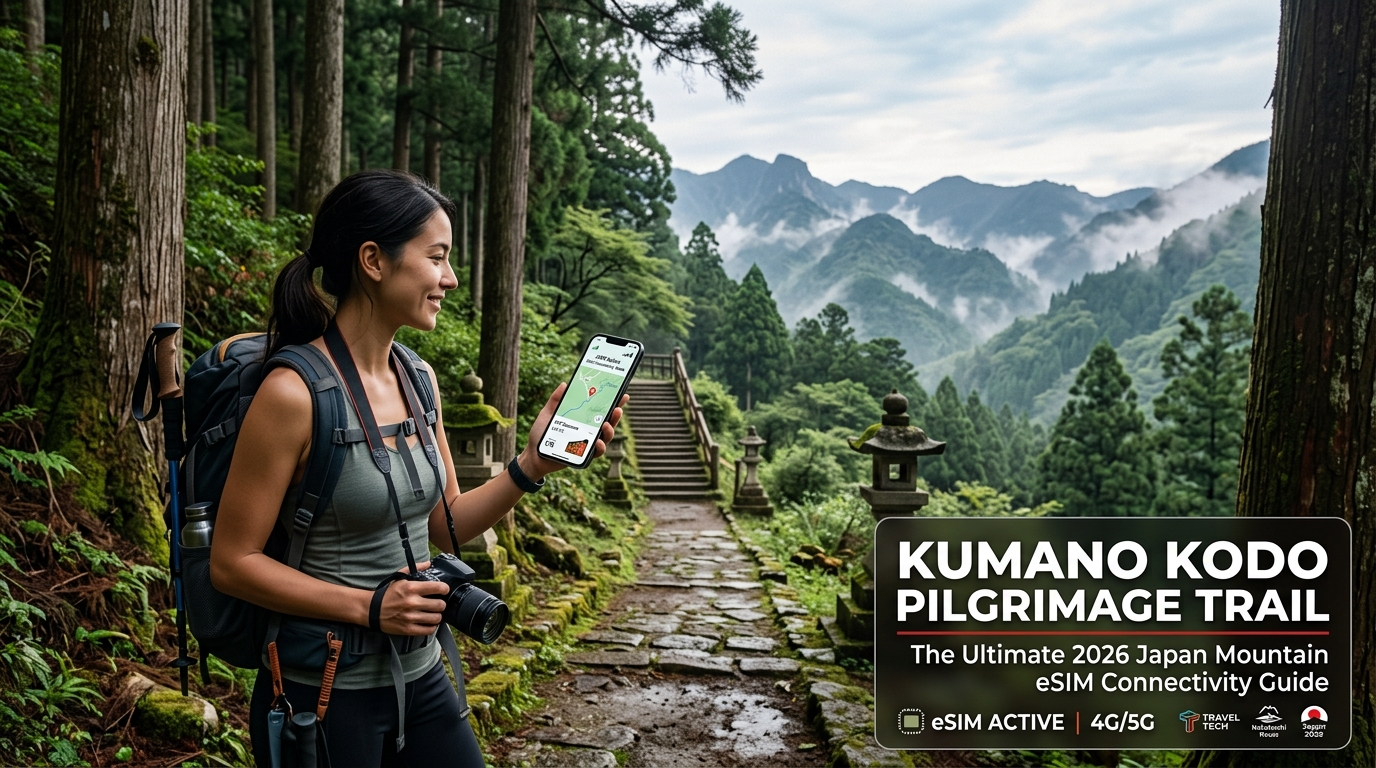
Kumano Kodo Pilgrimage Trail: The Ultimate 2026 Japan Mountain eSIM Connectivity Guide
The Cellular Topography of Kumano Kodo: Nakahechi, Kohechi, and Beyond
The Kii Peninsula (Kii Hanto) in Wakayama Prefecture presents one of the most hostile natural environments in Japan for radio frequency (RF) propagation. While coastal transit corridors enjoy dense 5G coverage, the interior UNESCO World Heritage trails cut through deeply folded, serrated mountain ranges blanketed by centuries-old primary forests.
Understanding the micro-geography of each route is essential for maintaining reliable data access across the network of mountain passes, remote ryokans, and sacred shrines.
       [Kii Peninsula Elevation Profile & RF Propagation]

  Altitude (m)
   1400m |                   /\ Obako-toge (Kohechi)
         |                  /  \ [Intermittent Signal]
   1000m |    /\           /    \
         |   /  \ Waraji  /      \
    600m |  /    \-toge  /        \
         | / Nakahechi  /          \   Yunomine / Koguchi
    200m |/            /            \__ [V-Shaped Ravine Shadows]
      0m +-------------------------------------------------->
         Takijiri    Hosshinmon    Hongu Taisha    Nachi Falls
Route-by-Route Signal Profiles
Cellular reception across the Kumano Kodo is dictated by ridge alignment, proximity to valley towns, and local repeater placement.
| Pilgrimage Route | Key Waypoints | Elevation Range | Signal Profile & Carrier Dominance |
|---|---|---|---|
| Nakahechi (Imperial Route) | Takijiri-oji → Tsugizakura → Hongu Taisha → Koguchi → Nachi | 80m – 870m | Moderate to Strong. Solid LTE around major oji shrines; dead zones in deep river ravines and the Waraji-toge pass. NTT Docomo / SoftBank lead. |
| Kohechi (Mountain Route) | Koyasan → Omata → Obako-toge → Miura-toge → Hongu | 400m – 1,344m | Extremely Sparse. High ridge exposure yields brief line-of-sight towers; sustained dead zones throughout ascents and valley descents. Docomo essential. |
| Ohechi (Coastal Route) | Kii-Tanabe → Kushimoto → Katsuura | 0m – 350m | Strong. Reliable 4G/5G along coastal plains; occasional dropouts across isolated headlands. All major networks viable. |
| Iseji (Eastern Route) | Ise Jingu → Owase → Kumano Hayatama Taisha | 0m – 800m | Variable. Good coverage near coastal rail lines; frequent cutouts along Magose-toge and Hadasu-toge passes. |
Topographical Obstacles: Canopy Attenuation and Valley Shadows
The extreme variability in cellular reception on trails like the Nakahechi and Kohechi boils down to two geographical realities:
                  Direct Tower Signal Path
   [Cell Tower] -------------------------\
      (Ridge)                             \  X  (Blocked by Mountain Wall)
                                           \
    ~~~~~~~~~~~~~~~~~~~~~~~~ (Dense Canopy) \
    / / / / / / / / / / / / / (Signal Scatter)
                                             |
   [Trail in Deep Valley] <------------------+ [DEAD ZONE]
(e.g., Koguchi Gorge)- High-Density Forest Canopies: The trails are lined with dense groves of mature Japanese cedar (Sugi) and cypress (Hinoki). Wet foliage absorbs higher cellular frequencies (particularly 1.8 GHz to 3.5 GHz bands). During the misty, rain-heavy periods common to Wakayama, RF attenuation spikes, reducing cell edge performance even when a physical tower is less than two kilometers away.
- V-Shaped Valley Shadowing: Isolated hot spring settlements such as Yunomine Onsen, Kawayu Onsen, and the hamlet of Koguchi sit inside narrow river gorges. The steep rock faces block direct line-of-sight to the main macro transceivers situated on higher ridges. Unless local micro-cells or localized repeaters are deployed, base signal strength degrades rapidly to zero the moment hikers descend from ridge crests to valley floors.
The Practical Hazards of Trail Disconnection
Losing mobile connectivity in the Kii Mountains is more than an inconvenience—it directly impacts logistical execution and trail safety:
- Strict Minshuku Dinner Deadlines: Traditional guesthouses (minshuku and ryokan) along the trail enforce rigid check-in cutoffs, typically 17:00 or 18:00. If you encounter trail delays or fatigue around the Dainichi-goe or Ogumotori-goe passes, you must notify your hosts in advance. Missing this window without data access can result in canceled evening meals or locked doors.
- Complex Rural Bus Coordination: Navigating routes operated by Ryujin Bus, Meiko Bus, or the Kumano Gobo Nankai Bus requires real-time transit schedule verification. Timetables shift seasonally and post-typhoon diversions are common; missing a connection at Hosshinmon-oji or Nonaka Ipposugi can leave hikers stranded for hours without local transit.
- Trail Diversions & Emergency Navigation: Landslides regularly trigger trail re-routes on sections like the Daitaro-zaka slope. While GPS navigation runs via satellite, dynamic map rendering, offline route syncing, and accessing the Wakayama Official Trail advisory page demand an active connection.
Hikers relying on modern travel eSIMs must ensure their plan provides uninterrupted baseline functionality. While traditional roaming SIMs cut bandwidth completely or throttle down to a non-functional 128 kbps upon hitting daily high-speed thresholds, solutions like MollySIM maintain an industry-leading 384 kbps Fair Use Policy (FUP) throttled floor. This triple-speed fallback delivers enough continuous throughput to keep live topo maps rendering, WhatsApp emergency calls connected, and digital logistics operational when deep in the Wakayama backcountry.
Mountain Frequency Bands Demystified: Why NTT Docomo Band 19 Matters
🇯🇵 Japan High-Speed Travel eSIM & SIM Plans
Instant QR code activation, hotspot enabled, with guaranteed 384kbps fallback speed to keep Maps & Digital Wallets active.
Navigating the rugged topography of the Kii Mountain Range requires understanding a fundamental rule of Japanese telecommunications: not all LTE and 5G signals are created equal.
While high-frequency spectrums excel at pushing gigabit speeds in the neon-lit canyons of Shinjuku and Dotonbori, they degrade rapidly in dense alpine environments. The Kumano Kodo is cloaked in ancient, towering groves of Cryptomeria japonica (Japanese cedar) and Chamaecyparis obtusa (Hinoki cypress). In heavy rain and mountain mist, high-frequency radio waves scatter against this dense canopy, resulting in total signal attenuation.
To maintain situational awareness and secure check-in capabilities along remote paths like the Nakahechi, Kohechi, and Ohechi routes, your device must access Japan’s sub-1GHz *"Platinum Bands" (Purachina Bando)*.
The Physics of Forest Penetration: Sub-1GHz vs. Urban Frequencies
Radio frequency (RF) propagation follows direct physical laws: lower frequencies have longer wavelengths, which allows them to travel farther, penetrate dense physical barriers, and bend around geological obstructions via knife-edge diffraction.
- Standard Urban Bands (Band 1 / 2100 MHz & Band 3 / 1800 MHz): These high-frequency spectrums provide high data throughput in urban Japan. However, their short wavelengths are line-of-sight dependent. When you descend into the deep ravines near Waraji-toge Pass or traverse the humid river basins of the Oto River, these signals reflect off rock faces and get absorbed by wet foliage, leaving your phone showing "No Service."
- Platinum Bands (NTT Docomo Band 19 / 800 MHz & au KDDI Band 18/26 / 800 MHz): Operating in the sub-1GHz spectrum, these longer radio waves wrap over ridgelines and penetrate deep into timberline valleys. A single 800 MHz mountain base station provides up to four times the geographic coverage radius of a standard 2.1 GHz cell site.
| Network Carrier | Core Mountain LTE Band | Frequency | Forest Canopy Penetration | Kii Peninsula Rural Tower Footprint |
|---|---|---|---|---|
| NTT Docomo | Band 19 (Primary), Band 1 | 800 MHz (Sub-1GHz) | Exceptional (Diffracts around gorges) | Dominant (State-mandated rural infrastructure) |
| au KDDI | Band 18 / Band 26, Band 1 | 800 MHz (Sub-1GHz) | High (Strong secondary backcountry net) | Strong (Extensive regional coverage) |
| SoftBank | Band 8, Band 1, Band 3 | 900 MHz (Sub-1GHz) | Moderate | Limited (Heavily urban/suburban skewed) |
| Rakuten Mobile | Band 3 (Roaming Band 18) | 1800 MHz | Poor (High absorption in timber) | Sparse (Dependent on partner roaming) |
Carrier Architecture: Why NTT Docomo Dominates the Trail
Historically born out of Nippon Telegraph and Telephone, NTT Docomo operates under long-standing public service infrastructure mandates. Consequently, Docomo has invested decades into hardening its rural cellular grid, erecting base stations atop critical mountain peaks, mountain huts, and historical pilgrim passes across Wakayama and Mie Prefectures.
While SoftBank is exceptional for high-speed browsing inside Tokyo subway stations, its sub-1GHz Band 8 rural tower density drops significantly in mountainous Kansai. au KDDI provides a robust secondary network via Band 18/26, but NTT Docomo remains the primary carrier deployed on isolated emergency call boxes and forestry outposts along the trail.
Ensuring Band 19 Compatibility on Your Hardware
To take advantage of these lifeline frequencies, two criteria must be met:
- Hardware Modem Support: Most modern factory-unlocked flagship smartphones (iPhone 11 and newer, Google Pixel 4a and newer, Samsung Galaxy S20 and newer) feature global RF modems that natively support LTE Band 19 (800 MHz) and Band 18/26.
- Proper Core-Network eSIM Provisioning: Many budget travel eSIMs cut costs by routing traffic exclusively through low-tier wholesale agreements that anchor to SoftBank or urban-only high-band KDDI profiles.
Travelers using MollySIM benefit from native provisioning onto Tier-1 Japanese carrier infrastructure with automatic switching to NTT Docomo. This ensures your handset locks directly onto Band 19 when you leave coastal towns like Kii-Tanabe and head up toward the mist-covered peaks of Takahara and Tsugizakura-oji.
Furthermore, because alpine weather fluctuations and unexpected diversions can drain your data usage faster than expected, MollySIM’s built-in 384 kbps Fair Use Policy (FUP) ensures you never drop down to the standard, unusable 128 kbps industry crawl. Even if your high-speed quota is fully exhausted mid-pass, 384 kbps provides more than triple the bandwidth of conventional travel SIMs—reliably streaming vector topography across Google Maps, validating Apple Pay transactions at village counters, and delivering vital route updates without interruption.
Trail Connectivity Comparison: Local SIM vs. Pocket Wi-Fi vs. Multi-Carrier eSIM
Navigating multi-day traverses like the Nakahechi or Kohechi routes demands a connectivity strategy that balances weight, battery efficiency, and cold-weather reliability. Backpackers face steep elevation gains, sudden downpours, and isolated valleys where single-network dead zones can disrupt GPS tracking and communication.
The breakdown below evaluates the four primary data solutions available to international hikers on the Kumano Kodo.
| Technical & Logistical Criteria | Single-Carrier Physical Tourist SIM | Pocket Wi-Fi Rental Router | Standard Single-Network Travel eSIM | MollySIM Multi-Carrier Japan eSIM |
|---|---|---|---|---|
| Mountain Pass Coverage (Docomo B19) | Variable; depends on MVNO agreement (often deprioritized) | Poor to Moderate; predominantly SoftBank/urban KDDI modems | Poor; typically routes via low-cost SoftBank wholesale profiles | Exceptional; native access to NTT Docomo Band 19 (800 MHz) & KDDI B18 |
| Pack Weight & Gear Overhead | 0g (internal SIM slot) | 150g–200g (device) + extra 150g cable/power bank overhead | 0g (integrated device modem) | 0g (digital profile, zero hardware bulk) |
| Wet-Weather Resilience | High (inherits phone’s IP68 chassis rating) | Extremely Low; non-waterproof chassis prone to port moisture damage | High (inherits phone’s IP68 chassis rating) | High (fully internal, zero physical SIM tray exposure) |
| Airport Setup (KIX / NRT / HND) | Physical counter pickup, SIM-tray swapping, paper registration | Queue for terminal pickup; return logistics required at departure | Instant digital download via QR; pre-arrival configuration | Instant digital setup; automatic provisioning upon landing |
| Emergency Failover Architecture | None (locked to a single MVNO profile) | None (single network identity hardcoded to SIM inside unit) | None (locked to single roaming partner) | Automated dynamic switching between Docomo and KDDI cell towers |
| Throttled Speed Floor (Post-FUP) | 128 kbps (or complete cut-off) | 128 kbps (frequent hard data caps) | 128 kbps (renders map rendering non-functional) | 384 kbps (sufficient for topo map streaming, messaging & Apple Pay) |
The Hardware Dilemma: Why Pocket Wi-Fi Fails on Alpine Treks
While pocket Wi-Fi rentals remain popular for urban transit between Tokyo and Kyoto, they introduce critical vulnerabilities on alpine treks like the Kumano Kodo:
- Cold-Induced Lithium Depletion: High ridges such as Ogumotori-goe and Hyakken-gura expose gear to chilling mist and sharp temperature drops. Compact MiFi routers use uninsulated lithium-ion cells that suffer rapid voltage drop-off in cold mountain air, often dropping from 60% charge to zero within minutes.
- Charging Bottlenecks in Traditional Accommodations: Historic minshuku and ryokan lodgings in mountain hamlets like Chikatsuyu and Yunomine Onsen frequently offer only one or two two-prong wall outlets per tatami room. Hiking with a pocket Wi-Fi requires recharging your smartphone, a dedicated power bank, headlamp, and the Wi-Fi unit itself simultaneously, creating an unmanageable logistical bottleneck each evening.
- Moisture Exposure and Ingress: The Kii Peninsula is one of the wettest non-tropical corridors in Japan, averaging over 3,000mm of annual precipitation. Pocket Wi-Fi devices lack IP-rated water resistance. Keeping a hot, running router inside a sealed dry bag causes internal condensation, while carrying it in an external mesh pocket risks terminal water ingress during sustained torrential rains.
       [Kumano Kodo Connectivity Reliability Flow]

  +-----------------------+        +-----------------------+
  |    Pocket Wi-Fi /     |        |   MollySIM Digital    |
  |  Standard Travel eSIM |        |   Multi-Carrier Core  |
  +-----------------------+        +-----------------------+
              |                                |
     Enters Deep Valley               Enters Deep Valley
              |                                |
  [Single SoftBank Profile]       [Auto-Switches to Docomo B19]
              |                                |
       *SIGNAL LOSS*                    *STRONG SIGNAL*
              |                                |
   Exhausts High-Speed Data         Exhausts High-Speed Data
              |                                |
      Drops to 128 kbps                Maintains 384 kbps Floor
  (Maps Fail, Offline Crash)       (Vector Maps & Payments Work)
Digital Zero-Footprint & Dynamic Failover
By deploying a digital eSIM profile, you eliminate moving parts and reduce pack weight. However, standard single-network travel eSIMs often fall short in rugged terrain because they anchor to low-tier wholesale networks that lack access to NTT Docomo’s low-band frequencies.
Utilizing MollySIM resolves this limitation through core-network multi-carrier switching. If a localized landslide or valley topography obstructs a KDDI tower, your smartphone automatically routes through NTT Docomo's Band 19 sub-1GHz spectrum without requiring manual APN reconfiguration.
Combined with a sustained 384 kbps FUP safety floor—triple the industry-standard 128 kbps cutoff—your handset maintains continuous access to offline routing updates, emergency communication, and mobile payment processing even under heavy data depletion.
Mission-Critical Trail Apps: GPS Navigation, Ryokan Comms, and Mountain SOS
Navigating the rugged topography of the Kii Peninsula requires a purpose-built digital toolkit. While the Kumano Kodo is ancient, modern trail logistics operate on tight margins: fixed bus departures, strict traditional accommodation schedules, and rapid weather shifts caused by maritime Pacific air masses. A failure in your device's connectivity pipeline can quickly cascade into an abandoned itinerary or a localized search-and-rescue scenario.
1. Alpine Navigation: YAMAP, AllTrails, and Offline Vector Rendering
While paper pilgrimage maps provided by the Tanabe City Kumano Tourism Bureau are excellent high-level overviews, they lack real-time elevation telemetry and sub-meter path verification.
- YAMAP (Japan’s Standard Mountain Mapping Platform): Unlike Western-centric apps, YAMAP uses official Geospatial Information Authority of Japan (GSI) 1:25,000 topographic maps. It crowdsources real-time hazard markers—such as bridge washouts along the Dainichi-goe or recent viper (mamushi) sightings. YAMAP continuously syncs waypoint pings to verify your pace against daylight depletion.
- AllTrails & Gaia GPS: Reliable for GPX track adherence, but their topographic base layers often misrepresent micro-valleys along the Kohechi route. Keep background location tracking active, but ensure your offline vector maps are pre-downloaded.
- Google Maps Offline Layers: Useful for localized settlement transit in places like Hongu, Yunomine Onsen, and Katsuura, but inadequate on mountain ridges. Google Maps requires constant background data to resolve point-of-interest (POI) metadata, transit links, and opening hours for supply stores.
+------------------+-----------------------+-----------------------------+-------------------------------+
| Application      | Primary Trail Function| Bandwidth Requirement       | Performance at 384 kbps Floor |
+------------------+-----------------------+-----------------------------+-------------------------------+
| YAMAP            | Topo GPS & Hazard Logs| Low (15–30 MB/day)          | 100% Fully Functional         |
| Google Maps      | Localized POI & Towns | Moderate (50–100 MB/day)    | Vector & Route Search Works   |
| Kumano Transit   | Live Bus Landslide Ops| Low (<5 MB per query)       | 100% Fully Functional         |
| Prefectural SOS  | GPS Coordinate Beacon | Ultra-Low (<1 MB telemetry) | Instantaneous Transmission    |
| LINE / WhatsApp  | Host Comms & Updates  | Low to Moderate             | Text, Voice & Audio Notes OK  |
+------------------+-----------------------+-----------------------------+-------------------------------+
2. Ryokan Check-in Deadlines & Transit Volatility
The Kumano Kodo features a rigid lodging infrastructure. Small minshuku (guesthouses) and traditional ryokan in remote villages like Chikatsuyu, Koguchi, and Yunomine operate on non-negotiable culinary schedules:
- The Strict 17:00 Rule: Most mountain ryokan prepare multi-course kaiseki dinners featuring local ingredients that must be cooked at precise times. Trekkers who arrive after 17:30 or 18:00 without advance notification frequently face forfeited meals or locked doors, as hosts assume an accident has occurred.
- Active Host Communication: If you suffer a joint injury climbing the brutal staircases of Waraji-toge or the Dogiri-zaka ("Body-Breaking Slope"), you must use email, WhatsApp, or Japanese web portals to notify your host. An active cellular link enables you to update your estimated time of arrival (ETA) before you lose trail daylight.
- Real-Time Bus Rerouting: The Kumano Gobo Nankai Bus and Ryujin Bus networks provide the only mechanical egress from interior trailheads. During heavy summer rainfall or autumn typhoons, river surges trigger localized road closures within minutes. Trekkers must monitor real-time operator service alerts to catch the last connecting bus to Kii-Tanabe or Shingu.
3. Mountain SOS & Search-and-Rescue (Tozan-todoke)
Wakayama and Mie prefectures maintain dedicated mountain rescue divisions within their Prefectural Police departments. If a hiker is injured on remote ridgelines, emergency response follows a standardized digital protocol:
- Digital Tozan-todoke (Climbing Plan): Submitting your route itinerary via the national Compass registry or YAMAP requires network uplink before departing each morning. If you fail to check out, rescue personnel cross-reference your last known cellular ping.
- Emergency Coordinates Sharing: When dialing emergency services (110 for Police, 119 for Fire/Ambulance), foreign phones without domestic voice roaming rely on VoIP (Skype, WhatsApp, or emergency data-based web portals) to broadcast raw WGS84 GPS latitude/longitude coordinates to local dispatchers.
The 384 kbps Advantage on Remote Ridges
Data throttling on generic travel eSIMs typically caps speeds at 128 kbps once high-speed allocations run out. At 128 kbps, modern secure sockets layer (SSL) handshakes timeout, vector maps fail to render, and live transit portals will not load.
By utilizing MollySIM, your device retains a guaranteed 384 kbps Fair Use Policy (FUP) safety floor—three times the industry average. This extra bandwidth headroom keeps navigation tiles rendering, maintains your WhatsApp/LINE communications with accommodations, loads real-time bus cancellation bulletins, and lets you broadcast life-saving GPS telemetry without interruption.
Why MollySIM Is the Ultimate Connectivity Solution for Kumano Kodo Hikers
Traversing the deeply incised valleys, ancient cedar forests, and exposed ridgelines of the Kii Peninsula introduces technical cellular challenges that generic travel SIMs cannot handle. Between erratic signal shadows in narrow gorges and strict daily data throttles, standard connectivity solutions regularly fail hikers when they need navigation or communication the most.
MollySIM is purpose-built to solve these backcountry pain points. By combining multi-carrier redundancy with an industry-leading data safety net, it delivers uninterrupted connectivity from the trailhead at Takijiri-oji all the way to the coastal shrines of Nachi.
Dual-Network Dynamic Auto-Switching: Docomo & SoftBank Integration
Most foreign travel eSIMs lock your device to a single domestic host carrier. In urban hubs like Osaka or Tokyo, this is rarely an issue. However, throughout the rugged micro-topography of the Kumano Kodo, carrier dominance shifts rapidly:
- NTT Docomo maintains the densest macro-cell coverage along high-altitude ridges and interior mountain passes such as the exposed clearing at Hyakken-gura and the steep ascent over the Dainichi-goe pass.
- SoftBank delivers superior small-cell fill and micro-repeater penetration within deep valley settlements, riverbeds, and isolated hamlet pockets like Chikatsuyu, Yunomine Onsen, and Koguchi.
MollySIM utilizes dynamic core switching that automatically hands your radio connection over to whichever tower maintains the cleanest line-of-sight signal and lowest packet loss. When descending from an elevated ridge into a shadowed ravine, your device seamlessly switches between Docomo and SoftBank without dropping active data sessions or requiring manual carrier selection in your phone's network settings.
The 384 kbps Safety Floor vs. Conventional Throttling
A primary hazard on multi-day treks is exhausting your high-speed tier mid-hike, triggering aggressive carrier throttling. Standard travel eSIMs throttle users down to 64 kbps or 128 kbps.
At 128 kbps, modern web security protocols (TLS/SSL handshakes) consistently time out. Essential mapping apps like Google Maps or YAMAP cannot fetch new vector tiles, messaging platforms fail to upload telemetry, and mobile payment interfaces stall.
MollySIM incorporates an unthrottled 384 kbps Fair Use Policy (FUP) safety floor—three times the industry standard speed. This bandwidth headroom ensures critical hiking functionality remains fully operational:
| Backcountry Application | Competitor Cap (128 kbps) | MollySIM Safety Floor (384 kbps) |
|---|---|---|
| Vector Map Tile Rendering | Fails / Infinite Loading Loop | Loads smoothly (2–4 seconds per zoom layer) |
| Live GPS Coordinate Uplink | Frequent SSL Handshake Timeouts | Instant real-time telemetry |
| WhatsApp / LINE Voice Calls | Choppy audio, frequent drops | Clear Opus/AAC voice transmission |
| Apple Pay / Suica Top-Up | Gateway connection errors | Instant token authorization |
| Emergency Text / Photo Dispatch | High packet drop rates | Reliable data transmission |
Zero-Friction Setup for Backcountry Readiness
Switching physical SIM cards on a humid, rain-soaked trail increases the risk of damaging your device's tray or losing your home carrier SIM. MollySIM activates 100% digitally via QR code prior to departure.
The profile sits dormant on your smartphone's internal eUICC chip until you touch down in Japan or arrive at the Kii Tanabe gateway. As soon as your device picks up regional Japanese radio bands, the multi-network profile provision initializes instantly—securing your access to emergency telemetry, transport coordination, and trail routing before you take your first step onto the pilgrimage path.
Pre-Trail Setup Guide: eSIM Installation, Dual-SIM Tweaks, and Battery Optimization
Traversing remote ridgelines across the Kii Peninsula requires a properly configured handset before you leave the transit hubs of Osaka or Kansai International Airport (KIX). Executing your digital provisioning while connected to high-speed airport Wi-Fi eliminates activation friction in rural Wakayama where connectivity is dynamic.
Step-by-Step Installation: iOS & Android Walkthrough
You can purchase your MollySIM data package up to several weeks before departure. The installation process takes under three minutes and should ideally be completed 24 hours prior to boarding your flight or immediately upon touchdown at KIX.
+-------------------------------------------------------------------+
|                     PRE-DEPARTURE CHECKLIST                       |
+-------------------------------------------------------------------+
| [1] Scan MollySIM QR code over stable Wi-Fi                       |
| [2] Label eSIM profile: "MollySIM Japan"                          |
| [3] Set Default Voice Line: "Primary / Home"                      |
| [4] Set Mobile / Cellular Data: "MollySIM Japan"                  |
| [5] Toggle "Data Roaming": ON (MollySIM) / OFF (Home Carrier)     |
| [6] Toggle "Allow Cellular Data Switching": OFF                   |
+-------------------------------------------------------------------+
On Apple iOS:
- Navigate to Settings > Cellular (or Mobile Service).
- Tap Add eSIM and select Use QR Code.
- Scan the QR code sent to your email confirmation.
- Label the new profile clearly (e.g., "MollySIM Japan") to differentiate it from your domestic carrier.
- Set your primary home line for Default Voice/SMS and assign MollySIM for Cellular Data.
On Google Android:
- Navigate to Settings > Network & internet > SIMs.
- Tap Add SIM (or the + icon next to SIMs) and tap Download a SIM instead.
- Scan the QR code when prompted.
- Once downloaded, tap the MollySIM profile and toggle Use SIM to ON.
- Select MollySIM as your primary preference for Mobile data.
Dual-SIM Configuration: Preserving 2FA Security Without Roaming Fees
Most international travelers need to keep their home phone number active to receive two-factor authentication (2FA) SMS codes from banks and payment apps while hiking. A misconfigured dual-SIM setup can lead to unexpected domestic roaming charges.
                    DUAL-SIM DATA ROUTING ARCHITECTURE

       +-------------------------------------------------------+
       |                     SMARTPHONE                        |
       +-------------------------------------------------------+
               |                                       |
    [Home SIM / Primary]                      [MollySIM Profile]
               |                                       |
  * Data Roaming: [OFF]                   * Data Roaming: [ON]
  * Voice & SMS:  [ACTIVE]                * Cellular Data: [SELECTED]
  * Mobile Data:  [DISABLED]              * FUP Safety Floor: 384 kbps
               |                                       |
               v                                       v
    Inbound Bank 2FA SMS Texts            Zero-Surge Hikers' Data Engine
(Free on most global plans) (YAMAP, Maps, LINE, Apple Pay)- Keep Your Primary Line Active for SMS: Leave your physical SIM or home eSIM toggled ON, but confirm with your domestic carrier that incoming SMS messages are free to receive abroad.
- Turn Off Home Roaming: Go to your home SIM settings and toggle Data Roaming to OFF.
- Turn On MollySIM Roaming: Select your MollySIM profile and verify that Data Roaming is toggled ON. MollySIM requires data roaming enabled to latch onto local Japanese towers (NTT Docomo and SoftBank).
- Disable "Allow Cellular Data Switching" (iOS): In Settings > Cellular > Cellular Data, toggle Allow Cellular Data Switching to OFF. This prevents your phone from silently using expensive home data if mountain tree cover temporarily dips your MollySIM signal.
Backcountry Battery Optimization & GPS Caching Protocol
Deep mountain valleys, dense Japanese cedar (sugi) canopies, and constant satellite telemetry will drain a smartphone battery significantly faster than urban use. Use this technical protocol to ensure your phone survives 8- to 10-hour trekking days between Kumano Kodo post towns.
| Setting / Action | Configuration Target | Technical Benefit on Trail |
|---|---|---|
| Offline Topographic Caching | YAMAP, AllTrails, Google Maps | Eliminates continuous data downloading on high-elevation passes. |
| Background App Refresh | Set to OFF (or Wi-Fi Only) | Prevents non-essential apps from polling modems in fringe coverage areas. |
| Display Brightness | Manual Control (40–50%) | Overrides aggressive auto-brightness spikes caused by sunlight filtering through canopies. |
| Operating Mode | Low Power Mode (Enabled at 100%) | Throttles background CPU clock speeds and reduces transceiver polling frequency. |
| Cellular Search Management | Airplane Mode only in dead zones | Stops the baseband processor from transmitting at maximum wattage (Pmax) when out of range. |
                       TRAIL BATTERY DRAIN TIMELINE

  Standard Mode (Background Refresh ON, Auto-Brightness, Streaming Maps)
  [████████████████████░░░░░░░░░░░░░░░░░░░░] Battery Depleted at ~5.5 Hours

  Optimized Trail Protocol (Cached Maps, MollySIM 384kbps Floor, Low Power Mode)
  [██████████████████████████████████████░░] 35% Battery Remaining at 10 Hours
Pre-Caching Topographic Base Maps
Before leaving your ryokan or hotel each morning:
- YAMAP / Geographica: Download the specific regional route map (e.g., Nakahechi: Takijiri-oji to Tsugizakura-oji). This saves high-resolution contour data locally.
- Google Maps: Download the offline area covering Wakayama Prefecture, Mie Prefecture, and southern Nara.
Even if you run through your daily high-speed quota while uploading high-resolution video from the trail, MollySIM's 384 kbps Fair Use Policy (FUP) safety floor provides three times the bandwidth of standard 128 kbps competitor caps. This continuous speed guarantees that live GPS tracking points sync reliably, Apple Pay tokens clear at remote shrine stops, and critical emergency messaging remains active throughout your crossing.
🇯🇵 Japan High-Speed Travel eSIM & SIM Plans
Instant QR code activation, hotspot enabled, with guaranteed 384kbps fallback speed to keep Maps & Digital Wallets active.