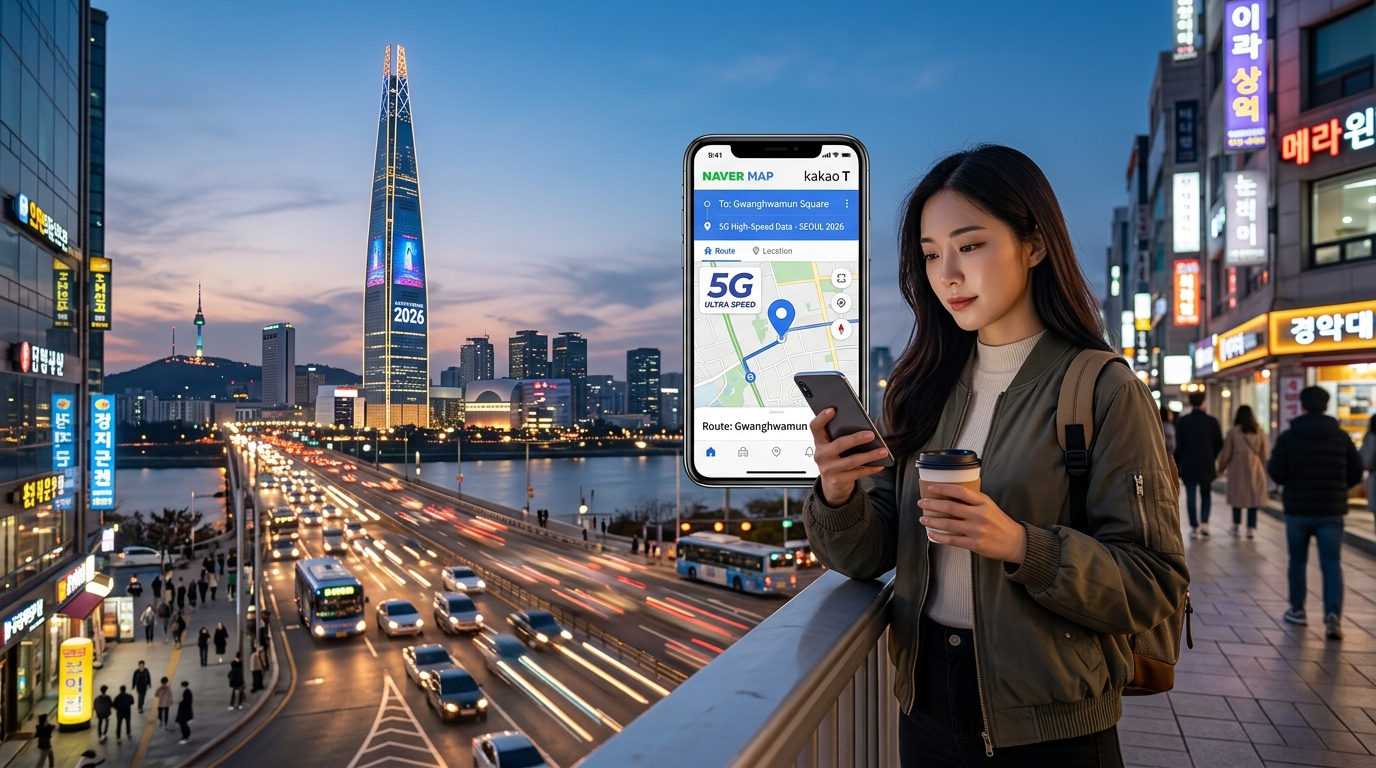
O Grande Dilema da Navegação Coreana: Por Que o Google Maps Falha e o Conjunto Essencial de Aplicativos
Para viajantes internacionais experientes, desembarcar em uma nova metrópole geralmente envolve uma rotina familiar: sair do avião, abrir o Google Maps e traçar a rota de transporte até o hotel. Em Seul, esse hábito leva a uma frustração imediata. Embora o Google Maps exiba linhas gerais de metrô e traçados rudimentares de ruas, a navegação a pé curva a curva (turn-by-turn), rotas precisas de carro e horários detalhados de transporte público simplesmente não funcionam.
Isso não é uma falha técnica; é o resultado direto de regulamentações geopolíticas rígidas da Coreia do Sul.
+---------------------------------------------------------------------------------------+
|                            REALIDADE GEOPOLÍTICA EM FOCO                              |
| De acordo com a Lei de Promoção da Indústria de Dados Espaciais e a Lei de Segurança  |
| Nacional, dados cartográficos detalhados em escala 1:5.000 não podem ser exportados   |
| para servidores em nuvem no exterior. Como o Google opera data centers fora da Coreia |
| do Sul e recusa-se a desfocar instalações estatais e militares sensíveis em imagens de|
| satélite, a empresa não pode hospedar dados completos de navegação.                   |
+---------------------------------------------------------------------------------------+
Para se deslocar tranquilamente por Seul em 2026, você deve substituir o seu pacote tradicional de navegação ocidental pelo ecossistema digital hiperlocalizado da Coreia do Sul.
O Trio Indispensável para Navegação na Coreia
Sobreviver às passagens subterrâneas de múltiplos níveis, às vielas íngremes e à extensa malha de transporte público de Seul exige três aplicativos fundamentais:
| Aplicativo | Principal Caso de Uso | Equivalente Ocidental | Requisito Crítico de Dados |
|---|---|---|---|
| Naver Map | Navegação a pé curva a curva, saídas de metrô, rastreamento de ônibus em tempo real | Google Maps / Apple Maps | Alto (Renderização vetorial dinâmica e telemetria ao vivo) |
| Kakao T | Solicitação de táxi, aluguel de bicicletas, pré-cálculo de tarifas | Uber / Lyft | Constante (Pareamento GPS em tempo real e despacho de motoristas) |
| Papago | Tradução OCR de imagens em tempo real, decodificação de cardápios e placas | Google Tradutor | Moderado a Alto (Consultas à API de Tradução Automática Neural) |
1. Naver Map: O Motor Central de Navegação
O Naver Map é o padrão absoluto para se locomover na Coreia do Sul. Embora ofereça uma interface de usuário totalmente em inglês, seu backend opera em motores espaciais hospedados localmente e em conformidade com as normas militares.
Ao contrário de exibições cartográficas estáticas básicas, o Naver Map baixa camadas vetoriais pesadas dinamicamente. Ele renderiza complexos centros de transporte subterrâneo de múltiplos andares (como Gangnam ou a Estação de Seul), identifica o vagão exato do metrô para uma baldeação mais rápida e localiza a porta de entrada precisa de edifícios com precisão métrica.
2. Kakao T: A Linha Direta da Mobilidade
A Uber opera apenas como um serviço intermediário limitado de táxis em Seul sob a marca "UT" (Uber Taxi), com baixa disponibilidade de veículos fora dos polos turísticos centrais como Myeongdong. O Kakao T domina mais de 90% do mercado nacional.
O Kakao T permite que viajantes internacionais reservem táxis padrão, executivos (Deluxe) e de grande porte (Jumbo) sem a necessidade de um número de telefone coreano ou cartão de crédito local (usando a opção General Request / Pay to Driver). O aplicativo depende de fluxos de dados ininterruptos e de baixa latência para calcular tarifas dinâmicas, transmitir a telemetria do motorista e manter comunicação ativa com os servidores de despacho.
3. Papago: Tradução com Reconhecimento de Contexto
Desenvolvido pela Naver, o Papago utiliza Tradução Automática Neural (NMT) especializada, treinada especificamente em honoríficos, expressões coloquiais e termos culinários coreanos. Como o Naver Map frequentemente apresenta nomes de ruas em romanização híbrida, os viajantes estrangeiros costumam capturar a tela de endereços em coreano e inseri-los no motor de tradução visual do Papago para confirmar estabelecimentos comerciais e diretórios de andares.
Camadas Vetoriais Pesadas e Polling Dinâmico: Por Que Sua Conexão Importa
Os aplicativos de navegação coreanos consomem significativamente mais dados do que seus equivalentes ocidentais:
- Pings de Servidor em Alta Frequência: O Naver Map e o Kakao T consultam (polling) os servidores das autoridades de transporte locais a cada 1 a 3 segundos para fornecer níveis de lotação dos ônibus em tempo real, previsões de chegada ao segundo e pontos exatos de congestionamento.
- Interface Complexa Multicamadas: O Naver Map renderiza sobreposições dinâmicas ricas — incluindo estruturas de edifícios em 3D, transmissões de câmeras de trânsito (CCTV) e rotas de navegação interna — que demandam rajadas sustentadas de dados celulares em vez de simples imagens estáticas.
- Ausência de Cache Offline: Devido à natureza dinâmica do transporte público coreano e às restrições regulatórias locais, o Naver Map não oferece suporte ao download completo de mapas offline para usuários estrangeiros. Se a sua conexão celular cair em um labirinto de vielas em Euljiro, a tela do mapa ficará em branco.
Navegar por este cenário hiperconectado exige dados móveis de alta velocidade locais. Se você esgotar sua franquia de alta velocidade no meio do dia, os eSIMs de viagem comuns limitam a velocidade a insatisfatórios 128 kbps — travando o carregamento dos mapas vetoriais e congelando as solicitações de táxi.
Viajantes que utilizam soluções modernas de alta velocidade como a MollySIM evitam esse problema: mesmo após atingir os limites da Política de Uso Justo (FUP), a MollySIM mantém uma velocidade mínima de segurança de 384 kbps. Isso é 3 vezes mais rápido do que os planos de roaming internacional tradicionais, garantindo que as camadas vetoriais continuem carregando, as traduções sejam processadas instantaneamente e os pagamentos móveis nunca expirem durante seus trajetos por Seul.
Rotas em Tempo Real e Precisão no Transporte: Consumo de Dados do Naver Map e Kakao T
🇺🇸 United States High-Speed Travel eSIM & SIM Plans
Instant QR code activation, hotspot enabled, with guaranteed 384kbps fallback speed to keep Maps & Digital Wallets active.
A Coreia do Sul possui uma das malhas de transporte urbano mais avançadas do planeta, gerenciada principalmente pelo TOPIS (Serviço de Operação e Informação de Transporte de Seul). Para entregar rotas com precisão absoluta, plataformas locais como o Naver Map e o Kakao T comunicam-se diretamente com APIs de telemetria municipal. Esse nível de integração em tempo real exige um fluxo de dados contínuo e bidirecional, muito superior aos requisitos de aplicativos de navegação estáticos.
1. Streaming Vetorial e Navegação Subterrânea Multinível
Diferente dos mapas baseados em imagens estáticas (raster) que carregam arquivos pré-renderizados, o Naver Map processa geometrias vetoriais 3D contínuas. Em terminais subterrâneos gigantescos e de vários andares, como o COEX Mall, o Express Bus Terminal (Goto Mall) e o Dongdaemun History & Culture Park (DDP), o aplicativo transmite plantas verticais, bancos de dados de pontos de interesse internos e modelos de rotas para pedestres simultaneamente:
- Vetores Espaciais Internos: A transição entre plataformas subterrâneas de metrô e saídas na superfície exige o download contínuo de layouts internos multicamadas, gerando picos imediatos de consumo de 4,5 MB a 12 MB por consulta.
- Modelagem Visual 3D: A rotação dinâmica de perspectiva e o cálculo de extrusão de edifícios demandam até 1,8 Mbps de largura de banda de download sustentada para manter a taxa de 60 FPS na interface sem travamentos.
2. Polling de Transporte em Alta Frequência e Despacho Preditivo
Para exibir contagens regressivas precisas para mais de 600 linhas de ônibus e 23 linhas de metrô metropolitano, os clientes de navegação mantêm conexões HTTP/2 ou WebSocket ativas com os servidores regionais de despacho:
- Telemetria de Metrô e Ônibus: Indicadores de lotação em tempo real (tranquilo, normal, movimentado, muito lotado) e as coordenadas exatas dos veículos são atualizados a cada 1,5 a 3 segundos.
- Motor de Recálculo Dinâmico: Caso você perca uma baldeação na Estação Wangsimni, o aplicativo dispara imediatamente um pacote de recálculo multimodal (~850 KB), reconfigurando baldeações, intervalos de caminhada e atrasos de horários em tempo real.
3. Kakao T: Telemetria via WebSocket e Gateways de Pagamento
Chamar um táxi comum, uma van (Venti) ou um veículo de luxo (Black) pelo Kakao T envolve um tráfego de dados constante e pesado entre o seu smartphone, o aplicativo do motorista e o motor de despacho central da Kakao Mobility:
- Rastreamento de Motoristas em Tempo Real: Durante o atendimento, o Kakao T transmite coordenadas brutas de GPS e rotas estimadas (ETA) dinâmicas via canais WebSocket estáveis, com uma média de 64 kbps a 128 kbps de tráfego contínuo de envio e recebimento.
- Autenticação Criptográfica: O processamento de pagamentos internacionais via 3D Secure / autenticação dinâmica exige a integridade estrita das conexões SSL/TLS. Uma alta perda de pacotes ou picos de latência acima de 300 ms frequentemente causam expiração na negociação de tokens, resultando em falhas na reserva da corrida ou cobranças duplicadas temporárias.
Limiares de Rede e Pontos Críticos de Falha no Transporte
| Tarefa / Operação | Largura de Banda Mínima | Latência Máxima Tolerável | Consequência da Falha com Redução (128 kbps) | Desempenho com MollySIM (384 kbps FUP de Segurança) |
|---|---|---|---|---|
| Navegação Interna (COEX/Metrô) | 1,5 Mbps (Rajada) | < 180 ms | Falhas no mapa vetorial; tela em branco; perda da troca de andares. | Transmissão progressiva dos vetores; orientação interna totalmente funcional. |
| Rastreamento de Ônibus/Metrô ao Vivo | 256 kbps | < 250 ms | Contagens de chegada desatualizadas; ônibus "fantasmas"; baldeações perdidas. | Consultas contínuas à API sem falhas; cronômetros atualizados a cada 2–3s. |
| Pareamento com Motorista no Kakao T | 128 kbps (Sustentado) | < 150 ms | Queda de conexão com o motorista; cancelamento do chamado; mapa dessincronizado. | Telemetria WebSocket estável; ícone do motorista movimenta-se com fluidez. |
| Autorização de Pagamento no App | 300 kbps (Rajada) | < 120 ms | Tempo limite de SSL/TLS esgotado; erros de pagamento no destino final. | Tokens de segurança autenticados instantaneamente sem cancelamento da corrida. |
Quando os eSIMs de viagem comuns esgotam sua cota diária de alta velocidade e limitam a conexão a 128 kbps, o jitter e a alta latência (>400 ms) quebram os canais WebSocket e interrompem a renderização dos mapas vetoriais.
Ao garantir uma velocidade base de 384 kbps sob sua Política de Uso Justo, a MollySIM oferece o triplo do desempenho dos eSIMs convencionais. Essa largura de banda extra assegura que APIs críticas de transporte, autenticações de pagamento criptografadas e mapas vetoriais ao vivo continuem operando perfeitamente durante toda a sua viagem.
Comparativo de Conectividade: Pocket Wi-Fi vs. Roaming vs. Chip Físico Local vs. eSIM 5G MollySIM
Escolher a melhor forma de se conectar é essencial para navegar pela infraestrutura de telecomunicações da Coreia do Sul. Embora o país conte com uma das redes 5G mais desenvolvidas do mundo, sua experiência prática dependerá fortemente dos protocolos de roteamento, do peso dos equipamentos e das Políticas de Uso Justo (FUP).
A tabela a seguir detalha as diferenças técnicas e operacionais entre os quatro principais métodos de conectividade para viajantes que chegam pelos aeroportos de Incheon (ICN) ou Gimpo (GMP).
| Métrica de Desempenho | Pocket Wi-Fi ("Egg") | Roaming Tradicional | Chip Físico Local (Balcão do Aeroporto) | eSIM 5G MollySIM |
|---|---|---|---|---|
| Velocidade Típica (DL / UL) | 20–50 Mbps / 10 Mbps (LTE) | 10–30 Mbps / 5 Mbps (LTE/5G) | 150–300 Mbps / 50 Mbps (5G) | 250–500+ Mbps / 60+ Mbps (Conexão 5G Direta) |
| Latência de Rede (RTT) | 60–110 ms (Salto duplo via Wi-Fi) | 250–450 ms (Roteamento internacional) | 25–45 ms (Saída local direta) | 20–40 ms (Saída regional otimizada) |
| Tempo de Espera em ICN / GMP | 20–45 min (Fila para retirada/devolução) | 0 min | 30–60 min (Validação de passaporte) | 0 min (Entrega imediata do QR code por e-mail) |
| Impacto no Aparelho e Bateria | Alto (+1 aparelho para carregar; consumo extra de Wi-Fi no celular) | Baixo (Usa modem interno) | Baixo (Troca física do chip; risco de perda do chip original) | Zero (Dual-SIM nativo; consumo eficiente de energia do modem) |
| Custo Médio Diário | US$ 3,50 – US$ 6,00 / dia | US$ 10,00 – US$ 15,00 / dia | US$ 4,00 – US$ 7,00 / dia | US$ 1,20 – US$ 2,50 / dia |
| Velocidade Reduzida (Pós-FUP) | 128 kbps ou corte total | 64–128 kbps | 128–200 kbps | 384 kbps (3x mais rápido que os eSIMs padrão) |
| Estabilidade em Viagens Intermunicipais | Quedas em túneis do KTX / subsolos | Alta perda de pacotes na troca de torres | Alta em todo o país (SKT/KT/LGU+) | Estabilidade Tier-1 contínua no KTX e metrô |
Análise Técnica: Por Que o eSIM Oferece o Melhor Custo-Benefício na Coreia do Sul
1. Zero Filas e Burocracia em ICN e GMP
As áreas de desembarque internacional em Incheon (Terminais 1 e 2) sofrem com frequência com longas filas nos balcões de aluguel de telecomunicações. Adquirir um chip físico ou Pocket Wi-Fi geralmente envolve filas demoradas, conferência física de passaporte, depósitos de caução e a obrigação de devolução antes do voo de volta.
O perfil digital da MollySIM é instalado em menos de dois minutos via QR code antes do embarque. Você pousa em Seul já conectado à rede local, permitindo solicitar um Kakao T ou consultar o trajeto do trem expresso AREX antes mesmo de passar pela imigração.
2. Latência Otimizada para Navegação em Tempo Real
O roaming tradicional de operadoras direciona o seu tráfego de dados até os servidores do seu país de origem antes de devolvê-lo à Coreia do Sul. Esse desvio de tráfego (home-routing) acrescenta uma latência superior a 300 ms, gerando lentidão perceptível no carregamento dos mapas no Naver Map ou no acompanhamento do motorista no Kakao T.
Os perfis de eSIM 5G diretos eliminam essa rota alongada, reduzindo o tempo de resposta (ping) para menos de 40 ms nas redes locais da SK Telecom ou KT.
3. Economia de Bateria em Dias Intensos de Deslocamento
Os aparelhos de Pocket Wi-Fi mantêm a antena Wi-Fi do seu celular constantemente ativa, além de obrigarem você a carregar e recarregar uma bateria externa extra de 5.000 mAh. Já o eSIM integrado utiliza o processador de banda base nativo do seu smartphone com total eficiência energética, preservando a bateria durante passeios de dia inteiro entre Seul e Busan.
4. A Velocidade Mínima de Segurança de 384 kbps
O grande diferencial da MollySIM reside na sua velocidade base de 384 kbps após o uso da franquia. Enquanto outros eSIMs de viagem e aparelhos de Pocket Wi-Fi reduzem a velocidade para 128 kbps — o que inviabiliza autorizações do Apple Pay, atualizações de motoristas no Kakao T e carregamento de mapas —, a base de 384 kbps da MollySIM entrega 3 vezes mais velocidade que os provedores comuns. Isso mantém ferramentas essenciais de navegação e pagamento 100% funcionais, mesmo após o término do pacote diário de alta velocidade.
O Teste da Madrugada em Hongdae e Gangnam: Como os 384 kbps Evitam Imprevistos
Às 01h15 de uma madrugada de sábado, perto da movimentada saída 9 da estação Hongik University, em Hongdae, ou nos cruzamentos movimentados da estação de Gangnam, o transporte em Seul passa por um grande gargalo. As linhas de metrô metropolitano encerraram as atividades, os ônibus regulares pararam de circular e milhares de pessoas disputam as calçadas simultaneamente.
Na Seul contemporânea, acenar para tentar parar um táxi na rua é algo quase ultrapassado; praticamente todos os táxis disponíveis são reservados em segundos por meio de plataformas digitais como o Kakao T e a Uber (UT). Nesse cenário competitivo, sua conexão de dados deixa de ser apenas uma comodidade: ela se torna o seu único meio de voltar para o hotel.
O Efeito Dominó dos 128 kbps: Por Que eSIMs Baratos Falham
A maioria dos provedores econômicos de eSIM anuncia "dados ilimitados", mas esconde uma regra severa de corte nas letras miúdas: quando a cota diária de alta velocidade (geralmente 1 GB ou 2 GB) é gasta em redes sociais ou vídeos em 4K, a conexão é reduzida para 64 kbps ou 128 kbps.
Sob a velocidade de 128 kbps, a sobrecarga de rede dos aplicativos atuais provoca uma interrupção quase completa dos serviços:
- Tempo Limite Esgotado no Kakao T: Chamar um táxi exige trocas rápidas de dados via WebSocket entre o seu celular, a central da Kakao e os motoristas ao redor. A 128 kbps, a latência TCP sobe para mais de 1.200 ms, gerando sucessivas mensagens de "Erro de Conexão de Rede" no Kakao T enquanto o seu chamado deixa de ser transmitido aos motoristas.
- Travamento do Reconhecimento de Voz no Papago: Se um motorista que não fala inglês ligar ou enviar uma mensagem para confirmar o ponto exato de encontro (como um edifício ou viela específica), a tradução por voz do Papago travará ao tentar enviar os pacotes de áudio para a nuvem.
- Erros de Token de Pagamento: Ao autenticar corridas noturnas por meio do Apple Pay ou cartões de crédito internacionais, a validação de segurança expira devido à lentidão, cancelando o pedido antes da chegada do motorista.
Desempenho de Dados sob Redução da Política de Uso Justo (FUP)
| Tarefa Operacional | Requisito de Dados | eSIM Convencional (128 kbps FUP) | MollySIM (384 kbps FUP) |
|---|---|---|---|
| Chamada de Motorista no Kakao T | ~20–35 kbps (rajada) | ❌ Alta taxa de falha (Timeout no WebSocket) | ✅ Confirmação imediata do chamado |
| Rotas Vetoriais no Naver Map | ~40–80 kbps | ❌ Telas cinzas sem carregamento do mapa | ✅ Renderização fluida das rotas |
| Tradução de Voz no Papago | ~50–64 kbps | ❌ Erros de buffer de áudio | ✅ Tradução bidirecional em tempo real |
| Autenticação Apple Pay / Cartão | ~10–15 kbps (baixa latência) | ⚠️ Alta perda de pacotes e expiração | ✅ Autorização criptográfica instantânea |
| Mensagens de Emergência (WhatsApp/KakaoTalk) | ~5–15 kbps | ⚠️ Envio de fotos e mídia travado | ✅ Envio imediato de textos e áudios |
Por Que a Velocidade Mínima de 384 kbps da MollySIM Faz Toda a Diferença
Contar com uma velocidade mínima garantida de 384 kbps — padrão de engenharia da MollySIM — oferece exatamente o triplo da taxa de transferência de marcas genéricas de eSIM.
Embora os 384 kbps sejam dimensionados para evitar o consumo de vídeos em alta definição, eles ficam bem acima do limite necessário para o tráfego de dados urbanos essenciais. Essa taxa oferece folga suficiente para executar telemetria de GPS em segundo plano, trocar tokens de segurança criptografados por TLS para pagamentos e carregar mapas vetoriais leves ao mesmo tempo.
Mesmo se você consumir toda a franquia 5G do dia aproveitando a vida noturna de Seul, a velocidade base da MollySIM garante que você nunca fique sem navegação, tradução ou meios de transporte nos momentos em que mais precisa.
Infraestrutura de Telecomunicações Coreana: Peering SK Telecom vs. KT e o Roteamento de Baixa Latência da MollySIM
A Coreia do Sul dispõe de uma das redes de telecomunicações mais modernas do planeta, sustentada principalmente por duas gigantes da infraestrutura: SK Telecom (SKT) e KT Corporation (KT). Ambas as operadoras cobrem amplamente o território com frequências 5G de banda média (especialmente a banda n78 de 3,5 GHz, além de frequências sub-6 GHz e redes de suporte LTE-A), conectando toda a região metropolitana de Seul, desde os topos dos arranha-céus até as profundezas das linhas subterrâneas de metrô.
No entanto, a velocidade pura de download é apenas metade da equação. Para aplicativos de navegação em tempo real como o Naver Map e serviços de transporte como o Kakao T, a latência (tempo de resposta ou RTT) e o roteamento eficiente de pacotes são muito mais determinantes do que picos teóricos de velocidade.
O Desafio da Latência: Roteamento Triangular vs. Saída de IP Local (Local Breakout)
Ao optar por eSIMs internacionais genéricos e de baixo custo, muitos viajantes acabam sujeitos a um gargalo estrutural conhecido como IP Tromboning (roteamento triangular de roaming).
- Arquitetura de eSIMs com Roaming Comum: Os dados saem do seu smartphone em Seul, passam pela antena local coreana, cruzam cabos submarinos até o gateway da operadora de origem (frequentemente situado em Hong Kong, Singapura ou Frankfurt) e só depois retornam à Coreia do Sul para buscar as informações nos servidores da Naver ou Kakao. Esse trajeto gera um acréscimo inevitável de latência de 200 ms a 450 ms RTT, provocando lentidão no app, falhas de conexão no Kakao T e demora no carregamento dos mapas.
- Conexão Direta e Saída Local (LBO) da MollySIM: A MollySIM utiliza servidores de roteamento regionais otimizados e arquitetura de Saída Local (Local Breakout - LBO), integrando-se diretamente às principais redes de acesso via rádio (RAN) da Coreia do Sul. Ao processar as sessões dos usuários em pontos de presença (PoPs) locais conectados por peering direto ao KINX (Korea Internet Neutral Exchange), a latência é reduzida para menos de 20 ms.
| Métrica / Recurso de Rede | eSIM de Roaming Comum (Gateways em Hong Kong/UE) | Roteamento Otimizado MollySIM (MollySIM.com) | Impacto Prático no Dia a Dia em Seul |
|---|---|---|---|
| Tempo Médio de Resposta (RTT) | 220 ms – 380 ms | 15 ms – 25 ms | Resposta dinâmica imediata na tela vs. lentidão no toque |
| Interconexão com Operadoras Locais | Nível secundário de MVNO (baixa prioridade) | Núcleo de Rede Principal SKT / KT | Conexão subterrânea contínua nas linhas 1 a 9 do Metrô de Seul |
| Autocompletar de Busca no Naver Map | Atraso perceptível de 1 a 2 segundos ao digitar | Instantâneo (<50 ms por caractere) | Busca rápida de destinos enquanto caminha por estações cheias |
| Tradução por Câmera / OCR no Papago | 3 a 6 segundos para processar a imagem | <1 segundo para retorno do OCR em nuvem | Tradução quase instantânea de placas de rua e cardápios |
| Velocidade Mínima sob FUP | Redução severa para 64–1 |
🇺🇸 United States High-Speed Travel eSIM & SIM Plans
Instant QR code activation, hotspot enabled, with guaranteed 384kbps fallback speed to keep Maps & Digital Wallets active.