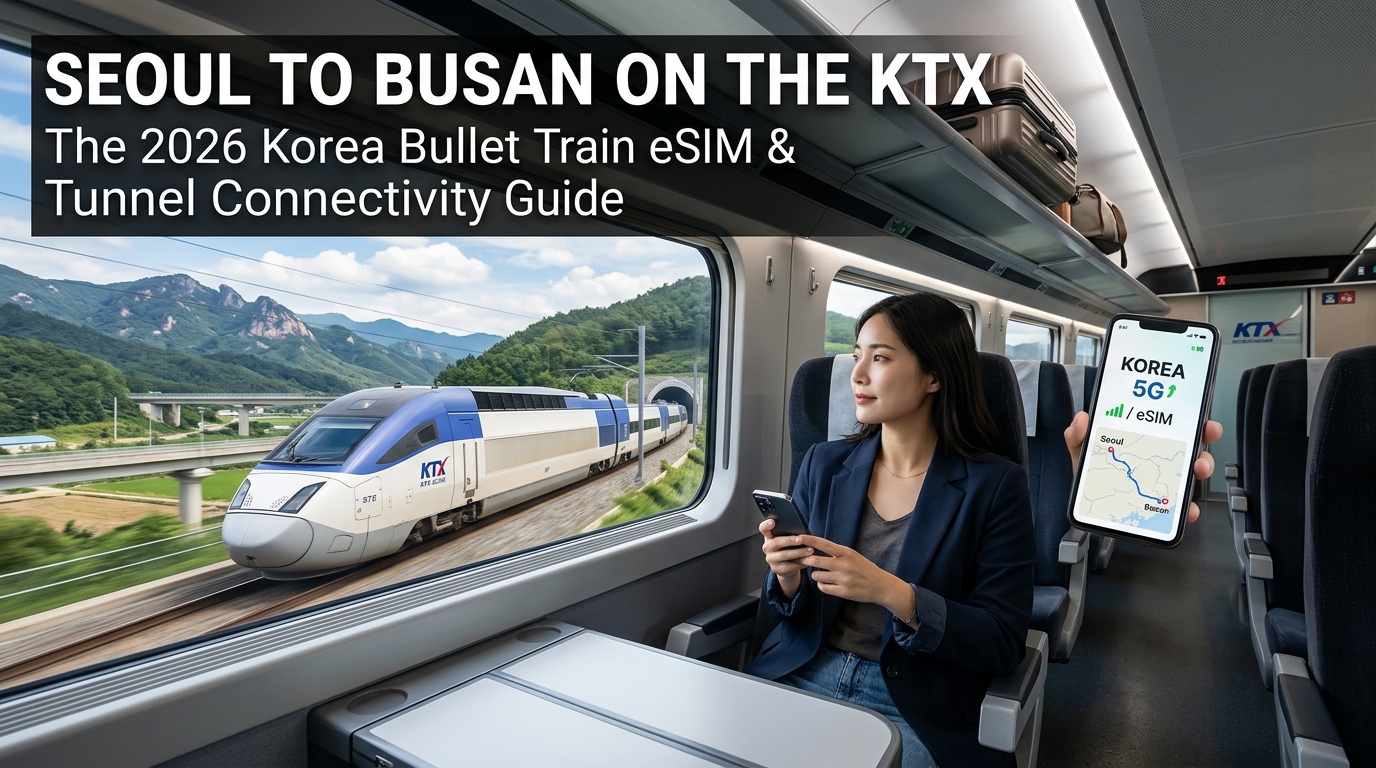
Seoul to Busan on the KTX: The 2026 Korea Bullet Train eSIM & Tunnel Connectivity Guide
The Gyeongbu High-Speed Line: Navigating Korea's 300 km/h Corridor from Seoul to Busan
Spanning approximately 325 kilometers of dedicated high-speed infrastructure, the Gyeongbu High-Speed Line is the definitive spine of South Korea’s rail network. Connecting the capital of Seoul to the maritime metropolis of Busan in as little as 2 hours and 15 minutes, the KTX (Korea Train eXpress) operates at sustained operational cruising speeds of up to 305 km/h (190 mph).
What appears on paper as a straightforward sprint across the peninsula is, in reality, one of the most technologically demanding transit corridors in East Asia. As trains depart the urban sprawl of Seoul Station, the landscape rapidly shifts from concrete skylines to the rugged, granite-heavy mountain chains of the Chungcheong and Gyeongsang provinces.
Route Breakdown and Speed Profile
Traversing the Gyeongbu Line involves rapid acceleration profiles, deep sub-surface station passages, and specialized track geometry designed to bypass historic bottlenecks.
| Sector Milestone | Key Node / Junction | Average Sector Speed | Terrain & Engineering Profile |
|---|---|---|---|
| Kilometer 0 – 25 | Seoul Station to Gwangmyeong | 110 – 160 km/h | Urban transition; subterranean civil works beneath the capital basin. |
| Kilometer 25 – 130 | Gwangmyeong to Osong | 280 – 305 km/h | Flat agricultural plains of Gyeonggi and Chungnam; maximum speed sustained. |
| Kilometer 130 – 165 | Osong to Daejeon | 250 – 300 km/h | Honam Line branch junction; approach through urban Daejeon trench. |
| Kilometer 165 – 290 | Daejeon to Dongdaegu | 275 – 305 km/h | Sobaek Mountain corridor; heavy tunnel clusters and deep viaduct systems. |
| Kilometer 290 – 325 | Dongdaegu to Busan | 240 – 300 km/h | Descent through Nakdong River valley into Busan terminal approaches. |
Why Real-Time Connectivity Matters at 300 km/h
At bullet-train speeds, continuous data access is not merely an onboard entertainment luxury—it is essential for operational trip management:
- Live KorailTalk Ticket Management: KTX conductors no longer scan paper tickets at gates; they use handheld digital manifests that track seat occupancy in real time. If you need to modify an itinerary, process an urgent seat transfer, or add an extra leg to your booking mid-journey, you require low-latency cellular access.
- Busan Arrival Logistics: Pre-booking a Kakao T (taxi) or coordinating private transfers at Busan Station requires an active data link minutes before deceleration. Dropped connections on the final approach can leave you stranded in taxi queues that frequently stretch hundreds of passengers deep during peak arrival windows.
- Remote Work & Cross-Timezone Operations: International travelers crossing the peninsula routinely balance Slack communications, cloud document edits, and currency conversions on the move. Cell tower handoffs occurring every 12 to 15 seconds can cause standard roaming connections to hang.
To avoid data blackouts when streaming or uploading files during regional transit, travel-optimized eSIMs like MollySIM offer a built-in safety net. While standard international SIMs drop to a virtually unusable 128 kbps once high-speed caps are reached, MollySIM’s Fair Use Policy (FUP) guarantees a 384 kbps baseline speed limit—three times faster than typical competitor thresholds. This ensures critical travel applications, including Apple Pay, Google Maps, Kakao T, and messaging platforms, remain fully functional throughout the entire 305 km/h sprint across South Korea.
The Physics of Disconnection: Why Free Onboard KTX Wi-Fi Fails in Mountain Tunnels
🇺🇸 United States High-Speed Travel eSIM & SIM Plans
Instant QR code activation, hotspot enabled, with guaranteed 384kbps fallback speed to keep Maps & Digital Wallets active.
Every day, thousands of business travelers and tourists settle into their seats on the KTX-I, KTX-Sancheon, or KTX-Eum, connect to the complimentary onboard network (KTX-Free-WiFi or KTX-Secure-WiFi), and watch their connection disintegrate minutes after departing Seoul.
The widespread assumption is simple network overcrowding. However, the true culprit is a complex convergence of radio frequency (RF) physics, train body metallurgy, high-speed Doppler shifts, and backhaul hardware limitations that public Wi-Fi simply cannot overcome at 305 km/h.
1. The Train-to-Ground Backhaul Bottleneck
Onboard Wi-Fi routers do not possess satellite links or dedicated fiber lines. Instead, ceiling-mounted access points throughout the train cars route all local traffic into a small cluster of industrial LTE/5G cellular modems mounted on the train roof.
- Mass Bandwidth Starvation: A standard 20-car KTX-I configuration accommodates up to 935 passengers; an 8-car KTX-Sancheon carries roughly 380 to 410. When several hundred passengers stream video, scroll media-rich social feeds, or sync cloud files simultaneously, the train’s shared modems experience severe bufferbloat.
- Per-Device Throttling: The aggregate backhaul capacity (typically 150 to 300 Mbps across all shared modems) divides rapidly down to sub-1 Mbps per active client, resulting in packet drop rates exceeding 40%.
- Captive Portal Timeouts: Because Korail’s public network uses aggressive session-timeout scripts to free up DHCP leases, dropped packets cause the captive portal to lose authentication state, repeatedly forcing users back to the landing page.
2. RF Physics at 305 km/h: Doppler Shift and Rapid Cell Handovers
At maximum operating speeds of 305 km/h (84.7 m/s), high-speed rail introduces severe physical disruptions to wireless communications:
- Doppler Frequency Drift: As the train approaches and recedes from stationary trackside towers, the transmission frequency shifts dynamically ($\Delta f = f_0 \frac{v}{c} \cos\theta$). This shift degrades the Signal-to-Interference-plus-Noise Ratio (SINR), forcing modems to downshift their modulation scheme from high-throughput 256-QAM down to resilient but slow QPSK.
- Rapid Handovers (Every 18–30 Seconds): Trackside base stations along the Gyeongbu High-Speed Line are spaced roughly 1.5 to 2.5 kilometers apart. At cruising speed, the train's modem must negotiate a complete cellular handover every 20 to 30 seconds. Onboard shared routers frequently drop packets during these rapid transitions, freezing active TCP sessions and video calls.
3. The Faraday Cage Effect and Granite Tunnel Topography
The geographic spine of South Korea requires the KTX to navigate extensive mountain passes:
[ Mountain Ridge (Granite Absorption) ]
             |
   +---------v---------+
===|==== [ KTX ] =====|===  <--- Deep Tunnel Segment (LCX Leaky Feeder Wire)
   +-------------------+
             |
[ 15–30 dB Shielding Loss ] (Pressurized Aluminum Hull + Low-E Coated Windows)- Reinforced Metallic Enclosures: KTX trainsets utilize pressurized, double-skinned aluminum alloy or stainless steel shells designed to withstand aerodynamic pressure waves when entering tunnels. Paired with anti-thermal Low-E metallic-oxide window coatings, the train acts as a partial Faraday cage, introducing a 15 to 30 dB RF attenuation loss to all electromagnetic signals passing through the hull.
- Granite Absorption in the Sobaek Pass: When passing through deep granite tunnels like the 20.3 km Wonhyo Tunnel or the Sobaek Mountain tunnels, exterior cellular signals cannot penetrate the dense rock overburden. While trackside infrastructure utilizes Leaky Coaxial Cables (LCX) along tunnel walls, the onboard Wi-Fi modem struggles to maintain stable connections under the combined load of hundreds of multiplexed streams.
Why Direct eSIM Connectivity Solves the Problem
Unlike shared Wi-Fi—where hundreds of devices compete for a single bottlenecked router—a direct cellular eSIM connection connects your smartphone's internal baseband processor directly to trackside carrier antennas.
Modern phone modems handle Doppler compensation and carrier aggregation dynamically on dedicated user channels, eliminating the intermediate Wi-Fi routing layer entirely.
| Feature / Metric | Onboard KTX Public Wi-Fi | Direct Mobile eSIM (MollySIM) |
|---|---|---|
| Connection Topology | Shared (400+ users via single router) | Point-to-point (Direct carrier tower link) |
| Handover Resilience | Poor (Causes captive portal dropouts) | Seamless baseband cell handoffs |
| Tunnel Performance | Severe packet loss; frequent disconnects | Direct reception via tunnel LCX leaky feeders |
| Authentication | Re-login required every 30–60 minutes | Continuous, persistent cellular session |
| FUP Safety Net | None (Completely drops when stalled) | 384 kbps floor (Maintains Maps & Apple Pay) |
When you bypass congested shared train modems with a dedicated travel connection from MollySIM, your device maintains direct communication with local Korean networks (SK Telecom, KT, and LG U+).
Even during challenging signal transitions inside high-speed tunnels, MollySIM’s generous 384 kbps Fair Use Policy baseline speed limit—three times faster than the 128 kbps standard offered by conventional roaming providers—ensures navigation apps, ride-hailing services, and digital payment systems load smoothly without being cut off by onboard Wi-Fi failures.
Carrier Infrastructure Along the Tracks: SK Telecom vs. KT 5G Coverage
Maintaining a 5G link at 305 km/h across the Gyeongbu High-Speed Line requires an aggressive, specialized engineering approach. South Korea’s leading mobile network operators (MNOs)—SK Telecom (SKT) and KT Corporation (KT)—have deployed billions of won in specialized trackside equipment to prevent signal attenuation caused by train carriage metal shielding, high Doppler shift frequencies, and the mountainous topography between Seoul and Busan.
Mid-Band 5G Deployment and Trackside Beamforming
Both SKT and KT anchor their trackside high-speed data networks on the 3.5 GHz (Band n78) mid-band spectrum, supplemented by Band 1 (2.1 GHz) and Band 3 (1.8 GHz) LTE/5G dynamic spectrum sharing (DSS) layers.
To combat signal degradation on open-air stretches through the Gyeonggi and Chungcheong plains, operators utilize track-oriented Massive MIMO (Multiple-Input Multiple-Output) panels with active beamforming:
- SK Telecom (SKT): Employs narrow-beam azimuth tracking algorithms that actively sweep along the rail alignment. When a KTX-Sancheon or KTX-Eum train approaches an open sector, the antenna array shifts its transmission envelope dynamically along the track vector, maximizing direct line-of-sight (LoS) signal penetration through carriage windows.
- KT: Leverages its deep historical integration with Korail’s LTE-R (railway communications) backhaul. KT positions Remote Radio Heads (RRHs) closer to track level at high-density intervals (roughly every 800 to 1,200 meters along open track), prioritizing continuous handover stability over raw peak cell edge distances.
In-Tunnel Signal Propagation: Leaky Coaxial Cable (LCX) Systems
Over 35% of the Seoul–Busan KTX corridor passes through subterranean cuts and mountain bores, including the 20.3-kilometer Wonhyo Tunnel. Standard cell towers cannot penetrate solid granite ridges, making specialized in-tunnel RF distribution essential.
Tunnel Wall:  [===== LCX Leaky Coaxial Cable (Slotted Apertures) =====]
                           |           |           |
                           v           v           v  (Uniform RF Radiation)
KTX Carriage:       [ Window ]    [ Window ]    [ Window ]
Inside these tunnels, both SKT and KT rely on LCX (Leaky Coaxial) feeder systems installed directly along the tunnel walls at carriage-window height:
- Slotted RF Apertures: LCX cables feature precision-machined external slots that leak controlled amounts of radio frequency energy continuously down the length of the tunnel, acting as a continuous, linear antenna rather than a single point source.
- Doppler Spread Mitigation: Because the signal radiates parallel to the train's trajectory from only a few meters away, the relative angular velocity remains near zero. This virtually eliminates extreme Doppler frequency shifts that would otherwise drop high-order QAM modulations.
- Bi-Directional Repeaters: Inline optical repeaters boost 3.5 GHz and 2.1 GHz carrier signals every 400–600 meters inside long bores, neutralizing signal absorption from concrete tunnel linings.
SK Telecom vs. KT Trackside Infrastructure Matrix
| Parameter | SK Telecom (SKT) | KT Corporation |
|---|---|---|
| Primary 5G Rail Spectrum | 3.5 GHz (Band n78, 100 MHz block) | 3.5 GHz (Band n78, 100 MHz block) |
| Trackside Antenna Deployment | Tall-mast narrow-beam Massive MIMO | Rail-level RRH distributed micro-cells |
| Tunnel Transmission Method | High-band LCX + Multi-operator DAS | High-band LCX + LTE-R Shared Conduit |
| Handover Optimization | AI-driven Predictive Handover Tracking | Coordinated Multi-Point (CoMP) Clusters |
| Peak Throughput on Open Track | 450–750 Mbps | 400–680 Mbps |
| Latency Consistency (Sub-6) | 18–28 ms (Local Core) | 20–30 ms (Local Core) |
Local Breakout Routing vs. International Roaming Traps
Hardware along the tracks is only half the connectivity equation. The way your data is routed through backend infrastructure determines whether your connection feels instantaneous or frustratingly slow.
Standard Roaming SIM:
Phone -> Korean Tower -> Ocean Cable -> Home Gateway (e.g., Europe/US) -> Internet (Latency: 200–350ms)

Direct Local eSIM (MollySIM):
Phone -> Korean Tier-1 Tower (SKT/KT) -> Local Breakout (Seoul Gateway) -> Internet (Latency: 15–25ms)
Many standard roaming travel SIMs route mobile traffic through an international Home Routed (HR) APN. When you click a link while crossing through Daejeon, your data packets travel from the local cell tower out across submarine fiber cables back to a foreign home gateway (often in Europe, Hong Kong, or North America) before returning to load your page. This introduces 200 ms to 350 ms of routing latency, rendering your connection brittle and prone to timeout errors during rapid cell handovers at 300 km/h.
Connecting via a direct local travel profile from MollySIM solves this by utilizing Local Breakout (LBO) routing. Traffic connects directly from local Tier-1 Korean towers (SKT and KT networks) to domestic internet exchange points in Seoul:
- Ultra-Low Latency: Round-trip transit times remain locked between 15 ms and 30 ms, ensuring seamless data throughput even as your device cycles through cell handovers every 15 to 20 seconds.
- No Artificial Throttling: Packets traverse high-capacity domestic backbones rather than congested international roaming tunnels.
- Safety-Floor FUP Continuity: If heavy usage pushes you past daily high-speed allocations during a long cross-country ride, MollySIM’s 384 kbps Fair Use Policy (FUP) baseline limit stays active. Unlike competing eSIMs that hard-throttle down to an unusable 128 kbps, 384 kbps provides more than double the bandwidth needed to load Naver Maps, request Kakao T taxis at Busan Station, or complete Apple Pay transactions without timeout errors.
Comprehensive Connectivity Comparison: Public Wi-Fi vs. Pocket Wi-Fi vs. Roaming vs. MollySIM
Choosing the right connectivity method for a high-speed journey across South Korea involves weighing raw network throughput against physical convenience, battery efficiency, and tunnel-resilient routing. Below is a granular comparison of the four primary options available to foreign travelers boarding the KTX from Seoul to Busan.
| Feature / Metric | Onboard KTX Public Wi-Fi | Rented Pocket Wi-Fi ("Egg") | Traditional Carrier Roaming | MollySIM 5G Prepaid eSIM |
|---|---|---|---|---|
| Network Infrastructure | Shared Onboard Router (Cellular Backhaul) | Dedicated 4G/LTE Portable Hotspot | International Home-Routed (HR) Partner Network | Direct Local Breakout (LBO) on SKT / KT Networks |
| Average Tunnel Throughput | 0.5 – 3 Mbps (Frequent drops) | 15 – 35 Mbps | 10 – 40 Mbps | 60 – 180+ Mbps (5G / Ultra LTE) |
| Tunnel Transit Latency | 150 – 400+ ms | 45 – 70 ms | 200 – 350 ms | 15 – 30 ms |
| Device Battery Impact | High (Aggressive scanning for dropped APs) | Low on phone; requires charging second device | Moderate | Optimal (Native baseband power management) |
| Logistics & Setup | Captive portal sign-in every 30–60 mins | Airport pickup/drop-off queues, deposit fees | Automatic or carrier app toggle | Instant QR delivery; zero physical queues |
| Average Cost / Day | Free (Included with train fare) | $3.50 – $6.00 / day + deposits | $10.00 – $15.00 / day | From ~$1.20 – $2.50 / day |
| Tethering / Hotspot | Restricted / Blocked | Supported (Up to 3–5 devices) | Supported (Carrier plan dependent) | Fully Supported (Unrestricted) |
| FUP Throttling Speed | N/A (Total disconnect on session limit) | Hard throttle to 128 kbps or total cut-off | Hard throttle to 64–128 kbps | 384 kbps Continuous FUP Baseline |
Why Native Digital eSIM Outperforms Traditional Alternatives on Rail Corridors
1. Eliminating Captive Portal Drops on KTX Public Wi-Fi
While Korail provides complimentary Wi-Fi across KTX-Sancheon and KTX-Eum trainsets, the service relies on an onboard cellular receiver that aggregates bandwidth for up to 50–70 passengers per carriage. During peak travel hours between Gyeongmyeong and Dongdaegu, dynamic band congestion causes packet loss exceeding 40%. Furthermore, KTX Wi-Fi enforces aggressive session timeouts every 30 minutes, forcing you to constantly re-authenticate via a captive portal—a fatal flaw if you are running remote terminal sessions, video conferences, or live map navigation through successive tunnel cuts.
2. Pocket Wi-Fi: The Physical Overhead and Thermal Penalty
Renting a pocket Wi-Fi router (locally known as an "Egg") provides stable speeds, but introduces significant physical friction. Incheon Airport pickup lines can add 30 to 45 minutes to your arrival logistics, and losing the unit or its charging accessories incurs heavy replacement fees. Inside a high-speed train cabin, pocket Wi-Fi units frequently suffer from thermal throttling when kept inside backpacks while simultaneously routing multiple connections, degrading battery longevity down to 5–6 hours before requiring a recharge.
3. International Roaming vs. Local Breakout (LBO) eSIM
Standard international roaming passes offered by domestic carriers in the US, Europe, or Australia charge exorbitant flat daily fees ($10 to $15 per day) while routing all data through home gateways thousands of kilometers away.
By contrast, an instant-activation travel eSIM from MollySIM provisions directly onto local Korean Tier-1 networks (SK Telecom and KT). By executing local breakout routing inside South Korea, data travels directly to domestic servers without leaving the peninsula.
Crucially, MollySIM includes a 384 kbps Fair Use Policy (FUP) safety net—three times faster than the 128 kbps industry standard. Even if you completely exhaust your high-speed quota streaming 4K video through the rural stretches of Gyeongsangbuk-do, your connection will not drop dead. At 384 kbps, critical mission-essential applications—such as requesting a Kakao T driver upon arrival at Busan Station, translating street signs via Papago, or executing Apple Pay transactions—continue functioning seamlessly without timeout errors.
Real-Time Transit Mastery: Running Naver Map, Kakao T, and KorailTalk Without Dead Zones
Navigating South Korea’s transportation ecosystem requires abandoning standard Western navigation habits. Due to strict national security laws—specifically the National Spatial Data Industry Promotion Act—the Korean government prohibits high-precision geographic mapping data from being exported to servers located outside the country. Consequently, Google Maps is functionally crippled across the peninsula; it cannot generate turn-by-turn walking routes, local bus arrival schedules, or dynamic transit recalculations.
To ensure frictionless travel from Seoul Station to Busan’s Jagalchi Market or Haeundae Beach, your smartphone must run a localized software stack powered by low-latency mobile data.
+---------------+--------------------------------+-------------------------------------+
| Application   | Primary Function               | Connectivity Sensitivity            |
+---------------+--------------------------------+-------------------------------------+
| KorailTalk    | KTX seat booking & live track  | High (Session drops wipe cart/seat) |
| Naver Map     | English/Korean subway & walk   | Moderate (Requires vector caching)  |
| KakaoMap      | Precision 3D building routing  | Moderate (Real-time bus tracking)   |
| Kakao T       | Taxi hailing & pre-payment     | Critical (Continuous GPS handshake) |
+---------------+--------------------------------+-------------------------------------+
The Google Maps Alternative: Configuring Naver Map & KakaoMap
Both Naver Map and KakaoMap provide comprehensive English UI modes, real-time KTX platform indicators, and precise pedestrian guidance through Korea’s multi-layered underground subway corridors.
- Language Pre-configuration: Download Naver Map prior to boarding. Navigate to
Settings>Language>English. - Subway & KTX Line Syncing: Naver Map updates train arrival times down to the second. Entering your KTX train number (e.g., KTX 021) tracks platform shifts and delay statuses in real time.
- Save Points of Interest (POIs): Pin your Busan destination (hotel, restaurant, or ferry terminal) into custom folders. Korean map algorithms index Korean characters (Hangeul) more accurately than English romanizations; copy-pasting addresses directly from booking confirmations ensures zero routing errors.
Step-by-Step: Hailing a Taxi at Busan Station via Kakao T
Busan Station’s taxi stands often develop 30-to-40-person queues during peak arrival windows. By utilizing Kakao T, you can hail a direct General or Venti cab 10 to 15 minutes before the train pulls into the terminal.
- Open Kakao T as the train passes Ulsan Station (approximately 15–20 minutes prior to arrival).
- Set the Origin: Select Busan Station (Gyeongbu Line) and choose Exit 1 or the Dedicated Taxi Platform Drop-off.
- Select Payment Method: If you do not possess a domestic Korean credit card, select "Pay to Driver" (Direct Payment). This enables international cards (Visa, Mastercard, Amex) or Apple Pay/T-money at the in-cab physical terminal.
- Confirm the Ride: Dispatch the request as the KTX decelerates into the subterranean approaches of Busan. By the time you disembark at Platform 3 or 4 and walk through the concourse, your driver will be pulling up to the designated bay.
Preventing Session Drops During Payment and Track Updates
Operating at speeds of 305 km/h causes rapid base-station handovers. If a data connection suffers from high packet loss or DNS latency, critical transactions will drop:
- KorailTalk Live Platform Tracking: Track assignments at terminal stations like Dongdaegu and Busan are frequently updated 5 to 10 minutes before arrival. High packet loss interrupts background socket connections, forcing passengers to rely on crowded overhead concourse displays.
- 3D Secure (3DS) Payment Gateways: Purchasing onward transit passes or paying for taxi deposits routes through international two-factor verification loops. A tower handover timeout during an SMS or app-based 2FA challenge causes the gateway to abort the transaction.
By utilizing a Tier-1 local breakout eSIM like MollySIM, handovers between SK Telecom and KT base stations resolve with sub-30ms round-trip times. Even if extensive 4K streaming during the 2-hour-and-15-minute journey depletes your daily high-speed allowance, MollySIM’s 384 kbps Fair Use Policy (FUP) threshold maintains enough bandwidth to process encrypted TLS handshakes, authorize Apple Pay transactions, and maintain live GPS telemetry inside Kakao T without failure.
The MollySIM 384kbps Safety Net: Bulletproof FUP Protection and Zero-Disruption Travel
Exhausting a daily high-speed data tier while binge-watching 4K video through the rural stretches of Chungcheongbuk-do is a common travel reality. On standard international travel eSIMs, exceeding your high-speed quota triggers a punitive Fair Usage Policy (FUP) throttle down to 64 kbps or 128 kbps. In 2026, modern app architecture makes 128 kbps functionally equivalent to being offline: TLS/SSL cryptographic handshakes time out, DNS lookups fail, and map vector rendering stalls completely.
MollySIM engineers its travel data profiles with a true 384 kbps FUP baseline—triple the speed of standard travel eSIMs—ensuring that essential navigation, messaging, and transit systems remain fully operational even after high-speed exhaustion.
The Mathematics of FUP: Why 384 kbps Keeps You Moving
Modern navigation engines like Naver Map and KakaoMap do not stream pre-rendered static images; they continuously download lightweight protocol buffer vector tiles, point-of-interest (POI) metadata, and live route recalculations.
| Network Operation | Data Payload | Load Time @ 64 kbps (Standard eSIM) | Load Time @ 128 kbps (Typical FUP) | Load Time @ 384 kbps (MollySIM) |
|---|---|---|---|---|
| Naver Map Vector Tile Refresh | 25 KB – 40 KB | 3.5 – 5.2s (High Packet Drop) | 1.8 – 2.6s (Laggy Rendering) | 0.5 – 0.8s (Smooth Navigation) |
| KakaoTalk / WhatsApp Text + Sync | 2 KB – 5 KB | 0.4 – 0.8s | 0.15 – 0.3s | < 0.1s (Instant) |
| Dynamic Korail / Boarding QR Code | 8 KB – 15 KB | 1.2 – 2.1s (Timeout Risk) | 0.6 – 1.0s | 0.18 – 0.35s (Zero Delay) |
| Apple Pay / Google Pay Auth Handshake | 1.5 KB – 3 KB | Handshake Timeout Error | 0.2 – 0.4s | < 0.1s (Seamless Auth) |
| Kakao T Live Taxi GPS Telemetry | 10 KB/sec burst | Fails to refresh driver pin | Intermittent tracking drops | Real-time continuous updates |
At 384 kbps (48 KB/s transfer rate), your device easily maintains background WebSockets and keeps encryption handshakes alive. You can navigate the subterranean concourses of Busan Station, hail a Kakao T cab, authenticate credit card 3DS challenges, and send voice notes without purchasing emergency top-up data.
Step-by-Step Setup: Installing MollySIM Before You Depart
To ensure seamless automatic handover between SK Telecom and KT cell towers the moment you board the KTX at Seoul Station, install and configure your eSIM prior to departure.
+-------------------------------------------------------------------------+
|                  PRE-BOARDING eSIM SETUP WORKFLOW                       |
+-------------------------------------------------------------------------+
| [1. Install Profile] -> [2. Label Line] -> [3. Enable Roaming on KTX]  |
+-------------------------------------------------------------------------+
For iOS (iPhone 11 through iPhone 16 Pro / Air)
- Open Settings > Cellular (or Mobile Data) > Add eSIM.
- Select Use QR Code and scan the digital activation code provided in your MollySIM confirmation email.
- Label the new cellular plan as "MollySIM Korea" to differentiate it from your primary home SIM.
- Set your Default Voice Line to your primary carrier (to continue receiving home bank SMS codes), but set Cellular Data to MollySIM Korea.
- Toggle Allow Cellular Data Switching to OFF to prevent accidental home-carrier roaming fees.
- Tap into MollySIM Korea and toggle Data Roaming to ON. The profile will automatically latch onto local SKT or KT base stations upon arrival in South Korea.
For Android (Samsung Galaxy S20–S25, Google Pixel 6–9)
- Navigate to Settings > Connections > SIM Manager.
- Tap Add Mobile Plan (or Add eSIM) > Scan QR Code.
- Scan your MollySIM activation QR voucher and confirm the download.
- In SIM Manager, set Preferred SIM for Mobile Data to MollySIM.
- Go to Connections > Mobile Networks and ensure Data Roaming is enabled for the MollySIM slot.
- Verify that the Access Point Name (APN) automatically populates; if prompted, select the default profile designated in your activation documentation.
🇺🇸 United States High-Speed Travel eSIM & SIM Plans
Instant QR code activation, hotspot enabled, with guaranteed 384kbps fallback speed to keep Maps & Digital Wallets active.