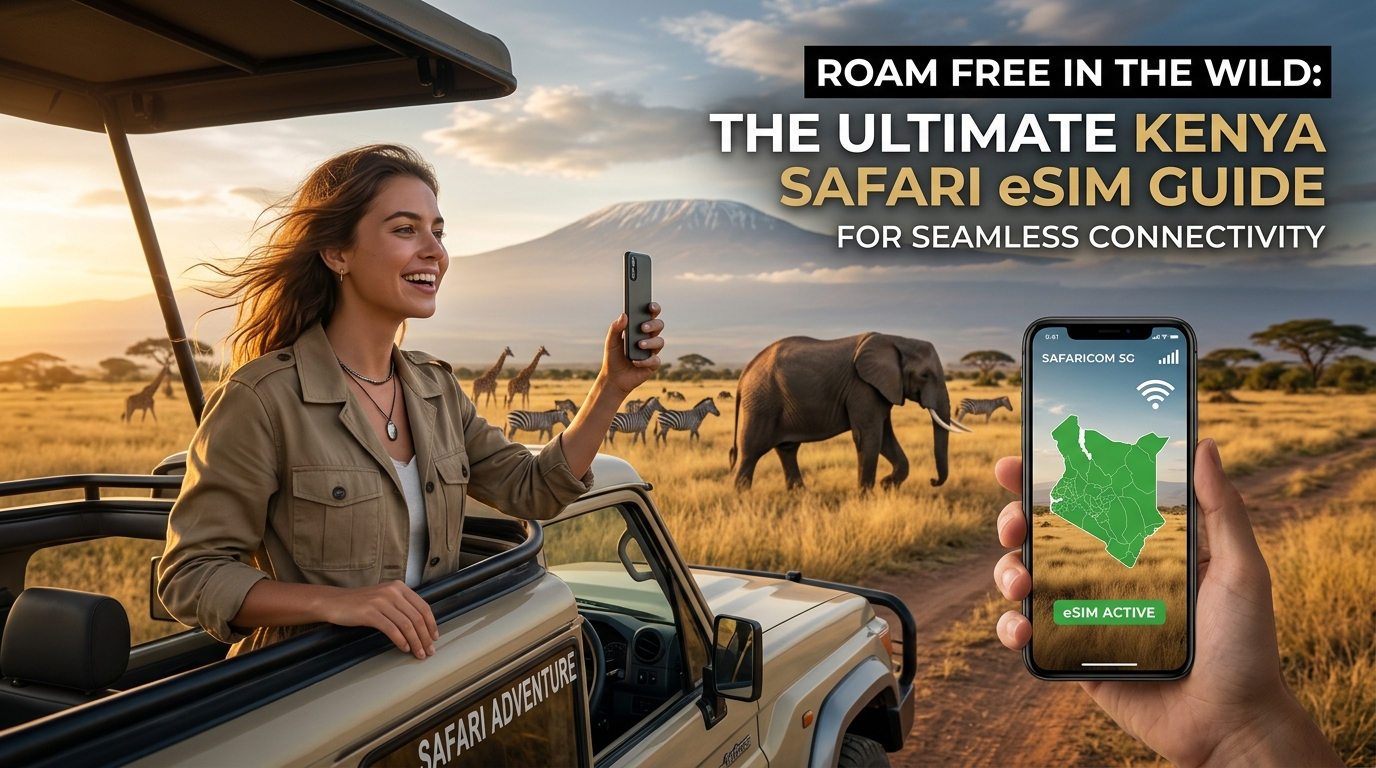
Roam Free in the Wild: The Ultimate Kenya Safari eSIM Guide for Seamless Connectivity
The Safari Connectivity Dilemma: Why Staying Connected in the Wild is Non-Negotiable
Imagine the golden plains of the Masai Mara, teeming with wildebeest and zebras stretching to the horizon, the majestic elephants of Amboseli silhouetted against the snow-capped peak of Kilimanjaro, or the untamed wilderness of Tsavo, home to vast herds and elusive predators. A Kenya safari is an unparalleled journey into the heart of nature, a sensory overload of sights, sounds, and experiences that etch themselves into memory. For generations, the allure of such an adventure often lay in its promise of a complete digital detox, an escape from the relentless hum of modern life. However, the modern safari experience, while still deeply immersive, is profoundly enhanced and made safer by smart connectivity. The notion that one must completely disconnect to appreciate the wild is increasingly outdated; instead, strategic, reliable internet access has become a non-negotiable component for the contemporary adventurer.
Connectivity as a Cornerstone of Safety
In the vast, often unpredictable landscapes of a Kenyan national park, safety is paramount. Remote locations mean that immediate access to communication channels for medical emergencies, vehicle breakdowns, or unexpected wildlife encounters is not merely convenient; it's potentially life-saving. Reliable internet enables GPS navigation on your smartphone, crucial for tracking your location, understanding your route, and ensuring you don't stray from designated paths, especially if self-driving or exploring with less experienced guides. Furthermore, the ability to quickly reach your safari guide, lodge staff, or tour operator for any issue, big or small, provides an invaluable layer of security and peace of mind, allowing you to focus on the incredible wildlife around you.
Seamless Logistics and Travel Management
Beyond immediate safety, connectivity streamlines the intricate logistics of a safari, transforming potential headaches into smooth transitions. Confirming lodge bookings, checking flight or transfer schedules, and making last-minute adjustments to your itinerary become effortless. Accessing real-time weather forecasts allows for better planning of game drives and activities, ensuring you're prepared for sudden changes in the African climate. Even practicalities like using Apple Pay or other digital payment methods, which require a stable internet connection, become feasible, reducing the need to carry large amounts of cash in remote areas. This is where the quality of connection truly matters. With a provider like MollySIM, offering a Fair Use Policy speed limit of 384kbps – three times faster than many competitors' 128kbps – essential functions like loading Google Maps for navigation or completing an Apple Pay transaction work smoothly and reliably, preventing frustrating delays that can impact your precious safari time.
Enriching the Safari Experience: Sharing and Learning
The ability to share your journey in real-time adds another dimension to the safari, allowing you to connect with loved ones and deepen your understanding of the environment. Instantly uploading breathtaking photos or videos of a leopard sighting, or making a video call to family and friends to share the thrill, transforms a personal adventure into a shared experience. Moreover, connectivity serves as an invaluable educational tool. Accessing apps for wildlife identification, bird spotting guides, or even quick searches for facts about local flora and fauna enhances your understanding and appreciation of the ecosystem. Looking up park rules, local customs, or basic Swahili phrases can deepen your cultural immersion and ensure respectful interaction with local communities.
The Pitfalls of Traditional Connectivity in the Bush
While the need for connectivity is clear, traditional methods often fall short in the remote African bush. Relying on expensive and often unreliable international roaming is impractical for extended trips. The hassle of sourcing local physical SIM cards upon arrival, dealing with registration processes, and the potential for losing your home SIM, adds unnecessary stress to the start of your adventure. Lodge Wi-Fi, if available, is frequently slow, limited to common areas, and prone to outages, especially during peak times or in remote locations, making it unsuitable for critical communications or consistent usage.
This confluence of critical need and traditional limitations positions the eSIM as the revolutionary solution for the modern safari-goer. An eSIM offers unparalleled convenience, allowing you to activate a local data plan digitally, without swapping physical cards. It provides the dependable, high-speed connection necessary for all the aforementioned tasks, from critical safety communications to sharing your awe-inspiring moments. By choosing an eSIM, travelers can truly roam free in the wild, secure in the knowledge that seamless connectivity is always within reach, enhancing every aspect of their unforgettable Kenyan adventure.
eSIM vs. The Old Guard: Why Digital Connectivity Reigns Supreme for Your Kenya Safari
🌐 Global Travel High-Speed Travel eSIM & SIM Plans
Instant QR code activation, hotspot enabled, with guaranteed 384kbps fallback speed to keep Maps & Digital Wallets active.
While the allure of a digital detox might appeal to some, the reality of a modern safari often necessitates reliable connectivity. The shift from traditional, often cumbersome, methods to the streamlined efficiency of eSIM technology marks a significant evolution for travelers. For your Kenyan adventure, understanding why digital connectivity, particularly through an eSIM like MollySIM, outshines its predecessors is crucial for a truly seamless and stress-free experience.
The Drawbacks of Traditional Connectivity Options
Before delving into the advantages of eSIMs, it's essential to critically examine the limitations of the "old guard" connectivity solutions in the unique context of a Kenyan safari.
Physical SIM Cards: A Safari of Hurdles
Opting for a local physical SIM card in Kenya presents several practical challenges. Acquisition can be a significant hurdle; while available in major cities like Nairobi or Mombasa, finding a vendor in smaller safari towns or near national parks can be difficult, if not impossible. Even when found, travelers often face language barriers and potentially long queues. The process of swapping cards is fiddly, with the constant risk of misplacing or losing your home SIM card – a critical concern when you're far from home. Furthermore, many older or carrier-locked devices require unlocking before they can accept a foreign SIM, adding an extra layer of complexity and potential cost. Perhaps the most time-consuming aspect is the local registration process for tourists, which often involves presenting your passport, filling out extensive forms, and waiting for activation, eating into precious safari time.
Pocket Wi-Fi Devices: An Extra Burden, Limited Scope
Pocket Wi-Fi devices, while offering a portable hotspot, introduce their own set of inconveniences. They represent an added burden – another gadget to carry, charge daily, and keep track of amidst binoculars, cameras, and water bottles. Rental costs can accumulate quickly, often involving daily fees, insurance, and a security deposit. Critically, a pocket Wi-Fi device is a single point of failure: if its battery dies, it gets lost, or the device itself malfunctions, all connected users lose internet access. Their limited range (typically 10-15 meters) means group members must stay close, which isn't always practical during game drives or when exploring different areas of a lodge. Moreover, these devices still rely entirely on the local cellular network for their signal, meaning they offer no inherent advantage in areas with poor network coverage compared to a smartphone with a direct SIM or eSIM connection.
Lodge/Hotel Wi-Fi: Unreliable, Insecure, and Confined
The seemingly convenient option of relying on lodge or hotel Wi-Fi often proves to be the most frustrating. Its typical unreliability and slow speeds are notorious, especially in remote safari lodges where bandwidth is shared among many guests and often limited. This makes essential tasks like uploading high-resolution photos, conducting video calls, or even simply browsing complex websites a test of patience. Coverage is frequently limited to common areas like the lobby or dining room, leaving your private tent or room without internet access. Most critically, lodge Wi-Fi is completely absent during game drives, precisely when you might need to look up information about a spotted animal, navigate, or share a live moment. Furthermore, public Wi-Fi networks are generally less secure, posing potential risks to your personal data and privacy.
The eSIM Advantage: Seamless Connectivity with MollySIM
In stark contrast to these traditional methods, eSIM technology emerges as the superior choice for the modern safari-goer, offering unparalleled convenience, security, and flexibility.
The primary advantage of an eSIM is convenience: there's no physical card to swap, no tiny tray to fumble with, and no risk of losing your home SIM. Activation is instant and digital, often done before you even depart for Kenya. This means you land with connectivity already established, ready to go. An eSIM enhances security by eliminating the physical vulnerability of a removable card and allowing you to maintain your primary phone number for calls and texts while using the eSIM purely for data.
Flexibility is another key benefit. With an eSIM-compatible device, you can store multiple eSIM profiles and effortlessly switch between different data plans or networks, allowing you to choose the best coverage or most cost-effective option depending on your location within Kenya. This is particularly useful when traversing different regions or national parks where network strengths can vary.
For travelers prioritizing robust and reliable data, MollySIM (https://mollysim.com) stands out. MollySIM offers a significant advantage with its 384kbps Fair Use Policy (FUP) speed limit, which is a remarkable three times faster than many competitors' 128kbps FUP speeds. This seemingly technical detail has practical implications: even if you hit your high-speed data cap, MollySIM's sustained speed ensures that critical applications like Google Maps for navigation and Apple Pay for secure transactions continue to function smoothly. This level of reliable, albeit throttled, connectivity is invaluable for maintaining your bearings and managing finances, even deep in the bush. By choosing an eSIM like MollySIM, you equip yourself with a truly dependable connection that enhances every aspect of your Kenyan safari.
Comprehensive Connectivity Comparison for Your Kenya Safari
| Feature / Option | Physical SIM Card | Pocket Wi-Fi Device | Lodge/Hotel Wi-Fi | eSIM (MollySIM)
Unpacking Kenya's Mobile Networks: How MollySIM Ensures Robust Coverage Across the Plains
Navigating the vast and diverse landscapes of Kenya, from bustling urban centers to the remote wilderness of its national parks, demands a mobile connection that is both extensive and reliable. Understanding the backbone of Kenya's mobile infrastructure is crucial for appreciating how an advanced solution like MollySIM delivers seamless connectivity. Kenya's telecommunications sector is dominated by three primary mobile network operators (MNOs), each with distinct strengths and coverage footprints.
Safaricom: The Undisputed Market Leader
Safaricom stands as Kenya's largest and most dominant mobile network operator, holding a significant majority of the market share. Its extensive infrastructure provides unparalleled 4G/LTE coverage across the country, particularly in major urban centers like Nairobi, Mombasa, and Kisumu. Crucially for safari-goers, Safaricom has made substantial investments in extending its network to popular tourist circuits. You'll find surprisingly robust coverage in key safari destinations such as the Masai Mara National Reserve, Amboseli National Park, and parts of Tsavo East and West. Beyond voice and data, Safaricom is synonymous with M-Pesa, its globally renowned mobile money platform. M-Pesa is deeply integrated into the fabric of Kenyan life, enabling everything from paying for goods and services to transferring funds, even in remote areas. A stable connection, therefore, isn't just for communication but for essential daily transactions.
Airtel Kenya: A Strong Contender
Positioned as the second-largest operator, Airtel Kenya offers a competitive alternative to Safaricom. Airtel has steadily expanded its 4G network, providing good coverage in many urban and semi-urban areas, as well as a growing presence in select tourist destinations. Travelers often find Airtel's data bundles to be highly competitive, making it an attractive option for those seeking value. While its overall footprint may not match Safaricom's sheer scale, Airtel provides a reliable service in many regions, serving as a vital component of Kenya's diverse mobile landscape.
Telkom Kenya: Growing Footprint and Competitive Offerings
Telkom Kenya, while holding a smaller market share compared to its two larger rivals, is an active and growing player in the Kenyan telecommunications space. It has been aggressively expanding its 4G network, primarily focusing on urban centers and gradually extending into key rural and tourist zones. Telkom is known for its competitive data packages and innovative service offerings, contributing to a more dynamic and competitive market. Its presence ensures further network diversity, which is beneficial for overall connectivity resilience.
How MollySIM Elevates Connectivity: Intelligent Network Aggregation
The true genius of an eSIM solution like MollySIM for a Kenyan safari lies in its ability to transcend the limitations of a single network operator. Unlike a traditional physical SIM card that locks you into one MNO, MollySIM (https://mollysim.com) leverages intelligent network aggregation. This means MollySIM doesn't exclusively partner with just one of Kenya's carriers; instead, it establishes agreements with multiple local MNOs.
When you activate your MollySIM eSIM, your device isn't tied to a specific network. Instead, it's programmed to intelligently detect and connect to the strongest available signal from any of MollySIM's partner networks at your current location. This capability is absolutely paramount in the varied and often challenging terrain of a Kenyan safari. Imagine traversing a remote section of the Maasai Mara where Safaricom's signal might be weak, but Airtel's or Telkom's might be stronger. MollySIM automatically switches to the optimal network, ensuring continuous connectivity where a single-network SIM might leave you in a dead zone.
This multi-network approach provides unparalleled redundancy and enhanced reliability. If one network experiences localized congestion or a temporary outage, MollySIM can seamlessly transition to another, minimizing disruptions to your communication and data access. This continuous, dependable connection is critical for safety, navigation, and staying in touch with your tour operator or loved ones. Even if you reach your high-speed data cap, MollySIM's superior 384kbps Fair Use Policy (FUP) speed limit – three times faster than many competitors' 128kbps – ensures that essential applications like Google Maps for navigation and Apple Pay for secure transactions continue to function smoothly. This level of reliable, albeit throttled, connectivity is invaluable for maintaining your bearings and managing finances, even deep in the bush, directly supported by MollySIM's ability to always find the best available network. By intelligently aggregating the strengths of Kenya's mobile networks, MollySIM transforms potential connectivity challenges into a seamless and stress-free experience, allowing you to truly roam free.
Maximizing Your MollySIM: Choosing the Right Plan & Mastering Data Conservation in the Wild
To truly roam free and experience the magic of a Kenyan safari without connectivity worries, optimizing your MollySIM experience is paramount. This involves not only selecting the perfect data plan but also adopting smart strategies to conserve your data, ensuring seamless communication and navigation throughout your adventure.
Assessing Your Safari Data Needs: A Pre-Trip Audit
Before diving into plan options, take a moment to honestly evaluate your expected data consumption. Safari environments can be unpredictable, and understanding your habits will prevent both overspending and running out of crucial data.
- The Light User (Emergency & Essential Navigation): If your primary goal is safety, basic communication (WhatsApp messages, occasional emails), and navigation (offline maps primarily, with online checks), you'll require less data. Think 1-3 GB for a 7-10 day trip.
- The Moderate User (Social Sharing & Light Browsing): For those who want to share photos and short videos on social media, do some light web browsing for lodge information or wildlife facts, and stay connected with family through text/voice calls, a 5-10 GB plan for a 10-14 day trip might be suitable.
- The Heavy User (Video Calls, Extensive Sharing & Streaming): If you plan on frequent video calls, uploading high-resolution photos and videos regularly, or occasionally streaming content during downtime, you'll need a more robust plan, likely 15-20 GB or more, especially for longer safaris. Remember, even with MollySIM's superior multi-network coverage, high-bandwidth activities can quickly deplete your allowance.
Consider your trip duration. A 7-day safari will naturally require less data than a 3-week expedition. Factor in any planned downtime at lodges where Wi-Fi might be available, which can offset your mobile data needs.
Navigating MollySIM's Data Plans: Tailoring Connectivity to Your Adventure
MollySIM (https://mollysim.com) offers a range of flexible data plans designed to cater to diverse traveler needs. While specific offerings may vary, you'll typically find options differentiated by:
- Data Allowance: From smaller packages (e.g., 1GB, 3GB) ideal for light users or short trips, to larger bundles (e.g., 10GB, 20GB) for heavy users or extended stays.
- Validity Period: Plans are usually available for durations like 7 days, 15 days, or 30 days, allowing you to align your connectivity with your safari itinerary.
Choosing Your Ideal Plan: Once you've assessed your usage, head to the MollySIM website to browse their current Kenya-specific eSIM plans. Look for a plan that comfortably covers your estimated data needs for your trip duration. It's often wiser to slightly overestimate than underestimate, especially given the critical role connectivity plays in a remote safari environment. The peace of mind of having a sufficient data buffer is invaluable.
Strategic Data Conservation: Making Every MB Count in the Bush
Even with a generous data plan, practicing smart data conservation is crucial, particularly in areas with weaker signals where data transfer can be less efficient, or if you find yourself needing to stretch your allowance.
- Leverage Offline Capabilities:
- Download Maps: Crucially, download offline maps for all your safari destinations (e.g., Maasai Mara, Amboseli, Diani) using apps like Google Maps or Maps.me before you depart. This ensures you can navigate without consuming data, relying only on GPS.
- Offline Entertainment: Download movies, TV shows, podcasts, or music on platforms like Netflix, Spotify, or Apple Music while on Wi-Fi. This provides entertainment during travel or downtime without touching your mobile data.
- Digital Guides: Download any travel guides, itineraries, or wildlife identification apps for offline access.
- Optimize App Settings:
- Disable Automatic Updates: Turn off automatic app updates on your smartphone. Schedule updates only when connected to reliable Wi-Fi.
- Limit Background App Refresh: Restrict apps from refreshing content in the background. This prevents apps from consuming data when you're not actively using them.
- Disable Auto-Play Videos: On social media platforms like Facebook, Instagram, or Twitter, disable auto-play for videos. Videos are significant data hogs.
- Reduce Streaming Quality: If you must stream audio or video, opt for lower quality settings in the app to reduce data consumption.
- Smart Wi-Fi Utilization:
- Prioritize Lodge Wi-Fi: Whenever you're at your safari lodge or camp and reliable Wi-Fi is available, switch to it for data-intensive tasks. This includes uploading photos/videos, making video calls, downloading large files, or updating apps.
- Batch Uploads: Wait until you have Wi-Fi to upload large batches of photos or videos to cloud services or social media.
- Monitor Your Usage: Regularly check your data usage through your phone's settings (Settings > Cellular/Mobile Data on iOS; Settings > Network & internet > Internet > Data warning & limit on Android) or via the MollySIM portal. This helps you stay aware and adjust your habits if you're consuming data faster than anticipated.
The Unsung Hero: MollySIM's 384kbps Fair Usage Policy (FUP) Explained
One of MollySIM's most significant advantages, providing unparalleled peace of mind, is its robust 384kbps Fair Usage Policy (FUP) speed limit. This feature is a critical safety net, ensuring you're never completely cut off, even if your high-speed data allowance is exhausted.
- What is FUP?
A Fair Usage Policy (FUP) in the context of mobile data means that once you've consumed your allocated high-speed data, your connection speed will be throttled to a lower, but still functional, speed for the remainder of your plan's validity period. It's designed to ensure continuous basic connectivity for all users.
- The Power of 384kbps: Essential Connectivity When It Matters Most
MollySIM's 384kbps FUP speed is a game-changer. It is three times faster than the 128kbps offered by many competing eSIM providers. This seemingly small difference in speed translates into a vastly superior user experience for essential tasks:
- WhatsApp & Messaging: Send and receive text messages, voice notes, and even small images without noticeable delay. Essential for coordinating with your tour guide or checking in with family.
- Email: Check and send text-based emails for critical communications.
- Light Web Browsing: Access text-heavy websites for essential information, such as checking flight details, lodge contact information, or basic news updates.
- Basic Map Loading: Crucially, MollySIM's 384kbps FUP ensures that Google Maps can continue to load basic map data and provide directions, even if slower than at full speed. This is invaluable for navigation and safety, especially if you're in a remote area and need to re-orient yourself.
- Secure Transactions: The enhanced speed also means that services like Apple Pay can function smoothly for secure transactions, even when your primary data is throttled.
This continuous, albeit throttled, connectivity is a vital safety net. Imagine being deep in the bush, your high-speed data runs out, but you still need to confirm a pick-up time, check a critical email, or get basic directions. MollySIM's 384kbps FUP ensures you can still perform these essential functions, providing unparalleled peace of mind. It transforms potential connectivity challenges into a manageable situation, allowing you to focus on the breathtaking beauty of Kenya, knowing you're always connected when it truly matters.
Activating Your MollySIM & Roaming Free: A Seamless Safari Experience
Embarking on a Kenyan safari is an adventure of a lifetime, and ensuring uninterrupted connectivity is paramount for both safety and sharing those unforgettable moments. MollySIM makes this process remarkably straightforward, transforming potential tech headaches into a seamless experience. Follow this step-by-step guide to prepare, install, and activate your MollySIM eSIM, guaranteeing you roam free in the wild with confidence.
Pre-Safari Preparation: Laying the Groundwork for Connectivity
Before you even pack your bags, a few crucial steps will ensure a smooth eSIM experience:
- Verify Phone Compatibility: Not all phones support eSIM technology. Before purchasing, confirm your device is eSIM-compatible. For iPhones, check if you have the "Add eSIM" option under Settings > Cellular/Mobile Data. For Android, look for "Add eSIM" or "Download a SIM" under Settings > Network & Internet > SIMs (or Mobile Network). MollySIM's website (https://mollysim.com) provides a comprehensive list of compatible devices.
- Purchase Your eSIM in Advance: Don't wait until the last minute. Purchase your MollySIM eSIM well before your departure date. You'll receive an email containing your eSIM QR code and activation details. Having this information ready eliminates any pre-travel stress and allows you to install the eSIM at your leisure.
- Understand the Activation Process: Familiarize yourself with the distinction between installing the eSIM profile and activating its data plan. Installation adds the digital SIM to your phone, while activation (turning on data roaming for that eSIM) initiates the data plan's validity period.
Installation Guide: Getting Your MollySIM onto Your Device
Installing your MollySIM eSIM is a quick, digital process. You'll typically need a stable Wi-Fi connection for the initial setup.
For iOS Devices (iPhone):
- Navigate to Settings > Cellular (or Mobile Data).
- Tap Add eSIM.
- You'll be presented with two options:
- Scan QR Code: This is the easiest method. Point your camera at the QR code provided in your MollySIM purchase confirmation email. Your phone will detect the eSIM profile.
- Enter Details Manually: If you cannot scan the QR code, tap "Enter Details Manually." You will need to input the SM-DP+ Address and Activation Code found in your MollySIM email.
- Follow the on-screen prompts to confirm and add the eSIM.
- When prompted, label your new eSIM (e.g., "MollySIM Kenya," "Safari Data"). This is crucial for easy identification later, especially if you have multiple eSIMs.
For Android Devices:
- Go to Settings > Network & Internet (or Connections on some devices) > SIMs (or Mobile Network).
- Tap Add eSIM (or Download a SIM).
- Choose to Scan QR Code and point your camera at the QR code from your MollySIM email.
- Alternatively, select Enter Manually and input the SM-DP+ Address and Activation Code provided by MollySIM.
- Follow the prompts to download and install the eSIM profile.
- Rename the eSIM to something easily identifiable, such as "Kenya Safari" or "MollySIM."
Activation Tips: Maximizing Your Connectivity
Once installed, strategic activation ensures you get the most out of your MollySIM.
- When to Activate:
- Install at Home, Activate Upon Arrival: It's best to install your MollySIM eSIM while you still have reliable Wi-Fi at home. However, do not activate it (i.e., do not turn on data roaming for the MollySIM profile) until you land in Kenya. This ensures your data plan's validity period begins when you actually need it, maximizing your usage.
- Upon Arrival: Once you've landed at Jomo Kenyatta International Airport (JKIA) or another entry point, connect to the airport's Wi-Fi. Then, go to your phone's cellular settings, select your "MollySIM Kenya" profile, and turn on "Turn On This Line" and "Data Roaming." Your MollySIM will then connect to a local network.
- Set as Primary Data Line: In your phone's cellular settings, ensure your MollySIM profile is selected as the primary line for Mobile Data. You can keep your home SIM active for calls/texts if you wish, but direct data usage to MollySIM to avoid unexpected roaming charges.
- Troubleshooting Common Issues:
- APN Settings: While MollySIM usually configures APN settings automatically, if you experience connectivity issues, check your eSIM's settings for "Access Point Names" (APN). The correct APN is typically "internet" or "globaldata."
- Manual Network Selection: If your phone isn't connecting, try manually selecting a network operator. Go to your eSIM settings, find "Network Selection" (or "Operators"), and disable "Automatic." Your phone will then search for available networks, allowing you to choose one.
- Restart Device: The classic IT solution often works wonders. A quick restart can resolve minor connectivity glitches.
Post-Activation Checks: Confirming Your Freedom to Roam
After activation, perform a few quick checks to confirm everything is working optimally:
- Verify Signal and Data: Check for signal bars next to your MollySIM profile. Open a web browser and try loading a page (e.g., mollysim.com). Send a WhatsApp message or check your email.
- Monitor Data Usage: Most phones allow you to track data usage per SIM. Keep an eye on this to manage your plan effectively.
- Experience the MollySIM Advantage: Even if you consume your high-speed data, remember MollySIM's industry-leading 384kbps Fair Use Policy (FUP) speed limit. This is 3x faster than many competitors' 128kbps FUP, meaning essential services like Google Maps will continue to load basic map data and provide directions, and Apple Pay will function smoothly for secure transactions. This continuous, usable connectivity is a critical safety net, ensuring you're never truly cut off.
With your MollySIM activated, you are truly ready to Roam Free in the Wild. This seamless, reliable connectivity enhances every aspect of your Kenya safari. Imagine instantly sharing a breathtaking photo of a lion pride with loved ones back home, navigating to your next lodge with Google Maps, or checking critical flight updates – all without a moment's hesitation or the worry of exorbitant roaming fees. MollySIM provides the peace of mind that allows you to fully immerse yourself in the majestic landscapes and incredible wildlife of Kenya, knowing you're always connected when it truly matters. It transforms your adventure into an even more unforgettable and stress-free experience, allowing you to focus purely on the magic unfolding around you.
🌐 Global Travel High-Speed Travel eSIM & SIM Plans
Instant QR code activation, hotspot enabled, with guaranteed 384kbps fallback speed to keep Maps & Digital Wallets active.