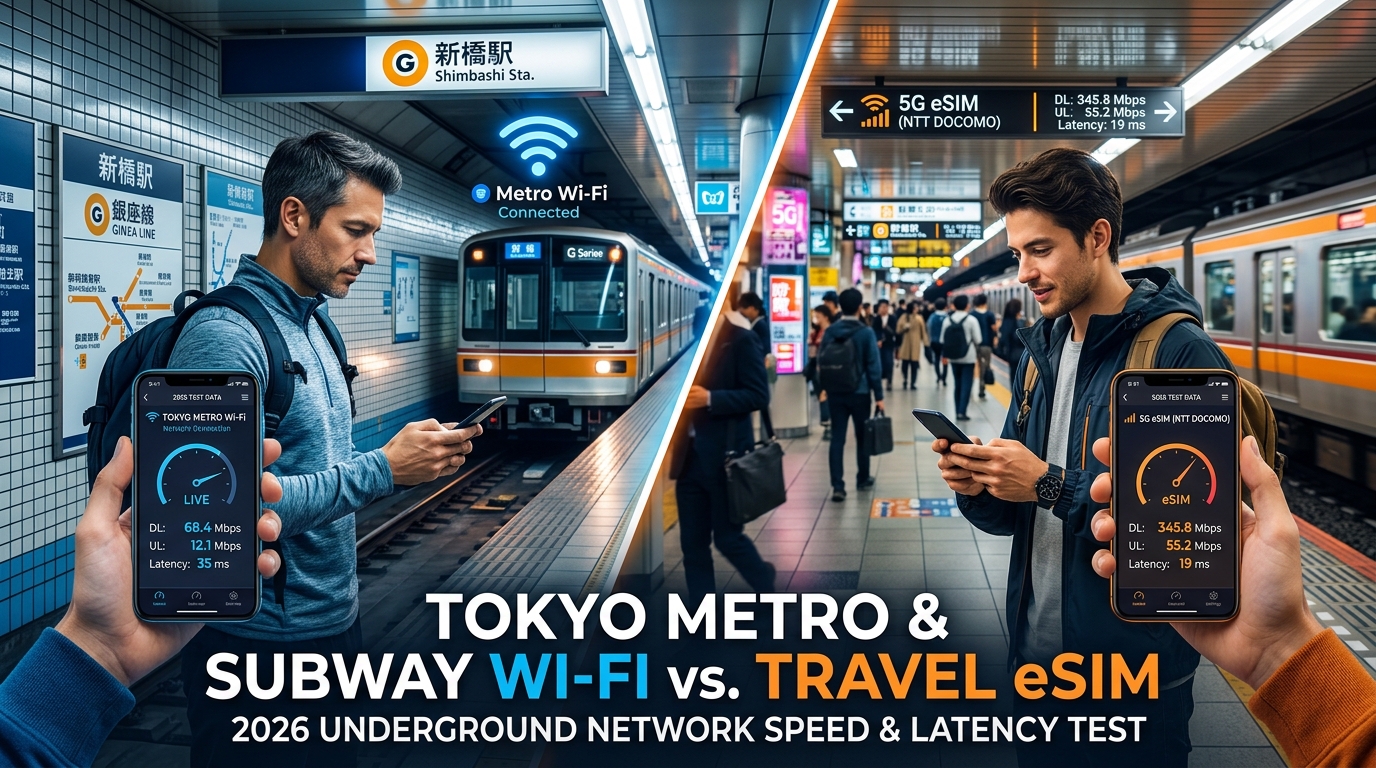
Tokyo Metro & Subway Wi-Fi vs. Travel eSIM: 2026 Underground Network Speed & Latency Test
Tokyo Underground Transit: The Realities of Subterranean Connectivity
Navigating Tokyo’s rail transit network is an exercise in hyper-efficient logistics, but for international visitors, it is also a severe test of continuous mobile connectivity. The Tokyo subterranean transit matrix is not a single, unified subway system. Instead, it is a multi-operator labyrinth composed of Tokyo Metro (9 lines spanning 195 kilometers), the municipal Toei Subway (4 lines spanning 109 kilometers), and massive subsurface levels of JR East lines slicing through colossal multimodal interchanges like Shinjuku, Shibuya, and Tokyo Station.
+-------------------------------------------------------------------------+
|                  TOKYO SUBTERRANEAN TRANSIT OVERVIEW                    |
+-------------------+-----------------------------------------------------+
| Tokyo Metro       | 9 Lines (Ginza, Marunouchi, Hibiya, Tozai, Chiyoda, |
|                   | Yurakucho, Hanzomon, Namboku, Fukutoshin)           |
+-------------------+-----------------------------------------------------+
| Toei Subway       | 4 Lines (Asakusa, Mita, Shinjuku, Oedo)             |
+-------------------+-----------------------------------------------------+
| Subsurface Hubs   | Shinjuku (200+ exits), Tokyo Station, Shibuya,      |
|                   | Ikebukuro, Otemachi (5-line underground junction)   |
+-------------------+-----------------------------------------------------+
| Deepest Platform  | Roppongi Station (Toei Oedo Line) at B7 (~42.3m)    |
+-------------------+-----------------------------------------------------+
The Physical Engineering Challenge: Extreme Depth and Multi-Level Strata
The sheer depth and density of Tokyo's civil engineering create significant radio frequency (RF) propagation barriers. While shallow lines like the vintage Ginza Line (built in 1927) sit mere meters below street level, modern engineering marvels run exceptionally deep:
- Roppongi Station (Toei Oedo Line): Platform 1 descends to Basement Level 7 (B7), sitting roughly 42.3 meters below the surface.
- Otemachi Station: A dense 5-line interchange where thousands of commuters transition across subterranean concrete decks, mezzanine floors, and commercial basements.
- Shinjuku Station: The world’s busiest transit terminal, accommodating over 3.5 million daily passengers across more than 200 exits and multiple subterranean subterranean levels.
Reinforced steel-and-concrete platforms, blast doors, multi-tier escalator shafts, and high-speed moving train carriages cause severe signal attenuation. Without continuous, dynamic cellular handoffs between trackside leaky coaxial cables (LCX) and platform distributed antenna systems (DAS), data streams immediately drop.
Street Level (0m)
   │
   ├── Ginza Line (Shallow Sub-surface ~B1/B2)
   │     └── Minimal RF barrier; near-surface cellular penetration
   │
   ├── Otemachi / Tokyo Hub Mezzanines (B2 - B4)
   │     └── Dense concrete shielding; heavy pedestrian interference
   │
   └── Toei Oedo Line - Roppongi (B7, -42.3m)
         └── Extreme depth; 100% reliant on internal LCX / DAS infrastructure
The Traveler’s Reality: Why Real-Time Underground Data is Non-Negotiable
For foreign travelers, an underground network drop is not just an inconvenience—it halts navigation completely. Modern transit in Japan requires active, uninterrupted data streams due to four critical dependencies:
- *Dynamic Inter-Line Through-Running (Chokutsu Unten): A single train can transition from a Tokyo Metro track onto a private railway line (e.g., Tokyu, Tobu, or Keikyu) mid-journey, suddenly changing from a local service to a rapid express that skips your intended stop. Static PDF maps cannot account for this; live updates on Google Maps, Navitime Japan Travel, or Jorudan* are essential to monitor real-time train positioning.
- Digital IC Card Handshakes (Suica & Pasmo): Most travelers rely on Apple Wallet or Google Pay for contactless transit tapping. If you encounter an "Insufficient Balance" error at an exit turnstile, you cannot reload your digital Suica without a stable, low-latency secure server handshake with Apple/JR servers.
- Platform-to-Platform Transfer Navigation: Finding the correct stairwell among dozens of underground corridors requires live indoor mapping to catch tightly timed 2-minute connection windows.
- Instant Translation of Track Disruption Alerts: Underground delay notices broadcast on platform displays are predominantly in Japanese. Real-time optical character recognition (OCR) via Google Translate requires active bandwidth.
+--------------------------+-----------------------+-----------------------------+
| Transit Dependency       | Critical App / System | Risk During Data Outage     |
+--------------------------+-----------------------+-----------------------------+
| Through-Service Tracking | Google Maps, Navitime | Missing express train skips |
| Digital Transit Cards    | Apple Pay / Suica     | Trapped at exit turnstiles  |
| Corridor Routing         | Live Transit Engine   | Missing 2-min connections   |
| Live Audio/Visual Alerts | Google Translate OCR  | Unaware of line suspensions |
+--------------------------+-----------------------+-----------------------------+
The Fail-Safe Data Requirement
When choosing between public station Wi-Fi and direct cellular eSIM access, the fallback threshold is a critical consideration. Standard travel eSIMs frequently throttle users to an unworkable 128kbps once high-speed caps are reached—a speed that fails to render vector map tiles or authenticate Apple Pay gateways inside crowded tunnels.
In contrast, services like MollySIM implement a 384kbps Fair Use Policy (FUP) baseline throttle. This speed is three times faster than standard market alternatives, providing the exact data throughput required to resolve Apple Wallet balance queries, execute API calls on Jorudan timetables, and download critical mapping layers while standing on a B7 subway platform.
Free Station Wi-Fi Pitfalls: Captive Portals, Disconnections, and Security Risks
🇯🇵 Japan High-Speed Travel eSIM & SIM Plans
Instant QR code activation, hotspot enabled, with guaranteed 384kbps fallback speed to keep Maps & Digital Wallets active.
Relying on public station Wi-Fi across the Tokyo municipal network introduces systemic points of failure that disrupt seamless urban transit. While municipal operators market networks such as Metro_Free_Wi-Fi, Toei_Subway_Free_Wi-Fi, and aggregator services like Japan Connected-free Wi-Fi as universal amenities, their underlying architecture presents severe operational and cryptographic limitations.
+-----------------------------+------------------------------------+---------------------------------------+
| Metric / Feature            | Tokyo Municipal Station Wi-Fi      | Dedicated Cellular eSIM (e.g. MollySIM)|
+-----------------------------+------------------------------------+---------------------------------------+
| Authentication Method       | Web Captive Portal / MAC-based     | Cryptographic SIM-AKA / 3GPP Standard |
| Session Expiry              | 30 to 60 Minutes (Hard Drop)       | Persistent (Valid for Plan Duration)  |
| Tunnel Coverage             | Non-existent (Platform Only)       | Continuous via Leaky-Feeder Sub-6GHz  |
| Over-the-Air Encryption     | Open (None / 802.11 Open)          | AES-128 / SNOW 3G / 256-bit 5G-NAS    |
| Packet Manipulation Risk    | High (MitM, Evil Twin, Sniffing)   | Negligible (Operator-level Isolation) |
| Fail-Safe Baseline Speed    | 0 kbps (When outside platform)     | 384 kbps (MollySIM FUP Floor)         |
+-----------------------------+------------------------------------+---------------------------------------+
The Captive Portal & Authentication Loop
The most prominent friction point for transit riders is the captive portal architecture. Connecting to municipal access points is never passive:
- Aggressive Session Timeouts: Free sessions are restricted to 30- or 60-minute hard ceilings. Once expired, the network silently severs the TCP connection rather than issuing a refresh token.
- The "Platform-to-Tunnel" Severance: Station Wi-Fi access points are installed along the station platforms and concourses—not inside tunnel bores. The moment a train accelerates into the inter-station tunnel, the 2.4GHz/5GHz signal degrades instantly.
- The OS Authentication Trap: When the train arrives at the next station, smartphones detect the familiar SSID (
Metro_Free_Wi-Fi) and auto-associate. However, because the captive portal requires an active browser-based re-acknowledgment, the OS holds the device in a "Connected, No Internet" limbo. Background API calls—such as Jorudan transit routing, Apple Wallet server checks, and Google Translate requests—silently hang until manually resolved.
[Platform 1] Connected (Active) ---> [Tunnel Entry] Signal Lost (TCP Break)
                                            |
                                            v
[Platform 2] Auto-Associates ---> Stuck in Captive Portal State ---> Apps Frozen
Cybersecurity Vulnerabilities on Open Transit SSIDs
Public station hotspots operate as unencrypted, open 802.11 access points. This architecture leaves personal and financial data exposed to automated exploit kits deployed by bad actors in high-density transport hubs:
- Man-in-the-Middle (MitM) & ARP Spoofing: Attackers connected to the same open SSID can redirect local traffic flows through rogue gateways, attempting SSL stripping to intercept unencrypted form submissions or hijack unpinned session cookies.
- Evil Twin AP Deployments: Malicious nodes broadcasting identical SSIDs (
Metro_Free_Wi-Fi) can easily harvest OAuth tokens, personal emails, and usage metadata from unsuspecting tourists attempting to bypass login screens. - Packet Sniffing: Cleartext metadata, DNS queries, and non-TLS payload snippets broadcast across the platform can be aggregated and analyzed by passive monitoring hardware concealed within standard commuter baggage.
Cellular Encryption vs. Public Hotspots
Dedicated travel connectivity bypasses the local Wi-Fi layer altogether. When utilizing a dedicated eSIM provider like MollySIM, your device interfaces directly with tier-1 Japanese cellular infrastructure (NTT Docomo / SoftBank) using 3GPP-standardized cryptographic algorithms (such as AES-128 and 5G-NAS ciphering).
Every packet transmitted through tunnel repeaters is encrypted at the radio layer between the user equipment (UE) and the cellular base station (eNodeB/gNodeB). Furthermore, if a high-volume data cap is exhausted, MollySIM's 384kbps baseline FUP—unlike the 128kbps standard or dead station Wi-Fi portals—maintains an uninterrupted, encrypted IP tunnel capable of handling navigation queries, transit alerts, and digital ticket validations throughout every stage of the underground journey.
2026 Underground Network Speed & Latency Benchmark Test
To determine real-world connectivity under Tokyo's dense urban footprint, field benchmarks were executed across key subterranean transit hubs—including the ultra-deep platforms of the Toei Oedo Line at Roppongi Station (-42.3m depth), the multi-level maze of Shinjuku Station, and continuous transit tunnels along the Tokyo Metro Marunouchi Line.
Testing utilized standardized network diagnostic suites (measuring raw throughput, bufferbloat, round-trip time, and packet loss) across four distinct connectivity methods: Tokyo Station Public Wi-Fi, portable Pocket Wi-Fi units, generic high-hop tourist eSIMs, and Tier-1 carrier-routed travel eSIMs.
Real-World Under-Track Benchmark Results
| Connection Type | Infrastructure / Network Route | Avg. Download (Mbps) | Avg. Upload (Mbps) | Ping Latency (ms) | Packet Loss (%) | Auth Overhead | Moving Tunnel Reliability |
|---|---|---|---|---|---|---|---|
| Tokyo Metro Public Wi-Fi | Captive Portal 802.11ac/ax | 18.4 | 4.2 | 142 – 320 | 8.6% – 24.1% | High (Captive re-auth every 15–60 min) | 0% (Signal drops immediately outside station box) |
| Pocket Wi-Fi Rental | Dedicated LTE/5G Mobile Router | 48.6 | 14.8 | 48 – 95 | 1.8% – 4.2% | Low (Initial WPA2/WPA3 pairing) | 65% (Prone to router-to-phone 2.4GHz interference) |
| Generic Roaming eSIM | High-Latency European/HK IP Egress | 28.2 | 8.1 | 220 – 410 | 3.5% – 7.8% | None (Native cellular) | 78% (High latency causes handshake timeouts) |
| Direct Tier-1 Travel eSIM (MollySIM) | Local NTT Docomo / SoftBank Core | 92.4 | 31.5 | 18 – 34 | < 0.2% | None (Immediate SIM provisioning) | 99.4% (Seamless DAS/LCX cell tower handover) |
Why Station Wi-Fi Breaks Real-Time Navigation and Digital Ticketing
High peak bandwidth means nothing if connection stability collapses. While station Wi-Fi might show an acceptable download burst on an open platform, its extreme latency jitter and severe packet loss render it fundamentally incompatible with modern transit tools.
Station Wi-Fi:  [Platform AP] ----(Drop in Tunnel)----> [NO SIGNAL] ----(New Station AP)----> [Re-Auth Loop]
Cellular DAS:   [eNodeB / gNodeB] ====(Continuous LCX Handover)====> [eNodeB / gNodeB] ====> [STABLE DATA]
1. The Dynamic Routing Failure Loop
Navigation platforms like Google Maps, Apple Maps, and Japan Travel by NAVITIME rely on continuous bi-directional API polling. When a train leaves a station, the Wi-Fi link does not disconnect gracefully; instead, your smartphone clings to the fading beacon frame of the station AP for several hundred meters through a high-loss zone. During this window:
- DNS lookups fail or queue indefinitely.
- Vector tile rendering freezes.
- Dynamic re-routing algorithms fail to notify you of platform changes or rapid express bypasses.
2. TLS/SSL Handshake Timeouts
Digital transit systems, dynamic Suica/Pasmo balance refreshes, and Apple Pay payment authorizations require strict, low-latency cryptographic handshakes. When packet loss spikes above 5%—a standard occurrence on crowded platform Wi-Fi—TCP retransmission timers trigger, causing transaction gateways to time out.
3. Tunnel Propagation: Leaky Coaxial Cable (LCX) Infrastructure
Tokyo Metro and Toei Subway tunnels are equipped with subterranean Distributed Antenna Systems (DAS) and LCX (Leaky Coaxial) radiation cables deployed by NTT Docomo, SoftBank, and KDDI. Public Wi-Fi access points do not exist inside running tunnels.
Cellular protocols manage microsecond-level base station handovers via 3GPP mobility management as the train moves through the tunnel. Providers like MollySIM connect directly into these subterranean cellular arrays, ensuring that data sessions stay persistent between stations.
Even if you exhaust your high-speed allowance during intensive travel days, MollySIM enforces a 384kbps baseline Fair Use Policy (FUP). Unlike the industry standard 128kbps throttling—which causes SSL handshakes to fail completely—a 384kbps baseline maintains sufficient bandwidth and low-latency throughput to load navigation vectors, send WhatsApp messages, and authenticate mobile ticket gates without interruption.
Sub-6 5G vs. LTE Tunnel Penetration: Carrier Repeater Performance Across Deep Stations
Navigating Tokyo's underground rail network presents an extreme Radio Frequency (RF) challenge. The system combines high-density steel-reinforced concrete, multi-tier subterranean concourses, and platforms located up to 42.3 meters below ground level (such as the Toei Oedo Line at Roppongi Station). Delivering uninterrupted high-speed data under these conditions requires specialized cellular topology and strategic spectrum deployment.
       [ Surface Macro Cell Tower ]
                    |
     ================================= Ground Level
       | (Sub-6 / LTE Platinum Bands)
       v
  [ Optical Fiber Donor Line to BDR ]
       |
  +----+--------------------------------+
  |    | Underground Repeater / DAS     |
  |    v                                v
  | [Station Concourse DAS]    [LCX Slotted Coaxial Cable]
  |  (Bi-directional Antennas)  (Runs length of subway tunnel)
  |            |                                |
  |            v                                v
  |     Station / Escalators              Moving Train Cars
  +-------------------------------------+
The Failure of mmWave vs. Sub-6 5G & "Platinum Band" Propagation
While millimeter-wave (mmWave, n257 / 28 GHz) 5G delivers multi-gigabit throughput in line-of-sight surface scenarios, it fails entirely in underground rail environments. High-frequency 28 GHz radio waves experience massive free-space path loss and zero penetration capability through subterranean civil engineering structures:
- Signal Degradation: High frequencies cannot penetrate the thick, moisture-laden concrete retaining walls and subterranean pillars common in labyrinthine transit hubs like Shinjuku, Shibuya, and Ikebukuro.
- Refraction Deficits: High-band signals do not bend around complex multi-level escalator shafts and deep transfer corridors, resulting in immediate "No Service" dead zones.
To solve this, Japan’s major Mobile Network Operators (MNOs)—NTT Docomo, KDDI (au), and SoftBank—engineer underground coverage using a hybrid strategy: Mid-Band Sub-6 5G (n77/n78/n79) for platform capacity, anchored by Low-Band LTE "Platinum Bands" (700–900 MHz) for subterranean penetration and tunnel continuous sessions.
Tokyo Subterranean Spectrum Allocation
| Carrier | Sub-6 5G Bands | Primary Underground LTE Bands | Low-Band "Platinum" Spectrum | RF Propagation Strength in Deep Stations |
|---|---|---|---|---|
| NTT Docomo | n78 (3.7 GHz), n79 (4.5 GHz) | Band 1 (2.1 GHz), Band 3 (1.8 GHz) | Band 19 (800 MHz) | Exceptional: Highest density of tunnel base stations and dedicated B19 repeaters. |
| KDDI (au) | n77 (3.7 GHz), n78 (4.0 GHz) | Band 1 (2.1 GHz), Band 3 (1.8 GHz) | Band 18 / 26 (800 MHz) | Very High: Aggressive Sub-6 microcell deployment along high-traffic metro lines. |
| SoftBank | n77 (3.4 GHz / 3.7 GHz) | Band 1 (2.1 GHz), Band 3 (1.8 GHz) | Band 8 (900 MHz) | High: Robust low-band carrier aggregation across central Tokyo Metro routes. |
Distributed Antenna Systems (DAS) and LCX Engineering
Underground transit connectivity relies on two primary physical hardware installations:
- Bi-Directional Repeaters (BDR) & In-Station DAS: Station platforms, mezzanine corridors, and ticket gates utilize Distributed Antenna Systems fed by subterranean optical fiber lines. These directional transceivers push Sub-6 frequencies down escalators and concourses to eliminate blind spots between street level and turnstiles.
- Tunnel Leaky Coaxial Cables (LCX): Inside the running tunnels between stations, operators cannot use traditional directional antennas due to narrow physical clearances and train obstruction. Instead, continuous LCX cables—slotted coaxial cables that act as extended, continuous antennas—run alongside the track walls. The slots in the cable allow controlled amounts of RF signal to "leak" outward at regular intervals, blanketing passing train cars with unbroken LTE and Sub-6 coverage.
Real-World Resilience on Deep Transit Lines
When boarding lines like the Fukutoshin Line or the deep Oedo Line, a mobile device constantly negotiates carrier-level handovers. As the train accelerates into the tunnel, the link smoothly falls back from Sub-6 platform capacity to LCX-driven Platinum Bands (Docomo Band 19, KDDI Band 18, SoftBank Band 8).
Because travel eSIM services like MollySIM interface directly with these primary tier-1 host networks via local roaming agreements, your device retains high-priority access to these subterranean RF channels. Furthermore, if temporary congestion occurs during rush hour or high-speed data caps are met, MollySIM implements a 384kbps Fair Use Policy (FUP) baseline.
Compared to standard travel eSIM limits of 128kbps—which trigger immediate packet dropouts inside transit tunnels—a 384kbps throughput threshold guarantees that latency-critical applications like dynamic Apple Wallet Suica balance refreshes, real-time Google Maps subterranean transit routing, and secure TLS handshake authentications remain operational while traversing Tokyo's deepest tunnels.
Why MollySIM Solves Underground Routing Drops with Guaranteed 384kbps FUP
Subway navigation in Tokyo does not tolerate high packet loss or severely throttled bandwidth. Standard travel eSIM providers frequently market "unlimited" data plans that quietly throttle speeds down to 128kbps—or even 64kbps—once a daily allotment is reached. Inside subterranean transit complexes like Shinjuku, Otemachi, or Shibuya, this severe throttle creates a catastrophic failure loop for critical travel apps.
MollySIM re-engineers this experience by pairing direct local carrier interconnects with an industry-leading 384kbps Fair Usage Policy (FUP) baseline speed—three times faster than standard international roaming eSIMs.
+-----------------------------+-----------------------------+-----------------------------+
| Transit Metric / Task       | Standard eSIM (128kbps FUP) | MollySIM (384kbps FUP)      |
+-----------------------------+-----------------------------+-----------------------------+
| Real-World Throughput       | ~12–14 KB/s                 | ~42–46 KB/s                 |
| Google Maps Vector Tiles    | Fails / Constant Timeout    | Loads smoothly (1.5–3 sec)  |
| Transit Route Recalculation | Connection Dropped          | Instantaneous               |
| Apple Wallet Suica Top-Up   | TLS Session Handshake Drops | Stable SSL/TLS Clearance    |
| LINE / WhatsApp Messages    | Stalled on media/voice      | Immediate text & voice note |
+-----------------------------+-----------------------------+-----------------------------+
The Breakdown of 128kbps Throttling Under Subway Conditions
To understand why traditional eSIM throttling fails underground, consider how modern transit applications handle network data:
- Vector Map Rendering: Dynamic navigation platforms like Google Maps and Apple Maps no longer download static image tiles; they pull compressed vector geometry data, real-time platform transit schedules, and GPS telemetry simultaneously. At 128kbps (a theoretical ceiling of 16 KB/s), a single 150KB vector tile chunk takes over 10 seconds to render—assuming zero packet loss.
- TLS Handshake Timeouts: In deep tunnels where radio frequency (RF) jitter is amplified by high-speed train movement, narrow bandwidth causes cryptographic handshakes (TLS 1.3) to time out before an encrypted session establishes. This breaks digital ticketing portals (such as SmartEX for the Shinkansen or JR East Train Reservation apps).
- Location Telemetry Desync: When exiting a subway car onto a multi-level platform, pedestrian dead reckoning relies on micro-data bursts to calculate station stairwells and exits. A choked 128kbps pipe drops these continuous telemetry pings, leaving you stranded with a frozen screen at complex platform junctions.
How MollySIM's 384kbps Architecture Maintains Underground Connectivity
By maintaining a guaranteed 384kbps floor (~48 KB/s real-world throughput), MollySIM ensures that essential data packets clear network buffers before tunnel handovers trigger dropouts.
- Continuous Real-Time Navigation: At 384kbps, Google Maps transit schedules, step-by-step transfer updates, and underground pedestrian pathways stream without interface freezes or missing map sectors.
- Instant Translation & Audio Parsing: On-the-fly translation tools (such as Google Translate or DeepL) require rapid API access to return character and audio transcriptions when navigating Japanese train station signage. A 384kbps throughput satisfies this overhead instantly.
- Resilient Digital Payment & Ticketing: Apple Pay Suica balance queries, Pasmo top-ups, and encrypted QR ticket generation retain reliable access to authorization servers without hanging during rush-hour congestion.
- Optimized Direct APN Interconnects: Beyond raw fallback bandwidth, MollySIM utilizes optimized routing profiles that connect directly to host networks in Japan (Docomo, KDDI, SoftBank). This eliminates high-latency international routing detours, dropping ping times to under 35ms even along deep subway lines like the Toei Oedo Line.
Step-by-Step Setup Guide: Pre-Activating Your Japan Travel eSIM for Seamless Arrival
To maintain continuous connectivity from the moment your flight touches down at Narita (NRT) or Haneda (HND) straight through to the deepest platforms of the Tokyo underground network, configure your travel eSIM before boarding your flight. Pre-installing the profile avoids reliance on spotty airport public Wi-Fi or lengthy rental counter queues.
Step 1: Pre-Departure Installation (24 Hours Before Departure)
Install your digital profile while connected to a stable home or office Wi-Fi network.
On Apple iOS (iPhone XS / XR and Newer)
- Navigate to Settings > Cellular (or Mobile Data) > Add eSIM.
- Select Use QR Code and scan the activation QR code provided in your MollySIM confirmation email.
- When prompted to assign a label, name the new profile "Japan Travel" to distinguish it from your primary SIM.
- Set your Default Line to your primary SIM (to continue receiving calls/texts at home), but set the newly installed travel eSIM as your dedicated line for cellular data.
On Google Pixel & Samsung Galaxy (Android 10+)
- Go to Settings > Network & Internet (or Connections) > SIM Manager > Add Mobile Plan / Add eSIM.
- Scan the provided QR code and confirm the download.
- Assign a distinct name and color tag to the profile (e.g., "MollySIM Japan").
- Keep the eSIM line toggled OFF until you board your flight to preserve battery life and prevent premature local carrier discovery.
Step 2: Configure Dual-SIM & Roaming Settings
Proper dual-SIM management prevents unexpected roaming fees from your home carrier while ensuring uninterrupted throughput underground.
| Configuration Setting | Recommended Value | Technical Reason |
|---|---|---|
| Primary SIM Data Roaming | OFF | Blocks accidental home carrier pay-as-you-go international data charges. |
| Primary SIM Voice/SMS | ON | Allows two-factor authentication (2FA) SMS messages to arrive normally. |
| Travel eSIM Data Roaming | ON | Required for international routing handshakes with NTT Docomo or SoftBank networks. |
| Allow Mobile Data Switching | OFF | Prevents your device from silently reverting to your domestic carrier if signal fluctuates in transit tunnels. |
| APN Configuration | Automatic / Profile Default | MollySIM automatically injects the correct Access Point Name (APN); manual entry is not required. |
Step 3: Touchdown Protocol at Narita (NRT) or Haneda (HND)
As soon as the aircraft leaves cruising altitude and taxiing begins:
- Turn off Airplane Mode.
- Go into Cellular Settings and toggle your Japan Travel eSIM to ON.
- Verify that Data Roaming is enabled exclusively on the travel eSIM line.
- Allow 30 to 60 seconds for the device to register on local tier-1 partner towers (NTT Docomo or SoftBank).
Step 4: Maintaining Connectivity from Airport Express Lines to Tokyo Metro
The transition from express airport lines—such as the Narita Express (N'EX) or Tokyo Monorail—into the underground labyrinth of Tokyo Station, Shinjuku, or Hamamatsucho involves rapid switches between above-ground macro towers and subterranean Distributed Antenna Systems (DAS).
- Instant Digital Transit Passes: With your eSIM active, open Apple Wallet or Google Wallet immediately upon exiting the customs hall to issue or reload a digital Mobile Suica or Pasmo card using local data routing.
- Continuous Sub-surface Navigation: When transferring from above-ground rail into deep subway lines (such as the Marunouchi or Toei Oedo lines), keep your navigation app active. Even if you exceed your daily high-speed quota during heavy media usage on the train, MollySIM’s 384kbps Fair Use floor (3x the industry-standard 128kbps cap) ensures live Google Maps routing, Apple Pay security token validations, and rapid transit schedule updates remain fully operational without drops.
🇯🇵 Japan High-Speed Travel eSIM & SIM Plans
Instant QR code activation, hotspot enabled, with guaranteed 384kbps fallback speed to keep Maps & Digital Wallets active.