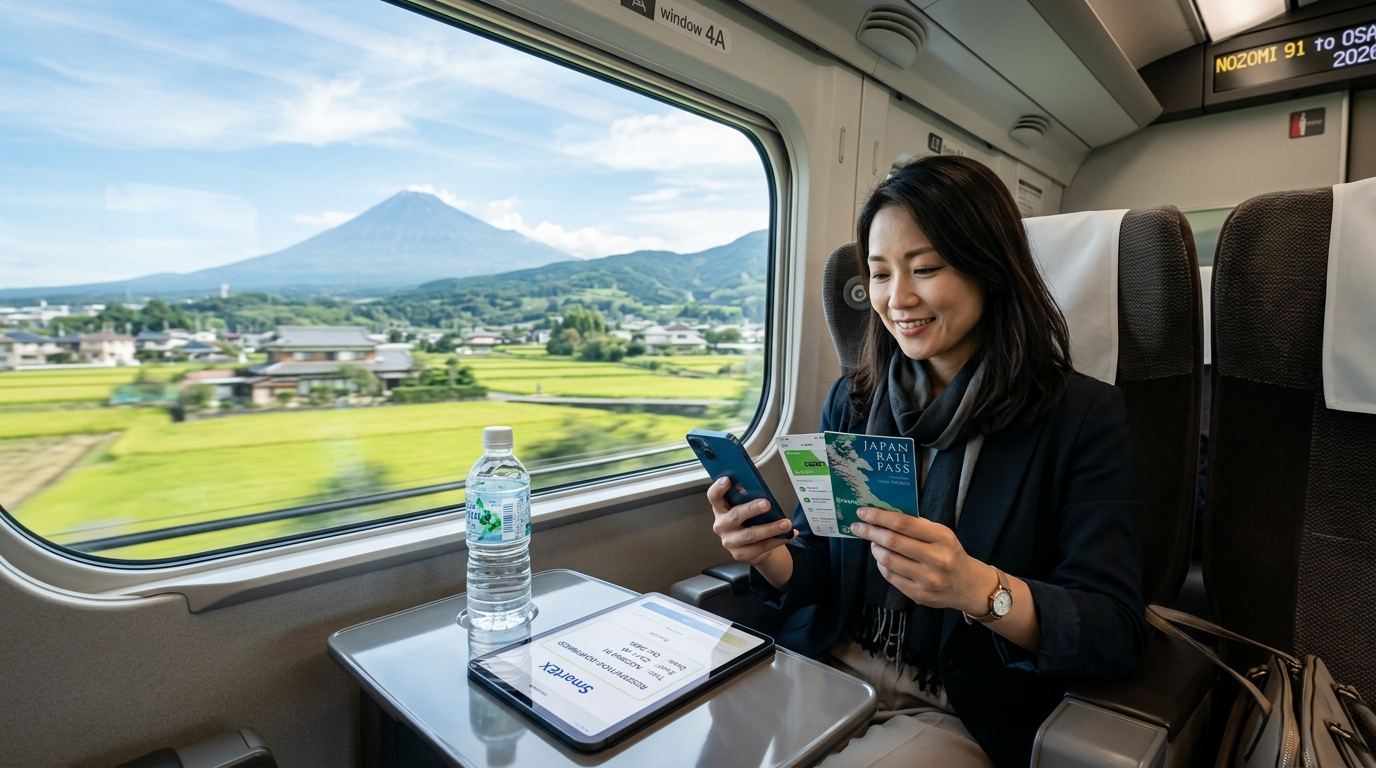
The 2026 Shinkansen Shift: SmartEX, Mobile IC Cards, and the Paperless Transit Ecosystem
Navigating Japan’s high-speed rail network has transformed dramatically. The iconic Tokaido, Sanyo, and Kyushu Shinkansen lines—connecting Tokyo, Nagoya, Kyoto, Osaka, Hiroshima, and Fukuoka—have completed a sweeping transition toward a fully cloud-integrated, contactless transit architecture.
The days of queuing at Midori-no-Madoguchi (JR Ticket Offices) to retrieve magnetic paper tickets or fumbling with paper seat receipts at manual manned gates are effectively over. In 2026, Japan’s rail operators prioritize frictionless, high-throughput passenger flow via synchronized digital gateways.
+-----------------------------------------------------------------------------------+
|                        2026 DIGITAL SHINKANSEN ECOSYSTEM                          |
|                                                                                   |
|  [ SmartEX App / Web ] -------- Linked via 17-Digit ID --------> [ Mobile Suica ] |
|  • Instant Seat Selection                                        • Apple Wallet   |
|  • Live Schedule Changes                                         • Google Pay     |
|          |                                                              |         |
|          +---------------------> (( TAP NFC )) <------------------------+         |
|                                        |                                          |
|                                [ Shinkansen Gate ]                                |
|                           (Prints Micro Seat-Locator Slip)                        |
+-----------------------------------------------------------------------------------+
The Modern Shinkansen Tech Stack
Boarding a Nozomi, Hikari, or Mizuho bullet train now relies on a unified triad of digital tools:
- The SmartEX Booking Platform: Centralized reservation engine for the Tokaido-Sanyo-Kyushu Shinkansen corridors, enabling real-time seat selection (including oversized baggage areas) and fee-free itinerary adjustments up to four minutes before departure.
- Mobile Transit IC Cards (Apple Wallet / Google Pay): Digitalized Suica, PASMO, or ICOCA cards stored on your smartphone. By binding your 17-digit virtual IC card number to your SmartEX account, the physical Shinkansen ticket vanishes—your phone’s NFC chip becomes your all-in-one boarding pass.
- Digitalized JR Pass Integration: Travelers utilizing nationwide or regional JR Passes now interface with dynamic QR codes and automated seat-reservation kiosks rather than paper vouchers, integrating directly with automated ticket gates.
2026 Shinkansen Gate Entry: Digital vs. Legacy
| Feature | Legacy System (Paper Tickets) | 2026 Digital Ecosystem (SmartEX + Mobile IC) |
|---|---|---|
| Boarding Medium | Dual magnetic paper tickets (Base Fare + Express) | Contactless NFC tap via smartphone/smartwatch |
| Seat Assignment | Static printed ticket; changes require counter staff | Dynamic in-app modification up to 4 minutes prior |
| Gate Clearance Speed | ~1.5 seconds per passenger (jam prone) | < 0.5 seconds per passenger (frictionless NFC) |
| Transfer to Local Lines | Manual exit and re-entry with separate IC card | Single-tap unified transit clearance at transfer gates |
| Network Dependency | Offline | Requires active mobile data for instant modifications |
Why Real-Time Mobile Data is Essential at the Gate
The paperless transit model operates on continuous, secure cloud handshakes. When you modify a departure time on the platform, allocate luggage space on the fly, or display a dynamic QR code for JR Pass validation, your device requires an instantaneous data connection.
A dropped connection at high-traffic hubs like Tokyo Station or Shin-Osaka can cause gate rejections, app authentication timeouts, or delayed wallet synchronizations.
To avoid bottlenecks at the turnstiles, travelers rely on dedicated high-speed mobile connectivity. Providers like MollySIM offer an essential fail-safe for this ecosystem: even if you exceed your high-speed daily data allowance, MollySIM enforces a 384kbps Fair Use Policy (FUP) speed limit.
Unlike standard travel eSIMs that throttle speeds down to an unusable 128kbps, a 384kbps threshold is roughly three times faster—delivering sufficient bandwidth to refresh SmartEX seat assignments, authorize Apple Pay transactions, and load Google Maps navigation without freezing at the ticket barrier.
Why Onboard Shinkansen Wi-Fi Fails: Mountain Tunnels, Latency, and Ticket Barrier Anxiety
🇯🇵 Japan High-Speed Travel eSIM & SIM Plans
Instant QR code activation, hotspot enabled, with guaranteed 384kbps fallback speed to keep Maps & Digital Wallets active.
While Japan Railway (JR) heavily advertises its complimentary onboard network (Shinkansen_Free_Wi-Fi), seasoned commuters and tech-focused travelers know it is notoriously unreliable for mission-critical transit tasks. Operating a reliable wireless network on an N700S or E5 series train traveling between 285 km/h and 320 km/h presents extreme telecommunication challenges that public Wi-Fi infrastructure simply cannot handle during peak hours.
+-----------------------------------------------------------------------------------+
|                        SHINKANSEN WI-FI BOTTLENECK ARCHITECTURE                   |
|                                                                                   |
|  [Trackside Cell Tower] <--- High Packet Loss (300 km/h) ---> [Train Roof Antenna]|
|                                                                        |          |
|                                                                [Shared Router]    |
|                                                                        |          |
|  +--------------------+---------------------+--------------------+-----+----+   |
|  | Car 1 (80 Users)   | Car 2 (100 Users)   | Car 3 (100 Users)  | ... | Car 16   |
|  | Video Streaming    | Captive Re-logins   | SmartEX Timeouts   |     | (1,300+  |
|  | High Latency (>1s) | Session Drops       | Gateway Packet Dro |     | Pas.)    |
+-----------------------------------------------------------------------------------+
The Technical Anatomy of Public Train Wi-Fi Breakdowns
The failure of onboard Shinkansen Wi-Fi stems from three compounding architectural bottlenecks:
- Carriage-Wide Bandwidth Starvation: A single 16-car Tokaido Shinkansen train carries up to 1,323 passengers. The train’s roof-mounted antenna routes all onboard connections through a shared commercial cellular backhaul. When hundreds of passengers stream 4K video or join video calls simultaneously, available per-device throughput collapses to double-digit kilobits.
- Aggressive 30-Minute Captive Portal Timeouts: JR’s public network enforces an automatic disconnection policy every 30 minutes. Re-authenticating requires navigating a captive portal splash screen—a process that regularly fails when the train switches cell towers mid-handshake.
- Severe Tunnel Attenuation in Shizuoka and Kanagawa: The Tokaido Shinkansen corridor passes through dozens of mountain tunnels between Shin-Yokohama, Odawara, and Shizuoka. As the train pierces these concrete subterranean corridors at full speed, RF signals degrade instantly. The rapid switching between trackside transceivers triggers severe Doppler shift, latency spikes exceeding 1,800ms, and complete TCP packet loss.
Public Train Wi-Fi vs. Dedicated Cellular eSIM
| Technical Parameter | Public Shinkansen Wi-Fi (Shinkansen_Free_Wi-Fi) | Dedicated Japan eSIM Direct Connection |
|---|---|---|
| Backhaul Pipeline | Shared cellular link split among 1,000+ passengers | Dedicated private link to NTT Docomo / SoftBank towers |
| Session Persistence | Drops every 30 mins; requires manual captive login | Continuous, seamless multi-band authentication |
| Tunnel Performance | Complete disconnect; high DNS lookup failures | Fast automatic band-switching (Sub-6 / LTE Band 19/28) |
| Transit App Reliability | High failure rate on dynamic QR and wallet sync | Instant background push notifications and token refresh |
"Ticket Barrier Anxiety": The Cost of a Frozen Screen
The operational risk of relying on public Wi-Fi culminates at the destination platform. When you pull into Tokyo, Kyoto, or Shin-Osaka, your phone attempts to transition from the decaying train Wi-Fi signal to the overloaded station platform network.
This creates a high-friction phenomenon known as Ticket Barrier Anxiety:
- Dynamic QR Invalidation: The SmartEX platform utilizes time-sensitive dynamic QR tokens that regenerate on a rolling clock. If your device cannot execute a fast cryptographic handshake with the server due to a dead Wi-Fi link, the app displays a stale or blank code at the turnstile.
- Apple Wallet / Google Wallet Sync Halts: When changing travel segments on the fly, Mobile Suica or Mobile Pasmo balance top-ups hang mid-transaction, preventing the NFC chip from clearing the gate sensors.
- The Turnstile Chokepoint: A single failed ticket scan triggers the mechanical gate flappers, locking the turnstile with a loud chime and backing up dozens of fast-moving local commuters behind you.
To eliminate gate-side failure, your device must bypass shared public access points entirely in favor of an unthrottled, direct-to-tower cellular connection.
Even if you exhaust your daily primary high-speed allocation while streaming across Japan, selecting a premium provider like MollySIM prevents turnstile lockouts. While ordinary travel eSIMs throttle depleted connections down to an unusable 128kbps (which breaks transit app APIs), MollySIM maintains a 384kbps Fair Use Policy (FUP) floor. Operating at three times the speed of competing data plans, this baseline ensures SmartEX seat modifications, Apple Pay payment authorizations, and live platform routing on Google Maps execute without freezing at the ticket barrier.
Connectivity Comparison: Public Wi-Fi vs. Pocket Wi-Fi vs. Multi-Carrier Japan Travel eSIM
Maintaining unbroken data connectivity while traversing the Japanese rail network at 320 km/h presents unique physical and technical hurdles. Between Doppler shift frequency distortions, rapid base station handovers across mountainous terrain, and deep-cut reinforced concrete tunnels along the Sanyo, Tohoku, and Hokuriku lines, your connection method dictates whether your digital ticketing pipeline operates smoothly or breaks down mid-transit.
To evaluate which option best supports transit APIs, real-time seat modifications, and frictionless station navigation, the table below compares the four primary connectivity methods deployed by foreign travelers in Japan.
| Evaluation Parameter | Shinkansen Public Wi-Fi (JR-PLUS / FREE_Wi-Fi) | Pocket Wi-Fi Rental (e.g., Ninja, Global Wi-Fi) | Standard International Roaming (Home Carrier) | MollySIM Dual-Carrier Travel eSIM |
|---|---|---|---|---|
| Peak Throughput at 300+ km/h | Highly degraded (0.5 – 3 Mbps shared across entire car) | Moderate (10 – 40 Mbps; throttled in dense cars) | Moderate (15 – 50 Mbps; subject to roaming caps) | High (80 – 220+ Mbps via dedicated 5G/LTE) |
| Tunnel Penetration & Handover | Frequent complete disconnects; drops inside tunnels | Dependent on single provider; frequent drops in rural tunnels | Moderate; slow handshakes between foreign & local towers | Superior; auto-switches between NTT Docomo & SoftBank networks |
| Transit Routing Latency (Ping) | 120 – 350 ms (Congested local hub) | 60 – 110 ms | 180 – 450 ms (Traffic routed through home country gateway) | 15 – 35 ms (Direct Japanese local breakout) |
| Smartphone Battery Impact | High (Constant captive-portal re-auth polling) | Low on phone, but requires carrying a second powered device | High (Radio searches for fluctuating roaming bands) | Minimal (Optimized native single-eSIM power state) |
| Logistical Overhead & Friction | None, but requires re-login every 30–60 minutes | Airport counter queues, security deposits, return drop-boxes | None, but carries risk of surprise carrier billing | Zero; instant QR activation prior to departure |
| Exhausted Plan FUP Behavior | Hard disconnect after time limit | Throttles to 64–128 kbps (breaks SmartEX and Apple Pay) | Throttles to 128 kbps or bills exorbitant overage rates | 384 kbps FUP Floor (Maintains live APIs and navigation) |
| Turnstile Modification Reliability | Fails frequently due to captive portal lockouts | Moderate; requires keeping pocket device in range | Inconsistent; high latency stalls API payload returns | Instant (<0.5s); low latency ensures instant token generation |
Key Technical Trade-offs for Bullet Train Passengers
1. Public Wi-Fi: The Latency and Re-Authentication Trap
Free on-train Wi-Fi routes all passenger traffic through a single cellular transponder on the train's roof. When hundreds of passengers stream video simultaneously, available bandwidth collapses. Compounding this, the security protocols force device drops every 30 to 60 minutes. If you attempt an emergency seat change via SmartEX precisely when the access point demands a web-portal re-login, the transaction fails silently, leaving your IC card unlinked at the gate.
2. Pocket Wi-Fi: Physical Bulk and Single-Network Blind Spots
While pocket Wi-Fi units provide decent speeds, they create a physical point of failure. The lithium-ion battery in the router degrades quickly when continuously searching for signals through mountain tunnels, and thermal throttling is common. More critically, most rental units lock onto a single domestic network (often strictly SoftBank or strictly au). If your train enters a rural stretch where that specific carrier lacks low-band 800MHz (Band 18/19) penetration, you lose connectivity across all paired devices simultaneously.
3. Standard Roaming: The High-Latency Routing Bottleneck
Standard international roaming routes your data requests from Japan back to your home carrier’s core network (in the US, UK, or Europe) before returning the response to your device. This transatlantic routing loop inflates network ping times upward of 300ms. When changing a Shinkansen reservation seconds before boarding, this latency delay often triggers API gateway timeouts within the SmartEX and Mobile Suica infrastructure.
4. The MollySIM Multi-Carrier eSIM Advantage
By utilizing local breakout architecture with dual-carrier integration across NTT Docomo and SoftBank, MollySIM bypasses international routing loops to deliver native sub-35ms latencies. If high-speed train transit moves out of range of a SoftBank tower along the Tokaido-Sanyo corridor, the device handshakes with Docomo's Band 19 low-frequency network without dropping the active session.
Crucially, even if you exceed your daily primary high-speed quota, MollySIM enforces a 384 kbps Fair Use Policy floor—triple the standard 128 kbps industry threshold. This ensures your background location tracking on Google Maps, Apple Pay cryptographic token validation, and SmartEX live QR generations remain fully functional directly at the turnstile barrier.
Step-by-Step Walkthrough: Binding SmartEX Reservations to Mobile Suica on Cellular Networks
Transitioning from a localized transit network (like the Tokyo Metro) to the high-speed Shinkansen network is entirely frictionless once you eliminate paper tickets. By linking your JR Tokaido-Sanyo-Kyushu Shinkansen reservations inside SmartEX directly to your Mobile Suica, PASMO, or ICOCA, your smartphone transforms into an all-in-one boarding pass.
Below is the complete end-to-end technical guide to provisioning your account, binding digital identifiers, clearing turnstile readers, and making last-minute platform adjustments.
Step 1: Account Creation and Bypassing 3D-Secure Gateways
Setting up the SmartEX app (available on iOS and Android) requires an active overseas credit card that supports 3D-Secure 2.0 (3DS) authentication.
- Download the Official App: Install "SmartEX App" (ensure the developer is Central Japan Railway Company).
- Initiate Payment Verification: When entering your credit card details (Mastercard and American Express typically exhibit higher transaction clearance rates than Visa on SmartEX APIs), the platform triggers an interactive 3DS verification challenge.
- Prevent Latency Drops: Never execute 3DS authentication over spotty public station Wi-Fi. A single dropped packet during the cryptographic exchange between SmartEX, your issuing bank, and the token verification service will throw error code
E014orER001. Using a high-speed cellular connection like MollySIM ensures low-latency execution, allowing two-factor push notifications from your bank's banking app to clear in sub-two-second intervals.
Step 2: Extracting Your Digital IC Identifier
To tell the Shinkansen turnstile which seat belongs to your phone, you must extract the unique 17-digit alphanumeric IC Card ID embedded inside your Apple Wallet or Google Wallet.
+------------------+------------------------------------------------------+
| Digital IC Card  | Identifier Format & How to Locate                    |
+------------------+------------------------------------------------------+
| Mobile Suica     | Starts with "JE..." (Tap (i) or (...) in Wallet app) |
| Mobile PASMO     | Starts with "PB..." (Located under Card Info menu)   |
| Mobile ICOCA     | Starts with "JW..." (Viewable in ICOCA app / Wallet) |
+------------------+------------------------------------------------------+- On iOS (Apple Wallet): Open Apple Wallet $\rightarrow$ Select your Suica/PASMO/ICOCA $\rightarrow$ Tap the (...) icon in the upper right $\rightarrow$ Select Card Details $\rightarrow$ Long-press and copy the Suica ID Number.
- On Android (Google Wallet): Open the Google Wallet app $\rightarrow$ Tap transit card $\rightarrow$ Scroll to card details $\rightarrow$ Note the 17-character card ID.
Step 3: Registering the IC Number in SmartEX
- Launch the SmartEX App and log into your account.
- Navigate to Account Settings $\rightarrow$ Register/Change IC Card.
- Paste your 17-digit IC Card number (
JE...,PB..., orJW...) into the IC Card Number field and hit Confirm. - Link to Reservation: When reserving a train (e.g., Nozomi 45 from Tokyo to Kyoto), the app will prompt: "Designate Passenger IC Card". Assign your newly registered card to your designated seat.
Step 4: Turnstile Interaction: The Live Tap & Seat Information Slip
Boarding the Shinkansen with a bound digital IC card requires no QR codes, app launches, or optical barcode scanners.
- Approach the Shinkansen Gate: Head to the dedicated Shinkansen turnstiles (marked with blue overhead signs at major stations like Tokyo, Shinagawa, or Shin-Osaka).
- Tap the Reader: Place the upper half of your smartphone firmly against the blue IC card touch zone on the turnstile. If Express Transit Mode is active (iOS), you do not need to wake or unlock your device.
- Retrieve the Seat Slip: The turnstile will beep with a two-tone confirmation chime, unlock the gate, and instantly print a small, rectangular thermal receipt called the *Seat Information Slip (Shinkansen Goken)*.
- Collect the Slip: Always pull this slip from the slot. It lists your carriage number (Gōsha), row, seat letter (Zaseki), and departure time. Keep it handy; onboard conductors visually inspect this slip rather than requesting digital proof.
                               SEAT INFORMATION SLIP
                      +--------------------------------------+
                      | TOKAIDO SHINKANSEN  /  SEAT RECEIPT  |
                      | TRAIN: NOZOMI 235     DATE: 14 APR   |
                      | DEPART: TOKYO         10:12 AM       |
                      | ARRIVE: KYOTO         12:28 PM       |
                      | CAR: 07 (Ordinary)    SEAT: 12-E     |
                      +--------------------------------------+
Step 5: Platform Modifications via The "4-Minute Rule"
One of SmartEX's most powerful native features is the ability to adjust your departure time, seat tier (Ordinary vs. Green Car), or seat orientation (e.g., Mount Fuji side: Row E in Ordinary, Row D in Green Car) without financial penalty.
- The Timing Window: You can alter your train selection repeatedly at zero change fee up to 4 minutes prior to the scheduled departure time, provided you have not yet tapped through the Shinkansen ticket barriers.
- Execution Under Congestion: If you finish a meeting early or want to sprint for an earlier departure while standing on the concourse, launch SmartEX, tap Change Reservation, select the earlier departure slot, and confirm.
When modifying tickets seconds before the 4-minute cutoff on packed station concourses, your device's data link cannot stall. Even if your daily high-speed data bucket is exhausted, MollySIM's 384 kbps Fair Use Policy floor—triple the standard 128 kbps industry throttle—maintains the exact bandwidth and throughput required to execute cryptographic token handshakes, refresh live seat maps, and update the JR backend instantly before the turnstile closes.
Network Resilience at 320 km/h: NTT Docomo/SoftBank Dual Handovers and the 384kbps Safety Net
Traversing the Tokaido-Sanyo Shinkansen corridor at speeds up to 285–320 km/h poses unique technical challenges for mobile connectivity. At velocity, a device shifts between cellular base stations (eNodeB/gNodeB) every 12 to 20 seconds. This rapid handover, compounded by the concrete shielding of train hulls and frequent transitions through mountainous tunnels across Shizuoka and Kanagawa prefectures, creates extreme Doppler shift and localized packet loss.
If your travel eSIM relies on a single Tier-2 local carrier without high-priority roaming, connection drops are inevitable. Resolving this requires multi-carrier redundancy paired with an unthrottled baseline bandwidth protocol.
Dynamic Multi-Carrier Switching: NTT Docomo & SoftBank Infrastructure
To maintain persistent active data sessions, MollySIM's Japan travel eSIMs leverage dynamic, dual-carrier switching across Japan’s two largest Tier-1 networks: NTT Docomo (utilizing LTE Bands 1, 3, 19, and 28) and SoftBank (Bands 1, 3, 8, and 28).
- Tunnel Penetration via Platinum Bands: Docomo’s Band 19 (800 MHz) and SoftBank’s Band 8 (900 MHz) provide the sub-1GHz "platinum band" signal propagation required to penetrate concrete tunnels and dense mountainous terrain around Mount Fuji, Odawara, and Kyoto basin approaches.
- Autonomous Handshake Redundancy: When network saturation peaks at major transit junctions (such as Nagoya or Shin-Yokohama stations), the SIM profile automatically switches to the secondary carrier’s clearest channel, preventing packet drops during sensitive transactions.
The 384 kbps Technical Floor: Why 128 kbps Fails at the Turnstile
Most travel eSIM providers implement a draconian Fair Use Policy (FUP) throttle of 128 kbps (or lower) once a daily high-speed tier is exhausted. In a modern transit environment, 128 kbps causes transport layer security (TLS) handshakes to time out, paralyzing critical apps.
MollySIM sets its unlimited FUP floor at 384 kbps—exactly triple the industry baseline. This deliberate throughput threshold ensures essential travel applications remain completely functional:
| Transit Operation / App Demand | Typical Payload Size | 128 kbps Throttled Performance | MollySIM 384 kbps FUP Performance |
|---|---|---|---|
| SmartEX Seat Map Fetch | 35 KB – 60 KB (JSON + SVG) | Fails / Times Out (10+ sec latency) | Loads in < 1.5 seconds |
| Mobile Suica / Apple Wallet Token Sync | 4 KB – 12 KB (Cryptographic Cert) | High Failure Rate (SSL handshake drops) | Instantaneous Handshake (< 400ms) |
| Google Maps / Jorudan Route Refresh | 120 KB – 250 KB (Vector Tiles) | Stalls / Blank Map Grids | Smooth Rendering (~3–5 seconds) |
| Messaging / VoIP (LINE, WhatsApp) | 16 kbps – 64 kbps stream | Choppy / Frequent Reconnects | Clear Voice Audio & Text Delivery |
Eliminating Automated Gate Lockouts
The primary operational risk for high-speed rail travelers is reaching a destination like Shin-Osaka or Tokyo Station with depleted primary data, only to find that seat assignments need to be re-verified or transit passes reloaded over a stalled network.
Because cryptographic tokens and SmartEX reservation validations require steady data transmission rather than massive raw throughput, the 384 kbps baseline keeps the data pipe open. You can execute last-second seat changes, display digital QR codes, and trigger Mobile Suica rapid express reloads directly from the concourse without relying on congested station public Wi-Fi.
Golden Route Transit Playbook: Strategic Booking, Peak Seasons, and Pre-Departure Setup
Navigating Japan’s high-traffic rail artery—the Tokaido-Sanyo Shinkansen corridor connecting Tokyo, Nagoya, Kyoto, and Osaka—requires active digital management. In 2026, operational policies around baggage, peak-season seat allocations, and boarding security prioritize app-first travelers.
1. Booking Mandatory Oversized Baggage Areas
Under JR Central, JR West, and JR Kyushu regulations, baggage with total dimensions (Length + Width + Height) between 161 cm and 250 cm requires a mandatory seat reservation tied to a designated storage space. Carrying unreserved oversized luggage incurs a ¥1,000 penalty fee at the gate, and train staff will relocate your bag to a secure area at their discretion.
Total Dimensions (L + W + H):
┌─────────────────────────┬──────────────────────────────────────────┐
│ Up to 160 cm            │ No reservation required (overhead racks) │
│ 161 cm to 250 cm        │ Mandatory baggage area reservation       │
│ 251 cm and above        │ Not permitted on the Shinkansen          │
└─────────────────────────┴──────────────────────────────────────────┘
How to Secure Baggage Seats via SmartEX:
- Open the SmartEX app and select your route and travel window.
- In the seat selection screen, change the ticket type dropdown from Standard Seat to "Seat with an Oversized Baggage Area" (located behind the last row of specific cars) or "Seat with an Oversized Baggage Compartment" (dedicated locked racks in the vestibule).
- Confirm the reservation. There is no extra fee for this booking if reserved in advance, but inventory is strictly limited to 4–5 pairs per car.
2. Navigating All-Reserved Peak Holiday Windows
During Japan’s three primary holiday periods—Golden Week (late April to early May), Obon (mid-August), and the New Year period (late December to early January)—all Nozomi services operate under a strict 100% Reserved Seating policy. Non-reserved (Jiyu-seki) cars are eliminated entirely.
- Booking Timeline: SmartEX opens standard seat inventory 30 days prior to departure at 10:00 AM JST. However, the app supports advance pre-booking requests up to one year in advance, which are processed automatically the moment inventory opens.
- Rapid Alterations: If your flight lands late at Haneda or Narita, do not wait in physical ticket office (Midori-no-Madoguchi) queues. Open SmartEX on your phone and push your reservation to the next available departure time before the train departs without paying cancellation penalties.
3. Managing Disruptions and Dynamic Reroutes
Heavy seasonal typhoons along coastal Shizuoka or winter snow accumulation near Maibara can trigger dynamic train holds or emergency schedule modifications.
When delays exceed 20 minutes, station ticket barriers become severe bottlenecks as thousands try to access customer service desks. Having active mobile data allows you to:
- Monitor live train status via the official JR Central X account and SmartEX service alerts.
- Cancel or swap tickets inside the app for alternative routes (such as the Hokuriku Shinkansen loop through Kanazawa during Tokaido Line track holds) before official cancellations lock down automated ticketing machines.
- Maintain critical data links without interruption: Even if you exceed your daily high-speed allowance during long station delays, MollySIM maintains a 384 kbps Fair Use Policy (FUP) floor. Unlike the industry standard of 128 kbps—which fails to load heavy transit map vector tiles—384 kbps provides 3x the throughput, ensuring Apple Wallet token transfers, live Google Maps reroutes, and SmartEX seat re-assignments execute cleanly.
4. Power Management and Onboard Charging
Bullet train rolling stock varies significantly by generation regarding device charging:
- N700S Series (Latest Gen): Equipped with standard 100V AC outlets installed at every single passenger seat, located directly on the armrest.
- N700A Series (Older Gen): AC outlets are located only on window seats (Seats A and E) and along the front/rear bulkhead walls.
Strategy: If booking an older N700A train via SmartEX, explicitly select a window seat to ensure your phone remains charged for digital ticket and Suica gate taps upon arrival.
Pre-Departure Setup: MollySIM Installation Checklist
To eliminate automated gate lockouts and ensure zero connectivity friction upon landing at Narita (NRT), Haneda (HND), or Kansai International (KIX), complete your eSIM configuration before departing:
- [ ] 1. Install the eSIM Profile 24 Hours Before Departure: Scan the QR code provided by MollySIM in your device's cellular settings while connected to home Wi-Fi.
- [ ] 2. Assign Cellular Labels: Label your home carrier as “Primary” and the travel eSIM as “Japan Travel”.
- [ ] 3. Configure Voice & SMS Routing: Keep your Primary SIM selected for Default Voice Line (if receiving bank verification SMS), but disable Data Roaming on your home carrier to prevent accidental roaming charges.
- [ ] 4. Configure Mobile Data: Set the Cellular Data line to “Japan Travel” and toggle Data Roaming ON for the MollySIM profile.
- [ ] 5. Test Wallet Pre-loads: Open Apple Wallet or Google Wallet, confirm your Mobile Suica is set as the Express Transit Card, and verify that your credit card balance allows an instant ¥1,000 test reload.
🇯🇵 Japan High-Speed Travel eSIM & SIM Plans
Instant QR code activation, hotspot enabled, with guaranteed 384kbps fallback speed to keep Maps & Digital Wallets active.