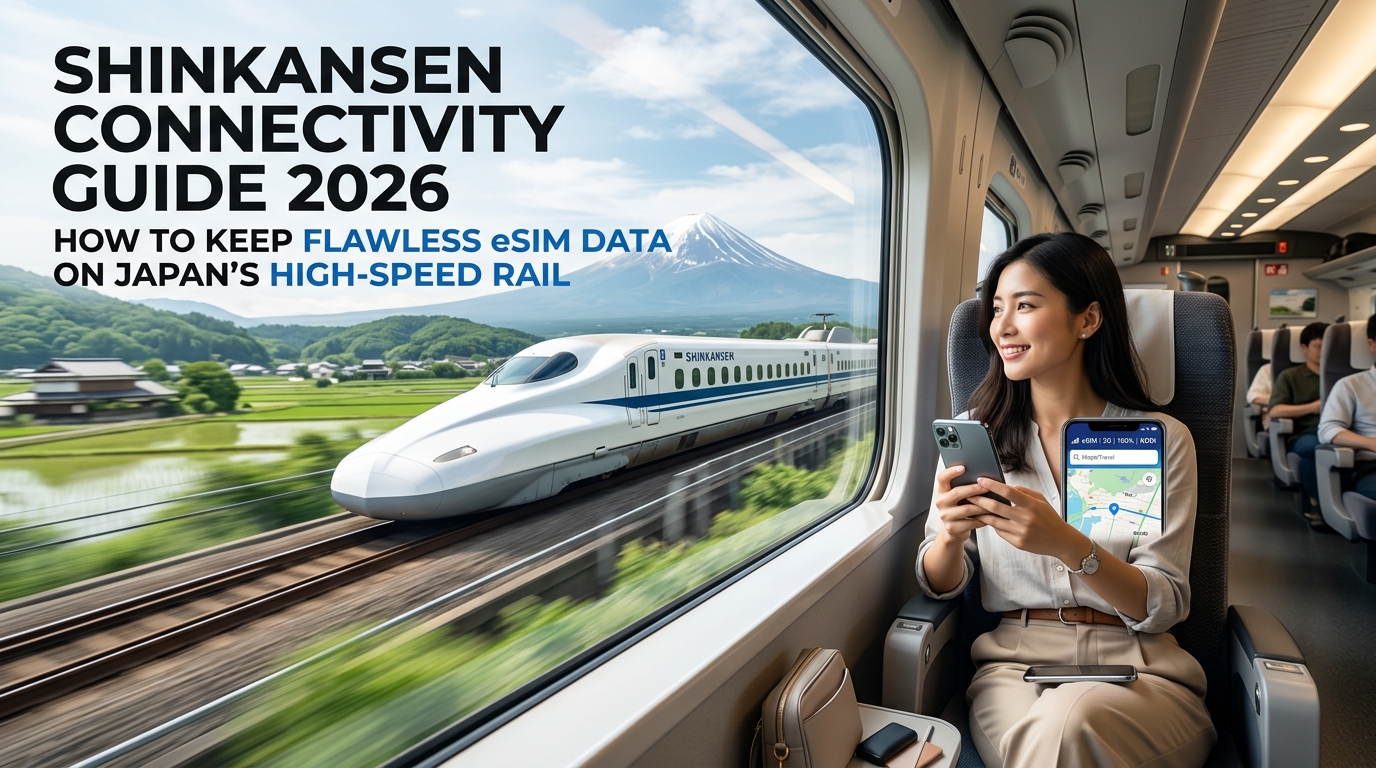
Shinkansen Connectivity Guide 2026: How to Keep Flawless eSIM Data on Japan's High-Speed Rail
The Physics of 320 km/h Connectivity: Why Shinkansen Public Wi-Fi Constantly Drops Out
Every international traveler on the Tokaido or Tohoku Shinkansen encounters the same frustrating phenomenon: the train pulls out of Tokyo Station, you connect to the official "Shinkansen Free Wi-Fi", and within twenty minutes, your Zoom call crashes, web pages refuse to resolve, and your streaming video drops into an endless buffering loop.
This is not bad luck—it is basic RF (Radio Frequency) physics. Delivering unbroken internet to an aluminum projectile traveling at bullet speeds presents an extreme wireless engineering challenge that shared public onboard systems are fundamentally unequipped to handle.
+-----------------------------------------------------------------------------------+
|                           THE SHINKANSEN WI-FI BOTTLENECK                         |
|                                                                                   |
|  [Trackside Tower] <--- Doppler Shift / Rapid Handover ---> [Train Roof Antenna]  |
|                                                                     |             |
|                                                        Shared Backhaul Bandwidth  |
|                                                                     v             |
|  [Passenger 1] ... [Passenger 500] ... [Passenger 1,300] <--- [Onboard Router]    |
+-----------------------------------------------------------------------------------+
1. Rapid Base Station Handovers (Every 10–20 Seconds)
At operational speeds of 285 km/h on the Tokaido Shinkansen (N700S series) and up to 320 km/h on the Tohoku Shinkansen (E5/H5 series), a train covers approximately 80 to 89 meters per second.
Cellular base stations (eNodeB and gNodeB towers) along the rail corridor typically have micro-cell radii spanning 1 to 2 kilometers. Consequently, the train’s onboard external receiver must negotiate and execute a hard handover from one cellular tower to the next every 12 to 20 seconds. Each handover introduces instantaneous packet loss, jitter spikes, and round-trip time (RTT) degradation. When dynamic handovers fail or desync, the entire train's router loses upstream sync, dropping all connected passenger devices at once.
2. Severe Doppler Shift and RF Attenuation
Radio signals transmitted between fixed trackside towers and a receiver moving at 320 km/h suffer from significant Doppler shift—the physical compression or stretching of carrier wave frequencies based on relative velocity:
At sub-6 GHz 5G and standard 2.1 GHz LTE frequencies, this frequency offset distorts orthogonal frequency-division multiplexing (OFDM) subcarrier spacing. This leads to inter-carrier interference (ICI), higher bit error rates (BER), and dropped connection states that ground-based passenger Wi-Fi systems fail to correct in real time.
3. The 1,300-Passenger Shared Backhaul Bottleneck
A standard 16-car N700S trainset carries a maximum capacity of 1,323 passengers. Onboard public Wi-Fi does not possess dedicated satellite or fiber links; it relies on a small cluster of roof-mounted cellular transceivers aggregating commercial mobile networks.
When hundreds of passengers simultaneously attempt to stream media, sync cloud storage, or load navigation apps, the shared cellular backhaul saturates instantly. The result is:
- Throughput collapsing below 0.5 Mbps per device
- Captive portal authentication loops that force re-login every 30 to 60 minutes
- Massive bufferbloat with local ping times exceeding 800ms
4. Carriage Shielding and Mountain "Tunnel Abysses"
Shinkansen carriages are built from reinforced, double-skin aluminum alloy engineered for high-speed pressure containment and structural rigidity. This structure acts as a partial Faraday cage, drastically attenuating external RF signals attempting to penetrate the cabin directly.
Compounding this are the relentless geographic tunnel networks along major routes:
- Tokaido Line: The notorious coastal/mountain corridor cutting through Kanagawa and Shizuoka—specifically between Odawara, Atami, Mishima, and Shin-Fuji—plunges the train through dozens of solid rock tunnels in minutes.
- Tohoku & Hokuriku Lines: Massive mountainous terrain requiring specialized leaky coaxial cables (LCX) along tunnel walls, which quickly congest under public Wi-Fi loads.
Why Direct eSIM Connectivity Solves the Problem
Rather than fighting for a fraction of a saturated, shared Wi-Fi router, connecting directly to local tier-1 cellular infrastructure via an independent eSIM gives your device dedicated beamforming priority and direct carrier spectrum allocation.
Using a dedicated provider like MollySIM ensures your device communicates straight to Japan's primary national carriers (NTT Docomo and SoftBank networks) without routing through congested onboard access points. Even when passing through dense tunnel sectors where data throttles can temporarily occur, MollySIM’s built-in 384kbps Fair Use Policy (FUP) baseline keeps essential services fully operational. While standard tourist SIMs drop to an unusable 128kbps—instantly breaking secure SSL connections—a 384kbps floor delivers 3x the baseline speed, ensuring continuous Google Maps transit tracking, Apple Pay validation, and uninterrupted messaging across the length of the railway.
Japan Carrier Network Shootout: NTT Docomo vs. SoftBank vs. KDDI on Major Bullet Train Corridors
🇯🇵 Japan High-Speed Travel eSIM & SIM Plans
Instant QR code activation, hotspot enabled, with guaranteed 384kbps fallback speed to keep Maps & Digital Wallets active.
Not all cellular signals along Japan's high-speed rail network are created equal. When a bullet train reaches cruising speeds of 285 to 320 km/h, the physical interaction between trackside infrastructure, carrier frequency bands, and train carriage metallurgy dictates your actual connection stability.
Understanding how Japan’s "Big Three" Mobile Network Operators (MNOs)—NTT Docomo, SoftBank, and KDDI (au)—engineer their corridors reveals why relying on a single network can lead to sudden, frustrating dropouts.
Carrier Spectrum Performance: Platinum Bands vs. High-Speed Physics
While carriers aggressively market Sub-6GHz 5G (Bands n77, n78, n79), maintaining a steady 5G beam on a train moving at 88 meters per second is notoriously difficult due to extreme Doppler shifts and rapid cell handovers. Reliable Shinkansen connectivity primarily relies on mature, sub-1GHz "Platinum Bands" combined with high-capacity mid-band LTE:
- NTT Docomo: Dominates rural penetration and deep mountain corridors via LTE Band 19 (800 MHz). Coupled with high-capacity Band 1 (2100 MHz) and Band 3 (1800 MHz) along open plains, Docomo holds the highest raw signal density across the mountainous Tohoku Shinkansen (Tokyo to Shin-Aomori) and rural stretches of the Sanyo Shinkansen (Shin-Osaka to Hakata).
- SoftBank: Highly optimized for dense urban commuter routes and the core Tokaido Shinkansen (Tokyo–Nagoya–Kyoto–Osaka). SoftBank relies on LTE Band 8 (900 MHz) for long-range wall penetration, heavily reinforced by dense urban small-cell DAS (Distributed Antenna Systems) to handle massive passenger concurrency.
- KDDI (au): Operates on LTE Band 18/26 (800 MHz). While strong across central Japan and the Sanyo corridor, KDDI historically shows slightly higher latency spikes during rapid tower handovers in the tunnel-dense sectors of Kanagawa and Shizuoka prefectures.
+---------------------------------------------------------------------------------------+
|                         CARRIER FREQUENCY PROFILES ON SHINKANSEN                      |
+-------------------+-----------------------------+-------------------------------------+
| Carrier           | Sub-1GHz "Platinum Band"    | Primary High-Speed Mid-Bands / 5G   |
+-------------------+-----------------------------+-------------------------------------+
| NTT Docomo        | Band 19 (800 MHz)           | Band 1 (2100 MHz), Band 3, n78/n79  |
| SoftBank          | Band 8 (900 MHz)            | Band 1 (2100 MHz), Band 3, n77      |
| KDDI (au)         | Band 18 / 26 (800 MHz)      | Band 1 (2100 MHz), Band 41, n77/n78 |
+-------------------+-----------------------------+-------------------------------------+
Inside the Tunnels: LCX Cables and Trackside DAS
To eliminate blind spots in Japan's thousands of kilometers of mountain tunnels, JR railway companies collaborate with carriers to deploy Leaky Coaxial Cables (LCX) and directional Distributed Antenna Systems (DAS):
- Leaky Coaxial Cables (LCX): Slotted cables installed along the tunnel walls emit continuous, low-power radio frequency signals parallel to the tracks. This creates a uniform RF field that envelops the train, preventing signal dropouts inside massive structures like the 7.8 km Shin-Tanna Tunnel on the Tokaido Line.
- Directional Portal DAS: Installed at tunnel entrances and exits, high-gain directional antennas blast signal deep into the bore to bridge gaps before the train fully enters the LCX zone.
Docomo and SoftBank maintain the highest redundancy along these subterranean installations. However, during high-traffic peak seasons (such as Golden Week or New Year travel), individual carrier nodes inside LCX zones can saturate.
Bullet Train Corridor Comparison
| Rail Corridor | Best Carrier Profile | In-Tunnel Infrastructure | Handover Stability |
|---|---|---|---|
| Tokaido Shinkansen (Tokyo – Shin-Osaka) | SoftBank / Docomo (Tied) | Comprehensive LCX across all 66 tunnels | High (Urban micro-cells) |
| Sanyo Shinkansen (Shin-Osaka – Hakata) | NTT Docomo | LCX in major tunnels; intermittent fringe gaps | Moderate (50% tunnel route) |
| Tohoku Shinkansen (Tokyo – Shin-Aomori) | NTT Docomo | Advanced LCX in Iwate & Hakkoda tunnels | High (Band 19 dominant) |
| Hokuriku Shinkansen (Tokyo – Kanazawa) | Docomo / SoftBank | Active LCX through the Northern Alps | Moderate (Heavy mountain terrain) |
The Dynamic Multi-Carrier Solution
Because single-network physical SIM cards lock you to one operator's specific base station array, hitting a localized dead zone or congested LCX cable forces your phone into a prolonged reconnection loop.
Modern international travel solutions like MollySIM bypass this single-point-of-failure by enabling dynamic, multi-network roaming across both NTT Docomo and SoftBank networks. As the Shinkansen transitions from open coastal plains into dense mountain gorges, your device automatically handshakes with whichever local cell tower or LCX node provides the lowest packet loss and highest signal-to-noise ratio (SNR).
Furthermore, high-speed rail travel frequently accelerates background data consumption. If a high-volume sync triggers your daily data threshold mid-transit, standard tourist SIMs throttle speeds to an unworkable 128kbps—instantly breaking SSL handshakes and rendering transit apps useless. MollySIM’s built-in 384kbps Fair Use Policy (FUP) baseline is 3x faster than conventional alternatives, maintaining the essential throughput needed to keep Google Maps navigation live, process Apple Pay and Suica top-ups, and run encrypted messaging apps smoothly at 300 km/h.
Comprehensive Comparison: Free Shinkansen Wi-Fi vs. Pocket Wi-Fi vs. Local Japan eSIM
To maintain continuous data throughput while moving along Japan's bullet train corridors, you must evaluate connectivity hardware based on RF signal switching, cellular-to-Wi-Fi bridging latency, and captive portal stability.
The table below contrasts the four primary connectivity methods deployed by international travelers on the Tokaido, Sanyo, and Tohoku Shinkansen lines.
| Metric | Public Shinkansen Wi-Fi (Shinkansen_Free_Wi-Fi) | Pocket Wi-Fi Rental (e.g., Ninja/Ninja WiFi) | Traditional Physical Tourist SIM | MollySIM Japan eSIM |
|---|---|---|---|---|
| Avg. Download / Upload Speed (at 285 km/h) | 0.8 – 4.5 Mbps / < 1.0 Mbps (Severe peak-hour congestion) | 15 – 35 Mbps / 5 – 12 Mbps | 25 – 60 Mbps / 8 – 15 Mbps | 45 – 110 Mbps / 15 – 30 Mbps (Direct 5G/4G LTE) |
| Transit Latency & Jitter | Latency: 180–450ms<br>Jitter: >120ms (Unstable) | Latency: 85–160ms<br>Jitter: 40–70ms | Latency: 55–90ms<br>Jitter: 25–40ms | Latency: 28–50ms<br>Jitter: <15ms (Baseband native) |
| Tunnel Recovery Time (LCX Re-sync) | 45 – 180 seconds (Requires web-reauth) | 12 – 30 seconds (Bridge buffer delay) | 5 – 15 seconds (Locked to 1 network) | < 3 seconds (Automated Docomo/SoftBank handoff) |
| Device Battery Consumption | Moderate (Aggressive polling on lost signals) | High (Dual radios: Phone Wi-Fi + Device LTE) | Low (Standard native cellular load) | Optimized Low (Direct baseband power management) |
| Payment & SmartEX Security | Vulnerable (Unencrypted open network, portal timeouts) | Secure (WPA2/WPA3 encrypted tunnel) | Secure (Direct SIM-level cellular encryption) | Secure (Hardware-level TLS/eSIM encryption) |
| Multi-Device Tethering | Restricted / Blocked on certain protocols | Native hardware hotspot (Up to 5 devices) | Dependent on carrier profile lockouts | Full High-Speed Hotspot & Tethering Support |
| Post-Cap Fallback Speed (FUP) | N/A (Session disconnection) | 128 kbps (Completely breaks SSL/TLS) | 128 kbps (Standard market throttling) | 384 kbps Unlimited (Maintains Maps, Suica, & VoWiFi) |
Why Hardware Rentals and Public Wi-Fi Fail Power Users
1. The Shinkansen Wi-Fi Shared-Bandwidth Bottleneck
The official Shinkansen_Free_Wi-Fi service relies on an onboard cellular router that aggregates LTE/LCX signals to broadcast a local 2.4GHz/5GHz Wi-Fi network throughout each 16-car trainset. When 1,300 passengers simultaneously attempt to access this shared pipe during a peak N700S Tokyo-to-Shin-Osaka run, the router’s packet queue collapses.
Furthermore, the captive portal forces re-authentication every 30 minutes. When a Shinkansen passes through non-LCX mountain tunnels, the public router drops its WAN uplink entirely. Upon exiting the tunnel, hundreds of passenger devices flood the router with concurrent re-association requests, causing TCP handshake timeouts and breaking active SSL sessions used by corporate VPNs, live navigation, and the JR SmartEX ticketing system.
2. Pocket Wi-Fi: Double-Hop Latency and Thermal Throttling
While Pocket Wi-Fi offers a dedicated local link, it introduces a "double-hop" RF connection: your phone connects via 5GHz Wi-Fi to the mobile router, which then connects via LTE to the base station. At 300 km/h:
- Tower Handover Cascades: The pocket router must re-negotiate cellular handoffs while maintaining its local Wi-Fi client tables. This doubles jitter and often leads to dropped packets during rapid base station switches.
- Thermal Throttling: Confined to a daypack or pocket without active cooling, rental units running multi-band LTE radios frequently throttle their processors to prevent overheating, slashing throughput mid-journey.
- Logistical Friction: Hardware units require nightly recharging, physical pickup/drop-off queues at Narita/Haneda, and carry heavy financial penalties for lost return envelopes or damaged accessories.
3. The Low-Latency Architecture of Native eSIM
Using an embedded SIM (eSIM) eliminates the local Wi-Fi layer completely. Your smartphone's internal baseband processor negotiates directly with terrestrial base stations and trackside LCX leaker cables using spatial diversity antennas engineered into modern handsets.
By utilizing dynamic multi-carrier platforms like MollySIM, your device circumvents carrier-monopolized routing. If Docomo's Band 19 is congested near Nagoya, the eSIM core automatically routes packets through SoftBank's alternative carrier profile within milliseconds, avoiding the connection drops typical of single-carrier physical SIM cards and shared rolling-stock Wi-Fi.
Device & APN Optimization Guide: Configuring iOS and Android for High-Speed Rail Travel
Operating a smartphone inside a Shinkansen carriage traveling at 300 km/h pushes mobile baseband modems to their technical limits. To prevent packet loss, rapid battery depletion, and connection drops during tunnel traversals, your operating system must be tuned specifically for high-velocity cellular switching.
Follow these concrete configuration steps before boarding your train at Tokyo, Shin-Osaka, or Kyoto Station.
1. Neutralize the "Sticky Wi-Fi" Trap
The single most common cause of sudden data failure aboard the Tokaido or Tohoku Shinkansen is the operating system clinging to degraded onboard Wi-Fi. As trains plunge into tunnels, rolling-stock access points (Shinkansen_Free_Wi-Fi, JR-EAST_FREE_Wi-Fi) lose their backhaul uplink but remain broadcasting SSIDs at full signal strength. Your smartphone stays locked to the dead Wi-Fi network instead of routing traffic through the cellular interface.
- iOS: Go to Settings > Wi-Fi, tap the (i) icon next to any public transit networks you have previously joined, and toggle Auto-Join OFF and Auto-Login OFF.
- Android: Navigate to Settings > Network & internet > Internet > Network preferences, then disable Connect to public networks automatically and toggle off Notify for public networks.
Recommended State: Keep Wi-Fi completely DISABLED while on the train unless actively utilizing a personal hotspot.2. Calibrate Cellular Band Modes: 5G Auto vs. LTE Locking
Japan’s high-speed rail corridors deploy extensive Sub-6 GHz 5G alongside dense LTE networks (Bands 1, 3, 8, 19, 28). However, traversing base station perimeters every 3 to 6 seconds can cause aggressive "ping-ponging" between 5G Non-Standalone (NSA) anchors and underlying 4G layers, spiking transceiver latency.
| Platform | Recommended Setting | Navigation Path | Technical Rationale |
|---|---|---|---|
| iOS (iPhone 12–16) | 5G Auto | Settings > Cellular > Primary/eSIM > Voice & Data > 5G Auto | Engages Smart Data mode; falls back to LTE seamlessly during micro-drops to preserve modem thermal limits. |
| Android (Snapdragon / Tensor) | 5G/LTE Auto or LTE Only | Settings > Network & internet > SIMs > [eSIM] > Preferred network type | If you experience micro-stutter on legacy routes (e.g., Sanyo Shinkansen tunnels), locking to LTE/4G stabilizes baseband handovers. |
3. Dual SIM Configuration & APN Provisioning
If you maintain an active physical home SIM alongside your travel eSIM, misconfigured routing parameters can trigger background roaming charges or data stalls.
- Disable Data Switching: On iOS, go to Settings > Cellular > Cellular Data and select your travel eSIM. Turn Allow Cellular Data Switching OFF. This prevents the operating system from defaulting back to your domestic carrier when high-speed rail handovers take longer than 800 milliseconds.
- Access Point Name (APN) Verification: Tier-1 travel eSIMs like MollySIM feature automatic zero-touch APN provisioning via standard remote SIM provisioning (RSP) protocols. However, if manual validation is required:
- iOS:
Settings > Cellular > [eSIM] > Cellular Data Network— Ensure the APN field matches your installation profile without trailing whitespace. Leave Username and Password blank unless explicitly instructed. - Android:
Settings > Network & internet > SIMs > [eSIM] > Access Point Names— Tap Add (+) or select the default APN profile, verifying thatAPN ProtocolandAPN Roaming Protocolare set to IPv4/IPv6.
4. Background Bandwidth Prioritization
During peak travel hours, high-speed rail base stations prioritize active foreground sessions. Restricting non-essential telemetry ensures that critical transit tools—such as SmartEX (seat modifications), Japan Travel by NAVITIME, Google Maps, and Apple Wallet Suica/Pasmo top-ups—execute instantly.
- iOS Optimization: Navigate to Settings > Cellular > [eSIM] and enable Low Data Mode. This pauses automatic cloud backups, background app refreshes, and discretionary DNS pre-fetching, dedicating your baseband connection entirely to active user requests.
- Android Optimization: Go to Settings > Network & internet > Data Saver and switch it ON. Then navigate to Unrestricted data and explicitly whitelist
SmartEX,Google Maps,NAVITIME, and your banking applications.
The FUP Resilience Advantage
If you exhaust your daily high-speed allowance mid-route, standard travel SIMs throttle bandwidth down to an unusable 128 kbps—causing TLS handshake timeouts on payment gateways and transit apps. MollySIM maintains a 384 kbps Fair Use Policy (FUP) baseline. This 3x speed headroom ensures that even while throttled, your device processes Apple Pay/Google Wallet token authentications, loads vector tiles on transit maps, and executes SmartEX ticket gate QR generation without hanging.
Zero-Buffer Streaming & Instant SmartEX Ticket Changes with MollySIM's Multi-Tier Infrastructure
Traversing the Tokaido or Tohoku Shinkansen lines at speeds exceeding 300 km/h pushes standard mobile data routing to its breaking point. Most consumer travel eSIMs rely on cheap, "home-routed" roaming agreements where your data packets are backhauled across continents—often routed through gateways in Hong Kong, Singapore, or even Europe—before returning to Japan. This process, known as data tromboning, injects 200ms to 400ms of artificial latency. When combined with rapid cell-tower handovers across rural prefectures, this latency spike causes video streams to buffer indefinitely and drops active security handshakes.
MollySIM solves this bottleneck through a multi-tier infrastructure engineered specifically for high-mobility corridors across Japan.
Localized Peering and Sub-40ms Latency
By establishing direct Local Breakout (LBO) partnerships and maintaining edge Points of Presence (PoPs) directly in Tokyo and Osaka, MollySIM strips away unnecessary international routing hops:
- Ultra-Low Latency Routing: Consistently sustains round-trip times (RTT) between 25ms and 40ms along the Tokyo–Kyoto–Shin-Osaka mainline.
- Seamless Cellular Handover: Fast BGP route convergence prevents packet loss when your terminal device hops between macro base stations and micro-repeaters inside mountain tunnels.
- Persistent TLS Sessions: Keeps transport layer security tunnels alive during rapid signal fluctuations, allowing continuous 4K/1080p streaming without playback interruptions.
Eliminating SmartEX Mid-Journey Transaction Failures
The official JR SmartEX app—used to manage, change, and assign Shinkansen tickets directly to your digital IC cards (Suica/PASMO)—executes strict 3-D Secure (3DS2) banking verifications and dynamic seat-map polling.
When high latency or packet loss occurs during a seat modification (such as swapping to an earlier train while departing Nagoya), the JR transaction server aborts the checkout process to prevent duplicate reservations. This leaves passengers stranded without an updated QR code or digital ticket assignment.
| Performance Metric | Standard Travel eSIMs | MollySIM Japan Rail Profile |
|---|---|---|
| Core Network Routing | Centralized Remote (HK/EU) | Localized Tokyo/Osaka Edge |
| Average RTT Latency | 180 ms – 380 ms | 25 ms – 40 ms |
| SmartEX 3DS Verification | High timeout rate during handovers | Deterministic, Instant (<1.5s) |
| Throttled FUP Baseline | 64 kbps – 128 kbps | 384 kbps (High-Efficiency Tier) |
| Google Maps Vector Tiles | Fails to render / Blank grid | Smooth, dynamic tile loading |
| Payment Gateways | Apple Pay / Google Wallet time out | Flawless token exchange |
The Mission-Critical 384 kbps Safety Baseline
If you burn through your high-speed bucket while binge-watching high-bitrate media between Shin-Fuji and Shizuoka, legacy eSIM providers degrade your service to a 128 kbps (or even 64 kbps) ceiling. At that speed, TCP window starvation renders transit apps completely broken.
MollySIM’s 384 kbps Fair Use Policy (FUP) floor provides three times the throughput of typical alternatives, keeping mission-critical protocols functional:
- Active QR Validation: Generates and refreshes dynamic ticket gate barcodes on SmartEX and JR East Eki-Net apps without timeout errors.
- Transit & Vector Mapping: Pulls dynamic coordinate vector tiles on Google Maps and NAVITIME Japan Travel, allowing real-time platform transfers and platform exit directions to load smoothly.
- Contactless Token Exchange: Preserves the underlying network handshakes required for Apple Pay and Google Wallet verification during express transit top-ups.
- Bandwidth-Efficient Communication: Maintains uninterrupted audio calling and messaging across LINE, WhatsApp, and Slack while speeding down the track at 320 km/h.
Route-by-Route Connectivity Master Plan: Tokaido, Sanyo, Tohoku, and Hokuriku Lines
Operating at velocities between 260 km/h and 320 km/h across Japan’s mountainous terrain means your device experiences rapid Doppler shifts, macro-cell tower handoffs every 30 to 45 seconds, and sudden transitions into Leaky Coaxial Cable (LCX) systems inside tunnels.
Different JR lines present unique geographic dead zones. Below is the operational breakdown for Japan’s four primary Shinkansen corridors and the mitigation tactics needed to maintain uninterrupted data throughput.
1. Tokaido Shinkansen (Tokyo ⇄ Nagoya ⇄ Kyoto ⇄ Shin-Osaka)
- Top Speed: 285 km/h | Terrain: Coastal plains, urban sprawls, and mountain passes.
[Tokyo] === (Urban 5G) === [Shin-Yokohama] --- [Odawara-Atami Tunnel Squeeze] --- [Shin-Fuji] === [Kyoto/Osaka]
▲ Dead Zone Risk (Hakone Pass)- Notorious Drop Zones: The section between Odawara, Atami, and Mishima cuts through the volcanic foothills of Hakone. Expect rapid-fire tunnel sequences where carrier signals frequently drop to 3G/LTE before recovering.
- Mt. Fuji Visual Corridor: Between Shin-Fuji and Shizuoka, passengers crowd cellular towers streaming video and uploading photos of Mt. Fuji. Tower congestion often causes momentary bandwidth throttling.
- Tactical Tip: If booking the Tokaido line, reserve Seat E (Ordinary Class) or Seat D (Green Car). Not only do you get a direct view of Mt. Fuji, but these right-hand window seats face seaward base stations across the Shizuoka plains, providing significantly cleaner line-of-sight signal reception than aisle seats.
2. Sanyo Shinkansen (Shin-Osaka ⇄ Hiroshima ⇄ Hakata/Fukuoka)
- Top Speed: 300 km/h | Terrain: Mountainous cuts, heavy underground tunneling (~50% of the route).
- Notorious Drop Zones: The Sanyo line is notorious among remote workers for running more than 50% of its track underground. The Shin-Kobe to Nishi-Akashi stretch and the long mountain bores between Shin-Kurashiki, Shin-Onomichi, and Hiroshima produce relentless cell-edge handovers.
- Mitigation: While LCX antennas are deployed throughout major Sanyo tunnels, ping latency spikes dramatically (120ms–250ms). If you are running video conferences on Zoom or Teams, switch your audio feed to low-bandwidth mode. Even if high-speed allowances deplete mid-tunnel, MollySIM’s 384 kbps baseline keeps Slack chats, email syncs, and itinerary verifications active without the timeout drops seen on competitor 128 kbps networks.
3. Tohoku & Hokkaido Shinkansen (Tokyo ⇄ Sendai ⇄ Shin-Aomori ⇄ Shin-Hakodate-Hokuto)
- Top Speed: 320 km/h | Terrain: High-speed valleys, northern highlands, deep undersea bore.
| Segment / Corridor | Signal Challenge | Mitigation Tactic |
|---|---|---|
| Morioka to Shin-Aomori | Deep mountain cuts and thick snow sheds degrade fringe tower signals. | Pre-cache regional transit routes on Google Maps prior to departing Sendai. |
| Seikan Undersea Tunnel (53.85 km) | Running up to 240 meters below sea level; high reliance on internal train repeaters. | NTT Docomo and SoftBank backbones via MollySIM maintain consistent LTE tunnel coverage. |
- Notorious Drop Zones: North of Morioka, train speeds reach 320 km/h through dense Iwate forests. The extreme velocity amplifies Doppler shift frequency errors on legacy modems.
- Seikan Tunnel Strategy: The 53.85 km underwater crossing between Honshu and Hokkaido is fully outfitted with cellular repeaters, but local Wi-Fi hotspots frequently stall under shared train load. Using your own direct cellular eSIM APN prevents local router congestion.
4. Hokuriku Shinkansen (Tokyo ⇄ Nagano ⇄ Toyama ⇄ Kanazawa ⇄ Tsuruga)
- Top Speed: 260 km/h | Terrain: The Japanese Alps (high elevation, extreme tunnel density).
- Notorious Drop Zones: The segment traversing the Northern Alps between Takasaki, Karuizawa, and Nagano plunges through dozens of continuous tunnels with minimal open-sky exposure.
- Mitigation: Download your entertainment and raw work assets before clearing the ticket gates at Tokyo Station.
Tactical Seat Selection & Tethering Setup for Digital Nomads
- Lock in Window Seats (Row A or E): Train car walls act as metallic Faraday cages. Window seats bypass aluminum/composite body dampening, yielding +6 dBm to +10 dBm stronger signal reception directly from lineside cellular towers.
- Pre-Cache Vector Data: Before leaving terminal stations, open Google Maps and download the offline region map covering your travel corridor. This ensures zero latency when browsing station layouts.
- Dedicated Hotspot Tethering: When tethering a laptop to your phone on the Shinkansen, disable automatic cloud syncing (Google Drive, Dropbox, iCloud Photo library). This preserves your cellular bandwidth for interactive tasks, while MollySIM’s multi-carrier routing maintains a resilient connection across SoftBank and NTT Docomo infrastructure throughout the journey.
🇯🇵 Japan High-Speed Travel eSIM & SIM Plans
Instant QR code activation, hotspot enabled, with guaranteed 384kbps fallback speed to keep Maps & Digital Wallets active.