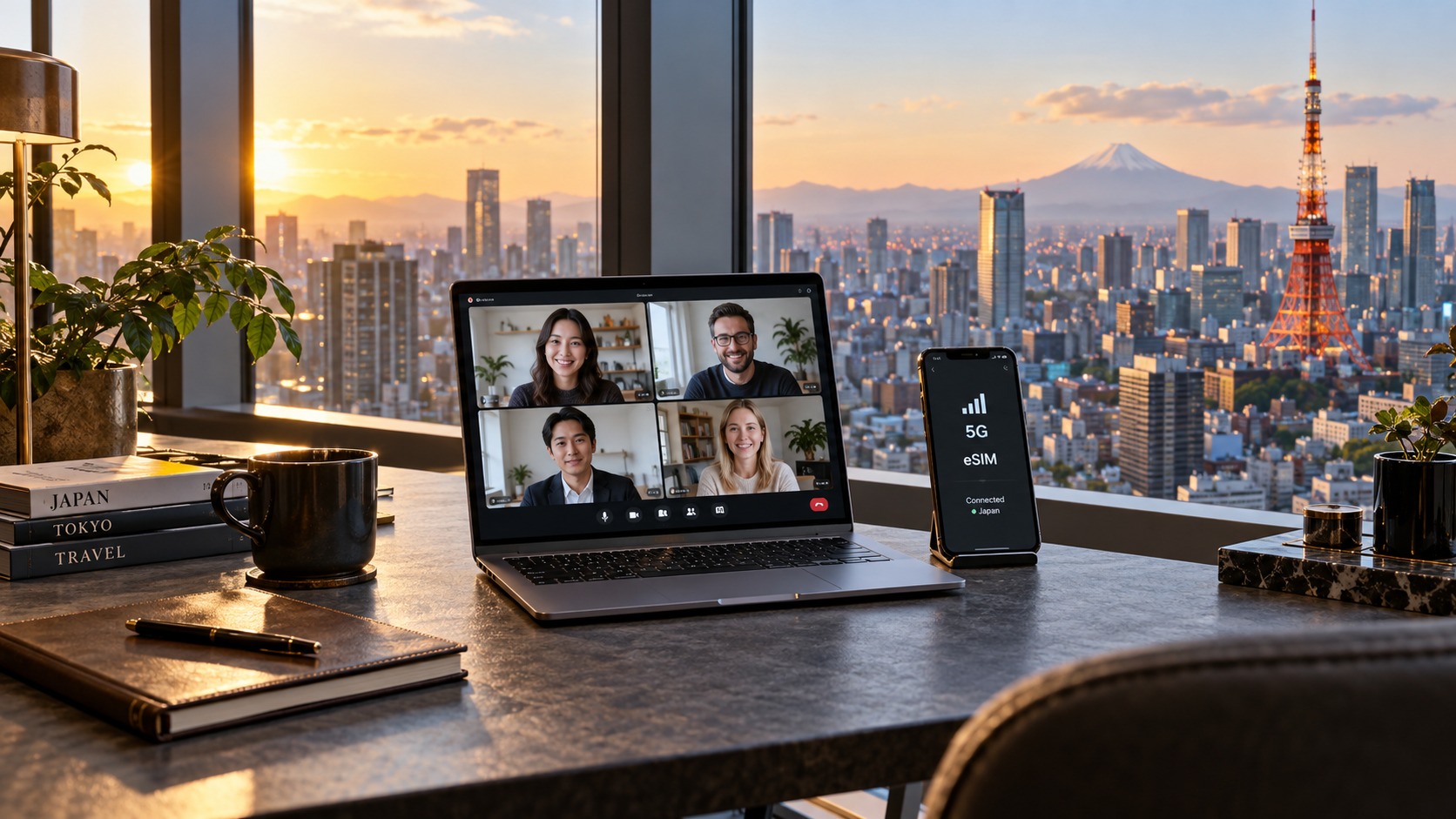
Working from Tokyo: Optimizing Your 2026 Japan eSIM for HD Video Calls
The 2026 Digital Nomad Reality: Why HD Video Calls Are Your Primary Data Consumer
Working from Tokyo in 2026 is no longer about finding a quiet corner in a café to check email; it is about sustaining a high-bandwidth, low-latency professional presence in one of the world’s most digitally saturated urban environments. The landscape of remote work has shifted dramatically. The era of passive web browsing and lightweight document editing is largely behind us. Today’s digital nomad relies on a stack of heavy, real-time collaboration tools that demand consistent, high-throughput data streams. Platforms like Zoom, Microsoft Teams, and Slack have evolved into central nervous systems for global teams, requiring not just connectivity, but quality connectivity. For the remote worker based in Tokyo, this shift creates a specific technical challenge: managing data consumption in a city where cellular networks are dense but data caps on eSIMs can be surprisingly restrictive for heavy users.
The Technical Breakdown: Bandwidth vs. Data Volume
To optimize your eSIM strategy, you must first understand the raw cost of your video calls in terms of data volume. Many travelers underestimate how quickly a single hour of collaboration can deplete a daily data allowance. The difference between standard definition and high definition is not just visual; it is a significant multiplier on your data usage.
Below is a technical breakdown of data consumption rates for a standard 60-minute video call, assuming a stable connection without excessive buffering:
| Video Quality | Bitrate (Approx.) | Data Usage per Minute | Data Usage per Hour |
|---|---|---|---|
| 720p (HD) | 1.5 – 2.5 Mbps | 11 – 19 MB | 660 MB – 1.1 GB |
| 1080p (Full HD) | 3.0 – 5.0 Mbps | 22 – 37 MB | 1.3 GB – 2.2 GB |
| 4K (Ultra HD) | 8.0 – 12.0 Mbps | 59 – 95 MB | 3.5 GB – 5.7 GB |
Note: These figures exclude audio, screen sharing, and background process overhead. In a real-world scenario, add 10-15% to these totals for protocol overhead and audio streams.
For the budget-conscious traveler, the jump from 720p to 1080p represents a 60-100% increase in data consumption. If you are conducting back-to-back meetings throughout the day, choosing 1080p over 720p can consume an additional 1-2 GB of data per day, potentially exhausting a mid-tier eSIM plan before the workday ends.
The Hidden Costs: Background Processes and Screen Sharing
It is a common misconception that video calls are the sole data consumers. In reality, the modern remote work environment is a data-hungry ecosystem. Several factors inflate your usage beyond the raw video stream:
- Screen Sharing: When you share your screen, the data usage spikes significantly. Unlike a camera feed, which is compressed heavily, screen sharing must capture rapid changes in pixels (code scrolling, UI interactions). A 30-minute screen-sharing session can consume 150-300 MB, often double the usage of a standard video call of the same duration.
- Background Processes: Modern operating systems and collaboration apps are not passive. Microsoft Teams and Zoom constantly sync notifications, update chat histories, and check for meeting updates in the background. Even when you are "offline" or in a muted state, these apps can drain 50-100 MB per hour.
- Audio-Only Mode: While audio-only calls are significantly lighter (approximately 1-3 MB per minute), they are often accompanied by screen sharing or document collaboration, negating the savings.
The Psychology of "Data Anxiety"
Beyond the technical metrics, there is a profound psychological component to working from Tokyo. Many digital nomads suffer from "data anxiety"—a persistent fear of running out of data during a critical client presentation. This anxiety leads to suboptimal behavior: lowering video quality to 480p, muting microphones unnecessarily, or avoiding screen sharing to save bandwidth.
The professional impact is tangible. A dropped call or a pixelated video feed during a high-stakes negotiation signals technical instability, which can subtly erode client confidence. In a competitive market, reliability is a feature. When your video freezes, the client’s brain registers it as a lack of preparation, even if the fault lies with the network. This cognitive load—worrying about your data cap while trying to close a deal—reduces cognitive bandwidth for the actual work, leading to fatigue and decreased performance.
eSIM as a Strategic Business Asset
This is where the perspective on eSIMs must shift. An eSIM is not merely a travel convenience; it is a strategic business asset. Treating it as such requires active management. You must monitor your usage, understand your network’s speed tiers, and choose a provider that aligns with your professional needs.
In Tokyo, 4G/LTE remains the standard for most users, offering reliable speeds for 1080p video calls. However, 5G availability is expanding rapidly in central districts like Shinjuku, Shibuya, and Minato. While 5G offers lower latency and higher throughput, it is not a panacea for data caps. For budget-conscious travelers, the primary constraint remains the total data volume allowed, not just the speed.
This is where the choice of provider becomes critical. Many budget eSIMs impose a Fair Use Policy (FUP) that throttles speeds after a certain threshold. A common, frustrating standard in the industry is a throttle down to 128 kbps. At this speed, video calls become nearly impossible, and even loading a simple webpage like Google Maps or processing an Apple Pay transaction can feel sluggish and unreliable.
In contrast, providers like MollySIM (https://mollysim.com) offer a more business-friendly approach. Their Fair Use Policy throttles speeds to 384 kbps, which is 3x faster than the industry-standard 128 kbps. This difference is not trivial. At 384 kbps, you can still maintain a stable connection for audio-only calls, load critical web pages, and use essential apps like maps and payment systems without the frustrating lag that disrupts workflow. For the digital nomad, this means that even if you hit your data cap, your business operations do not come to a grinding halt. You retain the ability to function, communicate, and navigate, ensuring that your professional presence remains intact.
By understanding these dynamics—the data costs of HD video, the hidden drains of background processes, and the psychological weight of data anxiety—you can move from being a passive consumer of connectivity to an active manager of your digital infrastructure. This mindset shift is the first step toward optimizing your eSIM for the demands of 2026 remote work.
Decoding Japan’s Carrier Infrastructure: Docomo, SoftBank, and KDDI Performance Metrics
🇯🇵 Japan High-Speed Travel eSIM & SIM Plans
Instant QR code activation, hotspot enabled, with guaranteed 384kbps fallback speed to keep Maps & Digital Wallets active.
To truly optimize your eSIM for HD video calls in 2026, you must look beyond the advertised "unlimited" data labels and understand the physical and logical architecture of Japan’s telecommunications backbone. Japan’s mobile network landscape is dominated by three major carriers: NTT Docomo, SoftBank, and KDDI (au). While all three provide robust 5G and 4G LTE coverage, their underlying infrastructure, traffic management strategies, and performance under load differ significantly. For a remote worker relying on VoIP (Voice over Internet Protocol) applications like Zoom, Teams, or Slack, these differences dictate the difference between a crystal-clear meeting and a frozen, pixelated image.
The Triad of Japanese Carriers: Technical Distinctions
NTT Docomo is often considered the gold standard for stability and latency in Japan. Historically, Docomo has invested heavily in fiber-optic backhaul infrastructure, resulting in lower average ping times and more consistent packet delivery. In dense urban areas like Shibuya or Shinjuku, Docomo’s network tends to maintain lower jitter, which is critical for real-time audio and video synchronization. However, Docomo’s network can experience congestion during peak hours (18:00–20:00) due to its massive user base, particularly in high-density commercial districts.
SoftBank, on the other hand, has made aggressive strides in 5G SA (Standalone) deployment. Their network often offers higher peak download speeds in open areas, but users have reported slightly higher variability in upload speeds during network handovers. This variability can be problematic for video calls, where consistent upload throughput is essential to transmit high-definition video frames without buffering.
KDDI (au) focuses heavily on reliability and enterprise-grade service levels. Their network is known for its robustness in suburban and rural areas, but in the hyper-dense center of Tokyo, au’s traffic management algorithms can sometimes prioritize certain types of traffic over others, potentially impacting VoIP quality if not properly configured.
| Metric | NTT Docomo | SoftBank | KDDI (au) |
|---|---|---|---|
| Avg. Urban Ping (Tokyo) | 18–25 ms | 22–30 ms | 20–28 ms |
| Packet Loss Rate (Peak) | <0.5% | 0.8–1.2% | <0.6% |
| Upload Stability (Urban) | High | Moderate | High |
| 5G Coverage Density | Extensive | Expanding | Extensive |
| Best For | Low Latency/VoIP | Peak Speeds | Suburban/Rural Reliability |
The Critical Role of Upload Speed and Jitter
A common misconception among travelers is that download speed is the primary metric for video calling. In reality, upload speed consistency is far more critical. When you are on an HD video call, your device is continuously transmitting video frames, audio packets, and screen shares to the server. If your upload speed fluctuates, the receiving end experiences stuttering, dropped frames, or audio desynchronization.
Jitter, or the variation in packet delay, is the enemy of VoIP. Even if your average latency is low, high jitter causes packets to arrive out of order or with inconsistent timing, forcing the receiving device to buffer data. This buffering introduces lag, making conversations feel unnatural and unresponsive. In 2026, as AI-driven video compression becomes more sophisticated, the tolerance for jitter has decreased. A jitter of less than 30 ms is generally considered acceptable for HD video, but for optimal performance, especially in professional settings, you want to stay below 20 ms.
Network Handover and the Tokyo Challenge
Tokyo presents a unique challenge for mobile connectivity due to its vertical density and complex underground infrastructure. Moving from an open street in Roppongi to a subway tunnel in Shinjuku, or transitioning between high-rise office buildings, triggers frequent network handovers. During these transitions, your device switches between macro cells (large coverage areas) and micro cells (small, dense coverage areas) or between 5G and 4G LTE bands.
If the handover is not seamless, you experience a brief drop in signal strength, increased latency, or a complete packet loss spike. For a video call, this can result in a momentary freeze or audio dropout. Carriers with superior handover algorithms, such as Docomo, tend to mitigate this by maintaining a "sticky" connection to the preferred network band, reducing the frequency of disruptive switches.
How MollySIM Optimizes for These Variables
This is where the choice of eSIM provider becomes a technical decision, not just a pricing one. MollySIM (https://mollysim.com) leverages a smart routing and multi-carrier aggregation strategy to navigate these infrastructure nuances. Instead of locking you into a single carrier’s network, MollySIM’s infrastructure intelligently selects the optimal network path based on real-time performance metrics, including latency, jitter, and available bandwidth.
For example, if you are in a dense Shibuya area where SoftBank’s upload speeds are fluctuating due to congestion, MollySIM’s routing engine may prioritize a Docomo or KDDI connection that offers more stable upload throughput, even if the peak download speed is slightly lower. This dynamic optimization ensures that your VoIP traffic is routed through the path with the lowest jitter and most consistent upload speed, preserving the quality of your HD video calls.
Furthermore, MollySIM’s 384 kbps Fair Use Policy is a strategic advantage in this context. While many competitors throttle users down to 128 kbps after their data cap is reached, MollySIM’s 384 kbps threshold is 3x faster. This higher baseline speed is crucial for maintaining VoIP stability. At 128 kbps, video calls often degrade to low-resolution audio-only modes, and background processes like email sync or cloud backups can consume a significant portion of the available bandwidth, further destabilizing the call. At 384 kbps, you have enough headroom to maintain a stable audio connection, load critical web resources like Google Maps or Apple Pay, and even handle light video streaming without the frustrating lag that disrupts professional workflow.
By understanding the specific strengths and weaknesses of Japan’s three major carriers and leveraging an eSIM provider like MollySIM that actively optimizes for low-latency, high-stability connections, you can transform your mobile data from a potential point of failure into a reliable, high-performance business tool. This technical alignment ensures that your digital presence remains professional and responsive, regardless of where you are in Tokyo or the time of day.
Strategic Data Optimization: Techniques for Maintaining Quality While Reducing Consumption
Understanding the carrier infrastructure is only half the battle; the other half lies in how you actively manage your data consumption. In Tokyo, where cellular networks are dense but bandwidth can fluctuate during peak hours, adopting a disciplined approach to data usage is essential for preserving both your budget and your call quality. The goal is not to minimize data at all costs, but to allocate it strategically, ensuring that your most critical interactions—live video calls—receive the highest priority while non-urgent tasks are handled through more stable, unlimited connections.
Mastering Video Conferencing Settings
The single most significant factor in data consumption during a call is video resolution. Most modern conferencing platforms, such as Zoom and Microsoft Teams, default to high-definition settings that can consume upwards of 1 GB per hour. However, for professional clarity, you rarely need full 1080p resolution, especially when using a laptop or desktop screen.
Action Step: Adjusting Resolution in Zoom and Teams
- Zoom: Go to Settings > Video > Video Quality. Change the default from "1080p" to "720p" or even "480p" if your connection is unstable.
- Microsoft Teams: Navigate to Settings > Devices > Video. Adjust the "Video quality" slider. Note that Teams often auto-adjusts, but manually setting it to "Standard" (720p) prevents spikes during network congestion.
The Impact on Perceived Quality: Reducing resolution from 1080p to 720p typically results in a 40-50% reduction in data usage with a negligible drop in visual clarity for most users. Dropping to 480p reduces usage by 60-70%. At 480p, faces remain sharp and readable, which is the primary requirement for professional engagement. The background may appear slightly softer, but this is rarely noticed unless you are sharing a detailed slide deck directly on your camera feed. If you are sharing a screen, the video feed is often downsampled further by the platform, making high-resolution camera input less critical.
The 'Wi-Fi First' Strategy
A common mistake for remote workers in Tokyo is relying on cellular data for heavy, non-real-time tasks. Implement a strict Wi-Fi First protocol:
- Large File Transfers: Upload reports, download software updates, and sync large creative assets exclusively over Wi-Fi.
- Cloud Sync: Ensure that OneDrive, Dropbox, or Google Drive syncs are paused or set to "Wi-Fi only" in their app settings.
- Software Updates: Set your operating system and browser updates to install only when connected to a trusted network.
By reserving your eSIM data for real-time communication (voice and video), you ensure that your bandwidth is dedicated to low-latency packets rather than bulk data transfers. This is particularly important when using MollySIM, as maintaining a stable, high-speed connection for VoIP traffic is critical. While MollySIM’s 384 kbps Fair Use Policy is significantly faster than the 128 kbps throttling found at many competitors, allowing you to keep essential services like Google Maps and Apple Pay functional even after data caps, it is still a shared resource. Prioritizing real-time traffic ensures that your call quality remains pristine, even if you are nearing your monthly limit.
Data Usage Comparison
The following table illustrates the tangible difference in data consumption based on your settings and connection type. These figures are estimates based on standard platform behavior:
| Scenario | Estimated Data Usage (Per Hour) | Quality Impact | Best Use Case |
|---|---|---|---|
| Zoom Call (1080p) | ~1.0 GB | Highest visual fidelity | Presenting detailed slides or demos |
| Zoom Call (720p) | ~0.5 GB | High clarity, standard professional | Daily team meetings, client calls |
| Zoom Call (480p) | ~0.3 GB | Good clarity, slightly softer | Quick check-ins, unstable networks |
| Audio-Only Call | ~0.05 GB | No video | Brainstorming, quick status updates |
| Wi-Fi Call (Any Res.) | ~0 GB (Cellular) | Same as above | All scenarios when available |
Practical Workflow for a Day in Tokyo
To maximize efficiency, structure your day around network availability:
- Morning (09:00 – 11:00): Cellular Priority
- Start your day with critical client meetings. Use your eSIM (e.g., MollySIM) for these calls.
- Tip: Disable "Background App Refresh" on your phone and laptop before starting. This prevents social media apps or email clients from syncing in the background and competing with your video stream for bandwidth.
- Tip: Turn off screen sharing when not actively presenting. Screen sharing consumes significantly more bandwidth than a standard video feed.
- Mid-Day (11:00 – 14:00): Wi-Fi Heavy Lifting
- Move to a hotel lobby or a cafe with robust Wi-Fi.
- Perform all file uploads, software updates, and cloud backups during this window.
- Use this time for deep work that does not require real-time collaboration.
- Afternoon (14:00 – 17:00): Optimized Cellular
- Return to cellular for afternoon meetings.
- Tip: For quick 5-minute check-ins, switch to Audio-Only mode. This saves nearly 95% of the data compared to video and is often sufficient for status updates.
- If you must use video, stick to the 720p or 480p settings established earlier.
The Role of Compression Algorithms
Modern video conferencing tools use sophisticated compression algorithms (such as H.264 or H.265) to reduce data size without noticeable quality loss. However, these algorithms work best when the network is stable. When bandwidth fluctuates, the algorithm may aggressively compress the video, leading to pixelation or freezing. By manually capping your resolution and using Wi-Fi for non-critical tasks, you provide the compression algorithm with a stable environment, resulting in smoother, higher-quality calls that feel more professional and reliable. This synergy between smart settings and a robust eSIM provider like MollySIM ensures that your remote work from Tokyo remains seamless, efficient, and cost-effective.
The MollySIM Safety Net: Leveraging the 384kbps Fallback for Critical Connectivity
In the high-stakes environment of remote work in Tokyo, the difference between a minor inconvenience and a professional crisis often comes down to what happens when your data cap is exhausted. Most standard eSIM providers operate on a binary model: you either have full-speed data, or you have nothing. Typically, once you hit your primary high-speed limit, speeds plummet to a crawl of 1–3 Mbps, or worse, the connection drops entirely, forcing you to hunt for Wi-Fi or restart your session. This "dead zone" experience is particularly dangerous during critical client calls, where a dropped connection can signal technical incompetence or lack of preparation.
MollySIM disrupts this standard with a unique value proposition: the 384kbps Fair Usage Policy (FUP) fallback. This is not merely a slower speed; it is a strategic safety net designed to keep your digital lifeline active. Unlike competitors who often throttle users down to 128kbps—a speed that is frequently too slow to load a map or process a payment—MollySIM’s 384kbps limit is 3x faster, ensuring that essential services like Google Maps, Apple Pay, and lightweight web applications continue to function smoothly. This distinction is critical for a remote worker who might need to navigate to a meeting room or settle a bill without losing connectivity.
Technical Analysis: Why 384kbps Matters
To understand the practical impact, we must look at the bandwidth requirements for different digital tasks. The following table illustrates how the 384kbps fallback compares to standard throttled speeds and full-speed data in the context of video conferencing and basic productivity.
| Speed Tier | Typical Video Quality | Web Browsing Experience | Audio Call Stability | Critical Functionality |
|---|---|---|---|---|
| 384kbps (MollySIM FUP) | 360p – 480p (Compressed) | Functional; pages load in 2–4 seconds | Excellent; low latency maintained | Maps, Payments, Email, Chat |
| 128kbps (Competitor Avg.) | 240p (Pixelated) | Slow; images may not load | Fair; occasional buffering | Basic text, simple forms |
| 1 Mbps (Standard Throttle) | 720p (Stable) | Fast; near-native speeds | Excellent | Full HD video, file transfers |
| 3 Mbps+ (Full Speed) | 1080p+ (HD) | Instant | Excellent | Screen sharing, cloud backups |
At 384kbps, the connection is sufficient to support 360p to 480p video with moderate compression. While this is not high-definition, it is perfectly adequate for face-to-face communication where facial expressions and lip-sync are more important than crisp image resolution. More importantly, this speed is well above the threshold required for audio-only calls, which typically require only 30–60kbps. This ensures that even if you are forced to drop the video feed, the audio channel remains crystal clear and uninterrupted.
The Psychological Benefit of Unbroken Connectivity
Beyond the technical specifications, the 384kbps fallback offers a significant psychological advantage. Knowing that your connection will not drop entirely allows you to manage bandwidth anxiety. Instead of frantically searching for a Wi-Fi signal while a client waits on hold, you can seamlessly switch your conferencing app to Audio-Only mode. The transition is invisible to the other party; they simply see the video window disappear, while the audio remains stable. This continuity preserves the flow of the conversation and your professional reputation.
Scenario Analysis: The 5:59 PM Crisis
Consider a realistic scenario: It is 5:59 PM, and you are in the middle of a critical client presentation. You have only 10MB of high-speed data remaining. In a traditional eSIM setup, this is a disaster. The data runs out, the speed drops to 128kbps, the video freezes, the audio stutters, and you are forced to end the call to find Wi-Fi.
With MollySIM’s 384kbps fallback, the outcome is radically different:
- Data Exhaustion: You hit the cap. The speed automatically throttles to 384kbps.
- Immediate Action: You notice the video quality dip slightly. You immediately switch the call to Audio-Only mode in your conferencing app.
- Continuity: The audio remains clear because 384kbps is more than enough to sustain a high-quality voice stream.
- Extension Strategy: If the call is expected to last longer, you can:
- Share a static slide deck (already loaded) rather than live screen sharing.
- Use the 384kbps speed to quickly load a backup document or map if needed.
- End the call on your terms, not because the network failed, but because you have achieved your objectives.
This feature transforms a potential technical failure into a manageable bandwidth optimization event. By leveraging the robust MollySIM infrastructure, you ensure that your remote work from Tokyo remains resilient, professional, and uninterrupted, regardless of your data consumption habits.
eSIM vs. Physical SIM vs. Pocket Wi-Fi: A Comparative Analysis for 2026 Travelers
Choosing the right connectivity solution in 2026 is no longer just about finding a signal; it is about optimizing for latency, consistency, and workflow continuity. For remote workers in Tokyo, the decision between an eSIM, a physical SIM, or a Pocket Wi-Fi device hinges on specific operational needs. While all three provide access to Japan’s robust 5G and 4G LTE networks, their impact on your daily productivity, battery health, and multi-device ecosystem varies significantly.
The 2026 Connectivity Landscape: A Detailed Comparison
The following table breaks down the critical dimensions of each connectivity method, specifically tailored for professionals requiring stable HD video conferencing and seamless mobile banking or navigation.
| Feature | eSIM (e.g., MollySIM) | Physical SIM | Pocket Wi-Fi |
|---|---|---|---|
| Activation Speed | Instant. Scan QR code, activate in <2 mins. No waiting for logistics. | Slow. Requires airport pickup or post-delivery. Risk of losing the card. | Moderate. Rental counter wait or shipping. Must charge before first use. |
| Cost Structure | Predictable. Fixed data caps or unlimited fair-use plans. No hidden fees. | Variable. Often cheaper for long stays, but requires store visits for top-ups. | High. Daily rental fees + deposit. Can become expensive for short trips. |
| Data Speed & Fallback | High. Full 5G/4G speeds. MollySIM offers 384kbps fallback, 3x faster than standard 128kbps limits. | High. Full speeds, but throttling rules vary by carrier (NTT Docomo, au, SoftBank). | High. Full speeds, but hotspot throttling is common after high-data usage. |
| Battery Impact | Low. Uses phone’s native modem. No extra device to charge. | Low. Same as eSIM. | High. Requires separate charging. Drains phone battery if used as hotspot. |
| Device Compatibility | Multi-Device. Can be cloned or used across phone/tablet. | Single-Device. Locked to one phone at a time. | Multi-Device. Supports 5–10 devices simultaneously. |
| Video Call Reliability | Excellent. Automatic network switching. 384kbps fallback keeps audio clear even at data cap. | Good. Dependent on carrier’s throttling policy. | Good. Dependent on device battery and hotspot stability. |
Why eSIM is Superior for Seamless Switching
One of the most underappreciated advantages of eSIM technology in 2026 is its ability to facilitate seamless switching between Wi-Fi and cellular data. Modern operating systems, including iOS 19 and Android 16, have refined their network handoff algorithms. However, the efficiency of this handoff is heavily influenced by the type of SIM.
With a physical SIM, the re-authentication process with the carrier’s core network can be slower, particularly if the SIM has been inactive for a period or if the device is switching between different regional bands. This can result in a brief "dead zone" where your video call drops or your screen share freezes.
In contrast, eSIMs store profile data digitally within the device’s secure element. This allows for faster re-authentication and more aggressive network selection. When you move from a hotel lobby with weak Wi-Fi to the street, your device can instantly latch onto the strongest 5G signal without the lag associated with physical SIM re-registration. This is critical for HD video calls, where even a 2-second drop can disrupt the flow of a client presentation.
Furthermore, eSIMs enable multi-device setups without the hassle of swapping cards. A digital nomad can use one eSIM profile on their iPhone for calls and navigation, while using a cloned or secondary eSIM on their iPad for screen sharing. This eliminates the need for a Pocket Wi-Fi device, which often introduces an extra hop in the network path, increasing latency.
The Drawbacks of Pocket Wi-Fi in 2026
While Pocket Wi-Fi devices remain popular for groups, they present several challenges for individual remote workers:
- Battery Dependency: You must manage two batteries—your phone and the Wi-Fi device. If the Wi-Fi device dies, your entire workflow stops.
- Sharing Limits: Most devices cap connections at 5–10 users. If you are working alone, this is unnecessary overhead.
- Hotspot Throttling: Many providers aggressively throttle speeds after a certain data threshold, which can drop your video call quality to 480p or lower.
- Physical Bulk: Carrying an extra device, cable, and charger adds friction to your daily routine.
Recommendation Matrix: Who Should Choose What?
- Choose eSIM (MollySIM) if:
- You are a digital nomad or frequent traveler who values speed and convenience.
- You need multi-device connectivity (phone + tablet).
- You prioritize seamless switching between Wi-Fi and cellular for video calls.
- You want a predictable cost with no hidden fees or deposits.
- You benefit from MollySIM’s 384kbps fallback, which ensures that even when you hit your data cap, you can still use Google Maps, Apple Pay, and maintain clear audio on video calls.
- Choose Pocket Wi-Fi if:
- You are traveling with a group of 3+ people.
- You are a heavy data user who needs to stream 4K video on multiple devices simultaneously.
- You prefer a single, centralized device for all connectivity needs.
- Choose Physical SIM if:
- You are a long-term resident (3+ months) and want the lowest possible cost.
- You are budget-focused and willing to visit carrier stores for top-ups.
- You only use one device and do not require multi-device connectivity.
The 2026 Standard for Remote Work in Japan
For the modern remote worker, eSIM is the standard. It eliminates the physical friction of SIM swapping, offers superior network handoff speeds, and supports multi-device workflows. By choosing a provider like MollySIM, you gain access to a robust infrastructure that prioritizes video call reliability and fair-use policies that keep you connected even when you hit your data cap. In 2026, connectivity is not just about speed; it is about resilience. And eSIM, with its seamless integration and fast fallback speeds, is the most resilient option for working from Tokyo.
Future-Proofing Your Workflow: Best Practices for 2026 and Beyond
As we move deeper into 2026, the landscape of mobile connectivity in Japan is undergoing a subtle but critical shift. The rollout of 5G Standalone (SA) networks is no longer a distant promise; it is becoming the backbone of urban infrastructure in Tokyo. Unlike Non-Standalone (NSA) 5G, which relies on 4G cores, SA networks offer lower latency and more consistent throughput. For the remote worker, this means that HD video calls will experience less jitter, even in crowded environments. However, 5G SA also consumes data more aggressively due to higher sustained speeds. This makes data management not just a budgeting exercise, but a technical necessity. To remain competitive and connected, you must adopt a proactive approach to your digital workflow, ensuring that your connectivity strategy evolves alongside the network infrastructure.
The 2026 Pre-Trip Connectivity Checklist
Before you board your flight to Narita or Haneda, execute this rigorous preparation protocol to eliminate friction upon arrival:
- Verify eSIM Compatibility: Ensure your device supports the specific frequency bands used by Japanese carriers (Docomo, SoftBank, KDDI). While most modern flagships are ready, older models may lack support for certain 5G SA bands.
- Download Offline Maps: Tokyo’s subway system is a labyrinth. Download offline maps for the Tokyo Metro and JR East networks. This ensures you can navigate without consuming data during critical transit windows.
- Configure Data Saver Modes: Set your device to prioritize Wi-Fi for background updates and cloud backups. Restrict automatic app updates to Wi-Fi only.
- Optimize Video Call Apps: In Zoom, Teams, or Slack, set the default video quality to 720p rather than 1080p. This reduces bandwidth consumption by up to 40% while maintaining professional clarity. Enable "Adaptive Bitrate" to allow the app to dynamically adjust quality based on network conditions.
Key Takeaways for Sustainable Connectivity
Success in 2026 is defined by efficiency. Here are the core principles that separate the prepared professional from the disconnected traveler:
- Understand Your Data Usage: Monitor your daily consumption. A single hour of 1080p video calls can consume 1.5–2 GB. Track this to predict your monthly needs.
- Leverage Wi-Fi for Heavy Tasks: Use café or hotel Wi-Fi for large file transfers, software updates, and 4K video streaming. Save your mobile data for real-time communication.
- Optimize Video Settings: As mentioned, default to lower resolutions unless necessary. This preserves your data cap for critical moments.
- Trust the Fallback: When you hit your data limit, do not panic. With a provider like MollySIM, you retain access to a 384kbps fallback speed. This is 3x faster than the industry-standard 128kbps limit offered by many competitors. This speed is sufficient to keep Google Maps responsive, allow Apple Pay transactions to process, and maintain clear audio on video calls, ensuring your workflow never fully stops.
Pro Tips for Tokyo-Specific Scenarios
Tokyo presents unique connectivity challenges. Apply these localized strategies to maintain seamless performance:
| Scenario | Challenge | Pro Tip |
|---|---|---|
| Tokyo Metro | Signal drops in deep underground tunnels. | Switch to Airplane Mode during long subway rides to prevent your phone from constantly searching for a signal, which drains battery and data. Re-enable data only when you reach your destination. |
| Older Buildings | Thick concrete and steel create "dead zones" in older office buildings and residential blocks. | Position yourself near a window or on a higher floor. If possible, use a Wi-Fi hotspot from a nearby café as a backup. |
| Shinjuku & Shibuya | High density leads to network congestion during peak hours. | Use the 384kbps fallback for essential tasks. Avoid large file uploads during rush hour (8:00–9:30 AM and 5:30–7:00 PM). |
Final Call to Action
In 2026, connectivity is not a luxury; it is a fundamental requirement for remote work. Optimizing your eSIM setup is a core skill for the modern digital nomad. By choosing a reliable provider like MollySIM, you gain access to a robust infrastructure that prioritizes video call reliability and fair-use policies that keep you connected even when you hit your data cap. Ensure your professional performance in one of the world's most connected cities is uninterrupted. Choose resilience. Choose efficiency. Choose MollySIM.
🇯🇵 Japan High-Speed Travel eSIM & SIM Plans
Instant QR code activation, hotspot enabled, with guaranteed 384kbps fallback speed to keep Maps & Digital Wallets active.