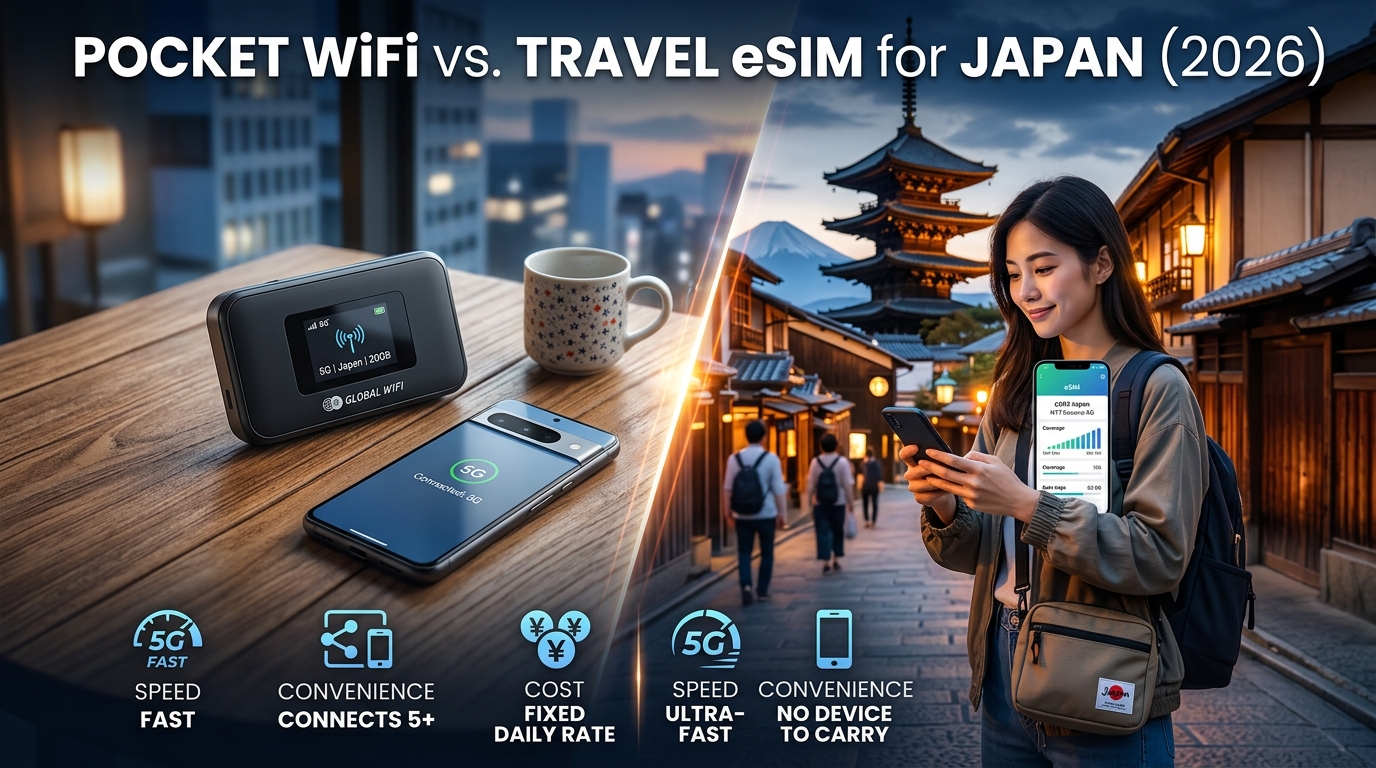
Pocket WiFi vs. Travel eSIM for Japan (2026): Speed, Convenience & Cost Comparison
The Evolution of Japan Travel Connectivity: Pocket WiFi vs. eSIM in 2026
For over a decade, landing at Narita (NRT), Haneda (HND), or Kansai International (KIX) meant participating in a mandatory arrival ritual: standing in long airport queues at the Telecom Square, Ninja WiFi, or Japan Wireless counters to pick up a rented plastic box. For years, these portable mobile hotspots (commonly referred to as Pocket WiFi) represented the gold standard of inbound Japanese connectivity, bypassing the country’s notoriously strict biometric SIM-registration laws for foreign tourists.
By 2026, the landscape of mobile telecommunications has shifted decisively toward digital-first architecture. The widespread adoption of the eUICC (embedded Universal Integrated Circuit Card) standard has transformed travel connectivity from a cumbersome physical logistics challenge into a friction-free software installation.
+-----------------------------------------------------------------------------+
|                     TRADITIONAL POCKET WIFI WORKFLOW                         |
|  Advance Booking -> Airport Pickup Queue -> Daily Device Charging          |
|  -> Tethering Proximity Constraint -> Post Office/Airport Drop-off Box     |
+-----------------------------------------------------------------------------+
                                      vs.
+-----------------------------------------------------------------------------+
|                          MODERN eSIM WORKFLOW                               |
|  Purchase Online -> Instant QR/In-App Installation -> Auto-Connect at NRT/HND|
|  -> Direct Device Execution -> Automatic Expiration (Zero Returns)          |
+-----------------------------------------------------------------------------+
Hardware Breakdown: Dedicated Modem vs. Native Silicon
Understanding why travelers are abandoning physical hotspots requires examining the fundamental hardware differences between the two technologies:
| Evaluation Metric | Pocket WiFi (MiFi Hotspot) | Digital Travel eSIM |
|---|---|---|
| Physical Footprint | External device (150–200g) + spare power bank & cables | 0g (Embedded microchip inside your existing smartphone) |
| Battery Impact | Requires independent charging; lasts 6–10 hours under load | Negligible smartphone battery draw; supports native iOS/Android power optimization |
| Operational Friction | Pickup/drop-off logistics; risk of $150–$250 hardware loss fees | Instant remote OTA (Over-the-Air) profile provisioning via SM-DP+ server |
| Tethering Dynamics | Requires continuous Wi-Fi radio connection; splits if group separates | Direct cellular reception on your phone; hotspotting can still be enabled natively |
| Dual-SIM Operation | Disables dual-SIM functions; forces primary phone onto Wi-Fi calling | Retains primary physical SIM active for domestic bank 2FA SMS & WhatsApp |
Japan's Telecom Infrastructure: NTT Docomo, SoftBank, and KDDI (au)
Japan boasts one of the world's most sophisticated and densely engineered cellular infrastructures, dominated by three Tier-1 national carriers:
- NTT Docomo (DOCOMO): The historic incumbent. Offers the widest rural, alpine, and maritime footprint across Hokkaido, the Japanese Alps, and remote Okinawa islands. Utilizes deep-penetration Sub-6GHz and LTE Band 19 (800 MHz) spectrum, critical for maintaining unbroken data along the Tokaido Shinkansen.
- SoftBank: Highly optimized for dense urban corridors. Exceptional micro-cell deployment throughout Tokyo’s multi-level underground metro stations, Shibuya/Shinjuku high-density canyons, and indoor shopping complexes.
- KDDI (au): Renowned for ultra-consistent suburban and regional throughput, utilizing robust Band 18/26 low-band frequencies that prevent signal drops inside reinforced concrete structures.
In 2026, the real performance differentiator for foreign travelers is not merely which national network their phone connects to, but how the underlying travel provider manages roaming priority and Fair Use Policies (FUP).
Why FUP Limits & Fallback Speeds Matter in 2026
When traveling across Japan, navigating complex railway hubs like Shinjuku Station or checking live Google Maps train departure platforms requires continuous low-latency data. Many generic travel eSIM providers route traffic through distant third-party roaming gateways and penalize users with severe Fair Use Policy (FUP) throttles down to 128kbps or 64kbps once daily high-speed allocations are reached. At 128kbps, vector map rendering fails, Tokyo Metro navigation times out, and mobile payment gateways fail to authenticate.
Modern connectivity providers have addressed this performance bottleneck. For example, MollySIM partners directly with Japan’s tier-one networks to provide high-speed local breakout data alongside an upgraded 384kbps FUP throttle speed. Operating at 3x the standard industry speed limit, a 384kbps fallback ensures that critical transit apps, Google Maps live routing, Line/WhatsApp messaging, and Apple Pay/Suica digital reloads continue to function seamlessly even if you exhaust your daily high-speed data quota while exploring Tokyo or Kyoto.
Airport Logistics, Security Deposits, and the Dual SIM 2FA Advantage
🇯🇵 Japan High-Speed Travel eSIM & SIM Plans
Instant QR code activation, hotspot enabled, with guaranteed 384kbps fallback speed to keep Maps & Digital Wallets active.
The operational gap between traditional Pocket WiFi rentals and modern travel eSIM profiles becomes immediately apparent the moment you touch down at major international gateways like Tokyo Haneda (HND), Tokyo Narita (NRT), or Kansai International (KIX). Understanding the logistics, financial holds, and mobile hardware management involved is essential for a frictionless arrival in Japan.
The Airport Pick-Up & Return Gauntlet
Renting a Pocket WiFi unit introduces several physical bottlenecks before you even clear the airport terminal:
- Counter Queues and Flight Timing: After clearing immigration and customs, travelers must locate rental kiosks (such as those in Haneda Terminal 3 or Narita Terminal 1/2). Peak international arrival banks often result in 30-to-45-minute queues. Furthermore, travelers on red-eye flights face closed service desks, forcing them to rely on expensive automated locker systems or wait until morning opening hours.
- Security Deposits and Hardware Liabilities: Pocket WiFi providers typically place a $100 to $200 pre-authorization hold on your credit card. If you lose the device, misplace the provided pouch/cables, or suffer battery water damage during a rainstorm in Kyoto, replacement fees frequently exceed $250 to $350.
- The Departure Drop-Off Risk: Returning the hardware requires finding the designated terminal drop-box before passing through outbound security. If you accidentally clear international security and immigration with the router in your carry-on, return shipping from abroad is prohibitively expensive and triggers daily penalty fees.
| Logistical Factor | Traditional Pocket WiFi Rental | Travel eSIM (e.g., MollySIM) |
|---|---|---|
| Setup Time | 20–45 mins in airport queue | < 2 mins via digital QR code before departure |
| Security Deposit | $100 – $200 credit card hold | $0 (No hardware involved) |
| Damage/Loss Risk | Up to $350 in replacement fees | Zero physical liability |
| Return Logistics | Strict airport drop-box deadline | Automatic profile expiration |
| Arrival Connectivity | Delayed until counter pick-up | Immediate upon runway touchdown |
Instant Deployment via MollySIM
Modern travel eSIMs eliminate hardware logistics entirely. By purchasing an eSIM profile through MollySIM prior to departure, you can scan a digital QR code or activate the profile directly within your device’s cellular settings while still at home.
The moment your flight touches down on the tarmac at HND, NRT, or KIX and you disable Airplane Mode, your smartphone instantly handshakes with tier-one Japanese carrier towers (NTT Docomo or SoftBank). There are no kiosks, no security deposits, and zero return logistics to manage at the end of your trip.
The Dual SIM 2FA Advantage: Banking and Verification Security
The most critical operational advantage of utilizing an eSIM over a standalone Pocket WiFi unit or swapping physical SIM cards is active Dual SIM standby.
When traveling internationally, your domestic bank, credit card issuers, and digital identity platforms constantly trigger Two-Factor Authentication (2FA) via SMS whenever you execute high-value transactions—such as booking reserved Shinkansen seats via the SmartEX app, buying teamLab tickets, or authorizing foreign currency reloads on Apple Pay:
With MollySIM handling all cellular data locally, your domestic line remains active in the background exclusively to receive incoming verification codes without triggering predatory daily international carrier roaming passes.
Additionally, because MollySIM provides a reliable 384kbps Fair Use Policy (FUP) safety net—three times the industry standard 128kbps fallback—even if you burn through your daily high-speed tier streaming 4K video, critical financial authentications, push notifications, and Apple Wallet transactions continue to process without network timeouts.
Network Performance: Shinkansen Bullet Trains, Subways, and Remote Regions
A reliable mobile connection in Japan is not just about raw download speed in an open-air cafe—it is about signal penetration through reinforced concrete, rapid cell tower handoffs at 300 km/h, and priority routing in hyper-dense transit hubs.
How your device handles these environments depends directly on whether you are using a localized travel eSIM or a broadcasted Pocket WiFi hotspot.
1. High-Speed Transit: Tokaido-Sanyo Shinkansen (Tokyo → Nagoya → Kyoto → Osaka)
Traveling on the Tokaido-Sanyo Shinkansen bullet train at speeds up to 285–320 km/h pushes mobile modems to their limits. The physical device must execute cellular handovers between base transceiver stations (BTS) every 40 to 90 seconds while navigating tunnels across Shizuoka and Kanagawa prefectures.
- Pocket WiFi Bottlenecks: Most rental pocket Wi-Fi units (such as legacy Huawei or ZTE mobile routers) use older Category 4 or Category 6 LTE baseband modems. When switching towers at high speeds, these hardware units suffer from buffer bloat, causing 3–8 second latency spikes and dropped Voice-over-IP (VoIP) calls or interrupted video streams.
- MollySIM Tier-1 eSIM Routing: Modern smartphones equipped with flagship cellular modems (like Qualcomm Snapdragon X70/X75 or Apple A-Series basebands) manage rapid Doppler shifts and multi-band carrier aggregation natively. Connecting via MollySIM's Japan eSIM grants direct access to the tier-1 networks of NTT Docomo and SoftBank, preserving sub-40ms ping times and steady 5G/4G downlinks even while speeding through rural tunnels between Odawara and Nagoya.
2. Sub-surface Density: Tokyo Metro & Mega-Terminals
Tokyo’s underground rail network (Tokyo Metro and Toei Subway) and mega-stations like Shinjuku, Shibuya, and Tokyo Station represent some of the highest RF (radio frequency) density challenges in the world.
Inside subterranean stations like the Oedo Line (resting up to 48 meters below ground level), standard mid-band frequencies struggle. Connection viability relies on low-band "Platinum Bands"—specifically Docomo’s Band 19 (800 MHz) and SoftBank’s Band 8 (900 MHz).
Because Pocket WiFi routers broadcast on local 2.4 GHz or 5 GHz Wi-Fi frequencies to your phone, they add an extra layer of 2.4 GHz Wi-Fi radio interference inside crowded subway cars where hundreds of active devices compete for the same local unlicensed channels. A direct eSIM connection bypasses local Wi-Fi congestion entirely, connecting directly to base station leaky coaxial cables installed throughout the subway tunnels.
3. Rural Outposts: Mount Fuji, Hakone, and the Japanese Alps
Venturing beyond the Golden Route into regional destinations—such as the Mount Fuji Five Lakes (Kawaguchiko), the volcanic valleys of Hakone, or the alpine trails around Takayama and Shirakawa-go—reveals stark coverage discrepancies between secondary MVNO resellers and tier-1 infrastructure.
- Mountainous Topography: SoftBank and NTT Docomo maintain dense microwave backhaul arrays across mountainous terrain. MollySIM leverages these primary cellular links to deliver uninterrupted 4G LTE coverage for hyper-localized navigation tools like Yamanote transit alerts and Google Maps terrain views.
- Bandwidth Safety Net: If you exhaust your high-speed quota while hiking off the beaten track, MollySIM’s 384kbps Fair Use Policy (FUP) speed limit ensures you retain triple the bandwidth of conventional 128kbps throttle limits. This maintains active GPS routing, translates signage through Google Lens, and allows tap-to-pay via mobile Suica/Pasmo without stranding you with a non-responsive map screen.
2026 Head-to-Head Comparison: Pocket WiFi vs. MollySIM Japan eSIM
Selecting between a physical Pocket WiFi rental and a digital travel eSIM comes down to balancing hardware logistics against pure convenience, power efficiency, and overall expenditure. The technical and operational differences below highlight how both technologies perform under real-world travel conditions across Japan.
| Parameter | Traditional Japan Pocket WiFi | MollySIM Japan Travel eSIM |
|---|---|---|
| Upfront Hardware Cost / Deposit | $20–$50 temporary hold; liability fee up to $250 for loss/damage | $0 hardware cost; 100% digital provisioning with zero liability |
| Daily Effective Rate | $6.50 – $11.00 / day (excluding mandatory insurance and shipping) | $1.15 – $2.80 / day (based on data tier selected) |
| Pick-up & Return Logistics | 20–45 min airport counter queue; mandatory post-box drop-off prior to departure | Instant activation via QR code scan; zero airport queueing |
| Hardware Weight & Bag Space | 140g – 210g standalone terminal + dedicated charging cable and adapter | 0g / 0cm³ (embedded chip inside your smartphone) |
| Battery Life & Management | 6–9 hours active use; requires keeping a continuous power bank plugged in | Native device optimization; no external battery drain from Wi-Fi receiver units |
| Multi-device Tethering | Native support for 5 to 10 simultaneous connections | Supported via iOS / Android Personal Hotspot for laptops/tablets |
| 2FA SMS & Primary SIM Retention | Requires maintaining primary SIM on roaming to receive bank 2FA SMS | Dual-SIM Dual-Standby (DSDS) allows receiving bank SMS on primary line while using data |
| Network Latency & Routing | 45ms – 85ms (adds local 2.4/5GHz Wi-Fi hop overhead) | 20ms – 40ms (direct connection to tier-1 NTT Docomo / SoftBank cell towers) |
| Fair Usage Policy / Data Caps | 3GB/day shared limit or strict 10GB/rolling 3-day MVNO soft cap | Flexible plans: 1GB–3GB/day allotments or fixed high-capacity buckets (5GB–50GB) |
| Fallback Throttle Speeds | Standard 128 kbps (stalls map rendering, messaging media, and transit apps) | 384 kbps Fair Use Policy (FUP) (3x faster; smoothly loads Google Maps, Apple Pay, & transit routes) |
Total Cost of Ownership: 7-Day, 14-Day, and 21-Day Financial Modeling
Rental router companies often advertise low headline prices, but supplementary fees—such as terminal insurance ($1.50–$3.00/day), airport pick-up handling ($5.00–$9.00), and late return penalties—rapidly inflate the final invoice. Conversely, MollySIM operates on an upfront prepaid model with zero hidden processing charges.
+-------------------------------------------------------------------------+
| TOTAL OUT-OF-POCKET EXPEDITION COSTS (SOLO & COUPLE COMPARISON)          |
+-------------------+---------------------------+-------------------------+
| ITINERARY LENGTH  | POCKET WIFI (1 ROUTER)    | MOLLYSIM eSIM (PER USER)|
+-------------------+---------------------------+-------------------------+
| 7 Days (Sprint)   | $58.50 – $78.00           | $8.50 – $14.20          |
| 14 Days (Classic) | $98.00 – $135.00          | $16.00 – $26.50         |
| 21 Days (Deep)    | $145.00 – $198.00         | $24.00 – $38.00         |
+-------------------+---------------------------+-------------------------+
*Pocket WiFi calculations include mid-tier rental, mandatory device insurance, and airport handling.
1. The 7-Day "Tokyo & Kyoto Sprint" Itinerary
- Pocket WiFi Scenario: A 7-day rental via an airport counter averages $7.50/day ($52.50), plus an airport pick-up fee ($6.00) and basic damage protection ($14.00), bringing the total to $72.50. If two travelers share the unit, the cost is $36.25 per person, but they are tied to a 10-meter physical radius.
- MollySIM Scenario: A 10GB high-speed data package costs roughly $11.50. For two travelers purchasing independent eSIM profiles, the combined total is $23.00 ($11.50 per person), yielding a 68% net savings while allowing both individuals to split up at crowded hubs like Shibuya Station without losing connectivity.
2. The 14-Day "Golden Route" Itinerary
- Pocket WiFi Scenario: A 14-day rental incurs approximately $105.00 in rental fees, alongside airport handling and device insurance, totaling roughly $124.00. Additional battery degradation over long travel days often forces travelers to rent an auxiliary power bank at additional expense.
- MollySIM Scenario: A 20GB high-speed 30-day bucket costs approximately $19.80. Even if opting for an uncapped daily package (e.g., 2GB/day with 384kbps unlimited fallback), total spend remains under $24.00 per user, completely removing return shipping logistics at Kansai International Airport (KIX) or Narita (NRT).
3. The 21-Day "All-Japan Rail Pass" Itinerary
- Pocket WiFi Scenario: Extended rentals reach an operational plateau where weekly rates accumulate to $160.00–$195.00. Missing the drop-off collection box prior to a return flight introduces return penalties upwards of $30.00 plus international courier expenses.
- MollySIM Scenario: A high-volume 30GB or 50GB data bucket through MollySIM provides ample bandwidth for remote work, hotspot tethering to an iPad or MacBook, and continuous navigation across rural rail lines for $32.00–$42.00. Over a three-week trip, choosing an eSIM cuts mobile connectivity costs by over $120.00 per traveler.
Battery Management, Fair Usage Policies, and the 384kbps Throttle Advantage
Beyond upfront rental rates and logistical pickups, two operational factors dictate your daily connectivity experience across Japan: hardware power drain and Fair Usage Policy (FUP) throttle speeds. Understanding the physical realities of device management and the technical fine print of data caps prevents unexpected service blackouts when navigating unfamiliar train networks.
The Hardware Burden: Standalone Optimization vs. Multi-Device Tethering
Operating a Pocket WiFi router introduces an unavoidable physical and energetic tax on your daily excursions:
- The Double-Battery Dilemma: A standard Pocket WiFi terminal houses a 2,500mAh to 3,000mAh battery rated for 8 to 11 hours under light use. In practice, maintaining continuous connections to multiple smartphones while switching between cell towers on the Tokaido Shinkansen drains the router in 5 to 7 hours.
- The Necessary Deadweight: Keeping the router alive throughout a 14-hour sightseeing itinerary requires packing a 10,000mAh+ power bank (approx. 220–250g) alongside extra USB-A/USB-C cables. Combined with the router unit itself (140–180g), you add nearly half a kilogram of deadweight to your daypack.
- Thermal Throttling: Running a pocket router inside a backpack during humid Japanese summers leads to internal thermal throttling, resulting in dropped packets, reduced throughput, and accelerated battery degradation.
Conversely, a travel eSIM leverages the internal baseband modem already built into your iPhone or Android device. Modern smartphone operating systems (such as iOS 17/18 and Android 14/15) feature advanced low-power state management for secondary cellular profiles. Disabling background data refresh on non-essential apps allows your phone to easily last a full day on a single charge without external battery support.
Demystifying "Unlimited" Pocket WiFi: The FUP Trap
Most pocket WiFi rental agencies market their products as "Unlimited High-Speed 4G/5G." In the telecommunications sector, "unlimited" rarely means unmetered.
Japanese infrastructure providers (NTT Docomo, SoftBank, and KDDI) enforce strict upstream Fair Usage Policies on wholesale MVNO lines. When a pocket router exceeds a specific daily or rolling 3-day threshold (typically 3GB to 5GB per day or 10GB over rolling 72 hours), the host network applies a severe bandwidth clamp:
- Standard Industry Penalty: Throttled down to 64kbps or 128kbps.
- Real-World Impact: At 64kbps–128kbps, modern internet protocols fail. DNS queries time out, SSL handshakes stall, and critical travel utilities—such as rendering dynamic vector tiles on Google Maps, reloading digital Suica/Pasmo cards in Apple Wallet, or loading live train delay alerts on Japan Travel by NAVITIME—become completely non-functional.
The 384kbps Advantage: The Essential Safety Margin
Rather than obfuscating limits behind misleading "unlimited" marketing, MollySIM provides transparent high-speed data allocations backed by an industry-leading 384kbps Fair Usage fallback speed.
While legacy eSIM providers and rental routers cut throttled bandwidth down to a punitive 128kbps, MollySIM maintains a 384kbps baseline—three times faster than standard competitor safety nets.
| Digital Travel Function | 64kbps – 128kbps (Standard Pocket WiFi / Competitor Throttle) | 384kbps (MollySIM Fallback Safety Net) |
|---|---|---|
| Google Maps / Apple Maps Navigation | Fails: Vector tiles fail to render; search times out. | Functional: Map tiles load steadily; GPS rerouting works. |
| Messaging (WhatsApp, LINE, iMessage) | Partial: Plain text sends slowly; media uploads fail. | Instant: Fast text, instant photos, and stable voice calls. |
| Digital IC Transit Cards (Suica / Pasmo) | High Failure Rate: Balance refresh and top-up servers time out. | Smooth: Fast server handshake and seamless balance top-ups. |
| Google Translate / Voice Translation | Fails: Offline dictionaries required; voice fails. | Functional: Live text and real-time voice translation respond. |
| Web Browsing & Transit Schedules | Fails: Modern web pages exceed timeout thresholds. | Functional: Mobile-optimized pages and timetables render reliably. |
This 384kbps baseline functions as a vital fail-safe: even if you exhaust your daily high-speed 5G allowance streaming 4K video on the train, you will never face a total connectivity blackout while navigating Japanese transit terminals or authenticating mobile payments.
Step-by-Step Activation Guide and Final Verdict for Japan Travelers
Transitioning to an embedded digital SIM removes the physical friction of rental counters, cash deposits, and terminal return dropboxes. To ensure seamless connectivity the moment your flight touches down on the tarmac at Haneda (HND), Narita (NRT), or Kansai International (KIX), follow this direct deployment protocol.
How to Install and Activate Your Japan eSIM (iOS & Android)
Setting up an eSIM profile requires an active internet connection, so complete the initial digital installation prior to departure while connected to your home or airport Wi-Fi.
+-------------------------------------------------------------------------+
|                       PRE-DEPARTURE (Home / Wi-Fi)                      |
|  1. Order plan on mollysim.com  ->  2. Scan QR / Install eSIM Profile   |
|  3. Label line "Japan eSIM"     ->  4. Keep Primary SIM on for 2FA SMS  |
+-------------------------------------------------------------------------+
                                     |
                                     v
+-------------------------------------------------------------------------+
|                     UPON TOUCHDOWN (Tokyo / Osaka)                      |
|  1. Set Cellular Data to MollySIM  ->  2. Toggle Data Roaming "ON"     |
|  3. Disable "Cellular Data Switching" to prevent home carrier fees     |
+-------------------------------------------------------------------------+
Step 1: Pre-Departure Installation (At Home)
- Select your target data allocation and validity window at MollySIM. You will immediately receive a digital QR activation code via email.
- Open your device network settings:
- iOS: Go to Settings > Cellular (or Mobile Data) > Add eSIM > Use QR Code.
- Android (Samsung/Google Pixel): Go to Settings > Connections / Network & internet > SIM Manager > Add Mobile Plan / Add eSIM > Scan Carrier QR Code.
- Scan the provided QR code. When prompted, label the new profile clearly as "Japan eSIM" or "MollySIM" to distinguish it from your primary domestic line.
- Keep the eSIM line toggled OFF until you board your flight.
Step 2: Touchdown Activation (At Haneda, Narita, or KIX)
- Once your aircraft arrives at the gate, open your cellular settings and turn the MollySIM profile ON.
- Set Cellular Data to use your MollySIM line.
- Turn Data Roaming ON specifically for the MollySIM profile (this is required to route traffic through local partner networks like NTT Docomo or SoftBank).
- Crucial iOS Setting: Turn off “Allow Cellular Data Switching”. This ensures your device never silently defaults to your home carrier’s expensive pay-as-you-go international data roaming if the local signal fluctuates.
Field Troubleshooting: APN Settings & Dual-SIM Management
If your phone fails to establish an IP address within two minutes of turning on roaming, apply these immediate technical fixes:
| Issue Detected | Root Cause | Immediate Field Solution |
|---|---|---|
| "No Service" / Continuous Searching | Carrier handshake delay or unassigned network operator. | Toggle Airplane Mode ON for 10 seconds, then OFF. If unresolved, go to Mobile Networks > Network Operators, turn off "Automatic", and manually select NTT Docomo or SoftBank. |
| Signal Bars Present, No Data Throughput | Access Point Name (APN) did not auto-populate during setup. | Open Cellular Data Network / APN Settings for the eSIM profile. Manually enter the APN name specified in your MollySIM activation email (leave Username and Password blank). Save and reboot device. |
| Unexpected Home Carrier Roaming Fees | Domestic line accidentally handling background app data. | Set your domestic line strictly to Default Voice Line (to receive banking 2FA SMS alerts). Ensure MollySIM is explicitly selected as the sole provider for Cellular Data. |
The 2026 Verdict: Best Connectivity Method by Traveler Profile
Pocket Wi-Fi is no longer the default choice for navigating modern Japan. The logistical overhead of battery management, security vulnerability of open Wi-Fi bridges, and penalty-box 128kbps speed throttles make rental hardware a legacy solution.
                                  WHICH SETUP WINS?
                                          │
       ┌──────────────────┬───────────────┴───────────────┬──────────────────┐
       ▼                  ▼                               ▼                  ▼
┌──────────────┐   ┌──────────────┐               ┌──────────────┐   ┌──────────────┐
│ Solo Travel  │   │ Business/2FA │               │ Digital Nomad│   │Family/Groups │
│  & Tourists  │   │  Travelers   │               │ & Power User │   │  (3+ People) │
└──────┬───────┘   └──────┬───────┘               └──────┬───────┘   └──────┬───────┘
       │                  │                               │                  │
       ▼                  ▼                               ▼                  ▼
  MollySIM eSIM     Dual-SIM eSIM                   MollySIM eSIM     Indiv. eSIMs >
  Zero bulk, no      Keep home SMS                   Full tethering    Shared router:
  rental returns     for bank auth                  low latency 5G    no split risks
1. Solo Explorers & Casual Tourists: Winner = MollySIM Travel eSIM
Carrying an extra peripheral through crowded subways and charging two devices every night adds needless friction. A direct eSIM profile gives you native 5G access straight to your smartphone. With MollySIM's 384kbps safety net, you retain continuous access to Google Maps routing, Apple Pay transit taps, and translation apps even if your high-speed quota runs out mid-trip.
2. Business Travelers & Remote Professionals: Winner = Dual-SIM eSIM Setup
Business travelers cannot risk missing multi-factor authentication (MFA) SMS codes from corporate servers or domestic banks. An eSIM allows your physical home SIM to remain active for voice and SMS verification while routing all heavy gigabyte consumption through local Japanese 5G data pipelines—eliminating enterprise security gaps.
3. Digital Nomads & Power Users: Winner = High-Tier eSIM with Personal Hotspot
Pocket Wi-Fi routers introduce additional latency hops that degrade video conferencing and SSH terminal connections. A direct 5G eSIM configuration supporting personal hotspot tethering provides lower latency directly to your MacBook or iPad without managing overheating hardware modules.
4. Small Families & Travel Groups: Winner = Individual eSIMs (Myth Busted: Shared Pocket Wi-Fi)
Renting a single Pocket Wi-Fi to "save money across four people" is a common travel mistake. The moment your group separates inside Shinjuku Station, team members without the router experience an instant digital blackout—leaving them unable to message, translate signs, or access digital IC cards. Equipping each traveler with an individual eSIM delivers complete navigational autonomy and dynamic safety across Japan's complex urban landscapes for roughly the same total cost.
🇯🇵 Japan High-Speed Travel eSIM & SIM Plans
Instant QR code activation, hotspot enabled, with guaranteed 384kbps fallback speed to keep Maps & Digital Wallets active.