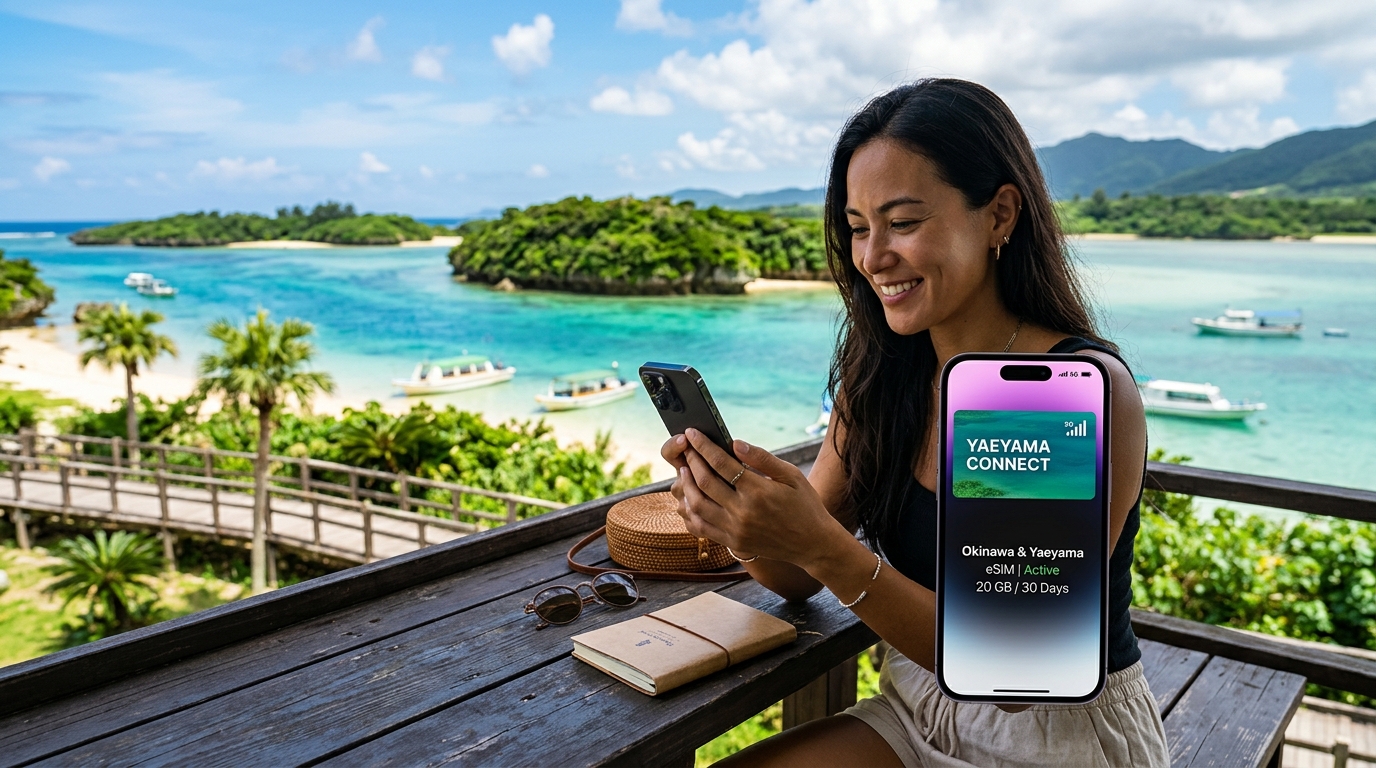
Okinawa & Yaeyama Islands: Subtropical Beach Hopping & Travel eSIM Guide (2026)
Subtropical Island Hopping: Mobile Connectivity Realities Across the Ryukyu Archipelago
Spanning over 1,000 kilometers of open ocean between mainland Kyushu and Taiwan, the Ryukyu Archipelago presents a dramatic shift in travel infrastructure compared to Tokyo or Osaka. Navigating this southern chain—from the urban density of Naha and the sweeping coastal highways of Okinawa Main Island to the sugarcane flats of Miyakojima, the turquoise shallows of Ishigaki, the preserved coral-wall lanes of Taketomi, and the dense, primeval mangrove jungles of Iriomote—demands uninterrupted, high-bandwidth mobile data.
Far from being a luxury for social media updates, continuous cellular access is a functional necessity for remote island logistics:
- Real-Time Rental Car Navigation: Rental vehicles are indispensable across Okinawa, Miyako, and Ishigaki. While onboard Japanese GPS units use numeric "Mapcodes," real-time detours, dynamic congestion around Naha's Route 58, and locating hidden beach trailheads require Google Maps or Apple Maps running live traffic telemetry.
- Dynamic Inter-Island Maritime Tracking: The Yaeyama Island ferry network—primarily operated by Anei Kanko and Yaeyama Kanko Ferry out of Ishigaki Port—operates at the mercy of open-ocean swells, tidal shifts, and seasonal winds. Cancellations or rerouting to Iriomote’s Ohara Port instead of Uehara Port are announced digitally hours before departure.
- Microclimate & Typhoon Monitoring: Subtropical squalls and sudden typhoon formations require continuous monitoring via the Japan Meteorological Agency (JMA) radar feeds to adjust outdoor plans, sea kayaking excursions, and diving reservations.
- Cultural & Safety Decryption: Translating kanji and local Ryukyuan dialect warnings—especially regarding sacred Utaki grounds, Habu viper habitats in Yambaru and Iriomote, and dangerous rip currents—requires immediate on-device optical translation via Google Lens.
+-----------------------------------------------------------------------------------+
|                           THE RYUKYU DATA LIFELINE                                |
+------------------------+---------------------------------+------------------------+
|   Main Island/Miyako   |         Ishigaki / Taketomi     |    Iriomote Hinterlands|
|   • Highway Navigation |         • Ferry Terminal Sync   |    • Emergency Geo-Pin |
|   • Flight Status      |         • E-Ticket Boarding     |    • JMA Squall Alerts |
|   • Digital Transit    |         • Island Cart Rentals   |    • Topographic Maps  |
+------------------------+---------------------------------+------------------------+
The Pitfalls of Legacy Connectivity in Subtropical Environments
For decades, travelers relied on physical SIM swaps or portable Pocket Wi-Fi routers rented at Naha Airport (OKA) or New Ishigaki Airport (ISG). In the Ryukyu environment, these legacy options introduce significant operational liabilities:
- Thermal Throttling and Battery Degradation: Subtropical summer temperatures consistently exceed 33°C (91°F) with intense UV indices. Pocket Wi-Fi units left on rental car dashboards quickly overheat, triggering thermal shutdowns or swelling lithium-ion batteries.
- Environmental Vulnerabilities: Sand, high humidity, and airborne saltwater mist are notorious for corroding charging ports on rental hotspots. A single rogue wave during an Ishigaki beach transfer can destroy an expensive rental device, exposing travelers to steep hardware replacement fees.
- Physical SIM Mechanics: Swapping a millimeter-sized nano-SIM card on a windy beach at Kondoi or inside a rocking ferry terminal carries an unnecessarily high risk of losing your domestic carrier's SIM card.
Hardware Comparison: Connectivity Under Island Conditions
| Feature / Scenario | Airport Pocket Wi-Fi Rental | Physical Tourist SIM | Modern Travel eSIM (MollySIM) |
|---|---|---|---|
| Hardware Overhead | Bulky device + charging cables | Tiny physical nano-SIM & tray pin | None (100% digital deployment) |
| Environmental Hazard | High (Sand, saltwater, sun overheating) | Moderate (Risk of loss during swap) | Zero physical vulnerability |
| Airport Queuing | Mandatory pick-up and return lines | Pick-up kiosk or mail delivery | Instant zero-wait QR code activation |
| Dual SIM Operation | Disables primary line access | Disables primary line access | Keeps primary line active for 2FA SMS |
| FUP Safety Net | Throttled to unusable 64–128 kbps | Throttled or cut off completely | 384 kbps baseline throttle speed |
Digital travel eSIMs eliminate hardware friction entirely. Profiles can be purchased and installed before departure, activating the moment your aircraft lands on the tarmac at Naha or Ishigaki.
Furthermore, network resilience matters when traveling into peripheral island zones. When relying on solutions like MollySIM, travelers gain access to top-tier Tier-1 Japanese mobile carriers (NTT Docomo and SoftBank) without local registration barriers.
Crucially, MollySIM implements a generous 384 kbps Fair Use Policy (FUP) speed limit if your daily high-speed quota is reached—nearly triple the standard 128 kbps industry throttle. This bandwidth ensures that core travel utilities—such as vector map rendering on Google Maps, emergency instant messaging, and contactless Apple Pay transactions at remote island co-ops—remain fully operational even in the middle of the East China Sea.
Japan Carrier Spectrum Deep Dive: NTT Docomo Band 19 & Band n78 vs. SoftBank in Remote Islands
🇯🇵 Japan High-Speed Travel eSIM & SIM Plans
Instant QR code activation, hotspot enabled, with guaranteed 384kbps fallback speed to keep Maps & Digital Wallets active.
The Ryukyu and Yaeyama archipelagos present distinct radio frequency (RF) propagation challenges. Dense subtropical jungle canopies, volcanic terrain, and wide open-ocean straits between islands quickly degrade high-frequency cellular signals. Understanding Japanese cellular band allocations is critical when selecting an eSIM for off-the-grid travel in Okinawa Prefecture.
The Sub-1GHz "Platinum Band" Dynamic: Band 19 vs. Band 8
In metropolitan centers like Tokyo or central Naha, mobile carriers rely on high-capacity mid-band frequencies—principally Band 1 (2.1 GHz) and Band 3 (1.8 GHz). However, mid-band signals suffer severe path loss when passing through the dense mangrove forests of Iriomote-Ishigaki National Park or traversing the 30-kilometer open water channel between Ishigaki and Yonaguni.
For remote island survival, sub-1GHz "Platinum Band" spectrum is mandatory:
- NTT Docomo (LTE Band 19 - 800 MHz): Docomo operates Japan's most extensively engineered rural network. Band 19 provides superior diffraction, allowing radio waves to bend over ocean swells during ferry transits (such as the Anei Kanko route between Ishigaki and Hateruma) and penetrate the interior rainforest trails of Mount Komi on Iriomote.
- SoftBank (LTE Band 8 - 900 MHz): SoftBank's Platinum Band deployment is robust in urban Okinawa, Miyakojima town center, and along the main coastal routes of Okinawa Main Island (Route 58). However, its rural cellular tower density drops slightly in remote outer-atoll perimeters compared to Docomo's legacy government-subsidized infrastructure.
- KDDI / au (LTE Band 18/26 - 800 MHz): KDDI matches Docomo's coverage in many southern islands, but international roaming handshakes and third-party MVNO routing on KDDI often suffer from higher initial latency.
Urban Sub-6 5G Footprints: Band n77 & Band n78
In municipal hubs—such as Naha's Kokusai-dori, Chatan's American Village, and the Ishigaki Ferry Terminal—5G rollouts rely heavily on Band n78 (3.7 GHz) and Band n77 (3.4–4.1 GHz).
Docomo leverages dedicated Band n78 and proprietary Band n79 (4.5 GHz) spectrum, delivering unthrottled gigabit-class downlinks optimal for digital nomads uploading 4K drone footage. In contrast, standard tourist roaming agreements often rely on Dynamic Spectrum Sharing (DSS) over refarmed LTE bands, which displays a "5G" icon on your device without delivering true mid-band throughput.
Choosing a provider like MollySIM ensures your device connects directly to Tier-1 NTT Docomo and SoftBank infrastructure, unlocking authentic local spectrum priority without artificial network deprioritization.
Network Architecture & Remote Performance Matrix
| Metric / Carrier Solution | NTT Docomo (via MollySIM) | SoftBank Roaming Profiles | Pocket Wi-Fi (Rental MVNO) | Airport Physical Tourist SIM |
|---|---|---|---|---|
| Primary LTE Bands | B1, B3, B19 (800MHz), B21, B28 | B1, B3, B8 (900MHz), B11, B28 | B1, B3 (Frequently lacks B19) | B1, B3 (Limited B19 access) |
| 5G NR Capabilities | n78 (3.7 GHz), n79 (4.5 GHz) | n77 (3.4/3.7 GHz), DSS | Sub-6 disabled on most units | Rare / 4G LTE locked |
| Offshore / Ferry Signal | Exceptional (Maintains lock up to 15km offshore) | Moderate (Drops midway on remote transits) | Poor (Internal antennas struggle on water) | Moderate to Poor (Deprioritized routing) |
| Foliage Penetration (Iriomote/Yanbaru) | High (Deep 800 MHz RF penetration) | Moderate (Solid on coastal highways only) | Low (High packet drop inside rainforest) | Moderate |
| Workation Tethering Stability | Rock-solid (Low jitter, stable NAT traversal) | Good (Occasional latency spikes) | Variable (Wi-Fi hop introduces 15–30ms latency) | Restricted (Some SIMs block tethering) |
| Throttling Policy / Fallback Speed | 384 kbps baseline FUP (Google Maps & Apple Pay operational) | 128 kbps FUP (High timeout rate on dynamic assets) | 64–128 kbps (Total system lockup on map vector loads) | Hard disconnect or 64 kbps unusable throttle |
Low-Band Resilience on Open Water
When taking fast catamarans across the Yaeyama archipelago—such as the crossing to Hateruma (Japan's southernmost inhabited island)—vessels regularly exit line-of-sight range from mainland base stations.
Because higher frequencies scatter over water surfaces, devices lacking access to NTT Docomo’s Band 19 will drop into an endless Searching... state, causing rapid battery drain as the baseband processor ramps up transmission power.
Connecting to Tier-1 low-band allocations preserves battery life and ensures continuous transit tracking, maritime safety advisories, and weather radar updates. Even when approaching remote fringe areas where your high-speed allowance is consumed, MollySIM's 384 kbps safety threshold prevents map rendering failures, allowing you to load vector navigation overlays and process transit transactions without interruption.
Zero-Downtime Arrival: Instant Activation at Naha (OKA) & New Ishigaki (ISG) Airports
Landing at Naha Airport (OKA) or Painushima Ishigaki Airport (ISG) demands immediate, reliable connectivity. Whether you are synchronizing your shuttle pickup for a rental car in Tomigusuku, navigating the Yui Rail terminal, or hailing a cab through Japan’s localized ride-hailing networks, waiting for airport public Wi-Fi splash pages to authenticate creates immediate friction.
Configuring your MollySIM profile prior to departure ensures that your baseband locks onto NTT Docomo or KDDI local towers the second the aircraft wheels touch the tarmac.
Phase 1: Pre-Departure Installation (Home Wi-Fi)
To eliminate activation hurdles abroad, install your eSIM profile 12 to 24 hours before your flight while connected to a stable home or office Wi-Fi network.
Apple iOS (iPhone XS / 11 / 12 / 13 / 14 / 15 / 16 Series)
- Navigate to Settings > Cellular (or Mobile Data).
- Tap Add eSIM (or Add Cellular Plan).
- Select Use QR Code and scan the activation code provided in your MollySIM confirmation email. (If setting up on the device displaying the code, copy the SM-DP+ Address and Activation Code for manual entry).
- Under Cellular Plan Labels, designate your physical SIM as Primary and the new profile as MollySIM Japan (or Travel).
- Set your Default Voice Line to Primary (keeps your native number reachable).
- Set Cellular Data to your Primary line for now. Turn OFF "Allow Cellular Data Switching" to prevent accidental background roaming charges from your home carrier.
Android (Google Pixel, Samsung Galaxy S20–S25, Fold/Flip Series)
- Go to Settings > Network & Internet (or Connections) > SIMs (or SIM Manager).
- Tap Add SIM > Download a SIM instead (or Add Mobile Plan).
- Scan the MollySIM QR code when prompted.
- Confirm download and label the profile clearly (e.g., MollySIM OKA).
- Ensure the toggle for this eSIM remains disabled until you board or land.
Phase 2: Touchdown Configuration at OKA & ISG
Execute this sequence as soon as the flight crew permits mobile phone usage during taxi-in:
- APN Configuration: In 99% of cases, MollySIM automatically populates the Access Point Name (APN). If your device does not connect within two minutes, navigate to your MollySIM profile settings, select Cellular Data Network, and enter
globaldata(or the APN string specified in your order voucher) in the APN field. Leave Username and Password blank. - Preserving 2FA Security Without Roaming Fees: By keeping your Primary SIM active for voice/SMS while setting its Data Roaming to OFF, your home carrier will receive incoming SMS verification codes (essential for banking apps and credit card verifications) without triggering $10–$15/day international daily data passes.
Immediate On-the-Ground Logistics: OKA & ISG Workflows
Instant mobile data bypasses the traditional bottleneck at airport arrival halls:
┌─────────────────────────────────────────────────────────────────────────┐
│                     AIRPORT LOGISTICS COMPARISON                        │
├────────────────────────────────┬────────────────────────────────────────┤
│ NAHA AIRPORT (OKA)             │ PAINUSHIMA ISHIGAKI AIRPORT (ISG)      │
├────────────────────────────────┼────────────────────────────────────────┤
│ • Yui Rail Monorail:           │ • Port Ferry Shuttles:                 │
│   Load Apple Wallet Suica /    │   Access real-time bus tracking for    │
│   ICOCA instantly to tap       │   Azuma Bus Line 4/10 direct to        │
│   through gates to Omoromachi/ │   Ishigaki Port Ferry Terminal.        │
│   Kokusai-dori.                │                                        │
│ • Rental Car Shuttles:         │ • Local Taxi Hailing:                  │
│   Track live GPS shuttles to   │   Dispatch local cabs via GO or DiDi   │
│   off-site rental lots in      │   without queuing at the domestic curb │
│   Tomigusuku and Itoman via    │   during peak ferry transfer waves.    │
│   browser-based fleet links.   │                                        │
└────────────────────────────────┴────────────────────────────────────────┘
When managing rental pickups in high-density processing zones around Naha, your data plan must handle continuous GPS re-routing, web dashboard checking, and messaging simultaneously.
Because MollySIM implements a 384 kbps Fair Use Policy baseline—triple the standard 128 kbps throttled speed of typical travel SIMs—you will never be stranded without functioning Google Maps or Apple Pay access, even if your high-speed quota is fully utilized during transit.
Remote Navigation & Emergency Resiliency: Why MollySIM's 384kbps Fallback Protects Your Itinerary
Okinawa’s subtropical geography creates unique network consumption patterns. Between uploading 4K drone reels at Cape Manzamo, broadcasting live Instagram stories across the two-kilometer span of Kouri Island Bridge, and uploading high-bitrate action camera footage at Kabira Bay, your daily high-speed cellular allowance can deplete far quicker than anticipated.
On conventional travel eSIMs, reaching your daily or total gigabyte limit triggers an aggressive throttle down to 64 kbps or 128 kbps. At 128 kbps, modern web applications fail due to HTTPS connection timeouts: Google Maps ceases to render vector map tiles, payment gateways fail to authenticate, and web browsers drop SSL handshakes when loading maritime weather updates.
┌────────────────────────────────────────────────────────────────────────┐
│               THROTTLED BANDWIDTH PERFORMANCE BENCHMARK                │
├──────────────────────────┬────────────────────┬────────────────────────┤
│ TASK / SERVICE           │ INDUSTRY STANDARD  │ MOLLYSIM FUP           │
│                          │ (128 KBPS)         │ (384 KBPS BASELINE)    │
├──────────────────────────┼────────────────────┼────────────────────────┤
│ Google Maps Turn-by-Turn │ Fails / Infinite   │ Stable navigation &    │
│ Live Navigation          │ Tile Loading       │ dynamic rerouting      │
├──────────────────────────┼────────────────────┼────────────────────────┤
│ Apple Pay / Google Pay   │ Frequent SSL       │ Instant token exchange │
│ Online Auth Token Fetch  │ Gateway Timeouts   │ and checkout           │
├──────────────────────────┼────────────────────┼────────────────────────┤
│ WhatsApp / LINE Messaging│ Text only; voice   │ Crisp voice calls &    │
│ & Emergency VoIP         │ calls drop packets │ fast text/photo bursts │
├──────────────────────────┼────────────────────┼────────────────────────┤
│ Ferry Live Departure     │ Timed out session  │ Full page rendering    │
│ Updates (Anei Kanko Web) │ errors             │ in 2–4 seconds         │
└──────────────────────────┴────────────────────┴────────────────────────┘
Sustaining Vital Utilities on Remote Yaeyama Atolls
When navigating outer Yaeyama islands like Taketomi, Kohama, or the untamed rainforest corridors of Iriomote, connectivity is an active safety requirement rather than a mere convenience. Outer island itineraries rely on real-time data for:
- Ferry Disruption Monitoring: Checking live crossing cancelations via Anei Kanko and Yaeyama Kanko Ferry portals during sudden seasonal swells (kaachibai winds or approaching tropical depressions).
- Offline Vector Tile Fallbacks: Downloading dynamic turn-by-turn re-routes when navigating unlit rural access roads along Iriomote’s Route 210.
- Mobile Transaction Authorizations: Generating dynamic dynamic-QR payment tokens for local taxi cooperatives and remote roadside stands that do not accept legacy physical credit cards.
By maintaining a 384 kbps Fair Use Policy (FUP) baseline, MollySIM delivers triple the throughput of standard travel eSIMs. This bandwidth buffer keeps the TCP packet pipeline sufficiently open to complete cryptographic handshakes for banking apps, maintain bidirectional audio streams on LINE or WhatsApp emergency calls, and keep live GPS positioning pinned—ensuring that an unexpected high-speed data depletion never leaves you stranded on an isolated coral atoll.
Subtropical Beach Workations: Hotspot Tethering, Battery Management & Maritime Logistics
Operating a remote workstation from the white sands of Miyakojima’s Yonaha Maehama Beach or a coastal cafe along Ishigaki’s Kabira peninsula introduces unique environmental and technological challenges. Sustaining corporate productivity in the Ryukyu archipelago requires optimizing hardware thermals, maintaining unthrottled upstream bandwidth for real-time collaboration, and leveraging maritime cellular footprints for marine expeditions.
┌────────────────────────────────────────────────────────────────────────┐
│               TROPICAL WORKATION FIELD ARCHITECTURE                    │
├────────────────────────────────┬───────────────────────────────────────┤
│ Network Uplink                 │ NTT Docomo via MollySIM eSIM          │
│ Protocol Overhead Buffer       │ WireGuard / IPsec MSS Clamping        │
│ Thermal Management Baseline    │ LTE-Locked Hotspot / Passive Shading  │
│ Critical Application Failsafe  │ 384 kbps Continuous FUP Throughput    │
└────────────────────────────────┴───────────────────────────────────────┘
Remote Hotspot Stability and Corporate VPN Tunnels
When converting an iPhone or Android flagship into an LTE/5G bridge for a MacBook or ThinkPad, data routing architecture dictates your effective throughput. Many overseas travel eSIMs route data packets through distant home gateways in Europe or North America, driving round-trip latency (ping) above 350ms and causing frequent dropped handshakes on enterprise VPNs (such as Cisco AnyConnect, GlobalProtect, or WireGuard).
- Docomo Low-Latency Routing: MollySIM provisions localized regional peering profiles on the NTT Docomo network, keeping latency between 30ms and 55ms to Tokyo cloud regions (AWS
ap-northeast-1/ GCPasia-northeast1). This enables jitter-free Zoom calls, smooth Slack huddles, and low-latency SSH terminal sessions from Ishigaki co-working spaces like Klatch Ishigaki or open-air beach gazebos. - Zero-Throttling Hotspot Compatibility: Native tethering is enabled by default without APN protocol blocking. Even if a heavy background repository sync pushes you past daily high-speed quotas, MollySIM’s 384 kbps Fair Use Policy (FUP) baseline preserves enough bandwidth to process active email threads, keep Slack pinging, and execute corporate two-factor authentications (2FA)—tripling the standard 128 kbps speed traps imposed by legacy providers.
Hardware Survival: Mitigating 35°C Subtropical Thermal Throttling
Okinawa’s mid-summer climate routinely exceeds 35°C with ambient humidity crossing 85%. Direct solar radiation on coastal work setups will trigger aggressive hardware thermal throttling within 15 minutes, cutting screen brightness, limiting CPU clock speeds, and forcing mobile radios to drop from 5G to 3G or enter thermal shutdown.
┌───────────────────────────────────────────────────────────────────────────┐
│              THERMAL MITIGATION MATRIX FOR COASTAL WORK                   │
├───────────────────────┬───────────────────────────────────────────────────┤
│ Thermal Trigger       │ Operational Workaround                            │
├───────────────────────┼───────────────────────────────────────────────────┤
│ 5G Sub-6 Radio Heat   │ Lock device to 4G/LTE in cellular settings        │
│ Direct UV Exposure    │ Keep handset under shaded canopy or neoprene slip │
│ Fast-Charging Load    │ Cap power bank delivery at 10W–15W over USB-PD    │
│ Background Indexing   │ Disable automatic cloud photo/video sync on WWAN  │
└───────────────────────┴───────────────────────────────────────────────────┘
Locking your device to 4G/LTE reduces internal modem power draw by up to 40% while delivering consistent 50–90 Mbps downstream rates across Yaeyama—more than sufficient for 4K video rendering and remote desktop clients without burning through battery capacity.
Maritime Logistics: Real-Time Tide Tracking & Dive Sanctuary Signals
Mobile connectivity across the Yaeyama marine sanctuaries is not just a digital nomad perk; it is a critical operational tool for navigating complex tidal shifts, reef passes, and offshore tour operations.
| Location | Target Marine Activity | Critical Real-Time Data Requirement | Cellular Signal Profile |
|---|---|---|---|
| Manta Scramble / Manta City (Ishigaki) | Scuba diving with reef manta rays | Live acoustic swell telemetry, sudden squall radar via JMA | Strong NTT Docomo LTE offshore coverage |
| Shiraho Reef (Ishigaki) | World-renowned blue coral snorkeling | Low-tide lagoon depth calculations to avoid coral contact | Full 5G/4G coverage along coastline |
| Barasu Island (Off Iriomote) | Shifting coral-rubble cay excursions | Dynamic tide tables (island completely submerges at king tide) | Stable 4G signal from Uehara relay tower |
| Yubu Island Pass (Iriomote/Yubu) | Water-buffalo cart crossing | Monitoring channel water levels and localized flash squalls | Solid LTE coverage over the shallow sandbar |
Booking last-minute manta dive slots in Kabira Bay or adjusting SUP departures according to the Japan Meteorological Agency's high-resolution precipitation radar demands an uninterrupted data pipeline. By pairing resilient offshore coastal coverage with a functional 384 kbps bandwidth failsafe, travelers can pull real-time bathymetric charts, load live tide tables, and finalize digital waivers directly from the boat deck without risking dropped transactions.
Troubleshooting & Essential Digital Toolkit for Okinawa & Yaeyama Travelers (2026 Edition)
Navigating the outer islands of the Ryukyu Arc requires seamless synchronization between your digital navigation tools, local transit trackers, and early warning disaster systems. Below is the essential application stack and diagnostic protocol for maintaining operational connectivity across Ishigaki, Iriomote, Taketomi, and mainland Okinawa.
The Essential Okinawa Digital App Stack
| Application | Primary Use Case | Critical Feature for Island Hopping | Offline/Low-Bandwidth Resilience |
|---|---|---|---|
| Safety Tips (Japan Tourism Agency) | Real-time tsunami, typhoon, and earthquake J-Alerts | Push notifications in English; localized evacuation route maps for low-lying coastal zones | High; stores critical emergency shelter points locally |
| Japan Travel by NAVITIME | Inter-island ferry routes, local bus timetables (Azuma Bus) | Live tracking of Ishigaki–Iriomote/Taketomi ferry terminal departures and route changes | Moderate; route caching available |
| VoiceTra (NICT) | Speech translation for local interactions | Superior accuracy for Japanese medical and maritime terminology compared to generic translation engines | High; optimized for compressed data packets |
| GO Taxi | Digital taxi dispatch in Naha, Ishigaki, and Miyakojima | In-app credit card settlement and precise GPS pick-up pins for remote resort locations | Requires active data connection |
| Windy.app / JMA Radar | Marine swell, wind direction, and squall monitoring | High-resolution bathymetry and radar overlays for diving and kayaking safety | High data payload; requires steady bandwidth |
Field Troubleshooting: Resolving Remote Island Signal Drops
While the major Japanese cellular networks provide extensive coverage along the coastlines, micro-climates, limestone karst topography, and dense jungle canopy in Iriomote can occasionally cause baseband handoff failures. If your device displays "No Service" or loses data packet transmission:
Step 1: Force Baseband Re-Registration
Toggle Airplane Mode ON, wait 15 seconds, and switch it OFF. This terminates hanging carrier registration loops and forces the eSIM to ping the nearest coastal base station (e.g., Ishigaki’s Omotodake repeater or Iriomote’s Uehara relay).
Step 2: Confirm Roaming & APN Integrity
- Ensure Data Roaming remains switched ON in your cellular settings. Travel eSIMs route data through international roaming exchanges; keeping this toggle disabled prevents packet routing even with full signal bars.
- If migrating from a domestic physical SIM, verify that conflicting enterprise MDM profiles or stale configuration profiles are removed (iOS: Settings > General > VPN & Device Management).
Step 3: Execute Manual Network Switching
When cruising between islands, automated network handshakes can stall between carrier towers. Navigate to Cellular/Mobile Data > Network Selection, toggle off Automatic, and manually select NTT Docomo or the secondary partner network (KDDI / SoftBank). Allow up to 60 seconds for the manual handshake to register on the display.
The MollySIM Edge: Redundant Multi-Network Failover
Island transit leaves zero room for broken connections, especially when presenting digital QR ferry tickets at remote piers or checking real-time tide telemetry on open water.
Securing your connectivity through MollySIM eliminates single-carrier vulnerabilities by integrating dynamic multi-network carrier switching across Japan's Tier-1 backbones (NTT Docomo and KDDI).
Unlike conventional travel eSIM providers that downgrade your connection to a non-functional 128 kbps once high-speed allocations expire, MollySIM maintains a guaranteed 384 kbps Fair Use Policy (FUP) floor. This 3x speed threshold ensures that vector-based navigation (Google Maps, Apple Maps), messaging protocols (LINE, WhatsApp), and payment gateways (Apple Pay, digital boarding passes) remain fully operational—ensuring uninterrupted travel across every corner of Okinawa and the Yaeyama archipelago.
🇯🇵 Japan High-Speed Travel eSIM & SIM Plans
Instant QR code activation, hotspot enabled, with guaranteed 384kbps fallback speed to keep Maps & Digital Wallets active.