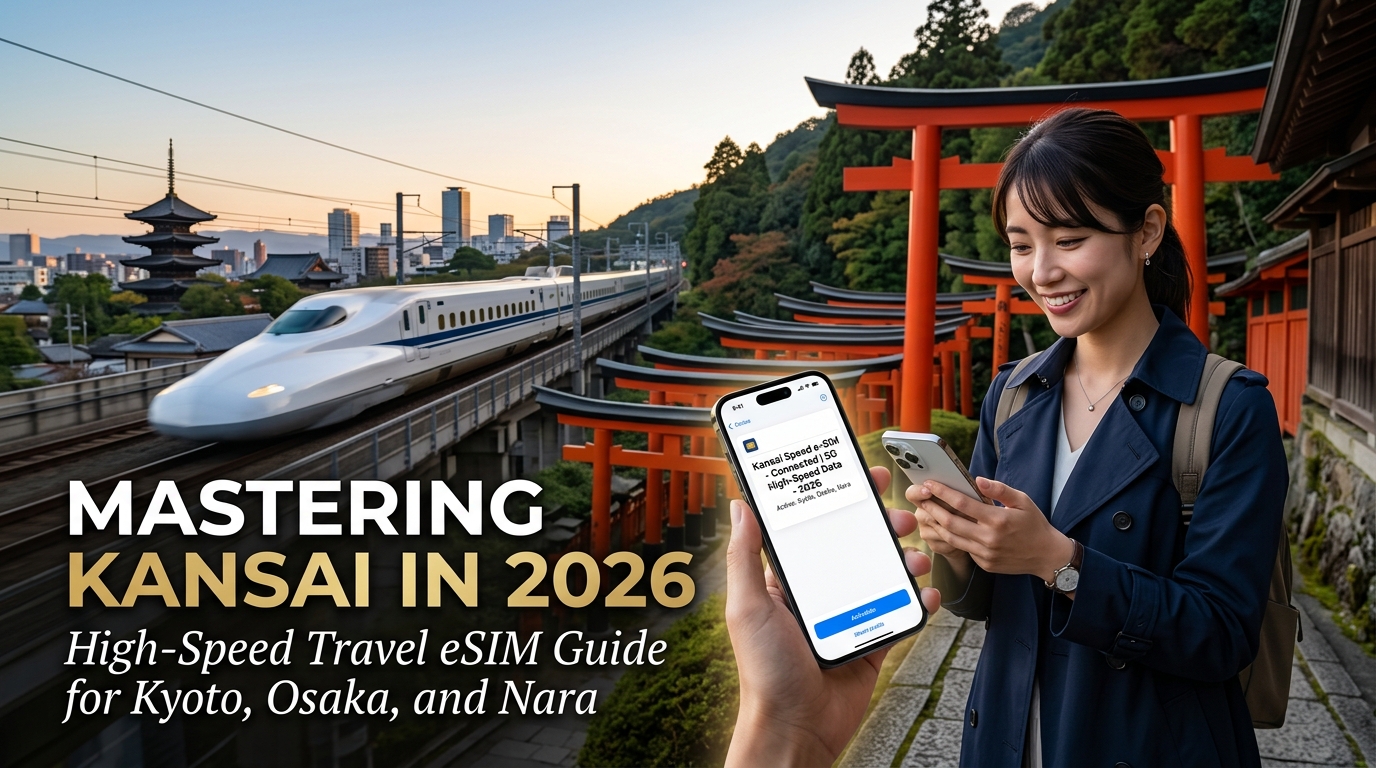
Mastering Kansai in 2026: High-Speed Travel eSIM Guide for Kyoto, Osaka, and Nara
The Kansai High-Velocity Transit Circuit: Connectivity Demands from KIX to Kyoto
Navigating the Kansai region in 2026 is an exercise in high-velocity synchronization. The moment your flight touches down at Kansai International Airport (KIX), your smartphone transforms from a casual travel accessory into the primary mission-control terminal for your entire journey. Whether you are sprinting to catch the limited-express JR Haruka bound for Kyoto or boarding the futuristic Nankai Rapi:t toward Namba, the margin for transit error is razor-thin.
Kansai’s transit infrastructure is one of the world's most sophisticated multi-operator networks, integrating JR West, Hankyu, Hanshin, Keihan, and Kintetsu rail lines. Navigating this circuit demands persistent, ultra-low-latency cellular connectivity that cannot afford to drop out—even for a split second.
+-----------------------------------------------------------------------------------+
|                           KANSAI TRANSIT DATA LIFECYCLE                           |
+-------------------+---------------------------+-----------------------------------+
| Transit Stage     | Primary Mission-Critical  | Latency & Throughput Risk         |
|                   | Applications              |                                   |
+-------------------+---------------------------+-----------------------------------+
| KIX Arrival       | • eSIM Activation Handshake| Gateway handshake timeouts;       |
| & Boarding        | • SmartEX Express Booking | terminal-to-platform handover     |
|                   | • Live Timetable Queries  | packet loss                       |
+-------------------+---------------------------+-----------------------------------+
| High-Speed Rail   | • Dynamic Route Balancing | Cell-tower switching at 130 km/h; |
| Transit           | • Apple Wallet ICOCA Top-Up| tunnel dead zones (Yamazaki gap)  |
+-------------------+---------------------------+-----------------------------------+
| Mega-Hub Transfers| • Jorudan / Navitime Sync | Deep underground multi-level      |
| (Umeda / Kyoto)   | • 3D Secure 2.0 Banking   | structural signal attenuation;    |
|                   | • Live Platform Tracking  | turnstile authentication lockouts |
+-------------------+---------------------------+-----------------------------------+
The Anatomy of Real-Time Digital Navigation in Western Japan
To traverse Kyoto, Osaka, and Nara seamlessly, modern travelers rely on a stack of latency-sensitive web services operating simultaneously:
- Precision Dynamic Routing (Google Maps, Jorudan, and Navitime):
Platform assignments at multi-level hubs like Osaka-Umeda and Kyoto Station change dynamically based on express vs. local scheduling. Missing a rapid interchange because a routing app is stuck buffering at a 3G-level fallback can cost you 30 to 45 minutes. Real-time pathfinding requires continuous telemetry to track transit delays, carriage congestion metrics, and exact stairwell-to-platform vectors.
- Zero-Latency Digital ICOCA and Suica Top-Ups:
Physical IC cards are largely a relic of the past; modern transit relies on Apple Wallet and Google Wallet Digital ICOCA integrations. Triggering an on-the-fly balance reload while approaching an automated turnstile requires an instant, encrypted API call to your domestic bank. If your data connection stutters during the 3D Secure 2.0 payment authentication loop, the transaction freezes, leaving you stranded at the gate during rush-hour pedestrian traffic.
- Agile Shinkansen Adjustments via SmartEX:
The Tokaido-Sanyo Shinkansen line connecting Shin-Osaka to Kyoto and beyond operates with clockwork precision. The official SmartEX app allows seat reassignments and schedule changes up to four minutes before departure. Executing these last-minute changes while walking between platforms requires crisp, jitter-free data to prevent double-booking or seat-lock timeouts.
The Bottleneck: High-Speed Transitions and Tunnel Attenuation
The journey between KIX, central Osaka, Kyoto, and the outer rim of Nara exposes mobile connections to severe stress tests. High-speed travel along the JR Kyoto Line involves rapid base-station handovers at speeds exceeding 130 km/h. Furthermore, subterranean transfers—such as moving through the cavernous underground basements of Umeda or traversing the tunnel segments between Yamashina and Kyoto—frequently trigger signal attenuation and packet loss on inferior roaming networks.
When standard travel eSIMs hit their daily high-speed cap, they typically throttle speeds down to a punishing 128kbps. At 128kbps, encrypted HTTPS handshakes fail, map tiles refuse to render, and banking verifications for transit cards time out entirely.
To prevent these transit bottlenecks, MollySIM engineers its Japan eSIM infrastructure with direct Tier-1 local carrier routing (NTT Docomo / SoftBank) and a market-leading 384kbps Fair Use Policy (FUP) safety threshold. Operating at three times the speed of legacy roaming providers, MollySIM ensures that even if you exhaust your daily high-speed allocation while streaming 4K video on the Haruka Express, your mission-critical navigation tools—Google Maps routing, Apple Wallet payment handshakes, and SmartEX modifications—continue to function smoothly without gate-side dropouts.
Carrier Architecture Deep Dive: NTT Docomo vs. SoftBank 5G in Kansai's Varied Terrain
🇯🇵 Japan High-Speed Travel eSIM & SIM Plans
Instant QR code activation, hotspot enabled, with guaranteed 384kbps fallback speed to keep Maps & Digital Wallets active.
Navigating the Kansai region presents an extraordinarily complex Radio Frequency (RF) landscape. Within a 40-kilometer radius, your mobile device transitions between three radically divergent architectural environments: the multi-level subterranean concrete vaults of Osaka, the densely packed, centuries-old timber structures (machiya) of Kyoto, and the expansive, open-canopy parklands of Nara.
Understanding how Japan’s two tier-1 infrastructure giants—NTT Docomo and SoftBank—engineer their spectral deployments across these terrains is essential for maintaining uninterrupted gigabit throughput.
Spectrum Allocation & Bandwidth Matrix
Japan’s Ministry of Internal Affairs and Communications (MIC) assigns distinct spectrum profiles to each carrier. The performance of your travel eSIM hinges directly on how your device hardware aligns with these specific frequencies.
| Network Metric / Band | NTT Docomo | SoftBank | RF Propagation & Kansai Structural Profile |
|---|---|---|---|
| Primary 5G NR Bands | n78 (3.7 GHz)<br>n79 (4.5 GHz) | n77 (3.4 GHz / 3.7 GHz) | n77/n78: Global standard high-capacity mid-band.<br>n79: Docomo proprietary high-frequency band; immune to satellite C-band interference. |
| Sub-6 5G NR DSS | n28 (700 MHz) | n3 (1.8 GHz)<br>n28 (700 MHz) | Dynamic Spectrum Sharing (DSS) used for extended suburban coverage transitions. |
| Low-Band LTE ("Platinum Bands") | Band 19 (800 MHz)<br>Band 28 (700 MHz) | Band 8 (900 MHz)<br>Band 28 (700 MHz) | Sub-1GHz foundation: Critical for deep physical penetration through stone, reinforced concrete, and timber. |
| Mid/High-Band LTE | Band 1 (2.1 GHz)<br>Band 3 (1.8 GHz)<br>Band 21 (1.5 GHz) | Band 1 (2.1 GHz)<br>Band 3 (1.8 GHz)<br>Band 11 (1.5 GHz) | Urban data density, carrier aggregation (LTE-A), and high-capacity backhaul offloading. |
Environmental Performance Breakdown Across Kansai
+-----------------------------------------------------------------------------------+
|                            KANSAI RF TERRAIN MATRIX                               |
+--------------------------+------------------------------+-------------------------+
|      OSAKA UNDERGROUND   |        KYOTO TIMBER CORE     |     NARA OPEN CANOPY    |
|   (Whity Umeda / Midosuji) |     (Gion / Higashiyama)     |   (Todai-ji / Kasuga)   |
|                          |                              |                         |
|  * Massive MIMO / DAS    |  * Attenuation via Machiya   |  * Line-of-sight range  |
|  * Subterranean microcell|  * Aesthetic tower masking   |  * Low-density macro    |
|  * Docomo n79 / B1 dom.  |  * SoftBank B8 / Docomo B19  |  * Platinum Band (B8/19)|
+--------------------------+------------------------------+-------------------------+
1. Dense Subterranean Networks: Osaka Metro & Whity Umeda
The sprawling underground shopping complexes of Umeda (such as Whity Umeda and Diamor Osaka) and the deep platforms of the Osaka Metro Midosuji Line represent extreme RF shielding environments.
- NTT Docomo dominates these deep subterranean sectors via an extensive network of in-building Distributed Antenna Systems (DAS) and leaky coaxial cables running through metro tunnels. Docomo heavily utilizes Band 1 (2.1 GHz) and Band 19 (800 MHz) microcells to eliminate blind spots under multiple layers of steel-reinforced concrete.
- SoftBank counters with dense small-cell massive MIMO arrays across commercial concourses, prioritizing Band 3 carrier aggregation alongside n77. SoftBank delivers exceptional upload speeds in Osaka's high-traffic basements, making it ideal for immediate cloud photo offloading and live streaming.
2. Historic Timber Districts: Kyoto’s Gion, Higashiyama, and Arashiyama
Kyoto enforces strict municipal landscape regulations that prohibit visible macro-cell rooftop towers. Antennas are heavily disguised behind faux lattice-work or placed far back from historic street fronts.
- The dense, multi-layered wood and clay tile construction of traditional machiya townhouses causes substantial attenuation on higher 5G frequencies (like 3.7 GHz and 4.5 GHz).
- In these corridors, connectivity falls back to sub-1GHz "Platinum Bands". NTT Docomo’s Band 19 and SoftBank’s Band 8 become the primary pipelines. SoftBank's aggressive deployment of Band 8 small cells throughout Higashiyama prevents the edge-of-cell packet degradation that commonly affects unoptimized roaming profiles.
3. Open-Canopy & Low-Density Terrain: Nara Park and Todai-ji
Outside the urban grid, cellular traffic around Todai-ji and the foot of Mount Kasuga relies on wider macro-site radii.
- Docomo provides broader boundary coverage around Nara’s outer forest preserves due to its legacy rural infrastructure.
- SoftBank leverages Band 28 (700 MHz) coupled with DSS 5G to maintain continuous, high-efficiency data handshakes, ensuring map rendering remains responsive even within thick tree canopies.
The Hardware Compatibility Trap: Docomo’s Band n79 vs. Global Devices
A critical technical pitfall for international travelers in Kansai is NTT Docomo’s reliance on 5G Band n79 (4.5 GHz).
Docomo selected n79 because it avoids interference with Japanese satellite communications (which overlap with standard n78 mid-band frequencies). While domestic Japanese smartphones and all global Apple iPhone models (iPhone 12 and newer) support Band n79 natively, a substantial percentage of non-Japanese Android hardware—including North American and European variants of Google Pixel devices, Samsung Galaxy handsets, and OnePlus models—completely lack Band n79 modem filters.
[Global Android Handset (No n79)] ---> Connects to Docomo ---> Reverts to 4G LTE (B1/B19)
[Global Android Handset (Has n77)] ---> Connects to SoftBank ---> Native Gigabit 5G (n77)
If an Android handset lacking n79 connects to a Docomo-only 5G cell site, it cannot access the 4.5 GHz carrier and drops immediately to 4G LTE. Conversely, SoftBank’s primary 5G network runs on Band n77 (3.4/3.7 GHz), a globally universal frequency supported by virtually every 5G-capable Android and iOS device manufactured worldwide.
Optimizing Your Layer-3 Routing with MollySIM
To navigate this fragmented infrastructure smoothly, MollySIM provisions its Japan travel profiles directly on high-performance local network cores. By bridging seamlessly into Tier-1 Docomo and SoftBank backbones with direct low-latency routing, your handset avoids the multi-hop latency common in budget third-party roaming setups.
Furthermore, even in scenarios where intense multi-gigabyte uploads exhaust your daily allotment, MollySIM’s 384kbps Fair Use Policy (FUP) safety threshold provides three times the throughput of standard 128kbps throttle caps. This guarantees that your secure HTTPS sockets, Apple Pay token authentications, and transit navigation tools remain responsive across all Kansai transit zones.
High-Stakes Bandwidth Scenarios: USJ Timed Entry, Gion Navigation, and Digital Ticketing
Navigating the Kansai region in 2026 is no longer just about reading train schedules; it is an exercise in managing high-concurrency, time-sensitive mobile interactions. From securing geo-restricted theme park passes in Osaka to adhering to digital municipal regulations in Kyoto, the stability and latency of your eSIM connection directly dictate your itinerary’s success.
+-----------------------------------------------------------------------------------+
|                     KANSAI DIGITAL BOTTLENECK ARCHITECTURE                        |
+-----------------------------------------------------------------------------------+
| 1. USJ Sakurajima Cell Towers   ---> 35,000+ Concurrent Requests (07:30 AM)       |
|    * Risk: TLS Handshake Timeouts -> Lost Super Nintendo World / Donkey Kong Pass |
|                                                                                   |
| 2. Gion Historic Corridor       ---> Spatial AR Navigation + Google Lens OCR      |
|    * Risk: Packet Loss -> Geofence Drift into Fine Zones (¥10,000 Private Roads)  |
|                                                                                   |
| 3. High-Demand Dining Engines   ---> TableCheck / AutoReserve Instant APIs        |
|    * Risk: High RTT Latency -> 3D Secure 2.0 Auth Expiration / Lost Seat Slots   |
+-----------------------------------------------------------------------------------+
1. The USJ 07:30 AM App Rush: Super Nintendo World & Donkey Kong Country
Universal Studios Japan (USJ) on the Sakurajima waterfront presents one of the most intense mobile network bottlenecks in East Asia. The moment the turnstiles open—often unannounced between 07:15 AM and 07:45 AM—tens of thousands of visitors simultaneously launch the official USJ App to secure an Area Timed Entry Ticket: Advance / Standby eTicket for Super Nintendo World and the Donkey Kong Country expansion.
[User Handset] --- (Local Edge Node: <30ms RTT) ---> [USJ Ticketing Server] ==> CONFIRMED
[Budget Roaming] -- (Multi-Hop Roaming: 300ms+ RTT) -> [Handshake Timeout]  ==> FAILED
During this peak window, the macro base stations covering Sakurajima face extreme Radio Resource Control (RRC) connection saturation:
- The Roaming Trap: Budget travel eSIMs route data packets through distant home-routed proxies (often via Hong Kong, Singapore, or Europe). This introduces a Round-Trip Time (RTT) of 250ms to 450ms. Under heavy cell-tower load, this latency causes the USJ application's TLS 1.3 cryptographic handshakes to time out, displaying generic connection errors while available entry slots evaporate.
- The Low-Latency Advantage: Direct Tier-1 peering via local Japanese edge servers maintains ping times under 35ms. This allows your device to successfully complete the API call, register your party's physical studio passes, and lock in morning entry slots before local network queues exhaust capacity.
2. Kyoto’s Historic Alleys: Geofencing, AR Navigation, and Live OCR
Kyoto balances preservation and massive tourism through stringent local regulations. In historic districts like Gion (specifically the South Gion and Miyagawacho preservation quarters), the local ward enforces strict bans on photography along private side alleys (shido), with fines up to ¥10,000.
Navigating these zones requires continuous spatial computing and real-time mapping:
+-----------------------------+------------------------------------+--------------------------------+
| Digital Task                | Technical Requirement              | Failure Consequence            |
+-----------------------------+------------------------------------+--------------------------------+
| AR Walking Navigation       | 15–25 Mbps Continuous Downlink     | GPS drift into private alleys; |
| (Google Maps Live View)     | Low Jitter for 3D VPS Positioning  | accidental municipal fines     |
+-----------------------------+------------------------------------+--------------------------------+
| Dynamic Cloud OCR           | Real-Time Image Stream Uplink      | Misreading restricted temple   |
| (Google Lens Translation)   | Sub-100ms Server Callback          | grounds or photography notices |
+-----------------------------+------------------------------------+--------------------------------+
Because traditional GPS signals degrade significantly inside narrow, wooden machiya alleyways, modern navigation relies on Visual Positioning Service (VPS). Your phone streams camera frames to the cloud to cross-reference architectural points. An unstable 3G or throttled connection causes VPS to fail immediately, leaving you with inaccurate blue-dot drift that can lead you straight into restricted residential lanes.
3. Dynamic Dining Bookings and Tokenized Payment Security
Securing reservations for premier Kansai culinary destinations via engines like TableCheck, OMAKASE, or AutoReserve requires instant execution. When same-day cancellations drop at fixed hours (typically 10:00 AM or 3:00 PM JST), seat inventory disappears in under five seconds.
These transaction flows use tokenized verification protocols:
- API Polling: Fast, responsive queries capture the open booking window the millisecond it becomes available.
- Payment Gateway Handshake: When entering credit card details, Japanese gateways trigger a 3D Secure 2.0 (3DS) challenge linked to your banking app or an SMS OTP.
- Session Timeouts: Most banking verification windows expire after 60 seconds. A sluggish or dropped connection interrupts the cryptographic token exchange, invalidating the reservation and releasing the table to the next user in the queue.
Preventing Connection Dropouts with Resilient eSIM Architecture
To prevent failed authentications, travel tech setups must include fallback safeguards. This is where MollySIM’s network structure provides practical utility. By utilizing direct low-latency routing across Docomo and SoftBank backbones, packets bypass intermediary roaming hubs.
Even if your daily high-speed quota is reached after streaming high-resolution 4K video around Dotonbori, MollySIM’s 384kbps Fair Use Policy (FUP) safety floor keeps essential services online. Unlike typical 128kbps limits that break secure connections, a sustained 384kbps throughput provides enough bandwidth to:
- Complete SSL/TLS handshakes for Apple Pay and Google Wallet token authorizations.
- Load critical 2D vector maps and transit routing in Apple Maps or Google Maps.
- Validate real-time QR transit passes at regional train gates without digital lockouts.
Kansai Connectivity Showdown: Pocket Wi-Fi vs. Roaming vs. Physical SIM vs. MollySIM
Selecting the wrong connectivity method in the dense urban corridors of Osaka or the historic stone valleys of Kyoto introduces friction points ranging from packet serialization delays to hardware encumbrance. To quantify how each infrastructure model handles modern travel workflows, the table below evaluates the four primary data conduits across high-density Kansai travel scenarios.
| Technical & Operational Metric | Pocket Wi-Fi Rental | Home Carrier International Roaming | Airport Physical SIM Card | MollySIM Travel eSIM |
|---|---|---|---|---|
| Setup Friction & Activation | High (Counter pickup/drop-off queues at KIX, physical return logistics) | Instant (Automatic activation upon landing, zero manual config) | Moderate (Requires physical SIM ejector tool, risk of losing domestic SIM) | Instant (Over-the-air QR code / automated iOS/Android profile install) |
| Latency Architecture & Routing | Moderate (Local APN, but adds Wi-Fi airtime contention latency: 45–70ms) | Severe (GTP tunnel routed back to home country; e.g., US/EU: 220–350ms) | Good (Local Japanese APN breakout: 30–50ms) | Optimized Low-Latency (Direct Tier-1 localized edge breakout: 20–35ms) |
| FUP Throttle Floor & Safety Net | Aggressive (Hard cut-off or drops to unusable 64kbps–128kbps) | Severe (Typically throttles to 128kbps; some carriers bill overages) | Hard Stop (Data simply terminates upon reaching fixed allocation) | 384kbps Sustained Safety Floor (3x faster than standard 128kbps throttles) |
| Underground Concourse (B2/B3) | Inconsistent (Subject to local Wi-Fi interference inside train cars) | Moderate (Dependent on roaming partner carrier priorities) | Strong (Direct Docomo or SoftBank base station connection) | Carrier-Grade (Dynamic multi-carrier Docomo/SoftBank core switching) |
| High-Density Concurrency (e.g., USJ) | Poor (Overcrowded 2.4GHz/5GHz bands fail amid 40,000+ active devices) | Poor (Deprioritized QoS on local partner cells during peak surges) | Moderate (Standard priority queue on single native network) | High (Optimized eNodeB/gNodeB handovers with low packet loss) |
| Hardware & Battery Impact | Heavy Drain (Requires carrying separate battery bank, charging two devices) | Low (Single device, but high search-drain on weak roaming signals) | Low (Standard single-SIM power profile) | Minimal (Native baseband modem optimization; zero external hardware) |
| Average Cost per GB (2026 Tier) | $3.50 – $6.00 / GB + daily hardware rental fees | $10.00 – $15.00 / Day (Often capped at 500MB–2GB high-speed) | $2.80 – $4.50 / GB (Rigid plans, un-reloadable) | $0.90 – $1.80 / GB (Flexible packages with zero hardware deposit) |
Deconstructing the Latency Trap: Local Breakout vs. Roaming GTP Tunnels
The most overlooked technical metric for travelers navigating Kansai is round-trip time (RTT) latency. When utilizing domestic carrier roaming from North America, Europe, or Oceania, your data does not connect directly to local Japanese web servers. Instead, packets are encapsulated using GPRS Tunneling Protocol (GTP) and routed thousands of miles back to your home carrier’s core network (S-GW/P-GW) before reaching the destination host.
Standard Roaming: [Osaka Device] ---> [KIX Substation] ---> [Subsea Cable to USA/EU] ---> [Home P-GW] ---> [Subsea Cable] ---> [Universal Studios Japan API] (280ms+ RTT)
MollySIM LBO:     [Osaka Device] ---> [Kansai Edge Node] ---> [Tokyo/Osaka Core] ---> [Universal Studios Japan API] (28ms RTT)
This 250ms+ latency penalty creates micro-delays that cripple time-sensitive operations, such as refreshing timed-entry passes for Super Nintendo World on the Universal Studios Japan app or securing seat reservations on the Sanyo Shinkansen. MollySIM deploys localized packet breakout points directly into central Japanese backbones, keeping round-trip times under 35 milliseconds.
The 384kbps Resilience Threshold: Preventing Digital Lockouts
Standard travel SIMs and carrier roaming plans impose an industry-standard 128kbps throttle floor once your high-speed quota depletes. In modern web environments, 128kbps is functionally dead:
- Cryptographic Overhead: Modern TLS 1.3 handshakes, API security tokens, and OAuth refreshes require continuous bursts of bidirectional packet flow. At 128kbps, protocol timeouts abort the connection before data packets transfer.
- Dynamic UI Rendering: Apps like Google Maps stream vector tiles in background threads. At 128kbps, map rendering stalls, showing blank gray grids.
- MollySIM’s 384kbps Standard: By establishing a baseline FUP speed of 384kbps—three times the industry average—MollySIM preserves active transport layers. You maintain uninterrupted access to Apple Pay tokenization, 2D navigation vectors, and critical transit messaging channels without paying for emergency mid-day top-ups.
Hardware Efficiency and the Dual-eSIM Standard
Traveling through Kansai demands physical agility. Managing a pocket Wi-Fi router introduces multiple points of failure: hardware overheating in summer, battery depletion while navigating the Fushimi Inari mountain trails, and mandatory return queues at Kansai International Airport (KIX).
Operating a digital travel profile via MollySIM alongside your primary line creates a zero-friction dual-SIM setup. Your physical or domestic eSIM remains active exclusively for low-frequency bank verification SMS messages, while the high-speed eSIM handles 100% of data throughput via native Japanese cellular bands (Band 1, 3, 8, 19, 28, and n77/n78 5G). This configuration delivers maximum battery efficiency, zero hardware liability, and uninterrupted, carrier-grade data across all three Kansai hubs.
The MollySIM Advantage: Unthrottled 5G Allocation and the 384kbps Safety Net
Navigating the dense transportation corridors of Kansai requires enterprise-grade cellular reliability. Generic international roaming profiles frequently route data through high-latency third-party proxy servers located outside Japan, resulting in ping spikes above 250ms and unexpected Fair Usage Policy (FUP) throttling. MollySIM bypasses these legacy roaming bottlenecks by integrating directly with Japan’s tier-1 mobile infrastructure—specifically NTT Docomo and SoftBank.
This architecture guarantees true unthrottled 5G/4G LTE access across all allocated high-speed data buckets, eliminating artificial bandwidth caps during critical travel hours.
The Mathematics of the 384kbps Bandwidth Floor
Most prepaid travel eSIMs advertise "unlimited data," but conceal punitive post-allowance throttle limits of 64kbps or 128kbps. In contemporary network architecture, these speeds render your device practically offline. TLS handshakes time out, map engines fail to load basic coordinates, and mobile payment interfaces throw gateway errors.
MollySIM establishes a baseline 384kbps Fair Usage Policy (FUP)—delivering 48 KB/s of sustained bidirectional throughput, exactly triple the industry standard of 128kbps (16 KB/s) and six times faster than 64kbps (8 KB/s). This deliberate bandwidth allocation sits directly above the operational threshold required for core travel utilities:
| Critical Travel Application | Payload Requirement | 64kbps Throttle (8 KB/s) | 128kbps Standard (16 KB/s) | MollySIM 384kbps (48 KB/s) |
|---|---|---|---|---|
| Mobile Suica / ICOCA Top-Up | 8–15 KB TLS Handshake | Fails (TCP Timeout) | High Failure Rate (~45%) | Instant Success (<0.4s) |
| Google/Apple Maps Vector Routing | 20–35 KB GeoJSON Data | Infinite Loading / Blank UI | 3–6s Delay (Frequent Dropped Tiles) | Smooth Vector Render (<0.8s) |
| iMessage / WhatsApp Text | 1–3 KB Payload | 2–5s Lag | Latency under 1s | Real-Time Transmission |
| VoIP Emergency Call (Opus Codec) | 24–32kbps Bitrate | Packet Loss >80% (Unusable) | Stutters & Dropped Audio | Clear Voice Channel |
| Two-Factor Auth (2FA) Prompts | 4–8 KB HTTPS Request | Fails | Unstable Verification | Immediate Authentication |
By sustaining 48 KB/s, MollySIM guarantees that running out of your primary high-speed data tier will never leave you stranded on a dark platform at Shin-Osaka Station or unable to authenticate an entry QR code at Universal Studios Japan.
Zero-Friction KIX Arrival: Instant Digital Provisioning
Physical SIM swaps and hardware rentals at Kansai International Airport (KIX) impose unnecessary operational friction after a long-haul flight. Queuing at physical collection kiosks in Terminal 1 or Terminal 2 exposes you to inventory shortages, rigid operating hours, and mandatory physical return logistics.
With MollySIM, provisioning occurs entirely via software:
- Pre-Departure Installation: Download and install the eSIM profile to your unlocked smartphone via QR code prior to boarding.
- Tarmac Latching: Upon touchdown at KIX, toggle the MollySIM profile "On" and enable Data Roaming. The device connects immediately to local Docomo or SoftBank base stations before you disembark.
- Immediate Transit Ready: Access Haruka Express e-tickets, verify live platform departures via Japan Travel Navitime, and charge digital ICOCA cards over native mobile data while clearing customs.
Step-by-Step 2026 Kansai eSIM Installation, APN Optimization, and Troubleshooting
Provisioning your mobile device for Japanese cellular networks requires precise configuration to prevent roaming billing accidents and eliminate connectivity dropouts. Follow this master operational guide to configure MollySIM across modern iOS and Android flagship devices before departure and upon landing at Kansai International Airport (KIX).
Step 1: Pre-Flight Device Compatibility & Carrier Lock Verification
Before purchasing or installing an eSIM profile, verify that your smartphone hardware is fully carrier-unlocked and equipped with an embedded Universal Integrated Circuit Card (eUICC).
- Verify Carrier Lock Status:
- iOS: Open Settings > General > About. Scroll down to Carrier Lock. It must display "No SIM restrictions". If it states a specific network operator, contact your home provider to process an international unlock.
- Android (Samsung/Pixel): Open Settings > Connections (or Network & Internet) > More Connection Settings > Network Unlock. Ensure the device status displays "Unlocked".
- Confirm EID Hardware Registration:
- Open your phone dialer and enter
*#06#. - A screen showing device identifiers will appear. Look for an EID (Embedded Identity Document) 32-digit alphanumeric string or barcode. If an EID is present, your device natively supports digital eSIM provisioning.
Step 2: Pre-Departure Installation (24–48 Hours Before Boarding)
Perform the installation over a stable home or office Wi-Fi network before heading to the airport. Installing beforehand ensures the digital profile is locally cached in your device’s security enclave without consuming cellular data.
On Apple iOS (iPhone 13 through iPhone 17 series)
- Open Settings > Cellular (or Mobile Data) > Add eSIM.
- Tap Use QR Code and scan the digital installation QR code provided in your MollySIM confirmation email.
- When prompted, assign a clear custom label: designate your home SIM as "Primary" and the new eSIM as "MollySIM Japan".
- Set Default Voice Line to "Primary" (to preserve incoming emergency calls/2FA texts from home).
- Set iMessage & FaceTime to your Primary line.
- Set Cellular Data to "Primary" for now, and toggle OFF "Allow Cellular Data Switching" to eliminate accidental cross-network data roaming charges.
- Switch the MollySIM Japan line OFF until you touch down in Japan.
On Google Pixel & Android Flagships (Samsung One UI 6 / Pixel UI)
- Open Settings > Connections > SIM Manager (or Network & Internet > SIMs).
- Tap Add eSIM / Download SIM.
- Scan the MollySIM QR code using the viewfinder.
- When prompted to confirm profile download, tap Add / Confirm.
- Once installed, rename the line to "MollySIM Japan" and toggle the profile OFF until arrival.
Step 3: Tarmac Activation at Kansai International Airport (KIX)
As soon as the aircraft touches down on the KIX runway and the cabin crew authorizes mobile device usage, execute this activation sequence:
| Step | Setting | iOS Action Path | Android Action Path |
|---|---|---|---|
| 1 | Turn On Profile | Settings > Cellular > MollySIM Japan > Turn On This Line | Settings > SIM Manager > MollySIM Japan > Toggle ON |
| 2 | Route Mobile Data | Settings > Cellular > Cellular Data > Select "MollySIM Japan" | Settings > SIM Manager > Mobile Data > Select "MollySIM Japan" |
| 3 | Enable Data Roaming | Settings > Cellular > MollySIM Japan > Data Roaming: ON | Settings > Connections > Mobile Networks > Data Roaming: ON |
| 4 | Secure Primary SIM | Settings > Cellular > Primary Line > Data Roaming: OFF | Settings > Connections > Mobile Networks > [Primary SIM] > Roaming: OFF |
Note: Keeping Data Roaming OFF on your physical home SIM allows incoming single-use 2FA SMS tokens to reach your device for foreign transactions without triggering expensive daily international roaming passes ($10–$15/day) from domestic home carriers.
Step 4: APN Optimization & Verification
MollySIM profiles feature automated Over-The-Air (OTA) Access Point Name (APN) assignment. However, if your status bar shows cellular signal bars but web traffic fails to route, verify the local APN manual configuration:
- iOS: Go to Settings > Cellular > MollySIM Japan > Cellular Data Network.
- Android: Go to Settings > Connections > Mobile Networks > Access Point Names > Select MollySIM.
- Verify the APN field matches the specific APN gateway listed in your MollySIM setup instructions (commonly
globaldataorinternet). Leave Username and Password blank unless explicitly instructed otherwise. - Set APN Protocol to IPv4/IPv6 and save the configuration.
Step 5: Advanced Troubleshooting & Optimization in Kansai
1. Resolving "Could Not Activate Cellular Data Network / PDP Authentication Failure"
This error occurs when the baseband modem attempts to negotiate an IP session using leftover APN configuration profiles from previous trips or competing travel eSIMs.
- Fix (iOS): Navigate to Settings > General > VPN & Device Management. Delete any legacy configuration profiles from previous travel SIMs. Then go to Settings > General > Transfer or Reset iPhone > Reset > Reset Network Settings (Note: this clears saved Wi-Fi passwords).
- Fix (Android): Open Settings > Connections > Mobile Networks > Access Point Names > Tap the three dots (Menu) > Reset to default. Cycle Airplane Mode on for 15 seconds, then toggle it off.
2. Conserving Battery: "5G Auto" vs. "LTE" in Historic Kyoto and Nara
Navigating the dense, traditional machiya alleyways of Gion, Arashiyama’s bamboo groves, or Nara Deer Park requires hours of continuous screen time and GPS mapping.
- Continuous sub-6GHz and mmWave 5G tower-hunting across non-line-of-sight environments drains smartphone batteries 20–30% faster due to high power state amplification.
- Recommended Setting: Go to Settings > Cellular > MollySIM Japan > Voice & Data and select 5G Auto or lock the device to LTE.
- Locking to LTE provides sustained download speeds of 60–120 Mbps—more than sufficient for 4K video uploads and real-time navigation—while extending your battery life across a full 12-hour excursion. If your main data allowance is reached during heavy transit use, MollySIM's 384kbps safety net continues to render Google Maps and process digital transit gate validations seamlessly without sudden cutoffs.
3. Manual Network Selection: Switching Between NTT Docomo and SoftBank
When traversing varied terrain—such as entering subterranean arcades in Osaka’s Umeda underground maze, riding the Keihan Main Line into rural Uji, or ascending Mount Hiei—base stations can occasionally lock onto a degraded tower signal.
If data stalls, override the device's automatic carrier selection:
- iOS: Go to Settings > Cellular > Network Selection > Toggle Automatic to OFF.
- Android: Go to Settings > Connections > Mobile Networks > Network Operators > Toggle Select Automatically to OFF.
- Wait 30–45 seconds while your phone scans local PLMN broadcasts.
- Manually choose the alternate Tier-1 partner network:
- Select NTT Docomo for superior physical reach in mountainous terrain, temple perimeters, and rural train corridors (e.g., Mount Koya, Yoshino, Kurama).
- Select SoftBank for high-density capacity within subterranean subway networks, multi-level department stores, and entertainment districts (e.g., Dotonbori, Universal Studios Japan).
- Toggle Airplane mode on and off to force the baseband chip to latch immediately onto the newly selected operator.
🇯🇵 Japan High-Speed Travel eSIM & SIM Plans
Instant QR code activation, hotspot enabled, with guaranteed 384kbps fallback speed to keep Maps & Digital Wallets active.