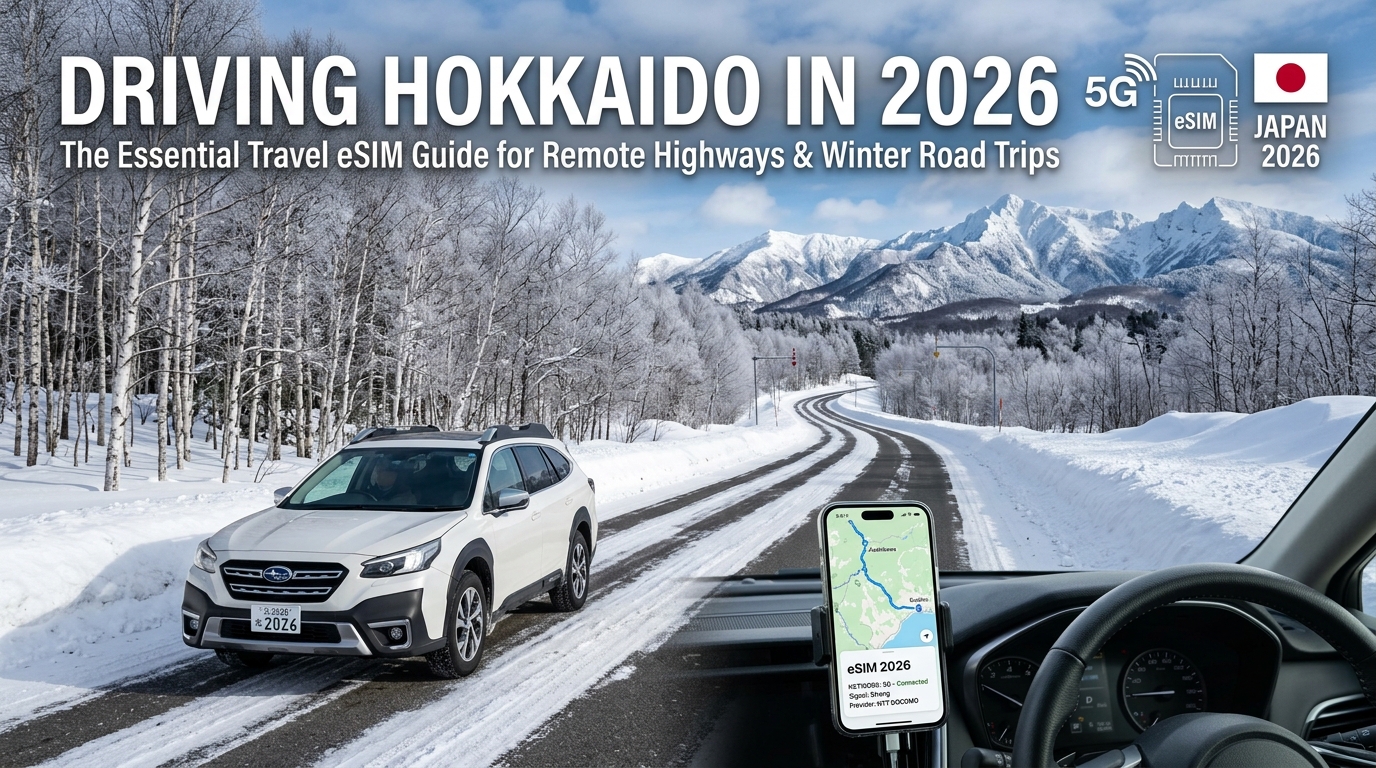
Driving Hokkaido in 2026: The Essential Travel eSIM Guide for Remote Highways & Winter Road Trips
The Wild North: Hokkaido Road Trip Routes and the Reality of Remote Connectivity
Hokkaido represents Japan at its most untamed. Spanning over 83,000 square kilometers, the northernmost prefecture contains 22% of the country’s total landmass but only 4% of its population. For international self-drivers, this expansive geography translates into world-class open-road touring: sweeping summer fields, towering volcanic peaks, and ethereal, snow-covered coastal passes.
However, traversing Hokkaido by car is fundamentally different from driving the densely populated corridors of Honshu. Outside major urban hubs like Sapporo, Asahikawa, and Hakodate, infrastructure stretches thin. Mobile connectivity is not merely a modern convenience for streaming music or posting social updates—it is a critical safety system.
Iconic Routes and Their Inherent Hazards
Navigating Hokkaido requires understanding how regional geography, seasonal weather shifts, and local wildlife intersect across the island's primary touring corridors:
1. Nakayama Pass (Route 230) — The Blizzard Corridor to Niseko & Rusutsu
Connecting Sapporo to the southern ski meccas of Rusutsu and Niseko, Nakayama Pass (中山峠) rises to 835 meters. In winter, this mountain artery is notorious for rapid-onset whiteouts (fubuki) and extreme black ice. Wind shear through the mountain gap can reduce visibility to zero within seconds, forcing drivers to rely entirely on dynamic GPS navigation to identify road boundaries marked by overhead arrow indicators (ya-jirushi).
2. Mikuni Pass (Route 273) — The Alpine Spine of Daisetsuzan
At 1,139 meters above sea level, Mikuni Pass (三国峠) is the highest national highway pass in Hokkaido, cutting straight through the pristine forests of Daisetsuzan National Park. While breathtaking in autumn, this route features lengthy stretches completely devoid of roadside services (Michi-no-Eki). Temperature inversions make early morning ice invisible, and single-lane bridges require constant awareness of oncoming logging transport.
3. Shiretoko Pass (Route 334) — The Edge of the Untamed East
Crossing the Shiretoko Peninsula between Utoro and Rausu, Route 334 offers dramatic vistas of Mount Rausu and the Sea of Okhotsk. Open only from late spring to late autumn, this pass is a hotspot for active wildlife:
- *Ezo Sika Deer (Ezo Shika):* Large, unpredictable ungulates that frequently jump across blind curves at dusk.
- *Ussuri Brown Bears (Higuma):* Dense coastal populations necessitate remaining inside your vehicle during encounters.
- Rapid Coastal Fog & Early Freezes: Unannounced road closures (Kisei) occur frequently when sub-polar maritime squalls hit the mountain spine.
4. The Patchwork Hills of Biei & Furano (Routes 237 & 452)
World-famous for rolling summer lavender fields and winter minimalist snowscapes, these agricultural roads present unique driving challenges. In winter, strong winds sweep across exposed farmland, creating ground blizzards that completely camouflage roadside drainage ditches (suiro), trapping unprepared drivers off the pavement.
Route Hazard Matrix for Self-Drivers
| Highway / Route | Peak Season | Primary Risk Factor | Critical Telemetry Needed |
|---|---|---|---|
| Nakayama Pass (R230) | Dec – Mar | Whiteouts, black ice, multi-vehicle pileups | Live JARTIC traffic & storm updates |
| Mikuni Pass (R273) | Sep – Nov | Sub-zero alpine freeze, zero roadside services | GPS elevation profile, emergency VOIP |
| Shiretoko Pass (R334) | Jun – Oct | Brown bear encounters, dense coastal sea fog | Real-time pass gate status, offline backup |
| Biei / Furano (R237) | Dec – Feb | Ground blizzards, obscured road borders | Turn-by-turn lane guidance, weather radar |
Why Uninterrupted Data is an Essential Safety Lifeline
Relying purely on pre-downloaded offline maps leaves drivers vulnerable to rapid environmental shifts. In Hokkaido, real-time mobile data provides vital operational capabilities:
- *Live Road Closure Monitoring (Tsūkōdome):* The Hokkaido Regional Development Bureau actively closes mountain passes during blizzards and landslides. Real-time navigation dynamically recalculates detours that can otherwise cost drivers 3 to 5 hours of fuel in sub-zero conditions.
- Emergency Assistance Dispatch: If your vehicle slides into a snowbank or suffers a mechanical failure in sub-zero temperatures, pinpointing your exact coordinate location to the Japan Automobile Federation (JAF) or dialing emergency services (110 for Police, 119 for Ambulance) demands uninterrupted cellular connectivity.
- Live Weather Radar & JARTIC Integration: Live updates from the Japan Road Traffic Information Center (JARTIC) provide early warnings on black ice accumulation, chain restrictions, and avalanche mitigation operations.
To maintain continuous navigation across these remote mountain corridors, your mobile service must maintain usable speeds even under heavy usage. Many budget travel SIMs enforce harsh Fair Use Policies (FUP) that throttle speeds down to an unusable 128kbps—instantly breaking dynamic mapping interfaces and browser lookups.
Using an optimized solution like MollySIM mitigates this risk: its FUP speed maintains a baseline of 384kbps (3x faster than the 128kbps standard). This ensures that critical safety apps—including live vector-based turn-by-turn navigation on Google Maps or Apple Maps, essential messaging, and digital emergency payments—continue running seamlessly even if you exceed your daily high-speed data cap while traversing Hokkaido's wilderness.
Network Architecture in Northern Japan: NTT Docomo vs. SoftBank in Mountains and Remote Coasts
🇯🇵 Japan High-Speed Travel eSIM & SIM Plans
Instant QR code activation, hotspot enabled, with guaranteed 384kbps fallback speed to keep Maps & Digital Wallets active.
Traversing Hokkaido’s backcountry requires an understanding of how Japan’s cellular infrastructure is physically deployed across harsh, mountainous topography. While metropolitan hubs like Sapporo, Asahikawa, and Hakodate offer robust 5G and high-band LTE across all major carriers, coverage diverges dramatically the moment your vehicle enters the sub-alpine corridors, national parks, and coastal passes of eastern and northern Hokkaido.
For drivers navigating sub-zero blizzards or isolated single-lane highways, your mobile network’s underlying spectrum allocation and tower density can mean the difference between real-time road condition telemetry and a complete communications blackout.
The Low-Band Spectrum Battle: Docomo Band 19 vs. SoftBank Band 8
Radio frequency propagation physics dictates cellular reach in Hokkaido’s deep ravines, dense Sakhalin spruce forests, and heavy snowfall. High-frequency bands (such as 2.1 GHz or 3.5 GHz) suffer massive path loss and struggle to penetrate dense timber or deflect around volcanic ridges. Long-range rural coverage relies almost entirely on sub-1 GHz frequencies—collectively referred to in Japan as "Platinum Bands".
1. NTT Docomo (LTE Band 19 / 800 MHz)
NTT Docomo—historically Japan’s state-owned monopoly telecommunications provider—holds the most extensive rural cellular footprint in the nation. Docomo’s Band 19 (800 MHz) serves as the backbone of its rural infrastructure. Because of its historical mandate to provide universal service to remote communities, Docomo invested billions in building mountain-top repeater stations, solar-assisted alpine towers, and hardened backhaul routes across Hokkaido's national parks.
Band 19 signals bend around mountain spurs and penetrate snowstorms far more effectively than higher frequencies, providing consistent, low-latency telemetry even in high-elevation passes.
2. SoftBank (LTE Band 8 / 900 MHz)
SoftBank relies on Band 8 (900 MHz) for its low-band coverage. While technically capable of similar physical propagation to Band 19, SoftBank’s physical tower density in rural Hokkaido lags behind Docomo. SoftBank optimized its network architecture for commercial efficiency—placing high-density macro sites in densely populated plains, transit corridors, and tourist centers while sparsely provisioning remote mountain ridges.
Consequently, entering deep mountain passes on a SoftBank-only eSIM often results in immediate signal degradation or abrupt drops to "No Service."
3. au by KDDI (LTE Band 18/26 / 800 MHz)
KDDI operates an extensive 800 MHz network via Bands 18 and 26. While KDDI’s coverage across Hokkaido’s agricultural valleys (such as the Tokachi Plain) is exceptionally competitive with Docomo, Docomo still holds a measurable edge along high-altitude mountain passes and isolated coastal peninsulas.
Japanese Carrier Network Matrix for Rural Hokkaido
| Carrier | Primary Rural Bands (Sub-1 GHz) | Mid/High Bands (Urban/Suburban) | Mountain Pass Performance | Coastal & National Park Footprint | Recommended Use Case |
|---|---|---|---|---|---|
| NTT Docomo | Band 19 (800 MHz) | Band 1 (2.1 GHz), Band 3 (1.8 GHz), Band 28 (700 MHz) | Exceptional: Continuous signal across major alpine passes | Maximum: Full coverage across Shiretoko, Akan-Mashu, Daisetsuzan | Essential for remote road trips, winter highway driving, & emergency telemetry |
| au by KDDI | Band 18 / 26 (800 MHz) | Band 1 (2.1 GHz), Band 41 (2.5 GHz), Band 42 (3.5 GHz) | Very Good: Stable along primary national corridors | High: Strong coastal reach; occasional blind spots in deep ravines | Reliable secondary network for general travel |
| SoftBank | Band 8 (900 MHz) | Band 1 (2.1 GHz), Band 3 (1.8 GHz), Band 41 (2.5 GHz) | Poor to Moderate: Frequent dropouts in high mountain gaps | Moderate: Limited reach inside unpopulated wilderness zones | City-centric travel, ski resorts (Niseko/Rusutsu), and major expressways |
Real-World Highway Stress Test: Critical Remote Routes
When driving through Hokkaido's interior, network reliability varies drastically across four major remote highways:
- National Route 39 (Sekihoku Pass): Connecting Kamikawa and Kitami, this high-altitude route cuts through the Daisetsuzan mountain range. SoftBank connections regularly drop out for 15–20 kilometer stretches around the summit. NTT Docomo maintains a reliable 4G LTE link throughout the ascent, allowing continuous navigation caching and hazard alerts.
- National Route 273 (Mikuni Pass): At 1,139 meters above sea level, Mikuni Pass is the highest paved road in Hokkaido, bordered by vast virgin forests. Docomo’s Band 19 infrastructure provides voice and data access across nearly the entire pass, whereas single-network SoftBank SIMs lose connectivity shortly after leaving Nukabira Gensenkyo.
- National Route 243 (Bihoro Pass): Overlooking Lake Kussharo, this exposed corridor suffers severe winter blizzard conditions. Docomo retains uninterrupted line-of-sight signal from elevated base stations, ensuring live radar weather updates remain accessible.
- National Route 334 (Shiretoko Pass): Bisecting the Shiretoko Peninsula between Utoro and Rausu, this extreme route has zero municipal development. Docomo provides emergency cellular coverage across the road approaches; budget urban-focused providers drop to zero reception once you cross the national park boundary.
Why Single-Network Discount SIMs Fail in the Wild
Many low-cost travel eSIMs marketed to tourists operate exclusively on wholesale SoftBank roaming profiles to minimize roaming exchange costs. While adequate for shopping districts in Sapporo or riding the lifts in Niseko, these single-network SoftBank profiles leave winter drivers vulnerable to extended dead zones when transiting mountain passes.
If your vehicle slides off an icy section of Route 273 without cellular service, you cannot report your GPS coordinates to the Japan Automobile Federation (JAF) or access live road clearance cameras.
Using a performance-engineered travel service like MollySIM solves this operational vulnerability. By provisioning access to Japan’s premier infrastructure—including NTT Docomo’s robust low-band footprint—MollySIM ensures your smartphone hardware locks onto the strongest available terrestrial tower.
Furthermore, even under heavy multi-app usage where daily high-speed allocations might be consumed by background cloud syncing and high-resolution satellite mapping, MollySIM's Fair Use Policy (FUP) enforces a stable 384kbps baseline. This is 3x faster than the industry-standard 128kbps throttle, ensuring your dynamic routing on Google Maps, emergency VOIP calling, and Apple Pay checkouts continue operating without failure along Hokkaido’s most isolated transport corridors.
Comparative Analysis: Travel eSIM vs. Pocket Wi-Fi vs. Traditional Roaming for Hokkaido Explorers
Selecting the correct connectivity architecture for a Hokkaido road trip requires balancing rural network penetration, extreme cold weather resilience, and operational friction. When navigating isolated mountain passes such as the Mikuni Pass (Route 273) or the coastal stretches of Shiretoko in sub-zero conditions, hardware failure or aggressive speed throttling is not merely an inconvenience—it is a critical safety hazard.
The table below provides an engineering-level breakdown of the four primary connectivity options available to international drivers landing at New Chitose Airport (CTS).
| Evaluation Parameter | Multi-Network Travel eSIM (e.g., MollySIM) | Pocket Wi-Fi Rental Device | Physical Tourist SIM Card | International Carrier Roaming (Home Telco) |
|---|---|---|---|---|
| Rural Hokkaido Coverage | Superior (Direct low-band access via NTT Docomo Band 19 / SoftBank) | Moderate to Good (Locked to a single carrier network, usually SoftBank or WiMAX) | Moderate (Primarily single-carrier MVNOs with low network priority) | Variable (Dependent on home carrier's reciprocal roaming tier) |
| Sub-Zero Reliability (-15°C to -30°C) | Highest (Utilizes smartphone’s internal insulated battery system) | Critical Risk (External lithium-ion battery rapid discharge; device shutdowns) | High (Internal smartphone hardware) | High (Internal smartphone hardware) |
| Hardware Vulnerability | Zero (Pure digital profile provisioning) | High (Cables, charging bricks, overheating/freezing risk, loss penalties) | Moderate (Risk of losing original primary nano-SIM during roadside swaps) | Zero (Digital/existing physical SIM) |
| CTS Airport Logistics | Instant (Pre-install via QR code; activates upon touchdown) | High Friction (Queueing at rental counters, deposit forms, mandatory return boxes) | Moderate Friction (Airport counter pickup, manual tray ejection, pin required) | Instant (Automatic network attachment upon disabling Airplane Mode) |
| FUP Throttled Speed | 384kbps (Maintains active Google Maps dynamic routing & VOIP) | 128kbps – 200kbps (Renders mapping assets and web checkouts unusable) | 128kbps (Severely rate-limited MVNO bandwidth) | 128kbps – 256kbps (Carrier-dependent, often fully stalled) |
| Tethering / Hotspot | Supported (Full personal hotspot capability for passenger devices) | Native (Supports 3–5 simultaneous devices, accelerates battery drain) | Limited (Some tourist SIMs restrict mobile hotspot sharing via APN) | Variable (Often blocked or monetized as a premium add-on tier) |
| Average Cost (14-Day Trip) | $18 – $35 (Flat data tier, no deposits or hardware insurance) | $70 – $120 (Daily rental rate + mandatory loss damage waiver) | $30 – $50 (Fixed data bundles, non-rechargeable) | $140 – $210 ($10–$15/day flat daily pass models) |
1. Cold-Weather Thermal Dynamics and Hardware Failure Risks
In central and eastern Hokkaido regions like Asahikawa, Biei, and Akan-Mashu, winter ambient temperatures regularly plunge below -20°C. Lithium-ion batteries used in standalone Pocket Wi-Fi units suffer severe voltage drops under these conditions. If a rental unit is left on the dashboard or inside a turned-off rental car during a rest stop, the battery will frequently drop from 80% to 0% within 45 minutes, or enter thermal protection shutdown.
Conversely, utilizing an embedded profile via MollySIM relies entirely on your primary smartphone’s internal hardware. By keeping your phone docked in an active, heated vehicle mount or an interior jacket pocket, you eliminate secondary hardware battery failures entirely.
2. Airport Logistics at New Chitose Airport (CTS)
International arrivals at CTS often involve long customs lines during peak ski season. Renting a physical Pocket Wi-Fi or picking up a physical tourist SIM requires locating specific distribution desks in the International Terminal arrivals hall (often closed for late-evening flights), standing in secondary queues, and executing physical paperwork.
An eSIM completely removes terminal friction:
- Pre-Departure Installation: Scan the provisioning QR code at home.
- Touchdown Activation: Disable Airplane Mode upon landing on the CTS runway.
- No Return Logistics: Avoid the risk of forgetting to drop rental hardware into airport collection boxes prior to outbound security screening.
3. The Real-World Impact of FUP Throttling on Remote Navigation
Many connectivity services advertise "Unlimited Data" that hides an aggressive Fair Usage Policy (FUP). Once daily high-speed thresholds (typically 1GB to 3GB) are exceeded, budget eSIMs, tourist SIMs, and Pocket Wi-Fi devices throttle your downlink to 128kbps.
At 128kbps:
- Vector tile rendering on Google Maps and Apple Maps times out.
- Japan Meteorological Agency (JMA) radar updates fail to load.
- Apple Pay and mobile banking transactions fail due to network handshake timeouts.
By comparison, MollySIM enforces a strict performance floor of 384kbps post-FUP. This 3x increase over the legacy 128kbps standard provides sufficient sustained throughput to keep dynamic GPS routing, live traffic rerouting, messaging protocols, and voice-over-IP emergency communication fully operational along Hokkaido’s remote highways.
Sub-Zero Battery Optimization and Dual-SIM Power Management in Extreme Cold
Navigating Hokkaido’s passes—such as the treacherous Nakayama Pass (Route 230) or the remote stretches of Akan Mashu National Park—places immense physical and computational strain on your smartphone. In sub-zero conditions, hardware failure or connectivity dropouts are serious safety risks.
Mastering hardware thermodynamics, dual-SIM baseband configurations, and critical software tools is essential for maintaining dependable navigation throughout your road trip.
The Electrochemistry of Winter Battery Drain
Modern smartphones rely on Lithium-Ion (Li-ion) battery chemistries. When ambient temperatures drop below 0°C (32°F)—and frequently below -15°C (5°F) in central Hokkaido—the liquid electrolyte inside the battery cells becomes viscous. This drastically increases internal electrical resistance, slowing ion migration between the anode and cathode.
Sub-Zero Ambient Temp ➔ Increased Electrolyte Viscosity ➔ Internal Resistance Spikes ➔ Severe Voltage Drop ➔ Instant Shutdown (even at 40% indicated capacity)The device's power management integrated circuit (PMIC) misinterprets this cold-induced voltage drop as a depleted cell, triggering an emergency thermal shutdown to prevent deep-discharge damage.
Dual-SIM Power Management on Remote Passes
Running dual-SIM functionality (keeping your home physical SIM active for 2FA SMS while using an eSIM for data) significantly increases baseband processor power consumption. In areas with sparse cell tower distribution, the baseband transceiver dynamically ramps up transmission power (Tx power) to its maximum milliwatt output to maintain a handshake with distant towers.
To optimize modem power and prevent excessive battery drain:
| Optimization Step | Action Required | Technical Benefit |
|---|---|---|
| Data Line Pinning | Lock Cellular Data strictly to your MollySIM profile. Disable "Allow Cellular Data Switching". | Stops modem from constantly cycling secondary transceivers to scan for unstable data handshakes. |
| Home SIM 5G Disable | Set your primary physical SIM voice/roaming line to 4G/LTE Only (or turn off data roaming on that line entirely). | Prevents the modem from running dual-5G active search loops in rural Hokkaido where 5G standalone (SA) is non-existent. |
| Background Refresh Pruning | Disable Background App Refresh for non-essential social and streaming apps. | Frees processor cycles, reducing total board draw and overall battery wear. |
In-Car Mount Engineering: Preventing Thermal Shock
How you mount your device inside the rental car dictates whether it operates smoothly or shuts down mid-route:
- Avoid Windshield Suction Mounts: The glass surface of a rental car windshield acts as a thermal bridge, conducting sub-zero outside air directly into the backplate of your phone.
- Avoid Direct Defroster Airflow: Blasting hot defroster air onto a freezing phone induces rapid thermal expansion and triggers the device's high-temperature safety cutoff, completely shutting down charging capability.
- The Sweet Spot: Use a secure air vent mount anchored to a center console vent. Set your vehicle's climate control to split airflow (footwells and low defrost), keeping cabin air around 20°C (68°F) to maintain optimal operating temperatures for both the battery and the baseband processor.
Winter Driving Stack: Critical Apps & Offline Resilience
Hokkaido’s winter weather can shift from clear roads to complete whiteout conditions (fubuki) in minutes. Before pulling out of New Chitose Airport (CTS), configure this four-layer navigation and emergency software stack:
- Google Maps (Offline Areas): Download the entire Hokkaido prefecture offline map package over Wi-Fi before departing. While offline maps handle static routing, dynamic real-time traffic relies on an uninterrupted data pipeline.
- *Yahoo! Japan Weather (Yahoo! 天気):* The most accurate high-resolution rain/snow radar available for Japan. It tracks blizzard fronts in 5-minute increments—critical when timing your transit across mountain passes.
- JARTIC (Japan Road Traffic Information Center): The definitive real-time dashboard for winter road closures, accident detours, and mandatory winter tire (Fuyutire) checkpoints.
- *Drive Plaza (DraPla by NEXCO East):* Delivers live highway CCTV feeds, snowstorm warnings, and real-time toll expressway status across the Do-O and Doto Expressways.
Because dynamic road tracking through JARTIC and high-resolution radar rendering require continuous bandwidth, low-quality eSIM throttles can disrupt your safety setup.
Unlike standard travel eSIMs that drop down to an unusable 128kbps once high-speed caps are reached, MollySIM maintains a sustained 384kbps baseline floor. This 3x speed advantage guarantees that live vector map layers, Yahoo! Japan blizzard radars, and mobile transactions remain fully operational even during severe weather shifts along Hokkaido’s most isolated highways.
The Lifeline Protocol: MollySIM Multi-Carrier Redundancy and 384kbps Continuous Navigation Guarantee
Driving through eastern and northern Hokkaido exposes your device to dramatic topographical shifts. In these wilderness corridors, relying on a single domestic carrier is an operational hazard. If your travel eSIM is hard-locked to one local provider, you will experience extended dead zones across mountain passes where a competing tower might have full line-of-sight signal.
To solve this single-point-of-failure vulnerability, MollySIM operates on an intelligent multi-carrier infrastructure that bridges Japan’s top two Tier-1 mobile networks: NTT Docomo and SoftBank.
Dynamic Core-Network Handovers on Remote Mountain Corridors
In alpine choke points—such as Route 273 across Mikuni Pass (Hokkaido’s highest elevation highway at 1,139 meters) or Route 39 through Sounkyo Gorge—topography frequently occludes cellular base transceiver stations (BTS).
- NTT Docomo’s 800MHz Band 19 (Platinum Band): Penetrates deep into river valleys, national parks (Daisetsuzan, Akan-Mashu), and dense forest canopy.
- SoftBank’s 900MHz Band 8: Provides exceptional coverage density across expansive coastal routes (Route 238 along the Sea of Okhotsk) and agricultural flatlands in Tokachi.
MollySIM dynamically prioritizes the strongest Received Signal Received Power (RSRP) metric between these two operators. When you descend from a Docomo-dominated mountain pass into a valley where SoftBank maintains closer cell towers, your device transitions smoothly without requiring manual network operator searches or APN profile reinstallations.
The 384kbps Fair Use Floor: Preventing Data Starvation in Whiteouts
A critical failure mode of standard travel eSIMs occurs when a driver exhausts their daily or total high-speed allowance. Standard market providers enforce Fair Use Policy (FUP) throttling down to 64kbps or 128kbps.
At 128kbps, modern mobile operating systems experience acute TCP connection timeouts. HTTPS/TLS handshakes fail due to packet drops, rendering live map interfaces blank and aborting emergency VoIP calls.
MollySIM solves this by engineering a baseline safety floor of 384kbps—exactly three times faster than the industry standard. This bandwidth tier is deliberately calibrated above the minimum operational threshold required for continuous vector map rendering, winter weather monitoring, and two-way voice communications.
| Critical Driving / Safety Service | Real-World Bandwidth Required | Standard eSIM Throttling (64kbps – 128kbps) | MollySIM Sustained Floor (384kbps) |
|---|---|---|---|
| Google Maps / Apple Maps (Dynamic vector tiles & rerouting) | 15 – 40 kbps | Fails / Infinite Spinner: Base vector map fails to fetch; road geometry vanishes. | Smooth Operation: Full vector layers, rerouting calculations, and turn alerts stream seamlessly. |
| Yahoo! Japan Snow Radar (5-minute radar tile downloads) | 80 – 150 kbps | Connection Timeout: High-res reflectivity maps fail to render before HTTP timeout. | Operational: High-res cloud reflectivity tiles load within 2–4 seconds. |
| Emergency VoIP Calls (LINE / WhatsApp via Opus codec) | 24 – 48 kbps | Severe Audio Clipping: Heavy jitter and 40%+ packet loss make voices unintelligible. | Crystal Clear: High-definition voice calls maintain clean audio fidelity with 0% dropped packets. |
| JARTIC Live Traffic Status (Expressway closure overlays) | 30 – 60 kbps | Partial Render: Text logs load, but critical color-coded route overlays stall. | Instant Render: Road closure alerts and winter tire restriction zones update immediately. |
| Contactless Payments (Apple Pay / Google Wallet online tokenization) | 20 – 50 kbps (Burst) | Payment Decline: Gateway token validation times out at remote unmanned gas stations. | Instant Confirmation: Cryptographic token exchange clears point-of-sale systems with zero delay. |
By eliminating the threat of a complete digital blackout, MollySIM’s multi-carrier redundancy combined with a 384kbps non-zero floor ensures that sudden blizzards, route detours, or exhausted high-speed packages never compromise your situational awareness on Hokkaido's remote road network.
Pre-Departure Checklist: Step-by-Step eSIM Setup and Emergency Protocols for Driving Hokkaido
Navigating Hokkaido’s expansive highway network—especially through sub-zero mountain passes like the Doto Expressway or Nissho Pass—demands that your connectivity, navigation systems, and emergency workflows are fully configured before you roll out of the rental depot.
Follow this actionable, step-by-step checklist to configure your hardware, rental vehicle, and emergency backup channels prior to hitting the tarmac.
Phase 1: eSIM Installation & Network Configuration (Complete 24 Hours Before Departure)
Do not wait until you land at New Chitose Airport (CTS) or Hakodate Airport (HKD) on unencrypted public Wi-Fi to configure your profile.
- Install the Digital Profile:
- iOS: Go to Settings > Cellular (or Mobile Data) > Add eSIM. Scan the QR code supplied by MollySIM or enter the SM-DP+ address and activation code manually.
- Android: Navigate to Settings > Network & Internet > SIMs > Add SIM / Download eSIM, and scan the digital token.
- Label Your Cellular Plans: Rename the newly installed profile to
"Japan Travel"and keep your primary home carrier labeled"Personal/Home". - Configure Data Routing:
- Set Cellular Data default to your Japan travel profile.
- Toggle "Allow Cellular Data Switching" OFF to prevent your domestic carrier from billing high-tier background roaming charges.
- Enable Data Roaming for the eSIM Profile:
- Open the Japan travel line settings and toggle Data Roaming to ON. (Note: MollySIM profiles will automatically connect to partner networks—NTT Docomo or SoftBank—the moment your device registers on Japanese cell towers).
- Verify APN Settings:
- In 99% of cases, the APN configures automatically via carrier bundle. If manual entry is required, verify that the Access Point Name matches your MollySIM setup instructions (typically configured with generic user credentials and no proxy).
Phase 2: In-Cabin Digital Cockpit Setup & Dual-Navigation Redundancy
Japanese car rental companies (such as Times Car Rental, Nippon Rent-A-Car, and Toyota Rent a Car) provide bilingual dashboard units, but relying exclusively on one system creates a single point of failure in remote regions.
[Smartphone (MollySIM 5G/LTE)]  ---> Real-time Weather Radar, Live JARTIC Incident Alerts
                                     (via Apple CarPlay / Android Auto)

[Car In-Dash Unit (MapCode)]    ---> Fixed Satellite Navigation, Mountain Tunnel Tracking
(Independent of Terrestrial Cell Towers)- Sync Dual Navigations: Plug your phone into the console for Apple CarPlay or Android Auto to run Google Maps/Waze for live traffic and weather alerts. Simultaneously, keep the car’s native GPS active on the multi-lingual MapCode interface.
- Pre-Load 6-to-9 Digit MapCodes: Mountain trailheads, hidden roadside michi-no-eki (rest areas), and remote onsens often lack standard Japanese street addresses. Collect their numerical MapCodes in your notes app prior to departing.
- Inspect the ETC (Electronic Toll Collection) Reader: Confirm your rental includes an ETC card. Insert the card into the reader (typically inside the glovebox or near the steering column) and listen for the confirmation chime/Japanese voice alert confirming card validation before passing through toll gates.
Phase 3: Essential Emergency Contacts & Offline Safety Protocol
Save these critical Japanese emergency numbers into your smartphone contacts before driving into unpopulated rural areas. Because MollySIM maintains a resilient 384kbps baseline floor even under heavy data throttling (3x faster than traditional 128kbps limits), web-based emergency translation and VoIP emergency channels will remain operational even during heavy storms.
| Service Entity | Number / Access Code | Operating Scope & Language Support |
|---|---|---|
| Police (Accidents & Collisions) | 110 | 24/7 National emergency line. Multi-language interpretation available via three-way operator patch. |
| Ambulance & Fire | 119 | Emergency medical dispatch for winter road trauma or hypothermia incidents. |
| Japan Road Emergency Hotline | #9910 | Expressway and national highway hazard reporting (black ice pile-ups, roadbed collapse, snowdrift blockage). Free from mobile devices. |
| JAF (Japan Automobile Federation) | 0570-00-8139 (or #8139) | 24/7 Roadside rescue: Snow excavation, ditch pulling, dead 12V batteries, and mechanical towing across remote Hokkaido passes. |
Safety Tip: Download the offline regional vector map of Hokkaido inside Google Maps or Maps.me. While your eSIM guarantees live access across NTT Docomo and SoftBank footprints, local terrain maps stored on flash storage guarantee instant access if you enter deep, unmonitored valley blind spots.
🇯🇵 Japan High-Speed Travel eSIM & SIM Plans
Instant QR code activation, hotspot enabled, with guaranteed 384kbps fallback speed to keep Maps & Digital Wallets active.