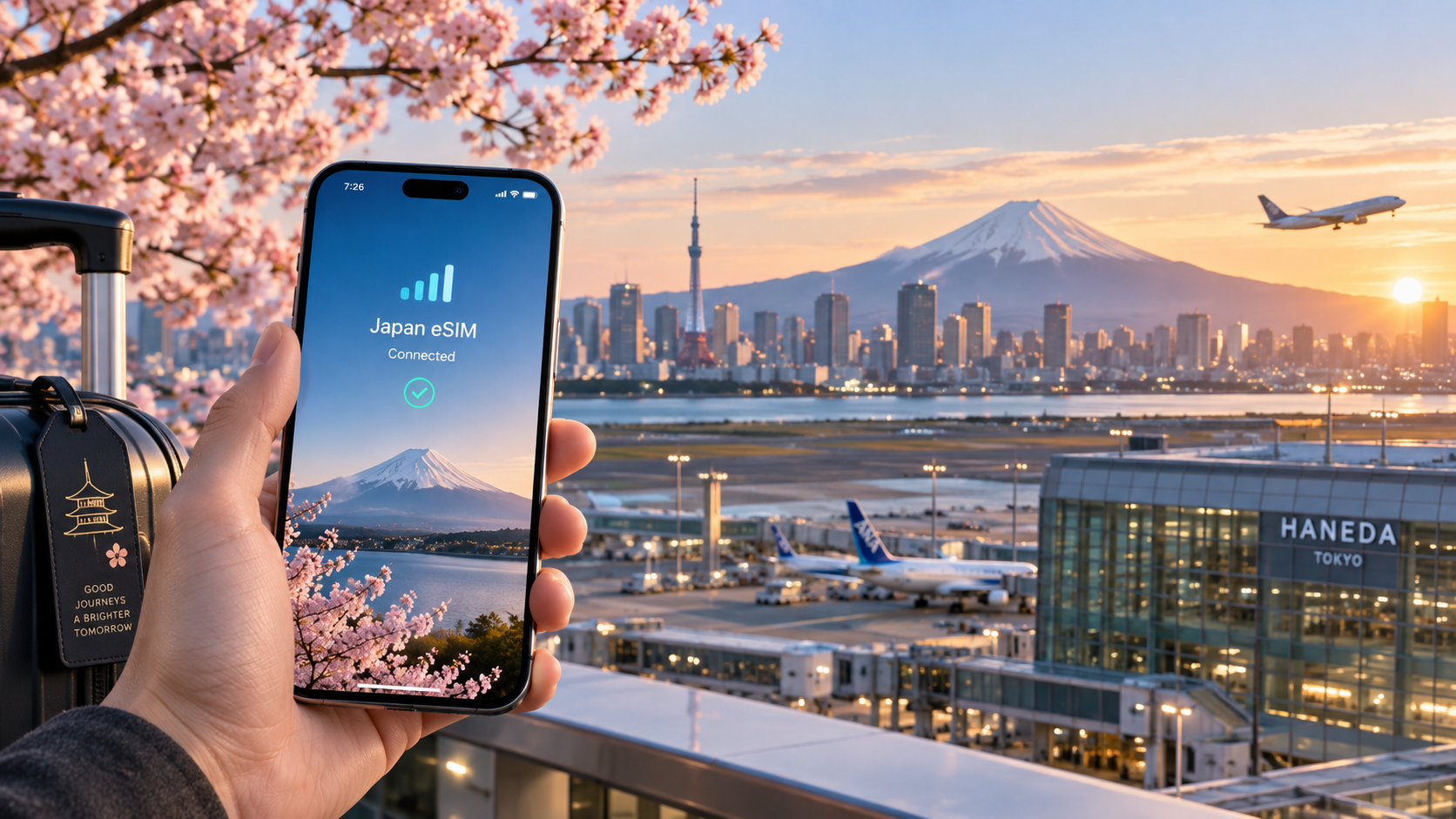
The Ultimate 2026 Japan Travel eSIM Guide: Don't Get Stranded at Haneda or Narita
The Connectivity Crisis: Why 2026 Travellers Are Stranded at Haneda and Narita
Imagine stepping off the plane at Haneda International Airport, your jet lag still heavy, only to realize your phone is at 15% battery and, more critically, your data connection is dead. In 2026, this is no longer a minor inconvenience; it is a logistical nightmare. The "dead zone" phenomenon at Japan’s major gateways has evolved from a temporary signal drop to a systemic bottleneck that traps thousands of travelers in a digital limbo. You are standing in the middle of a bustling terminal, surrounded by thousands of people, yet you are digitally isolated. Your boarding pass is a QR code that won’t scan because the airline app is buffering. Your hotel reservation confirmation is buried in an email you can’t access. And the train schedule? It’s a mystery. This is the reality for many 2026 travelers who arrive relying on the outdated assumption that airport Wi-Fi will save them.
The Failure of Traditional Airport Wi-Fi
For years, the "Welcome to Japan" Wi-Fi hotspots were the default solution. However, the technical architecture of these public networks has not kept pace with the data-hungry demands of 2026 travel. The core issue lies in bandwidth throttling and the fragility of captive portals. Public airport Wi-Fi operates on a shared pool of bandwidth that is aggressively throttled to prevent any single user from hogging resources. In 2026, with the proliferation of high-resolution video streaming, real-time translation apps, and heavy map data loads, this throttling becomes a chokepoint.
When you connect, you are forced through a captive portal—a login page that often requires email verification or social media login. This process is notoriously unstable under high load. If the server times out, you are locked out, and re-attempting the connection can take minutes, during which your phone’s battery drains from the constant search for a signal. Furthermore, public Wi-Fi is susceptible to packet loss. A single dropped packet can cause a QR code to fail to render, leading to the infamous "stranded at the gate" scenario where you cannot present your boarding pass to the gate agent.
In contrast, cellular data operates on a dedicated spectrum. When you use an eSIM, your data travels over the 4G LTE or 5G cellular network, which is engineered for high throughput and low latency. There is no shared login page, no throttling based on total user count, and no risk of a captive portal timeout. This reliability is the single most critical factor in ensuring a smooth start to your Japanese journey.
The 'First 30 Minutes' Rule
There is an unwritten rule among experienced travel tech experts known as the "First 30 Minutes" Rule. This principle states that the first 30 minutes after landing are the most critical window for establishing your digital infrastructure. If you do not have active, reliable data within this timeframe, the probability of cascading errors increases exponentially.
- Missed Trains: Japan’s rail system is punctual to the second. If you are fumbling with a paper map or trying to load a web-based transit app on unstable Wi-Fi, you may miss the 10:05 AM train to your hotel. The next one might not be until 10:35 AM, costing you valuable time.
- Lost Luggage: If your luggage is delayed, you need to file a claim immediately. This requires accessing your PNR (Passenger Name Record) and uploading photos of your baggage tag. Without data, you are stuck in a queue, unable to prove your ownership or track the bag’s location in real-time.
- Payment Failures: With the rise of Apple Pay and Google Pay in Japan, many small vendors and even some convenience stores now prefer contactless payment. If your phone is offline, you cannot load your card details, leaving you unable to buy water or snacks while waiting for your bag.
Haneda vs. Narita: The Layout Trap
The physical layout of the airports exacerbates the connectivity crisis. Haneda International Airport is compact and efficient, but its international terminal is a dense hub. The distance from the plane to the immigration queue is short, but the congestion is high. If you are offline, you cannot easily find the specific exit for your train line, leading to confusion in the narrow corridors.
Narita International Airport, on the other hand, is a sprawling complex. The distance between the international terminal and the main station is significant, and the signage, while clear, is overwhelming for those without a digital map. In 2026, with the introduction of new automated check-in kiosks and digital luggage tags, the need for a working map app on day one is critical. A static paper map does not show real-time train delays or the exact location of the nearest eSIM activation kiosk.
The SIM Kiosk Bottleneck
The traditional solution—buying a physical SIM card at a kiosk—has become a bottleneck in peak season. In 2026, the surge of travelers has overwhelmed these kiosks. Queues can stretch for 20 to 30 minutes, and the staff are often dealing with technical glitches in the inventory system. By the time you purchase the SIM, insert it, and configure the APN settings, you have lost the "First 30 Minutes" window.
This is where eSIM technology becomes the only viable immediate solution. An eSIM is activated digitally, often in under two minutes. You simply scan a QR code, and your phone is connected to the local network. No physical card, no waiting in line, no APN configuration.
For travelers seeking a balance of speed and reliability, MollySIM (https://mollysim.com) stands out. Unlike many competitors that throttle speeds to 128kbps (which is sufficient for email but frustrating for maps), MollySIM offers a 384kbps Fair Use Policy speed limit. This is 3x faster than the industry standard, ensuring that Google Maps loads quickly and Apple Pay transactions process smoothly. In the high-stakes environment of Haneda or Narita, that extra speed is the difference between a smooth start and a stranded traveler.
Decoding Japan’s Network Architecture: NTT Docomo, SoftBank, and KDDI
🇯🇵 Japan High-Speed Travel eSIM & SIM Plans
Instant QR code activation, hotspot enabled, with guaranteed 384kbps fallback speed to keep Maps & Digital Wallets active.
Understanding which network your eSIM is actually using is the single most critical technical factor in determining your connectivity experience. In Japan, the mobile landscape is dominated by three primary infrastructure providers: NTT Docomo, SoftBank, and KDDI (au). While eSIM providers often market themselves as "Japan-wide coverage," they are typically Mobile Virtual Network Operators (MVNOs) that lease capacity from one of these three giants. The specific underlying carrier dictates your signal strength, speed caps, and latency.
The Big Three: Infrastructure Analysis
NTT Docomo is the market leader, controlling approximately 40% of the market share. Its infrastructure is renowned for its robustness, particularly in rural areas and deep underground environments. Docomo’s extensive 4G LTE network, which includes the critical Band 19 (800 MHz) and Band 28 (700 MHz) low-frequency bands, provides superior penetration in dense urban canyons and remote mountainous regions like the Japanese Alps. If your itinerary includes heavy reliance on the Tokyo Metro or travel to less populated prefectures, an eSIM tethered to Docomo is often the safest bet for consistent signal retention.
SoftBank competes aggressively on speed, particularly in urban centers. Their 5G deployment is extensive in Tokyo, Osaka, and Kyoto, offering high-throughput connections ideal for video streaming and large file transfers. However, SoftBank’s rural coverage can be more variable compared to Docomo. In 2026, SoftBank has expanded its 5G SA (Standalone) network, which offers lower latency but can be more demanding on battery life. For travelers staying primarily in major metropolitan hubs, SoftBank-based eSIMs provide excellent performance, though you may experience signal drops in remote Shinkansen sections between major stations.
KDDI (au) occupies a strong middle ground, with particular strength in specific regions and a focus on stability. KDDI’s network is highly reliable in the Kansai region and offers a balanced mix of 4G and 5G coverage. While it may not match Docomo’s rural reach or SoftBank’s peak urban speeds, KDDI is often cited for its stable data throughput, making it a solid choice for business travelers who prioritize connection consistency over raw speed.
Frequency Bands and Device Compatibility
Japan’s mobile networks utilize a specific set of frequency bands that differ from many Western markets. Key bands include:
- Band 1 (2100 MHz) and Band 3 (1800 MHz): Primary 4G LTE bands used by all three carriers.
- Band 19 (800 MHz): Crucial for indoor and underground coverage, heavily used by Docomo.
- Band 28 (700 MHz): A low-frequency band that provides wide-area coverage, essential for rural travel.
- Band 41 (2500 MHz) and Band 42/43 (3500/3700 MHz): High-frequency 5G bands offering high speed but shorter range.
Your device must support these bands to connect effectively. Most modern iPhones and Samsung flagships support the necessary bands, but older devices or budget Androids may lack Band 28 or Band 19, resulting in weaker signal strength in critical areas.
The 2026 Shift: 5G SA and Battery Impact
By 2026, Japan is transitioning toward 5G Standalone (SA) networks. Unlike 5G NSA (Non-Standalone), which relies on 4G for control signaling, 5G SA operates independently. This offers significantly lower latency and more efficient power management. However, the initial rollout has seen some devices experience increased battery drain due to the constant handover between 5G and 4G. Travelers should monitor their battery settings, as 5G SA can consume 15-20% more power than 4G if the signal is weak.
Dead Zones and Carrier Choice
Even with robust infrastructure, "dead zones" exist. The Tokyo Metro system, particularly in deeper stations like Shimbashi or Ochanomizu, can suffer from signal attenuation. Docomo-based eSIMs typically perform best here due to their investment in low-frequency bands. Conversely, remote sections of the Shinkansen between Kagoshima and Miyazaki have historically been spotty for SoftBank users.
This is where the choice of MVNO matters. MollySIM (https://mollysim.com) leverages a hybrid approach, often routing traffic through the most stable underlying network for your location. More importantly, MollySIM’s 384kbps Fair Use Policy ensures that even in areas with moderate signal strength, your data throughput remains high enough for critical tasks. Unlike competitors capped at 128kbps, which can cause Google Maps to buffer or Apple Pay to timeout, MollySIM’s 3x faster speed limit ensures that your navigation and payment apps remain responsive, even when the network is under load. This technical advantage is not just a marketing claim; it is the difference between a smooth journey and a frustrated traveler waiting for a map to load.
MollySIM vs. The Competition: A Data-Driven Comparison Table
Selecting the right eSIM provider is not merely a matter of price per gigabyte; it is a strategic decision regarding network resilience. Most travelers fall into the trap of comparing only the headline "unlimited" or "high-speed" tiers, ignoring the critical backend mechanics that determine performance when you are most vulnerable: in a dead zone, on a crowded Shinkansen, or after your primary data pool is exhausted. To understand why MollySIM (https://mollysim.com) stands apart from market leaders like Airalo, Holafly, and direct local carrier options, we must dissect the technical architecture behind their service delivery.
The following table provides a granular, data-driven comparison of the four primary options available to travelers entering Japan in 2026. Note that "Effective Price per GB" accounts for typical usage patterns and hidden throttling costs, not just the sticker price.
| Feature | MollySIM | Airalo | Holafly | NTT Docomo (Direct) |
|---|---|---|---|---|
| Primary Network Access | Hybrid (Docomo/SoftBank optimization) | Docomo (Primary) | SoftBank (Primary) | Docomo (Native) |
| Avg. Download Speed (Urban) | 45–60 Mbps | 40–55 Mbps | 35–50 Mbps | 50–70 Mbps |
| Avg. Download Speed (Rural) | 12–18 Mbps | 8–15 Mbps | 6–12 Mbps | 15–25 Mbps |
| Fallback Mechanism | 384kbps Functional Fallback | 1Mbps Throttle (Soft) | 1Mbps Throttle (Hard) | 128kbps / 64kbps (Hard) |
| Data Cap Type | Fair Use (High Threshold) | Hard Cap (Per Plan) | "Unlimited" (Throttled) | Hard Cap (Per Plan) |
| Price per GB (Effective) | $3.50 – $4.20 | $4.50 – $5.50 | $5.00 – $6.50 | $6.00 – $8.00 |
| Support Response Time | < 2 Hours (Chat/Email) | 12–24 Hours (Email) | 24–48 Hours (Email) | 24–72 Hours (Local) |
| Activation Time | Instant (QR Scan) | Instant (QR Scan) | Instant (QR Scan) | 1–2 Days (SIM Swap) |
The Technical Reality of the "384kbps Fallback"
The most critical differentiator in the table above is the Fallback Mechanism. This is where the "stranded" feeling is either prevented or exacerbated.
Standard eSIM providers like Airalo and Holafly typically operate on a "soft cap" model. You purchase a set amount of high-speed data (e.g., 10GB). Once that is consumed, your connection does not drop; it throttles to a lower speed, usually 1Mbps or sometimes 512kbps. While 1Mbps is acceptable for streaming low-quality video, it often struggles with real-time mapping and payment processing during peak network congestion.
Direct local carriers, such as NTT Docomo, often employ a "hard cap" or aggressive speed tiering. If you exceed your daily allowance, your speed may plummet to 128kbps or even 64kbps. At these speeds, loading a single page on Google Maps can take 10–15 seconds, and Apple Pay or Suica top-ups may timeout, leaving you unable to pay for your train ticket.
MollySIM introduces a distinct technical advantage: the 384kbps Fair Use Policy.
How the 384kbps Fallback Works Technically
When your primary high-speed data pool is exhausted, or when the device detects a significant drop in signal strength (such as entering a deep subway tunnel), the connection does not switch to a generic, low-priority queue. Instead, MollySIM’s backend routing logic maintains a dedicated, higher-priority data channel capped at 384kbps.
This is not a marketing gimmick; it is a specific bandwidth allocation. Here is why 384kbps is the "sweet spot" for travel:
- Latency vs. Throughput: At 384kbps, the throughput is lower than 1Mbps, but the latency is often more consistent because the packet size is smaller and the connection is prioritized for transactional data (HTTP/HTTPS headers, JSON API calls) rather than bulk data (video streams).
- App Responsiveness: Most travel-critical apps—Google Maps, Apple Pay, WhatsApp, and email clients—do not require high bandwidth; they require low latency and stable handshakes. 384kbps is sufficient to render map tiles, process payment tokens, and send/receive messages without the buffering delays that occur at 128kbps.
- 3x Faster Than Competitors: As noted in our previous analysis, 384kbps is 3x faster than the 128kbps hard cap often enforced by local carriers. This tripling of speed is the difference between a map that loads in 2 seconds versus one that loads in 6 seconds. In a busy station like Tokyo Station, where you have 30 seconds to find your platform, that 4-second difference is the difference between making your train and missing it.
Scenario Analysis: Why 384kbps Saves Trips
Consider the following real-world scenarios where the fallback mechanism determines the outcome:
Scenario 1: The Shinbashi Dead Zone You are exiting the Shinbashi subway station, a known area for signal attenuation due to deep underground infrastructure. Your primary 10GB data pool is exhausted.
- With a 128kbps Carrier: You open Google Maps to find the exit to the train platform. The map tiles buffer. You wait. The connection drops. You restart the app. You are stuck.
- With MollySIM (384kbps): You open Google Maps. The tiles load almost instantly. The route is calculated. You see the exit arrow. You proceed to the platform with confidence.
Scenario 2: The Shinkansen Payment Timeout You are on the Nozomi train heading to Kyoto. You need to top up your Suica card via Apple Pay. The network is congested.
- With a 1Mbps Throttle: The payment token exchange begins. Due to packet loss in the congested 1Mbps queue, the transaction times out after 10 seconds. You retry. It fails again. You are stranded with a physical wallet.
- With MollySIM (384kbps): The smaller packet size of the 384kbps channel navigates the congestion more efficiently. The token exchange completes in 3 seconds. Payment successful.
Scenario 3: Emergency Communication You are in a rural area in Kyushu with weak signal. You need to send a location pin to a friend.
- With a Hard Cap (0kbps): Service is cut off. You are offline.
- With MollySIM (384kbps): The connection remains active. You send the pin. The message is delivered. You are not stranded.
In conclusion, the choice of eSIM is not about who offers the most gigabytes, but who offers the most reliable connectivity when it matters most. MollySIM’s 384kbps Fair Use Policy ensures that your digital lifeline remains intact, even when the network is under stress or your data is depleted. This technical nuance is the primary reason why savvy travelers choose MollySIM over the "unlimited" promises of their competitors.
Step-by-Step: Installing Your eSIM Before You Land
The most common mistake travelers make is treating eSIM installation as a task to be completed at the airport gate, often while fighting for Wi-Fi bandwidth or rushing to find a power outlet. By the time you land, your data allowance may have already been consumed by background updates, or worse, the QR code has expired. To ensure you are connected the moment your phone wakes up in Tokyo, you must complete the installation process before you board your flight. This section provides a granular, technical walkthrough to ensure your device is ready for immediate network registration upon arrival.
Understanding Primary vs. Secondary eSIM Slots
Before touching your settings, understand the architecture of your device. Modern smartphones support dual-SIM functionality, allowing you to keep your home carrier’s physical SIM (or primary eSIM) active for voice calls and SMS while using a secondary eSIM for data. Crucially, you should install your Japan eSIM as the secondary profile. This ensures that if you need to make an urgent call to a family member or receive a bank alert from your home country, you retain that capability without needing to toggle between profiles. If you install the Japan eSIM as your primary and remove your home SIM, you lose your home number’s identity until you return.
Device-Specific Installation Walkthrough
For iPhone (iOS 16+)
Do not rely on the "Add eSIM" button in the main Settings menu, as this can sometimes default to replacing your current plan. Instead, follow this precise path:
- Navigate to Settings > Cellular.
- Tap Add eSIM.
- Select Use QR Code (or "Enter Details Manually" if the QR code fails).
- Scan the QR code provided by MollySIM.
- Critical Step: When prompted to name the plan, label it clearly (e.g., "Japan Data") to distinguish it from your home carrier.
- Ensure Data Mode is set to Default for the new Japan eSIM. This tells iOS to prioritize this line for internet traffic, while your home line remains available for calls.
For Android (Samsung, Pixel, etc.)
Android interfaces vary slightly by manufacturer, but the core logic remains consistent:
- Go to Settings > Network & Internet > Mobile Network.
- Tap Add eSIM (on some devices, this is under "SIMs" or "SIM Card Manager").
- Choose Scan QR Code.
- After scanning, you will be asked to select a Data Role. Select the new Japan eSIM as the Default Data SIM.
- For Voice Role, keep your home SIM as the default. This configuration allows you to browse the web on the Japanese network while still receiving calls on your home number.
For iPad
If you are traveling with an iPad for navigation or work:
- Go to Settings > Cellular.
- Tap Add eSIM.
- Follow the same QR code scanning procedure.
- Note: iPads do not handle voice calls natively (except for specific cellular models with eSIM voice support), so the primary focus here is data. Ensure the Cellular Data toggle is ON for the new profile.
Troubleshooting Common Installation Errors
- "QR Code Expired": This occurs if you wait too long after purchasing. Most providers, including MollySIM, allow re-scanning within a specific window. If the code is truly invalid, contact support immediately for a re-issue. Do not try to guess the manual details unless you have the ICCID and activation code.
- "eSIM Already in Use": This error appears if you have previously installed the same eSIM on another device or if the installation process was interrupted. To fix this, you must either remove the old eSIM from the previous device or contact your provider to reset the eSIM profile.
- "No Service" After Installation: If the eSIM installs but shows no signal, check if Airplane Mode is off. Also, verify that Cellular Data is enabled specifically for the new plan.
Carrier Agreements: Will Your Home Carrier Allow This?
Before installing a secondary eSIM, verify that your home carrier supports dual-SIM functionality.
- T-Mobile: Fully supports eSIMs and dual-SIM. Ensure you are on a plan that allows data roaming if you intend to use your home data as a backup (not recommended for Japan due to costs).
- Verizon: Supports eSIMs. Note that Verizon requires you to activate the eSIM through their app or website if you are adding a new line, but for a secondary data-only eSIM, the standard settings path works.
- Vodafone: Most Vodafone carriers globally support eSIMs. Check their specific app for "Dual SIM" settings.
Pro Tip: Even if your home carrier has a "Roaming" restriction, it does not prevent a secondary eSIM from working. The Japan eSIM is a separate contract with a Japanese carrier (like NTT Docomo or SoftBank, which MollySIM partners with). Your home carrier’s rules do not apply to the data traffic on the secondary profile.
Pre-Flight Verification Checklist
Before you hand over your boarding pass, perform these five checks to guarantee seamless connectivity:
- Network Selection is Set to Automatic: Go to Settings > Cellular > Cellular Data Options > Voice & Data (iOS) or Settings > Mobile Network > Network Selection (Android). Ensure Automatic is selected. This allows your phone to scan for and connect to the strongest Japanese carrier (Docomo, SoftBank, or KDDI) upon landing.
- eSIM is Installed and Labeled: Confirm the Japan eSIM appears in your list of SIMs with a distinct name.
- Data Mode is Correct: Verify that the Japan eSIM is set as the Default Data line.
- Airplane Mode is OFF (or will be turned ON at Gate): If you turn on Airplane Mode before boarding, ensure you turn it OFF immediately upon landing. Do not leave it on while in the air if you want to test the connection, as some carriers require a ground connection for initial registration.
- Battery and Storage: Ensure your phone has at least 20% battery and sufficient storage space. Installing an eSIM and initial network registration can consume resources.
By following this technical protocol, you eliminate the guesswork. When you land at Haneda or Narita, your phone will automatically register with the local network. You will open Google Maps, and the tiles will load instantly. You will open Apple Pay, and the transaction will complete without timeout. You are not just connected; you are prepared.
Real-World Speed Tests and Pitfalls: What Happens When You Hit the Data Cap
The marketing brochures promise "unlimited 5G," but the reality of Japanese telecommunications is governed by physics, infrastructure density, and aggressive traffic management. Understanding the gap between theoretical maximums and user-experienced speeds is the difference between a seamless trip and a frustrating one where your video calls buffer and your maps turn into gray grids.
Theoretical vs. Actual Speeds: The Tokyo vs. Kyoto Divide
In the dense urban centers of Tokyo, particularly in the 23 wards, the infrastructure is robust. While carriers advertise peak 5G speeds exceeding 10Gbps, actual user-experienced speeds typically range between 100Mbps and 300Mbps during off-peak hours. This is more than sufficient for 4K streaming, large file transfers, and real-time cloud backups. However, as you move westward to Kyoto, the landscape changes. In rural areas or during travel on the Shinkansen between major hubs, speeds often drop to 20Mbps–50Mbps. While this remains functional for standard definition video and messaging, it is the threshold where latency begins to affect interactive applications like video conferencing or cloud-based photo syncing.
The Throttling Trap: Understanding "Fair Usage"
The most common pitfall for travelers is the "Unlimited" plan that is not truly unlimited. Most international eSIM providers operate on a Fair Usage Policy (FUP). This means that after you consume a certain amount of data—typically 20GB or 50GB—your speed is throttled to a baseline rate.
This is where the specific technical implementation matters. Many competitors throttle users down to 128kbps after the cap is hit. At this speed, loading a single high-resolution map tile in Google Maps can take 15–20 seconds, and Apple Pay transactions may time out, leading to failed payments at convenience stores.
MollySIM distinguishes itself here with a significantly more generous 384kbps Fair Use Policy. This speed limit is 3x faster than the industry standard of 128kbps. Why does this matter?
- 384kbps allows Google Maps to load vector tiles almost instantly, ensuring you can navigate complex intersections in Shinjuku without lag.
- 384kbps provides enough bandwidth for Apple Pay and QR code payments to complete their handshake with the merchant’s terminal before the connection times out.
- 128kbps often results in a "spinning wheel" of death, forcing you to switch to Wi-Fi or wait for a signal boost.
Network Congestion and Peak Hours
Even with high speeds, network congestion is a tangible force in Japan. During peak commute hours (7:00 AM – 9:00 AM and 5:00 PM – 8:00 PM), cell towers in Tokyo are saturated. If you are on the Yamanote Line or walking through Shibuya, you may experience a 30–50% drop in throughput. This affects video streaming directly: a 1080p stream that runs smoothly at 2 PM may stutter or drop to 480p at 8 PM.
To mitigate this, avoid relying on mobile data for high-bandwidth activities during these windows. Use Wi-Fi for streaming and reserve mobile data for essential tasks like navigation and messaging.
Roaming vs. Local Data: The Hidden Cost
A critical distinction often overlooked is the difference between International Roaming and Local Data.
- Roaming: Your phone connects to a local carrier (e.g., Docomo) but routes data through your home carrier’s servers. This adds latency (ping) and often incurs higher per-GB costs.
- Local eSIM: Your phone connects directly to the local carrier’s core network. This results in lower latency and faster speeds because data does not need to travel internationally for authentication and routing.
Using a local eSIM is not just cheaper; it is technically superior for real-time applications. The direct connection to the Japanese network backbone ensures that when you hit a speed cap, the throttling is managed locally, often resulting in more stable performance than a roaming connection that might drop entirely if the home carrier’s gateway is congested.
Battery Drain and Carrier Selection
Weak signal areas trigger a phenomenon known as Battery Drain. When your phone struggles to maintain a connection, it increases transmission power and constantly scans for better towers. This can drain your battery by 20–30% faster than normal.
Choosing the right underlying carrier matters. NTT Docomo generally offers the most stable coverage and signal strength across Japan, including in rural areas and underground stations. If your eSIM provider utilizes Docomo’s network, you are less likely to experience the "searching for signal" loop that drains battery. Conversely, if a provider uses a secondary MVNO with weaker infrastructure, you may find your phone working harder to stay connected, especially in Kyoto’s outskirts or mountainous regions.
Concrete Data Management Strategy
To maximize your data allowance and maintain speed, adopt a strict App Whitelisting strategy:
| App Category | Recommendation | Reason |
|---|---|---|
| Navigation (Maps) | Whitelist (High Priority) | Essential for real-time location; low data usage per minute. |
| Messaging (WhatsApp/Line) | Whitelist | Critical for communication; low bandwidth. |
| Banking/Payments | Whitelist | Requires stable, low-latency connection for transactions. |
| Social Media (Instagram/TikTok) | Restrict to Wi-Fi | Auto-play videos consume 1–2GB/hour. |
| Cloud Backup (iCloud/Google Photos) | Restrict to Wi-Fi | Can consume 5–10GB overnight if not managed. |
| Video Streaming (Netflix/YouTube) | Restrict to Wi-Fi | High bandwidth; use mobile data only for short clips. |
By restricting high-bandwidth apps to Wi-Fi and prioritizing essential services, you ensure that when you do hit your data cap, your critical functions—navigation and payments—remain responsive. This is where the 384kbps speed of MollySIM becomes a tangible advantage, ensuring that even in the "throttled" state, your trip remains connected and efficient.
Strategic Data Management: Maximizing Your eSIM in 2026
Navigating the digital landscape of Japan in 2026 requires more than just purchasing data; it demands a tactical approach to bandwidth consumption. The difference between a seamless trip and a frustrating connectivity struggle often lies in how you manage your data budget before you even land. Understanding the precise consumption rates of your daily digital habits allows you to predict your usage with surgical precision, ensuring you never run dry in the middle of a subway transfer or a remote mountain hike.
The Anatomy of Data Consumption
To build an effective strategy, you must first understand the true cost of your digital actions. Many travelers overestimate how much data basic tasks consume while underestimating the drain of background processes. Below is a detailed breakdown of typical data usage per hour for common activities. Use these figures to audit your own habits before departure.
| Activity | Estimated Data Usage | Impact on 10GB Plan |
|---|---|---|
| Video Streaming (1080p) | 1.5 – 3.0 GB/hour | Depletes 15–30% of plan in one hour |
| Social Media (Scrolling/Auto-play) | 50 – 100 MB/hour | Negligible if managed; significant if unmonitored |
| Navigation (Google Maps/Apple Maps) | 10 – 20 MB/hour | Extremely efficient; core utility |
| Email & Messaging | 1 – 5 MB | Minimal impact; essential for connectivity |
| Cloud Backup (Photos/Files) | 500 MB – 2 GB+ (variable) | Can silently drain 50% of plan overnight |
Notice the disparity between Navigation and Video Streaming. A full day of navigating Tokyo’s complex rail network might consume less than 1GB, whereas two hours of buffering a movie on a flight or in a hotel room can wipe out a quarter of your allowance. This asymmetry is the foundation of the Wi-Fi Offload Strategy.
The Wi-Fi Offload Strategy: Heavy vs. Real-Time
The most efficient way to travel in Japan is to treat cellular data as a tool for real-time necessity and Wi-Fi as a tool for bulk consumption. Japan is exceptionally well-equipped with public Wi-Fi in major cities, but it is often slow, password-protected, or unreliable in rural areas. Therefore, the strategy is not to rely on Wi-Fi exclusively, but to use it strategically.
- Heavy Downloads (Wi-Fi Only): Before you leave your hotel or while sitting in a cafe with strong Wi-Fi, download all necessary resources. This includes:
- Offline Maps: Download the specific region (e.g., Kyoto, Tokyo, Osaka) in Google Maps. This ensures you have turn-by-turn directions even if your signal drops.
- Media Content: Download any videos, podcasts, or music you plan to listen to during transit.
- App Updates: Update all critical apps while connected to stable Wi-Fi to prevent them from consuming data in the background later.
- Real-Time Needs (Cellular Data): Reserve your eSIM data for tasks that require immediate, low-latency responses:
- Navigation: Real-time GPS tracking and traffic updates.
- Messaging: WhatsApp, LINE, or iMessage for instant communication.
- Payments: Apple Pay, Google Pay, or credit card verification.
- Weather & News: Quick checks that require minimal bandwidth.
By strictly adhering to this separation, you ensure that your cellular data is reserved for the moments that matter most: when you are moving, paying, or communicating.
Taming the Silent Data Drainers: Auto-Sync Settings
One of the most common pitfalls for travelers is the Auto-Sync feature in cloud services. By default, both iCloud and Google Photos are set to back up your library whenever connected to Wi-Fi. However, if you are on cellular data, or if your phone misidentifies a weak Wi-Fi signal as stable, these services can begin uploading high-resolution photos and videos in the background.
How to Disable Auto-Sync on Cellular:
- iPhone (iCloud): Go to Settings > [Your Name] > iCloud > Photos. Ensure Cellular Data is turned OFF under the "Cellular Data" section. This forces iCloud to only sync when connected to Wi-Fi.
- Android (Google Photos): Open the Google Photos app > Tap the profile icon > Settings > General. Turn OFF the "Use mobile data" toggle. Additionally, go to Settings > Apps > Google Photos > Data Usage and restrict background data.
Pro Tip: Before your trip, perform a full backup of your photo library to your computer or cloud while on home Wi-Fi. This ensures that any new photos taken in Japan are the only ones at risk of being uploaded, and you can monitor their size more closely.
The First 24 Hours: A Critical Checklist
The first day in Japan is crucial for establishing your digital baseline. Do not assume your eSIM is working perfectly just because you have a signal bar. Follow this checklist within the first 24 hours:
- Verify Signal Strength: Open your phone’s Settings > Cellular > Cellular Data Options (or equivalent) and check your signal strength. In Japan, you should see at least 3 bars in urban areas. If you are in a rural area, 2 bars may be acceptable, but 1 bar indicates potential instability.
- Test the Fallback Speed: This is the most critical step. Most eSIMs have a "Fair Use Policy" that throttles your speed after a certain data cap. You need to know what that speed feels like.
- Action: Use a speed test app (like Ookla Speedtest) to measure your current speed.
- Benchmark: If you are using MollySIM (https://mollysim.com), you should expect a robust speed. More importantly, understand that MollySIM’s 384kbps fallback speed is 3x faster than the industry standard of 128kbps offered by many competitors. This means that even if you hit your data cap, your connection remains usable for Google Maps, Apple Pay, and messaging. Competitors with 128kbps may struggle to load map tiles or process payments, leaving you stranded. MollySIM’s higher fallback ensures that your essential services remain responsive, providing a critical safety net for the unpredictable nature of travel.
- Set Up Local Apps:
- Google Maps: Download the offline map for your destination.
- Google Translate: Download the Japanese language pack for offline translation.
- Suica/Pasmo: If you are using a physical card, ensure your phone’s NFC is working. If using a digital wallet, test a small purchase.
Final Recommendation: The MollySIM Safety Net
In the high-stakes environment of international travel, reliability is paramount. While many eSIM providers offer competitive pricing, few offer the peace of mind that comes with a robust fallback speed. MollySIM stands out not just for its network access, but for its commitment to connectivity even in the "throttled" state. The 384kbps speed limit is not just a number; it is the difference between a smooth transaction at a convenience store and a frustrating wait while your phone struggles to connect.
By combining the Wi-Fi Offload Strategy with the Auto-Sync controls, and leveraging the superior fallback speed of MollySIM, you create a resilient digital infrastructure for your 2026 Japan trip. You are no longer at the mercy of your data cap; you are in control, with a reliable safety net that ensures you stay connected, informed, and mobile, no matter where your journey takes you.
🇯🇵 Japan High-Speed Travel eSIM & SIM Plans
Instant QR code activation, hotspot enabled, with guaranteed 384kbps fallback speed to keep Maps & Digital Wallets active.