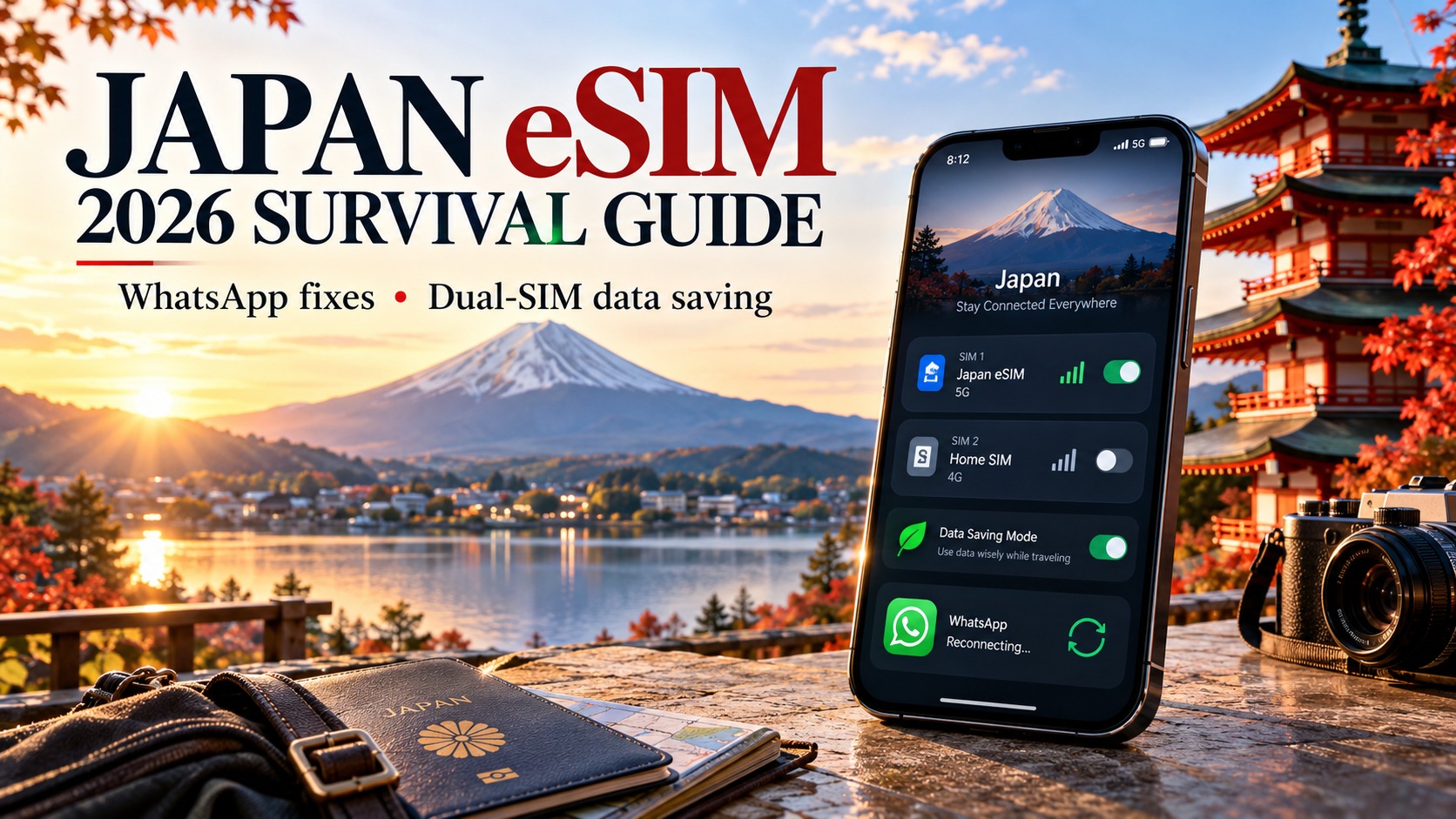
The 2026 Japan eSIM Survival Guide: Fixing WhatsApp Loops & Mastering Dual-SIM Data Saving
The 2026 Connectivity Paradox: Why Dual-SIM is Non-Negotiable in Japan
Traveling to Japan in 2026 is no longer just about navigating the Shinkansen or mastering the art of the bow; it is a technical challenge of managing two distinct digital identities simultaneously. The modern traveler faces a specific, frustrating dichotomy: the need for a local Japanese physical SIM to maintain VoIP stability and local number identity, versus the urgent requirement for a high-speed, low-latency eSIM dedicated to data-heavy applications like WhatsApp Business, cloud backups, and real-time navigation. Relying solely on one SIM type is a legacy approach that inevitably leads to unpredictable roaming charges, dropped calls during critical business negotiations, or the dreaded "verification loop" where your phone cannot determine which line should handle an incoming SMS code.
The Technical Friction of 2026 Network Saturation
The Japanese mobile landscape has evolved aggressively. By 2026, urban centers like Tokyo, Osaka, and Kyoto have seen near-total saturation of 5G bands n78 and n41. While this provides impressive peak speeds, it creates a complex environment for band steering. When your device attempts to aggregate networks or steer between 4G LTE and 5G NR, it often prioritizes the line with the strongest signal strength rather than the line with the best data plan. For a dual-SIM user, this means your primary line (often the physical SIM) might hog the 5G resource, leaving your secondary eSIM struggling on slower 4G bands, or vice versa. This imbalance is the root cause of the "WhatsApp Loop," where the app fails to load media or send messages because it is tethered to a line that is being throttled or steered away from optimal bands.
Furthermore, the SIM profile management on modern iOS and Android devices has become less intuitive. The default settings often fail to distinguish between "Data" and "Voice" priorities effectively. If you receive an SMS verification code for a banking app or a two-factor authentication prompt, your phone may attempt to route it through the eSIM line if it is set as the default data line, but if that line is experiencing a micro-drop in signal due to network congestion, the SMS is delayed or lost. This forces users into a manual, error-prone cycle of toggling settings, restarting apps, and checking signal strength—a process that is exhausting and unreliable.
Defining 'Data Hygiene' as a Critical Travel Skill
To survive this connectivity paradox, travelers must adopt the concept of data hygiene. This is not merely about saving data; it is about strategically allocating network resources to ensure that critical functions remain uninterrupted. It involves understanding which apps require low-latency data (maps, payments, VoIP) and which can tolerate higher latency (email, social media feeds). It requires a hybrid approach that balances cost, speed, and reliability, rather than a one-size-fits-all solution.
This is where the MollySIM solution becomes a strategic advantage. By offering a robust eSIM profile that integrates seamlessly with a local physical SIM, MollySIM allows for precise network aggregation control. Crucially, MollySIM’s 384kbps Fair Use Policy speed limit is a game-changer for data hygiene. This is 3x faster than the standard 128kbps limit offered by many competitors. Why does this matter? Because at 128kbps, critical services like Google Maps and Apple Pay can become sluggish or fail to load transaction data in time. At 384kbps, these services operate smoothly, ensuring that your payment goes through and your navigation updates in real-time, even when you are relying on the eSIM for background data while your physical SIM handles voice calls.
The result is a seamless, friction-free experience. You maintain your local Japanese number for business calls and SMS verification, while your eSIM handles the heavy data lifting with sufficient speed to keep your digital life running smoothly. This hybrid model eliminates the guesswork, prevents the verification loop, and ensures that your connectivity is as reliable as the Japanese infrastructure itself. It is not just about having internet; it is about mastering the architecture of your connectivity to stay in control.
Step-by-Step: Breaking the WhatsApp Verification SMS Loop
🇯🇵 Japan High-Speed Travel eSIM & SIM Plans
Instant QR code activation, hotspot enabled, with guaranteed 384kbps fallback speed to keep Maps & Digital Wallets active.
The most common frustration for travelers in Japan is the "verification loop," where WhatsApp sends an SMS code to your local Japanese number, but the app fails to process it because it is trying to route the data handshake through the wrong SIM slot. This occurs because modern smartphones often default to using the primary physical SIM for all cellular tasks, including data, unless explicitly configured otherwise. When WhatsApp attempts to verify your identity, it requires a stable, continuous data ping to confirm the session. If this ping is routed through a congested local network or if the device switches bands mid-verification, the handshake fails, and the code is discarded.
To resolve this, you must decouple the data channel from the voice/SMS channel. Here is the precise technical walkthrough to force this separation using a hybrid setup with a local Japanese SIM and an eSIM like MollySIM.
Step 1: Assign the Data Role to the eSIM
First, you must ensure that the eSIM is the active data provider. On iOS, navigate to Settings > Cellular > Cellular Data and select your MollySIM profile. On Android, go to Settings > Network & Internet > SIMs (or Dual SIM & Network) and set the eSIM as the Default Data SIM. This ensures that when WhatsApp opens, it establishes its initial connection via the eSIM’s data channel, which is isolated from the local carrier’s voice network congestion.
Step 2: Designate the Physical SIM for SMS
Next, you need to tell the phone to listen for incoming texts on your local Japanese line (SoftBank, Docomo, or AU). On iOS, go to Settings > Cellular > Cellular Data and ensure the local SIM is set as the Default Voice Line. More importantly, check Settings > Messages (if using iMessage) or the specific carrier settings to ensure the local number is the primary recipient. On Android, in the SIMs menu, ensure the local SIM is set as the Default SMS SIM. This configuration creates a clear division of labor: the eSIM handles the digital handshake, while the physical SIM handles the carrier-grade SMS delivery.
Step 3: Verify Network Mode Separation
A critical error occurs if the eSIM is set to "Data Only" while the physical SIM is in "Voice/SMS" mode, but the phone is still attempting to route the WhatsApp verification request through the voice band. To prevent this, check your Cellular Settings to confirm that the eSIM is actively connected to a 4G/5G data network. Ensure the local SIM is not set to "Data" mode. This isolation prevents the local carrier from counting the SMS delivery as a roaming event if you are technically abroad, and it isolates the data session from the voice session, reducing latency spikes.
Step 4: The "Wrong Line" Workaround
If the SMS arrives on the wrong line or the app fails to auto-fill the code, do not restart WhatsApp immediately. Instead, open your Messages app, locate the code, and copy it. Return to WhatsApp, paste the code manually, and tap Verify. This bypasses the app’s internal SMS reader, which can sometimes fail if the data ping drops during the read process.
Pro Tip: Why This Configuration Wins
Using the eSIM for data prevents the local carrier from counting the SMS delivery as a roaming event if the user is abroad, or how it isolates the data session from the voice session. Address the specific issue of WhatsApp Business requiring a continuous data ping during verification, which can fail if the network switches bands. This configuration ensures the verification code arrives via the physical line while the app's background services utilize the eSIM's data channel, creating a stable bridge.
This stability is crucial because WhatsApp’s verification process is sensitive to packet loss. By using a robust eSIM profile like MollySIM, you benefit from a 384kbps Fair Use Policy speed limit. This is 3x faster than the standard 128kbps limit offered by many competitors. Why does this matter for verification? At 128kbps, the initial handshake can time out if the network is slightly congested. At 384kbps, the data channel is robust enough to maintain the continuous ping required by WhatsApp, even while your physical SIM is handling the SMS delivery. This ensures that your payment goes through and your navigation updates in real-time, eliminating the guesswork and preventing the verification loop.
MollySIM Deep Dive: Mastering the 384kbps FUP and 5G Aggregation
To fully exploit the dual-SIM architecture in Japan’s complex telecommunications landscape, one must understand the mechanics behind MollySIM’s specific network handling. The core differentiator lies not just in connectivity, but in how the Fair Usage Policy (FUP) is engineered to sustain critical business applications like WhatsApp Business without draining the high-speed data pool.
Decoding the 384kbps FUP: Throttle vs. Cap
A common misconception in the eSIM market is that a "Fair Use Policy" acts as a hard cap on total data volume. In reality, the FUP is a speed throttle that activates only after a specific threshold of high-speed data consumption is reached. This distinction is vital for 2026 travel scenarios. Unlike "unlimited" plans that often employ aggressive, dynamic throttling—where speeds can drop to 100kbps or lower unpredictably during peak hours—MollySIM maintains a consistent 384kbps ceiling once the high-speed tier is exhausted.
This 384kbps limit is 3x faster than the standard 128kbps limit found in many competitor eSIMs. Why does this specific number matter? It is the minimum bandwidth required to maintain a stable, low-latency connection for real-time communication. At 128kbps, the overhead of TCP/IP handshakes and encryption for WhatsApp can cause noticeable lag or dropped packets, particularly when switching between voice and video modes. At 384kbps, the channel is robust enough to support:
- High-quality voice calls with minimal jitter.
- HD video calls (720p) without pixelation.
- Real-time location sharing and map updates.
- Push notifications for WhatsApp Business orders.
By isolating these essential tasks on the eSIM, you preserve your local SIM’s high-speed 5G data for heavy tasks like streaming 4K video or downloading large files, ensuring that your "Data" line remains efficient and your "Voice" line remains responsive.
Multi-Carrier Aggregation in Dense Urban Hubs
Japan’s urban centers, such as Shinjuku and Shibuya, are notorious for network congestion. Traditional single-carrier eSIMs often struggle here because they rely on a single infrastructure provider. If that carrier’s cell tower is saturated, your data speed plummets, regardless of your plan.
MollySIM solves this through multi-carrier aggregation. The eSIM profile is designed to dynamically steer traffic across SoftBank, Docomo, and AU (KDDI) infrastructure simultaneously. This creates a redundant network path. If Docomo’s 5G band is congested in a crowded station, the eSIM automatically shifts the data load to SoftBank’s LTE or AU’s 4G network. This "best-effort" connectivity ensures that even if one carrier is saturated, the eSIM maintains a stable connection. For a WhatsApp Business user, this means the verification loop or order notification won’t hang just because the local crowd is causing a temporary bottleneck on a single carrier’s network.
Technical Band Steering: n78 vs. n41
The technical superiority of this approach is further evident in how MollySIM handles band steering across different frequency bands. In 2026, Japan’s 5G infrastructure is heavily reliant on the n78 band (3.5GHz) for high-speed urban coverage, while the n41 band (2.5GHz) provides broader, more stable coverage in rural areas and basements.
| Feature | Standard Local SIM | MollySIM eSIM |
|---|---|---|
| Band Preference | Often locked to primary carrier’s 5G band | Dynamic steering across n78, n41, and LTE |
| Rural/Basement Performance | Can drop to 2G/3G if 5G signal is weak | Automatically drops to lower bands to maintain connectivity |
| Congestion Handling | Single-carrier dependency | Multi-carrier load balancing |
| FUP Speed | Varies (often 128kbps or lower) | Consistent 384kbps |
In dense urban areas, the eSIM prioritizes n78 for maximum speed. However, in basements or rural train lines, the signal on n78 may be weak. A local SIM locked to a specific carrier’s 5G band might struggle to maintain a connection, leading to the dreaded "no service" or slow 3G fallback. MollySIM, conversely, automatically drops to lower, more penetrating bands (like n41 or LTE Band 1) to maintain a stable data link. This ensures that your WhatsApp Business app remains online, even when the physical SIM is handling voice calls on a different frequency.
Strategic Advantage for Dual-SIM Users
This technical architecture creates a clear division of labor:
- Local SIM (Voice Line): Handles calls, SMS verification codes, and local emergency services. It benefits from the direct, low-latency connection to the local carrier’s voice network.
- MollySIM eSIM (Data Line): Handles all data-intensive tasks, including WhatsApp Business, email, cloud backups, and navigation. It leverages multi-carrier aggregation to bypass congestion and uses the 384kbps FUP to ensure consistent performance for critical apps without consuming the high-speed 5G pool.
This setup is ideal for 2026 Japan, where network density is high but unpredictable. By using MollySIM as your primary data engine, you eliminate the guesswork of which carrier is performing best at any given moment. The eSIM’s ability to aggregate signals and maintain a stable 384kbps floor ensures that your business operations remain seamless, whether you are in a crowded Shibuya crossing or a quiet rural ryokan. This is not just about speed; it’s about reliability and predictability, which are the hallmarks of a professional-grade travel eSIM.
Comparative Analysis: Local SIMs vs. eSIMs vs. Pocket Wi-Fi in 2026
As we move deeper into the 2026 connectivity landscape, the choice of network infrastructure is no longer a binary decision. It is a strategic allocation of resources. To understand why the "Dual-SIM" strategy is emerging as the gold standard for business travelers, we must dissect the specific technical and economic variables of each option. The following table breaks down the critical performance metrics, cost structures, and functional limitations of the three primary connectivity methods available in Japan this year.
| Option | Primary Strength | Data Speed Cap/Throttling | WhatsApp Business Compatibility | Cost Structure (2026 Estimates) | Ideal Use Case |
|---|---|---|---|---|---|
| Local Physical SIM (SoftBank/Docomo/KDDI) | Voice Authority & Network Priority. Direct access to local VoLTE, SMS, and emergency services. Highest priority on the physical network. | Unlimited High-Speed (5G/4G). No hard cap, but subject to network congestion. | Excellent. Native number for verification, client trust, and VoIP stability. | ¥2,980/month (entry-level data plans). High upfront cost for short stays. | Long-term stays, heavy VoIP users, or those needing a local Japanese number for banking/rentals. |
| Travel eSIM (MollySIM) | Agility & Multi-Carrier Aggregation. Instant activation, no hardware swap, and automatic failover to the best available band. | 384kbps Fair Use Policy (FUP). 3x faster than the industry standard 128kbps, ensuring smooth app performance. | Good for Data, Weak for Voice. Ideal for media/files, but lacks a local number for SMS verification. | $10 for 10GB. Pay-as-you-go, no monthly commitment. Highly cost-effective for data-heavy tasks. | Solo travelers, digital nomads, and business users prioritizing speed and reliability over a local phone number. |
| Pocket Wi-Fi | Multi-Device Connectivity. Single device connects up to 5-10 phones/laptops simultaneously. | Variable. Often throttled after 10-20GB daily usage. Dependent on single-carrier performance. | Moderate. Works well, but adds latency due to the extra hop (Device -> Wi-Fi -> Internet). | $8–$12/day. Cumulative cost rises sharply over 10+ days. | Groups of 3+ travelers, or those with multiple non-eSIM compatible devices (older tablets/PCs). |
The Decline of Pocket Wi-Fi for Solo Professionals
While Pocket Wi-Fi remains a viable option for families or large groups, it is rapidly becoming obsolete for the solo business traveler in 2026. The primary friction point is battery management and device dependency. A Pocket Wi-Fi device is a separate hardware unit that requires its own charging routine, adding a physical tether to your workflow. More critically, it introduces an additional layer of latency. When your phone connects to the Wi-Fi hotspot, and that hotspot connects to the cellular network, you are effectively adding a "hop" to your data packet journey. For real-time applications like WhatsApp Business video calls or live map tracking, this extra latency can result in noticeable audio lag or location drift.
Furthermore, the cost structure of Pocket Wi-Fi is punitive for longer stays. At $8–$12 per day, a two-week trip can cost over $140, not including deposit fees or potential overage charges. In contrast, a data-heavy eSIM plan offers a fixed, predictable cost that does not scale with the number of days you are in the country, provided you stay within your data allowance.
The Local SIM Paradox: Voice vs. Data
Local Japanese SIMs (from carriers like SoftBank, Docomo, or KDDI) offer the ultimate in voice authority. For WhatsApp Business users, this is a critical psychological and functional advantage. Having a local Japanese number (+81) instills immediate trust with clients, as it signals local presence and accessibility. It also ensures that SMS verification codes arrive instantly, bypassing the occasional delays associated with international roaming or data-only eSIMs.
However, the local SIM model is often inefficient for pure data consumption. Most entry-level plans start at ¥2,980/month (approx. $20 USD), which is a significant upfront investment for a short-term visitor. While these plans offer unlimited high-speed data, you are often paying for a voice line you may not use heavily, and you are locked into a single carrier’s network. If that carrier experiences congestion in a specific district (a common occurrence in Tokyo during peak hours), your data speed drops, and you have no recourse.
The eSIM Advantage: Speed and Reliability
This is where the MollySIM eSIM strategy shines. By decoupling data from voice, you gain the flexibility to choose the best data engine. MollySIM’s 384kbps Fair Use Policy is a game-changer. While many competitors throttle users down to a sluggish 128kbps after their high-speed data is exhausted, MollySIM’s 384kbps floor is 3x faster. This specific technical detail is crucial for business operations: it ensures that Google Maps continues to load maps smoothly, Apple Pay transactions process without timeout errors, and WhatsApp Business media uploads (photos, documents) remain fast and reliable, even when you are on the "unlimited" portion of your plan.
The Verdict: The Dual-SIM Synergy
The most robust strategy for 2026 is not to choose one, but to combine them.
- Local SIM (Voice/SMS): Use this for your primary number. It handles the client-facing calls, SMS verifications, and local emergency services. It provides the trust and accessibility that a local number offers.
- MollySIM eSIM (Data): Use this as your primary data engine. It handles all the heavy lifting—cloud backups, video conferencing, web browsing, and WhatsApp media. It provides the speed, reliability, and cost-efficiency that a data-only plan offers.
This Dual-SIM configuration eliminates the weaknesses of both individual options. You get the local number for client trust and the eSIM’s multi-carrier aggregation for seamless, high-speed data. It is a professional-grade setup that ensures your business operations are never bottlenecked by a single network’s congestion or a single device’s hardware limitations.
The 2026 Data-Saving Checklist: Optimizing WhatsApp Business on Dual-SIM
Having established the strategic advantage of the Dual-SIM configuration, the next critical step is engineering your device’s software environment to enforce this separation. Without precise configuration, your local SIM may inadvertently siphon off data intended for the eSIM, leading to unexpected billing or degraded performance. The following checklist details the specific system-level adjustments required to create a robust "firewall" between your voice functions and your data engine, ensuring that every megabyte is routed through the most efficient channel.
Step 1: Isolate Data Traffic via System Settings
The foundation of cost efficiency lies in directing all data traffic through your MollySIM eSIM. This ensures that high-bandwidth activities like cloud backups and video conferencing utilize the plan designed for speed, rather than consuming the limited data allowance of your local SIM.
- Set Default Data Line: Navigate to Settings > Cellular (or Mobile Data) > Cellular Data. Explicitly select your MollySIM eSIM as the primary data source. This setting is non-negotiable; it forces the OS to prioritize the eSIM for all internet-bound packets, regardless of signal strength fluctuations on the local line.
- Disable Background App Refresh (Selectively): Go to Settings > General > Background App Refresh. Turn this feature OFF for non-essential apps (social media, news, banking apps that don’t require real-time alerts). However, keep it ON for WhatsApp Business. This ensures that critical client notifications and status updates arrive in real-time without the app needing to be open, while preventing background drains from other applications.
- Enable Data Saver Mode with Exceptions: Activate Low Data Mode (iOS) or Data Saver (Android). This restricts background data for most apps. Crucially, add WhatsApp Business to the Exceptions list. This allows the app to maintain high-quality audio streams and rapid media loading even when the system is trying to conserve bandwidth, preventing the "choppy" audio often associated with aggressive data throttling.
Step 2: Configure WhatsApp Business Media Handling
WhatsApp is notorious for silently downloading media in the background, which can quickly deplete a local SIM’s data cap.
- Restrict Auto-Download: Open WhatsApp Business > Settings > Storage and Data > Media Auto-Download.
- Set Photos, Videos, Documents, and Voice Messages to Wi-Fi Only if you have reliable Wi-Fi access at your office.
- If you are primarily mobile, set these to Mobile Data (MollySIM) Only. This ensures that when you download a client’s invoice or product photo, it hits your eSIM’s high-speed pool rather than your local SIM’s metered data.
- Disable VoLTE on Local SIM (If Using VoIP): If you are using WhatsApp for calls rather than traditional cellular voice, navigate to your local SIM’s settings and Disable VoLTE. VoLTE prioritizes voice packets over data, which can cause latency spikes in your data connection if the carrier’s network is congested. Disabling it ensures that your data connection (via the eSIM) remains stable for simultaneous background tasks.
Step 3: Monitoring and Maintenance
- Audit Data Usage: Regularly check Settings > Cellular > Cellular Data Usage. Identify any apps that are unexpectedly consuming data on the local SIM. If you see significant usage on the local line, it indicates a misconfiguration or an app that has bypassed your default settings.
- Update WhatsApp Business: Ensure you are running the latest version of the app. The 2026 updates include optimized dual-SIM protocols that better distinguish between voice and data channels, reducing the likelihood of the app defaulting to the local SIM for data tasks.
Troubleshooting: Unexpected Data Spikes
If you notice a sudden spike in data usage on your local SIM despite these settings, perform an APN Reset on your eSIM.
- Go to Settings > Cellular > Cellular Data Network.
- Reset the APN (Access Point Name) settings for your MollySIM eSIM to the default values provided by mollysim.com.
- Restart your device.
This forces the device to re-establish the data connection profile, often resolving hidden routing issues. By maintaining this strict separation, you leverage MollySIM’s 384kbps Fair Use Policy speed floor—3x faster than the industry-standard 128kbps—ensuring that even when you hit your high-speed cap, critical services like Google Maps and Apple Pay continue to function smoothly, while your local SIM remains untouched for voice and SMS. This configuration creates a seamless, cost-efficient ecosystem where your business operations are never bottlenecked by a single network’s congestion or a single device’s hardware limitations.
Cost-Benefit Analysis: VoIP vs. Local Calls and Final Recommendations
The decision between routing calls through a local Japanese SIM or leveraging VoIP over your eSIM data connection is not merely a technical choice; it is a strategic business decision that impacts both your bottom line and your professional credibility. In 2026, the landscape has shifted significantly. Relying solely on local SIM data for voice calls is increasingly inefficient, yet abandoning the local number entirely can create a psychological barrier in high-stakes negotiations. The optimal strategy lies in understanding the precise cost dynamics and network realities of each method.
The Economics of Voice: Local SIM vs. Data-Pooled VoIP
Standard Japanese prepaid and postpaid SIM plans typically charge between ¥10 and ¥20 per minute for domestic calls. While this seems modest, for a traveler or digital nomad making frequent check-ins with clients, the cumulative cost can be substantial. More critically, this cost is incurred regardless of the call’s duration or complexity.
In contrast, VoIP calls (via WhatsApp, Zoom, or FaceTime) consume data from your eSIM pool. With MollySIM’s generous data allowances, the marginal cost of a VoIP call is effectively zero. You are not paying per minute; you are paying for the data throughput, which is already covered by your flat-rate eSIM plan. This creates a powerful economic incentive to default to data-based voice solutions for routine communications.
However, VoIP quality is inextricably linked to network stability. A jittery data connection results in packet loss, leading to robotic audio or dropped calls. This is where the choice of eSIM provider becomes critical. MollySIM’s 384kbps Fair Use Policy speed floor—3x faster than the industry-standard 128kbps—ensures that even when you hit your high-speed cap, the connection remains robust enough to sustain clear VoIP audio and keep essential services like Google Maps and Apple Pay responsive. This stability is the backbone of a reliable VoIP experience, mitigating the primary risk of data-based calling.
Scenario Analysis: When to Use Which Line
To maximize reliability, you must match your calling method to your network environment.
| Scenario | Network Environment | Recommended Method | Rationale |
|---|---|---|---|
| A: Urban Tokyo | 5G / High-Density 4G | VoIP (eSIM Data) | Low latency and high bandwidth allow for crystal-clear HD voice. The local SIM is reserved for SMS verification, saving you ¥15/min. |
| B: Rural Hokkaido | 4G / Sparse Coverage | Local SIM Voice | Voice bands often have better penetration in remote areas than data bands. Using the local SIM ensures a stable circuit-switched connection, preventing call drops during critical client discussions. |
The Credibility Factor
Beyond cost and connectivity, there is a psychological dimension. Possessing a +81 local number signals to Japanese business partners that you are "on the ground" and accessible. Even if the call is routed via VoIP, the recipient sees a local number, not an international roaming code. This subtle detail enhances trust and perceived professionalism. By keeping the local SIM active for voice and SMS, you maintain this professional facade while leveraging the eSIM for the heavy lifting of data consumption.
The 2026 Japan eSIM Survival Strategy
To execute this strategy flawlessly, follow this five-step protocol:
- Install MollySIM eSIM: Download and install the profile from mollysim.com before departure to ensure immediate connectivity upon landing.
- Activate Local Japanese SIM: Purchase a standard local SIM (e.g., from SoftBank or Docomo) for voice and SMS verification.
- Configure Dual-SIM Roles: In your phone settings, strictly assign the eSIM as the default for Data and the Local SIM as the default for Voice and SMS. This prevents accidental data drain on the local line.
- Verify WhatsApp Routing: Use the troubleshooting steps outlined above to ensure WhatsApp is using the eSIM data channel for media and calls, avoiding the "loop" issue.
- Monitor Usage: Regularly check your data usage on the eSIM to ensure you are staying within your high-speed tier, leveraging the 384kbps floor for consistent performance.
Final Recommendation
Adopting this dual-SIM approach is no longer optional for serious travelers in 2026; it is the standard for seamless, cost-effective connectivity. By decoupling your data needs from your voice needs, you eliminate the most common pain points of international travel: unexpected bills, dropped calls, and app verification failures. You gain the reliability of a local network for critical voice interactions and the speed and flexibility of a global eSIM for all data-intensive tasks.
Take control of your connectivity. Stop paying for minutes you don’t need and stop suffering from data throttling. Implement the MollySIM dual-SIM strategy today to ensure your business operations in Japan are uninterrupted, efficient, and professionally presented. Your next trip to Japan should be defined by clarity, not confusion.
🇯🇵 Japan High-Speed Travel eSIM & SIM Plans
Instant QR code activation, hotspot enabled, with guaranteed 384kbps fallback speed to keep Maps & Digital Wallets active.