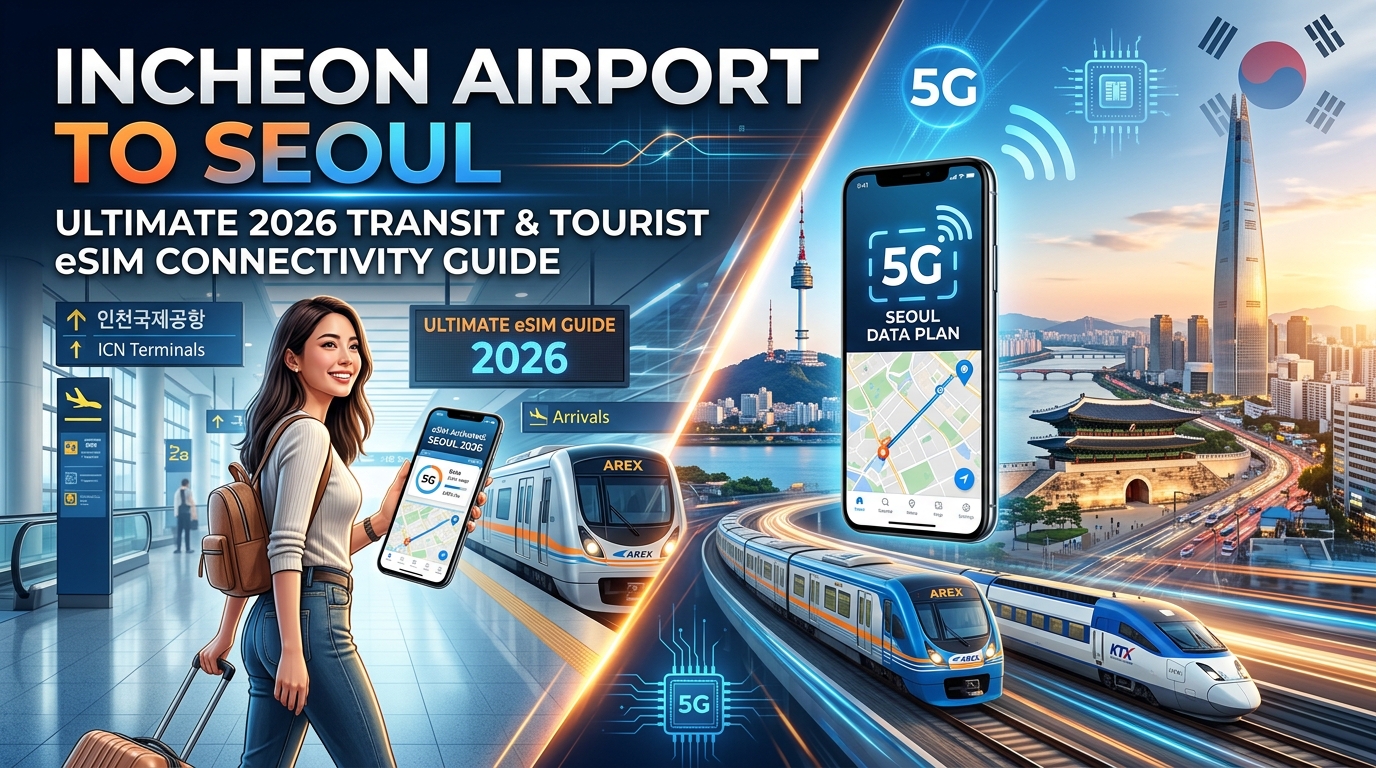
Landing at Incheon Airport (ICN T1 & T2): The Arrival Connectivity Bottleneck
Stepping off a long-haul flight into Incheon International Airport—consistently ranked among the world’s most efficient transit hubs—delivers a sleek, hyper-modern first impression. Whether you disembark at Terminal 1 (T1) or the newer Terminal 2 (T2), you will clear immigration and collect your luggage with remarkable speed.
However, the moment you exit the secure baggage area into the public Arrival Hall (1F), you encounter the single biggest logistical friction point for international visitors: the airport telecom bottleneck.
The Arrival Hall Gauntlet: Physical Kiosks and Roaming Counters
In both Terminal 1 (clustered near Gates 6–7 and 9–10) and Terminal 2 (near Gates 2–3), local network provider counters—such as KT Roaming Center, SK Telecom T-Roaming, and LG U+—are immediately visible. During peak arrival banks (typically 05:30–08:30 and 16:00–19:30), these counters face intense congestion.
Navigating the traditional on-site connectivity process introduces several pain points:
- Prolonged Queues: Waiting in line behind dozens of passengers processing rental Wi-Fi routers and identity validations can easily add 30 to 45 minutes to your arrival timeline.
- Mandatory Passport Scans: South Korean telecommunications regulations require real-name identity verification for physical SIM cards, necessitating manual passport scans and digital paperwork at the counter.
- Physical SIM Swapping Hazards: Prying open your smartphone’s SIM tray with an ejector tool while juggling luggage risks damaging the tray or misplacing your domestic primary SIM card—which is critical for two-factor authentication (2FA) codes.
- Pocket Wi-Fi (Egg) Overhead: Opting for a rented pocket Wi-Fi router means carrying a 200g hardware brick, keeping it charged throughout your daily excursions, leaving a credit card deposit, and scheduling extra time to return the device before your departure flight.
| Connectivity Option | Acquisition Friction | Hardware Requirement | Setup Time at ICN | Backup Speed (FUP) |
|---|---|---|---|---|
| Airport Telco Counter (Physical SIM) | High (Queue + Passport Scan) | Physical Nano-SIM Swap | 20–45 minutes | Typically 128 kbps |
| Pocket Wi-Fi Rental | High (Queue + Deposit + Return) | External Router + Charger | 15–30 minutes | Varies by provider |
| Digital Travel eSIM (MollySIM) | Zero (Pre-installed digitally) | None (Integrated chip) | 0 minutes (Instant) | 384 kbps |
Bypassing the Terminal Bottleneck with Instant eSIM Provisioning
Modern travelers eliminate the arrival hall scramble entirely by installing a digital travel eSIM profile before departure.
When you install a South Korea eSIM profile from MollySIM prior to boarding, the activation profile resides dormant on your device's eUICC chip. The instant your aircraft wheels touch down on the Incheon tarmac and you disable Airplane Mode, your smartphone executes an immediate radio handshake with local Korean base stations.
This instant digital provisioning provides immediate, high-priority utility:
- Immediate Transit Navigation: Load Naver Map or KakaoMap directly from the tarmac to check real-time AREX (Airport Railroad Express) departures, express bus seat allocations, or airport limousine schedules.
- Live Ride-Hailing: Hail a Kakao T or Uber ride to Terminal 1 (Pick-up zones 4C–8C) or Terminal 2 (Zones 4–5) before you even reach the curb.
- Failsafe Redundancy with High-Bandwidth FUP: Standard travel eSIM providers limit your connection to a sluggish 128kbps once high-speed data caps are exceeded—a speed that completely breaks modern map rendering and ride-hailing interfaces. MollySIM provides an upgraded 384kbps Fair Use Policy (FUP) threshold. At three times the bandwidth of competing providers, your core travel apps—including Apple Pay, Google Pay, messaging platforms, and live navigation—remain fully responsive throughout your transit into Seoul.
Incheon to Downtown Seoul: Transit Breakdown & Why You Need Instant Data
🌐 Global Travel High-Speed Travel eSIM & SIM Plans
Instant QR code activation, hotspot enabled, with guaranteed 384kbps fallback speed to keep Maps & Digital Wallets active.
Incheon International Airport (ICN) sits approximately 50 to 70 kilometers west of Seoul’s primary metropolitan districts. Navigating this corridor requires choosing between high-speed rail, regional commuter lines, dedicated airport express buses, or private hire. Because schedules, terminal dispatch points, and seating allocations fluctuate in real time, having an active data connection the moment you clear customs is essential for securing seats and avoiding transit bottlenecks.
Transit Mode Comparison Matrix
| Transit Mode | Key Destination Hubs | Travel Time (from T1 / T2) | Approximate Cost (KRW) | Ticketing & Data Requirement |
|---|---|---|---|---|
| AREX Express Train | Seoul Station (Non-stop) | 43 mins / 51 mins | ~₩11,000 | Mandatory App/QR Reservation; allocated seating sells out quickly. |
| AREX All-Stop Train | Digital Media City, Hongdae, Seoul Station | 59 mins / 66 mins | ~₩4,150 – ₩4,750 | T-Money / Climate Card; standard commuter line, no reservations. |
| Airport Limousine Bus | Myeongdong (6015), Dongdaemun (6001), Gangnam (6703/6009) | 65 – 90+ mins (traffic-dependent) | ~₩17,000 – ₩18,000 | Digital ticketing or automated physical kiosks; real-time bus tracking needed. |
| Kakao T / International Taxi | Door-to-door citywide | 60 – 80 mins | ~₩70,000 – ₩110,000+ (plus tolls) | In-App Ride Hailing; dynamic routing requires constant 5G/LTE handshake. |
Evaluating Your Transit Options
1. AREX Express Train (Incheon Airport ⇄ Seoul Station)
The AREX Express is the fastest, most reliable connection into downtown Seoul. Operating at speeds up to 110 km/h without traffic interference, it runs directly from Terminal 1 and Terminal 2 into Seoul Station's deep underground terminal (B7).
- Key Feature: Assigned seating, onboard 4G Wi-Fi, overhead luggage racks, and direct connection to the KTX network.
- Where It Drops You: Seoul Station, positioning you for a quick transfer to Subway Line 1 (City Hall, Jongno) or Line 4 (Myeongdong, Dongdaemun).
2. AREX All-Stop Train
Stopping at 14 stations between ICN and Seoul Station, this commuter-style train is the best choice if your accommodations are in Hongdae (Hongik University Station), Gongdeok, or Digital Media City (DMC).
- Key Feature: No seat reservations required. Simply tap in using a physical T-Money card, WOWPASS, or single-journey transit token.
- Trade-off: High passenger density during morning (07:30–09:00) and evening (17:30–19:00) commuter rushes, leaving limited space for large luggage.
3. Airport Limousine Buses (Routes 6001, 6002, 6015 & K-Limousine)
If your hotel is located in Myeongdong, Insadong, or Gangnam, airport buses eliminate the hassle of dragging multiple heavy suitcases through multi-level subway transfer corridors.
- Route 6015: Direct to Myeongdong Station, Euljiro 2-ga, and Namdaemun Market.
- Route 6001: Serves Yongsan Station, Samgakji, and Dongdaemun History & Culture Park (DDP).
- Route 6002: Connects to Sinchon, Jongno, and Dongdaemun.
- Route 6701 / 6702 (K-Limousine): Premium direct services dropping off directly at major 5-star hotel lobbies (The Westin Josun, Lotte Hotel Seoul, Grand Hyatt).
4. International Taxis & Kakao T
For families, travelers with excessive baggage, or late-night arrivals past midnight (when train services cease), hail an International Taxi (desk located at Arrival Hall exits) or summon a large-capacity taxi via Kakao T.
- Tip: Fares into central Seoul range from ₩70,000 to over ₩100,000 depending on vehicle class (Standard, Deluxe, or Venti/Black) and expressway toll fees (~₩6,600).
Why Instant Mobile Data Is Critical at the Arrival Gate
Waiting until you reach the basement transit hall or downtown hotel to secure internet connectivity creates immediate operational friction:
- Securing Same-Hour AREX Express Seats: Peak-hour AREX Express trains sell out quickly. With an active MollySIM South Korea eSIM, you can open the official AREX ticketing portal while walking through customs, book your preferred departure slot, download the QR boarding pass to your digital wallet, and bypass the long queues at physical ticket vending machines.
- Monitoring Real-Time Bus Arrival & Seat Boards: Seoul’s bus network relies on live seat inventory. Using Naver Map or KakaoBus on arrival allows you to see the exact remaining seat count and GPS location of incoming routes (e.g., checking if the next 6015 bus is full or running behind schedule due to Olympic-daero highway traffic).
- Coordinating Hotel Transfers and Meeting Points: International taxi pickups and private airport transfer drivers coordinate via WhatsApp, KakaoTalk, or LINE. Missing a message while navigating Terminal 1's split curbside zones (Zone 4C vs. 8C) can result in missed connections or cancellation fees.
- Failsafe App Performance Under FUP: Standard travel eSIMs downgrade your bandwidth to 128kbps once high-speed allocations run out—a threshold that fails to load transit maps or authenticate mobile payments. MollySIM’s upgraded 384kbps Fair Use Policy (FUP) ensures your mapping vectors, Apple Pay/Google Pay tokens, and instant messaging tools remain fully operational throughout the transit corridor.
South Korea's Network Landscape: SK Telecom vs. KT Underground Penetration
South Korea boasts one of the most technologically advanced telecommunications ecosystems in the world, dominated by three major mobile network operators (MNOs): SK Telecom (SKT), KT (Korea Telecom), and LG Uplus (LGU+). For international travelers transiting from Incheon International Airport through deep-level rail corridors into downtown Seoul, the underlying cellular architecture directly determines whether navigation apps, ticket portals, and messaging platforms function without packet loss.
+-----------------------------------------------------------------------------+
|               INCHEON AIRPORT TO SEOUL: RF TRANSIT ARCHITECTURE             |
+-----------------------------------------------------------------------------+
|                                                                             |
|  [ Surface Rail & Highway ] --------> Macro Base Stations (Band 1/3/7, n78) |
|                                       - Direct Line-of-Sight                |
|                                       - High-Capacity Carrier Aggregation   |
|                                                                             |
|  [ AREX Underground Tunnels ] ------> Distributed Antenna Systems (DAS)     |
|   (Gimpo to Seoul Stn, -50m)          - Leaky Coaxial Cables (LCX)          |
|                                       - Low-Band Penetration (Band 5/8)     |
|                                                                             |
|  [ Seoul Subway Interchanges ] -----> Microcells & In-Building BTS          |
|   (B1 to B5 Sub-Levels)               - Ultra-Dense Multi-Carrier Nodes     |
|                                       - Sub-Millisecond Handovers           |
+-----------------------------------------------------------------------------+
LTE & 5G Band Architectures: Carrier Spectrum Analysis
To ensure continuous coverage from sea level at Incheon to subterranean transfer halls 50 meters underground, both SKT and KT deploy extensive spectrum layering across low-band, mid-band, and sub-6GHz 5G frequencies.
| Frequency Band | Band Name | SK Telecom (SKT) | KT (Korea Telecom) | Underground Penetration & Role |
|---|---|---|---|---|
| 850 MHz | Band 5 | Primary (20 MHz) | — | Excellent structural penetration; core anchor for deep basements & tunnels. |
| 900 MHz | Band 8 | — | Primary (20 MHz) | KT's primary low-band anchor; penetrates concrete transit infrastructure. |
| 1800 MHz | Band 3 | Wideband (40 MHz) | Main Band (40 MHz) | Main high-capacity LTE backbone for high-speed transit data across urban Seoul. |
| 2100 MHz | Band 1 | Capacity (30 MHz) | Capacity (30 MHz) | Supplement band for high-density pedestrian nodes (e.g., Seoul Station B3/B4). |
| 2600 MHz | Band 7 | High Speed (40 MHz) | — | SKT dedicated carrier aggregation band for maximum suburban download throughput. |
| 3.5 GHz | Band n78 | 5G Core (100 MHz) | 5G Core (100 MHz) | Ultra-high capacity 5G carrier; deployed along major commuter rail arteries. |
- SK Telecom (SKT): Holds the country's most robust low-band allocation with Band 5 (850 MHz). This low-frequency signal provides superior propagation characteristics, bending around structural obstacles and penetrating multi-layered reinforced concrete better than higher frequencies.
- KT (Korea Telecom): Relies on Band 8 (900 MHz) for low-frequency penetration, supplemented by deep fiber integration. Because KT originated as the national public telecommunications utility, it holds legacy rights-of-way for subterranean utility conduits, giving it an exceptionally dense fiber backhaul in Seoul's municipal subway stations.
Deep-Tunnel DAS: How AREX & Seoul Metro Stay Connected
Unlike many global transit systems where cellular connectivity drops entirely inside tunnels, the AREX transit corridor and Seoul Subway lines (Lines 1 through 9) feature continuous indoor and subterranean signal coverage.
This is achieved through Distributed Antenna Systems (DAS) and continuous Leaky Coaxial Cables (LCX):
- Continuous Radiating Cables: Slotted coaxial cables run along the entire interior length of AREX tunnel walls, acting as elongated antennas that emit uniform RF signals just inches from train windows.
- Dynamic Doppler Compensation: Base Transceiver Stations (BTS) alongside tracks dynamically adjust for Doppler frequency shifts as AREX trainsets accelerate up to 110 km/h, preventing dropped TCP/IP packets during handovers between cell sectors.
- Sub-Level Microcell Density: In complex interchange hubs like Hongik University Station and Seoul Station—where platforms reach five levels below ground (B5)—carriers deploy ceiling-mounted indoor microcells every 15 to 25 meters.
Why Carrier-Grade Roaming Matters for Travelers
Many budget tourist eSIMs route traffic through deprioritized secondary virtual operators (MVNOs) or high-latency overseas proxy servers (e.g., routing domestic Korean traffic via Hong Kong or Singapore), resulting in latency spikes of 250ms+ and failed handovers inside deep transit tunnels.
Premium solutions like the MollySIM South Korea eSIM interface directly with local Tier-1 partner infrastructures (SKT/KT), delivering local breakout routing with low sub-30ms ping times. Furthermore, while standard tourist data packages throttle to an unusable 128kbps upon exhausting high-speed caps—breaking vector rendering on Naver Map and stalling digital wallet handshakes—MollySIM’s 384kbps Fair Use Policy (FUP) provides 3x higher throughput. This guarantees that real-time GPS tracking, Apple Pay token generation, and secure messaging continue running smoothly even deep within the AREX rail tunnel network.
Connectivity Showdown: Travel eSIM vs. Pocket Wi-Fi vs. Airport Physical SIMs
To navigate the 60-kilometer transit corridor from Incheon International Airport (ICN) into central Seoul, securing low-latency, reliable cellular access before stepping onto the AREX platform is mandatory. Travelers arriving at Terminal 1 or Terminal 2 traditionally default to renting a local Wi-Fi "egg" or queuing at telecommunications booths for a physical SIM card. However, digital provisioning via travel eSIMs has fundamentally shifted the cost-benefit analysis.
The matrix below compares the four primary connectivity methods across real-world operational parameters in South Korea:
| Metric / Feature | Digital Travel eSIM (e.g., MollySIM) | Pocket Wi-Fi ("Egg" Rental) | Airport Physical SIM | International Carrier Roaming |
|---|---|---|---|---|
| Upfront Cost (5–10 Days) | Low ($1.20 – $2.50 / day) | Moderate ($3.00 – $5.50 / day + deposit) | High ($4.00 – $6.50 / day) | Extreme ($10.00 – $15.00 / day) |
| Data Allotment Options | Daily Caps (1GB–3GB) or Unlimited Pools | Unlimited (Subject to carrier Fair Use) | Daily Caps (1GB–3GB) or Fixed Total | Strict limits (500MB–2GB/day) |
| Airport Queue Time | 0 Minutes (Instant OTA download) | 15–45 Minutes (Peak arrival counters) | 15–45 Minutes (Identity validation) | 0 Minutes (Auto-connects) |
| Hardware & Logistics | 100% Digital; zero hardware overhead | Must carry device, cable, and power bank | Requires physical swap & SIM-tray pin | Zero hardware overhead |
| Return Requirement | None (Auto-expires) | Mandatory return at departure gate | None (Discard or store) | None |
| Device Battery Impact | Minimal (Native dual-SIM standby) | High (Continuous Wi-Fi search & sync) | Minimal (Native single-SIM draw) | Minimal |
| Post-Throttle Baseline | 384kbps (MollySIM) vs. 128kbps (Standard) | 128kbps – 512kbps (Varies by provider) | Typically 128kbps | 64kbps – 128kbps |
The Operational Penalty of Traditional Airport Hardware
While Korean pocket Wi-Fi units boast high shared speeds, their operational drawbacks compound quickly. Renting an "egg" requires navigating to the 1F Arrival Hall telecommunications desks (SK Telecom, KT, or LG U+), where queue wait times regularly exceed 30 minutes during peak landing banks (08:00–10:30 and 16:30–19:00). Furthermore, travelers must secure the hardware with a credit card hold, manage the battery life of an additional 3,000–5,000mAh external peripheral, and risk steep penalty fees ($100–$150 USD) if the unit is damaged or if you forget to return it before passing through departure immigration security.
Physical plastic SIM cards eliminate the extra pocket hardware but introduce physical friction. Swapping nano-SIMs on a crowded transit concourse risks damaging the SIM tray or losing your home carrier’s chip—a critical vulnerability if you need to receive two-factor authentication (2FA) SMS codes from banking portals during your stay.
Native Routing and the 384kbps FUP Advantage
Independent travel through Seoul’s dense urban infrastructure relies heavily on high-frequency, low-latency API handshakes. Navigating transfer junctions inside major stations like Seoul Station or Dongdaemun History & Culture Park requires continuous vector-tile rendering inside domestic navigation platforms (Naver Map, KakaoMap) and sub-second token generation for mobile transit payments.
Standard Tourist eSIM / Roaming Throttle (128kbps):
[Request: Naver Map API] ---> [ 128kbps Pipe ] ---> ❌ SSL Timeout / Blank Tiles

MollySIM Tier-1 Roaming Throttle (384kbps FUP):
[Request: Naver Map API] ---> [ 384kbps Pipe ] ---> ✅ Vectors Render / Live Transit Updates Active
This is where the baseline Fair Use Policy (FUP) speed becomes decisive:
- Failure Point of 128kbps Throttles: Most tourist eSIM providers drop your data stream to 128kbps once your daily high-speed quota is hit. At 128kbps, basic SSL/TLS handshakes regularly time out. Naver Map will fail to load dynamic subway routing, Apple Pay NFC pass validations can freeze, and hailing a ride via Kakao T becomes impossible.
- The 384kbps Usability Buffer: The MollySIM South Korea eSIM enforces a minimum throttled floor of 384kbps—exactly 3x the market standard. This targeted throughput maintains stable packet streaming for asynchronous map rendering, dynamic QR payment processing, and uninterrupted VoIP messaging over apps like KakaoTalk and WhatsApp, ensuring you are never left digitally stranded on the AREX rail line or inside Seoul's underground concourses.
Navigating Seoul's Unique Digital Ecosystem: Naver Map, Kakao T, and Mobile Payments
Landing in South Korea presents a sudden digital friction point for international travelers: the standard suite of Western navigation and rideshare tools either fails entirely or operates with severely degraded functionality. To navigate Seoul's multi-layered transit grids and underground shopping complexes without interruption, you must configure South Korea’s domestic app ecosystem before clearing customs at Incheon.
The "Google Maps Blindspot": South Korea’s Geospatial Data Laws
Due to strict national security provisions outlined in the Spatial Data Industry Promotion Act, high-precision mapping data cannot be exported to foreign-hosted servers. Because Google processes map data on global distributed data centers rather than dedicated, localized domestic servers, Google Maps cannot provide turn-by-turn walking directions, dynamic lane guidance, or accurate bicycle routing in South Korea.
While Google Maps can display general subway routes, it lacks live platform transfer numbers, exit-specific routing, and real-time bus arrivals. Relying on it inside massive underground transit hubs like Gangnam, Hongdae, or Seoul Station invariably leads to navigational dead ends.
Essential Domestic Navigation Platforms: Naver Map vs. KakaoMap
To move through Seoul efficiently, installing at least one domestic navigation platform is mandatory. Both apps host their vector data on local servers, providing sub-meter GPS accuracy, building floor plans, and real-time crowd densities.
| Feature | Naver Map (네이버 지도) | KakaoMap (카카오맵) | Google Maps (Limited) |
|---|---|---|---|
| English Language UI | Excellent (Full UI & POI translation) | Moderate (Partial transliteration) | Complete UI (Incomplete POIs) |
| Turn-by-Turn Walking | ✅ Yes (Sub-meter GPS precision) | ✅ Yes (3D vector perspective) | ❌ No (Walking routes disabled) |
| Transit Platform Guidance | ✅ Yes (Fast-transfer car numbers) | ✅ Yes (Subway boarding doors) | ⚠️ Partial (Station-to-station only) |
| Indoor Multi-Floor Maps | ✅ Yes (Major malls, stations) | ✅ Yes (Select complexes) | ❌ No |
| Integrated Reviews & Menus | ✅ Yes (Integrated Papago translation) | ✅ Yes (Kakao user reviews) | ⚠️ Mostly tourist reviews |
Setting Up Naver Map for International Travelers:
- Language Configuration: Download Naver Map via the App Store or Google Play. Set the default display language to English in app settings.
- Bookmark Top Transit Hubs: Save critical waypoints (e.g., your hotel, AREX terminals, primary subway stations) to your favorites using both English and Korean (Hangul) names to verify matching destinations.
- Optimized Subway Transfers: When planning routes, look for the designated train car numbers (e.g., "Car 3-2"). Boarding these specific cars positions you directly in front of transfer stairwells and elevators, cutting transfer times in half.
Hailing Taxis Without a Local Phone Number: Kakao T
Uber operates in Seoul primarily as a dispatch layer for metered "UT" taxis, but coverage is sparse outside tourist epicenters like Myeongdong and Itaewon. Kakao T (카카오 T) controls over 90% of the domestic rideshare market.
Historically, Kakao T required a domestic Korean phone number (+82) and a local bank card. Recent updates now support international users:
- Foreign Card Registration: You can bind international Visa, Mastercard, or JCB cards directly within the Kakao T app under the payment settings.
- The "Payment to Driver" Workaround: If your international card triggers a 3D-Secure authentication failure on the go, select "Pay to Driver" (직접 결제) at checkout. This dispatches a standard metered cab and allows you to pay via physical credit card, WOWPASS, or cash through the vehicle's onboard terminal upon arrival.
Cashless Transit & Travel Debit Cards: WOWPASS vs. NAMANE
While South Korea is almost entirely cashless, public transit terminals and ticket vending machines still do not natively accept contactless international cards (Apple Pay via foreign Visa/Mastercard) for single-journey subways or standard city buses.
To streamline payments, international visitors use specialized hybrid debit cards:
┌────────────────────────────────────────────────────────────────────────┐
│                        HYBRID TOURIST CARD ARCHITECTURE                 │
├───────────────────────────────────┬────────────────────────────────────┤
│       CHIP / IC DEBIT ENGINE      │       NFC TRANSIT ENGINE (T-Money) │
│  • High-street retail stores      │  • Seoul Metro / AREX Commuter     │
│  • Cafes, restaurants, olive young│  • Metropolitan city buses         │
│  • Loaded via foreign currency    │  • Loaded via WON CASH at stations │
└───────────────────────────────────┴────────────────────────────────────┘- WOWPASS: An all-in-one prepaid card and T-Money transport card. You can insert 16 foreign currencies (USD, EUR, JPY, GBP, etc.) directly into automated WOWPASS kiosks located throughout Incheon Airport (AREX concourses) and major Seoul metro stations. The kiosk converts your cash into Korean Won balances without high exchange spreads.
- NAMANE Card: Allows custom photo printing on the card face and lets you manage and transfer balances between the "Pay Balance" (retail IC chip) and "Transit Balance" (T-Money NFC) directly inside the mobile app.
The Real-Time Data Requirement: Keeping Payments and Navigation Alive
Every component of Seoul’s digital ecosystem relies heavily on continuous data transmission:
- On-the-Fly OCR Translation: Reading dynamic restaurant menus and non-English transit signage requires real-time optical translation using Naver Papago, which demands high-bandwidth visual API processing.
- App-to-Card Token Synchronization: Checking real-time WOWPASS or NAMANE balances, locking lost cards, or switching funds between transit and retail partitions requires immediate, secure connections to domestic financial gateways.
- Dynamic Taxi Dispatch: Kakao T continuously streams telemetry data between the driver's onboard unit and your handset.
If your data connection drops to the industry-standard 128kbps throttle after exhausting your daily allowance, map vector rendering will fail, taxi requests will drop out mid-dispatch, and live translation tools will throw network timeout errors.
Utilizing a premium connection like the MollySIM South Korea eSIM guarantees that even if your high-speed primary quota is depleted, the enforced 384kbps Fair Use Policy (FUP) baseline keeps SSL handshakes active. At 384kbps, Naver Map tiles continue to stream, Papago text translations complete without network errors, and Kakao T location tracking remains fully operational throughout your journey.
Zero-Downtime Reliability: Why MollySIM's 384kbps Speed Floor Matters in Seoul
Most international travel data plans advertise "unlimited data," but conceal an aggressive Fair Usage Policy (FUP) inside the fine print. Once you burn through your daily high-speed allowance—often via background iCloud syncing, streaming 4K video, or heavy social media uploads—domestic network carriers downgrade your connection to a throttled baseline.
In the global eSIM market, this throttle drops to 64kbps or 128kbps. In a hyper-digitized smart city like Seoul, a 128kbps connection is practically equivalent to a complete service blackout.
The Network Bottleneck: 128kbps vs. 384kbps Bandwidth Thresholds
Modern mobile operating systems and localized South Korean platforms rely on modern TLS 1.3 encryption handshakes, dynamic vector asset rendering, and continuous API polling. At 128kbps, standard packet delivery queues fill up instantly, resulting in catastrophic socket timeouts (ERR_CONNECTION_TIMED_OUT).
By contrast, MollySIM South Korea eSIMs enforce a hard minimum speed floor of 384kbps—delivering 3x the throughput of conventional competitor plans.
| Travel App / Service | Data Protocol / Asset Payload | Performance at 128kbps (Competitor Standard) | Performance at 384kbps (MollySIM Baseline) |
|---|---|---|---|
| Naver Map / KakaoMap | 512KB–1.5MB dynamic vector map tiles & transit layers | Fails. Tiles load as grey squares; GPS turn-by-turn re-routing hangs indefinitely. | Pass. Vector maps render cleanly within 3–4 seconds; turn-by-turn routing remains active. |
| KakaoTalk / WhatsApp VoIP | Opus/AAC Codec (Requires constant 24–40kbps bi-directional stream) | Severe Jitter. Heavy packet loss (>30%), robotic voice modulation, and dropped calls. | Clear Audio. Stable UDP transmission with near-zero packet loss and sub-second latency. |
| Papago Text & OCR | 50KB–250KB base payload per text/visual phrase translation | Unreliable. Translating signage takes 15–30s or throws direct network timeout errors. | Instantaneous. Text translations execute within 1–2 seconds; essential visual OCR succeeds. |
| Apple Pay / Banking Tokens | 8KB–32KB cryptographic token generation and TLS handshakes | High Risk. Payment gateways abort during handshake timeouts at the terminal. | Instant. Zero-latency token verification at retail checkout counters and transit gates. |
| Kakao T / Uber Dispatch | Real-time WebSocket telemetry & continuous driver GPS polling | Broken. Dispatch requests fail to match drivers; map tracking drops off the screen. | Functional. Continuous vehicle telemetry updates reliably in real time. |
Preventing the "Digital Stranding" Scenario
Navigating Seoul's underground subway transfers—such as the massive subterranean labyrinth of Express Bus Terminal or Wangsimni Station—requires instant, resilient cellular handshakes. If your data plan drops down to a non-functional 64kbps or 128kbps tier, simple tasks become critical bottlenecks:
- Vector-Based Tile Rendering: Neither Naver Map nor KakaoMap cache the entire Korean peninsula offline due to domestic security regulations. Map data must pull dynamic vector tiles live from domestic servers. At 384kbps, the vector payloads clear the bandwidth pipeline smoothly, keeping your blue location dot locked to your exact exit.
- Cryptographic Financial Syncing: Launching Apple Pay, reloading your NAMANE card balance, or checking mobile banking credentials requires exchanging authenticated TLS packets within a strict 3-to-5 second server timeout window. MollySIM’s 384kbps fallback provides ample overhead to clear cryptographic handshakes without terminal rejection.
- VoIP Emergency Accessibility: Standard cellular voice roaming is expensive, leading most travelers to rely exclusively on data-based calling. Because high-efficiency voice codecs (like Opus) require sustained low-latency pipes rather than raw burst speed, MollySIM's 384kbps threshold prevents packet fragmentation—ensuring your emergency calls to hotels, tour guides, or travel companions go through crystal clear.
Having a dedicated 384kbps safety net transforms your travel eSIM from a fragile data pipe into an uninterrupted digital lifeline across South Korea.
🌐 Global Travel High-Speed Travel eSIM & SIM Plans
Instant QR code activation, hotspot enabled, with guaranteed 384kbps fallback speed to keep Maps & Digital Wallets active.