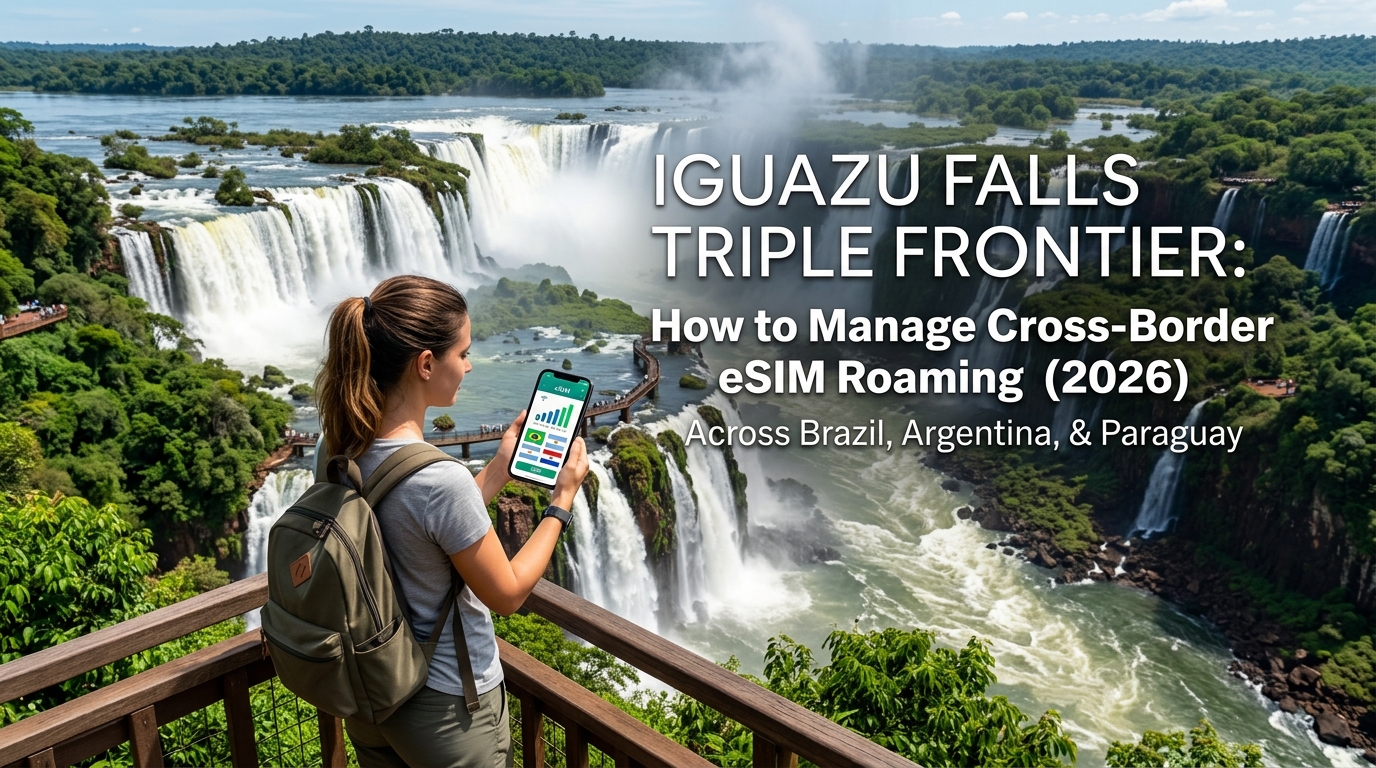
Iguazu Falls Triple Frontier: How to Manage Cross-Border eSIM Roaming Across Brazil, Argentina, and Paraguay (2026)
The Triple Frontier Connectivity Trap: Why Single-Country SIMs Fail at Iguazu
The Tríplice Fronteira (Triple Frontier) is one of the most geographically concentrated border zones on earth. Within a 15-kilometer radius, the convergence of the Iguazu and Paraná rivers splits three sovereign nations: Foz do Iguaçu (Brazil), Puerto Iguazú (Argentina), and Ciudad del Este (Paraguay).
While this dense tri-border hub makes hopping between nations for dinner, shopping, and waterfall viewpoints frictionless on paper, it creates an absolute nightmare for mobile telecommunications infrastructure—and an expensive trap for travelers using traditional single-country SIM cards.
The Anatomy of "Tower Bleed" in the River Canyons
Cellular signals do not respect international borders, especially across open water. Because the Iguazu and Paraná river canyons present zero natural landmass barriers to radio frequency (RF) propagation, high-gain 4G and 5G base transceiver stations (BTS) situated along the perimeter of Ciudad del Este and Foz do Iguaçu routinely blast high-power signals straight across the riverbanks.
This causes a technical phenomenon known as tower bleeding (or border bleed):
- Balcony Roaming Traps: Standing on your hotel terrace in Puerto Iguazú, your handset might pick up a stronger Line-of-Sight (LoS) signal from a Brazilian Vivo or TIM tower 2 km across the river than from a local Argentine Claro or Personal tower shielded by dense subtropical forest.
- Invisible Carrier Handshakes: Your phone automatically registers onto the foreign carrier without your knowledge.
- Shock Billing: If you have data roaming toggled on with a single-country Argentine or Brazilian plan, your domestic provider will classify your local usage as tier-3 international roaming, billing you standard out-of-bundle rates that can easily hit $10 to $15 per megabyte.
The Physical SIM Dilemma: Bridges, Chokepoints, and Dropped Navigation
Relying on physical local SIM cards purchased in each country turns transit days into an exercise in operational frustration:
+------------------------------------+---------------------------------------+--------------------------------------+
| Friction Point                     | Single-Country Physical SIM           | Multi-Region Travel eSIM             |
+------------------------------------+---------------------------------------+--------------------------------------+
| Bridge Transit (Friendship/Neves)  | Complete signal blackout; SIM swap    | Seamless handover between borders    |
| Navigation Reliability             | Offline vector maps fail mid-bridge   | Unbroken turn-by-turn routing        |
| Tower Bleed Exposure               | High-cost accidental roaming invoices | Zero out-of-zone overage charges     |
| Speed Throttling Floor             | Cut off entirely or 128 kbps lock     | 384 kbps FUP baseline (MollySIM)     |
+------------------------------------+---------------------------------------+--------------------------------------+
1. The Tancredo Neves & Friendship Bridge Dead Zones
Crossing between Foz do Iguaçu and Puerto Iguazú via the Tancredo Neves Bridge, or crossing into Ciudad del Este over the notorious *Friendship Bridge (Ponte da Amizade)*, involves notoriously slow border queues. The moment your vehicle crosses the mid-river markers, single-country SIM cards lose connection entirely, leaving you stranded without:
- Live ride-share tracking (Uber/Remís)
- Real-time border wait-time updates
- Active translation apps at customs checkpoints
2. The In-Transit SIM-Swapping Hazard
Fumbling with micro-SIM trays, paperclips, and tiny plastic cards inside a moving taxi or a crowded international bus frequently results in lost primary SIM cards and unnecessary security vulnerabilities.
3. Throttle Crashes During Crucial Logistics
When single-country travel packages run out of high-speed allocations, typical providers throttle your data speeds down to a crippling 128 kbps—a legacy tier that instantly breaks dynamic map rendering and contact verification.
Deploying a multi-country solution engineered for the Americas, such as MollySIM, bypasses this bottleneck entirely. Because its underlying cross-border profiles automatically roam between Tier-1 networks in Brazil, Argentina, and Paraguay without physical reconfiguration, you stay immune to border bleed.
Furthermore, MollySIM’s Fair Use Policy (FUP) maintains a baseline throttle speed of 384 kbps—three times faster than the market average—guaranteeing that turn-by-turn Google Maps navigation, Apple Pay authentication, and WhatsApp calls continue to function smoothly even when crossing congested border checkpoints.
Carrier Landscape Across Brazil, Argentina, and Paraguay: Signal Penetration & Frequencies
🇺🇸 United States High-Speed Travel eSIM & SIM Plans
Instant QR code activation, hotspot enabled, with guaranteed 384kbps fallback speed to keep Maps & Digital Wallets active.
Navigating the Tri-Border Area requires understanding the radio frequency (RF) dynamics of nine major mobile network operators (MNOs) across three distinct regulatory frameworks: ANATEL (Brazil), ENACOM (Argentina), and CONATEL (Paraguay).
The humid, subtropical Atlantic Forest (Mata Atlântica) surrounding both national parks poses a major physical barrier to wireless signals. High-density tree canopies saturated with atmospheric moisture scatter high-frequency microwave signals. As a result, low-band spectrum (sub-1 GHz) is essential for penetrating dense foliage, while mid-to-high bands handle capacity in urban commercial sectors.
       700 MHz (Band 28) ───► High Foliage Penetration / Long-Range Park Coverage
      1800 MHz (Band 3)  ───► Mid-Range Hybrid Capacity (Suburban / Buffer Zones)
      2600 MHz (Band 7)  ───► Dense Urban Capacity / Zero Canopy Penetration
Brazil (Foz do Iguaçu): Vivo, Claro, and TIM
Brazil features the most modernized cellular infrastructure among the three nations, though coverage sharply diverges once you enter the Parque Nacional do Iguaçu.
- Vivo (Telefônica Brasil): Operates the most resilient rural footprint in Paraná. Vivo’s heavy deployment of Band 28 (700 MHz APT) allows its signal to pierce dense jungle cover along the Cataratas highway.
- Claro Brasil: Dominates urban downlink speeds across downtown Foz do Iguaçu using carrier aggregation across Band 7 (2600 MHz) and Band 1 (2100 MHz), but experiences rapid signal degradation along river-level trails.
- TIM Brasil: Offers balanced urban coverage via Band 3 (1800 MHz) and Band 28, but struggles with indoor penetration near concrete-heavy border terminals.
Argentina (Puerto Iguazú): Personal, Claro, and Movistar
Argentina’s cellular footprint in the province of Misiones is strictly shaped by topography and national park preservation laws that restrict tower construction inside Parque Nacional Iguazú.
- Personal (Telecom Argentina): The undisputed market leader in Misiones. Personal maintains the highest tower density along the RN12 access corridor, utilizing Band 28 (700 MHz) and Band 4 (AWS 1700/2100 MHz) to supply reliable LTE along the upper walking circuits.
- Claro Argentina: Solid urban performance within Puerto Iguazú proper, but coverage drops off noticeably near the lower canyon trails.
- Movistar: Features the weakest regional infrastructure; drops to legacy 3G (Band 5 - 850 MHz) or total packet loss across large swaths of the park’s outer perimeter.
Paraguay (Ciudad del Este): Tigo, Personal, and Claro
Ciudad del Este presents a hyper-dense, interference-heavy radio environment due to thousands of commercial high-rises and uncoordinated private radio links.
- Tigo (Millicom): Holds the dominant market share and deepest penetration across Alto Paraná. Its Band 28 (700 MHz) network easily cuts through concrete duty-free complexes and peripheral transit points.
- Personal Paraguay (Núcleo): Operates high-capacity Band 4 (AWS) arrays across the urban core, though signal drops rapidly along the suburban riverbanks heading south toward the Paraná-Iguazu confluence.
- Claro Paraguay: Capable urban 4G/LTE connectivity, but suffers from aggressive cross-border spectrum pollution from Brazilian towers across the Friendship Bridge (Ponte da Amizade).
Tri-Border Carrier Spectrum & Foliage Penetration Matrix
| Country | Carrier | Primary LTE Bands | 700 MHz (B28) Support | Canopy Penetration Rating | Border Bleed Risk |
|---|---|---|---|---|---|
| Brazil | Vivo | B28, B3, B7 | Yes | Excellent | Medium |
| Brazil | Claro BR | B28, B1, B3, B7 | Yes | Moderate | High |
| Brazil | TIM | B28, B3, B7 | Yes | Good | High |
| Argentina | Personal AR | B28, B4, B7 | Yes | Excellent | Low |
| Argentina | Claro AR | B28, B4, B7 | Yes | Moderate | Medium |
| Argentina | Movistar | B28, B4 | Partial | Poor | High |
| Paraguay | Tigo | B28, B2, B4 | Yes | Good | Low |
| Paraguay | Personal PY | B4, B2 | No | Poor | Medium |
| Paraguay | Claro PY | B28, B4, B7 | Yes | Moderate | High |
Critical Field Test: Macuco Safari vs. Garganta del Diablo
Signal propagation changes drastically between the two premier park sectors:
[Macuco Safari - Brazil]                [Garganta del Diablo - Argentina]
 Deep River Canyon Floor                 1.1 km Catwalk Over Open Water
 Signal traps between rock walls        Foliage cleared; cross-border RF interference
 Requires B28 low-band power             Requires multi-network auto-switching
1. Macuco Safari & Lower River Basin (Brazil)
Descending into the Iguazu canyon for the Macuco Safari boat departure drops your device into an RF shadow zone. High-frequency signals (1800/2600 MHz) reflect off rock faces and fail to reach the river landing.
Only carriers broadcasting on Band 28 (700 MHz)—primarily Vivo and TIM—maintain a usable uplink here. Single-network travel SIMs locked to Claro or non-Tier-1 local providers routinely experience total link failure at the boarding docks.
2. Garganta del Diablo & Rainforest Ecological Train (Argentina)
Boarding the narrow-gauge train through the Argentine jungle involves a continuous 25-minute transit under dense tree cover. While Personal Argentina holds a steady signal along the rails, entering the 1.1-kilometer catwalk over the Upper Iguazu River exposes your phone to raw cross-border RF wash from Brazilian towers across the gorge.
Devices locked to standard roaming profiles frequently lock onto distant Brazilian towers with zero data throughput due to mismatched international handshakes.
The Advantage of Multi-Network Auto-Switching
Because no single domestic carrier covers every blind spot across all three national borders, relying on a single network profile introduces major failure points.
Using an automated cross-border eSIM solution like MollySIM solves this infrastructure imbalance:
- Dynamic Network Selection: Its profiles dynamically authenticate with the strongest local Tier-1 partner—such as Vivo at the Brazilian canyon base and Personal on the Argentine catwalks—preventing dead zones.
- Resilient Baseline Connectivity: Even during extreme edge-of-cell coverage drops where high-speed handshakes degrade, MollySIM's Fair Use Policy enforces a minimum speed of 384 kbps. That is triple the standard 128 kbps industry throttle, ensuring that map tiles, digital park passes, and instant messaging stay online throughout the entire reserve.
Comparing Connectivity Options: Local SIMs vs. Pocket Wi-Fi vs. MollySIM Regional LATAM eSIM
Navigating the Triple Frontier requires transitioning between three distinct telecommunications frameworks within mere hours. Visiting the Argentine catwalks at sunrise, crossing the Tancredo Neves Bridge for dinner in Foz do Iguaçu, and taking a morning excursion across the Friendship Bridge into Ciudad del Este forces your device to renegotiate core network handshakes repeatedly.
The table below breaks down how the four most common connectivity pathways handle the logistical demands of a multi-border Iguazu itinerary:
| Feature / Metric | Home Carrier Day Pass | Local Physical SIMs (3x) | Pocket Wi-Fi Unit | MollySIM Regional LATAM eSIM |
|---|---|---|---|---|
| Multi-Border Auto-Switching | Automatic, but prone to high latency and incorrect cross-border tower latching | ❌ Manual (requires physically swapping 3 plastic cards) | Partial (depends on internal SIM slot/virtual SIM profile) | Seamless Tier-1 Auto-Switching across BR, AR, and PY |
| Estimated 7-Day Cost | $70.00 – $105.00 ($10–$15/day per line) | $35.00 – $50.00 (accumulated across 3 SIM purchases) | $60.00 – $90.00 (daily rental + deposit + insurance) | $12.00 – $25.00 (single flat regional bundle) |
| Setup Friction & KYC Rules | Zero setup, but high cost penalty | High friction: CPF required in Brazil; biometric/passport KYC in Argentina | Medium: physical pickup/drop-off logistics at airport desks | Instant zero-KYC installation via QR code before departure |
| Hardware & Battery Impact | High battery drain during aggressive cross-border tower searches | Low hardware load, high physical handling risk near water/gorges | Severe: requires carrying and charging a dedicated secondary power bank | Optimized native eSIM profile with zero extra hardware |
| Throttled Speed Floor (FUP) | 64 kbps – 128 kbps (renders map rendering non-functional) | Varies by carrier (frequently cuts off access completely) | 128 kbps standard | 384 kbps guaranteed floor (maintains navigation & digital wallets) |
Why Traditional Solutions Break Down at the Border
1. The Bureaucratic Trap of Local Physical SIMs
Purchasing standalone SIM cards for Brazil, Argentina, and Paraguay creates intense logistical friction. Brazil requires a Cadastro de Pessoas Físicas (CPF) tax number for prepaid line registration, which frequently rejects foreign passports at standard retail kiosks. Argentina enforces strict biometric and identity capture under Ente Nacional de Comunicaciones (ENACOM) regulations. Juggling three fragile physical nano-SIM cards over the misty, high-humidity walkways of the Devil’s Throat introduces unnecessary risk of hardware loss and water damage.
Traditional Border Switch:
[Brazil: Vivo SIM] -> Physical Swap -> [Argentina: Personal SIM] -> Physical Swap -> [Paraguay: Tigo SIM]
*Risk: Missed KYC verification, damaged SIM trays, zero service during bridge transit.*

MollySIM Regional Route:
[Single MollySIM LATAM Profile] === Continuous Auto-Handshake across BR / AR / PY ===> Uninterrupted Data
2. Carrier Day Passes and Pocket Wi-Fi Inefficiencies
Domestic carrier day passes (typically $10 to $15 daily) become economically inefficient across a standard 5-to-7-day multi-country itinerary, easily adding over $100 to your travel expenses without resolving the underlying latency issues caused by routing traffic back through home country gateways.
Conversely, portable pocket Wi-Fi routers introduce a severe hardware liability: their lithium-ion batteries degrade rapidly under the subtropical heat of Misiones and Paraná, and their limited Bluetooth/Wi-Fi broadcast range cuts out if travel companions separate along different viewing trails.
3. The MollySIM Regional LATAM Advantage
Deploying a single regional profile through MollySIM eliminates border-crossing friction entirely. Powered by direct roaming agreements with primary national carriers—including Vivo/Claro in Brazil, Personal/Movistar in Argentina, and Tigo/Claro in Paraguay—the eSIM negotiates local cell handshakes dynamically at the border line without requiring SIM tray adjustments or manual APN reconfiguration.
Crucially, MollySIM provides a guaranteed Fair Use Policy (FUP) baseline speed of 384 kbps. While standard market eSIMs throttle users down to an unusable 64–128 kbps once high-speed allocations are exhausted, a 384 kbps baseline provides enough throughput to load vector map tiles on Google Maps, generate Apple Pay and Google Wallet security tokens, and process WhatsApp VoIP voice messaging reliably anywhere in the tri-border zone.
Step-by-Step Device Configuration: Manual Carrier Selection and Dual-SIM Optimization
Navigating the radio frequency overlaps of the Triple Frontier requires precise device configuration. Without manual intervention, your smartphone will continuously lock onto whichever cell tower emits the strongest raw signal, regardless of national borders or roaming rates.
Follow these concrete operating system workflows to secure your dual-SIM setup, preserve two-factor authentication (2FA) SMS capability on your domestic number, and eliminate home-carrier data travel-pass triggers.
1. Dual-SIM Setup: Isolating Data and Voice Lines
To receive verification codes from your bank without paying $10–$15 daily roaming fees, you must completely decouple your home SIM's cellular data access while leaving its SMS/cellular voice channel active.
+-------------------------------------------------------------------------+
|                        OPTIMAL DUAL-SIM TOPOLOGY                        |
+-------------------------------------------------------------------------+
| [ Primary Home SIM / eSIM ]  ---> Voice & 2FA SMS Only (Data Roaming OFF)|
| [ MollySIM LATAM Profile ]   ---> Cellular Data Active (Data Roaming ON) |
| [ Data Switching / Auto ]    ---> HARD DISABLED (Prevents Billing Leaks)|
+-------------------------------------------------------------------------+
On iOS (Apple iPhone)
- Navigate to Settings > Cellular (or Mobile Data).
- Under SIMs, tap your domestic carrier line:
- Toggle Turn On This Line to ON.
- Tap Data Roaming and set it to OFF.
- (Optional) Set Wi-Fi Calling to ON to receive home-country calls over Wi-Fi without international fees.
- Return to Settings > Cellular and tap your MollySIM profile:
- Toggle Turn On This Line to ON.
- Toggle Data Roaming to ON (required for regional routing).
- Tap Cellular Data at the top of the menu:
- Select MollySIM.
- Toggle Allow Cellular Data Switching to OFF. (Crucial: leaving this enabled allows iOS to silently fall back to your home SIM when regional signals fluctuate on border bridges).
- Tap Default Voice Line and select your primary home SIM so contacts and verification SMS remain uninterrupted.
On Android (Samsung One UI / Google Pixel)
- Navigate to Settings > Connections > SIM Manager (or Network & Internet > SIMs).
- Tap your primary domestic SIM:
- Ensure the line is Enabled.
- Tap the SIM settings and toggle Mobile Data and Data Roaming to OFF.
- Tap your MollySIM profile:
- Ensure the line is Enabled.
- Toggle Mobile Data to ON.
- Toggle Roaming / Data Roaming to ON.
- In the Preferred SIM section:
- Set Calls and Messages to your Home Primary SIM.
- Set Mobile Data to MollySIM.
- Disable Auto Data Switching (Samsung) or Backup Calling (Pixel) to prevent the OS from routing background data packets through your home carrier.
2. Manual Network Selection (Tower Locking)
When touring the falls—such as walking the Argentine lower trail directly across the river from Brazil—trans-border signal bleed can cause your phone to oscillate between national networks every few minutes. Manually locking your carrier prevents battery drain and connection drops.
| Border Zone / Area | Target Country | Primary Carrier to Lock | Fallback Carrier |
|---|---|---|---|
| Foz do Iguaçu / Parque Nacional | Brazil | Vivo | Claro BR |
| Puerto Iguazú / Cataratas Arg. | Argentina | Personal | Claro AR |
| Ciudad del Este / Microcentro | Paraguay | Tigo | Claro PY |
    [Brazil: Foz do Iguaçu] -------- (Bridge: Ponte Tancredo Neves) --------> [Argentina: Puerto Iguazú]
               |                                                                         |
    Lock to: VIVO (5G/4G)                                                    Lock to: PERSONAL (4G/LTE)
    Action: Set Network to Manual                                            Action: Set Network to Manual
How to Pin Networks Manually:
- iOS: Go to Settings > Cellular > [Select MollySIM] > Network Selection. Toggle off Automatic. Allow the search to populate (this may take 30–60 seconds), then manually select Vivo in Brazil, Personal in Argentina, or Tigo in Paraguay.
- Android: Go to Settings > Network & Internet > SIMs > [Select MollySIM] > Automatically select network. Toggle this setting OFF. Select the designated local carrier from the scanned list.
3. Border Crossing Refresh Protocol & APN Verification
When crossing the Ponte da Amizade (Friendship Bridge into Paraguay) or the Ponte Tancredo Neves (Fraternity Bridge into Argentina), physical transport through customs checkpoints causes baseband radios to stall on fading boundary towers.
Execute this standard 3-step refresh protocol immediately after clearing passport control:
- Cycle Radio Power (Cache Flush): Toggle Airplane Mode ON, wait a full 15 seconds to clear the device's baseband routing table, and toggle Airplane Mode OFF.
- Re-engage Manual Carrier Selection: Open your network selection menu and select the local host carrier for your destination country (e.g., switch from Vivo to Personal upon entering Argentina).
- Verify APN Parameters: If data fails to flow within 60 seconds, navigate to your eSIM cellular settings and verify that the Access Point Name (APN) matches your MollySIM installation profile instructions (typically configured automatically as
globaldataorinternet). Ensure APN Roaming Protocol is set to IPv4/IPv6.
Even when accessing high-density tourist areas where base stations experience congestion, your MollySIM regional profile maintains continuous connectivity. If your allocated high-speed bundle is fully consumed while uploading 4K footage of Devil's Throat, MollySIM’s guaranteed 384 kbps Fair Use Policy (FUP) baseline keeps mission-critical utilities—including Google Maps GPS routing, WhatsApp voice notes, and Apple Pay NFC handshakes—operational without leaving you stranded at immigration checkpoints.
Trail-Tested Performance: Navigating National Parks and the Devil's Throat
Operating mobile data inside Parque Nacional do Iguaçu (Brazil) and Parque Nacional Iguazú (Argentina) presents unique radio-frequency (RF) propagation challenges rarely encountered in standard urban environments. The geological architecture of the falls—spanning 275 individual drops across a 2.7-kilometer horseshoe gorge—creates severe physical and atmospheric barriers to cellular signals.
RF Obstacles: Canopy, Canyons, and Hydro-Aerosol Mist
When testing connectivity along both park circuits, three distinct environmental factors degrade signal integrity:
- Sub-Tropical Canopy Attenuation: The surrounding Atlantic Forest features dense, multi-layered foliage that severely attenuates high-band frequencies (2.1 GHz to 3.5 GHz). Signal penetration relies heavily on lower 700 MHz (Band 28) and 850 MHz (Band 5) spectrum layers.
- Basalt Chasm Shadowing: The Argentine Circuito Inferior and the catwalks leading into the canyon floor sit below the direct line-of-sight (LoS) of macro base stations located near the park entrances. Basalt rock formations act as natural RF shields, causing rapid signal fading.
- Water Vapor Scattering (The Mist Factor): Standing at the Garganta del Diablo (Devil's Throat) catwalk exposes devices to an airborne suspension of dense water vapor. This constant hydro-aerosol cloud scatters microwave frequencies, causing abrupt packet loss and carrier-to-interference-plus-noise ratio (CINR) drops.
RF Degradation Factor      Impact on Signal                  Vulnerable Park Zones
──────────────────────────────────────────────────────────────────────────────────────────
Dense Atlantic Canopy      Mid/High-Band absorption (-15dB)  Argentine Macuco Trail
Basalt Gorge Topography    Line-of-Sight shadow fading       Circuito Inferior base
Hydro-Aerosol Mist         Microwave packet scattering       Devil's Throat / Garganta
Argentine vs. Brazilian Trail Coverage Dynamics
Connectivity characteristics diverge significantly between the two national parks:
- Brazilian Side (Parque Nacional do Iguaçu): Features a single linear trail (Trilha das Cataratas) along the gorge rim. Because the walkway runs elevated along the canyon edge, devices maintain relatively stable line-of-sight to the macro cell towers of Vivo and Claro positioned along the BR-469 highway. LTE and 5G connectivity remain solid until reaching the base elevator platform, where localized mist clouds and extreme tourist density cause brief signal degradation.
- Argentine Side (Parque Nacional Iguazú): Encompasses over eight kilometers of elevated metal catwalks spread across the Circuito Superior, Circuito Inferior, and the isolated Garganta del Diablo spur. Network coverage depends heavily on Personal and Movistar microcells situated at the Central and Cataratas ecological train stations. Once you board the narrow-gauge train toward Devil's Throat, signal strength drops to 1–2 bars of Band 28 LTE, frequently shifting between low-band LTE and 3G fallbacks.
Low-Signal Resilience: The 384 kbps Fair Use Policy Advantage
In remote gorge sectors where tower congestion peaks or high-speed data buckets are depleted from continuous cloud backups, the quality of a provider's Fair Use Policy (FUP) baseline becomes critical.
Standard international travel eSIMs throttle exhausted data profiles down to 64 kbps or 128 kbps. In field testing, these sub-128 kbps throttles trigger severe TCP socket timeouts, causing mapping apps to fail to render vector tiles and messaging apps to drop outbound packets entirely.
| Operational Task | Standard eSIM (64–128 kbps FUP) | MollySIM (384 kbps FUP) |
|---|---|---|
| Google Maps Live Trail Navigation | ❌ Connection Timeout / Blank Tiles | Vector Tiles Render Seamlessly |
| WhatsApp Live Location Pings | ⚠️ Severe Delay / Frequent Drops | Continuous 5-Second Refresh |
| VoIP Emergency Calling (Audio) | ❌ Complete Audio Jitter & Packet Loss | Stable G.711 / Opus Audio Stream |
| Mobile Wallet Handshakes (Apple/Google Pay) | ⚠️ Verification Gateway Timeouts | Instant Token Validation |
By delivering a baseline 384 kbps throttle speed—three times faster than traditional roaming providers—MollySIM prevents baseband network drops. Even under active throttling inside the deepest sections of the Devil's Throat, the connection retains sufficient bandwidth to route emergency trail coordinates, transmit compressed diagnostic photos, and complete border taxi payments without network-induced failures.
The 2026 Triple Frontier Tech Checklist & MollySIM Quick-Start Guide
Navigating the logistics of the Triple Frontier requires more than just active cellular roaming; it demands an integrated software and hardware setup built for rapid border transitions, changing regulatory frameworks, and multi-currency volatility. Before stepping foot on the trails or crossing the international bridges, prepare your device using the following checklist.
Essential Pre-Trip Frontier Tech Checklist
- Offline Mapping with Vector & Topo Layers: Even with continuous cellular roaming, deep trail gorges and dense Atlantic Forest canopy can attenuate line-of-sight RF signals. Download offline maps in OsmAnd or Google Maps covering the entire tri-border perimeter (Foz do Iguaçu, Puerto Iguazú, and Ciudad del Este). Ensure high-resolution topographical contours and trail routing data are fully cached.
- Immigration & Pre-Registration Portals: Bookmark and pre-fill national border management portals:
- Argentina: Access the Migraciones Argentina portal to verify current reciprocal fee rules or digital declaration requirements.
- Brazil: Keep the Receita Federal / Polícia Federal entry validation links saved for rapid digital declaration if carrying electronics into Ciudad del Este.
- Paraguay: Verify the Dirección Nacional de Migraciones pre-registration protocols for entry past the 30-kilometer transit zone over the Puente de la Amistad (Friendship Bridge).
- Quad-Currency Exchange Trackers: The tri-border market trades dynamically in Argentine Pesos (ARS), Brazilian Reais (BRL), Paraguayan Guaraníes (PYG), and US Dollars (USD). Install a multi-currency calculator (such as Currency Plus or XE) that supports concurrent conversions and caches offline exchange rates, accounting for diverging official and parallel (Blue/MEP) Argentine rates.
- Zero-SMS Two-Factor Authentication (2FA) Hardening: Never rely on carrier SMS verification codes while operating across border zones, as cross-border network handovers can delay or drop unrouted SMS packets. Transition all banking, payment, and cloud services to hardware keys (e.g., YubiKey) or local software-based TOTP authenticators (1Password, Google Authenticator, or Ente Auth) prior to international departure.
Step-by-Step: Deploying Your MollySIM Regional Latin America eSIM
To ensure uninterrupted high-speed data across all three nations without juggling separate physical SIM cards or paying high roaming charges, deploy a unified multi-country data profile before departure.
Step 1: Select and Purchase Your Regional Profile
Navigate to MollySIM and purchase a Regional Latin America eSIM covering Brazil, Argentina, and Paraguay. Selecting a multi-country profile ensures your device holds a single international profile configured to switch seamlessly between Vivo, Claro, Personal, and Tigo towers without requiring individual APN adjustments at each border checkpoint.
Step 2: Install the Profile via QR Code (Pre-Departure)
Install the eSIM profile while connected to a stable home or office Wi-Fi network before traveling:
- iOS: Navigate to Settings > Cellular > Add eSIM > Use QR Code, then scan the activation code delivered to your confirmation email.
- Android: Navigate to Settings > Network & Internet > SIMs > Add SIM > Download your eSIM, and complete the camera scan.
- Label the profile: Assign the eSIM custom label "MollySIM LATAM" to distinguish it from your primary domestic line. Keep your primary SIM active for essential incoming calls, but toggle Cellular Data Switching: OFF.
Step 3: Activate Data Roaming on Arrival at IGU or IGR
Upon touchdown at Foz do Iguaçu International Airport (IGU) in Brazil or Cataratas del Iguazú International Airport (IGR) in Argentina:
- Enter your device's cellular settings and set Cellular Data to use the MollySIM profile.
- Toggle Data Roaming: ON under the MollySIM sub-menu.
- Allow 30 to 60 seconds for the baseband modem to complete the initial IMSI handshake with the local tier-1 landing network (e.g., Claro BR or Personal AR).
Step 4: Verify Carrier Handovers and FUP Failsafe
Test your connection by loading your mapping application and running a quick route calculation. If your trip involves continuous photo syncing, 4K video uploads, or remote work sessions that exhaust your high-speed allowance, MollySIM automatically engages its baseline 384 kbps Fair Use Policy (FUP). Unlike standard 64–128 kbps industry throttles that stall web requests, this 3x faster safety baseline guarantees your Google Maps navigation, Uber or Remís rideshare requests, and Apple Pay/Google Pay tokens continue functioning reliably across all three national borders.
🇺🇸 United States High-Speed Travel eSIM & SIM Plans
Instant QR code activation, hotspot enabled, with guaranteed 384kbps fallback speed to keep Maps & Digital Wallets active.