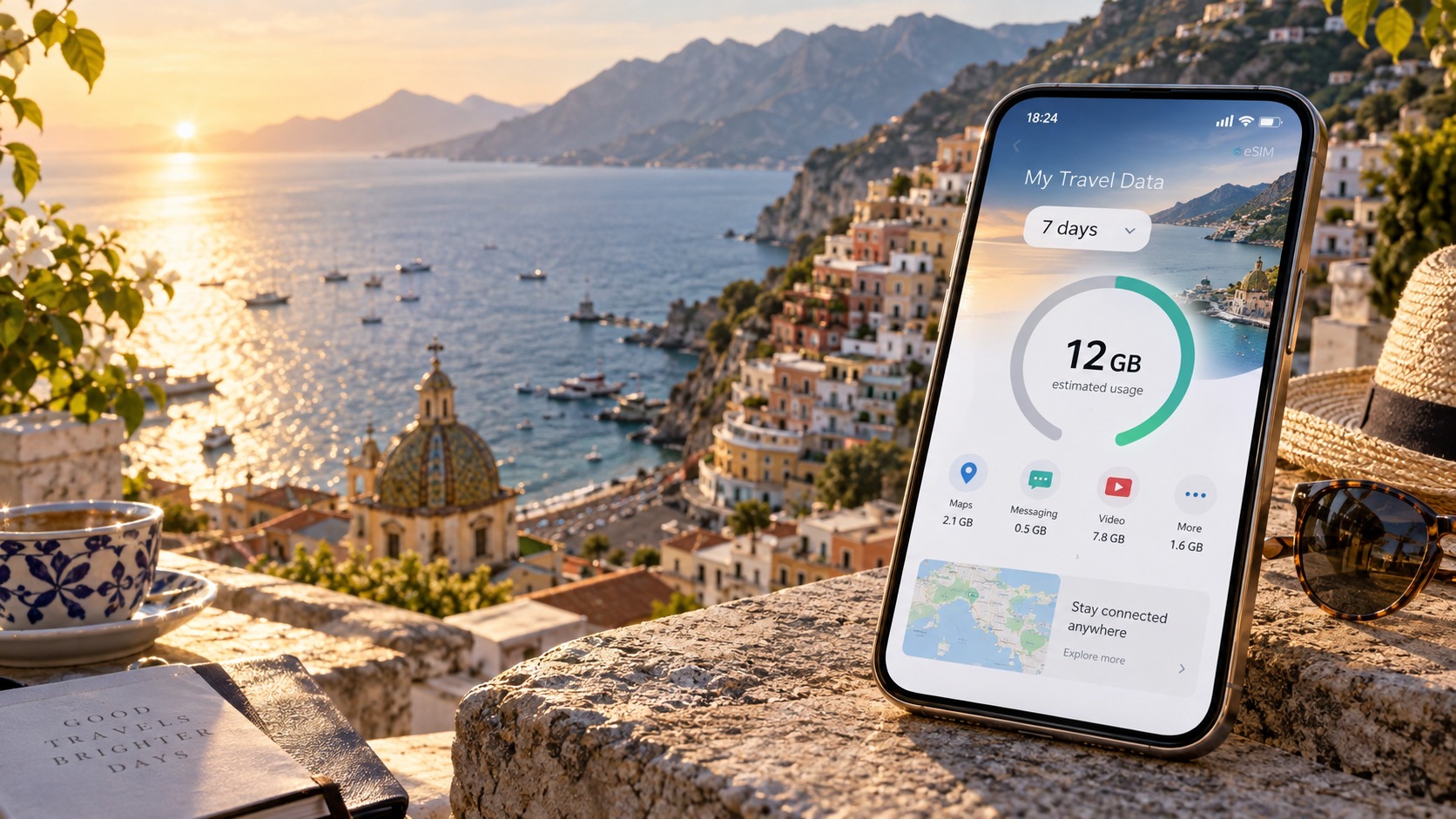
The Travel Data Calculator: How Many GB Do You Really Need for a Week?
The Myth of the 'Unlimited' Data Plan: Why Estimation Fails
Walk into any airport kiosk or browse a travel app, and you will be bombarded with the promise of "unlimited" data. It is the most seductive marketing hook in the mobile industry, designed to alleviate the traveler’s deepest fear: running out of connectivity in a foreign country. However, for the tech-savvy traveler, "unlimited" is rarely a technical reality; it is a commercial construct. The assumption that you need a high-tier, massive data package to survive a week abroad is a persistent myth that leads to significant financial waste. In reality, the average traveler’s actual consumption is a fraction of what they purchase, driven by a fundamental misunderstanding of how modern mobile networks and operating systems manage bandwidth.
The Fine Print: Fair-Use Policies and Throttling
To understand why estimation fails, you must first decode the technical difference between "unlimited" and "fair-use." Most global eSIM providers do not offer truly infinite bandwidth. Instead, they employ a Fair-Use Policy (FUP). This is a contractual mechanism where your data speed is capped after you exceed a specific threshold, typically between 20GB and 30GB per month or per trip duration.
When you hit this cap, the network does not cut off your connection entirely—a tactic that would leave you stranded. Instead, it throttles your speed to a minimum viable level. This is where the choice of provider becomes critical. Many budget competitors throttle users down to 128 kbps, a speed so low that loading a single webpage can take 30 seconds, making real-time navigation or video calls nearly impossible.
In contrast, providers like MollySIM implement a more traveler-friendly FUP. Their speed limit is set at 384 kbps, which is 3x faster than the industry standard of 128 kbps. This distinction is not trivial; at 384 kbps, essential services like Google Maps for turn-by-turn navigation and Apple Pay for contactless payments continue to function smoothly. You can still check your location, pay for a taxi, and load lightweight web pages without the frustrating buffering that plagues users on slower throttled plans. Understanding this technical nuance means you don’t need to buy 50GB to feel "safe"; you need to buy enough to stay above the throttling threshold for your specific usage pattern.
Data Anxiety and the Wasted Budget
This misunderstanding fuels what we call "data anxiety." Travelers, fearing a dead phone in a foreign city, instinctively buy the largest available package. A 20GB plan might cost $25, while a 5GB plan costs $10. The psychological comfort of "having plenty" outweighs the logical cost-benefit analysis.
The result is a massive inefficiency. Data from travel tech aggregators suggests that the average tourist uses only 4GB to 6GB over a seven-day period. If you purchase a 20GB package, you are paying for 14GB of data you will never touch. This is not just a minor overage; it is a 70% waste of your connectivity budget. Over a year of travel, this "anxiety tax" can amount to hundreds of dollars spent on unused bandwidth.
Deconstructing the Digital Footprint: Passive vs. Active Usage
To right-size your package, you must distinguish between passive and active data usage. Most travelers conflate the two, assuming that because their phone is "on," it is constantly streaming heavy data.
1. Passive Data Usage (The Hidden Cost)
Passive usage occurs in the background, often without your active interaction. This includes:
- OS Updates: iOS and Android check for system updates.
- App Syncing: Email, calendar, and cloud backups (iCloud/Google Drive).
- Messaging: iMessage, WhatsApp, and Telegram maintain persistent connections.
- Location Services: Background location tracking for apps like fitness trackers or weather.
Here is a critical technical differentiator: iOS and Android handle background data differently.
- Android is generally more aggressive with background processes. If you do not manually restrict background data in settings, apps can consume significant bandwidth while the phone is idle.
- iOS is more restrictive by default but has a specific vulnerability: sleep mode. If your iPhone is not properly managed (e.g., if "Background App Refresh" is left on for data-heavy apps), it can consume up to 150MB per day in sleep mode alone. Over a week, that is over 1GB of data used while you are sleeping, with zero active interaction.
2. Active Data Usage (The Visible Cost)
Active usage is what you consciously do:
- Streaming: YouTube, Netflix, or Spotify.
- Navigation: Real-time GPS mapping.
- Social Media: Scrolling Instagram or TikTok.
- Video Calls: FaceTime or Zoom.
The Case for Precision
The table below illustrates the disparity between anxiety-driven purchasing and calculated needs:
| Usage Type | Estimated Weekly Consumption | Common Mistake |
|---|---|---|
| Passive (iOS/Android) | 0.5GB – 1.5GB | Ignoring background sync costs |
| Active (Light User) | 2GB – 3GB | Assuming "light" means "zero" |
| Active (Heavy User) | 5GB – 8GB | Buying 20GB "just in case" |
| Total Realistic Need | 4GB – 6GB | Paying for 15GB+ unused |
By recognizing that your "unlimited" plan is actually a throttled fair-use plan, and by understanding that your passive footprint is manageable, you can shift from a strategy of excess to one of precision. Right-sizing your data package ensures that you stay within the high-speed tier of providers like MollySIM, avoiding throttling entirely while saving money. It is not about having less; it is about having exactly what you need, with the technical headroom to handle the unexpected.
Anatomy of Data Consumption: A Granular Breakdown by Activity
🇺🇸 United States High-Speed Travel eSIM & SIM Plans
Instant QR code activation, hotspot enabled, with guaranteed 384kbps fallback speed to keep Maps & Digital Wallets active.
To move beyond vague estimates, we must dissect the specific mechanics of how your device consumes megabytes. Data usage is not a monolith; it is a composite of distinct activity types, each with its own bandwidth profile. Consider a standard seven-day travel scenario: you navigate for two hours daily, scroll social media for one hour daily, and stream video for 30 minutes daily. By applying precise consumption rates to this routine, we can derive an exact data budget.
The Core Activity Metrics
The following table breaks down the hourly consumption rates for the primary activities in this scenario. Note that these figures assume standard cellular network conditions and typical app settings.
| Activity | Duration (Daily) | Consumption Rate (Per Hour) | Daily Total | Weekly Total (7 Days) |
|---|---|---|---|---|
| Navigation (2D Maps) | 2 hours | 10–15 MB | 20–30 MB | 140–210 MB |
| Social Media (Standard) | 1 hour | 100–200 MB | 100–200 MB | 700 MB – 1.4 GB |
| Video Streaming (720p) | 0.5 hours | 500 MB – 1 GB | 250 MB – 500 MB | 1.75 GB – 3.5 GB |
| Passive/Background | 24 hours | ~150 MB | 150 MB | 1.05 GB |
| TOTAL ESTIMATED | 3.64 GB – 6.16 GB |
Note: If you switch navigation to 3D maps or download offline regions, the navigation cost can spike to 30–50 MB/hour. If you stream in 1080p, the video cost doubles to 1.5–2.5 GB/hour, pushing the weekly total closer to 8–10 GB.
The Hidden Costs: Background Processes
While active usage is visible, the "hidden costs" are where most travelers lose their data budget. These processes run silently in the background, often without your explicit permission at that moment.
- Cloud Backups (iCloud/Google Drive): If "iCloud Photos" or "Google Photos" is set to "Upload over Wi-Fi and Cellular," your phone will aggressively sync new photos and videos. A single 4K video clip can consume 50–100 MB instantly. Over a week of daily photo-taking, this can easily add 1–2 GB to your bill.
- App Store Updates: iOS and Android frequently push app updates in the background. A major app update (e.g., WhatsApp, Maps, or a game) can range from 50 MB to 200 MB. If three to four apps update during your trip, that is an additional 300 MB – 800 MB of silent consumption.
- Email Synchronization: If you have multiple email accounts set to "Push" rather than "Fetch," your phone is constantly polling servers. While minor per instance, the cumulative effect over 24 hours can add 50–100 MB daily, especially if you receive large attachments or HTML-heavy newsletters.
Verifying Your Usage: Step-by-Step Guide
You do not need to guess. Both operating systems provide granular data usage reports that allow you to verify these estimates against your real-world performance.
For iPhone Users
- Navigate to Settings.
- Tap Cellular (or Mobile Data).
- Scroll down to Cellular Data Usage.
- Here, you will see a list of all apps sorted by data consumption. Look specifically at Maps, Instagram, YouTube, and iCloud.
- Tap Reset Statistics at the bottom of the list to start a fresh count for your trip. This ensures that pre-trip usage does not skew your travel data analysis.
For Android Users
- Open Settings.
- Tap Network & Internet (or Connections on Samsung devices).
- Select Data Usage (or Mobile Data).
- Tap App Data Usage.
- Review the list of apps. Note that Android often groups "Background Data" separately from "Foreground Data." Ensure you are looking at the total.
- Use the Data Usage Cycle feature to reset the counter at the start of your trip for accurate tracking.
Optimizing for Precision: The Video Quality Variable
Video quality is the single biggest variable in data consumption. The difference between 720p and 1080p is not linear; it is exponential. To maintain control, you must lock your apps to efficient modes before departure.
- YouTube: Open the app, tap your profile icon, go to Settings, and select Data Saver. This forces the app to prioritize lower resolutions (480p or 720p) even if your connection is strong.
- Netflix: Go to App Settings > Data Usage and select Low or Medium. Avoid "High" unless you are on Wi-Fi.
- Instagram/TikTok: While these apps lack a global "data saver" toggle, you can limit high-definition playback by ensuring your phone is not set to "Auto-play" in high-res modes. More importantly, disable Background App Refresh for these apps to prevent them from loading new content while you are in a meeting or sleeping.
By implementing these settings, you ensure that your data is spent on intent rather than accident. This precision is critical when using a provider like MollySIM. Their 384kbps Fair Use Policy speed limit is three times faster than the industry-standard 128kbps limit found in many competitors' "unlimited" plans. This higher threshold ensures that even if you do hit your data cap, your connection remains smooth enough for critical tasks like Google Maps navigation and Apple Pay transactions, preventing the frustrating "spinning wheel" of data that plagues lower-tier eSIMs. Right-sizing your data package with this level of granularity ensures you stay in the high-speed tier, avoiding throttling entirely while paying only for what you actually use.
Network Reality: Local Carriers, Coverage, and Speed Variance
Understanding your data needs is not just about the apps you open; it is fundamentally about the physical infrastructure delivering the bits. The theoretical speed promised by a carrier is often a marketing figure, while the actual throughput you experience is dictated by network congestion, signal strength, and the specific roaming agreements in place. For a traveler, this technical reality is the primary variable that can cause a 10GB plan to feel like 5GB, or vice versa.
The Efficiency Paradox of 5G vs. 4G LTE
A common misconception is that 5G is always "better" for data efficiency. In reality, 5G often consumes data faster than 4G LTE due to higher bitrate defaults. When your device connects to a 5G network, streaming services like YouTube and Netflix automatically detect the high bandwidth availability and default to higher resolutions (1080p or 4K) and higher frame rates. This "bitrate escalation" means that a 30-minute video session on 5G can consume significantly more data than the same session on a stable 4G connection, which might cap out at 720p.
For a week-long trip, relying on spotty 5G coverage is risky. In congested urban centers, 5G speeds can fluctuate wildly, dropping to 5-10 Mbps during peak hours, while rural areas may see 1-3 Mbps. These lower speeds force your device to buffer more aggressively. While buffering itself doesn't consume data, the instability can lead to retransmission errors. If you are in a region with weak 5G coverage, your phone may frequently drop back to 4G or even 3G, causing the streaming app to restart the stream at a lower quality, only to jump back up when the signal improves. This "bitrate bouncing" is inefficient and can lead to a higher total data footprint than a stable, moderate-speed 4G connection.
Signal Strength and the Hidden Cost of Weak Connections
The most critical, yet often overlooked, factor in data consumption is signal strength. This is where the concept of packet loss and retransmission becomes vital. When your signal is weak (e.g., in a basement, a dense urban canyon, or a rural valley), your phone’s modem works harder to maintain a connection. It does this by increasing the power of its transmission and requesting more data packets to ensure integrity.
If the signal is poor, a significant percentage of these packets may be lost or corrupted. The network must then retransmit them. This process, known as retransmission overhead, effectively wastes data. You are paying for the data that arrived plus the data that was lost and had to be sent again. In a weak signal environment, this overhead can increase your effective data usage by 10-20% for the same amount of content viewed. This is why a trip to a remote mountain resort might require a larger data package than a trip to a city center, even if you watch the same amount of video.
Carrier Selection and Roaming Agreements
The specific local carrier your eSIM connects to matters significantly. Different carriers have different network architectures and roaming agreements.
| Region | Primary Carriers | Roaming Considerations for eSIMs |
|---|---|---|
| USA | AT&T, T-Mobile, Verizon | T-Mobile often has better international roaming partnerships for eSIM providers. AT&T may throttle speeds more aggressively on lower-tier plans. |
| UK | Vodafone, EE, O2 | Vodafone has extensive global roaming agreements. EE (formerly Orange) offers strong 4G/5G coverage but can be congested in London. |
| Japan | NTT Docomo, KDDI, SoftBank | NTT Docomo and KDDI have the most robust infrastructure. SoftBank is often used for budget eSIMs but may have slower peak speeds. |
When choosing an eSIM provider, look for those that prioritize agreements with Tier-1 carriers in your destination. A provider like MollySIM benefits from strategic partnerships that ensure connection to high-quality networks. This is particularly important in regions where secondary carriers may have weaker rural coverage. By connecting to a primary carrier, you reduce the likelihood of being handed off to a weaker network, thereby minimizing the retransmission overhead described above.
Network Handover and Stability
Network handover is the process by which your device switches between cell towers or between different network types (e.g., 5G to 4G) as you move. In rural areas or underground (such as in subway systems or tunnels), handovers can be unstable. If the handover fails, your connection drops, and the app must resume from where it left off. This can cause data spikes as the app re-authenticates and requests the next chunk of data.
To mitigate this, it is advisable to choose destinations or routes with strong 4G LTE coverage rather than relying on experimental 5G. 4G is more mature, has better penetration in buildings, and offers more consistent speeds. For a week-long trip, a stable 4G connection at 15-20 Mbps is far more efficient than a fluctuating 5G connection that drops to 5 Mbps and back to 100 Mbps.
Strategic Advice for Data Planning
- Prioritize 4G Stability: If your destination has patchy 5G, force your phone to prefer 4G LTE. This prevents bitrate escalation and ensures a consistent, predictable data consumption rate.
- Monitor Signal Strength: Use a network testing app (like Network Cell Info) to check signal strength in your accommodation. If the signal is weak (below -100 dBm), consider adding a buffer to your data package to account for retransmission overhead.
- Choose the Right Carrier: Research which local carrier has the best coverage in your specific destination. For example, in Japan, NTT Docomo is generally preferred for its extensive rural coverage. In the US, T-Mobile’s network is often more efficient for data-heavy tasks due to its spectrum holdings.
- Leverage High-Speed Fair Use: If you do hit your data cap, the speed limit matters. A provider like MollySIM offers a 384kbps Fair Use Policy speed limit, which is three times faster than the industry-standard 128kbps limit. This higher threshold ensures that even in a throttled state, your connection remains smooth enough for critical tasks like Google Maps navigation and Apple Pay transactions, preventing the frustrating "spinning wheel" of data that plagues lower-tier eSIMs. This is particularly important in areas with weak signal strength, where a lower speed limit can make the connection feel unusable.
By understanding these network realities, you can make more informed decisions about your data package size. A stable, efficient 4G connection with a high-speed fair use policy is often more valuable than a larger data package on a congested, weak-signal 5G network.
The MollySIM Advantage: 384kbps Fallback and Smart Data Management
While calculating the theoretical data requirement is the first step, managing the experience of consuming that data is where most travelers fail. The standard eSIM model often operates on a binary logic: you have data, or you don’t. When you hit 0GB, the connection drops to a crawl or disconnects entirely, turning your smartphone into a brick in the middle of a foreign city. This is the "data black hole" phenomenon, where a minor calculation error in your initial estimate renders your device unusable for critical tasks like navigation or payment. MollySIM disrupts this binary model by introducing a sophisticated layer of network intelligence and a superior fallback mechanism that prioritizes usability over raw volume.
The 384kbps Fallback: Why Speed Matters More Than Volume
The core technical differentiator for data efficiency is not just how much data you have, but how efficiently your device consumes it when the network degrades. Most budget eSIM providers implement a Fair Use Policy (FUP) that throttles speeds to 128kbps once the data cap is reached. At 128kbps, a simple map tile load can take 15–20 seconds, and messaging apps often hang, creating a frustrating user experience that feels like the connection is dead.
MollySIM, however, offers a 384kbps Fair Use Policy speed limit. This is three times faster than the industry standard. Why does this matter? Because 384kbps is the minimum threshold required for modern mobile applications to function smoothly without visible buffering.
- Navigation: Google Maps and Apple Maps can render vector tiles and update GPS positions in real-time at 384kbps. At 128kbps, the map often freezes, forcing the user to wait for the connection to stabilize.
- Transactions: Apple Pay and contactless payments require a stable, low-latency handshake. A 384kbps connection ensures the tokenization process completes instantly, preventing failed transactions at checkout.
- Messaging: WhatsApp and iMessage can send text and low-resolution images without the "sending..." spinner lingering indefinitely.
This technical advantage means that even if you underestimate your data needs, your phone remains a functional tool rather than a dead weight. You can still navigate, pay, and communicate, buying you time to find Wi-Fi or purchase a top-up without the panic of a disconnected device.
Network Aggregation: Choosing the Best Carrier in Real-Time
Data efficiency is also a function of network quality. A 1GB plan on a congested 4G network may consume more data than a 1GB plan on an efficient 5G or low-congestion 4G network due to retransmission overhead and higher signaling costs. MollySIM utilizes network aggregation technology to select the best available carrier in real-time.
Instead of locking you into a single local provider (which may have weak signal in your specific accommodation), MollySIM’s backend continuously monitors signal strength and latency. It dynamically routes your traffic through the carrier offering the most efficient path. This reduces the "wasted" data caused by weak signal strength, where the phone repeatedly requests data packets that are dropped and must be retransmitted. By staying on the most efficient network, you stretch your calculated 2–5GB allowance further, ensuring that your data lasts longer and performs better.
Step-by-Step Setup for Maximum Efficiency
To leverage these features, the setup process is designed to be intuitive yet precise. Here is how to configure your device for optimal data management:
- Scan the QR Code: After purchasing your plan, scan the unique QR code provided in your email. This installs the eSIM profile directly onto your device’s cellular settings.
- Select the Plan Tier: Choose a tier that aligns with your calculated needs (e.g., 3GB for a week of moderate use). Avoid the "unlimited" traps, which often come with lower FUP speeds.
- Enable Data Saver: Immediately after activation, enable your phone’s native Data Saver mode. This restricts background data usage for non-essential apps, ensuring that your primary data budget is reserved for navigation and communication.
- Configure Background App Refresh: Go to your phone’s settings and disable Background App Refresh for heavy apps like social media and streaming services. Allow it only for critical apps like Maps and Messaging. This prevents apps from silently consuming data while your phone is idle.
Real-World Impact: The Cost of Inefficiency
Consider two travelers in Tokyo for one week.
- Traveler A (Standard eSIM): Buys a 5GB plan. Due to weak signal in their hotel, their phone constantly retransmits data. They hit the 5GB cap on Day 4. The provider throttles to 128kbps. Their map app freezes, and they struggle to pay for dinner. They feel "out of data" and anxious.
- Traveler B (MollySIM): Buys a 3GB plan. Thanks to network aggregation, they stay on a strong signal, reducing retransmission overhead. They hit the 3GB cap on Day 5. The provider throttles to 384kbps. Their map app works smoothly, and they pay for dinner without issue. They feel in control.
Traveler B paid less, used less data, and had a better experience. This is the power of smart data management. By choosing a provider that prioritizes efficiency and fallback speed over raw volume, you can buy exactly the 2–5GB you calculated in previous sections, without the risk of overpaying for unused capacity or underperforming when you need it most. MollySIM’s pay-as-you-go and small-tier plans allow for this precision, ensuring that every megabyte you spend is working as hard as possible for you.
Comparative Analysis: eSIM vs. Pocket Wi-Fi vs. Local SIM
Choosing the right connectivity method is as critical as calculating your data needs. While the previous sections focused on optimizing usage, this section dissects the hardware and service models themselves. Many travelers default to Pocket Wi-Fi because it is familiar, but modern eSIM technology—specifically providers like MollySIM—has shifted the balance of power toward efficiency and convenience. To make an informed decision, we must look beyond the headline price and examine the total cost of ownership, including setup friction, battery health, and network reliability.
The table below provides a granular breakdown of the three primary connectivity options available to international travelers. Note that while "Unlimited" plans exist for Pocket Wi-Fi, they are rarely truly unlimited; they often come with speed caps after a certain threshold, making the effective per-GB cost higher than advertised.
| Feature | eSIM (MollySIM) | Pocket Wi-Fi | Local Physical SIM |
|---|---|---|---|
| Upfront Cost | $0 (No hardware rental) | $50–$100 (Deposit/Rental fee) | $10–$20 (SIM card + potential activation) |
| Per-GB Cost | $2–$5 (Transparent, no hidden caps) | $0.50–$1.50 (Often "Unlimited" but throttled) | $1–$3 (Varies by carrier plan) |
| Setup Time | ~5 Minutes (Scan QR code, done) | ~15 Minutes (Unbox, charge, pair, configure) | 30–60 Minutes (Visit store, ID check, install) |
| Device Compatibility | Universal (iPhone 8+, most Androids) | Universal (Any Wi-Fi capable device) | SIM Swap Required (Must remove home SIM) |
| Data Speed Consistency | Variable (Dependent on local carrier) | Consistent (Dedicated hardware, but shared) | Best (Native priority on local network) |
| Battery Impact | Low (Uses native cellular modem) | High (Drains phone battery via Wi-Fi scanning) | Low (Uses native cellular modem) |
| Convenience Score | High (No extra device to carry/charge) | Medium (Extra device, charging, potential loss) | Low (Logistics, language barriers, swapping) |
The Hidden Cost: Battery Drain and Hardware Friction
One of the most overlooked factors in travel connectivity is battery impact. At first glance, it seems counterintuitive that a Pocket Wi-Fi device, which has its own battery, would drain your phone’s battery. However, the mechanism of connection is key. When you connect to a Pocket Wi-Fi, your phone’s Wi-Fi radio must constantly scan for the strongest signal, maintain a handshake, and manage the data bridge between the Wi-Fi module and the cellular modem of the router. This constant background activity, combined with the higher power draw of Wi-Fi data transmission compared to native LTE/5G cellular data, can drain your smartphone’s battery by 10–15% per hour during active use.
In contrast, an eSIM utilizes your phone’s native cellular modem. There is no bridging, no Wi-Fi scanning, and no extra hardware to manage. The data flows directly from the local carrier’s tower to your phone’s SIM chip. This results in a significantly lower power footprint, preserving your battery for photography, navigation, and entertainment. For a traveler in a city with limited charging points, this efficiency is not just a convenience—it is a necessity.
Security: The Shared Network Risk
Security is another differentiator. Pocket Wi-Fi devices are shared media. If you are traveling with a group, your data travels through a single router. While most modern routers use WPA2 encryption, the risk of a compromised device or a weak password is non-zero. More importantly, if you are using a public Pocket Wi-Fi service in a hotel lobby or airport, you are trusting a third-party hardware unit that has been handled by countless other travelers.
eSIMs offer a more secure, direct connection. Your data travels directly from the local carrier to your device, bypassing the shared router entirely. This is particularly important when handling sensitive tasks like online banking, hotel bookings, or corporate emails. Furthermore, because eSIMs are embedded in your device, there is no physical SIM card to lose, steal, or swap back and forth.
Recommendation Matrix: Who Should Choose What?
To help you decide, consider your specific travel profile:
- Choose eSIM (MollySIM) if:
- You are traveling solo or in pairs.
- You are tech-savvy and comfortable with a 5-minute setup.
- You prioritize battery life and want to avoid carrying extra hardware.
- You want transparent pricing and a reliable fallback speed (MollySIM’s 384kbps Fair Use Policy is 3x faster than the industry standard 128kbps, ensuring Google Maps and Apple Pay remain functional even after your data cap is reached).
- You are visiting a country with strong 4G/5G coverage.
- Choose Pocket Wi-Fi if:
- You are traveling with a group of 3+ people and need to share a single data pool.
- You have multiple devices (tablets, laptops, phones) that all need to be online simultaneously.
- You are not tech-savvy and prefer a "plug-and-play" solution without worrying about eSIM compatibility.
- You are visiting a region with weak cellular coverage where a dedicated router with a better antenna might outperform a phone.
- Choose Local Physical SIM if:
- You are staying for more than 2 weeks and want the lowest possible long-term cost.
- You are comfortable with logistics and can navigate a local carrier store.
- You want the best possible native speeds and priority on the local network.
- You are traveling to a country where eSIM support is still limited or where local carriers offer significantly better value for bulk data.
By aligning your choice with your group size, technical comfort, and duration of stay, you can ensure that your connectivity solution enhances your trip rather than detracting from it. For most modern travelers seeking a balance of cost, convenience, and performance, a high-quality eSIM like MollySIM offers the optimal path forward.
The Final Calculation: A Step-by-Step Data Budgeting Strategy
Having established the technical landscape of eSIMs, Pocket Wi-Fi, and local SIMs, the next critical phase is translating those options into a precise, actionable data budget. Most travelers over-provision their data allowances out of fear, paying for gigabytes they never touch, or under-provision and hit a paywall in the middle of a video call. To eliminate this guesswork, we have developed a five-step Travel Data Calculator workflow. This method synthesizes your personal usage habits with the realities of travel to determine the exact plan size you need.
Step 1: Audit Your Baseline Usage
Before you book a single gigabyte, you must understand your digital footprint. Log into your carrier’s app or review your last three monthly bills. Look specifically at the "Mobile Data Used" metric, not the total allowance. If you consistently use 6GB on a 10GB plan, your baseline is 6GB. This number represents your "home" usage, which includes background updates, social media scrolling, and streaming. This is your anchor point. Without this baseline, any calculation is merely a guess.
Step 2: Adjust for Travel Behavior
Travel data consumption differs from home usage due to two primary factors: navigation and Wi-Fi availability.
- The Navigation Premium: If you are driving, walking, or using public transport heavily, add 20% to your baseline. Real-time GPS, turn-by-turn directions, and map updates are data-hungry, especially if you are using offline maps that still require periodic syncs.
- The Wi-Fi Offset: If you plan to stay in accommodations with reliable, high-speed Wi-Fi (hotels, Airbnbs, cafes) and use it for heavy tasks like video streaming or large file downloads, subtract 10% from your baseline. This assumes you will rely on cellular data only for connectivity between locations.
Example: If your baseline is 5GB, adding 20% for navigation brings you to 6GB. Subtracting 10% for Wi-Fi reliance brings you to 5.4GB.
Step 3: Select the Right Plan Size with a Buffer
Never buy the exact calculated number. Network fluctuations, unexpected app updates, and the need for a "safety net" require a buffer.
- Rule of Thumb: Always round up to the next available tier.
- Scenario: If your calculated need is 5.4GB, do not buy a 5GB plan. Buy a 6GB or 7GB plan.
- Why? This buffer ensures that if you have a day of poor signal (which causes phones to work harder to maintain a connection, draining data faster) or an unexpected software update, you are not left stranded.
Step 4: Configure Device Settings for Efficiency
Before you arrive, or immediately upon activation, optimize your device to stretch that data further.
- Disable Auto-Play: Turn off auto-play for videos on social media apps (Instagram, TikTok, Facebook). This is the single biggest data drainer.
- Cap Video Quality: In YouTube and Netflix settings, set the default streaming quality to 480p or 720p when on mobile data.
- Background App Refresh: Disable this for non-essential apps (games, news readers). Allow it only for messaging and email.
- Low Data Mode: Enable "Data Saver" or "Low Data Mode" on iOS/Android. This compresses data usage for apps like Maps and Mail.
Step 5: Monitor Usage Daily
Do not wait until the end of the week to check your usage. Check it once a day.
- Using MollySIM: The MollySIM app provides a real-time dashboard showing exactly how much data you have consumed versus your remaining allowance. This transparency eliminates anxiety.
- Native Settings: On iOS, go to Settings > Mobile Data. On Android, go to Settings > Network & Internet > Mobile Network.
Traveler Archetype Cheat Sheet
| Archetype | Typical Behavior | Recommended Data Allowance | Key Strategy |
|---|---|---|---|
| The Digital Nomad | Works remotely, video calls, cloud sync, heavy browsing. | 15–20 GB | Prioritize speed and reliability. Use Wi-Fi for large uploads/downloads. |
| The Leisure Traveler | Social media, navigation, occasional streaming, messaging. | 5–8 GB | Balance cost and convenience. Rely on Wi-Fi for streaming. |
| The Minimalist | Maps, email, messaging, light browsing. | 2–3 GB | Maximize efficiency. Disable all auto-play and background refresh. |
Troubleshooting: Why Is My Data Draining Fast?
If you notice your data depleting faster than expected, check these three common pitfalls:
- Large App Updates: iOS and Android often push updates in the background. Check your app store settings to ensure updates only happen over Wi-Fi.
- Video Calls: A 1-hour FaceTime or Zoom call can consume 1–2 GB. If possible, switch to audio-only or use Wi-Fi.
- Weak Signal: In areas with poor coverage, your phone works harder to maintain a connection, which can increase data consumption. If you are in a dead zone, consider turning off mobile data until you find a stronger signal.
Precision Beats Guesswork
The days of buying a "just in case" 20GB plan and wondering why you paid for 15GB you never used are over. By following this step-by-step calculator, you align your data purchase with your actual behavior. This precision not only saves money but also ensures you have the right amount of data when it matters most.
Ready to stop guessing? Use the MollySIM calculator tool to get a personalized estimate based on your specific travel dates and habits. With MollySIM’s 384kbps Fair Use Policy—which is 3x faster than the industry standard 128kbps—you can even rely on your eSIM for critical tasks like Google Maps and Apple Pay after your main data cap is reached. Don’t leave your connectivity to chance. Calculate, configure, and connect with confidence.
🇺🇸 United States High-Speed Travel eSIM & SIM Plans
Instant QR code activation, hotspot enabled, with guaranteed 384kbps fallback speed to keep Maps & Digital Wallets active.