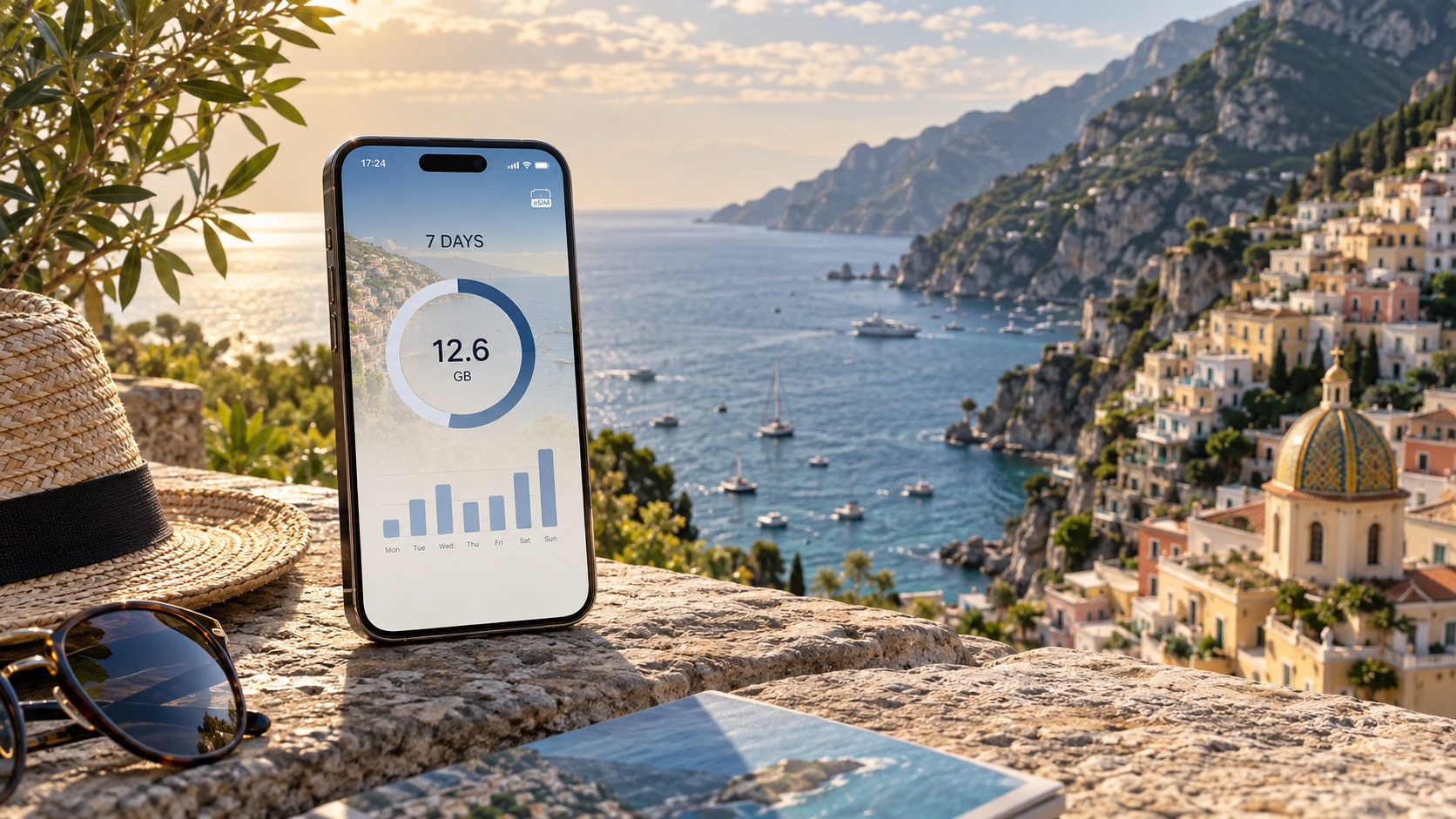
The Travel Data Calculator: How Many GB Do You Really Need for a Week?
The Myth of the 'One-Size-Fits-All' Data Allowance
Walk into any airport kiosk or browse a travel forum, and you will inevitably encounter the same piece of advice: "Just grab the 10GB plan. It’s the standard." It is a comforting thought, a neat, round number that feels like it covers everything from checking emails to streaming a movie on the plane. But in the landscape of modern mobile connectivity, this assumption is not just outdated; it is dangerously misleading. The reality is that data consumption is not a linear function of time or location. It is a chaotic variable dictated by your specific digital habits, the technical specifications of your device, and the invisible background processes that run continuously whether you are using your phone or not. To navigate this complexity, we must first dismantle the idea that a single data volume suits all travelers.
Data Density vs. Data Volume
The core misunderstanding stems from conflating Data Volume with Data Density. Data volume is simply the total amount of gigabytes you purchase. Data density, however, refers to the intensity of data consumption per minute or per hour of active usage. A traveler who spends their day hiking with their phone in their pocket, occasionally checking a map, has a low data density. A traveler who spends their day in a café, video-calling family, streaming podcasts, and browsing high-resolution image-heavy social media feeds has an exponentially higher data density.
Consider the difference between passive and active data users. Passive users rely on lightweight protocols. Opening a map, sending a text message, or checking a calendar entry consumes mere kilobytes. These actions are efficient and predictable. Active users, conversely, engage in data-heavy workflows. Streaming video in HD, participating in high-definition video calls, or using augmented reality features in travel apps can consume hundreds of megabytes in minutes. If you treat an active user’s needs with a passive user’s allowance, you will hit your data cap before the trip is even halfway through.
The Psychology of Overspending and Underestimating
This mismatch between actual usage and perceived needs creates a paradox for travelers. On one hand, there is the fear of the black screen. The anxiety of running out of data in a foreign country, where roaming charges can be exorbitant, drives many to buy the largest possible plan. They overestimate their needs, paying for 20GB or 50GB when they might only use 5GB, resulting in significant overspending. On the other hand, there is the optimism bias. Travelers underestimate their needs, assuming that because they are "on vacation," they will use their phone less. They buy a 3GB plan, only to find themselves stranded without connectivity during a critical moment, such as navigating a complex subway system or sharing a location with a friend.
This guide aims to resolve this dichotomy by moving away from guesswork and toward a mathematical approach. We are calculating for a standard 7-day trip to a major international destination, such as a week in Paris, Tokyo, or New York. In these environments, the temptation to use data is constant. However, the calculation must account for more than just what you see on the screen.
The Invisible Data Leaks
One of the most overlooked factors in data consumption is the background process. Modern smartphones are not idle devices; they are active hubs of data exchange. Even when your screen is off, your phone is working.
- App Updates: Many apps are configured to update automatically over Wi-Fi, but if Wi-Fi is unavailable or unstable, they may switch to mobile data. A single large app update can consume 500MB to 1GB.
- Cloud Backups: Services like iCloud, Google Photos, and OneDrive continuously sync new photos and videos. If you take 50 high-resolution photos a day, that is roughly 500MB to 1GB of data uploaded daily, often without your explicit permission.
- Push Notifications and Syncing: Email clients, calendar apps, and messaging services constantly ping servers to check for new data. While each ping is small, the cumulative effect over 24 hours, 7 days, is significant.
These silent consumers can easily eat up 10-15% of your total data allowance before you even open a browser.
A Mathematical Approach to the 'Sweet Spot'
To find the sweet spot—the balance between cost efficiency and connectivity reliability—we must treat data planning as a budgeting exercise rather than a lottery ticket. We need to calculate your baseline consumption (background processes) and add your variable consumption (active usage) to determine your true requirement. This approach allows you to buy exactly what you need, no more, no less.
This precision is particularly valuable when choosing a provider. Many traditional carriers and eSIM providers obscure their true costs with hidden fees, overage charges, or complex tiered pricing structures that make accurate calculation difficult. MollySIM (https://mollysim.com) addresses this by offering a transparent pricing model. Their plans are straightforward, allowing you to focus purely on your usage patterns without worrying about hidden deductions. Furthermore, MollySIM’s Fair Use Policy sets a speed limit of 384kbps after the data cap is reached. This is a critical detail for travelers. Many competitors throttle speeds down to 128kbps, which is often too slow for essential tasks like loading Google Maps or processing Apple Pay transactions. MollySIM’s 384kbps limit is 3x faster than these competitors, ensuring that even if you hit your cap, your phone remains functional for navigation and payments. This reliability allows you to plan your data usage with greater confidence, knowing that a slight miscalculation will not render your device unusable.
By understanding the distinction between data density and volume, accounting for background leaks, and leveraging transparent providers like MollySIM, you can move beyond the myth of the one-size-fits-all allowance. The following sections will break down the specific data costs of common travel activities, providing you with the exact numbers needed to calculate your personal sweet spot.
Anatomizing Your Daily Digital Habits: The GB Breakdown
🇺🇸 United States High-Speed Travel eSIM & SIM Plans
Instant QR code activation, hotspot enabled, with guaranteed 384kbps fallback speed to keep Maps & Digital Wallets active.
To accurately calculate your weekly requirements, you must move beyond vague estimates and dissect the specific digital behaviors that drain your battery and data allowance. Data consumption is not a monolith; it is a composite of high-bandwidth media streams, low-bandwidth text interactions, and the often-overlooked "invisible" background processes that run continuously in the operating system. Understanding the precise cost of each activity is the first step in building a reliable data budget.
The High-Bandwidth Culprits: Video and Audio
Video streaming remains the single largest consumer of mobile data. The difference between quality settings is drastic, and many travelers unknowingly default to the highest available resolution.
| Activity | Duration | Estimated Data Usage | Notes |
|---|---|---|---|
| 4K Ultra HD Streaming | 1 Hour | 4.0 – 7.0 GB | Netflix/Disney+ often default to this on Wi-Fi; on mobile, it requires a stable, high-speed connection. |
| HD (1080p) Streaming | 1 Hour | 1.0 – 2.0 GB | The standard "high quality" setting for most mobile apps. |
| Standard Definition (480p) | 1 Hour | 0.5 – 1.0 GB | Acceptable for casual viewing; significantly lighter on data. |
| Video Calling (FaceTime/Zoom) | 1 Hour | ~0.5 GB | Bidirectional data flow (sending and receiving) doubles the footprint compared to one-way streaming. |
| Music Streaming (Spotify/Apple Music) | 1 Hour | 0.1 – 0.2 GB | Highly efficient; rarely a major concern unless listening for 8+ hours daily. |
It is critical to note that video calling is a unique data event. Unlike passive streaming, it requires a constant, low-latency two-way connection. A single hour of FaceTime can consume nearly as much data as an hour of standard-definition video, making it a significant factor for remote workers or those in touch with family back home.
The Low-Bandwidth Essentials: Browsing and Social
While less intensive than video, these activities accumulate quickly due to frequency.
- Social Media Scrolling (Instagram/TikTok/Reddit): 0.2 – 0.5 GB per hour. This range is wide because it depends on whether you are viewing static images or auto-playing short-form video. TikTok and Instagram Reels are data-heavy; a text-based feed is significantly lighter.
- Web Browsing (News/Email/Research): ~0.1 GB per hour. Modern web pages are heavier than they were a decade ago, but for the average user, this remains the most data-efficient activity.
The Invisible Killer: Background Drain
The most common mistake travelers make is calculating only their active usage. In reality, your phone is working even when you are not touching it. This "Background Drain" includes:
- Cloud Photo Backup: This is the silent data thief. If you have iCloud Photo Library or Google Photos set to "Back up over cellular," every photo you take is instantly uploaded.
- Concrete Example: A typical smartphone photo is roughly 3–4 MB in size. If you take 50 photos in a day (a realistic amount for a tourist visiting landmarks, museums, and restaurants), you are uploading approximately 150 MB – 200 MB per day just for backups. Over a seven-day trip, this amounts to 1.05 GB – 1.4 GB of data consumed before you even open a video app.
- Email and Calendar Sync: Constant polling for new messages and calendar updates. While small per event, it adds up over 24 hours.
- App Updates: This is the most dangerous background process. If your phone is set to download app updates over mobile data, a single major update (like iOS or a large game patch) can consume 500 MB to 2 GB in minutes.
Actionable Step: Immediately audit your phone settings. Navigate to Settings > General > Background App Refresh (iOS) or Settings > Apps > Data Usage > Mobile Data (Android) and disable automatic updates over cellular. Ensure cloud backups are restricted to Wi-Fi only, or manually trigger them when you find a stable connection.
Navigation: Download vs. Real-Time
There is a significant data difference between downloading offline maps and real-time navigation. Downloading a regional map pack (e.g., all of France) can cost 100 MB – 300 MB upfront. However, real-time navigation, which continuously pings servers for traffic updates and route recalculations, consumes approximately 10 MB – 20 MB per hour. If you are driving or walking for three hours, real-time navigation will use 30 MB – 60 MB. While this seems small, it is essential to keep in mind if you are on a tight budget.
The Variance: Heavy vs. Light Users
The data required for a week of travel is not a fixed number; it is a spectrum.
- The Light User: Checks email, uses maps for navigation, takes 20 photos a day, and streams one hour of HD video in the evening.
- Daily Estimate: 1.0 – 2.0 GB.
- Weekly Total: 7.0 – 14.0 GB.
- The Heavy User: Video calls for work, streams 4K content, takes 50+ photos a day, scrolls social media for two hours, and forgets to disable background updates.
- Daily Estimate: 5.0 – 8.0 GB.
- Weekly Total: 35.0 – 56.0 GB.
This 3x to 5x variance is why a generic "10GB plan" is often a gamble. If you are a heavy user, 10GB will vanish in 48 hours. If you are a light user, 10GB is more than sufficient. This is where the choice of provider becomes critical. With MollySIM (https://mollysim.com), the transparency of their pricing allows you to select a plan that matches your specific profile without fear of hidden overage fees. Furthermore, if you are a heavy user who accidentally exceeds your cap, MollySIM’s Fair Use Policy throttles speeds to 384kbps. This is 3x faster than the 128kbps limit imposed by many competitors. At 384kbps, you can still load Google Maps, send emails, and process Apple Pay transactions smoothly. At 128kbps, these same tasks become frustratingly slow or time out. This safety net ensures that even if your calculation was slightly off, your device remains fully functional for the rest of your trip.
The MollySIM Calculator: A Step-by-Step Methodology
Knowing the theoretical range is useful, but executing a precise calculation requires a structured framework. To eliminate guesswork, we have developed the MollySIM Travel Data Calculator, a five-step methodology designed to translate your daily habits into a specific data requirement. This approach moves beyond vague estimates by forcing you to quantify time spent on high-consumption activities. By following this process, you can determine exactly which tier of MollySIM (https://mollysim.com) plan aligns with your digital lifestyle, ensuring you pay for what you use rather than what a generic bundle assumes you need.
Step 1: Categorize Your Primary Connectivity Use Case
Before assigning numbers, you must define your dominant mode of operation. Are you primarily a Navigator (relying on maps and real-time location), an Entertainer (streaming video and audio), or a Professional (video conferencing and file transfers)? Each category has a distinct data footprint. For instance, navigation is relatively lightweight, while 4K streaming is data-intensive. Identifying your primary use case helps you prioritize which activities will drive your total volume.
Step 2: Assign a Daily Hour Budget
Next, audit your typical day. How many hours do you spend on each activity? Be honest about "background" usage. Do you leave social media apps open? Do you have automatic app updates enabled? For the purpose of this calculation, we will focus on active usage.
Step 3: Apply GB-per-Hour Rates
Using the rates established in our previous analysis, multiply your allocated hours by the consumption rate for each activity. Below are the standard consumption rates used in this methodology:
| Activity | Data Consumption Rate (GB/Hour) | Notes |
|---|---|---|
| Video Calls (HD) | 1.0 – 1.5 GB | High bandwidth for audio/video sync. |
| Streaming (4K/HD) | 1.5 – 3.0 GB | Depends on resolution and bitrate. |
| Social Media | 0.5 – 1.0 GB | Heavy on images and short-form video. |
| Music Streaming | 0.1 – 0.2 GB | Low bandwidth, high efficiency. |
| Maps/Navigation | 0.1 – 0.2 GB | Efficient data packets, low volume. |
| Web Browsing | 0.2 – 0.5 GB | Variable based on image-heavy sites. |
Step 4: The Buffer Factor
Raw calculations rarely account for the unexpected. App glitches, emergency calls, or sudden changes in plans can spike usage. Therefore, we apply a 15% Buffer Factor to your total. This safety margin ensures that minor deviations do not push you over your limit.
Step 5: Compare Against Plan Tiers
Finally, compare your buffered total against available plan options. This is where the flexibility of MollySIM becomes a strategic advantage. Unlike many providers that force you into rigid, oversized bundles (e.g., jumping from 5GB to 20GB), MollySIM allows you to select precise data amounts. If your calculation lands at 12.5GB, you can choose a plan that fits that specific need without paying for 7.5GB of unused data.
Worked Examples
Let’s apply this methodology to two distinct traveler profiles.
Profile A: The Digital Nomad
- Video Calls: 8 hours/day × 1.5 GB/hr = 12.0 GB
- Streaming: 2 hours/day × 2.0 GB/hr = 4.0 GB
- Browsing: 1 hour/day × 0.5 GB/hr = 0.5 GB
- Daily Total: 16.5 GB
- Weekly Raw Total (7 days): 115.5 GB
- With 15% Buffer: 115.5 GB × 1.15 = 132.8 GB
Recommendation: A Digital Nomad needs a robust plan. While 132.8 GB is the target, MollySIM’s tiered options allow you to select a high-capacity plan that covers this volume without the "wastage" often seen in larger, less granular bundles.
Profile B: The Leisure Traveler
- Maps: 2 hours/day × 0.15 GB/hr = 0.3 GB
- Social Media: 1 hour/day × 0.8 GB/hr = 0.8 GB
- Music: 1 hour/day × 0.15 GB/hr = 0.15 GB
- Daily Total: 1.25 GB
- Weekly Raw Total (7 days): 8.75 GB
- With 15% Buffer: 8.75 GB × 1.15 = 10.06 GB
Recommendation: The Leisure Traveler needs just over 10GB. A generic 20GB plan would be a waste of money. With MollySIM, you can select a 10GB or 15GB plan that matches this precise requirement.
The Safety Net: Why the 384kbps Fallback Matters
Even with precise calculations, accidents happen. If you hit your data cap, standard eSIMs often drop your speed to 0 Mbps, leaving you offline until you buy more data. MollySIM’s Fair Use Policy is a critical differentiator. Instead of cutting you off, it throttles your speed to 384kbps.
This speed is 3x faster than the 128kbps limit imposed by many competitors. At 384kbps, you can still:
- Load Google Maps for navigation.
- Send and receive emails.
- Process Apple Pay or mobile payment transactions.
- Send critical text messages.
At 128kbps, these tasks become sluggish or time out. The 384kbps fallback ensures that even if your calculation was slightly off, your device remains fully functional for the rest of your trip, providing peace of mind that no other provider can match.
Network Reality: Local Carriers, Coverage, and Speed Truths
Calculating your data needs in a vacuum is one step; understanding the physical infrastructure that delivers that data is another. The theoretical GB count you calculated earlier assumes a perfect, stable connection. In reality, the performance of your eSIM is dictated by the local carrier landscape, the generation of the network (4G vs. 5G), and the specific topography of your destination. Ignoring these variables can lead to a frustrating experience where you are "online" but unable to load critical apps, or worse, where your data drains twice as fast due to network inefficiencies.
The 5G Paradox: Speed as a Data Drain
A common misconception among travelers is that 5G is inherently "better" for data conservation. In reality, 5G often leads to higher data consumption than 4G LTE. This is due to a phenomenon known as "bandwidth elasticity." When your device connects to a high-speed 5G network, it automatically prioritizes high-resolution content. Video streams default to 1080p or 4K, images load at full resolution, and apps prefetch data more aggressively because the connection feels instantaneous.
On a 4G LTE connection, your phone is more conservative. It may buffer video at 720p to prevent stuttering and load images in lower fidelity to save bandwidth. Consequently, a user who watches two hours of video on 5G might consume 1.5x to 2x more data than the same user on 4G. For the "Leisure Traveler" profile discussed earlier, this means that if you are in a dense urban area with strong 5G coverage, your 10GB buffer might deplete faster than anticipated. If you are in a region where 5G is patchy, your device will constantly switch between 5G and 4G, causing buffering and retransmissions that further complicate usage tracking.
The European Carrier Monopoly and Roaming Agreements
In Europe, the mobile market is dominated by a few major players: Vodafone, Orange, and Deutsche Telekom. These carriers have robust roaming agreements, meaning that if your eSIM provider has a partnership with one of these giants, you will likely enjoy consistent coverage across borders. However, this dominance comes with a caveat: network handover.
When you cross borders or move between cells, your device must perform a "handover" to a new tower. If the signal strength is weak during this transition, your phone does not simply stop; it retransmits data packets. This is a critical technical detail often overlooked. If your phone sends a packet of data and the tower doesn't receive it due to poor signal, the phone waits and sends it again. In areas with marginal coverage, this can effectively double your data usage for the same task. A simple email that should take 2MB might consume 4MB or more if the device is struggling to maintain a stable link. This is why "unlimited" plans are often misleading; they may cap your speed at 1Mbps after 50GB, but if your signal is poor, you might hit that speed cap much faster because your device is spending more time negotiating the connection than actually transferring data.
Asia’s Fragmented Landscape: The Case for Multi-Carrier Aggregation
In contrast to Europe’s consolidated market, Asia is characterized by a fragmented carrier landscape. In countries like Japan, South Korea, and Thailand, coverage is excellent in cities but can drop off sharply in rural or mountainous areas. A single-carrier eSIM might work perfectly in Tokyo but fail in the Japanese Alps. This is where the architecture of your eSIM provider becomes vital.
MollySIM addresses this by aggregating multiple local networks. Instead of relying on a single partner, MollySIM’s infrastructure allows your device to switch between the best available local carrier in real-time. This is essential for destinations with varying topographies. For example, in Switzerland, the valleys are well-covered, but the alpine regions often rely on different regional providers. A robust eSIM with multi-carrier support ensures that when you move from a city center to a rural village, your device seamlessly hands over to the carrier with the strongest signal in that specific location, minimizing the retransmission overhead described earlier.
The "Unlimited" Trap and Speed Caps
Many travelers are drawn to "unlimited" data plans, assuming they will never run out. However, most of these plans include a Fair Use Policy (FUP) that caps your speed after a certain threshold, often 50GB. Once you hit this limit, your speed may drop to 1Mbps or even 256kbps. At 1Mbps, you can still browse the web and send emails, but video calls and high-resolution map loads become sluggish.
This is where the 384kbps fallback offered by MollySIM becomes a significant advantage. While 1Mbps is faster, it is often unstable in weak signal areas. The 384kbps speed is a sweet spot: it is 3x faster than the 128kbps limit imposed by many competitors, yet it is stable enough to function reliably even with marginal signal strength. At 384kbps, you can still:
- Load Google Maps for turn-by-turn navigation without constant buffering.
- Process Apple Pay or mobile payment transactions smoothly.
- Send and receive emails and critical text messages.
This ensures that even if you exceed your calculated data needs or encounter a coverage gap, your device remains fully functional for the rest of your trip. The difference between 128kbps and 384kbps is the difference between a device that is "online" but unusable, and one that is "online" and reliable.
Concrete Examples of Coverage Gaps
Consider a trip to Japan. In Tokyo, you might have 5G coverage from NTT Docomo or KDDI. But if you travel to the rural areas of Hokkaido or the mountains of Kyoto, coverage can become spotty. A single-carrier eSIM might struggle to maintain a connection, leading to high data retransmission rates. MollySIM’s multi-carrier aggregation ensures that your device can switch to a local carrier with better tower density in those specific regions, maintaining stability and reducing the "wastage" caused by poor signal negotiation.
Similarly, in Switzerland, the alpine regions often have limited 4G coverage. A traveler relying on a single carrier might find themselves with a "full bar" signal but slow speeds due to network congestion or weak signal strength. By aggregating multiple carriers, MollySIM ensures that your device is always connected to the most efficient network available, providing a seamless experience whether you are in Zurich or a remote mountain village.
In summary, the "Network Reality" is that data consumption is not just about what you do, but how your device interacts with the local infrastructure. By understanding the differences between 4G and 5G, the importance of multi-carrier aggregation, and the benefits of a stable 384kbps fallback, you can make a more informed choice that ensures your data lasts as long as you need it, without the frustration of unexpected speed drops or coverage gaps.
Comparative Analysis: eSIM vs. Pocket Wi-Fi vs. Local SIM
Selecting the right connectivity method is often the most overlooked aspect of trip planning, yet it dictates the friction level of your daily experience. While data volume calculations are critical, the method of delivery determines how seamlessly you can access that data. Below is a rigorous breakdown of the three primary options, analyzing their operational mechanics, hidden costs, and practical impacts on your travel workflow.
The Technical and Practical Breakdown
The following table details the specific operational differences between MollySIM (eSIM), standard Pocket Wi-Fi hardware, and traditional Local Physical SIMs. Note that "Cost Efficiency" assumes a typical 7-day, 10GB usage scenario in a Tier-1 destination (e.g., Japan, USA, or Europe).
| Feature | eSIM (MollySIM) | Pocket Wi-Fi | Local Physical SIM |
|---|---|---|---|
| Setup Time | < 2 minutes. Scan QR code, activate. No physical swap. | 10–15 minutes. Unbox, charge, pair via Bluetooth/Wi-Fi. | 30–60+ minutes. Store visit, ID verification, SIM swap, APN config. |
| Device Compatibility | High. Any unlocked phone/tablet with eSIM support (iPhone XR+, Pixel 3+, etc.). | Universal. Works with any Wi-Fi enabled device (laptops, tablets, phones). | Medium. Requires physical SIM slot. Dual-SIM phones may need eSIM for primary carrier. |
| Data Sharing | Limited. Tethering possible but drains phone battery. Best for 1–2 devices. | Excellent. Supports 5–10 devices simultaneously. Ideal for groups. | Limited. Tethering possible but drains phone battery. Best for 1–2 devices. |
| Battery Impact | Minimal. Uses phone’s native modem. No extra drain beyond normal usage. | High. Dedicated hardware battery. Must charge daily. Adds weight to kit. | Minimal. Uses phone’s native modem. No extra drain beyond normal usage. |
| Cost Efficiency (per GB) | High. No rental fees/deposits. Flat rate. Best for short trips (1–2 weeks). | Low. High upfront cost + daily rental fee + deposit. Expensive for solo travelers. | Medium. Cheap upfront, but store fees and potential roaming charges apply. |
| Coverage Reliability | High. MollySIM uses multi-carrier aggregation for optimal tower selection. | Medium. Depends on the specific hardware provider’s network. | High. Local carrier, but may have poor international roaming agreements. |
| Convenience | Invisible. No extra hardware to pack, charge, or lose. | Bulky. Extra device to carry, charge, and manage. Risk of loss/damage. | Physical. Requires store visit. Risk of losing SIM tray or card. |
The "Battery Anxiety" and Hardware Burden
One of the most significant, yet often ignored, factors in travel connectivity is the hardware burden. A Pocket Wi-Fi device is not just a connectivity tool; it is a separate piece of technology that demands attention. It requires a dedicated battery, which must be charged daily, adding to the weight of your travel kit. For a solo traveler, carrying a device that is used only for connectivity is inefficient. If you forget to charge it, you lose connectivity entirely. If you lose it, you face a deposit forfeiture or replacement cost.
In contrast, an eSIM is invisible. It exists as a digital profile within your existing device. There is no extra hardware to pack, no extra battery to charge, and no risk of losing a physical object. This streamlines the travel experience significantly, reducing the cognitive load of managing multiple devices. For tech-savvy travelers, this is a decisive advantage.
Cost Efficiency: The Short-Trip Advantage
For trips lasting 1–2 weeks, the eSIM model, particularly MollySIM, often offers superior value. Pocket Wi-Fi providers typically charge a daily rental fee plus a deposit (often $50–$100). For a 7-day trip, this can add $35–$70 in rental fees alone, not counting the cost of the data. An eSIM, however, is usually a flat-rate purchase with no rental fees or deposits. This makes it significantly more cost-effective for solo travelers or couples.
Local SIMs can be cheap, but the hidden costs are substantial. You may need to visit a store, wait in line, and potentially pay for a SIM tray or adapter. Additionally, if you are traveling in a group, a Local SIM is only useful for one phone, whereas a Pocket Wi-Fi can serve the whole group. However, for a solo traveler, the eSIM’s flat-rate model is hard to beat.
The 384kbps Fair Use Policy: A Critical Differentiator
When comparing eSIMs, it is crucial to look beyond the headline data allowance. Many providers offer "unlimited" data but throttle speeds to 128kbps after a certain threshold. This is often too slow for modern apps like Google Maps or Apple Pay, which require stable, low-latency connections.
MollySIM differentiates itself with a 384kbps Fair Use Policy speed limit, which is 3x faster than the industry-standard 128kbps. This ensures that even after you exhaust your high-speed data, you can still use critical apps smoothly. This is a significant advantage for travelers who rely on real-time navigation and contactless payments, reducing the frustration of slow, unusable connections.
Recommendation Matrix: Who Should Choose What?
Based on group size, tech-savviness, and trip duration, here is a clear recommendation matrix:
| Traveler Profile | Recommended Option | Rationale |
|---|---|---|
| Solo Traveler, Tech-Savvy, 1–2 Weeks | eSIM (MollySIM) | No hardware burden, flat-rate cost, fast setup, 384kbps fallback. |
| Group of 3+, Family, 2+ Weeks | Pocket Wi-Fi | Best for sharing data across multiple devices. Justified by shared cost. |
| Solo Traveler, Low-Tech, Long Stay (1+ Month) | Local Physical SIM | Cheapest long-term option. Store visit is a one-time cost. |
| Business Traveler, Need for Reliability | eSIM (MollySIM) | Multi-carrier aggregation ensures stability. No hardware to lose. |
In conclusion, for the majority of modern travelers—especially those on short-to-medium trips—the eSIM offers the best balance of convenience, cost, and reliability. MollySIM’s specific advantages, such as the 384kbps Fair Use Policy and multi-carrier aggregation, make it a standout choice for those who value both speed and stability.
Common Pitfalls and Pro Tips for Optimal Data Management
Even with a well-researched data plan, technical misconfigurations can silently drain your allowance before you even realize it. The difference between a seamless trip and a data emergency often lies in the small, invisible settings on your phone. Most travelers make at least one of the following five critical mistakes, unknowingly burning through gigabytes on tasks that should be free or low-cost.
The Top 5 Data-Draining Mistakes
- Forgetting to Disable 'Auto-Play' on Social Media
This is the single largest silent killer of mobile data. By default, Instagram, Facebook, and TikTok are set to auto-play high-definition video when you open the app. A single hour of mindless scrolling can consume 1–2 GB.
- Fix: Go to your app settings and change the video quality to "Data Saver" or "Wi-Fi Only." On Instagram, this is under Settings > Account > Data Usage.
- Ignoring Background App Refresh
Your phone continues to sync emails, update maps, and check for app updates even when you are not using them. This "background noise" can eat up 500 MB–1 GB per day.
- Fix: On iOS, go to Settings > General > Background App Refresh and turn it off, or limit it to essential apps only. On Android, check Settings > Apps > [App Name] > Battery > Background Activity and restrict non-essential apps.
- Downloading Large Files Over Mobile Data
Downloading offline maps, movies, or large documents over a cellular connection is inefficient. These files are large and often compressed poorly over cellular networks, leading to slower speeds and higher data usage.
- Fix: Always wait for Wi-Fi to download offline maps (like Google Maps or Maps.me) and media files. If you must download over data, ensure you are on a high-speed tier, not a throttled one.
- Not Monitoring Usage in Real-Time
Relying on a monthly bill or a vague "low data" warning is too late. You need to see exactly how much you have used today.
- Fix: Use your phone’s built-in data usage tracker (iOS: Settings > Mobile Data; Android: Settings > Network & Internet > Data Usage) and set a daily cap.
- Assuming 'Unlimited' Means Truly Unlimited
Many travel SIMs advertise "unlimited" data but throttle speeds to 128 kbps after a certain threshold (often 5–10 GB). At 128 kbps, loading a webpage can take 30 seconds, making navigation and payments frustrating.
- Fix: Always check the Fair Use Policy. This is where MollySIM stands out. Their 384kbps Fair Use Policy is 3x faster than the industry-standard 128kbps. This ensures that even if you hit your high-speed cap, you can still use Google Maps for real-time navigation and Apple Pay for contactless payments without the lag that renders other plans nearly unusable.
Step-by-Step: Pre-Departure Phone Setup
Before you fly, spend 10 minutes configuring your phone to protect your data allowance.
- Disable iCloud/Google Photos Backup Over Mobile Data
- iOS: Go to Settings > [Your Name] > iCloud > Photos. Turn off Optimize iPhone Storage if you want to keep full resolution locally, but more importantly, ensure Upload to My Photo Stream is not active over cellular. Better yet, turn off iCloud Photos entirely until you are on Wi-Fi.
- Android: Go to Settings > Google > Backup. Turn off Back up over Wi-Fi only to ensure you are not backing up over mobile data if you want to save data, or turn it on if you want to ensure you don’t accidentally use data. Recommendation: Turn it off for mobile data to prevent unexpected drains.
- Set Up a Data Limit Alert
- iOS: Go to Settings > Mobile Data > Mobile Data Usage. Tap Set Limit and choose a daily cap (e.g., 500 MB). You will get a warning when you hit 80% of that limit.
- Android: Go to Settings > Network & Internet > Data Usage. Tap Data limit and set a monthly or daily cap.
- Switch to 'Low Data Mode' When Necessary
- If you are running low, enable Low Data Mode (iOS: Settings > Mobile Data > Low Data Mode; Android: Settings > Network & Internet > Data Saver). This reduces background activity and lowers video quality in apps.
The Psychology of Data Anxiety
Travelers often suffer from "data anxiety"—the constant fear of running out of data, which leads to stress, hesitation in using navigation, and over-checking usage stats. This mental load detracts from the enjoyment of the trip. A reliable, transparent plan like MollySIM mitigates this by providing clear usage tracking and a robust fallback speed. Knowing that your connection won’t drop to a crawl (thanks to the 384kbps fair use policy) allows you to use your phone confidently for critical tasks, reducing the cognitive load of "monitoring" your data.
Group Travel: Hotspot vs. Individual SIMs
If you are traveling in a group, the decision between one high-data eSIM with hotspotting versus individual SIMs depends on battery life and data efficiency.
- Hotspotting: One person shares their data. This is cost-effective if the group is small (2–3 people) and the data plan is generous. However, hotspotting drains the host’s battery significantly faster (up to 2x–3x faster) and can slow down the connection for all users if the host’s phone is not optimized.
- Individual SIMs: Each person has their own data. This is better for larger groups or if everyone uses data heavily (e.g., streaming, navigation). It avoids the battery drain on a single device and ensures each person has a direct, stable connection.
Recommendation: For groups of 3+, a Pocket Wi-Fi is often better for battery and speed. For 2 people, one MollySIM with hotspotting is efficient, provided the host’s phone has a large battery or a power bank is available.
Final Summary: The Travel Data Calculator Methodology
The core principle of the Travel Data Calculator is that knowing your exact needs saves money and ensures you are never left stranded. By calculating your daily usage based on actual habits (not guesses), choosing the right plan type (eSIM vs. Pocket Wi-Fi vs. Local SIM), and configuring your phone to prevent background drains, you can travel with confidence. The key is to match your plan to your profile: tech-savvy solo travelers benefit from eSIMs like MollySIM for its speed and fallback reliability, while groups may prefer shared hardware.
Call to Action: Use the principles outlined in this guide to calculate your specific data needs. Determine your daily usage, check the Fair Use Policy of your chosen provider, and set up your phone before you fly. Your trip will be smoother, cheaper, and stress-free.
🇺🇸 United States High-Speed Travel eSIM & SIM Plans
Instant QR code activation, hotspot enabled, with guaranteed 384kbps fallback speed to keep Maps & Digital Wallets active.