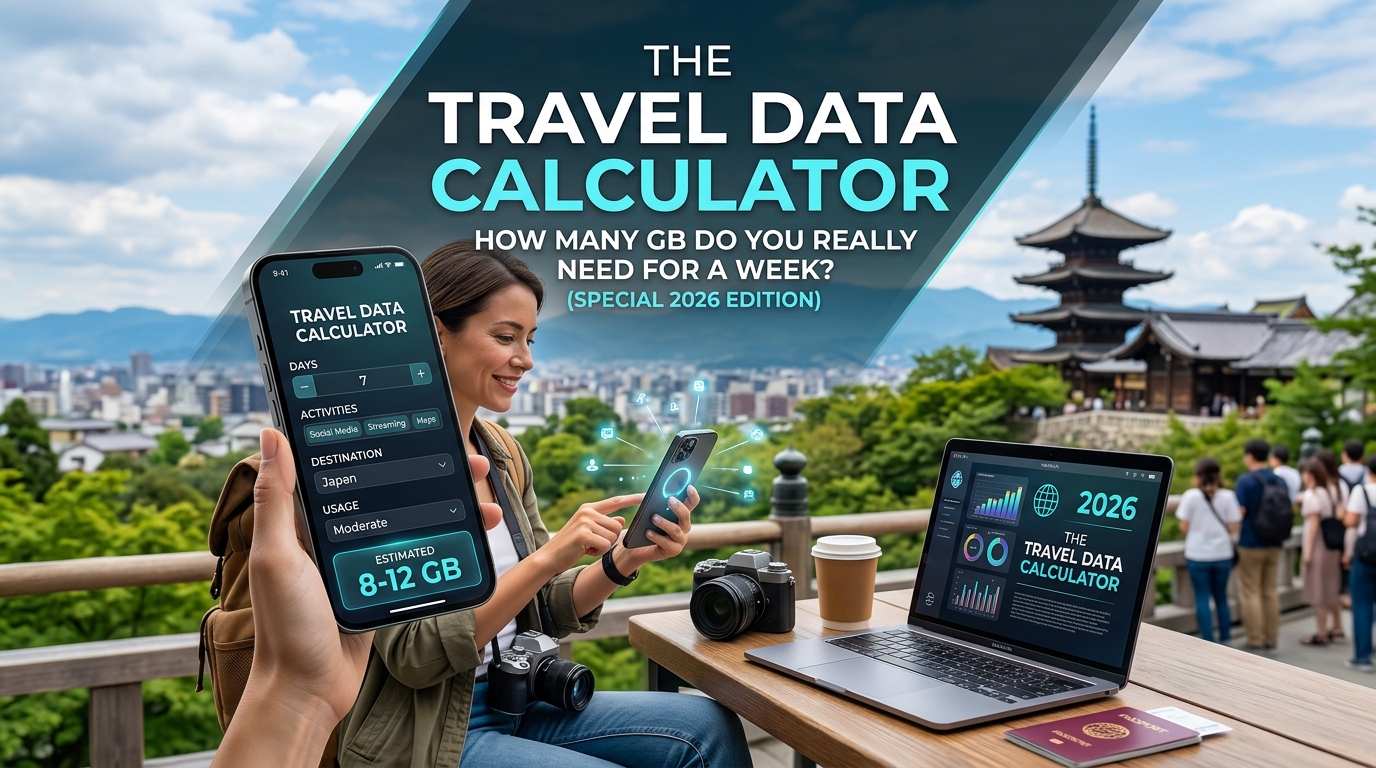
The Travel Data Calculator: How Many GB Do You Really Need for a Week? (Special 2026 Edition)
Introduction to The Travel Data Calculator: How Many GB Do You Really Need for a Week? (Special 2026 Edition)
Traveling in the 2020s, especially looking ahead to 2026, means navigating a world increasingly reliant on mobile data. From staying connected with loved ones via video calls to navigating unfamiliar cities using turn-by-turn GPS, our smartphones are essential tools. However, the sheer volume of data these activities consume can be daunting, and choosing the right data plan can feel like navigating without a map. Did you ever find yourself mid-trip, suddenly watching a high-definition movie buffer endlessly because your data allowance was exceeded? Or perhaps you paid for a hefty plan only to use a fraction of it, feeling frustrated by the wasted expense? This scenario is more common than you might think.
The proliferation of data-intensive apps – streaming music and videos, constantly uploading location-based photos, using navigation apps that refresh maps frequently – means even a seemingly moderate trip can gobble up mobile data faster than anticipated. Tourists snapping Instagram-worthy photos, business travelers constantly checking emails and video conferencing, and digital nomads requiring seamless cloud access all contribute to this growing demand. Choosing a data plan that is too small leads to constant buffering, dropped calls, and the inability to use essential apps. Conversely, choosing one that is too large results in significant, often unnecessary, expenditure.
This is where understanding your actual data needs becomes crucial. It transforms the often opaque process of selecting a travel data plan into a more predictable, budget-conscious exercise. The Travel Data Calculator emerges not just as a tool, but as an essential companion for the modern globetrotter. It provides a framework to estimate the mobile data consumption for your upcoming journey, allowing you to plan precisely and avoid the pitfalls of data anxiety or overspending.
But why focus specifically on 2026? The landscape of travel technology and data usage is constantly evolving. While the fundamentals of data consumption remain the same, the apps we rely on and the ways we use them are changing. In 2026, we can expect even more sophisticated travel apps, increased reliance on real-time information, and perhaps even more immersive experiences like augmented reality navigation or high-resolution video calls. Understanding the baseline data requirements now is not just prudent; it's foundational for making informed choices in the future.
This calculator isn't about arbitrary guesses; it's based on analyzing common travel activities and their associated data footprints. We break down usage into categories – streaming, navigation, social media, messaging, background tasks, etc. – allowing you to input your anticipated behaviors and receive a realistic estimate of the weekly data you'll likely consume. This empowers you to select a provider and a plan that aligns perfectly with your travel style, whether you're a light text-and-call traveler, a moderate user relying on maps and social media, or someone needing robust data for work or entertainment on the go.
Furthermore, understanding your data needs connects you more effectively with providers. Knowing you require a certain amount of data, and understanding potential usage caps or speed limitations (like the Fair Use Policy implemented by some providers, which MollySIM offers at a notably fast 384kbps – significantly faster than the 128kbps offered by competitors, ensuring smooth operation of essential apps like Google Maps, Apple Pay, and WhatsApp), allows you to negotiate better value or avoid restrictive plans altogether. MollySIM, for instance, provides clarity on its data offerings, making it easier to match your calculated needs with their specific plans designed for international travel.
In essence, this calculator demystifies the seemingly complex world of travel data. It shifts the focus from vague assumptions to concrete planning. By providing a detailed, user-friendly method to estimate your mobile data consumption, we aim to equip travelers with the knowledge needed to budget effectively, choose the right service, and enjoy a seamless, connected experience without the stress of unexpected data overages or wasteful spending. It’s about transforming a potential source of frustration into a tool for empowerment, ensuring your data plan serves your travel, not the other way around.
Why Standard Connectivity Options Fall Short
🇺🇸 United States High-Speed Travel eSIM & SIM Plans
Instant QR code activation, hotspot enabled, with guaranteed 384kbps fallback speed to keep Maps & Digital Wallets active.
The proliferation of budget travel SIM cards and eSIMs, particularly those marketed as "standard" or "basic" connectivity plans, often presents travelers with misleadingly simple options. While seemingly convenient and affordable, these standard plans frequently fall significantly short of meeting the actual needs of modern travelers, leading to frustrating experiences and wasted money. Understanding the specific limitations inherent in these offerings is crucial to avoid common pitfalls.
1. Insufficient Data Caps for Real-World Usage:
The most common shortcoming of standard plans is their arbitrarily low data caps. Many providers offer plans with caps ranging from 500MB to 2GB, sometimes advertised with generous "per day" allowances. However, the reality of international travel, even for moderate users, can quickly exhaust these limits.
- High-Resolution Media Consumption: Streaming platforms like YouTube or Netflix, even in standard definition, consume significant data. A single hour of video on Netflix can use around 1-2 GB, depending on the quality. Listening to music via Spotify or Apple Music also adds up; a few hours of music streaming can easily use 500MB to 1GB.
- Mapping and Navigation: Using Google Maps or Apple Maps extensively for navigation, exploring offline maps, or checking street views requires substantial data, especially when constantly updating location and downloading map tiles. Continuous use throughout a week can easily consume hundreds of MBs to over a GB per day.
- Social Media and Communication: Regularly checking social media feeds, sending/receiving photos and videos via apps like WhatsApp or Signal, and using email with rich media attachments all contribute to data usage. Frequent travelers often need to stay connected with colleagues and friends back home.
- Basic Web Browsing: Even seemingly low-data activities like browsing websites, checking emails, and using translation tools can add up, especially if done frequently throughout the day.
A standard 1-2GB cap might seem sufficient for a week, but consider a traveler using maps for navigation, streaming occasional music or videos, checking social media, and browsing for information. Easily, this usage can be doubled or tripled compared to daily domestic use, quickly hitting the cap and triggering slowdowns or charges for additional data – often at exorbitant rates.
2. Unrealistic Speed Throttling Policies:
Beyond data caps, many budget providers implement aggressive speed throttling or Fair Usage Policies (FUPs) that drastically reduce internet speed once a certain data threshold is reached within a billing cycle or day. These policies are often poorly communicated or misunderstood.
- Hidden Performance Penalties: The advertised "unlimited" data plan might technically be unlimited, but users will find their connection speed plummeting from 4G/5G levels to near unusable speeds (often capped at 64kbps or lower) after using a few hundred MBs. This renders essential apps like Google Maps (requiring map tiles and location data), WhatsApp for messaging and calls, and even basic web browsing extremely slow or unresponsive.
- Inability to Use Essential Apps: Many crucial travel apps become effectively useless once the FUP is triggered. Offline map downloads are often limited in size or require significant initial data to fetch, and continuous location services for navigation become impractical at snail-paced speeds.
- Lack of Transparency: The terms and conditions for speed throttling are often buried deep within the plan details, leaving travelers unprepared for a sudden degradation in service mid-trip.
This hidden throttling transforms a seemingly good deal into a frustrating experience, preventing travelers from effectively using their connectivity for its intended purpose.
3. Inadequate Customer Support and Clarity:
Standard, budget plans often come with limited or non-existent customer support, especially outside the provider's home country. Troubleshooting technical issues, understanding plan details, or resolving connectivity problems can be difficult or impossible when stranded abroad.
- Language and Time Zone Barriers: Support might be unavailable in the traveler's native language or during local travel hours.
- Lack of Clear Information: It can be challenging to find precise details about data allowances, speed caps, network coverage, or refund policies before purchasing.
This lack of clarity and support can leave travelers feeling vulnerable and unable to resolve issues promptly, adding another layer of frustration to an already difficult situation.
4. Limited or Non-Standard Coverage:
Budget providers may rely on cheaper, less reliable network partners or have spotty coverage in certain regions, particularly outside major cities or tourist hotspots. While they might advertise "global coverage," the actual performance can be patchy.
- Network Performance vs. Coverage: A plan might list coverage in an area, but the actual speed and reliability could be poor due to reliance on weaker network infrastructure or roaming agreements that don't guarantee optimal performance.
- Hidden Roaming Costs (for non-MollySIM): While the idea of a travel SIM avoids roaming charges, some budget providers might not offer truly unlimited or fair usage roaming, potentially leading to unexpected costs or blocked services when roaming is necessary.
The MollySIM Advantage:
Recognizing these common pitfalls, services like MollySIM are designed specifically to address the shortcomings of standard connectivity options. MollySIM offers transparent data usage calculators to help travelers plan accurately. Crucially, their Fair Use Policy provides a significantly more generous speed cap (384kbps) compared to many competitors (whose caps can be as low as 128kbps). This ensures that essential apps like Google Maps, Apple Pay, WhatsApp, and basic messaging remain functional even after substantial data usage, preventing the frustration of speed throttling. MollySIM's focus is on providing reliable, fair, and predictable connectivity for international travel, effectively solving the problems inherent in many standard plans.
MollySIM: Your Perfect Connectivity Partner
Traveling often means juggling connectivity options, and the frustration of spotty coverage, unexpectedly throttled speeds, or confusing data plans is a common one. Standard travel SIMs, hotel Wi-Fi, and local SIMs each come with their own set of compromises. MollySIM, however, is engineered specifically to overcome these hurdles, offering a seamless, reliable, and predictable connectivity experience designed for the modern globetrotter.
Understanding the Fair Use Policy: More Than Just Throttling
One of the most significant differentiators for MollySIM is its Fair Use Policy (FUP). This isn't just a legal formality; it's a commitment to providing genuinely useful connectivity without resorting to aggressive speed throttling once your fair share of data is used. Many competitors boast "unlimited" data, only to drastically slow your connection (sometimes to a crawl) once you exceed an arbitrarily low threshold, rendering essential apps unusable.
MollySIM's FUP operates on a much fairer principle. They cap the speed at 384kbps after a substantial amount of data has been consumed. This speed is deliberately set high enough to ensure that crucial travel applications continue to function smoothly. Imagine needing to:
- Use Google Maps for navigation – requiring map tiles and turn-by-turn directions.
- Make Apple Pay or other mobile payment transactions.
- Send messages via WhatsApp or similar apps.
- Access Google Translate for communication.
- Check emails or access a shared cloud drive.
These activities, even basic web browsing or email, consume data. A typical competitor's FUP might cap speed at 128kbps or even lower after a few hundred MBs. At that speed, streaming video is impossible, but even simple map loading or sending a WhatsApp message can become frustratingly slow or unresponsive. MollySIM's 384kbps cap (effectively three times faster than some competitors' caps) makes a tangible difference. It allows for significantly smoother web browsing, usable map services, functional messaging apps, and reliable mobile payments, ensuring your connectivity remains a tool, not a barrier, even after substantial usage.
Beyond the Fair Use Policy: Reliability and Global Coverage
While the FUP is a critical component, MollySIM's strength lies in its overall approach to connectivity. They partner with leading mobile network operators across numerous countries to provide a robust and reliable network. This isn't just about having some coverage; it's about ensuring consistent performance where you need it most. Their network infrastructure is designed to handle the demands of international travelers, minimizing dropped calls, ensuring stable browsing sessions, and providing dependable data access.
MollySIM offers true, unlimited data (within the FUP limits) across a vast range of destinations. This eliminates the guesswork and potential for surprise overage fees that can plague other travel data plans. Whether you're exploring bustling city centers, relaxing on a remote beach, or navigating rural landscapes, you can rely on consistent service. Their global coverage is extensive, covering popular tourist destinations and many less accessible areas, ensuring you stay connected almost anywhere in the world.
Multi-Device Support: Connectivity for the Whole Trip
Modern travel often involves multiple devices. You might want to share your data plan with a partner, use your tablet for offline maps, or even connect a laptop for work. MollySIM recognizes this and offers multi-device support. This allows you to connect multiple phones, tablets, or even laptops (using a USB modem or Ethernet) to a single MollySIM SIM card, sharing the data allowance efficiently. This is a significant advantage over single-device local SIMs or even some travel data plans that don't offer this flexibility.
Ease of Use and Customer Focus
MollySIM prides itself on a streamlined user experience. Getting started is incredibly simple:
- Choose Your Plan: Select the destination and data plan that suits your needs, aided by their intuitive Data Calculator.
- Purchase Online: Buy your plan securely via their website.
- Receive Your SIM: Get your SIM card delivered to your door before you even leave home, or purchase it at select airports.
- Activate: Insert the SIM, power on your device, and connect to their network – often within minutes.
Customer support is readily available, particularly through their dedicated WhatsApp channel, ensuring quick assistance if any issues arise during your travels.
In Summary
MollySIM isn't just another travel SIM provider; it's a dedicated platform built on principles of transparency, reliability, and fair usage. Their generous 384kbps Fair Use Policy speed cap (3x faster than some competitors) ensures that essential travel apps remain functional, preventing the frustration of unusable connectivity after your data allowance is fully utilized for legitimate purposes. Combined with extensive global coverage, multi-device support, and a user-friendly approach, MollySIM stands out as a superior choice for travelers seeking consistent, reliable, and genuinely useful internet access throughout their journey. It effectively solves the common problems of unreliable coverage, hidden throttling, and confusing data plans, offering a seamless connectivity experience for the modern traveler.
Step-by-Step Installation and Activation Guide
Once you've selected your perfect plan using MollySIM's intuitive Data Calculator and completed your purchase, activating your travel connectivity is straightforward. This guide walks you through the entire process, ensuring you're connected as quickly as possible.
1. Receiving Your SIM Card
- Online Purchase: Your MollySIM will be shipped securely via standard international mail (usually tracked) to the address you provided. Allow 3-7 business days for delivery, depending on your location.
- Airport Purchase: MollySIM also offers convenient airport pick-up options for select destinations. You'll need to book this in advance via their website, providing flight details. The SIM card will be waiting for you at the arrivals hall, ready for immediate activation upon collection.
2. Initial Setup: Inserting the SIM Card
Regardless of how you obtained your SIM, the physical insertion is identical:
- Find the Nano-SIM: Your MollySIM comes with a small, protective plastic tray containing your Nano-SIM card. Carefully peel off the adhesive backing and lift the tray.
- Locate the SIM Slot: Most smartphones have a dedicated SIM card slot, usually accessed by prying open a small panel on the side (iPhone) or the bottom (Android). Some phones have a hidden SIM tray under a rubber flap.
- Insert the SIM: Place the Nano-SIM card face-up (the side with the gold contacts) into the SIM tray slot. Ensure it clicks into place securely.
- Reinsert the Tray: Carefully push the tray back into your phone until it clicks, ensuring the SIM is properly seated.
3. Activation via MollySIM Website
This is the primary method for activation, whether you bought online or picked up at the airport:
- Visit the Website: Open a web browser on your smartphone or a computer. Go to the MollySIM website.
- Find Your Activation Code: Log in to your account (usually using email and password provided after purchase). Navigate to your order history or account dashboard. Your unique activation code (often a long alphanumeric string) will be listed. Keep this code safe; you'll need it.
- Initiate Activation: Look for the 'Activate SIM' or 'Manage SIMs' section on your account page. Select the SIM you wish to activate and enter your unique activation code.
- Follow On-Screen Instructions: The website will guide you through the activation process. This typically involves confirming your details and sometimes selecting your preferred network operator (if applicable in your region). The system will then begin provisioning your plan.
4. Connecting to the Network (The Crucial PIN Step)
Upon activation, your SIM card is ready, but your phone might prompt you for a PIN code. This is normal and necessary for security. Here’s what to do:
- If Prompted: When you turn on your phone or connect to a network, you might be asked for a PIN.
- Default PIN: MollySIM often provides a default PIN (e.g.,
1234or0000) for initial access. Check the email confirmation you received after purchase. Use this ONLY if absolutely necessary and you've forgotten your own PIN. - Your Own PIN (Recommended): For better security, you can set your own unique 4-digit PIN during this initial connection prompt. Choose something memorable but secure.
- Important Note: NEVER lose your SIM PIN code! If you forget it, you'll need to contact MollySIM support (via WhatsApp) to reset it, which can be a hassle. The default PIN is a temporary measure.
5. Connecting to the Internet (APN Settings - Usually Not Needed)
Most modern smartphones are configured to automatically connect to mobile data networks once the SIM is activated and the PIN is entered. MollySIM's network is designed to work seamlessly out-of-the-box on most devices.
- Automatic Connection: After activation and entering your PIN, your phone should automatically search for available networks and connect to the nearest MollySIM tower. You'll typically see "MollySIM" or a similar network name in your list of mobile networks.
- APN Settings (Advanced): In rare cases, particularly on older or very specific devices, you might need to manually configure Access Point Name (APN) settings. However, MollySIM generally does not require specific APN settings for standard connectivity. If you encounter issues, check if your device requires APN configuration, and if so, you can find generic settings or contact support.
6. Verifying Your Connection
Once connected, verify everything is working:
- Check Signal Strength: Look at the signal bars displayed by your phone – strong bars mean a good connection.
- Test Web Browsing: Open a browser and try visiting a simple website (like mollysim.com or a standard search engine). You should see a webpage load successfully.
- Test App Usage: Try opening a data-intensive app like Google Maps or WhatsApp. Remember, MollySIM's generous 384kbps Fair Use Policy ensures these apps function reliably, unlike some competitors who drastically throttle speeds after fair usage, potentially disabling essential travel apps. Your ability to use navigation, make calls, send messages, and use popular apps like WhatsApp smoothly demonstrates the effectiveness of this policy.
- Check Coverage: If you're experiencing no service or poor signal, check the MollySIM coverage map on their website to ensure your location is covered.
7. Troubleshooting Common Issues
If you encounter problems connecting:
- Check SIM Insertion: Ensure the SIM is properly seated in the tray.
- Verify PIN: Double-check you entered the correct PIN (your custom one or the default provided).
- Network Search: Does your phone even detect the "MollySIM" network? If not, try toggling Airplane Mode on/off or restarting your phone.
- Activation Status: Log back into your MollySIM account to confirm the SIM is indeed activated.
- Coverage: Ensure you are within the declared coverage area.
- Contact Support: If you've tried everything and still face issues, MollySIM's dedicated WhatsApp support channel is your best bet. They can guide you through further troubleshooting steps.
Network Compatibility Table (Example - Coverage Map is Best)
While specific device compatibility is generally high, knowing the regions covered is key. Below is a simplified example of potential network coverage (actual coverage varies by location and should be confirmed on the MollySIM website):
| Region/Country | Network Technology | Typical Speeds (Downlink) | Notes |
|---|---|---|---|
| Europe (Most Countries) | 4G LTE | Up to 100 Mbps | MollySIM uses local partners |
| North America | 4G LTE | Up to 100 Mbps | Includes US, Canada, Mexico |
| Asia Pacific | 4G LTE | Varies by country | Coverage varies significantly |
| Middle East | 4G LTE | Varies by country | Check specific country coverage |
| Africa (Selected) | 4G LTE | Varies by country | Focus on specific routes or countries |
This table is illustrative. Always refer to the MollySIM coverage map on their website for the most accurate and up-to-date information for your specific travel destination.
By following this detailed guide, you'll be well on your way to enjoying seamless connectivity throughout your travels. Remember, the key to a smooth experience starts with the MollySIM Data Calculator for the right plan and ends with this straightforward activation process.
Practical Travel Tips for Staying Connected
Getting connected while traveling is essential, but managing data usage and understanding network capabilities can prevent frustrating dead zones or unexpectedly high bills. Here are some practical tips to ensure a smooth and cost-effective travel connectivity experience:
1. Understand the Fair Use Policy (FUP) and Its Impact
Many travel SIM providers impose Fair Use Policies (FUPs) to manage network congestion and ensure fair access for all users. Understanding your provider's FUP is crucial for managing expectations, especially if you plan on streaming, gaming, or downloading large files extensively.
- What is a FUP? A FUP typically limits the speed of your connection once you've used a certain amount of data within a specific period (often a day). MollySIM's FUP, for example, limits speeds to 384 kbps once your daily fair usage threshold is reached. This is significantly faster than some competitors' FUPs, which can be as low as 128 kbps or less.
- What does 384 kbps allow? At 384 kbps, you can still browse the web reasonably well, use email, check social media feeds, read articles, and even use mapping apps like Google Maps or Apple Maps to a functional extent. Sending messages via WhatsApp or basic SMS is generally unaffected. However, activities like streaming high-definition video, downloading large files, or playing online games will be noticeably slower or impractical.
- Plan your usage accordingly: If you know you'll be doing a lot of data-heavy activities, consider a plan with a higher fair usage allowance or one that doesn't have a strict FUP (though these often come at a higher cost). Conversely, if you're primarily focused on staying informed and communicating, the standard MollySIM plan with its 384kbps FUP should suffice comfortably for most needs.
2. Prioritize Essential Apps and Limit Bandwidth-Hungry Ones
Not all data usage is created equal. Some apps consume significantly more data than others. Being mindful of which apps you use and how you use them can help stretch your data allowance further.
- Streaming Services: Services like Netflix, YouTube, and Spotify consume vast amounts of data, especially in HD or lossless quality. If you rely on these, you'll need a plan with ample data and potentially unlimited or high-speed data. Consider using offline download features where available (e.g., downloading shows for flights).
- Mapping Apps: Google Maps, Apple Maps, and Waze are invaluable for navigation but can use significant data, especially when loading map tiles frequently or using offline modes. Ensure you have enough data for your route or enable offline maps before you start driving.
- Social Media & Messaging: Platforms like Facebook, Instagram, and WhatsApp use data, primarily for video feeds and image loading. While less data-intensive than streaming, frequent use still contributes to your total usage.
- Email: Stick to text-based emails. Avoid forwarding large attachments whenever possible.
- Strategies: Turn off automatic map updates when not navigating. Use browser caching or download articles for offline reading. Stick to Wi-Fi whenever possible for large downloads or video streaming.
3. Leverage Wi-Fi Whenever Possible
Your travel SIM is designed for mobile data, but Wi-Fi is often a more cost-effective and faster alternative, especially for tasks that don't require constant connectivity.
- Hotspots: Many hotels, hostels, cafes, restaurants, and airports offer Wi-Fi. Utilize these! This keeps your mobile data usage down and often provides faster speeds than a standard mobile network for browsing or checking emails.
- Public Transport & Airports: Especially during layovers or while waiting for connections, public Wi-Fi can be a lifesaver for checking flight statuses, emails, or quickly uploading photos.
- Cautions: Be mindful of data caps or FUPs on public Wi-Fi. Some networks might throttle speeds after a certain amount of use. Also, be aware of security risks associated with public Wi-Fi and avoid accessing sensitive information (like online banking) unless the connection is secured (e.g., using a VPN).
4. Choose the Right Plan for Your Needs
Don't just pick the cheapest plan; choose the one that aligns with your anticipated usage.
- Assess Your Needs: Ask yourself: Will I be constantly uploading photos and videos? Do I need GPS for extensive driving? Will I be streaming music or movies? Am I primarily communicating via messaging apps?
- Data Allowance: Select a plan with a data allowance that matches your expected usage. If you're unsure, sometimes opting for a slightly higher allowance or an "unlimited" plan (even if it has a FUP) can provide peace of mind.
- Validity Period: Ensure the plan's validity (e.g., 7 days, 15 days) covers your entire trip duration.
- MollySIM Example: MollySIM offers various plans with different data amounts (5GB, 10GB, 20GB, 40GB+) and validity periods. Use the MollySIM Data Calculator to precisely determine the plan that fits your calculated needs for the week, ensuring you get the best value without overpaying for unused data.
5. Activate Quickly and Check Coverage
A seamless travel experience starts the moment you land.
- Preparation: Download the MollySIM app before you travel. Ensure your device is compatible (check the MollySIM website). Have your passport information ready.
- Activation Process: Upon arrival at a supported airport (check the list on the MollySIM website), open the app, scan the QR code (or enter the activation code), and follow the simple instructions. Activation is typically instant.
- Coverage Confirmation: Before relying heavily on your SIM, perform a quick speed test via the app or browser to confirm you're connected to the local network and getting the expected speeds (within the limits of your plan and any FUP).
6. Manage Expectations on the Go
- Network Variability: Coverage and speed can vary significantly depending on your location (urban vs. rural, indoors vs. outdoors, specific countries). Be prepared for occasional slower speeds or weaker signal strength.
- Terrestrial Coverage: Remember that MollySIM primarily relies on roaming agreements with local mobile operators. Coverage is generally available in major towns and cities, but might be sparser in remote areas, rural regions, or specific islands. Always refer to the MollySIM coverage map for detailed information on your destination.
- Device Compatibility: While high, ensure your phone's network settings are correctly configured (usually automatic). If you encounter issues, the MollySIM support team can assist.
By following these tips, you can maximize your travel connectivity experience, minimize unexpected costs, and ensure you stay connected smoothly throughout your journey. Remember to use the MollySIM Data Calculator wisely and consult the coverage map for peace of mind.
Conclusion and Final Checklist
Navigating the complexities of travel data usage requires more than just a simple GB count. The "Travel Data Calculator: How Many GB Do You Really Need for a Week? (Special 2026 Edition)" has provided a framework to move beyond simplistic assumptions and towards a more informed, tailored approach. We've dissected the factors influencing your data consumption – from the sheer volume of photos and the nuances of video quality, to the demands of streaming, navigation, messaging, and background app refresh. We've also highlighted the often-overlooked elephant in the room: background data usage. This silent consumer can dramatically alter your usage patterns, making even moderate daily limits disappear faster than anticipated.
Understanding these elements is crucial. It transforms the GB figure from a mere number into a strategic component of your travel planning. Choosing the right data plan isn't just about selecting the highest capacity; it's about balancing cost against utility. A plan too small risks constant anxiety and unexpected disconnections, while one too large can represent a significant, unnecessary expense. The MollySIM Data Calculator is an invaluable tool in this process, offering a sophisticated estimate based on your anticipated activities. However, remember that it's an estimate, and real-world usage can vary. This underscores the importance of monitoring your usage, perhaps via the MollySIM app, especially during longer trips or if your itinerary involves extensive video streaming or large file downloads.
Beyond the Calculator: Maximizing Your Travel Experience
Once you've selected your plan, the focus shifts to maximizing its utility. The MollySIM SIM card, designed for seamless global connectivity, becomes your digital lifeline. Activating it is straightforward – simply visit mollysim.com, choose your destination and plan, then activate via the app using the QR code or activation code provided. Instant activation ensures you're connected from day one. However, the true value lies in using that data effectively.
Consider the trade-offs. While high-definition video streaming offers rich content, it consumes vast amounts of data quickly. For destinations where you plan to spend weeks or months, or where local Wi-Fi is readily available for content consumption, a larger data allowance might be justified. Conversely, for shorter trips focused on navigation, basic communication, and essential web browsing, a more modest plan could suffice, especially with the efficiency of technologies like MollySIM's optimized network roaming.
Think critically about how you consume data. Do you primarily use data for navigation apps like Google Maps or Apple Maps? These are essential but can be data-intensive, particularly when frequently updating maps. Do you rely on social media for daily updates? Be mindful of image uploads and video streaming. Do you need to work remotely? Background tasks for email or cloud services can add up.
The Final Checklist: Ensuring a Smooth Journey
To ensure you start your trip fully prepared and avoid the frustration of running out of data mid-adventure, here is a comprehensive checklist derived from the insights provided:
📝 Pre-Departure Preparation
- Estimate Your Needs: Use the MollySIM Data Calculator (or a similar methodology) to estimate your likely weekly data usage based on your planned activities (photos, videos, streaming, navigation, messaging). Factor in background data.
- Select the Right Plan: Choose a MollySIM plan (or equivalent provider) that aligns closely with your estimated needs, balancing cost and capacity. Consider regional roaming if your trip involves multiple countries.
- Purchase and Activate: Buy your chosen MollySIM travel SIM online (e.g., via mollysim.com). Activate it well before your trip using the provided instructions (app scan or code entry).
- Understand the Fair Use Policy (FUP): Be aware of the data cap and speed limit (e.g., MollySIM's 384kbps limit, significantly faster than competitor FUPs like 128kbps). This ensures fair usage but means exceeding your cap drastically will slow your connection. MollySIM's FUP allows for smooth use of Google Maps, Apple Pay, WhatsApp, and standard messaging without the crippling slowdown common with slower competitors.
- Check Compatibility: Ensure your phone supports the required network bands for your destination. Most modern smartphones do, but it's good to verify.
- Coverage Verification: Before relying heavily on your trip, perform a speed test and check coverage in your primary destination city using the MollySIM app or local network settings. Consult the MollySIM coverage map for details.
📶 During Your Trip: Maximizing Connectivity
- Activate and Connect: Turn on roaming on your phone (usually automatic when inserting the MollySIM, but double-check settings). Activate the SIM via the app immediately upon arrival.
- Monitor Usage: Keep an eye on your data consumption, especially during the first few days or if you're unsure about your usage patterns. The MollySIM app provides clear usage statistics.
- Prioritize Connectivity: Use data efficiently. Stream content only when necessary or connected to local Wi-Fi. Download maps before areas with poor signal. Use apps wisely.
- Troubleshooting Readiness: Know the basic steps for checking signal strength, restarting your phone, and using the MollySIM app for support if needed. Keep the MollySIM website handy for FAQs or direct contact.
🛬 Anticipating Challenges
- Network Variability: Be prepared for slower speeds or weaker signal strength in rural areas, indoors, or specific locations. Accept that perfect connectivity isn't guaranteed everywhere.
- Terrestrial Coverage Reality: Remember that MollySIM relies on roaming agreements. Coverage maps are guides; verify local service if absolutely critical (e.g., remote work in sparsely covered areas).
By meticulously following this checklist, you significantly increase the likelihood of a smooth, connected, and enjoyable travel experience. The journey planning extends beyond sightseeing; incorporating data strategy ensures you remain connected, informed, and able to capture those memories without the worry of connectivity constraints. The MollySIM Data Calculator and SIM card offer powerful tools, but the ultimate success lies in understanding your own usage patterns and preparing accordingly for the adventures ahead.
🇺🇸 United States High-Speed Travel eSIM & SIM Plans
Instant QR code activation, hotspot enabled, with guaranteed 384kbps fallback speed to keep Maps & Digital Wallets active.