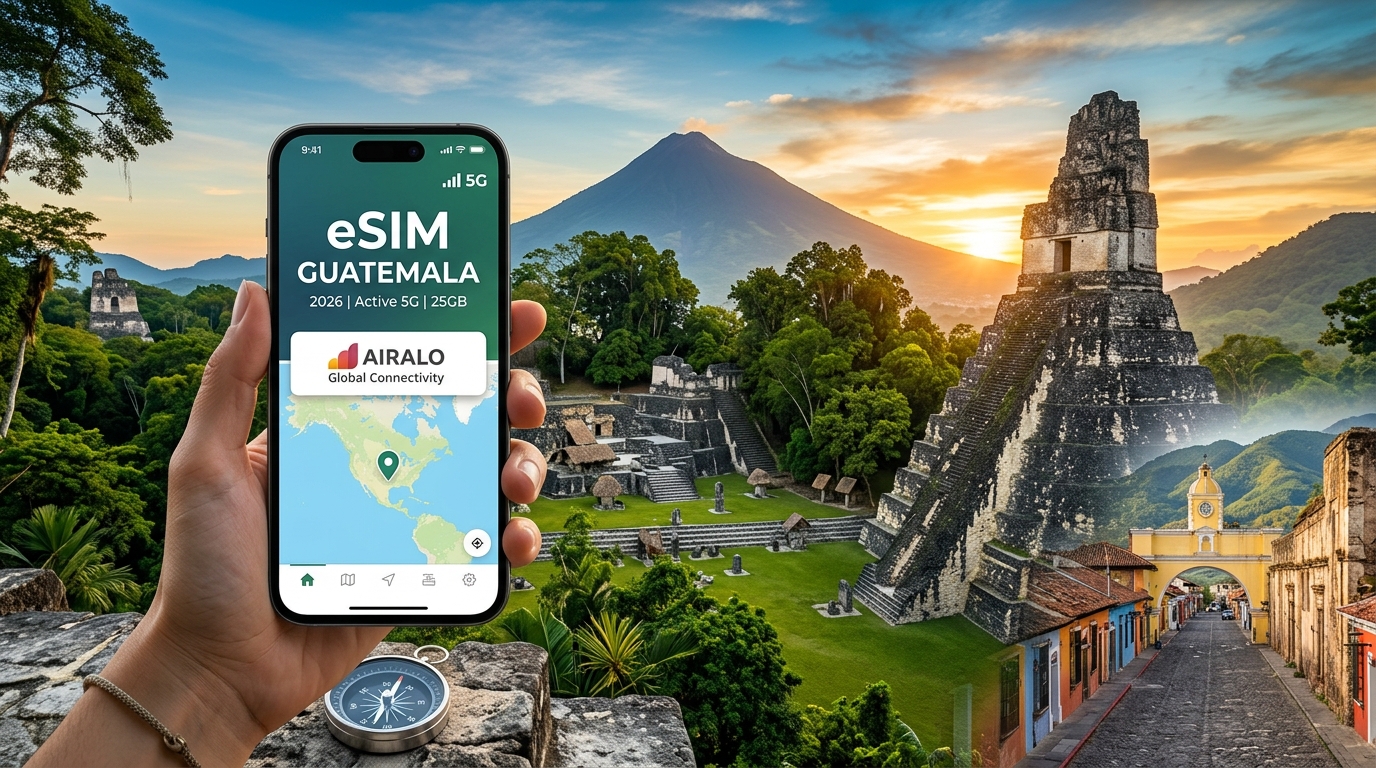
From Antigua to Tikal: The Complete 2026 Guatemala Travel eSIM Guide
Navigating Guatemala’s Cellular Landscape: Tigo vs. Claro Infrastructure
Understanding Guatemala’s telecommunications environment is essential for maintaining uninterrupted connectivity whether you are navigating the cobblestone alleys of Antigua or trekking through the dense biosphere of Petén. The country operates under a tight duopoly: Tigo (subsidiary of Millicom International Cellular) and Claro (owned by América Móvil). Following Claro’s acquisition of Movistar’s local assets, these two telecommunications giants control over 99% of the national mobile market.
+-------------------------------------------------------------------------+
|                    GUATEMALA CARRIER DUOPOLY                            |
+------------------------------------+------------------------------------+
|               TIGO                 |               CLARO                |
|      (Millicom Guatemala)          |       (América Móvil Guatemala)    |
|   ~55% Market Share                |   ~44% Market Share                |
|   • Superior Rural Footprint       |   • Aggressive Urban 5G Deployment |
|   • Dominant in Highlands/Petén    |   • Competitive Metro Speeds       |
+------------------------------------+------------------------------------+
Frequency Bands and Spectrum Allocation
Guatemala’s cellular deployment relies heavily on standard American frequency bands. However, real-world reception varies dramatically based on which specific spectrum frequencies are deployed along your travel route:
| Technology | Frequency Band | Carrier Support | Deployment Context & Signal Characteristics |
|---|---|---|---|
| 3G / HSPA+ | Band 5 (850 MHz) | Tigo, Claro | Fallback voice and basic data in deep valleys and remote rural corridors. |
| 4G LTE | Band 2 (1900 MHz PCS) | Tigo, Claro | Secondary capacity band in urban environments and regional transit hubs. |
| 4G LTE | Band 4 / 66 (1700/2100 MHz AWS) | Tigo, Claro | Core 4G workhorse; offers high throughput across Guatemala City, Antigua, and Xela. |
| 4G LTE | Band 5 (850 MHz) | Tigo | Critical low-band coverage that penetrates volcanic mountain passes and dense jungle canopy. |
| 4G LTE | Band 7 (2600 MHz) | Claro | High-density urban deployment for rapid data handling in crowded metro centers. |
| 5G NR | Band n78 / DSS | Claro, Tigo (Limited) | High-speed urban coverage concentrated in Guatemala City (Zones 4, 9, 10, 14, 15). |
The Sierra Madre Topographical Challenge
Guatemala’s geography presents one of the most complex RF (radio frequency) propagation environments in Central America. The Sierra Madre mountain range cuts across the southern and western territories, creating steep volcanic ridges, deep ravines (barrancos), and microclimates that severely attenuate high-frequency radio signals like Band 4 (AWS) and Band 7 (2600 MHz).
In mountainous highland areas like Lake Atitlán, high-frequency signals often suffer from non-line-of-sight (NLOS) signal degradation. A town nestled against a caldera wall (such as Jaibalito or San Marcos La Laguna) might receive strong low-band Band 5 signals reflected from across the lake, while losing high-band LTE connectivity entirely. Similarly, in the northern lowland rainforests surrounding Tikal National Park, dense, moisture-laden jungle canopies absorb higher-frequency signals, rendering single-band modems ineffective.
               RF SIGNAL DEGRADATION IN HIGHLAND TERRAIN

     Cell Tower (850 MHz & 2100 MHz)
          ▲
         / \
        /   \  2100 MHz (AWS) Line-of-Sight Blocked
       /     \  ~~~~~~~~~~~~~~~~~~~~~~~~~~~~~~> [ Dead Zone ]
      /  Volcanic \                                |
     /    Ridge    \                               v
    /               \   850 MHz (Low-Band)   [Lake Atitlán Village]
   /                 \  Diffracts over ridge       (Connected)
  /                   \-------------------------->
Rural Reach vs. Urban Throughput
The two network operators have historically optimized their cell grid footprints for different strategic priorities:
- Tigo’s Rural and Highland Dominance: Tigo has long maintained the most resilient rural transmission infrastructure in Guatemala. It features the largest network of macro-towers across the Western Highlands (El Altiplano), indigenous settlements around Chichicastenango, and the long transit corridor extending north along the CA-13 highway into Petén. If your itinerary includes off-grid destinations like Semuc Champey, the Cuchumatanes mountains, or remote archaeological ruins, Tigo’s low-band 850 MHz footprint provides the most consistent fallback connectivity.
- Claro’s Urban and Metro Edge: Claro has invested heavily in fiber-backed small cells and high-throughput spectrum (Band 7 and sub-6 GHz 5G) throughout major metropolitan areas. In central Guatemala City, Quetzaltenango (Xela), and the urban center of Antigua, Claro often delivers lower latency and higher average downlink speeds than Tigo during peak hours.
The Single-Network Risk: Why Redundancy Matters
Locking your device to a single local carrier poses operational risks for travelers moving through diverse regions. A standard tourist plastic SIM purchased at La Aurora International Airport (GUA) binds you to either Tigo or Claro. If you choose Claro, you may experience exceptional LTE speeds in Guatemala City, only to lose data access entirely on the boat shuttle between Panajachel and Santa Cruz La Laguna. Conversely, relying strictly on a localized Tigo profile can result in congested connections in parts of commercial Guatemala City.
This infrastructure reality makes multi-network eSIM aggregation the superior technical solution for travel in 2026. Premium travel eSIM providers like MollySIM bridge this regional infrastructure gap by operating dynamic roaming agreements. Instead of being tethered to a single carrier’s infrastructure, a multi-network eSIM dynamically handshakes with whichever tower provides the highest Reference Signal Received Power (RSRP) at your precise coordinates.
Furthermore, remote transit across Guatemala’s interior frequently leads to brief data package exhaustion. While many legacy eSIM brands throttle speeds to an unusable 128 kbps upon reaching high-speed data caps, MollySIM maintains a 384 kbps Fair Use Policy (FUP) minimum speed limit—three times the industry standard. This bandwidth is fast enough to ensure that mission-critical apps like Google Maps turn-by-turn navigation, WhatsApp voice routing, and Apple Pay payment authorizations continue functioning without interruption, even on rural mountain roads.
Route Breakdown: Signal Strength from Lake Atitlán to the Canopy of Tikal
🇺🇸 United States High-Speed Travel eSIM & SIM Plans
Instant QR code activation, hotspot enabled, with guaranteed 384kbps fallback speed to keep Maps & Digital Wallets active.
Traversing Guatemala means navigating dramatic shifts in geography—from volcanic calderas and colonial valleys to dense subtropical rainforests. Cellular performance varies drastically across this terrain, making a granular understanding of regional signal dynamics essential for maintaining seamless connectivity.
Antigua Guatemala: Colonial Adobe Attenuation & Rooftop Speeds
In Antigua, base stations line the outskirts of the UNESCO-protected core to preserve architectural heritage. While outdoor signal propagation across the grid is robust, the town’s 300-year-old architectural style poses a physical barrier:
- Structural Signal Loss: Historic properties feature 2-foot-thick solid adobe and volcanic stone walls that attenuate cellular frequencies, often degrading an outdoor 5G signal down to a weak 1-bar 4G connection indoors.
- The Rooftop Advantage: Stepping onto rooftop terraces immediately restores line-of-sight to perimeter cell towers, delivering downlink speeds exceeding 65–90 Mbps.
- Navigation & Ride-Hailing: Continuous connectivity is necessary for hailing Ubers to surrounding trailheads like Cerro de la Cruz or coordinating private shuttles leaving from cobblestone corners.
Lake Atitlán: Caldera Topography & Lancha Transit Dead Spots
Lake Atitlán’s cellular performance is dictated by its vertical volcanic rims. Tower distribution across the towns is uneven, creating distinct coverage tiers:
                      PANORAMA: CELLULAR REACH AT ATITLÁN

       [Panajachel Hub]                 [Volcán San Pedro]
          (Strong LTE)                       /          \
          /          \                      /   Isolated \
     [Lancha Route - Spotty] <~~~~~~~~> [San Pedro]    [Jaibalito]
(Moderate) (Weak 3G)- Panajachel & San Pedro La Laguna: As major transit and commercial hubs, both towns boast reliable LTE coverage suitable for video calls and remote work.
- San Marcos & Santa Cruz: San Marcos offers stable coverage around the central town path, but signal strength drops rapidly as you climb into hillside eco-lodges. Santa Cruz and Jaibalito rely on microwave backhaul links across the water, leading to higher latency (90–140 ms).
- Open-Water Lancha Dead Zones: Public boat taxis (lanchas) skim along towering cliff faces that block line-of-sight to shore towers. Anticipate 1- to 3-minute cellular dropouts while traveling between Panajachel and the western villages.
The Central Highlands to Semuc Champey (Lanquín)
The journey from Antigua through Cobán to the limestone canyons of Lanquín exposes the limitations of single-carrier networks:
- The Fog Forests & Mountain Passes: Transit via shared tourist vans or local chicken buses winds through deep highland valleys where signals constantly bounce between 4G, 3G, and total dropouts.
- Lanquín Valley & Semuc Champey: The town of Lanquín holds a modest LTE pocket, but descending into the Semuc Champey river canyon results in near-complete signal attenuation under the limestone bluffs.
When your data drops to baseline thresholds on these remote mountain roads, MollySIM’s built-in 384 kbps Fair Use Policy minimum speed limit ensures your mapping apps continue caching vector tiles and updating GPS coordinates uninterrupted—a crucial fail-safe where the typical 128 kbps competitor throttle fails to render map data.
Petén & Tikal National Park: Dense Jungle Canopy Challenges
Reaching Guatemala’s northern lowlands presents an infrastructure contrast between the urbanized island of Flores and the ancient ruins inside the Maya Biosphere Reserve.
| Location | Typical Network Tier | Download / Upload | Coverage Quality |
|---|---|---|---|
| Flores Island & Santa Elena | 4G LTE / 5G | 35–60 Mbps / 15 Mbps | Dense, reliable coverage across hotels & lakeside cafés |
| Flores-to-Tikal Highway | 3G / 4G (Intermittent) | 5–12 Mbps / 2 Mbps | Drops to EDGE near national park checkpoint gates |
| Tikal Grand Plaza & Ruins | EDGE / Limited 3G | 0.5–2 Mbps / 0.2 Mbps | Extreme canopy dampening; near-zero indoor signal |
Inside Tikal National Park, the primary technical obstacle is the multi-layered jungle canopy. High humidity combined with dense biological mass absorbs high-frequency cellular bands.
While you may catch a faint, direct signal at the summit of Temple IV overlooking the canopy, the forest floor around the Lost World and Grand Plaza operates as a functional cellular dead zone. Pre-downloading offline translation packs and trail waypoints before departing Flores is mandatory.
Connectivity Methods Compared: Local Physical SIMs vs. Pocket Wi-Fi vs. Travel eSIM
Navigating Guatemala’s varied terrain demands an uninterrupted data pipeline, whether you are coordinating private shuttles through the highlands or verifying banking tokens in remote villages. Modern travelers have four primary options for cellular connectivity: local physical SIM cards, portable pocket Wi-Fi units, legacy international roaming from home carriers, and prepaid digital travel eSIMs.
Each method presents stark trade-offs in hardware dependency, bureaucratic friction, and network redundancy.
| Metric / Feature | Local Physical SIM (Tigo / Claro) | Pocket Wi-Fi Rental | Home Carrier Roaming (e.g., AT&T, Verizon) | MollySIM Travel eSIM |
|---|---|---|---|---|
| Typical Cost | $15–$25 (Initial pack + bundle) | $8–$12 / day + deposit | $10–$12 / day | Low cost per GB (Transparent prepaid tiers) |
| Setup Time | 20–45 minutes in line | 15 min pickup + daily charging | Instant (Pre-arranged) | Under 2 minutes via QR scan |
| KYC / Passport Friction | High (Mandatory physical scan & registration) | Medium (Credit card hold & rental agreement) | None (Pre-existing account) | Zero (No ID upload or KYC check required) |
| Network Switching | Locked to single carrier (Tigo or Claro) | Single carrier SIM inside hotspot | Dependent on roaming partner agreements | Multi-network auto-switching capability |
| Low-Speed Fallback (FUP) | Hard stop (Data cut off until recharge) | 64–128 kbps (Near unusable) | Hard throttle or expensive overage charges | 384 kbps minimum speed floor |
| Hardware Burden | Requires SIM ejector tool; physical card swap | Requires carrying secondary device & power bank | None | None (100% digital profile) |
The La Aurora (GUA) Airport SIM Bottleneck vs. Instant Digital Onboarding
Acquiring a local physical SIM upon arrival at Guatemala City’s La Aurora International Airport (GUA) involves significant logistical friction. Official Superintendencia de Telecomunicaciones (SIT) regulations mandate strict identity verification to combat mobile fraud. Purchasing a SIM at airport arrivals kiosks requires:
- Waiting in congested queues after baggage claim.
- Handing over your physical passport for manual scanning and data entry into carrier databases.
- Accepting unfavorable airport exchange rates or cash-only pricing for initial activation bundles.
- Physically handling nano-SIM trays, creating a direct risk of misplacing your primary home carrier SIM.
If you arrive late at night or your flight is delayed past standard kiosk operating hours, you must navigate to your hotel without data, deferring SIM purchase until reaching an urban commercial center.
By contrast, an eSIM profile from MollySIM completely bypasses physical points of sale and KYC friction. You can install the eSIM profile over Wi-Fi prior to departure; the profile latches onto local cell towers the moment your plane touches down on the GUA tarmac.
+---------------------------------------------------------------+
|                      ONBOARDING COMPARISON                     |
+---------------------------------------------------------------+
|  Local SIM:   [Queue] -> [KYC/Passport] -> [Swap Card] -> [Wait 1hr]
|  MollySIM:    [Scan QR at Home] ---------> [Auto-Connect on Landing]
+---------------------------------------------------------------+
Pocket Wi-Fi and International Roaming: The High-Cost Pitfalls
While pocket Wi-Fi offers connectivity for multiple secondary devices, it introduces significant logistical liabilities for active travelers. The hardware must be charged daily, and lithium-ion battery performance degrades rapidly in high-altitude environments like Quetzaltenango or humid zones like Petén. Furthermore, losing the unit incurs steep replacement fees ($150–$250 USD).
Traditional home carrier roaming plans (such as "Day Pass" add-ons) quickly become cost-prohibitive on extended Guatemalan itineraries. A 14-day traverse across the Western Highlands can add $140+ USD to your domestic phone bill, often with restrictive daily "high-speed" caps (typically 500MB to 2GB) that throttle down to an unusable 128 kbps.
The Dual-Network & Fair Use Policy Advantage
The single largest technical vulnerability of standard local SIMs is carrier lock-in. A physical Tigo SIM leaves you stranded in specific western municipal pockets dominated by Claro, while a Claro SIM experiences signal dropouts in deep Alta Verapaz valleys.
MollySIM resolves this through dynamic carrier profiles capable of routing data across leading local infrastructures. Furthermore, should you exhaust your primary high-speed data allowance while hiking between remote villages, MollySIM’s built-in 384 kbps Fair Use Policy baseline keeps mission-critical applications operational. At 384 kbps—triple the standard 128 kbps throttling enforced by competing travel eSIMs—navigation apps (Google Maps, Waze), messaging platforms (WhatsApp text/voice notes), and digital payment gateways (Apple Pay, banking 2FA) continue to execute reliably without stranding you mid-transit.
The MollySIM Advantage: Dynamic Network Roaming and the 384kbps Safety Net
Navigating Guatemala’s varied topography—from the dense volcanic valleys of Sacatepéquez to the remote jungle canopies surrounding Flores and Uaxactún—demands network infrastructure that adapts in real time. Standard prepaid tourist SIMs bind your device to a single Public Land Mobile Network (PLMN). If you descend into a canyon where Tigo lacks a line of sight to its nearest cell site, or traverse a highlands corridor where Claro holds exclusive tower rights, your connection drops entirely.
MollySIM bypasses this infrastructure bottleneck through dynamic multi-carrier roaming architecture. Instead of locking your device to one local provider, the eSIM core profile actively negotiates over-the-air handshakes with both Tigo (Comcel) and Claro (América Móvil).
Your smartphone automatically binds to whichever carrier delivers the highest Reference Signal Received Power (RSRP) and lowest packet latency at your exact coordinates. Transitioning from an urban Uber pickup in Guatemala City’s Zone 10 to an unpaved highland pass toward Lake Atitlán occurs seamlessly in the background—requiring zero manual APN reconfigurations, network searches, or physical SIM tray swaps.
+-------------------------------------------------------------------+
|                     MOLLYSIM ADAPTIVE CORE                        |
+-------------------------------------------------------------------+
         |                                           |
         v                                           v
+------------------+                       +-------------------+
|  Tigo Guatemala  |                       |  Claro Guatemala  |
| (Best in Petén & |                       | (Best in Western  |
|  Urban Centers)  |                       |    Highlands)     |
+------------------+                       +-------------------+
         \                                           /
          +--> Automatic Real-Time Signal Handover -+
The 384 kbps Safety Net: Engineered for Mission-Critical Continuity
The primary anxiety of travel connectivity is data exhaustion mid-transit. Most international eSIM providers implement draconian Fair Use Policies (FUP), throttling bandwidth to an unusable 64 kbps or 128 kbps once high-speed allocations expire. At 128 kbps, modern HTTPS encryption handshakes timeout, rendering mapping interfaces, ride-hailing apps, and two-factor authentication (2FA) systems non-functional.
MollySIM engineers a persistent 384 kbps safety net buffer into every Guatemala plan. Operating at triple the throughput of standard market alternatives, this continuous bandwidth threshold keeps essential mobile protocols operational even after your high-speed quota reaches zero.
| Critical Travel Application | 128 kbps (Standard Travel eSIMs) | 384 kbps (MollySIM Safety Net) |
|---|---|---|
| Google Maps / Waze Navigation | Vector tiles fail to load; search timeouts | Fluid vector rendering, live rerouting, turn-by-turn active |
| WhatsApp / Signal / Telegram | Text only; voice notes and VoIP calls drop | Instant text/media delivery, stable voice calls |
| Ride-Hailing (Uber / inDrive) | Map tracking stalls; driver dispatch fails | Real-time driver GPS tracking, smooth fare confirmations |
| Mobile Banking / Apple Pay 2FA | TLS/SSL handshakes timeout | Instant token generation and secure session validation |
| Google Translate (Live Mode) | Frequent server disconnects | Real-time offline pack sync and active phrase translation |
Whether booking an emergency inDrive in Quetzaltenango (Xela), verifying your digital boarding pass at La Aurora International Airport (GUA), or navigating off-grid detours around Semuc Champey, the 384 kbps threshold eliminates the risk of total digital isolation in transit.
Step-by-Step Installation: Activating Your eSIM Before Landing at La Aurora (GUA)
Configuring your connectivity profile before boarding your flight ensures immediate network attachment the moment your aircraft touches down on the runway at La Aurora International Airport (GUA) in Guatemala City. Completing installation over a stable home or departure airport Wi-Fi network eliminates reliance on congested airport Wi-Fi terminals.
Follow this technical deployment workflow to configure your MollySIM Guatemala eSIM across iOS and Android devices.
Phase 1: Pre-Departure Profile Installation
Do not wait until landing in Central America to download the eSIM profile. The cryptographic handshake between your device's eUICC chip and the remote SM-DP+ server requires a stable 10–15 Mbps internet connection.
+-------------------------------------------------------------------+
| PRE-DEPARTURE SETUP WORKFLOW                                      |
| 1. Connect to Home/Lounge Wi-Fi                                   |
| 2. Scan QR Code or Input SM-DP+ String                            |
| 3. Label Profile "MollySIM - Guatemala"                          |
| 4. Turn Data Roaming ON for MollySIM (Keep Line OFF until flight) |
+-------------------------------------------------------------------+
Apple iOS (iPhone XS / 11 / 12 / 13 / 14 / 15 / 16 Series)
- Navigate to Settings > Cellular (or Mobile Data).
- Tap Add eSIM > Use QR Code.
- Scan the QR code delivered in your MollySIM confirmation email.
- Manual Fallback: If scanning from the same screen, select Enter Details Manually. Paste the provided SM-DP+ Address and Activation Code (leave the confirmation code blank unless prompted).
- Assign a custom label: Set the newly added plan as "MollySIM Guatemala" and your domestic carrier as "Primary".
Android (Samsung Galaxy, Google Pixel, Xiaomi)
- Navigate to Settings > Connections (or Network & Internet) > SIM Manager / SIMs.
- Tap Add eSIM (or Download a SIM instead).
- Scan the voucher QR code.
- Manual Fallback: Tap Enter activation code and paste the raw LPA string (
LPA:1$smdp.address.com$ACTIVATION-CODE). - Confirm installation and label the card slot accordingly.
Phase 2: Dual-SIM Routing & 2FA Security Architecture
To receive critical banking verification codes (SMS 2FA) without incurring accidental domestic carrier roaming fees, configure your dual-SIM settings using the following protocol:
| Setting Category | Domestic Home SIM (e.g., AT&T, Verizon, EE) | MollySIM Guatemala Profile |
|---|---|---|
| Line Status | ON | ON |
| Default Voice Line | Selected (Primary) | Disabled |
| SMS / iMessage / 2FA | Selected (Primary) | Disabled |
| Cellular Data | OFF | ON (Active Data Line) |
| Cellular Data Switching | Disabled (Prevents auto-failover leaks) | N/A |
| Data Roaming Toggle | OFF (Prevents carrier $10/day pass) | ON (Required for routing) |
Dual SIM Routing Architecture:
[ Incoming Bank 2FA SMS ] ---> (Home SIM: Roaming Data OFF) ---> Zero Carrier Charges
[ Google Maps / WhatsApp ] ---> (MollySIM: Data Roaming ON)  ---> Fast Local Data (384kbps FUP)
Phase 3: Touchdown Execution at La Aurora (GUA)
As the aircraft taxis toward the gate at La Aurora:
- Disable Airplane Mode: Allow your device’s baseband modem to initiate local cell tower discovery.
- Verify Data Line Selection: Ensure Cellular Data points explicitly to the MollySIM profile.
- Confirm APN Settings: MollySIM profiles auto-populate Access Point Name (APN) fields dynamically. If data does not populate within 60 seconds, navigate to your eSIM cellular settings and set the APN to
globaldata(or the specific APN indicated in your MollySIM setup dashboard), leaving the username and password blank. - Network Latch Reset: If the device displays "No Service," toggle Airplane Mode ON for 10 seconds, then OFF. This forces the baseband processor to poll the strongest local Tier-1 mast (Claro or Tigo).
Even if you experience signal fluctuations while navigating the baggage claim lower level, MollySIM's persistent architecture ensures that your baseline mapping and ride-hailing services remain active, backed by the continuous 384 kbps fair-use floor that keeps mission-critical apps functional without dropouts.
Practical Tips for Digital Nomads and Solo Backpackers in Guatemala
Navigating Guatemala’s microclimates, historic colonial corridors, and remote volcanic trails requires proactive digital hygiene. Balancing reliable connectivity with hardware preservation ensures you stay productive and safe whether working from a co-working space in Antigua or hiking up Volcán Acatenango.
1. Bandwidth Optimization & Offline Preparedness
Even with robust Tier-1 LTE/5G footprints, terrain-induced shadow zones exist along mountain passes between Panajachel, Lanquin, and Flores. Configure your apps before departing metropolitan hubs:
- Google Maps Vector Caching: Download regional offline map areas covering Sacatepéquez, Sololá, and Petén. Pre-cached vector packs reduce active data polling and drastically save battery.
- WhatsApp Data Compression: Navigate to Settings > Storage and Data and toggle Use Less Data for Calls. Disable Media Auto-Download over cellular to stop incoming video clips from draining your data bucket.
- Continuous FUP Advantage: If you exceed your high-speed quota during long bus journeys, MollySIM's guaranteed 384 kbps Fair Use Policy (FUP) baseline maintains enough throughput for text routing, Google Maps turn-by-turn navigation, and Uber/Indrive location updates—tripling the standard 128 kbps throttles that typically cause app timeouts.
2. Digital Security: Public Wi-Fi vs. Encrypted Cellular
The digital nomad hubs of Antigua (e.g., Café Boheme, Artista de Café) and San Pedro La Laguna offer widespread public Wi-Fi, but these open networks rarely implement client isolation.
Untrusted Public Wi-Fi  ---> Packet Interception Risk (Man-in-the-Middle)
MollySIM Encrypted Data ---> Direct Gateway Tunneling ---> Secure Bank/Crypto/Work Access- Always-On VPN Protocols: When using shared cafe routers, force all traffic through a modern protocol like WireGuard or OpenVPN.
- Cellular Data for Digital Payments: Avoid processing sensitive financial workflows over open café networks. Use direct cellular data when scanning BAC Credomatic COMPRA-CLICK QR codes or authenticating contactless Apple Pay / Google Wallet transactions at POS terminals throughout the country.
3. Tropical Battery Preservation Protocols
Guatemala swings between the cool, high-altitude nights of Quetzaltenango (Xela) and the humid, 35°C+ jungle heat of Tikal and Río Dulce. High ambient heat combined with active baseband searches drains lithium-ion cells rapidly:
| Environmental Challenge | Operational Risk | Field Mitigation |
|---|---|---|
| High Humidity / Jungle Heat (Petén) | Thermal throttling; rapid battery degradation | Lower display refresh rate to 60Hz; disable continuous background app refresh. |
| Volcanic Dust & Moisture (Acatenango) | Port corrosion; sensor contamination | Keep phone in an IP68-rated dry pouch; charge only via sealed, high-capacity power banks. |
| Continuous Tower Handshakes (Highlands) | Baseband power drain in transit | Lock network search manually to your primary eSIM carrier rather than automatic roaming. |
4. Emergency Communications & PROATUR Integration
Guatemala operates a dedicated Tourist Assistance Directorate (PROATUR) designed to support international travelers with roadside escorts, translation, and emergency dispatch.
- PROATUR Emergency Hotline: Dial 1500 or message their official operational dispatch line via WhatsApp at +502 5188-1819.
- National Emergency Services: Dial 110 for the National Civil Police (PNC) and 122 for Volunteer Firefighters (Bomberos Voluntarios).
- Real-Time Live Location Sharing: Keep a background messaging connection active via your eSIM when taking microbuses (colectivos) or negotiating private boat launches across Lake Atitlán.
🇺🇸 United States High-Speed Travel eSIM & SIM Plans
Instant QR code activation, hotspot enabled, with guaranteed 384kbps fallback speed to keep Maps & Digital Wallets active.