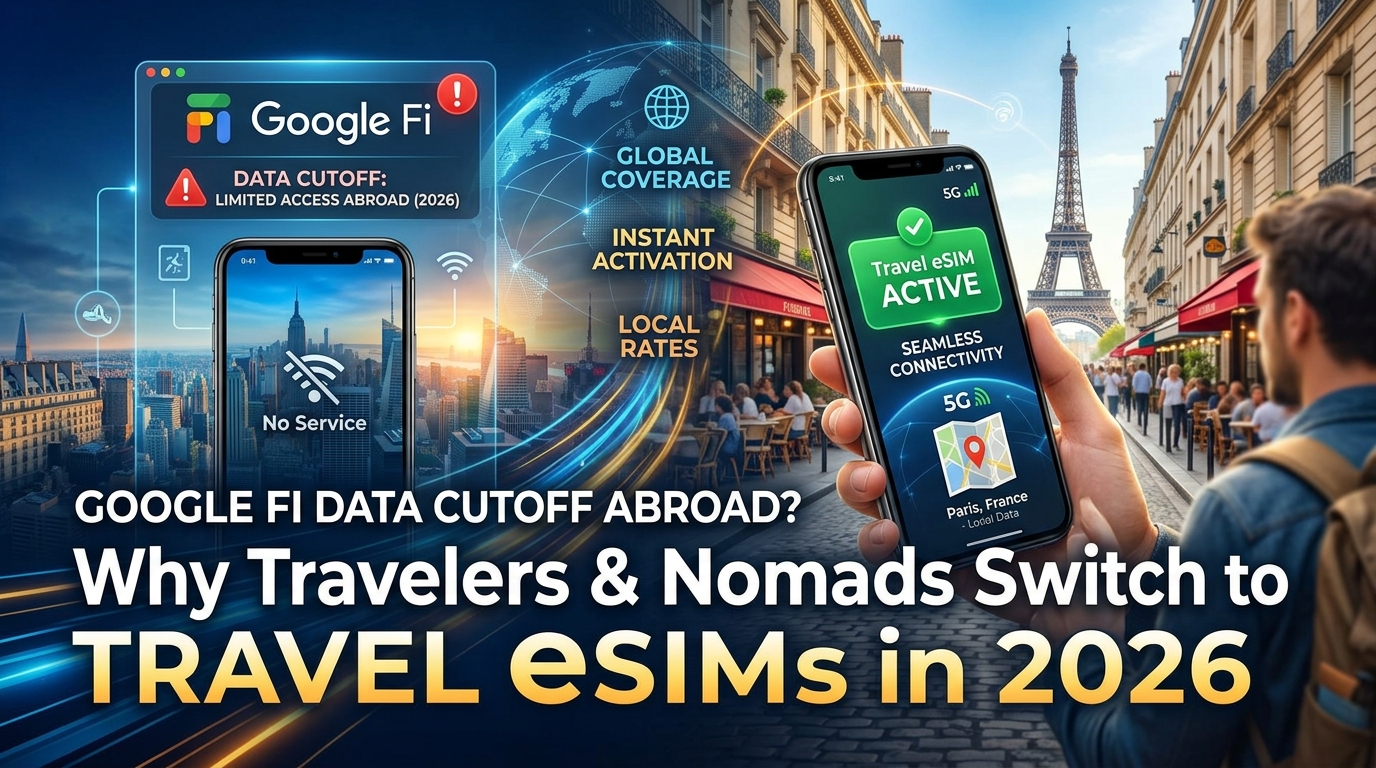
Thực Tế Về Việc Google Fi Cắt Data Quốc Tế: Giải Mã Quy Tắc Tạm Ngưng 90 Ngày
Trong nhiều năm, cộng đồng digital nomad và những người đi du lịch liên tục xem gói cước Unlimited Plus của Google Fi như "tiêu chuẩn vàng" cho kết nối quốc tế. Gói cước này từng cung cấp dịch vụ chuyển vùng tốc độ cao mượt mà trên hơn 200 điểm đến mà không cần đổi thẻ SIM vật lý địa phương. Tuy nhiên, việc tự động thực thi Điều khoản Dịch vụ (ToS) của Google Fi đã biến giải pháp từng rất đáng tin cậy này thành một rủi ro lớn cho các chuyến đi dài ngày.
Thuật Toán Đằng Sau Việc Ngắt Kết Nối: Giải Thích Quy Tắc 90 Ngày
Về mặt pháp lý và vận hành, Google Fi được thiết kế là một dịch vụ nội địa tại Hoa Kỳ. Theo điều khoản của nhà mạng, người dùng phải kích hoạt và sử dụng dịch vụ chủ yếu tại Mỹ.
Hệ thống giám sát tự động của Google Fi sẽ liên tục theo dõi hoạt động đăng ký mạng của thiết bị. Khi thiết bị của bạn chỉ liên tục bắt sóng từ các trạm phát sóng đối tác nước ngoài mà không có bất kỳ phản hồi tín hiệu (ping) nào về trạm phát sóng nội địa Mỹ (thông qua T-Mobile) trong một khoảng thời gian nhất định, thuật toán kiểm soát vi phạm sẽ tự động kích hoạt:
- Ngày 0–60: Chuyển vùng quốc tế tốc độ cao không gián đoạn trên các mạng đối tác.
- Ngày 60–75: Cảnh báo tự động gửi qua email và thông báo trên ứng dụng Fi: "Dịch vụ chuyển vùng dữ liệu quốc tế của bạn sẽ bị tạm ngưng sau 30 ngày trừ khi bạn sử dụng dịch vụ đáng kể tại nội địa Mỹ."
- Ngày 90: Tự động ngắt hoàn toàn kết nối dữ liệu di động (data cutoff).
| Tính Năng | Trạng Thái Sau Khi Bị Áp Dụng Quy Tắc 90 Ngày | Tác Động Đến Người Dùng |
|---|---|---|
| Dữ Liệu Di Động Tốc Độ Cao | ❌ Bị Cắt Hoàn Toàn | Không thể lướt web, tra bản đồ hay cập nhật ứng dụng |
| Cuộc Gọi Di Động (Thoại) | ✅ Hoạt Động | Áp dụng cước chuyển vùng quốc tế theo từng phút |
| Tin Nhắn SMS / Mã OTP (2FA) | ✅ Hoạt Động | Vẫn nhận được tin nhắn và mã xác thực ngân hàng quan trọng |
| Cước Thu Thuê Bao | ⚠️ Thu Đủ Giá Gốc | Vẫn phải trả toàn bộ cước gói hàng tháng |
Điểm mấu chốt ở đây là việc ngắt kết nối diễn ra không đối xứng. Google không hủy tài khoản của bạn; họ chỉ cắt dữ liệu di động tốc độ cao trong khi vẫn duy trì dịch vụ nghe gọi và nhắn tin. Điều này giúp bạn không bị cô lập hoàn toàn khi cần nhận mã xác thực 2 yếu tố (2FA) qua SMS, nhưng lại buộc bạn phải trả đủ cước phí hàng tháng dù không có một byte data di động nào khi ở nước ngoài.
Bản Chất Kinh Tế: Vì Sao Các Nhà Mạng Ảo (MVNO) Buộc Phải Cắt Data?
Google Fi là một nhà mạng ảo di động (MVNO - Mobile Virtual Network Operator). Khác với các nhà mạng hạ tầng lớn sở hữu các liên minh chuyển vùng đa phương sâu rộng, Google Fi phải mua lại lưu lượng truy cập mạng bán buôn từ các nhà mạng chính và các trung tâm thanh toán bù trừ chuyển vùng quốc tế.
Khi bạn tiêu thụ hàng gigabyte dữ liệu tốc độ cao tại Tokyo, London hay Bangkok, Google phải chi trả cước phí bán buôn quốc tế trên mỗi gigabyte cho các nhà mạng sở tại. Với một người dùng nội địa thông thường đi du lịch trong 2 tuần, khoản chi phí này được bù đắp bởi nhiều tháng sử dụng có lợi nhuận tại Mỹ. Tuy nhiên, khi một expat hoặc người làm việc từ xa tiêu thụ từ 15GB đến 30GB mỗi tháng ở nước ngoài trong nhiều quý liên tiếp, tài khoản đó sẽ gây lỗ nặng cho nhà mạng. Do đó, việc tự động ngắt kết nối data không phải là quyết định ngẫu hứng, mà là biện pháp bảo vệ tài chính bắt buộc để giảm thiểu rủi ro.
Tác Động Tiêu Cực Đến Người Làm Việc Từ Xa Và Digital Nomad
Sự cố ngắt kết nối dữ liệu hầu như không bao giờ xảy ra vào thời điểm thuận tiện. Đối với những nomad phụ thuộc vào Google Fi như đường truyền duy nhất, việc mất mạng giữa hành trình di chuyển gây ra những rắc rối nghiêm trọng:
- Mất Khả Năng Định Vị Quan Trọng: Không thể tải lộ trình di chuyển, bản đồ hoặc gọi các dịch vụ xe công nghệ như Grab, Uber, Bolt ngay khi vừa đặt chân đến một thành phố mới.
- Nghẽn Giao Dịch Thanh Toán: Không thể xác thực thanh toán ví điện tử hoặc xác nhận các ứng dụng xác thực động đòi hỏi kết nối mạng liên tục.
- Không Thể Kích Hoạt Lại Từ Xa: Tắt máy bật lại, đổi APN hay liên hệ bộ phận hỗ trợ của Google đều vô hiệu. Chính sách của họ yêu cầu thiết bị phải kết nối vật lý vào một trạm phát sóng nội địa Mỹ trong một khoảng thời gian nhất định (thường từ 1–3 tuần) để đặt lại hạn mức chuyển vùng.
Để tránh rơi vào thế bị động, những người đi lại nhiều hiện nay đã tách biệt số điện thoại chính khỏi lưu lượng data nước ngoài bằng cách kết hợp số chính với các giải pháp data chuyên biệt cho du lịch như MollySIM. Khác với các nhà mạng nội địa có giới hạn nghiêm ngặt, eSIM du lịch hoạt động dựa trên các thỏa thuận data trả trước được tối ưu hóa riêng cho các chuyến đi dài ngày. Hơn nữa, khi bạn dùng hết dung lượng tốc độ cao, các nhà cung cấp như MollySIM vẫn duy trì tốc độ không giới hạn 384kbps theo Chính sách Sử dụng Hợp lý (FUP)—nhanh gấp 3 lần so với mức bóp băng thông 128kbps thông thường—đảm bảo các công cụ thiết yếu như Google Maps, ứng dụng nhắn tin và Apple Pay luôn hoạt động ổn định.
Cơ Chế Viễn Thông: Tại Sao Nhà Mạng Nội Địa Lại Cắt Dữ Liệu Ở Nước Ngoài?
🇺🇸 T-Mobile US Prepaid SIM High-Speed Travel eSIM & SIM Plans
Instant QR code activation, hotspot enabled, with guaranteed 384kbps fallback speed to keep Maps & Digital Wallets active.
Để hiểu tại sao Google Fi, Verizon, AT&T và T-Mobile áp dụng chính sách dữ liệu quốc tế khắt khe, chúng ta cần phân tích kiến trúc kỹ thuật và mô hình thanh toán tài chính của hệ thống chuyển vùng di động toàn cầu.
1. Gánh Nặng Tài Chính: Biểu Phí Giữa Các Nhà Mạng (IOTs) Và Trung Tâm Thanh Toán
Khi một thuê bao nội địa chuyển vùng quốc tế, nhà mạng gốc của họ (Home Public Land Mobile Network - HPLMN) không sở hữu các trạm phát sóng ở nước ngoài. Thay vào đó, điện thoại của bạn sẽ đăng ký vào hạ tầng của nhà mạng nước sở tại (Visited Public Land Mobile Network - VPLMN).
Mỗi megabyte dữ liệu bạn tiêu thụ trên mạng nước ngoài đều làm phát sinh chi phí bán buôn. Theo khung tiêu chuẩn của GSMA:
- Thanh Toán Bán Buôn: Nhà mạng nước ngoài (VPLMN) sẽ tính phí nhà mạng gốc của bạn thông qua Biểu phí giữa các nhà mạng (Inter-Operator Tariffs - IOTs), được xử lý qua các trung tâm thanh toán bù trừ tài chính chuyên biệt (như Syniverse hoặc Comfone).
- Mất Cân Đối Chi Phí: Trong khi chi phí dữ liệu nội địa chỉ tốn của nhà mạng chưa đến vài cent cho mỗi gigabyte, thì cước chuyển vùng quốc tế bán buôn có thể khiến nhà mạng gốc phải trả từ 2 USD đến hơn 15 USD cho mỗi gigabyte tùy theo các thỏa thuận song phương.
- Biên Lợi Nhuận Sụp Đổ: Gói Unlimited Plus trị giá 65 USD/tháng của Google Fi cung cấp tới 50 GB dữ liệu không giới hạn tốc độ. Nếu một digital nomad sử dụng hết 50 GB đó khi đang kết nối mạng tại Nhật Bản hoặc Anh, khoản phí bán buôn mà Google Fi phải trả cho các nhà mạng địa phương có thể lên tới hàng trăm USD—vượt xa số tiền thuê bao hàng tháng thu từ người dùng.
Để ngăn chặn lỗ hổng tài chính này, các nhà mạng nội địa hoặc áp dụng các gói cước ngày đắt đỏ như TravelPass 10 USD/ngày (lên tới 300 USD/tháng ngoài tiền cước cơ bản), hoặc thực thi các điều khoản cư trú nghiêm ngặt để cắt quyền truy cập data của những thuê bao ở nước ngoài quá lâu.
+-----------------------------------------------------------------------------------+
|                         CẤU TRÚC ĐỊNH TUYẾN CHUYỂN VÙNG                           |
+-----------------------------------------------------------------------------------+

[ ĐỊNH TUYẾN VỀ MÁY CHỦ GỐC / HOME-ROUTED (Google Fi / Chuyển vùng truyền thống) ]
[Thiết bị (Tokyo)] ---> [Trạm phát sóng (VPLMN)] ===(Đường hầm GTP trễ cao)===> [Hạ tầng gốc (Mỹ)] ---> [Internet]
* Kết quả: Độ trễ 200ms–400ms, chi phí truyền dẫn cao, dễ bị cắt data đột ngột.

[ ĐỊNH TUYẾN CỤC BỘ / LOCAL BREAKOUT (eSIM Chuyên Dụng Cho Du Lịch) ]
[Thiết bị (Tokyo)] ---> [Trạm phát sóng (VPLMN)] ---> [Cổng Edge / UPF khu vực (Tokyo/Singapore)] ---> [Internet]
* Kết quả: Độ trễ chỉ 20ms–50ms, chi phí bán buôn trực tiếp thấp, không lo bị khóa data.
2. Điểm Nghẽn Hiệu Năng: Đường Hầm Về Máy Chủ Gốc vs. Định Tuyến Cục Bộ
Bên cạnh bài toán chi phí, chuyển vùng truyền thống còn phụ thuộc vào mô hình định tuyến dữ liệu cũ kỹ có tên là Lưu lượng định tuyến về máy chủ gốc (S8HR - Home-Routed Traffic):
- Đóng Gói S8HR / GTP: Khi bạn mở một trang web tại Bangkok bằng SIM của nhà mạng Mỹ, trạm phát sóng địa phương sẽ đóng gói các gói dữ liệu của bạn vào một đường hầm GPRS Tunneling Protocol (GTP) và truyền qua cáp quang biển về Packet Data Network Gateway (PGW) của nhà mạng tại Mỹ. Chỉ sau đó, lưu lượng mới được xuất ra mạng internet công cộng.
- Độ Trễ Tăng Vọt: Cơ chế định tuyến này tạo ra mức độ trễ (latency) từ 200ms đến 450ms. Các giao thức thời gian thực như gọi VoIP, họp video, định vị bản đồ động và các phiên kết nối terminal sẽ bị giật, lag nghiêm trọng.
| Chỉ Số / Tính Năng | Chuyển Vùng Nhà Mạng Nội Địa (vd: Google Fi) | Gói Cước Ngày 10 USD/Ngày | eSIM Chuyên Du Lịch (vd: MollySIM) |
|---|---|---|---|
| Kiến Trúc Định Tuyến | Về máy chủ gốc (Độ trễ cao) | Về máy chủ gốc (Độ trễ cao) | Cửa ngõ Khu vực / Định tuyến Edge (Độ trễ thấp) |
| Chi Phí Data Hàng Tháng (20GB) | Đã gồm trong gói đến khi bị cắt / $10/GB | ~$300/tháng (Phí $10/ngày) | ~$20–$40 trả trước trọn gói |
| Rủi Ro Bị Cắt Mạng | Cao (Bị ngắt sau 60–90 ngày) | Thấp (Miễn là trả tiền hàng ngày) | Bằng Không (Thiết kế riêng cho việc ở nước ngoài dài ngày) |
| Tốc Độ Bóp Băng Thông (FUP) | 128kbps hoặc cắt hoàn toàn | 128kbps (hầu như không load được) | 384kbps (Dùng mượt Maps, Apple Pay, Nhắn tin) |
3. Vì Sao Hạ Tầng eSIM Du Lịch Khu Vực Giải Quyết Được Cả Hai Vấn Đề
Các nhà cung cấp dữ liệu du lịch hiện đại loại bỏ hoàn toàn hạn chế của mô hình định tuyến về máy chủ gốc. Bằng cách thiết lập các thỏa thuận bán buôn trực tiếp tại khu vực và sử dụng công nghệ Định tuyến cục bộ (Local Breakout - LBO) hoặc các cổng chức năng mặt phẳng người dùng (UPF) đặt tại các trung tâm khu vực (như Frankfurt, Singapore, Tokyo), các nhà cung cấp như MollySIM giảm đáng kể chi phí trên mỗi gigabyte đồng thời đưa độ trễ (ping) về mức tương đương mạng bản địa.
Bởi vì các gói cước này được xây dựng trên nền tảng dữ liệu trả trước quốc tế, bạn sẽ không bao giờ bị các hệ thống kiểm soát nội địa gắn cờ vi phạm. Ngay cả khi bạn sử dụng hết dung lượng tốc độ cao trong những đợt làm việc nặng, hạ tầng cao cấp vẫn cung cấp mức tốc độ duy trì 384kbps theo FUP—gấp ba lần tốc độ bóp băng thông 128kbps thông thường—giúp các tác vụ xác thực thanh toán, chỉ đường Google Maps và gọi xe công nghệ luôn hoạt động trơn tru mà không phát sinh cước phí ngoài ý muốn.
Bảng So Sánh Toàn Diện: Google Fi vs. Gói Chuyển Vùng Ngày vs. eSIM Du Lịch
Việc chọn giải pháp kết nối di động phù hợp đòi hỏi sự cân bằng giữa chi phí dự đoán được, độ trễ, thủ tục đăng ký và khả năng dự phòng khi gặp sự cố. Trong khi các gói cước nội địa xem dữ liệu quốc tế như một tiện ích phụ đắt đỏ, các cấu hình du lịch chuyên dụng lại coi định tuyến dữ liệu toàn cầu là hạ tầng cốt lõi.
Dưới đây là bảng so sánh kỹ thuật và vận hành giữa 4 chiến lược kết nối quốc tế phổ biến:
| Tiêu Chí Đánh Giá | Google Fi (Unlimited Plus) | Gói 10 USD/Ngày Của Nhà Mạng Mỹ (AT&T/Verizon) | SIM Vật Lý Bản Địa | eSIM Du Lịch (MollySIM) |
|---|---|---|---|---|
| Chi Phí Thực Tế (20GB) | $65/tháng (Cho đến khi bị ngắt) | ~$300/tháng ($10/mỗi ngày) | $15–$30/tháng (Tùy quốc gia) | $18–$35/tháng (Giá trả trước cố định) |
| Nguy Cơ Bị Cắt Data | Cao (Tự động ngắt sau ~60–90 ngày) | Không (Miễn là duy trì đóng phí ngày) | Không (Nạp tiền trả trước) | Bằng Không (Thiết kế chuyên cho người ở nước ngoài) |
| Mức Giới Hạn Tốc Độ (FUP) | 128kbps (hoặc ngắt hoàn toàn) | 128kbps (hoặc tốc độ 2G sau 2GB/ngày) | Tùy mạng (Thường ngắt hẳn hoặc 64kbps) | Mức sàn FUP 384kbps (Không giới hạn lưu lượng cơ bản) |
| Định Tuyến IP & Độ Trễ | Về Mỹ (~250–450ms) | Về Mỹ (~250–450ms) | Trực tiếp tại chỗ (<30ms) | Định tuyến Edge UPF Khu Vực (<60–90ms) |
| Nhận Mã OTP 2FA Ngân Hàng | Giữ trên số chính | Giữ trên số chính | Bị Mất (Do phải tháo SIM chính ra) | Bảo Toàn (Dual-SIM: Số chính nhận SMS, eSIM chạy Data) |
| Xác Minh Danh Tính (KYC) | Cần giấy tờ tùy thân Mỹ | Cần giấy tờ tùy thân Mỹ | Bắt Buộc (Quét hộ chiếu/chụp ảnh trực tiếp) | Không Cần KYC (Kích hoạt kỹ thuật số ngay lập tức) |
| Chuyển Tiếp Qua Biên Giới | Tự động (Chuyển vùng toàn cầu) | Tự động (Chuyển vùng toàn cầu) | Thủ Công (Phải mua SIM mới ở mỗi nước) | Mượt Mà (Tự bắt sóng trên hơn 100 quốc gia) |
| Khả Năng Dự Phòng Sự Cố | Không có khi data bị ngắt | Rủi ro phát sinh cước sốc | Phụ thuộc hoàn toàn vào 1 nhà mạng | Tự động chuyển đổi nhà mạng linh hoạt qua Multi-IMSI |
Khác Biệt Vận Hành Trọng Yếu Dành Cho Digital Nomad
1. Duy Trì Nhận Mã 2FA Ngân Hàng Qua Kiến Trúc "Dual-SIM Phân Tách"
Nhược điểm lớn nhất khi chuyển hoàn toàn sang dùng SIM vật lý bản địa là bạn bị mất kết nối với số điện thoại chính ở quê nhà. Nhiều tổ chức tài chính lớn (Chase, Schwab, Amex, Techcombank, VPBank...) và các cổng dịch vụ công vẫn phụ thuộc vào tin nhắn SMS truyền thống để gửi mã OTP xác thực 2 yếu tố (2FA), đồng thời từ chối các đầu số VoIP hay Google Voice.
Bằng cách duy trì SIM chính (hoặc Google Fi) ở chế độ chỉ nhận Thoại/SMS kết hợp với cấu hình data chuyên biệt từ MollySIM, bạn vừa nhận được mã OTP ngân hàng tức thì, vừa chuyển 100% lưu lượng data sang đường truyền quốc tế tốc độ cao với chi phí tiết kiệm.
2. Rào Cản Thủ Tục KYC Và Rủi Ro Tại Quầy Bán SIM Sân Bay
Mua SIM vật lý tại các điểm đến ở Đông Nam Á, Châu Âu hay Mỹ Latinh thường đòi hỏi bạn phải xuất trình hộ chiếu tại quầy sân bay, quét khuôn mặt sinh trắc học và đối mặt với rủi ro lộ dữ liệu cá nhân qua các đại lý không được kiểm duyệt.
eSIM du lịch loại bỏ hoàn toàn những rủi ro này. Vì hoạt động dưới dạng cấu hình chuyển vùng dữ liệu trả trước qua các trung tâm thanh toán bù trừ toàn cầu, bạn không cần giấy tờ định danh KYC, không cần quét hộ chiếu và có thể kích hoạt trực tuyến ngay khi hạ cánh thông qua việc tải cấu hình qua mạng (OTA).
+-------------------------------------------------------------------+
|               CẤU HÌNH DUAL-SIM TỐI ƯU NĂM 2026                   |
|                                                                   |
|   [ SIM Chính (eSIM/Vật lý) ]   ---> Nhà mạng gốc / Google Fi     |
|     * CHỈ Bật Thoại & SMS            - Nhận OTP 2FA Ngân Hàng     |
|     * Chuyển vùng dữ liệu: TẮT       - $0 Cước Data Phát Sinh     |
|                                                                   |
|   [ eSIM Du Lịch (MollySIM) ]   ---> Cổng Mạng Khu Vực            |
|     * Dữ liệu di động: CHÍNH         - Độ trễ thấp qua Edge UPF   |
|     * Chuyển vùng dữ liệu: BẬT       - Tốc độ an toàn FUP 384kbps |
+-------------------------------------------------------------------+
3. Mức Tốc Độ Sàn Duy Trì: Khoảng Cách Trải Nghiệm (128kbps vs. 384kbps)
Các gói chuyển vùng truyền thống và nhà mạng ảo thường bóp tốc độ của người dùng xuống 128kbps—thậm chí chỉ còn 64kbps. Ở tốc độ này, các phiên mã hóa TLS hiện đại sẽ bị quá thời gian chờ (timeout), khiến các ứng dụng định vị vị trí thiết yếu như Google Maps, Uber, Grab hay Apple Pay hoàn toàn tê liệt.
Ngược lại, nền tảng du lịch thế hệ mới duy trì mức sàn FUP 384kbps. Ngay cả khi bạn đã dùng hết dung lượng tốc độ cao trong lúc đang tìm đường ở ga tàu hay đặt xe đêm khuya, tốc độ 384kbps (nhanh gấp 3 lần mức thông thường) vẫn đảm bảo việc tải bản đồ định vị, xác thực thanh toán chạm và nhắn tin trao đổi diễn ra ổn định, không bị ngắt quãng.
Kiến Trúc Dual SIM Tối Ưu: Nhận OTP Ngân Hàng Miễn Phí Và Lướt Web Tốc Độ Cao
Việc tách biệt hệ thống viễn thông thành hai lớp riêng biệt—Lớp Định Danh (SIM nội địa cho thoại/SMS) và Lớp Dữ Liệu (eSIM du lịch cho truy cập internet)—loại bỏ hoàn toàn nguy cơ phát sinh cước chuyển vùng đắt đỏ và nỗi lo bị cắt mạng bất ngờ khi ở nước ngoài.
Bằng cách tận dụng tính năng Hai SIM Hai Sóng (DSDS) trên các dòng điện thoại thông minh hiện đại, bạn có thể giữ số Google Fi hoặc số chính luôn sẵn sàng nhận mã OTP 2FA, đồng thời định tuyến 100% dung lượng data qua nhà cung cấp chuyên dụng như MollySIM.
Bảng Thiết Lập Cấu Hình Từng Bước
| Thông Số Cấu Hình | SIM Chính (Google Fi / Số Gốc) | SIM Du Lịch (MollySIM) | Mục Đích Kỹ Thuật |
|---|---|---|---|
| Trạng Thái SIM | Bật (Bật dòng này) | Bật (Bật dòng này) | Duy trì cả 2 ngăn xếp IMS hoạt động trên modem baseband. |
| Chỉ Định Dữ Liệu Di Động | Tắt | Nguồn Data Chính | Ép toàn bộ dữ liệu ứng dụng đi qua kênh eSIM du lịch. |
| Chuyển Vùng Dữ Liệu | TẮT | BẬT | Chống phát sinh cước mạng gốc; cho phép eSIM kết nối mạng sở tại. |
| Cuộc Gọi Wi-Fi (Wi-Fi Calling) | BẬT | Không áp dụng | Kích hoạt đăng ký SIP qua IMS trên các đường truyền IP khả dụng. |
| Chuyển Đổi Dữ Liệu Tự Động | TẮT | TẮT | Ngăn hệ điều hành tự ý nhảy data về SIM chính khi sóng eSIM yếu. |
Hướng Dẫn Cài Đặt Trên iOS (iPhone 13, 14, 15 và 16 Series)
- Cài Đặt Và Đặt Tên SIM:
- Vào Cài đặt > Di động.
- Đặt tên cho gói cước Google Fi là "Chính" và hồ sơ MollySIM vừa cài đặt là "Du lịch".
- Chọn Nguồn Dữ Liệu Di Động:
- Nhấn vào Dữ liệu di động > Chọn "Du lịch".
- Gạt mục Cho phép chuyển đổi dữ liệu di động sang TẮT. Điều này đảm bảo iOS không bao giờ tự động dùng ngầm data của SIM chính.
- Cấu Hình SIM Chính Để Nhận OTP Không Rủi Ro:
- Trong mục SIM, nhấn vào SIM Chính.
- Đảm bảo mục Bật dòng này đang mở.
- Gạt mục Chuyển vùng dữ liệu sang TẮT.
- Nhấn vào Cuộc gọi Wi-Fi và chuyển Cuộc gọi Wi-Fi trên iPhone này sang BẬT.
- Kích Hoạt "Cuộc Gọi Wi-Fi Qua Dữ Liệu Di Động" (Backup Calling):
- Khi ở nước ngoài với data của Google Fi bị tắt, iOS sẽ tự động đăng ký lõi IMS của SIM chính thông qua kết nối data của SIM phụ.
- Thanh trạng thái sẽ hiển thị:
Chính đang dùng Dữ liệu di động. Bạn có thể nhận tin nhắn SMS 2FA và gọi điện về nước an toàn qua đường truyền data của MollySIM mà không tốn phí chuyển vùng.
Hướng Dẫn Cài Đặt Trên Android (Google Pixel & Samsung Galaxy)
- Cấu Hình SIM Chính (Google Fi):
- Vào Cài đặt > Mạng và internet > SIM > Google Fi.
- Gạt Sử dụng SIM sang BẬT.
- Gạt Dữ liệu di động sang TẮT.
- Gạt Chuyển vùng sang TẮT.
- Nhấn vào Cuộc gọi qua Wi-Fi và gạt BẬT.
- Cấu Hình SIM Data Du Lịch (MollySIM):
- Trong danh sách SIM, chọn MollySIM.
- Đặt làm SIM ưu tiên cho Dữ liệu di động.
- Gạt Dữ liệu di động sang BẬT.
- Gạt Chuyển vùng sang BẬT (bắt buộc để eSIM bắt mạng các nhà mạng đối tác).
- Kích Hoạt Backup Calling (Chuyển tiếp IMS Qua SIM Thứ Hai):
- Trên thiết bị Google Pixel: Trong cài đặt SIM Google Fi, bật Backup Calling (hoặc Dùng internet cho cuộc gọi).
- Trên thiết bị Samsung Galaxy: Vào Kết nối > Quản lý SIM và bật Chuyển đổi dữ liệu và cuộc gọi dự phòng (Data switching and backup calling).
Vai Trò Của Mức Tốc Độ Sàn FUP Đối Với Độ Ổn Định DSDS
Khi bạn định tuyến các cuộc gọi thoại và tin nhắn xác thực ngân hàng qua kết nối dữ liệu của SIM thứ hai thông qua IMS, hiện tượng mất gói tin hoặc bóp băng thông quá mức có thể làm gián đoạn quá trình đăng ký phiên SIP.
Hầu hết các nhà cung cấp eSIM du lịch đều bóp tốc độ sau khi hết dung lượng xuống 128kbps hoặc 64kbps—quá chậm để duy trì đường truyền thoại mã hóa IMS hoặc xử lý xác thực bảo mật ngân hàng.
Nhờ duy trì mức sàn 384kbps theo Chính sách FUP—gấp 3 lần các giải pháp cũ—MollySIM giúp kết nối SIP liên SIM luôn thông suốt, đảm bảo các ứng dụng quan trọng như Apple Pay, Google Maps và ứng dụng xác thực 2FA ngân hàng luôn vận hành trơn tru ngay cả khi bạn đã dùng hết dung lượng data tốc độ cao.
Vì Sao MollySIM Là Giải Pháp Lý Tưởng Cho Digital Nomad Khi Bị Fi Cắt Data?
Khi Google Fi tạm ngưng dữ liệu chuyển vùng quốc tế, việc tìm đến các nhà mạng phụ nội địa hoặc nhà mạng ảo thông thường thường mang lại những phiền toái mới: độ trễ cao, thủ tục KYC phức tạp và tốc độ bị bóp đến mức không thể sử dụng.
Được thiết kế chuyên biệt cho digital nomad, expat và những người xê dịch liên tục, MollySIM cung cấp lớp dữ liệu dài hạn giúp bạn không còn lo ngại quy tắc 90 ngày của Google Fi, đồng thời cải thiện chất lượng kết nối vượt bậc khi ở nước ngoài.
1. Định Tuyến Cục Bộ Và Khu Vực Độ Trễ Thấp
SIM chuyển vùng truyền thống của Mỹ sẽ dẫn truyền dữ liệu ngược về máy chủ tại Mỹ trước khi gửi tới đích đến của bạn. Nếu bạn đang lướt web ở Tokyo hay Bangkok bằng SIM Mỹ, gói tin phải đi một vòng quanh Thái Bình Dương, khiến độ trễ mạng (RTT) tăng vọt lên 280ms–450ms.
MollySIM sử dụng các cổng dữ liệu (PGW) đặt tại chính khu vực Châu Âu, Châu Mỹ và Châu Á - Thái Bình Dương. Nhờ xử lý dữ liệu ngay tại khu vực địa lý của bạn:
- Độ
🇺🇸 T-Mobile US Prepaid SIM High-Speed Travel eSIM & SIM Plans
Instant QR code activation, hotspot enabled, with guaranteed 384kbps fallback speed to keep Maps & Digital Wallets active.