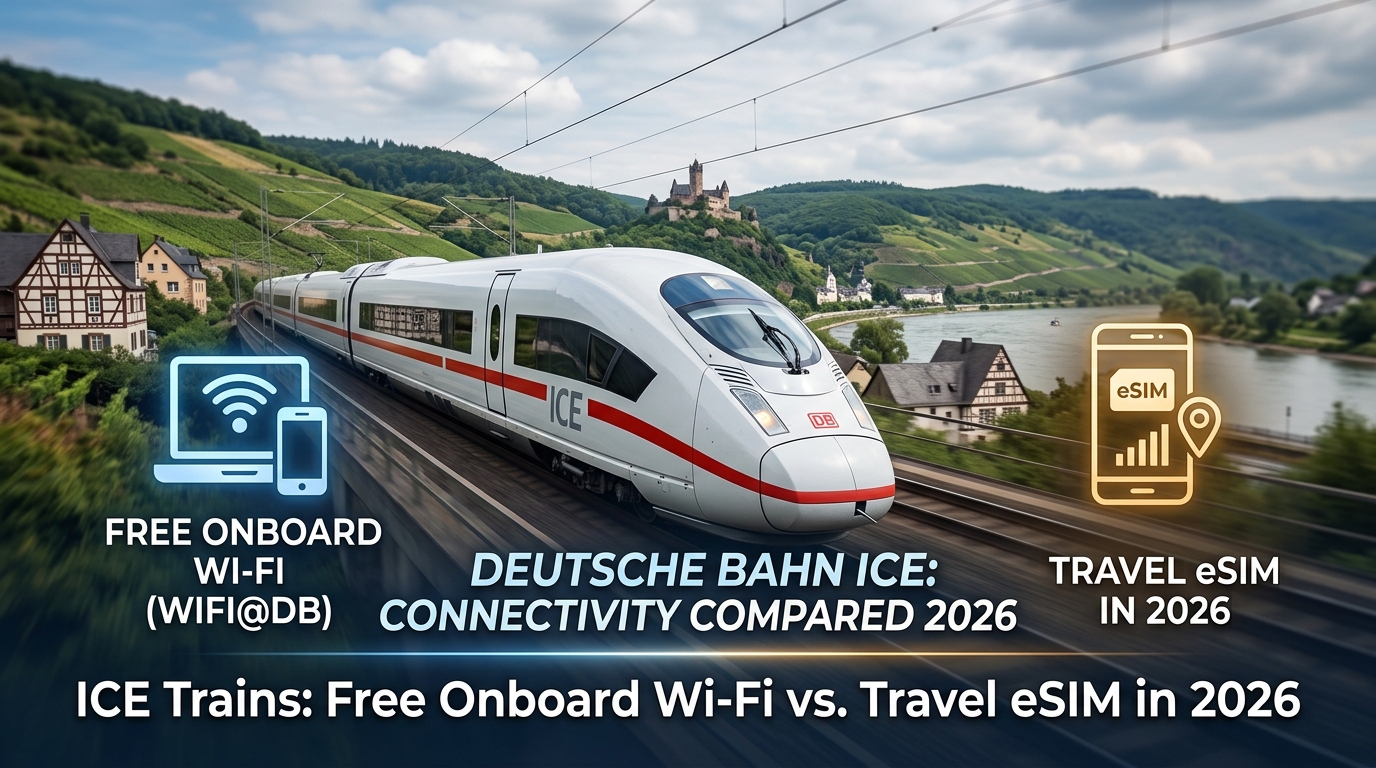
Deutsche Bahn ICE Trains: Free Onboard Wi-Fi vs. Travel eSIM in 2026
The Reality of Rail Connectivity in 2026: DB WIFIonICE vs. Cellular Reality
Stepping onto an Intercity Express (ICE) or Intercity (IC) train, the promise of free high-speed internet via WIFIonICE sounds like the ultimate productivity unlock. Deutsche Bahn has invested hundreds of millions of euros into trackside telecommunications and rolling stock upgrades. Yet, any regular traveler along the Mannheim–Stuttgart high-speed line or the Berlin–Munich corridor knows that the onboard Wi-Fi icon on your device is often an illusion of connectivity.
To understand why your connection stutters during a crucial video call or drops entirely while passing through a tunnel in Thuringia, you have to look at the underlying physics and network architecture of modern European high-speed rail.
The Faraday Cage and the Onboard Repeater Bottleneck
Modern ICE trainsets (notably the ICE 4, ICE 3neo, and retrofitted ICE 1/2 fleets) are aerodynamic marvels built with energy efficiency in mind. However, the very engineering that keeps the carriages climate-controlled creates an inhospitable environment for radio waves:
- Metallized Heat-Insulating Glass: Train windows are coated with a vaporized layer of metal to reflect solar radiation. This design inadvertently turns each carriage into a Faraday cage, attenuating direct cellular signals by up to 25 to 30 dB.
- Multi-Provider Roof Antennas: To bypass this metal shield, DB equips train roofs with multi-band mobile communication antennas that aggregate signals from Germany’s three major mobile network operators (Telekom, Vodafone, and Telefónica O2).
- The Aggregated Pipe Bottleneck: These roof modems feed onboard wireless local area network (WLAN) access points distributed throughout the cars. While the roof antennas capture the best available trackside signal, they must divide that single, fluctuating backhaul pipe among up to 830+ passengers on a fully booked, double-traction ICE 4 during peak commuting hours.
When hundreds of smartphones, laptops, and tablets compete for DHCP leases and trackside cellular handovers at 300 km/h, the local Wi-Fi router remains connected to your laptop with full signal bars—even when the train's actual cellular backhaul has dropped to zero throughput.
Key Technical Pitfalls of DB WIFIonICE
Beyond raw capacity limits, the software and network policies governing WIFIonICE introduce several operational hurdles:
| Technical Limitation | Real-World Impact on Travelers |
|---|---|
| Captive Portal Session Drops | The authentication portal frequently resets during inter-state track handovers (e.g., crossing from Hesse into Bavaria), disconnecting background downloads and syncing services. |
| Bandwidth Throttling & Soft Caps | While 1st Class passengers receive unthrottled access, 2nd Class connections are subject to dynamic rate-limiting (traditionally kicking in after roughly 200MB of continuous high-volume data usage). |
| Aggressive Packet Filtering (DPI) | DB firewalls actively block or throttle bandwidth-heavy UDP traffic. This frequently breaks real-time conferencing (Zoom, Microsoft Teams, Discord) and drops custom corporate IPsec/WireGuard VPN tunnels. |
| Rapid Cell Handover Latency | At speeds exceeding 250 km/h, roof transceivers switch cell towers every few seconds. Packet loss spikes to 15–40% during these handovers, causing severe jitter in VoIP sessions. |
Why Direct Cellular Routing (and eSIM Backups) Win
Because onboard Wi-Fi prioritizes basic web browsing over persistent, low-latency workflows, travelers who depend on uninterrupted connectivity increasingly rely on dedicated cellular data. Bypassing the overcrowded onboard router eliminates local network contention, local captive portal timeouts, and restrictive firewall packet inspection.
However, cellular connectivity along rail corridors is prone to transient dead zones. If you burn through a standard travel data allowance, legacy roaming providers will hard-cut your service or throttle you down to an unusable 128kbps, breaking basic navigation.
This is where a purpose-built travel solution like MollySIM proves vital: its Fair Use Policy (FUP) guarantees a 384kbps safety-net speed—three times faster than standard competitor throttles. Even if you exhaust your high-speed bucket while streaming between Frankfurt and Munich, 384kbps maintains enough bandwidth to keep Google Maps, messaging, and Apple Pay operating smoothly without relying on an unstable train Wi-Fi portal.
Spectrum & Signal Penetration: Why Direct 5G (Telekom & Vodafone) Dominates Rail Wi-Fi
🇪🇺 Europe 33 Countries High-Speed Travel eSIM & SIM Plans
Instant QR code activation, hotspot enabled, with guaranteed 384kbps fallback speed to keep Maps & Digital Wallets active.
The disparity in reliability between ICE onboard Wi-Fi and direct cellular access comes down to RF (radio frequency) engineering, network topology, and spectrum deployment across Germany’s rail grid. To deliver sustained high-speed connectivity across thousands of kilometers of tracks, German mobile network operators—predominantly Deutsche Telekom and Vodafone Germany—have tailored their 5G frequency portfolios to solve the unique propagation challenges of high-speed rail.
The Physics of German Rail Spectrum: Low-Band vs. Mid-Band 5G
Mobile carriers deploy distinct frequency bands along train lines depending on topography, track speed, and passenger density:
[ Rural Tracks / Forests / Mountain Cuttings ]  <--->  [ Urban Approaches / Major Hubs ]
 Band n28 (700 MHz) & Band n20 (800 MHz)                Band n78 (3.5 GHz) & Band n1 (2.1 GHz)
 • Maximum propagation distance (up to 15 km)           • Massive multi-gigabit throughput
 • Deep penetration through foliage & terrain           • Beamforming & multi-user MIMO
• Sustained coverage at 300 km/h • High-density capacity for busy rail corridors- Sub-1GHz Low-Band (Band n28 / 700 MHz & Band n20 / 800 MHz): These long-wavelength frequencies are the backbone of rural rail corridors (such as the high-speed tracks cutting through the Thuringian Forest or between Göttingen and Kassel). Because low-frequency RF waves experience minimal free-space path loss and easily diffract around hillsides and dense foliage, a direct Band n28 connection maintains a link even through deep concrete cuttings.
- High-Capacity Mid-Band (Band n78 / 3.5 GHz & Band n1 / 2.1 GHz): Deployed heavily within a 15–20 km radius of major transport hubs—including Frankfurt am Main, Berlin Hbf, Köln Messe/Deutz, and Munich—these wide-bandwidth allocations absorb massive concurrent data demands, serving thousands of travelers simultaneously with multi-hundred-megabit throughput.
The Architecture Bottleneck: Direct eSIM vs. DB Multi-Provider Router Hop
Connecting to the onboard WIFIonICE network forces your data through an intermediary translation layer that degrades real-time performance.
--- DB ONBOARD ROUTER HOP (High Latency & Bufferbloat) ---
Your Laptop/Phone ---> Local AP (2.4/5GHz Contention) ---> Gateway Router ---> Multi-SIM Trunk ---> Base Station
                       [+15-40ms Queue Delay]             [Packet Inspection]  [Load-Balancing Overhead]

--- DIRECT 5G VIA MOLLYSIM (Direct Layer-3 Routing) ---
Your Phone (eSIM) =============================== Direct RF Link ==============================> Base Station
                                     [Sub-25ms Low-Latency Path]
When connecting directly to mobile cell towers via an eSIM profile on networks supported by MollySIM, your device communicates straight with the base transceiver station (gNodeB/eNodeB) via native LTE/5G protocols. In contrast, onboard Wi-Fi introduces multiple points of network degradation:
| Metric / Network Trait | Direct MollySIM 5G Connection | DB ICE Onboard Wi-Fi Router Hop |
|---|---|---|
| Local Hop Overhead | 0 ms (Direct device-to-tower RF link) | +15 ms to 45 ms (Contended 2.4/5 GHz local AP) |
| Network Queuing (Bufferbloat) | Minimal (Managed by dynamic QoS schedulers) | Severe (Hundreds of users filling buffer pools) |
| Average Round-Trip Latency (Ping) | 18 ms – 35 ms | 65 ms – 220+ ms |
| Handover Packet Loss (300 km/h) | < 2% (Handled by device modem baseband) | 15% – 35% (Router aggregates multiple SIMs) |
| Port & Protocol Blocking | None (Full access to all TCP/UDP ports) | Aggressive (Blocks UDP, throttles video/VPN) |
By eliminating the onboard router, a direct cellular link avoids the bufferbloat caused by passengers streaming high-bitrate media over the train's local access points.
Furthermore, having an independent, direct line gives you predictable performance across dynamic coverage zones. Even if network density thins out in deep rural stretches and speeds drop momentarily, MollySIM’s 384kbps Fair Use Policy baseline keeps critical applications—such as VoIP audio, corporate messaging, Apple Pay, and live map navigation—running without dropping your session, outperforming the standard 128kbps hard throttle implemented by legacy roaming providers.
Direct Comparison: Deutsche Bahn Onboard Wi-Fi vs. MollySIM Germany Travel eSIM
Choosing between the native WIFIonICE infrastructure and an independent cellular data link comes down to evaluating operational reliability against network congestion. While Deutsche Bahn has upgraded multi-provider roof repeaters across its ICE fleet, the physical reality of sharing a single backhaul pipe with up to 900 passengers creates severe bottlenecks during peak travel hours.
The table below contrasts the actual real-world performance metrics of DB ICE Wi-Fi (2nd and 1st Class tiers) against a direct connection via MollySIM.
| Technical & Operational Metric | DB ICE Wi-Fi (2nd Class) | DB ICE Wi-Fi (1st Class) | MollySIM Germany Travel eSIM |
|---|---|---|---|
| Average Download Speed | 1.5 – 8.0 Mbps (highly variable) | 5.0 – 18.0 Mbps (prioritized QoS) | 45.0 – 220.0 Mbps (native 5G/LTE) |
| Average Upload Speed | 0.2 – 1.8 Mbps | 1.0 – 4.5 Mbps | 12.0 – 45.0 Mbps |
| Round-Trip Latency (Ping) | 95 ms – 350+ ms | 65 ms – 180 ms | 18 ms – 38 ms |
| Captive Portal Requirement | Yes (Re-auth required frequently) | Yes (Device MAC registration) | None (Instant native IP routing) |
| VPN & Enterprise Protocols | Frequent drops; UDP/IPsec throttled | Unstable on long tunnels; WireGuard ok | Full 100% Passthrough (OpenVPN, IPsec, IKEv2) |
| Data Caps & Bandwidth Quotas | Soft cap at ~200MB/day, then hard throttle | Uncapped, but dynamic traffic shaping | High-speed tiers + 384kbps unlimited FUP |
| Tunnel & Forested Track Performance | Drops completely during cell handovers | Drops completely during cell handovers | Rapid carrier re-selection (Multi-network baseband) |
| Network Security Architecture | Open unencrypted public hotspot | Open unencrypted public hotspot | End-to-end 3GPP AKA 5G hardware encryption |
| Zero-Balance / Throttled Fallback | Hard disconnect / Captive portal lock | Hard disconnect / Captive portal lock | 384kbps baseline (Maps, messaging, Apple Pay active) |
The Economic Equation: Calculating the Productivity Deficit of "Free" Wi-Fi
For business travelers, remote engineers, and digital nomads, relying on public train Wi-Fi introduces an invisible cost: lost billable hours.
Consider a typical four-hour journey from Frankfurt Hbf to Munich Hbf. An ICE train carrying 700 passengers through the Mittelgebirge terrain divides available trackside tower capacity across hundreds of connected smartphones, laptops, and tablets running simultaneous background syncs.
Productivity Loss Model (4-Hour Transit Window):
• Billable Rate: €95 / hour
• Captive Portal Disconnections & Re-logins: ~6 events (15 mins lost)
• Bufferbloat / Latency Jitter during Video/VoIP: 40 mins degraded
• Cloud Document Sync Failures & Retries: 25 mins lost
─────────────────────────────────────────────────────────────
Total Lost Billable Time: 1.33 Hours = €126.35 in Lost Productivity
Cost of Dedicated MollySIM Profile: < €10.00
Net ROI of Independent Cellular Line: 1,160%
When an onboard Wi-Fi router experiences handover stalls between trackside mast towers at 250 km/h, your active TCP socket resets. This terminates active SSH sessions, drops live Zoom or Teams calls, and halts corporate Git pulls.
By contrast, using a dedicated MollySIM Germany travel eSIM bypasses local router contention entirely. The smartphone's internal baseband directly negotiates handovers across Germany’s top-tier cellular infrastructure (Telekom, Vodafone, and O2).
Even when traveling through structural dead zones or low-density rural valleys where high-speed allocations dip, MollySIM’s 384kbps Fair Use Policy (FUP) baseline maintains active data pipelines. While competing roaming packages throttle speeds to an unusable 128kbps—causing basic mapping and payment apps to time out—a 384kbps floor provides triple the throughput. This ensures that real-time Slack threads, Apple Pay authentications, corporate VoIP audio, and Google Maps routing update reliably without forcing you to re-authenticate through a web browser portal.
Remote Work Playbook at 300 km/h: Zoom, Slack, and VPN Tethering on ICE Routes
Sustaining deep-work productivity across high-speed corridors like the Berlin–Munich VDE 8 Sprinter or the Frankfurt–Paris LGV Est requires an active defense against high-velocity RF attenuation, continuous Doppler shift, and aggressive cell tower re-negotiation.
Executing mission-critical tasks while traveling at 300 km/h requires optimizing your hardware connection, operating system telemetry, and network protocol layers.
1. Hardware-Level Tethering: Prioritize USB-C over Wi-Fi Hotspots
While broadcasting a 5GHz personal Wi-Fi hotspot from your phone is convenient, an ICE coach acts as a crowded Faraday-like metallic tube saturated with competing 2.4GHz and 5GHz beacon frames from 800+ passenger devices. This creates severe local packet collision and adds 15–35ms of unnecessary local jitter.
- The Fix: Connect your laptop to your smartphone via a high-throughput USB-C to USB-C cable and enable USB Tethering (Android) or select iPhone USB (macOS/iOS).
- Benefits:
- Eliminates local wireless interference and packet loss.
- Reduces latency between laptop and baseband by ~20ms.
- Delivers continuous fast charging to the phone, preventing thermal throttling as the cellular modem works harder during rapid mast handoffs.
2. VPN Architecture: MTU Clamping and Protocol Resiliency
Deutsche Bahn’s onboard WIFIonICE frequently drops UDP traffic, blocks non-standard ports, and terminates idle TCP tunnels every 15–20 minutes via strict captive portal session timers.
Using an independent cellular line via MollySIM bypasses these upstream firewall blocks entirely, granting direct cellular IP routing. However, high-velocity handoffs across rural sectors still trigger packet fragmentation if your Maximum Transmission Unit (MTU) is improperly sized.
| Protocol / Setting | Standard Value | ICE Corridor Optimization | Technical Objective |
|---|---|---|---|
| WireGuard MTU | 1420 bytes | 1280 – 1340 bytes | Prevents packet fragmentation during LTE/5G APN handovers |
| OpenVPN Protocol | UDP | TCP on Port 443 | Bypasses deep-packet inspection (DPI) & aggressive carrier drops |
| Keepalive Interval | Default (Off/60s) | PersistentKeepalive = 15 | Keeps NAT mapping open during micro-drops between cell towers |
| IPsec / IKEv2 | Standard NAT-T | MOBIKE Enabled | Allows tunnel to seamlessly switch IP addresses dynamically |
3. Audio & Video Settings: Codec Control for Zero Dropouts
Maintaining an uninterrupted presence on Microsoft Teams, Zoom, or Google Meet at 300 km/h requires manual bandwidth tuning. The physical Doppler effect and sub-second baseband handoffs create split-second latency spikes.
- Disable Incoming/Outgoing HD Video: Lock your client to low-resolution video (360p) or pure audio mode. Audio streams require only 32–64kbps using the Opus or SILK codec, whereas 1080p video demands 1.5–3.0Mbps of sustained throughput, which will stutter during rural tower switches.
- Enable High-Fidelity Voice Compression: In Zoom settings, check "Automatically adjust microphone volume" and set background noise suppression to "Medium" (high suppression increases CPU usage, amplifying audio stutter when baseband buffers flush).
- The 384kbps Fail-Safe Advantage: If you exhaust your high-speed data allocation mid-route, MollySIM’s 384kbps Fair Use Policy (FUP) baseline maintains enough throughput to keep an Opus-encoded Teams or Zoom voice call completely stable without dropping the audio socket. Competitors with 128kbps limits immediately cause continuous packet drops, synthetic robot-voice artifacts, and disconnected calls.
4. OS-Level Data Policies (macOS and Windows 11)
Laptops default to unconstrained background synchronization unless explicitly restricted. A single automatic cloud backup or Windows Defender definition update will saturate your cellular uplink during a handoff, causing your active terminal or conference call to crash.
macOS Configuration
- Navigate to System Settings > Wi-Fi / Network > [Your Tether Connection] > Details.
- Toggle Low Data Mode to ON.
- This instantly pauses automatic iCloud photos sync, background macOS updates, and App Store auto-downloads.
Windows 11 Configuration
- Go to Settings > Network & internet > Ethernet / Wi-Fi > [Active Cellular Connection].
- Switch Metered connection to ON.
- Open OneDrive / Dropbox settings and enable "Pause syncing when on a metered network".
Pre-Departure Setup Checklist
[ ] Install and activate MollySIM Germany/Europe profile before boarding.
[ ] Lower WireGuard / Tailscale client MTU to 1340 in local configuration files.
[ ] Pack a 100W-rated USB-C to USB-C cable for direct hardware tethering.
[ ] Toggle Low Data Mode (macOS) or Metered Connection (Windows).
[ ] Set Zoom / Teams video defaults to "Start meetings with video OFF".
Beating Germany's 'Funklöcher': How MollySIM's 384kbps Fallback Protects Business Continuity
Even on newly upgraded corridors, Germany’s high-speed rail network is notorious for Funklöcher (cellular dead zones). Rural topographies, protected nature reserves, and tunnel-heavy routes routinely disrupt terrestrial connectivity. When traveling aboard an ICE traversing the Thuringian Forest (VDE 8 high-speed line between Erfurt and Nuremberg), the Black Forest fringes along the Rhine Valley route (Rheintalbahn), or the alpine approaches of Upper Bavaria, line-of-sight to trackside base transceiver stations (BTS) degrades rapidly.
In these challenging geographic corridors, network transitions are frequent. If your travel eSIM runs out of primary high-speed data allowance mid-transit, your connection strategy faces a critical stress test.
+-------------------------------------------------------------------------+
|                  GERMAN RAIL CELLULAR BOTTLENECK ZONES                  |
+-----------------------------+-------------------------------------------+
| Route Segment               | Geographic & Infrastructure Challenge     |
+-----------------------------+-------------------------------------------+
| Erfurt – Nuremberg (VDE 8.1)| 22 tunnels across the Thuringian Forest;  |
|                             | steep cuttings shielding 800/900 MHz LTE. |
+-----------------------------+-------------------------------------------+
| Offenburg – Freiburg/Basel  | Black Forest foothills; rapid cell-edge   |
|                             | handovers causing micro-disconnects.      |
+-----------------------------+-------------------------------------------+
| Munich – Garmisch / Salzburg| Pre-Alpine terrain, low BTS density,      |
|                             | foliage absorption on sub-1GHz bands.     |
+-----------------------------+-------------------------------------------+
The Data Cap Failure Mode: Hard Stop vs. Throttled Fallback
Most prepaid travel eSIM providers handle data depletion by executing an immediate hard disconnect—severing DNS resolution and terminating the active PDP context entirely. Other providers implement aggressive Fair Use Policy (FUP) throttling down to 64kbps or 128kbps.
At 64kbps or 128kbps, modern TLS handshakes and complex application protocols time out. Secure sockets cannot maintain persistent keep-alive packets, effectively rendering the connection dead.
To eliminate this vulnerability, MollySIM implements a guaranteed 384kbps true unlimited fallback speed. Operating at three times the throughput of standard 128kbps throttles, a 384kbps stream delivers roughly 48 Kilobytes per second. This precise bandwidth threshold is sufficient to sustain non-blocking TCP/UDP sessions for mission-critical mobile workflows.
| Operational Metric / Task | Hard Disconnect (Standard eSIM) | 64kbps / 128kbps Throttle | MollySIM 384kbps Unlimited Fallback |
|---|---|---|---|
| Active TCP Connection State | Terminated (RST) | High packet drop / Socket timeouts | Stable (Continuous session) |
| DB Navigator (Live Status & Tickets) | Fails completely | Infinite loading spinner / Auth timeout | Instant refresh (< 2.5s payload load) |
| Enterprise Messaging (Slack / Teams) | Offline | Delayed text; file/link previews fail | Real-time text & thread delivery |
| Navigation (Google / Apple Maps) | Offline / Uncached failure | Vector tiles fail to render | Smooth vector loading & route updates |
| Mobile Wallet (Apple Pay / Google Pay) | Offline tokens only | Intermittent token validation | Immediate cryptographic auth |
| Email Triage (Exchange / IMAP) | Complete failure | Sync timeouts on modern OAuth2 | Rapid plain-text & metadata retrieval |
Real-World Performance at 384kbps
Operating at 384kbps eliminates total communication blackouts. While high-bandwidth activities like 4K streaming or raw video uploads are paused, the following business-critical processes remain functional:
- DB Navigator Updates & Real-Time Rerouting: Fetching live journey updates, dynamic delay compensation alerts, and dynamic QR-code digital ticket validations requires lightweight JSON payloads. At 384kbps, DB Navigator processes dynamic timetable changes and platform alterations (Gleiswechsel) without server-side request timeouts.
- Corporate Text Communications (Slack, Teams, Mattermost): WebSocket connections used by Slack and Microsoft Teams require continuous low-bandwidth keep-alives. A 384kbps pipe transfers plain-text messages, status notifications, and critical mentions instantly, keeping you reachable by your team during travel disruptions.
- Turn-by-Turn Navigation & Transport Mapping: Vector-based map engines (like Google Maps and Apple Maps) utilize compact protocol buffer formats. At 384kbps, local map tiles, live transit connection queries, and walking routes from arrival platforms render cleanly without stalling out.
- Tokenized Digital Transactions: Secure payment platforms and banking applications validating dynamic zero-knowledge proofs or token handshakes (such as Apple Pay authentication or banking 2FA prompts) complete without latency-induced authorization failures.
Step-by-Step Installation & ICE Travel Checklist for 2026
Achieving continuous, drop-free connectivity on Germany’s high-speed rail network requires deliberate device configuration before you board. High-velocity transit at 300 km/h introduces rapid base-station handoffs, Doppler shifts, and signal attenuation through metallized train windows.
Follow this technical checklist to configure your travel eSIM, optimize Dual-SIM routing, and adjust OS-level settings for maximum reliability across the Deutsche Bahn network.
1. Pre-Departure eSIM Activation & Dual-SIM Configuration
Install your travel eSIM profile prior to boarding at major transit hubs like Frankfurt (Main) Hbf, Berlin Hbf, or München Hbf. Major stations suffer from localized cellular congestion, making stable Wi-Fi at your hotel or origin airport the ideal environment for installation.
- Install the Profile: Scan the QR code or activate directly through the MollySIM app to provision the eSIM profile onto your device.
- Assign Cellular Roles (iOS & Android):
- Mobile Data: Set exclusively to MollySIM. Ensure Data Roaming is toggled ON for the eSIM profile (APN settings configure automatically).
- Default Voice Line: Set to your Primary Home SIM.
- SMS & 2FA Tokens: Keep your Primary SIM active for incoming banking verification SMS.
- Data Switching: Toggle OFF "Allow Cellular Data Switching" (iOS) or "Backup Calling" (Android). This prevents your phone from silently burning expensive roaming data on your domestic carrier when passing through remote rail corridors.
Even if you deplete your high-speed data allocation midway through a cross-country journey from Hamburg to Stuttgart, MollySIM’s built-in 384kbps Fair Use Policy threshold maintains live data transfer. Unlike standard market offerings capped at an unusable 128kbps, this 3x bandwidth baseline allows critical utilities—such as dynamic token handshakes in Apple Pay, turn-by-turn routing in Google Maps, and real-time messaging in Slack—to function without timing out.
2. Manual Network Carrier Overrides
By default, modern smartphones use dynamic roaming protocols that hold onto weak carrier signals too long before negotiating a handover. On routes traversing rugged topography (such as the Thüringer Wald on the Berlin–Munich VDE 8 high-speed line), trackside infrastructure may alternate between Telekom.de and Vodafone.de.
| Carrier Priority | Best Coverage Scenarios | Manual Selection Advice |
|---|---|---|
| Telekom.de | High-speed lines (VDE 8, Cologne–Rhine/Main), deep rural valleys | Keep as primary automatic default for highest aggregate 5G trackside penetration. |
| Vodafone.de | Urban bypasses, Western Germany industrial corridors | Manually switch in Settings if Telekom undergoes localized base-station maintenance. |
| O2 / Telefónica | Metro s-Bahn networks, dense city terminals | Functional in metropolitan zones; lower rural trackside repeater density. |
To override carrier lock: Navigate to Settings > Cellular/Mobile Network > Network Selection, toggle off Automatic, and select the alternate tier-1 carrier if you encounter sustained packet loss.
3. DB Navigator Sync & Notification Hardening
Dynamic operational updates—such as sudden platform alterations (Gleiswechsel), train split maneuvers (Flügelung), or dynamic carriage sequence reversals (Umgekehrte Wagenreihung)—rely on timely push notifications from DB Navigator.
- Disable Aggressive Power Management: On Android devices (Samsung One UI, Google Pixel, Xiaomi HyperOS), go to App Info > DB Navigator > Battery and set it to Unrestricted.
- Enable Background App Refresh: On iOS, ensure Settings > General > Background App Refresh is active for DB Navigator to allow continuous background JSON polling.
- Live Journey Subscription: In the DB Navigator app, open your digital ticket, tap the three-dot menu, and toggle "Journey notifications" on. This subscribes your device token to automated timetable update hooks over your eSIM data pipeline.
4. Mitigating Battery Drain from 5G Trackside Handshakes
At 300 km/h, mobile devices cycle through cellular base-station sectors every 30 to 45 seconds. This continuous beamforming search and RF amplification causes heavy thermal load and rapid battery depletion.
- Lock Radio to 5G Auto / LTE: If your route traverses non-upgraded rural tracks, switch your cellular mode to LTE / 4G. This eliminates continuous, high-power 5G millimeter-wave and sub-6GHz hunting cycles while maintaining adequate throughput.
- Leverage ICE Seat Power: ICE 3, ICE 4, and ICE 3neo trainsets provide Type F standard AC sockets (230V) at every seat pair or individual First Class seat. Keep a 65W+ GaN charger easily accessible in your personal item to sustain high-drain hotspotting and rapid cell transitions throughout your trip.
🇪🇺 Europe 33 Countries High-Speed Travel eSIM & SIM Plans
Instant QR code activation, hotspot enabled, with guaranteed 384kbps fallback speed to keep Maps & Digital Wallets active.