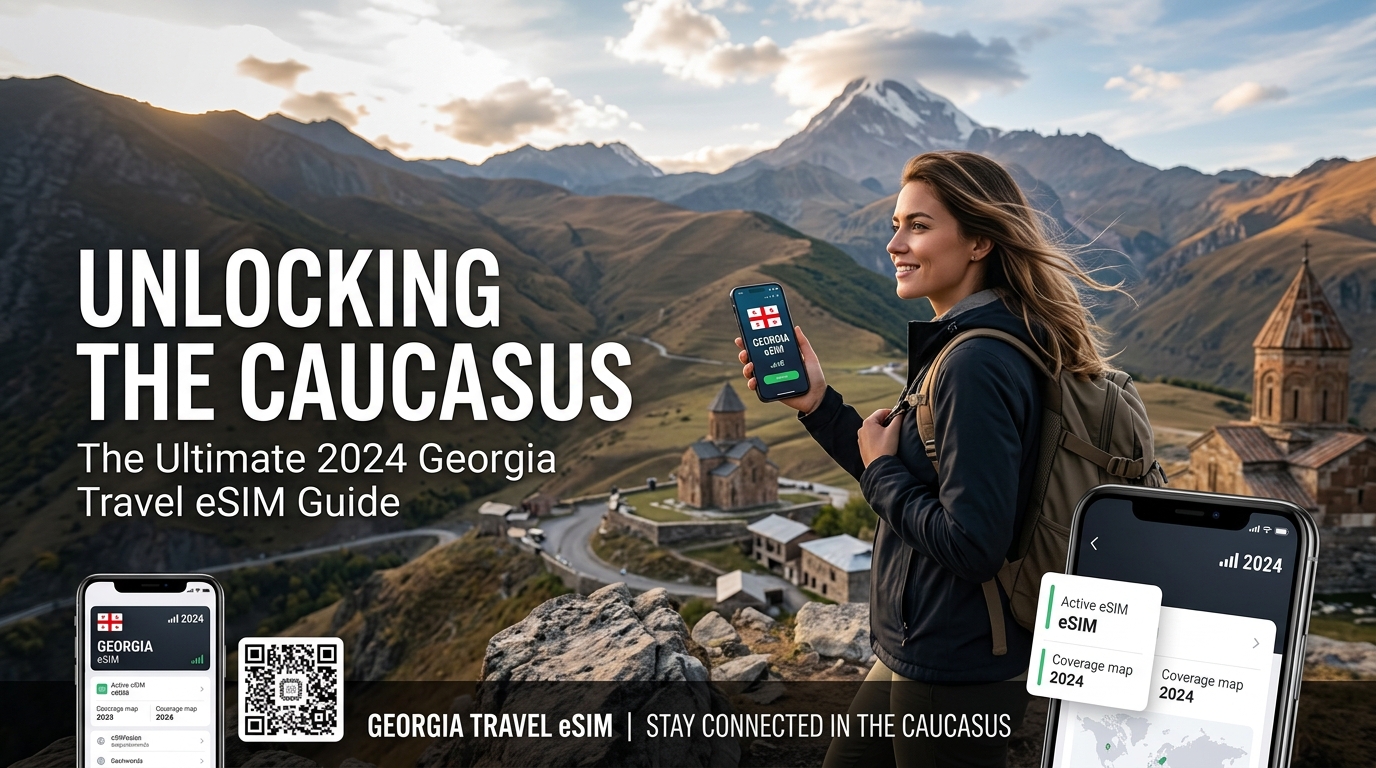
Unlocking the Caucasus: The Ultimate 2026 Georgia Travel eSIM Guide
Unlocking the Caucasus: Why Georgia Demands Smart Connectivity
Georgia, a jewel nestled at the crossroads of Europe and Asia, beckons with an irresistible allure that captivates every traveler. This ancient land offers a tapestry of experiences, from the cobblestone streets and vibrant nightlife of its capital, Tbilisi, to the Black Sea beaches and modern architecture of Batumi. Beyond its bustling cities, Georgia reveals breathtaking natural wonders: the majestic, snow-capped peaks of Svaneti, the serene monasteries perched high in Kazbegi, and the verdant valleys of Kakheti, renowned for its millennia-old winemaking traditions. Exploring this diverse landscape, rich in history and natural beauty, is an unforgettable journey. However, to truly unlock its potential and navigate its unique challenges, modern travelers require more than just a sense of adventure; they need reliable, consistent digital connectivity.
The Connectivity Conundrum: Navigating Georgia's Unique Digital Landscape
While Georgia offers an abundance of charm, its position outside major regional eSIM blocks, such as the European Union's roaming agreements, presents a distinct set of connectivity considerations for international visitors. Standard international roaming packages can quickly become prohibitively expensive, leading to bill shock and limiting access to essential services. Furthermore, Georgia's incredibly diverse topography – from deep mountain gorges to sprawling plains and remote villages – means that signal strength can vary significantly. Relying solely on sporadic Wi-Fi hotspots in cafes or hotels is simply not a viable strategy for comprehensive exploration, especially when venturing off the well-trodden path. This unique environment underscores why a dedicated, smart connectivity solution is not merely a convenience but a fundamental necessity for a smooth and safe Georgian adventure.
The Indispensable Role of Consistent Data in Georgia
In a country where ancient traditions meet modern exploration, consistent data access transforms the travel experience from potentially frustrating to seamlessly enriching.
Essential Navigation and Exploration
Imagine traversing the winding mountain roads of Svaneti or attempting to locate a hidden monastery in Kazbegi. GPS navigation becomes paramount. Google Maps, Apple Maps, and other mapping applications are indispensable for finding directions, identifying points of interest, and even locating the nearest gas station or pharmacy in unfamiliar territory. Without a stable data connection, these vital tools become useless, leaving travelers reliant on outdated paper maps or the kindness of strangers, which can be challenging in areas with language barriers. A reliable eSIM ensures you always have your digital compass at hand, guiding you through bustling cityscapes and remote wilderness alike. Even if you exceed your high-speed data allowance, a robust fair use policy (FUP) speed is crucial. Providers like MollySIM understand this, offering a 384kbps FUP speed – three times faster than many competitors' 128kbps. This ensures vital services like Google Maps continue to load smoothly, and even mobile payment systems like Apple Pay or Google Pay remain responsive, preventing frustrating delays.
Seamless Communication and Safety
Staying connected with loved ones back home, coordinating with local tour guides, or making last-minute accommodation bookings are all reliant on a stable internet connection. Beyond convenience, communication is a critical safety net. In an emergency, being able to quickly access local emergency services, translate critical phrases, or contact your embassy can be life-saving. Whether it's a minor mishap or a serious situation, the ability to make a call or send a message without delay provides invaluable peace of mind, especially when exploring Georgia's more remote and rugged landscapes.
Enhancing the Travel Experience and Logistics
Modern travel is inherently digital. From checking opening hours for museums and restaurants to accessing online banking, translation apps, or ride-sharing services, a constant data stream streamlines every aspect of your trip. Sharing your incredible experiences – uploading stunning photos of Gergeti Trinity Church, posting videos of a traditional Georgian supra, or updating your travel blog – is also a significant part of the journey for many. An eSIM ensures you can capture and share these moments in real-time, enriching your memories and inspiring others. Furthermore, for those who rely on mobile payments, uninterrupted connectivity ensures that services like Apple Pay or Google Pay function flawlessly, a convenience that becomes a necessity in many urban settings.
In essence, for the modern traveler venturing into Georgia's captivating and diverse terrain, an eSIM is not merely an optional gadget; it is an essential tool. It empowers you to navigate confidently, communicate effortlessly, stay safe, and fully immerse yourself in the rich tapestry of Georgian culture and nature, ensuring that your adventure is as smooth and connected as it is unforgettable.
Georgia's Mobile Landscape: A Deep Dive into Magti, Silknet, and Cellfie
🇪🇺 Europe 33 Countries High-Speed Travel eSIM & SIM Plans
Instant QR code activation, hotspot enabled, with guaranteed 384kbps fallback speed to keep Maps & Digital Wallets active.
Navigating Georgia's digital terrain requires understanding the major players that power its connectivity. The country's mobile market is dominated by three primary operators: MagtiCom (Magti), Silknet, and Cellfie (formerly Beeline Georgia). Each offers distinct advantages and disadvantages, particularly for international travelers. Choosing the right local provider, or understanding their limitations, is crucial for an uninterrupted experience.
MagtiCom: The Premium Choice with Unrivaled Coverage
MagtiCom is widely regarded as Georgia's leading mobile operator, boasting the most extensive and robust network infrastructure across the country. Its coverage is exceptional in major urban centers like Tbilisi and Batumi, where users can expect consistently fast 4G/LTE speeds and a rapidly expanding 5G footprint in select areas.
Where Magti truly shines, however, is in Georgia's more remote and rugged regions. Travelers venturing into the high mountains of Svaneti, the breathtaking landscapes of Kazbegi, or the wine country of Kakheti will find Magti offers the most reliable signal, often being the only operator with service in truly isolated spots. This makes it the preferred choice for trekkers, adventurers, and those exploring off-the-beaten-path destinations. Data speeds are generally the fastest among the three, and network reliability is consistently high. Magti also tends to offer good customer service with English-speaking representatives, and their stores are plentiful.
Silknet: Strong Urban Performance and Growing Reach
Silknet, Georgia's largest telecommunications company, is a formidable competitor, particularly strong in urban and semi-urban environments. Its network performance in cities like Tbilisi, Batumi, and other regional hubs is excellent, offering competitive 4G/LTE speeds and good reliability. Silknet is also actively rolling out its 5G network, enhancing its urban data capabilities.
While Silknet's coverage is extensive and reliable in populated areas, it can be less consistent than Magti in the most remote mountainous regions. However, for most tourist routes and popular destinations outside the deepest wilderness, Silknet provides a very satisfactory experience. Their customer service is generally good, and they have a significant retail presence, making it easy for tourists to find stores.
Cellfie (formerly Beeline Georgia): Budget-Friendly and Urban-Focused
Cellfie, previously known as Beeline Georgia, positions itself as a more budget-friendly option. Its network coverage is strongest and most reliable in urban centers and densely populated areas, including Tbilisi and Batumi. In these locations, Cellfie offers good 4G/LTE speeds that are perfectly adequate for everyday browsing, social media, and navigation.
However, Cellfie's network can be noticeably weaker in very remote or mountainous regions compared to Magti and, to a lesser extent, Silknet. Travelers planning extensive excursions into areas like upper Svaneti or the most isolated parts of Kazbegi might find Cellfie's signal drops off more frequently. While it's a cost-effective choice for city breaks and well-traveled routes, its rural reliability is its primary weakness. Customer service might have more limited English support compared to its larger rivals.
Comparative Overview of Georgian Mobile Operators
To provide a clearer picture, here's a comparative table summarizing the key aspects relevant to travelers:
| Feature | MagtiCom (Magti) | Silknet | Cellfie (formerly Beeline) |
|---|---|---|---|
| 4G/5G Coverage | Most extensive, best rural/mountain | Excellent urban, good regional, decent rural | Strong urban, limited deep rural/mountain |
| Typical Speeds | Generally fastest (4G/LTE, expanding 5G) | Very fast urban (4G/LTE, expanding 5G) | Good urban (4G/LTE) |
| Rural Reliability | Highest, often only provider in remote areas | Good on main routes, less so in deep wilderness | Limited, can be unreliable in remote areas |
| Urban Reliability | Excellent | Excellent | Good |
| Tourist Accessibility | Easy (many stores, English CS) | Easy (many stores, good CS) | Moderate (stores available, limited English CS) |
| Pricing | Premium | Mid-range | Budget-friendly |
Hurdles with Local Physical SIMs for Short-Term Visitors
While local SIM cards from Magti, Silknet, or Cellfie can be a viable option for longer stays, they often present several inconveniences for short-term travelers:
- Registration Process: Acquiring a local SIM typically requires visiting a physical store, presenting your passport, and completing a registration form. This can be time-consuming and inconvenient, especially after a long flight or if you arrive late.
- Language Barriers: While major city stores often have English-speaking staff, this isn't guaranteed, particularly in smaller towns or if you need specific technical support.
- Physical SIM Slot: Many modern smartphones are designed with only one physical SIM slot, meaning you might have to remove your home SIM, potentially missing important calls or messages from your primary number.
- Activation Delays: Sometimes, local SIMs can take a few hours to activate fully, leaving you without connectivity immediately upon purchase.
- Top-Ups: Understanding local top-up systems and finding vendors can be a minor hassle.
These hurdles highlight why an eSIM solution, such as those offered by MollySIM, presents a superior alternative for many tourists. An eSIM eliminates the need for physical registration, provides instant activation, and allows you to keep your home SIM active for calls and texts. Furthermore, with MollySIM's Fair Use Policy speed limit of 384kbps, which is 3x faster than many competitors' 128kbps, essential services like Google Maps navigation and mobile payment apps like Apple Pay or Google Pay continue to function smoothly even after exceeding high-speed data allowances, ensuring uninterrupted utility throughout your Georgian adventure.
The eSIM Advantage: Seamless Connectivity for Your Georgian Adventure
Embarking on an adventure to Georgia, a land renowned for its dramatic landscapes, ancient history, and vibrant culture, demands seamless connectivity that keeps pace with your exploration. The traditional methods of securing mobile data, often fraught with logistical hurdles, are increasingly giving way to the revolutionary simplicity of eSIM technology. For travelers to Georgia, the eSIM isn't just a convenience; it's a fundamental enhancement to the entire travel experience, transforming potential connectivity headaches into a non-issue.
Eliminating Physical Hassles and Instant Activation
One of the most compelling advantages of an eSIM is the complete eradication of physical SIM card management. Imagine landing at Tbilisi International Airport, eager to begin your journey, without the immediate pressure of locating a mobile store, navigating potential language barriers, or waiting in line to register a physical SIM. With an eSIM, this entire process is bypassed. You can purchase and activate your data plan digitally, often before you even depart your home country. This means that the moment your plane touches down, your device can connect to the local network, ready for immediate use. Whether it's calling a taxi via a ride-sharing app, pulling up directions to your guesthouse in the historic Sololaki district, or simply letting loved ones know you've arrived safely, instant connectivity is a game-changer. This pre-emptive setup significantly reduces pre-travel stress and eliminates valuable time wasted on administrative tasks upon arrival, allowing you to dive straight into Georgia's captivating embrace.
Dual SIM Functionality: The Best of Both Worlds
A critical benefit that resonates deeply with international travelers is the eSIM's ability to facilitate dual SIM functionality. Modern smartphones equipped with eSIM technology allow you to maintain your primary physical SIM card for your home number while simultaneously utilizing an eSIM for your Georgian data needs. This means you can continue to receive important calls and SMS messages on your familiar number – crucial for banking alerts, two-factor authentication, or staying in touch with family and friends – without incurring exorbitant international roaming charges for data usage. Your eSIM handles all your internet requirements, from navigating the winding streets of Kutaisi to sharing breathtaking photos of the Svaneti mountains, all while keeping your primary line active for essential communications. This elegant solution ensures you remain connected on all fronts, offering unparalleled flexibility and peace of mind.
Cost-Effectiveness and Predictable Spending
Beyond convenience, eSIMs often present a significantly more cost-effective alternative to traditional international roaming plans offered by home network providers. Roaming charges can quickly accumulate, leading to unexpected and hefty bills upon your return. eSIM data plans, conversely, are typically prepaid and offer transparent pricing structures for specific data allowances and durations. This predictability allows travelers to budget their connectivity expenses accurately, avoiding any unpleasant financial surprises. For a country like Georgia, where you might be traversing diverse regions from the bustling capital to remote mountain villages, having a reliable and affordable data plan is invaluable for everything from checking bus schedules to translating menus or finding local attractions.
Uninterrupted Utility with MollySIM's Enhanced Fair Use Policy
When selecting an eSIM for your Georgian adventure, the quality of the service, especially after consuming high-speed data, is paramount. This is where providers like MollySIM (https://mollysim.com) distinguish themselves as a premium, tailored solution for Georgia. While many competitors throttle speeds to a barely functional 128kbps after high-speed data is exhausted, MollySIM offers a generous Fair Use Policy speed limit of 384kbps. This crucial difference, being 3x faster than the industry standard, ensures that even if you've used up your initial high-speed allowance, essential services remain perfectly usable. Imagine needing to find your way back to your hotel in Batumi or make a quick payment for a souvenir in Sighnaghi; with MollySIM's enhanced speed, Google Maps navigation continues to function smoothly, and mobile payment apps like Apple Pay or Google Pay remain responsive. This commitment to continuous, practical utility means your Georgian adventure remains uninterrupted, allowing you to focus on the rich experiences rather than worrying about your connectivity. MollySIM empowers you to explore Georgia with confidence, knowing your digital lifeline is robust and reliable, from the moment you land until your departure.
MollySIM for Georgia: Uninterrupted Data with a Game-Changing FUP
While the previous section touched upon the critical importance of a robust Fair Use Policy (FUP) for uninterrupted connectivity, it's worth delving deeper into how MollySIM (https://mollysim.com) specifically elevates the travel experience in Georgia. MollySIM isn't just another eSIM provider; it's a meticulously designed solution that promises seamless and reliable data for exploration across both Georgia's bustling urban centers and its breathtaking, often remote, natural landscapes. This commitment to continuous connectivity is anchored by its industry-leading 384kbps FUP speed limit, a feature that truly sets it apart.
The MollySIM FUP Advantage: 384kbps vs. The Industry Standard
For many travelers, the fear of exhausting high-speed data and being left with an unusable connection is a constant worry. Most eSIM providers, after your initial high-speed allowance is consumed, throttle speeds down to a meager 128kbps, or in some cases, an even more restrictive 64kbps, rendering most essential online activities frustratingly slow or entirely non-functional. MollySIM, however, redefines this standard with its generous Fair Use Policy speed limit of 384kbps. This isn't just a marginal improvement; it's a 3x faster speed compared to the common 128kbps offered by competitors.
To illustrate the profound difference this makes, consider the following comparison:
| Feature / Activity | Standard 128kbps FUP | MollySIM's 384kbps FUP (3x Faster) MollySIM for Georgia offers several distinct advantages for travelers seeking reliable data connectivity. From the moment you arrive, MollySIM aims to provide a seamless digital experience, ensuring you stay connected whether you're exploring the ancient streets of Tbilisi, hiking through the stunning landscapes of Svaneti, or relaxing by the Black Sea in Batumi.
Uninterrupted Connectivity: The Power of 384kbps FUP
The cornerstone of MollySIM's superior offering for Georgia is its Fair Use Policy (FUP) speed limit of 384kbps. This is a critical differentiator in the competitive eSIM market. While many providers drastically throttle speeds to a barely functional 128kbps (or even 64kbps) once your high-speed data allowance is exhausted, MollySIM maintains a speed that is 3x faster than the industry standard 128kbps. This isn't just a number; it translates directly into practical, continuous utility for the traveler.
Why is 384kbps FUP vital for travelers in Georgia?
Even after consuming your primary high-speed data, this enhanced FUP speed ensures that essential services remain perfectly usable, preventing those moments of digital helplessness that can disrupt a trip.
- Continued Navigation with Maps: Imagine you're exploring the labyrinthine alleys of Tbilisi's Old Town or driving through the remote mountain passes of Tusheti. With MollySIM's 384kbps FUP, Google Maps navigation continues to function smoothly. You can still load routes, search for nearby restaurants or attractions, and receive real-time directions without frustrating delays. This is crucial for independent exploration, especially in areas where signage might be limited or in a foreign language.
- Essential Messaging and Communication: Staying in touch with travel companions, tour guides, or loved ones back home is paramount. Apps like WhatsApp, Telegram, and iMessage remain responsive, allowing you to send and receive text messages, share photos (though larger files might take longer), and even make voice calls without significant interruption. This ensures you can coordinate plans, check in with family, or quickly contact local services if needed.
- Accessing Emergency Information: In any travel scenario, having access to emergency information is non-negotiable. Should an unforeseen situation arise, MollySIM's sustained FUP speed allows you to quickly search for local emergency numbers, embassy contact details, or health information, providing a vital digital lifeline when it matters most.
- Translation Apps Remain Functional: Interacting with locals, reading menus, or understanding signs in Georgian becomes much easier with translation apps like Google Translate. A 384kbps connection ensures these apps can quickly process queries and deliver translations, facilitating smoother cultural exchanges and practical interactions.
- Seamless Mobile Payments: As mentioned, mobile payment apps like Apple Pay or Google Pay remain responsive with MollySIM's enhanced FUP speed. This means you can still make quick, secure payments for souvenirs in Sighnaghi, a coffee in Kutaisi, or a taxi ride, even if your high-speed data is depleted.
- Light Browsing and Updates: Checking bus schedules, weather forecasts, flight updates, or quickly looking up opening hours for a museum are all perfectly manageable with 384kbps. While not suitable for streaming HD video, it provides enough bandwidth for critical information retrieval.
This significant advantage stands in stark contrast to other providers that might throttle to unusable speeds (e.g., 64kbps or 128kbps) or, in some unfortunate cases, cut off data entirely. MollySIM ensures true uninterrupted usability, empowering you to explore Georgia with confidence, knowing your digital lifeline is robust and reliable, from the moment you land until your departure.
Straightforward Setup and Dedicated Support
Beyond its superior FUP, MollySIM prioritizes a user-friendly experience. The straightforward setup process means you can activate your eSIM quickly and effortlessly, often within minutes of purchase, without the need for physical SIM cards or complicated registration procedures. Furthermore, MollySIM backs its service with dedicated support, ensuring that any questions or issues you might encounter are addressed promptly and efficiently, allowing you to focus on the rich experiences Georgia has to offer rather than worrying about your connectivity. With MollySIM, you're not just buying data; you're investing in peace of mind for your Georgian adventure.
Your Practical Guide: Installing, Activating, and Troubleshooting Your MollySIM in Georgia
Ensuring seamless connectivity is paramount for any international trip, and your MollySIM eSIM is designed to make this process as straightforward as possible for your Georgian adventure. This guide provides step-by-step instructions and essential tips to get you connected quickly and keep you online throughout your journey.
Pre-Travel Essentials: Setting the Stage for Seamless Connectivity
Before you even pack your bags, a few crucial checks will ensure a smooth eSIM experience upon arrival in Georgia.
1. Device Compatibility Check
Not all smartphones support eSIM technology. Verify your device's compatibility well in advance. Most newer models (iPhone XS/XR and later, Samsung Galaxy S20 and later, Google Pixel 3 and later, etc.) are eSIM-enabled. You can typically find this information in your phone's settings under "About Phone" or by checking the manufacturer's specifications online.
2. Ensure Your Device is Unlocked
This is a critical step. Your phone must be unlocked by your home carrier to use an eSIM from another provider like MollySIM. If your phone is still under contract or was purchased through a specific carrier, it might be "locked" to that network. Contact your home carrier to confirm its unlocked status or to request an unlock. Attempting to install an eSIM on a locked phone will result in activation failure.
Installing Your MollySIM eSIM: Two Simple Methods
Once you've purchased your MollySIM (https://mollysim.com) eSIM for Georgia, you'll receive an email containing your eSIM details, typically including a QR code and manual installation information. It's recommended to install your eSIM before you depart or while you have a stable Wi-Fi connection.
Method 1: QR Code Installation (Recommended)
This is the quickest and easiest way to install your eSIM.
- Access Your QR Code: Open the email from MollySIM on a separate device (another phone, tablet, or computer) or print it out.
- On Your eSIM-Compatible Phone:
- For iOS (iPhone): Go to Settings > Cellular (or Mobile Data) > Add eSIM. Tap "Use QR Code."
- For Android: Go to Settings > Network & internet > SIMs > Add more (or +) > Download a SIM instead? (wording may vary slightly by manufacturer).
- Scan the QR Code: Use your phone's camera to scan the QR code displayed on the separate device or printout.
- Confirm & Add: Follow the on-screen prompts to confirm and add the eSIM. You'll likely be asked to name your new cellular plan (e.g., "MollySIM Georgia").
- Do NOT Activate Yet: When prompted, choose "Not Now" or "Don't Turn On This Line" if you're installing before arriving in Georgia. This prevents premature activation and ensures your data plan starts when you need it.
Method 2: Manual Installation
If you can't scan the QR code, you can manually enter the details.
- Access Manual Details: In the MollySIM email, locate the "Manual Installation" details, which typically include an SM-DP+ Address and an Activation Code.
- On Your eSIM-Compatible Phone:
- For iOS (iPhone): Go to Settings > Cellular (or Mobile Data) > Add eSIM. Tap "Enter Details Manually."
- For Android: Go to Settings > Network & internet > SIMs > Add more (or +) > Download a SIM instead? and look for an option like "Enter it manually."
- Enter Information: Carefully input the SM-DP+ Address and Activation Code provided by MollySIM.
- Confirm & Add: Follow the on-screen prompts to confirm and add the eSIM, naming it appropriately.
- Do NOT Activate Yet: As with the QR code method, choose "Not Now" or "Don't Turn On This Line" if you're installing before arriving in Georgia.
Activating Your MollySIM in Georgia: Getting Connected
Once you land in Georgia and are ready to use your data, follow these steps to activate your MollySIM.
- Enable Your MollySIM Line:
- For iOS: Go to Settings > Cellular (or Mobile Data). Under "Cellular Plans," tap on your MollySIM line and toggle "Turn On This Line" to ON.
- For Android: Go to Settings > Network & internet > SIMs. Tap on your MollySIM line and toggle it to ON.
- Set as Primary for Mobile Data:
- For iOS: Go to Settings > Cellular (or Mobile Data) > Cellular Data. Select your MollySIM line.
- For Android: Go to Settings > Network & internet > SIMs. Under "Preferred SIM for," select your MollySIM for "Mobile data."
- Enable Data Roaming: This is crucial for eSIMs.
- For iOS: Go to Settings > Cellular (or Mobile Data). Tap on your MollySIM line, then toggle "Data Roaming" to ON.
- For Android: Go to Settings > Network & internet > SIMs. Tap on your MollySIM line, then toggle "Roaming" to ON.
- Network Selection (Usually Automatic): Your MollySIM should automatically connect to a local Georgian network (e.g., Magti, Silknet/Geocell). If it doesn't connect automatically within a few minutes:
- For iOS: Go to Settings > Cellular (or Mobile Data). Tap on your MollySIM line, then "Network Selection" and toggle "Automatic" to OFF. Your phone will search for available networks. Select one of the major Georgian carriers.
- For Android: Go to Settings > Network & internet > SIMs. Tap on your MollySIM line, then "Network & internet" > "Mobile network" > "Advanced" > "Network" (or similar). Toggle "Automatically select network" to OFF and choose a local Georgian carrier.
- APN Settings (Rarely Needed): MollySIM's APN settings are typically configured automatically. However, if you're still experiencing issues, you might need to check them.
- For iOS: APN settings are usually hidden or not editable for eSIMs.
- For Android: Go to Settings > Network & internet > SIMs. Tap on your MollySIM line, then "Access Point Names" (APNs). Ensure the APN is set to "internet" or as specified by MollySIM if different. If not, you can add a new APN.
Troubleshooting Common MollySIM Issues
Even with the best preparation, connectivity issues can sometimes arise. Here’s how to address common problems with your MollySIM.
1. "No Service" or "SOS Only"
- Restart Your Phone: A simple restart often resolves temporary network glitches.
- Confirm eSIM is Enabled: Double-check that your MollySIM line is turned ON in your phone's settings.
- Verify Data Roaming: Ensure Data Roaming is enabled for your MollySIM line. This is a common oversight.
- Manual Network Selection: As detailed above, try manually selecting a network operator (Magti, Silknet/Geocell) in your phone's settings.
- Check Physical SIM Interference: If you have a physical SIM from another carrier, temporarily disable it or remove it to ensure it's not interfering with the eSIM's connection.
2. "Slow Data" (Beyond Fair Use Policy)
MollySIM offers a generous 384kbps Fair Use Policy (FUP) speed limit after high-speed data is depleted, which is 3x faster than competitors' 128kbps. This speed is perfectly adequate for essential tasks like using Google Maps for navigation, processing payments with Apple Pay, checking bus schedules, or light browsing.
- Understand the FUP: If your data feels slower than expected, first confirm if you've exceeded your high-speed data allowance. The 384kbps speed is designed for functionality, not high-bandwidth activities like HD video streaming.
- Check Background Apps: Ensure no apps are consuming excessive data in the background. Close unnecessary apps.
- Restart Your Device: Sometimes, a restart can refresh the network connection.
3. Activation Issues
- Stable Internet Connection: Ensure you had a stable Wi-Fi connection when installing the eSIM.
- Correct Details: Double-check that you entered the QR code or manual details correctly. Even a single typo can prevent activation.
- Device Unlocked: Reconfirm your device is unlocked by your home carrier.
When All Else Fails: Contact MollySIM Support
MollySIM prides itself on its dedicated support. If you've tried the troubleshooting steps above and are still experiencing issues, don't hesitate to reach out to their customer service. They can remotely diagnose problems and provide tailored solutions. You can typically find their support contact information (email, chat) on the MollySIM (https://mollysim.com) website. Having your order number and a description of the issue ready will help them assist you more efficiently, ensuring your Georgian adventure remains digitally connected and worry-free.
Maximizing Your Georgian Journey with MollySIM: Essential Tips and Final Thoughts
Having navigated the setup and troubleshooting of your MollySIM eSIM, the next step is to master its usage to truly enhance your Georgian adventure. Optimizing your data consumption, preserving battery life, and strategically leveraging available Wi-Fi will ensure you remain seamlessly connected from the ancient streets of Tbilisi to the rugged peaks of Svaneti.
Smart Data Management for Seamless Exploration
Your MollySIM plan provides generous data, but smart management ensures it lasts throughout your trip.
- Leverage Offline Resources: Before you even depart, or whenever you have a strong Wi-Fi connection, download essential content.
- Offline Maps: Google Maps, Apple Maps, and dedicated apps like Maps.me allow you to download entire regions of Georgia. This means you can navigate complex city streets or remote mountain trails without consuming cellular data, relying solely on your device's GPS. This is particularly useful in areas with patchy coverage.
- Pre-download Entertainment & Guides: Download movies, podcasts, e-books, or travel guides. This not only saves data but also provides entertainment during long bus rides or quiet evenings without relying on streaming services.
- Translate Offline: Download Georgian language packs for Google Translate, enabling offline translation capabilities.
- Control Background Data: Many apps consume data even when you're not actively using them.
- Disable Background App Refresh: On iOS, go to
Settings > General > Background App Refresh. On Android, checkSettings > Network & internet > Data Saveror individual app settings. Turn off refresh for non-essential apps. - Review App Data Usage: Periodically check which apps are consuming the most data (
Settings > Cellular/Mobile Dataon iOS,Settings > Network & internet > Mobile network > App data usageon Android) and adjust their permissions or usage habits accordingly. - Utilize Data Saver Modes: Most smartphones offer a "Data Saver" or "Low Data Mode" that restricts background data and reduces data quality for certain apps.
Extending Battery Life on the Go
Constant connectivity and GPS usage can drain your device's battery. Implement these strategies to keep your phone powered throughout your explorations:
- Optimize Screen Settings: Reduce screen brightness and set a shorter auto-lock duration. The screen is often the biggest battery consumer.
- Manage Location Services: Many apps request constant access to your location. Review
Settings > Privacy > Location Services(iOS) orSettings > Location(Android) and set location access to "While Using" or "Never" for apps that don't require continuous tracking. - Limit Push Notifications: Turn off notifications for non-essential apps. Each notification wakes your screen and uses a tiny bit of data and processing power.
- Activate Low Power Mode: Both iOS and Android devices offer a low power or battery saver mode that automatically reduces background activity, visual effects, and fetch frequency for mail.
- Carry a Portable Charger: An external power bank is an invaluable accessory for any traveler, ensuring your device stays charged even during long days of sightseeing away from power outlets.
Strategic Wi-Fi Integration
While your MollySIM provides reliable cellular data, leveraging Wi-Fi strategically can further conserve your high-speed allowance and battery.
- Prioritize Wi-Fi for High-Bandwidth Tasks: Save large downloads, video calls, or extensive social media uploads for when you're connected to hotel, cafe, or public Wi-Fi.
- Secure Public Wi-Fi: Be mindful of security risks on public Wi-Fi networks. Consider using a Virtual Private Network (VPN) for sensitive activities like online banking, even when connected to your MollySIM data, for an added layer of encryption.
MollySIM: Your Unseen Travel Companion
MollySIM (https://mollysim.com) isn't just about providing data; it's about delivering peace of mind. Its instant activation means you land in Georgia already connected, bypassing the hassle of local SIM card purchases or expensive roaming fees. The range of flexible plans ensures you can find the perfect fit for your travel duration and data needs. Crucially, even if you exceed your high-speed data, MollySIM's 384kbps Fair Use Policy speed limit stands out. This speed is 3x faster than competitors' typical 128kbps, making a tangible difference. It means you can still reliably use Google Maps for navigation, process payments with Apple Pay, check bus schedules, and perform light browsing without frustrating delays, ensuring essential functionalities remain accessible throughout your journey.
Embracing Georgia: A Journey Uninterrupted
Georgia is a land of profound beauty and ancient wonders, where snow-capped Caucasus peaks meet sun-drenched vineyards, and vibrant city life intertwines with millennia-old monasteries. Imagine navigating the labyrinthine streets of Tbilisi, sharing a spontaneous khachapuri with new friends, or capturing the breathtaking vistas of Gergeti Trinity Church against Mount Kazbek – all without a moment's pause to worry about connectivity.
MollySIM empowers you to fully immerse yourself in every aspect of this captivating country. Share your awe-inspiring photos instantly, translate local menus with ease, find the best hidden gems with reliable navigation, and stay connected with loved ones back home. It transforms potential connectivity headaches into a seamless, enriching experience, allowing you to focus entirely on the unparalleled charm, history, and hospitality that define Georgia. With MollySIM, your ultimate Georgian adventure is truly unlocked, connected, and unforgettable.
🇪🇺 Europe 33 Countries High-Speed Travel eSIM & SIM Plans
Instant QR code activation, hotspot enabled, with guaranteed 384kbps fallback speed to keep Maps & Digital Wallets active.