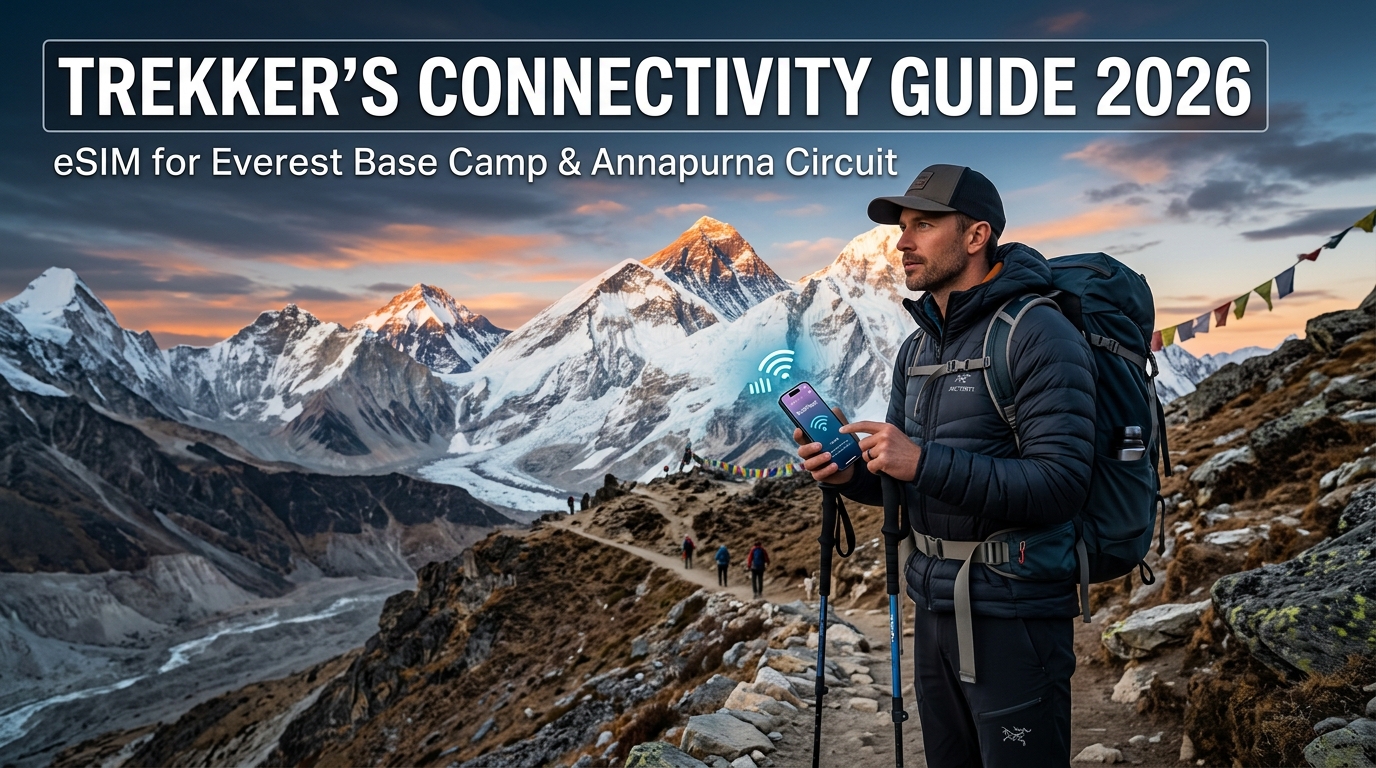
Trekker’s Connectivity Guide 2026: eSIM for Everest Base Camp & Annapurna Circuit
High-Altitude Cellular Architecture: How Mobile Signals Reach the Himalayas
Delivering cellular data across the Khumbu Valley or the Annapurna Massif is one of the most formidable telecommunications engineering challenges on earth. To provide coverage along trails carved through deep granite gorges and across glaciated moraines, local operators cannot rely on standard buried fiber-optic cabling. Instead, they deploy an intricate network of ridge-mounted Base Transceiver Stations (BTS) interconnected by line-of-sight microwave backhaul links.
The Engineering Feat: Ridge-Mounted BTS and Microwave Relays
Because laying subterranean infrastructure across shifting permafrost and avalanche-prone corridors is technically impossible, telecom operators—principally Nepal Telecom (NTC/Namaste) and Ncell—rely on elevated transmission nodes. High-altitude towers are strategically positioned on commanding ridges, such as the famous installations at Syangboche (approx. 3,880 meters) overlooking Namche Bazaar, above Dingboche (approx. 4,410 meters), and near Gorak Shep (5,164 meters).
These towers operate as self-contained micro-utilities. Without connection to a centralized electrical grid, each BTS relies on large photovoltaic (PV) solar arrays paired with insulated deep-cycle gel or lithium-ion battery banks. The cellular payload is relayed down the valley via parabolic microwave antennas pointed directly at the next line-of-sight relay station, daisy-chaining connectivity down to regional switching centers in Lukla, Pokhara, or Kathmandu.
Spectrum Dynamics: Band 3 (1800 MHz) vs. Band 8 (900 MHz)
Understanding cellular frequencies is critical when trekking through dramatic topography. The two dominant frequency bands deployed in the Himalayas behave very differently when interacting with vertical relief:
| Parameter | LTE Band 3 (1800 MHz) | LTE / 3G Band 8 (900 MHz) |
|---|---|---|
| Primary Deployment | High-density trekking hubs (Namche, Lukla, Manang) | Deep valleys, forested gorges, and long-distance relays |
| Throughput Capacity | High (faster download/upload speeds) | Moderate to Low (optimized for range and resilience) |
| Signal Propagation | Shorter range; easily blocked by terrain | Long range; superior diffraction around mountain ridges |
| Gorge Penetration | Poor; fails when line-of-sight is obstructed | Exceptional; bends into shadowed valleys and glacial troughs |
| Carrier Usage | Primary 4G capacity for Ncell & NTC | Essential rural coverage layer for NTC & Ncell |
Higher-frequency signals like Band 3 (1800 MHz) offer higher bandwidth for video calls and uploads in centralized villages, but their shorter wavelengths attenuate rapidly when obstructed by moraines, dense rhododendron forests, or sheer rock walls.
Conversely, Band 8 (900 MHz) features longer wavelengths that bend (diffract) around ridgelines and penetrate deep into shadowed river canyons such as the Dudh Koshi gorge below Namche or the narrow canyons of the Annapurna Circuit between Chame and Pisang. A modern smartphone must support both bands to maintain consistent handshakes as you move between valley floors and exposed high passes.
Environmental Vulnerabilities: Why Signals Drop Without Warning
Despite robust engineering, alpine cellular infrastructure remains vulnerable to volatile weather systems. Trekkers should set realistic expectations based on three primary environmental factors:
- Solar Starvation & Battery Freezing: During prolonged storms or heavy monsoon/winter cloud cover, solar PV arrays cannot generate sufficient wattage. At sub-zero temperatures (often dropping below -15°C at night above 4,000 meters), battery capacities degrade by 30% to 50%. When stored power drops below operating thresholds, towers automatically enter sleep cycles or shut down completely until direct sunlight returns.
- Snow and Rime Ice Accumulation: Wet snow and rime ice encrusting microwave dishes cause severe "rain fade" and beam misalignment, breaking the backhaul link to downstream towers even if the local BTS still has electrical power.
- Atmospheric Attenuation: Heavy cloud inversions and blizzards scatter high-frequency microwave transmissions between valley relays, leading to sudden packet loss and degraded data throughput.
Resilience on the Trail with MollySIM
When signal strength degrades or cell towers run on emergency power configurations, network congestion spikes. Trekkers using MollySIM benefit from intelligent network switching profiles that prioritize essential data transmission through local roaming partners across Nepal.
Even if you exceed a high-speed data tier in remote areas, MollySIM implements a generous 384 kbps Fair Use Policy (FUP) speed limit. This is three times faster than the restrictive 128 kbps throttles typical of standard travel eSIMs. At 384 kbps, critical low-bandwidth protocols—such as updating GPS coordinates, downloading vector map tiles on Google Maps or Gaia GPS, processing payments, and sending compressed messaging updates via WhatsApp or Signal—continue to function smoothly without timing out, ensuring you stay mapped and reachable in the high mountains.
Connectivity Face-Off: MollySIM eSIM vs. Everest Link vs. Local Physical SIMs
🇬🇧 United Kingdom High-Speed Travel eSIM & SIM Plans
Instant QR code activation, hotspot enabled, with guaranteed 384kbps fallback speed to keep Maps & Digital Wallets active.
Navigating off-grid telecommunications across the Solukhumbu (Everest) and Gandaki (Annapurna) regions requires balancing cost, convenience, and absolute technical reliability. Trekkers historically relied on satellite-linked tea-house Wi-Fi or stood in bureaucratic queues at Tribhuvan International Airport (TIA) to buy physical SIM cards. The rise of multi-carrier travel eSIMs has fundamentally transformed this landscape.
The Tea-House Wi-Fi Voucher Trap (Everest Link & AirDijital)
In the Khumbu region, Everest Link is the primary Wi-Fi provider across high-altitude lodges, while AirDijital serves sections of the Annapurna Circuit. While these micro-WISP networks provide connectivity in deep valleys where cellular towers cannot reach, they introduce three severe operational bottlenecks:
- Exorbitant Pricing & Per-Device MAC Locking: Scratch cards cost $10 to $15 for 10 GB to 20 GB (or fixed-day access). Each voucher binds strictly to the hardware MAC address of a single smartphone via a captive portal. You cannot tether data to a secondary device, tablet, or satellite communicator without buying multiple cards.
- The 6:00 PM "Dining Hall Choke": High-altitude Wi-Fi runs on shared microwave backhauls. Between 5:00 PM and 8:30 PM, when dozens of cold trekkers crowd the dining hall around the central stove, network throughput collapses. Pings jump past 800 ms, video calls drop entirely, and even simple text authentication codes fail to pass through the saturated gateway.
- No Coverage on the Trail: Tea-house Wi-Fi works exclusively within the physical perimeter of the lodge. The moment you step onto the trail toward Dingboche, Thorong La, or Kala Patthar, your connectivity drops to zero.
The Airport Physical SIM Gauntlet: Friction and KYC Bureaucracy
Buying a local physical SIM card (Nepal Telecom/NTC or Ncell) upon arrival at Kathmandu’s Tribhuvan International Airport (TIA) introduces significant real-world friction:
- Bureaucratic Onboarding: Nepal's Telecommunications Authority enforces strict Know-Your-Customer (KYC) compliance. To secure a physical SIM at TIA, you must wait in lengthy airport queues, surrender physical passport photocopies, provide spare passport-sized photos, present your Nepalese tourist visa stamp, and submit to live biometric fingerprint scanning.
- Hardware Vulnerability in Sub-Zero Climates: Swapping physical nano-SIM cards at high altitude with cold, numb fingers poses a major risk of dropping or damaging your primary domestic SIM, or exposing your phone’s internal tray to fine glacial dust, condensation, and freezing moisture.
The Digital Advantage: Instant Deployment with MollySIM
An international eSIM eliminates physical friction by downloading an Over-the-Air (OTA) carrier profile directly to your device before landing in Nepal.
Using a specialized data provider like MollySIM grants direct, dual-network roaming access across high-priority Nepalese cellular infrastructure. Unlike single-operator physical SIMs that leave you stranded when one network loses line-of-sight to a relay tower, an advanced eSIM setup maintains data routing resilience across changing terrain.
Crucially, MollySIM solves the common problem of data exhaustion in remote zones through its 384 kbps Fair Use Policy (FUP). While typical travel eSIM providers throttle depleted lines to an unusable 128 kbps (which breaks modern TLS handshakes and map downloads), MollySIM’s 384 kbps floor provides 3x the throughput of competitor throttles. This ensures your offline GPS apps (Google Maps, Gaia GPS), mobile banking tokens, Apple Pay authorizations, and emergency chat channels remain fully operational anywhere there is a cellular carrier handshake.
Technical Specification Matrix: Trail Connectivity Compared
| Evaluation Metric | MollySIM Travel eSIM | Everest Link / AirDijital Wi-Fi | Local Physical SIM (NTC / Ncell) |
|---|---|---|---|
| Cost per GB | Lowest (Bulk high-speed regional data bundles) | Highest ($10–$15 per card / 10–20 GB voucher) | Moderate (Low data cost, but includes hidden SIM/bureaucracy fees) |
| Initial Setup Time | < 2 Minutes (Instant QR scan before departure) | Immediate per lodge (Requires buying physical cards at every stop) | 45–90 Minutes (Airport queues, paperwork, biometric KYC) |
| Device Lock Restrictions | None (Full Personal Hotspot & Tethering enabled) | Strict 1-Device Lock (Bound to hardware MAC address) | None (Tethering enabled on single physical device) |
| Coverage Scope | Trail-Wide (Operates on the move between camps and high passes) | Lodge-Only (Zero signal once you leave the tea-house grounds) | Trail-Wide (Limited strictly to the single purchased network) |
| Peak-Hour Stability | High (Direct BTS cellular connection bypasses lodge Wi-Fi congestion) | Severely Degraded (Massive packet loss between 5 PM–9 PM) | Moderate to High (Subject to single-tower cellular traffic) |
| Throttled Speed (FUP) | 384 kbps (Runs Maps, Vector Tiles, Banking & Messaging) | Hard cut-off when data or time limit expires | Varies; hard cut-off or throttled to sub-dialup 32–64 kbps |
| Hardware Safety | 100% Digital (Home SIM stays safely locked in dual-SIM slot) | 100% Digital (Wi-Fi-based, no SIM slot interaction) | High Risk (Physical tray swapping in dusty, cold environments) |
Sub-Zero Battery Preservation & Baseband Modem Optimization
Operating a smartphone at Lobuche (4,940 m) or Gorak Shep (5,164 m) exposes consumer electronics to ambient temperatures swinging between -10°C and -25°C. In these hyper-arid, sub-zero Himalayan environments, standard device power management algorithms break down completely. Keeping your communication lines and navigational routing operational requires a dual-pronged understanding of electrochemistry at low temperatures and cellular baseband power consumption.
The Physics of High-Altitude Battery Degradation
Lithium-ion (Li-ion) and Lithium-polymer (Li-Po) cells rely on the kinetic mobility of lithium ions moving through a liquid or gel electrolyte between the cathode and anode. As ambient temperatures drop below freezing:
- Internal Resistance Spikes: The liquid electrolyte becomes increasingly viscous, significantly impeding ion transfer. This creates an immediate surge in internal electrical resistance ($R_{int}$).
- Voltage Sag: Under load (such as firing the camera sensor or initializing a network handshake), the higher resistance causes a severe voltage drop across the terminal nodes.
- Premature PMIC Cut-Off: Modern smartphone Power Management Integrated Circuits (PMICs) monitor output voltage to prevent deep-discharge cell damage. When cold-induced voltage sag breaches the critical floor, the PMIC assumes the cell is depleted and triggers an instantaneous emergency shutdown—even if the UI displayed 40% to 60% capacity seconds prior.
Sub-Zero Cold (-15°C) ➔ Increased Electrolyte Viscosity ➔ Spiking Internal Resistance
  ➔ Severe Voltage Sag Under Load ➔ PMIC Voltage Cut-Off ➔ Sudden Blackout
Baseband Modem "Hunting": The Invisible Battery Killer
Cold physics alone is only half the problem. When hiking between high passes like the Cho La (5,420 m) or crossing the moraine toward Everest Base Camp, cellular reception is borderline non-existent or rapidly fluctuates between faint line-of-sight signals and complete dead zones.
                      BASEBAND POWER PROFILE vs. SIGNAL STRENGTH
+-----------------------------------------------------------------------------------+
|  Signal Strength (RSRP)       Baseband Tx Power      Current Draw    Battery Impact|
+-----------------------------------------------------------------------------------+
|  Strong (-70 to -85 dBm)      ~0 to +5 dBm          ~50-100 mA       Minimal      |
|  Weak (-105 to -115 dBm)      +15 to +20 dBm        ~350-500 mA      Moderate     |
|  Edge / Hunt (> -120 dBm)     +23 dBm (Max Tx)      ~800-1200 mA     Catastrophic |
+-----------------------------------------------------------------------------------+
When left on default settings, your phone's cellular baseband modem enters a continuous Radio Resource Control (RRC) Connection Request loop. The transceiver ramps its transmitter (Tx) power to absolute maximum limits (+23 dBm to +26 dBm) to reach an antenna tower miles away down the Dudh Kosi valley.
This continuous maximum-wattage pinging, coupled with rapid handoff attempts between incompatible 2G/3G/4G frequency bands, turns the baseband processor into a severe thermal drain that will exhaust a 5,000 mAh battery in under two hours in sub-zero ambient air.
Field Protocols: Conserving Power and Optimizing Connectivity
Implement these four hardware and operational rules from Namche Bazaar onward:
1. Decouple GNSS Navigation from Cellular Basebands
Global Navigation Satellite System (GNSS) chips—such as GPS, GLONASS, and Galileo—are passive receivers. They receive micro-signals from orbiting satellites and do not transmit data back, consuming negligible milliwatts of power.
- The Strategy: Toggle your phone into Airplane Mode, then independently switch Location Services (GPS) back ON.
- Run offline topographical platforms like Gaia GPS or Maps.me with pre-downloaded vector maps of the Sagarmatha or Annapurna regions. You retain millimetre-accurate trail tracking with zero baseband modem drain.
2. Lock Network Selection Manually
If you do require active connectivity while trekking, disable Automatic Network Selection inside your cellular settings menu (Settings > Cellular > Network Selection on iOS; Settings > Network & Internet > SIMs on Android).
Forcing your device onto a single carrier avoids the continuous multi-operator polling loop that drains battery life when skirting the coverage perimeter of different BTS towers.
3. Leverage Optimized Low-Bandwidth Profiles
When reconnecting periodically to check conditions or coordinate logistics, avoid uncompressed, heavy data exchanges that keep the modem transceiver powered on for extended transmission cycles.
Using an optimized travel eSIM from MollySIM ensures operational resilience: even if high-speed data caps are met during high-altitude telemetry syncs, MollySIM’s built-in 384 kbps Fair Use Policy (FUP) speed floor—nearly triple the standard 128 kbps limit found across legacy roaming carriers—ensures that lightweight services like Google Maps vector tile rendering, Apple Pay passbook validation, and text-based emergency coordinates transit smoothly without causing modem timeouts or persistent reconnection loops.
4. Thermal Management & Power Bank Protocols
- Core Body Heat Storage: Keep your smartphone inside a dedicated, zippered interior chest pocket directly against your base or mid-layer fleece. Your radiant core body heat (37°C) keeps the battery inside its optimal operating window (+10°C to +30°C).
- Insulated Sleeves: When using the phone for photography or navigation on the trail, keep it housed in a thermal aerogel or multi-layer closed-cell neoprene sleeve to retard convective wind-chill heat loss.
- The Sleeping Bag Rule: Never leave external power banks or smartphones on lodge tea-house nightstands or floor bags overnight, where temperatures regularly dip below -15°C. Store all batteries, cameras, and power banks inside the footbox of your 800+ fill-power down sleeping bag.
- Prevent "Lithium Plating": Never charge a frozen battery. Charging a Li-ion cell below 0°C forces metallic lithium to plate onto the anode rather than intercalating into the graphite structure, causing permanent capacity loss and creating internal micro-short circuits. Always warm the power bank and phone inside your jacket for 20 minutes before initiating a charge cycle.
Configuring Dual-SIM for Seamless 2FA Banking & High-Altitude Roaming
One of the greatest operational hazards for remote trekkers is getting locked out of banking apps or flight rebooking engines due to unreceived Two-Factor Authentication (2FA) codes. At the same time, leaving your domestic carrier line unchecked while roaming in Nepal can silently trigger pay-per-megabyte rates or punitive $10–$15 daily international roaming passes.
Modern dual-SIM smartphones (Physical SIM + eSIM or Dual eSIM) allow you to maintain an active SMS pipeline for your home number while routing 100% of cellular data through an optimized travel provider like MollySIM.
Step 1: Lock Down the Domestic Primary SIM
Most international carriers do not charge for receiving incoming SMS text messages globally. You can safely receive bank OTPs, wire transfer verifications, and flight reschedule alerts on the trail without paying roaming fees—provided you completely disable mobile data on that line.
[Domestic Carrier Line]  --> Voice & SMS: ON  | Data Roaming: OFF
[MollySIM Travel eSIM] --> Voice & SMS: OFF | Data Roaming: ON (Default Cellular Data)- Keep Line Active: Set your primary domestic carrier SIM to ON (iOS: Settings > Cellular > Primary SIM; Android: Settings > Network & Internet > SIMs > Primary SIM).
- Disable Data Roaming on Home SIM: Toggle Data Roaming to OFF under your domestic carrier’s individual SIM profile.
- Kill Automatic Line Switching:
- iOS: Navigate to Settings > Cellular > Cellular Data and toggle "Allow Cellular Data Switching" to OFF. If left on, your iPhone will silently switch data routing to your home SIM when mountain signals fluctuate, triggering instant carrier roaming charges.
- Android: Navigate to Settings > Network & Internet > SIMs and toggle "Auto-switch data" to OFF.
Step 2: Designate MollySIM as the Primary Cellular Data Engine
Configure your travel eSIM prior to departure or while on hotel Wi-Fi in Kathmandu or Pokhara before entering the trailhead:
- Set Default Data Carrier: Under your device’s cellular settings, explicitly designate your MollySIM profile as the Default Cellular Data / Mobile Data source.
- Enable Data Roaming on the eSIM: Toggle Data Roaming to ON only for the MollySIM profile. This allows the eSIM to handshake seamlessly with regional tower infrastructures like Nepal Telecom (NTC) and Ncell.
- Verify APN Profiles: While MollySIM deploys automatic Access Point Name (APN) provisioning across top-tier networks, verify the APN string matches your delivery confirmation inside Cellular Data Network settings before boarding your Lukla flight or Besisahar jeep.
Because high-altitude trekking routes present frequent shifts between LTE and 3G coverage zones, MollySIM’s built-in 384 kbps Fair Use Policy (FUP) floor proves vital here. Unlike legacy roaming providers that throttle speeds down to a static, unworkable 128 kbps, MollySIM maintains a 3x higher throughput threshold. This guarantees that background vector rendering in Google Maps, 2FA push notifications, and Apple Pay token verifications pass through without timing out your modem session.
Step 3: Activate Low Data Mode to Stop Background Sync Leaks
Even with a dedicated data package, background sync operations like Apple Photos, Google Drive, and automated OS updates will rapidly consume gigabytes of bandwidth. Enforcing system-level bandwidth conservation preserves high-speed data buckets for navigation and communication:
| OS Platform | Configuration Path | Network Impact |
|---|---|---|
| Apple iOS | Settings > Cellular > Select MollySIM > Toggle "Low Data Mode" ON | Pauses automatic iCloud photo uploads, suspends background app refresh, disables automated App Store updates, and reduces video streaming bitrate. |
| Google Android | Settings > Network & Internet > "Data Saver" > Toggle "Use Data Saver" ON | Restricts background data access across all non-whitelisted apps, halts Google Photos cloud sync, and defers Play Store updates to Wi-Fi only. |
Trail-Ready Optimization Checklist:
- Selective App Permissions: Manually revoke cellular data access for non-essential travel apps (e.g., video streaming services, cloud backups, social video feeds).
- Pre-Download Offline Maps: Download complete offline map sectors for eastern Nepal (Sagarmatha Zone) and central Nepal (Gandaki/Annapurna Zone) in Google Maps, Maps.me, and Gaia GPS over Kathmandu Wi-Fi to keep real-time GPS operational with zero data overhead.
Village-by-Village Trail Signal Map: Lukla to EBC & Pokhara to Thorong La
Cellular coverage across the Himalayas is not uniform; it relies heavily on valley line-of-sight transmitters, micro-repeaters, and solar-powered base transceiver stations (BTS) mounted on exposed ridge lines. Below is an exhaustive, waypoint-by-waypoint connectivity audit for both major trekking corridors.
Route 1: Everest Base Camp (EBC) Corridor
The Khumbu region features high cellular penetration up to Dingboche, after which terrain interference and extreme freezing temperatures cause battery-bank degradation on solar towers.
| Waypoint | Elevation | Expected Signal | Primary Carrier | Operational Connectivity Notes |
|---|---|---|---|---|
| Lukla | 2,860m | 4G / LTE (Full) | NTC / Ncell | High-capacity ground towers. Optimal spot to download final offline map layers and verify eSIM provisioning. |
| Phakding / Monjo | 2,610m–2,835m | 3G / 4G (Moderate) | Ncell | Deep gorge terrain causes micro dead-zones between settlements; solid signal resumes once entering village centers. |
| Namche Bazaar | 3,440m | 4G / LTE (Excellent) | NTC / Ncell | The regional data hub. Strong multi-band coverage. Best location on the trail for bulk media backups, voice calls, and cloud syncing. |
| Tengboche / Deboche | 3,860m | 3G / 4G (Line-of-Sight) | NTC | Signal depends on clear line-of-sight to the Namche ridge transmitter. Degrades rapidly inside stone-walled teahouses. |
| Dingboche / Pheriche | 4,410m | 4G (Stable Solar) | NTC / Ncell | Direct line-of-sight to solar-powered towers on the ridge. Signal drops at night if cloudy weather drains the tower's solar battery banks. |
| Lobuche | 4,940m | 3G / Spotty 4G | NTC | Narrow valley geometry blocks widespread propagation. Connectivity is restricted to specific outdoor clearings and upper lodge rooms. |
| Gorak Shep & Kala Patthar | 5,164m–5,644m | Intermittent 3G / 4G | NTC | Kala Patthar summit receives crisp line-of-sight signal from lower valley masts. Gorak Shep basin signal fluctuates heavily based on local congestion. |
| Everest Base Camp | 5,364m | Unreliable / Dead Zone | N/A | Glacial moraine topography blocks direct tower line-of-sight. Do not rely on cellular data for urgent navigation at the base camp ice sheet. |
Route 2: Annapurna Circuit Trek (ACT) Corridor
The Annapurna Circuit transitions from the lush sub-tropical gorges of Lamjung to the high-altitude rain shadow of Mustang, creating distinct connectivity transitions across the Thorong La pass.
| Waypoint | Elevation | Expected Signal | Primary Carrier | Operational Connectivity Notes |
|---|---|---|---|---|
| Besisahar to Dharapani | 760m–1,860m | 4G / LTE (Strong) | Ncell / NTC | Continuous road-level coverage along the Marsyangdi River gorge. |
| Chame to Upper Pisang | 2,670m–3,300m | 4G (Stable) | NTC / Ncell | District headquarters in Chame provide robust throughput. Upper Pisang has consistent line-of-sight across the valley floor. |
| Manang | 3,519m | 4G (Major Hub) | NTC / Ncell | Excellent dual-carrier support. Final high-speed hub before the pass—complete all operating system updates and journal uploads here. |
| Yak Kharka / Ledar | 4,050m–4,200m | 3G / Edge (Fading) | NTC | Tower power drops sharply. Bandwidth is limited to text messaging and low-overhead telemetry data. |
| Thorong Phedi / High Camp | 4,525m–4,880m | No Service / Dead Zone | None | Deep mountain amphitheater completely blocks cellular masts. Expect a total communication blackout for 24–36 hours. |
| Thorong La Pass | 5,416m | Unreliable / Marginal | NTC | Weak, ambient signal can occasionally be caught at the pass crest from the Mustang side, but battery freeze prevents stable handshakes. |
| Muktinath & Jomsom | 3,760m–2,720m | High-Speed 4G (Restored) | NTC / Ncell | Immediate restoration of high-speed 4G data linked to the Mustang valley microwave backhaul network. |
Tactical Connectivity Strategy: Upload Windows & Blackout Prep
To maintain continuous navigation and avoid running into dead battery or data exhaustion scenarios, structure your digital footprint around the terrain's physical topography:
- Primary Media Upload Hubs: Confine intensive data activities (video uploads, cloud backups, and video calling) strictly to Namche Bazaar (EBC) and Manang (Annapurna). Beyond these waypoints, sub-zero temperatures and shared solar micro-grids make lodge Wi-Fi slow and cellular masts power-constrained.
- Pre-Pass Blackout Staging: Before ascending past Dingboche or leaving Manang toward Thorong High Camp, ensure all offline GPS vector tiles are fully cached.
- Bandwidth Throttling Protection: In remote zones where network congestion drops towers to low bandwidth, using a travel provider like MollySIM prevents total connection failure. Unlike standard roaming packages that reduce speeds to an unusable 128kbps once high-speed caps are reached, MollySIM’s Fair Use Policy (FUP) maintains an optimized fallback limit of 384kbps. This ensures live Google Maps navigation, weather radar pings, and essential payment verifications like Apple Pay continue processing reliably even in remote Himalayan villages.
Emergency Alpine Coordination & The 384kbps Safety Fallback
High-altitude illness (AMS, HAPE, and HACE) and sudden meteorological shifts along the Everest Base Camp trail or the Thorong La pass require immediate, decisive intervention. In an alpine crisis, digital connectivity shifts from a luxury to a literal lifeline. However, relying solely on communal tea-house Wi-Fi networks during an emergency is an extreme operational risk; solar battery arrays frequently fail overnight, satellite backhauls freeze under cloud cover, and shared bandwidth often grinds to a complete halt when dozens of devices attempt concurrent connections.
When an evacuation becomes necessary, the logistics chain requires sustained data exchange across multiple parties before a rotor turns in Kathmandu.
The Helicopter Evacuation Workflow in Nepal
Organizing an emergency heli-evacuation above 4,000 meters involves a strict administrative and operational protocol:
If your high-speed cellular data cap expires midway through an ascent, standard travel SIM cards typically throttle your bandwidth down to 128kbps—or sever the connection entirely. At 128kbps, basic cryptographic handshakes fail: email attachments will not load, secure messaging apps drop their connection, and banking authentications timeout.
Why the 384kbps Baseline is a Critical Alpine Safety Net
To bridge this vulnerability, MollySIM engineers its Fair Use Policy (FUP) with an uncapped fallback threshold of 384kbps—exactly three times faster than the legacy roaming standard. This bandwidth delta ensures that even after 100% of your high-speed quota is exhausted, your device maintains functional transmission channels for critical rescue workflows without demanding expensive on-trail top-ups.
| Alpine Emergency Function | Bandwidth Required | Standard Roaming (Throttled to 128kbps) | MollySIM Fallback (384kbps FUP) |
|---|---|---|---|
| WhatsApp / Signal Text SOS | 20–50 kbps | Operational (High Latency) | Instant Transmission |
| Live GPS Coordinate Ping | 50–100 kbps | Frequent Packet Dropouts | Stable & Accurate |
| PDF Insurance Policy Transmission | 200–300 kbps | Connection Timed Out | Functional Delivery |
| Meteoblue / Windy Vector Updates | 150–250 kbps | Failed Server Handshake | Loads Low-Res Radar & Wind Arrays |
| Apple Pay / Banking Biometrics | 100–200 kbps | Authentication Failure | Smooth Token Handshake |
Protocol for Low-Bandwidth Alpine SOS Transmissions
If you encounter an emergency while running on throttled data, execute these steps to optimize data throughput:
- Disable Background Cloud Sync: Turn off iCloud, Google Photos, and background app refresh to clear the 384kbps pipeline exclusively for emergency messaging.
- Transmit Structured Text Payloads: Send your situation report via WhatsApp/SMS directly to your guide agency, insurance emergency desk, and the Kathmandu rescue dispatch using this template:
- Exact Location: Decimal GPS coordinates (e.g.,
27.9332° N, 86.8208° E) + nearest landmark/lodge. - Patient Status: Suspected condition (HAPE/HACE/Trauma), conscious state, and current peripheral oxygen saturation ($SpO_2$).
- Verification Documents: Clear text copy of Insurance Policy Number, Emergency Claim Phone Line, and Trekker Full Name/DOB.
- Monitor Micro-Climate Wind Vectors: Use low-bandwidth text layers on Windy or Meteoblue to verify localized cloud decks and wind speeds at your altitude, ensuring incoming rescue aircraft have safe visual flight rules (VFR) landing conditions.
🇬🇧 United Kingdom High-Speed Travel eSIM & SIM Plans
Instant QR code activation, hotspot enabled, with guaranteed 384kbps fallback speed to keep Maps & Digital Wallets active.