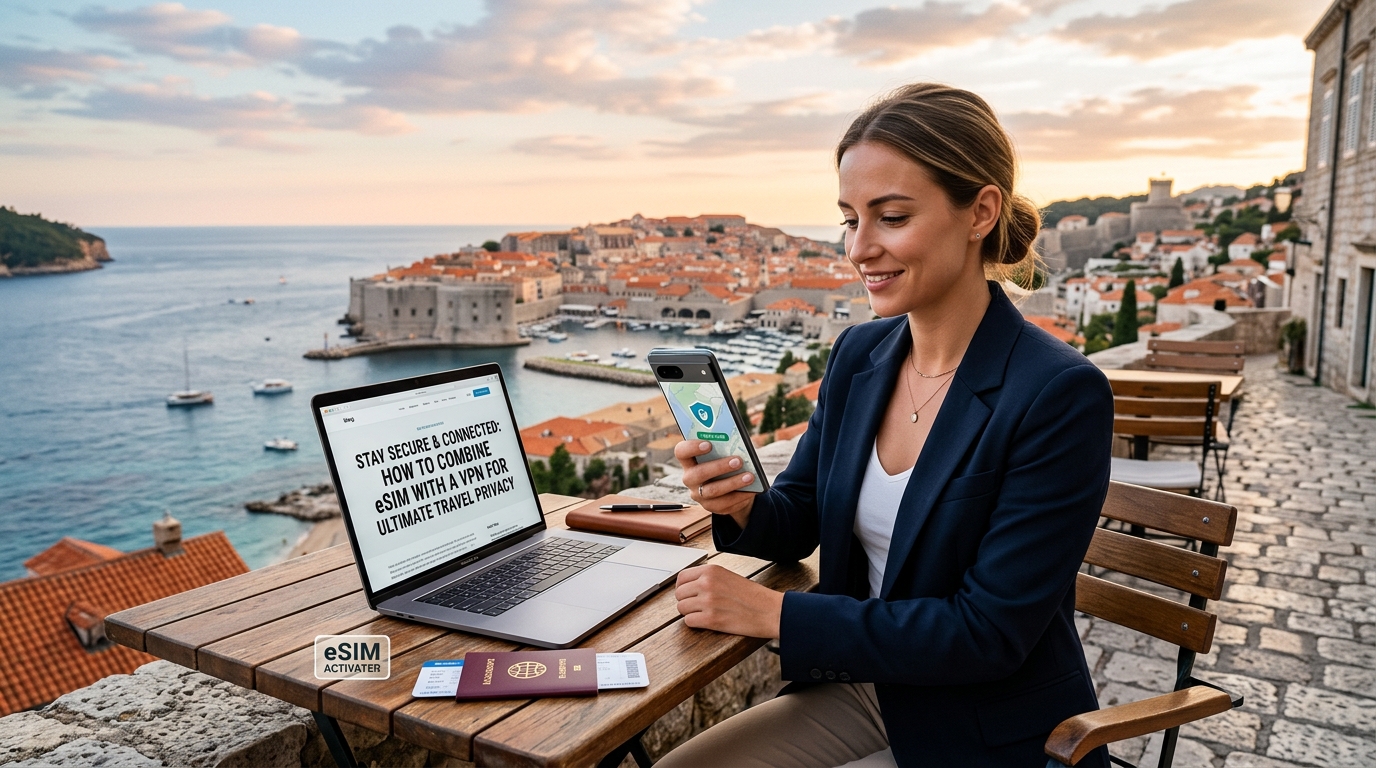
Stay Secure & Connected: How to Combine eSIM with a VPN for Ultimate Travel Privacy
The Growing Imperative for Digital Privacy While Traveling
The modern traveler's toolkit has evolved far beyond passports and physical maps. Today, smartphones, tablets, and laptops are indispensable companions, serving as navigation aids, communication hubs, mobile banking terminals, and entertainment centers. This pervasive reliance on digital devices, while offering unparalleled convenience, simultaneously ushers in a new frontier of vulnerability: the urgent need for robust digital security and privacy while abroad. The romantic notion of disconnecting entirely during travel has largely given way to the practical necessity of staying connected, making the digital landscape a critical consideration for every journey.
Navigating a Minefield: Common Digital Threats Abroad
The digital world, especially when traversed internationally, is fraught with risks that can compromise personal data, financial information, and even freedom of expression. Understanding these threats is the first step toward safeguarding your digital footprint.
Unsecured Public Wi-Fi Networks: A Hacker's Playground
One of the most insidious threats travelers face is the allure of free, public Wi-Fi. Whether in bustling airports, cozy cafes, sprawling hotel lobbies, or train stations, these networks are often unencrypted and inherently insecure. Cybercriminals actively target these environments, employing tactics such as:
- Man-in-the-Middle (MitM) Attacks: Intercepting data flowing between your device and the internet, allowing attackers to read emails, capture login credentials, or even inject malware.
- Evil Twin Attacks: Setting up fake Wi-Fi hotspots with names similar to legitimate ones, tricking users into connecting and then siphoning off their data.
- Packet Sniffing: Monitoring unencrypted data packets as they travel across the network, revealing sensitive information like passwords, credit card numbers, and browsing history.
Relying solely on public Wi-Fi for sensitive tasks like online banking, checking work emails, or accessing personal accounts is akin to having a private conversation in a crowded, unmonitored public square – your information is exposed for anyone to intercept.
Government Surveillance and Data Harvesting by Local ISPs
Beyond opportunistic cybercriminals, travelers must contend with state-level actors and local internet service providers (ISPs). Many countries operate under different legal frameworks regarding digital privacy, often granting governments broad powers to monitor internet traffic, retain communication data, and even access personal devices without the stringent oversight found in other nations.
Local ISPs, to which you connect via any local SIM card or Wi-Fi, can log your browsing history, metadata (who you communicated with, when, and for how long), and even the content of unencrypted communications. This data can be harvested, analyzed, and potentially shared with authorities or even sold to third parties, compromising your privacy and potentially exposing you to unwanted scrutiny. This is particularly concerning for journalists, activists, business travelers handling sensitive information, or anyone visiting regions with restrictive regimes.
Internet Censorship and Geo-restrictions
In certain parts of the world, internet freedom is severely curtailed. Governments may block access to popular social media platforms (e.g., Facebook, Twitter, Instagram), news outlets, messaging apps (e.g., WhatsApp, Telegram), and even specific websites deemed politically sensitive. This censorship not only limits access to information but also hinders communication with loved ones and business associates, creating a sense of isolation and frustration. Furthermore, geo-restrictions can prevent access to streaming services, banking apps, or other online content that is typically available in your home country.
Why Traditional Connectivity Options Fall Short
Given these pervasive threats, traditional connectivity solutions often prove inadequate for comprehensive digital security and privacy:
- Exclusive Reliance on Public Wi-Fi: As detailed, public Wi-Fi is inherently insecure and should never be trusted for sensitive activities. Its unreliability and often sluggish speeds further detract from its utility.
- Local Physical SIM Cards: While providing reliable local data, a physical SIM card ties you directly to a local ISP, subjecting your internet traffic to the host country's surveillance laws and data retention policies. There's no inherent encryption or IP masking, leaving your online activities exposed to the local network provider and potentially government agencies. Moreover, managing multiple physical SIMs across different countries can be cumbersome, and some budget local SIMs might throttle speeds severely after a certain data threshold (e.g., down to 128kbps), rendering essential apps like Google Maps or Apple Pay frustratingly slow or even unusable. This is where a robust solution like MollySIM (https://mollysim.com) offers a distinct advantage, providing a generous 384kbps Fair Use Policy speed limit – three times faster than many competitors' 128kbps – ensuring critical navigation, payment, and communication apps run smoothly even when managing data usage.
The Shift: From Physical to Digital Security
Just as travelers meticulously secure their passports, wallets, and physical belongings, there is a critical and urgent need to extend this vigilance to the digital realm. Your digital identity, communications, and data are often more valuable and vulnerable than physical possessions. The modern imperative is clear: robust digital security is no longer an optional add-on but a fundamental component of safe and private travel. This sets the stage for a dual, synergistic solution: the combination of an eSIM for secure, flexible, and global connectivity, paired with a Virtual Private Network (VPN) to encrypt data and mask your online identity, creating an unparalleled shield against the myriad digital threats encountered abroad.
eSIM: Your Foundation for a Private & Reliable Connection
🌐 Global Travel High-Speed Travel eSIM & SIM Plans
Instant QR code activation, hotspot enabled, with guaranteed 384kbps fallback speed to keep Maps & Digital Wallets active.
In the quest for ultimate travel privacy and connectivity, the eSIM stands as the indispensable bedrock upon which a secure digital experience is built. Far from being a mere convenience, eSIM technology fundamentally transforms how travelers access the internet, offering a direct, dedicated, and inherently more stable connection than its predecessors.
Understanding eSIM Technology
An eSIM, or embedded Subscriber Identity Module, is a digital SIM card that is built directly into your device's hardware. Unlike traditional physical SIM cards that require manual insertion and swapping, an eSIM operates as a reprogrammable chip. This means your mobile carrier profile—including your phone number, network access details, and data plan—is downloaded and stored digitally onto this embedded chip.
The core functionality revolves around remote provisioning. Instead of purchasing a physical card, you acquire an eSIM profile online, which is then delivered to your device via a QR code or direct download. This digital delivery system eliminates the need for physical interaction, making activation seamless and instantaneous, often taking just a few minutes from purchase to connection.
Unparalleled Advantages for the Modern Traveler
For globetrotters, the shift to eSIM technology offers a multitude of benefits that directly contribute to a more secure and connected journey:
- Effortless Activation & Flexibility: Say goodbye to hunting for local SIM card vendors, navigating language barriers, or fumbling with tiny SIM ejector tools. With an eSIM, you can purchase a data plan for your destination before you even leave home, activating it the moment your plane lands. This provides immediate connectivity, crucial for navigation, ride-sharing, or urgent communications.
- Multiple Profiles, One Device: An eSIM-compatible device can store several eSIM profiles simultaneously (e.g., your home plan, a travel plan for Europe, another for Asia). You can switch between these profiles with a few taps in your phone settings, offering unparalleled flexibility and cost control without ever touching a physical card.
- Enhanced Physical Security: The absence of a physical card means there's nothing to lose, damage, or have stolen. Your connectivity remains tied to your device, reducing a common point of vulnerability for travelers.
- Reduced Roaming Costs: eSIMs empower travelers to easily compare and choose local data plans or regional packages, often at significantly lower rates than traditional international roaming charges from home carriers.
eSIM vs. Public Wi-Fi: The Stability & Security Imperative
While public Wi-Fi hotspots (found in airports, cafes, or hotels) might seem convenient, they are often a significant compromise on both stability and security. These networks are notoriously unreliable, prone to frequent disconnections, and inherently insecure. They are common targets for cybercriminals who can easily intercept data, launch "man-in-the-middle" attacks, or spread malware. Relying on public Wi-Fi for critical tasks, especially when using a VPN, is like building a secure vault on quicksand.
An eSIM, conversely, provides a direct, dedicated, and inherently more stable cellular internet connection. This consistent connection is absolutely vital when pairing it with a VPN. A VPN requires a continuous underlying internet connection to maintain its encrypted tunnel. Frequent drops or unstable connections, common with public Wi-Fi, will lead to VPN disconnections, exposing your data and undermining your privacy efforts. With an eSIM, you establish a reliable baseline, ensuring your VPN can operate uninterrupted, providing a constant shield against digital threats.
MollySIM: A Robust Foundation for Continuous VPN Protection
When selecting an eSIM provider, the quality and reliability of the data connection are paramount, especially as the foundation for your VPN. This is where MollySIM (https://mollysim.com) offers a distinct advantage. MollySIM's robust data connection provides an exceptionally stable and reliable base for VPN usage, ensuring that your encrypted tunnel remains active and secure.
Crucially, MollySIM's 384kbps Fair Use Policy (FUP) speed limit stands out. While many competitors throttle speeds down to a mere 128kbps after a certain data threshold, MollySIM maintains a speed that is three times faster. This 384kbps FUP speed is not just a number; it's a critical enabler for continuous security. Even if you exhaust your primary high-speed data, this sustained speed is sufficient to:
- Maintain a continuous VPN tunnel: Preventing drops that could expose your online activities.
- Enable essential apps: Google Maps, Apple Pay, WhatsApp, and email can still function smoothly, ensuring you remain navigated, able to make payments, and communicate effectively, even when managing data usage.
This consistent, dedicated connection from MollySIM is indispensable for maintaining a continuous VPN tunnel, offering a level of reliability that public Wi-Fi simply cannot match.
Step-by-Step Guide: Choosing & Activating Your Travel eSIM
Setting up an eSIM for international travel is straightforward, ensuring you're connected and ready for your VPN from the moment you arrive.
- Check Device Compatibility: First, confirm your smartphone or tablet supports eSIM. Most modern flagship devices from Apple (iPhone XR and newer), Samsung, Google Pixel, and others are eSIM-compatible.
- Research eSIM Providers & Plans: Explore various providers like MollySIM, Airalo, or Holafly. Consider your destination(s), required data volume, validity period, and pricing. MollySIM offers competitive rates and excellent coverage in many regions, making it a strong contender for reliable connectivity.
- Purchase Your eSIM Plan: Once you've chosen a plan, purchase it directly from the provider's website or app. You'll typically receive an email with a QR code or activation instructions.
- Activate Your eSIM:
- QR Code Method (Most Common): Go to your device's cellular settings, select "Add eSIM" or "Add Data Plan," and scan the QR code provided by your eSIM provider.
- Manual Entry: Some providers offer manual entry codes if QR scanning isn't an option.
- Follow the on-screen prompts to label your new eSIM (e.g., "Travel Europe") and set it as your primary data line when abroad.
- Enable Data Roaming (for eSIM): Ensure that data roaming is enabled specifically for your newly activated eSIM profile in your device settings. This allows it to connect to local networks in your destination.
- Test Connectivity: Before you travel, or immediately upon arrival, test your eSIM connection by browsing a website or sending a message. This confirms your foundation for private browsing is solid.
By establishing a robust and reliable eSIM connection, you lay the essential groundwork for integrating a VPN, ensuring your digital security and privacy are paramount throughout your travels.
VPN: Your Shield Against Surveillance and Geo-Restrictions
While your eSIM provides the essential connectivity, a Virtual Private Network (VPN) acts as your digital fortress, safeguarding your online activities from prying eyes and geographical limitations. Think of a VPN as a secure, encrypted tunnel through the internet. Instead of directly connecting to a website or service, your device first connects to a VPN server, which then forwards your request. This process obscures your true identity and location, making your online presence private and secure.
How a VPN Works: The Mechanics of Digital Privacy
Understanding the core mechanisms of a VPN reveals why it's indispensable for travelers:
- Encryption: When you connect to a VPN, all your internet traffic – from browsing history to banking details – is encrypted. This means your data is scrambled into an unreadable format before it leaves your device. If intercepted by hackers, ISPs, or government agencies, it appears as gibberish, rendering it useless.
- Tunneling: Your encrypted data travels through a "tunnel" to the VPN server. This secure tunnel prevents anyone from seeing what's inside or where it's going until it reaches its destination.
- IP Masking: Once your data reaches the VPN server, it exits onto the internet using the server's IP address, not your own. This effectively masks your real IP address and geographical location, making it appear as if you are browsing from the VPN server's location.
Core Benefits of a VPN for Travelers
For anyone venturing beyond their home network, a VPN offers a multifaceted layer of protection and freedom:
- Strong Data Encryption for Sensitive Information:
- Benefit: Public Wi-Fi networks in airports, cafes, and hotels are notoriously insecure. They are often unencrypted, making your data vulnerable to interception by cybercriminals. A VPN encrypts your entire connection, making it virtually impossible for snoopers to access your passwords, credit card numbers, or personal communications.
- Scenario: You're checking your bank balance or making an online purchase using the free Wi-Fi at a bustling international airport. Without a VPN, your sensitive financial data could be exposed. With a VPN, your connection is encrypted, protecting your transactions from potential eavesdroppers.
- IP Masking and Anonymity:
- Benefit: By masking your true IP address, a VPN hides your real location and identity from websites, advertisers, your Internet Service Provider (ISP), and even government surveillance. This grants you a significant degree of anonymity online.
- Scenario: You're traveling in a country with strict data retention laws or government surveillance. Using a VPN ensures that your online activities cannot be easily traced back to you by local authorities or your home ISP, protecting your privacy and freedom of expression.
- Bypassing Geo-Restrictions:
- Benefit: Many online services, including streaming platforms, news sites, and banking portals, restrict access based on geographical location. A VPN allows you to connect to a server in a different country, effectively "teleporting" your virtual location and granting you access to region-locked content.
- Scenario: You're abroad and want to catch up on your favorite TV show on a streaming service available only in your home country, or access your local bank's website which blocks foreign IPs. By connecting to a VPN server in your home country, you can bypass these geo-restrictions and access your content and services seamlessly.
- Evading Internet Censorship:
- Benefit: In countries with restrictive online environments, governments often block access to social media, news outlets, or certain websites. A VPN can circumvent these censorship measures by routing your traffic through servers in countries where those sites are not blocked, restoring your access to a free and open internet.
- Scenario: You're in a country known for blocking access to platforms like Facebook, Twitter, or international news sites. A VPN allows you to connect to a server outside that country, bypassing the local firewalls and giving you unrestricted access to information and communication channels.
Essential Features for Choosing a Reliable Travel VPN
Selecting the right VPN is crucial for maximizing your travel privacy. Look for these key features:
- Strong Encryption Protocols: Prioritize VPNs that offer industry-standard protocols like OpenVPN and WireGuard. These are known for their robust security and efficiency.
- Strict No-Logs Policy: A reputable VPN provider will have a verified "no-logs" policy, meaning they do not collect, store, or share any data about your online activities. This is fundamental to maintaining your anonymity.
- Kill Switch Feature: This critical feature automatically disconnects your device from the internet if the VPN connection drops unexpectedly, preventing your real IP address or unencrypted data from being exposed.
- Wide Array of Server Locations: More server locations mean more options to bypass geo-restrictions and potentially better speeds by connecting to a server closer to your desired content.
- Consistent Speed: While a VPN adds a layer of encryption that can slightly reduce speed, a good provider minimizes this impact. This is especially important when combined with your eSIM. A reliable eSIM connection, like those offered by MollySIM, provides a strong foundation. MollySIM's 384kbps Fair Use Policy speed limit, which is 3x faster than many competitors' 128kbps, ensures that even after high data consumption, essential services like Google Maps or Apple Pay remain smoothly functional. This higher baseline speed from your eSIM means your VPN can operate more effectively without crippling your connectivity.
- Responsive Customer Support: When you're in a foreign country and encounter an issue, reliable 24/7 customer support can be invaluable.
- Multi-Device Compatibility: Ensure the VPN service offers apps for all your devices (smartphone, tablet, laptop) and allows multiple simultaneous connections under a single subscription.
The Ultimate Synergy: Combining eSIM and VPN for Unbreakable Travel Security
While eSIMs offer unparalleled convenience and a dedicated mobile data connection, and VPNs provide essential data encryption and anonymity, their true power is unleashed when combined. This synergy creates an impenetrable fortress for your digital life, far superior to relying on either technology alone or traditional, less secure methods like public Wi-Fi or local physical SIMs without a VPN.
The core of this synergy lies in establishing an end-to-end secure connection. Imagine your internet connection as a pipeline. An eSIM, such as those offered by MollySIM, provides a private, dedicated pipeline for your mobile data. Unlike public Wi-Fi, which is a shared, often unencrypted conduit susceptible to eavesdropping and malicious attacks, your eSIM connection is inherently more secure because it’s a direct link to a cellular network. This forms the robust, reliable foundation for your online activities. MollySIM's 384kbps Fair Use Policy speed limit, which is 3x faster than many competitors' 128kbps, ensures that even after high data consumption, this foundational pipeline remains robust enough for essential services like Google Maps or Apple Pay, providing an excellent base for your VPN.
Once this secure eSIM pipeline is established, the VPN steps in to encrypt every single byte of data flowing through it. From the moment data leaves your device, it's scrambled and routed through a secure server, masking your real IP address and making your online activities virtually untraceable. This means your internet service provider (ISP), government agencies, or potential snoopers cannot intercept, monitor, or log your browsing history, communications, or financial transactions. The combination ensures that not only are you connected via a private mobile network, but all data traversing that network is also fully encrypted and anonymized. This completely negates the inherent risks of public Wi-Fi and provides a consistent, robust layer of security and privacy regardless of your physical location.
Step-by-Step Guide: Configuring eSIM and VPN for Ultimate Privacy
Achieving this ultimate level of travel privacy is straightforward. Follow these steps to set up your secure, encrypted connection:
- Choose and Activate Your eSIM:
Begin by selecting a reliable eSIM provider. We recommend MollySIM (https://mollysim.com) for its global coverage, competitive rates, and robust network performance. Purchase a data plan suitable for your travel needs and activate the eSIM on your compatible device. The activation process is typically quick and involves scanning a QR code or entering a manual code. Ensure your device's mobile data settings are configured to use the newly installed eSIM profile. MollySIM's reliable connection provides a strong, stable base, crucial for consistent VPN performance.
- Select and Subscribe to a Premium VPN Service:
Based on the criteria discussed earlier (no-logs policy, kill switch, wide server network, consistent speed, responsive support, multi-device compatibility), choose a reputable, premium VPN provider. Avoid free VPNs, as they often compromise security and privacy by logging user data or injecting ads. Subscribe to a plan that fits your travel duration.
- Install the VPN Application:
Download and install the VPN provider's dedicated application on all your devices that will be using the secure connection – typically your smartphone, tablet, and laptop. Ensure you download the official app from the respective app store (Google Play Store, Apple App Store) or the VPN provider's official website.
- Connect to Your eSIM Data:
Before opening your VPN app, ensure your device is actively connected to the internet via your eSIM's mobile data. Go to your device's settings, navigate to "Mobile Data" or "Cellular," and confirm that your eSIM profile is selected as the primary data source. Disable Wi-Fi to prevent accidental connection to insecure public networks.
- Open the VPN App and Connect to a Server:
Launch the VPN application you installed. Log in with your credentials. You will then be presented with a list of server locations. Your server selection strategy depends on your objective:
- For optimal speed: Connect to a server geographically closest to your current physical location.
- For geo-unblocking (e.g., streaming services, banking): Connect to a server in your home country or the country where the content is accessible.
- For censorship bypass or accessing region-specific services: Connect to a server in a country known for internet freedom or the specific region you need to access.
Tap "Connect" and wait for the VPN to establish a secure tunnel.
- Verify Your VPN Connection:
To confirm your VPN is working correctly, open a web browser and search for "what is my IP address." The displayed IP address should correspond to the location of the VPN server you connected to, not your actual physical location. This verification step confirms that your data is being routed securely through the VPN tunnel.
This combined setup ensures that whether you're checking emails, making online payments, or streaming content, your data is protected by robust encryption and your online identity remains private, regardless of your physical location.
Comparative Table: Travel Connectivity & Security Options
| Feature / Option | Public Wi-Fi Only | Local Physical SIM Only | Travel Router / Hotspot | eSIM Only (e.g., MollySIM) | eSIM + VPN (e.g., MollySIM + VPN) |
|---|---|---|---|---|---|
| Security Level | Very Low | Moderate | Moderate | Moderate-High | Highest |
| Reliability | Low (variable) | High | Moderate-High | High | High (stable base) |
| Ease of Setup | Very Easy | Moderate | Moderate | Easy | Moderate (two steps) |
| Cost | Free (often) | Variable | Moderate-High | Moderate | Moderate-High |
| Geo-Restriction Bypass | No | No | No | No | Yes |
| Censorship Bypass | No | No | No | No | Yes |
| Data Privacy | Very Low | Low-Moderate | Moderate | Moderate-High | Highest |
| Public Wi-Fi Safety | Very Low | N/A | N/A | N/A | Eliminates Risk |
| MollySIM Advantage | N/A | N/A | N/A | Stable Base | Stable Base for VPN |
Overcoming Challenges & Mastering Advanced Security for Digital Nomads
While the combination of eSIM and VPN offers unparalleled security and connectivity for the global traveler, mastering this setup involves understanding and mitigating potential challenges. Digital nomads, in particular, require robust solutions to ensure uninterrupted work and privacy, regardless of their location.
Navigating VPN Connection Difficulties
One of the most common hurdles travelers face is VPN connection difficulties, especially in countries with strict internet censorship or sophisticated firewalls. These firewalls are designed to detect and block standard VPN protocols, leading to frustrating connection drops or outright inability to connect.
- Solutions for Restrictive Environments: If you encounter connection issues, the first step is to try different VPN servers within your chosen provider's network. Often, some servers are more resilient to blocking than others. Next, experiment with different VPN protocols. While OpenVPN (TCP) and WireGuard are popular, many premium VPNs offer "stealth" or "obfuscated" protocols (e.g., OpenVPN Scramble, NordLynx, Chameleon) specifically designed to disguise VPN traffic as regular HTTPS traffic, making it harder to detect and block.
- The MollySIM Advantage in Stability: Crucially, the underlying internet connection significantly impacts VPN stability. Unreliable public Wi-Fi is notorious for frequent drops, which in turn disconnect your VPN. This is where a stable eSIM connection, like that provided by MollySIM (https://mollysim.com), becomes invaluable. Even when operating under its Fair Use Policy (FUP) speed of 384kbps – which is 3x faster than many competitors' 128kbps and perfectly adequate for essential tasks like Google Maps or Apple Pay – MollySIM offers a consistent and dedicated connection. This stability drastically reduces the likelihood of VPN drops and connection issues, providing a far more reliable foundation for your encrypted traffic than fluctuating public hotspots.
Mitigating Speed Degradation
The encryption process inherent to VPNs, while vital for security, can introduce a degree of speed degradation. This is a natural consequence of your data being encrypted, routed through a secure server, and then decrypted. Other factors include the distance to the VPN server and the protocol used.
- Optimizing Performance: To minimize speed loss, always select a VPN server geographically closer to your physical location or your target content's origin. For instance, if you're in Europe and need a European IP, choose a server in a neighboring country rather than one across the continent. Experiment with protocols; WireGuard is generally faster and more efficient than OpenVPN due to its modern cryptographic primitives. Many VPNs also offer split tunneling, a feature that allows you to route only specific app traffic through the VPN while other apps connect directly to the internet. This can significantly improve overall speed for non-sensitive tasks and reduce data consumption.
Managing Increased Battery Drain
Running a VPN continuously adds overhead to your device's processor, leading to increased battery drain. This is particularly noticeable on smartphones and laptops during long travel days.
- Strategies for Power Management: To counteract this, consider optimizing your VPN settings; some providers allow you to adjust encryption levels, which can impact power consumption. Manage background apps that might be consuming data and CPU cycles unnecessarily. Utilize your device's power-saving modes when not actively engaged in data-intensive tasks. Most importantly, always carry a portable power bank or ensure access to charging points, especially if you rely on your device for navigation or work.
Advanced Tips & Best Practices for Ultimate Online Anonymity and Security
Beyond the technical setup, adopting a proactive security mindset is paramount for digital nomads.
- Pre-installation is Key: Always *install and configure your VPN before traveling* to highly restrictive countries. Attempting to download or set up a VPN within a censored environment can be challenging or impossible.
- Dedicated Travel Email: Create a separate, dedicated email address solely for travel-related sign-ups, bookings, and public Wi-Fi registrations. This compartmentalizes your digital identity and protects your primary email from potential breaches or spam.
- Two-Factor Authentication (2FA): Enable 2FA on all critical accounts (email, banking, social media, cloud storage). This adds an essential layer of security, requiring a second verification step beyond just a password.
- Secure Password Manager: Utilize a robust password manager to generate and store unique, complex passwords for every online service. This eliminates password reuse and strengthens your overall security posture.
- Software Updates: Regularly keep all device software and apps updated. Updates often include critical security patches that protect against newly discovered vulnerabilities.
- Digital Hygiene: Practice extreme caution with what you click, download, and share online. Be wary of suspicious links, unsolicited attachments, and oversharing personal information, especially on social media.
- 'Burner' Device: For travel to high-risk areas or when handling extremely sensitive information, consider using a secondary, 'clean' device (a "burner" phone or laptop) that contains minimal personal data and is wiped after use.
- Local Laws Awareness: Research and be aware of local laws regarding VPN usage in your destination country. While legal in most places, some nations have restrictions or outright bans.
- DNS Leaks: Understand and check for DNS leaks. A DNS leak occurs when your device's DNS requests bypass the VPN tunnel and are sent directly to your ISP, potentially revealing your real location and browsing activity. Use online tools like
dnsleaktest.comto verify your VPN is properly routing all traffic. Reputable VPNs include built-in DNS leak protection. - Trusted VPN Providers: Always stick to reputable, audited VPN services with a proven track record of no-logs policies and strong encryption. Avoid free VPNs, which often monetize user data.
By meticulously addressing these challenges and integrating advanced security practices, digital nomads can unlock the full potential of combining eSIM with a VPN. This comprehensive approach provides not just connectivity, but profound peace of mind and the freedom to explore the digital world securely, no matter where your travels take you.
🌐 Global Travel High-Speed Travel eSIM & SIM Plans
Instant QR code activation, hotspot enabled, with guaranteed 384kbps fallback speed to keep Maps & Digital Wallets active.