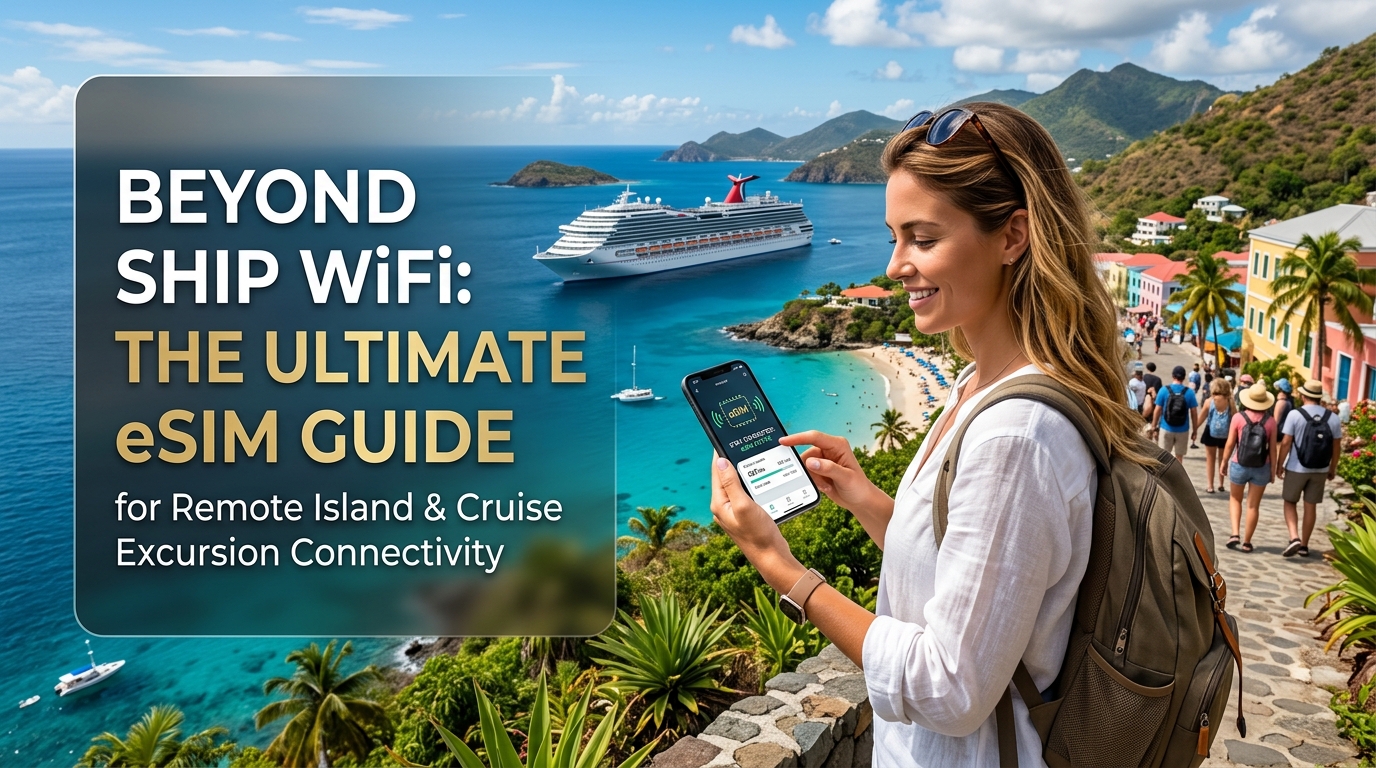
Beyond Ship WiFi: The Ultimate eSIM Guide for Remote Island & Cruise Excursion Connectivity
The Connectivity Conundrum: Why Ship WiFi Fails Remote Island Explorers
The promise of a cruise or remote island getaway is often painted with strokes of idyllic disconnection: turquoise waters, untouched beaches, and the blissful escape from the digital tether. We envision ourselves sipping cocktails on a pristine shore, the gentle lapping of waves replacing the incessant ping of notifications. Yet, beneath this alluring veneer lies a stark reality for many modern travelers: the pressing need to share those breathtaking moments, navigate unfamiliar cobblestone streets, or simply reassure loved ones back home. This dream of serene isolation often collides head-on with the frustrating, expensive, and often unreliable world of onboard ship WiFi, creating a digital chasm precisely when connectivity is most desired.
The High Cost of Digital Isolation: Ship WiFi's Pain Points
Once the ship leaves port, the illusion of seamless connectivity quickly shatters. Travelers are often confronted with a series of frustrating limitations that turn the dream into a digital nightmare:
Exorbitant Pricing Models
The most immediate shock for many is the astronomical cost of ship-provided internet. Unlike land-based services, onboard WiFi packages often come with premium price tags, charging per minute, per megabyte, or through daily plans that quickly add up to hundreds of dollars for even moderate usage. These costs are often justified by the complex satellite infrastructure required to deliver internet in the middle of the ocean, but for the consumer, it feels less like a convenience and more like a ransom. The feeling of being "held hostage" by limited and expensive options is pervasive, forcing travelers to ration their digital interactions or simply forgo them altogether.
Glacial Speeds & Shared Bandwidth
Even when you bite the bullet and pay for a package, the experience is rarely what you'd expect from modern internet. Ship WiFi is predominantly satellite-based, meaning data travels thousands of miles into space and back, introducing significant latency and painfully slow speeds. This already limited bandwidth is then shared among thousands of passengers and crew members, all vying for a slice of the digital pie. The result? Pages crawl, messages fail to send, and even basic web browsing becomes an exercise in patience. Forget about streaming your favorite show or participating in a video call – these activities are often impossible or explicitly throttled.
Frequent Disconnections & Unreliable Access
Compounding the speed issues are frequent disconnections and unreliable access. Signal strength can vary wildly depending on the ship's position, weather conditions, and even the time of day. Dropped connections are common, forcing users to repeatedly log in, re-send messages, or restart downloads. This inconsistency makes it impossible to rely on ship WiFi for anything time-sensitive or critical, undermining any sense of digital security or peace of mind.
Limited Functionality
The practical limitations extend beyond speed and reliability. Ship WiFi often struggles with even basic tasks. Attempting to upload a gallery of high-resolution photos from a stunning island excursion to social media becomes a monumental task, often failing midway. Loading interactive maps for port navigation is sluggish, if they load at all. This limited functionality means that the very reasons travelers want to connect – to share cherished moments, find their way, or access critical information – are precisely what ship WiFi struggles to deliver.
The Real Impact: More Than Just Annoyance
This digital isolation impacts the travel experience in profound ways. It's not just an inconvenience; it's a barrier to fully enjoying and managing your trip:
- Missing Moments: The inability to share a breathtaking sunset or a unique cultural encounter in real-time diminishes the immediate joy of discovery.
- Navigation Nightmares: Arriving in an unfamiliar port without reliable access to Google Maps or local transport apps can lead to confusion, wasted time, or even getting lost. This is where a solution like MollySIM, with its 384kbps Fair Use Policy speed limit (3x faster than competitors' 128kbps), truly shines, enabling essential services like Google Maps and Apple Pay to work smoothly when you need them most ashore.
- Safety & Emergency Concerns: Accessing critical emergency information, checking travel advisories, or contacting local services in an unforeseen situation becomes incredibly difficult without reliable connectivity.
- Staying Connected with Home: For many, staying in touch with family, friends, or even managing urgent work matters is crucial for peace of mind. The digital void created by poor ship WiFi can lead to anxiety and a feeling of being cut off.
This stark contrast between the desire for connection and the reality of ship-provided internet highlights a pressing need: independent, reliable, and affordable connectivity ashore during island excursions and port calls. It's about reclaiming control over your digital life, ensuring that your travel experience is enhanced, not hindered, by technology. This is precisely where eSIMs emerge as the modern, empowering solution, offering a stark and welcome contrast to the traditional limitations and frustrations of ship-provided internet.
eSIM Demystified: Your Passport to Independent Island Data
🇺🇸 United States High-Speed Travel eSIM & SIM Plans
Instant QR code activation, hotspot enabled, with guaranteed 384kbps fallback speed to keep Maps & Digital Wallets active.
Having highlighted the frustrations of traditional ship WiFi, it's time to introduce the modern solution that empowers travelers with unprecedented control over their connectivity: the eSIM. An eSIM, short for embedded Subscriber Identity Module, is a digital version of the traditional physical SIM card. Instead of a tiny, removable plastic chip that you insert into your phone, an eSIM is a small, reprogrammable chip built directly into your device's hardware. This fundamental difference unlocks a world of flexibility and convenience, especially for those navigating the unique connectivity challenges of remote islands and cruise excursions.
The Technical Edge: How eSIMs Work for You
The core technical advantages of an eSIM are revolutionary. Firstly, there's no need to physically swap tiny cards. This eliminates the fumbling with ejector tools, the risk of losing your home SIM card, or the frustration of finding out your new destination SIM doesn't fit your phone's tray. Secondly, a single device can store multiple eSIM profiles simultaneously – often up to 5-10, depending on the device. This means you can have your home plan, a regional travel plan, and even a backup plan all ready to activate.
Activation is remarkably simple and swift, typically done via a QR code scan or through a provider's app. Once activated, instant switching between data plans is just a few taps away in your phone's settings. This digital agility means you can activate a plan before you even leave home, land in a new port, and be connected within minutes, bypassing the typical hurdles of traditional connectivity methods.
Why eSIMs are a Game-Changer for Island & Cruise Travelers
These technical advantages translate into profound benefits specifically tailored for the remote island and cruise traveler:
- Avoiding the Local SIM Hunt: Imagine docking in a small, picturesque Caribbean island. The last thing you want to do is spend precious excursion time hunting for a local mobile store, navigating potential language barriers, or dealing with unfamiliar currency and registration processes just to get a physical SIM card. With an eSIM, you can purchase and activate a data plan days or even weeks before your trip, ensuring you're connected the moment you step ashore.
- Seamless Multi-Country Hopping: Cruise itineraries often involve visiting multiple island nations, sometimes even different countries, within a single week. Traditional physical SIMs would require you to buy a new local SIM for each country or rely on expensive international roaming. An eSIM allows you to store multiple country-specific or regional plans and switch between them effortlessly as your ship moves from one port to the next. This eliminates the hassle of repeated purchases and ensures continuous, reliable connectivity across diverse destinations.
- Maintaining Your Primary Number: Many travelers want to keep their primary phone number active for calls and texts from home, while using a separate, affordable data plan for internet access abroad. eSIMs make this incredibly easy. You can continue to use your primary physical SIM (or another eSIM profile) for calls and texts, while dedicating a data-only eSIM for all your internet needs – mapping, messaging apps, social media, and more. This dual-SIM functionality provides the best of both worlds: staying connected with your home network for essential communications and enjoying cost-effective local data.
eSIM vs. Traditional Connectivity Options
To truly appreciate the power of eSIMs, it's essential to compare them against the alternatives:
- eSIM vs. International Roaming: Traditional international roaming, offered by your home carrier, is notoriously expensive. It often comes with exorbitant costs per MB, throttled speeds once you exceed a small data allowance, and the dreaded potential for bill shock upon returning home. While convenient, the financial burden and poor performance make it an unsustainable option for extended travel or heavy data users. eSIMs, conversely, offer local data rates, significantly reducing costs and providing transparent pricing.
- eSIM vs. Local Physical SIMs: While local physical SIMs can offer good value, their acquisition is often inconvenient. It involves finding a store, waiting in line, providing identification, and potentially dealing with language barriers. Furthermore, some local SIMs may require your device to be unlocked, and you risk misplacing your home SIM card during the swap. eSIMs bypass all these physical hurdles, offering digital convenience and immediate activation.
The MollySIM Advantage in Action
When considering an eSIM for your island adventures, providers like MollySIM (https://mollysim.com) stand out. Their commitment to superior connectivity is evident in their 384kbps Fair Use Policy speed limit, which is a remarkable 3x faster than competitors' typical 128kbps. This enhanced speed isn't just a number; it translates directly into practical benefits for travelers. With 384kbps, essential services like Google Maps and Apple Pay work smoothly when you need them most ashore, ensuring you can navigate unfamiliar streets, find local eateries, and make contactless payments without frustrating delays or buffering. This reliable performance is crucial for enhancing safety, convenience, and peace of mind during your excursions.
Ultimately, an eSIM offers unparalleled freedom, flexibility, and peace of mind. It empowers travelers to take control of their connectivity, ensuring they remain connected on their terms, without the hidden costs, inconveniences, or performance limitations of outdated alternatives. It's about transforming your travel experience from digitally restricted to seamlessly connected.
Decoding Island Networks: A Deep Dive into Coverage, Frequencies & Local Providers
While an eSIM like MollySIM offers unparalleled convenience, the ultimate performance of your connectivity hinges on the underlying local network infrastructure. Before you set sail or step foot on a remote island, proactively understanding the mobile network landscape is paramount. This isn't just about knowing if there's "coverage"; it's about delving into the technical specifics to ensure your device will actually connect and perform as expected.
Understanding the Backbone: Mobile Network Frequencies (Bands)
The most critical technical detail to grasp is mobile network frequencies, often referred to as bands. Every mobile network (2G GSM, 3G UMTS, 4G LTE, and 5G) operates on specific radio frequencies. For your smartphone or tablet to connect, it must support the exact bands used by the local carriers in your destination.
- 2G (GSM): Primarily for voice calls and basic SMS, operating on bands like 900 MHz and 1800 MHz globally, and 850 MHz and 1900 MHz in the Americas. While slow for data, it's often the fallback in very remote areas.
- 3G (UMTS/HSPA): Offers faster data speeds, suitable for basic browsing and messaging. Common bands include 900 MHz, 2100 MHz (Europe/Asia), and 850 MHz, 1900 MHz (Americas).
- 4G (LTE): The standard for high-speed mobile data, enabling streaming, video calls, and robust app usage. LTE uses a wide array of bands, making compatibility crucial. Common global bands include Band 3 (1800 MHz), Band 7 (2600 MHz), Band 20 (800 MHz), and Band 28 (700 MHz). In the Americas, Band 2 (1900 MHz), Band 4 (1700/2100 MHz), and Band 12 (700 MHz) are prevalent.
- 5G: The latest generation, promising ultra-fast speeds and low latency. 5G operates on both sub-6 GHz (e.g., n78, n41) and mmWave frequencies, with deployment still expanding in many remote regions.
To verify your device's compatibility, consult its specifications, typically found on the manufacturer's website or reliable tech databases like GSMArena. Search for your specific phone model and look under the "Network" section for supported 2G, 3G, 4G, and 5G bands. Cross-reference these with the bands used by the local island carriers. If your device doesn't support a carrier's primary LTE bands, you might be relegated to slower 3G or even 2G speeds, or no service at all.
Proactive Research: Pinpointing Coverage Before You Sail
The best way to avoid connectivity surprises is thorough pre-travel research using multiple resources:
- Consulting Local Carrier Websites: This is the most authoritative source. Identify the major mobile network operators in your target island nation.
- Maldives: Check Dhiraagu and Ooredoo websites.
- Fiji & Caribbean: Look for Vodafone and Digicel. In many Caribbean islands, Flow is also a major player.
- Greece (for island hopping): Explore Cosmote, Vodafone Greece, and Wind Hellas.
These sites typically feature detailed coverage maps that allow you to zoom in on specific islands, resorts, or even remote coves. They often list the network technologies (2G/3G/4G/5G) and sometimes even the specific bands deployed in different areas. Pay close attention to island-level coverage; country-wide maps can be misleading for archipelagos where connectivity varies dramatically between islands.
- Leveraging Crowd-Sourced Data: Websites and apps like OpenSignal and Ookla Speedtest Maps aggregate real-world user data on network coverage and speeds. While not always 100% accurate or up-to-date for every tiny island, they provide valuable insights into typical performance and areas with known signal strength. Look for data points from recent travelers to get a realistic picture.
- Device Compatibility Check (Revisited): Once you know the local carrier bands, return to GSMArena or your device's specs to confirm your phone supports them. This step is non-negotiable for reliable connectivity.
The Reality of Remote Island Infrastructure
Even with the best eSIM and a compatible device, managing expectations about speed and reliability is crucial in remote island settings.
- Limited Cell Tower Density: Unlike densely populated urban areas, remote islands often have fewer cell towers. This means larger coverage gaps, especially in mountainous regions, secluded beaches, or between islands. Signal strength can fluctuate significantly as you move.
- Reliance on Satellite Backhaul: For many remote islands, the internet connection from cell towers to the global network relies on satellite backhaul rather than undersea fiber optic cables. Satellite connections inherently introduce higher latency (delay) and can have lower overall bandwidth. This means that even if you have a strong 4G signal, the actual internet speed might be capped by the satellite link.
- Impact on Speeds and Reliability: These infrastructure challenges translate directly into slower speeds and less consistent reliability compared to mainland urban areas. While an eSIM like MollySIM offers a superior 384kbps Fair Use Policy speed limit (3x faster than competitors' typical 128kbps), this speed is the maximum you can expect from the eSIM provider. The actual speed you experience will always be limited by the local network's capabilities and backhaul. However, even in these challenging environments, MollySIM's enhanced speed ensures that critical applications like Google Maps and Apple Pay work smoothly ashore, preventing frustrating delays when you need them most for navigation or transactions. Understanding these limitations allows you to plan accordingly and appreciate the connectivity you do have.
MollySIM: Your Reliable Digital Lifeline for Remote Adventures
Navigating the complexities of connectivity in remote island destinations and during cruise excursions can often feel like a puzzle. Traditional ship Wi-Fi is notoriously expensive and unreliable, while sourcing local SIM cards upon arrival can be inconvenient or impossible in short port stops. This is precisely where MollySIM emerges as the quintessential digital lifeline, meticulously designed to address the unique connectivity demands of the adventurous traveler. MollySIM doesn't just offer an eSIM; it provides a curated, localized, and resilient data solution that ensures you remain connected, informed, and secure, no matter how far off the beaten path you venture.
Tailored Connectivity for Every Remote Port
MollySIM's core value proposition lies in its intelligent approach to global connectivity. Instead of generic, one-size-fits-all plans, MollySIM specializes in curating and offering localized eSIM plans specifically tailored for diverse remote island destinations. This eliminates the common traveler's dilemma of "where do I get data here?" By partnering with local network providers in these often-underserved regions, MollySIM ensures that you gain access to the best available network infrastructure, optimized for performance and reliability. Before you even set sail or land, you can browse https://mollysim.com, select your specific island destination or cruise region, and instantly download an eSIM profile that's ready to activate upon arrival. This proactive approach means seamless connectivity from the moment you step ashore, allowing you to focus on exploring rather than troubleshooting.
The Power of Predictable 384kbps FUP: Your Continuous Connectivity Safety Net
One of MollySIM's most significant differentiators, especially crucial in environments with less robust infrastructure, is its predictable 384kbps Fair Usage Policy (FUP) speed limit after your initial high-speed data allocation is exhausted. While other providers might completely cut off your data or impose exorbitant overage fees, MollySIM guarantees continuous, usable connectivity. This 384kbps speed isn't just a random number; it's a strategically chosen threshold that is 3x faster than competitors' typical 128kbps FUP, making a profound difference in real-world usability.
Why is 384kbps so functional and reliable, even when local infrastructure might be less robust? In many remote locations, the actual achievable speeds are often capped by satellite backhaul or limited local tower capacity, as discussed previously. Therefore, a guaranteed, consistent 384kbps ensures that essential applications and communications remain perfectly functional, providing an invaluable 'safety net' of continuous connectivity.
Let's break down how this speed translates into practical, real-world usability for common travel activities:
- Uploading Photos & Videos: At 384kbps, sharing your travel memories remains perfectly viable. You can easily upload high-resolution images to Instagram, Facebook, or send them via messaging apps without frustratingly long waits. Short video clips (e.g., Instagram stories, quick WhatsApp videos) will also upload smoothly, allowing you to share your adventures in near real-time.
- Navigation: Crucially, applications like Google Maps, Apple Maps, and Waze function perfectly at this speed. You'll experience fluid turn-by-turn directions, quick searches for points of interest, and efficient route planning. This ensures you can confidently explore new towns, find local eateries, or navigate back to your cruise ship without delays, preventing stressful situations when you need directions most.
- Messaging & Email: Text-based communication via WhatsApp, iMessage, Facebook Messenger, and email remains fully functional and responsive. Messages send and receive instantly, and even sending or receiving small attachments (documents, photos) is a smooth experience. Staying in touch with loved ones or handling urgent communications is effortless.
- Light Browsing: For essential information gathering, 384kbps is more than sufficient. Checking local weather forecasts, researching attraction opening hours, reading news articles, or accessing travel blogs are all smooth experiences. Pages load efficiently, allowing you to stay informed and plan your day effectively.
- Voice & Video Calls: While not designed for high-definition streaming, 384kbps supports functional voice calls via WhatsApp, FaceTime Audio, or other VoIP apps. For quick check-ins, even basic video calls are usable, though video quality might be lower or slightly choppy. The key is that you can still connect verbally and visually when needed, providing immense peace of mind.
This enhanced FUP speed ensures that critical applications like Google Maps and Apple Pay work smoothly ashore, preventing frustrating delays when you need them most for navigation or transactions. MollySIM's commitment to providing this continuous, usable data stream means you are never completely cut off from communication. This is invaluable for peace of mind, especially in remote locations where unexpected situations can arise, or simply for the convenience of staying connected without constant worry about data limits. It stands in stark contrast to other providers that might leave you stranded without data or hit you with unexpected charges, making MollySIM the truly reliable choice for your remote adventures.
Seamless Connectivity: Activating, Managing & Troubleshooting Your eSIM
Ensuring uninterrupted connectivity on your remote island adventures or cruise excursions requires a proactive approach to your eSIM. This section provides an actionable guide to help you seamlessly activate, manage, and troubleshoot your MollySIM eSIM, guaranteeing you stay connected when it matters most.
Pre-Travel Checklist: Your Foundation for Flawless Connectivity
Before you even pack your bags, a few crucial steps will set you up for success:
- Verify Device Compatibility & Unlock Status:
- eSIM Capability: Confirm your smartphone or tablet supports eSIM technology. Most modern devices (iPhone XS/XR and newer, Samsung Galaxy S20 and newer, Google Pixel 3 and newer) are eSIM-compatible. Check your device settings (e.g., iOS: Settings > Cellular/Mobile Data > Add eSIM; Android: Settings > Network & internet > SIMs) or your manufacturer's website.
- Unlocked Device: Your device must be unlocked by your home carrier to use an eSIM from another provider like MollySIM. Contact your carrier if you're unsure or need to request an unlock.
- Research & Purchase Your MollySIM eSIM Plan:
- Visit MollySIM.com well in advance of your trip.
- Browse plans tailored to your specific destination(s) – whether it's a single country, a regional package (e.g., Europe, Asia), or a global plan.
- Consider your data needs based on your planned usage. Remember, MollySIM's generous 384kbps Fair Use Policy (FUP) speed ensures essential services like Google Maps and Apple Pay remain fully functional even after high-speed data is consumed, a significant advantage over competitors' slower FUPs.
- Download Essential Apps:
- Install the MollySIM app (if available) for easy plan management and data monitoring.
- Download communication apps like WhatsApp, Signal, or Telegram.
- Crucially, download offline maps (e.g., Google Maps) for your port cities and islands.
- Consider translation apps, currency converters, and any specific cruise line or airline apps.
Activation Process: Getting Your eSIM Up and Running
The golden rule for eSIM activation is to do it before departure or in a reliable Wi-Fi zone. Never wait until you're in a remote port with no signal.
- Choose Your Activation Method: MollySIM typically offers two primary methods:
- QR Code Scan (Most Common):
- Ensure you have a stable Wi-Fi connection.
- Go to your device's cellular settings (e.g., iPhone: Settings > Cellular/Mobile Data > Add eSIM; Android: Settings > Network & internet > SIMs > Download a SIM).
- Select "Use QR Code" or "Scan QR Code."
- Scan the QR code provided by MollySIM (usually found in your purchase confirmation email or MollySIM account).
- Follow the on-screen prompts to add and activate the cellular plan.
- Direct Activation Link: Some providers offer a direct link that automatically initiates the eSIM installation process when clicked on your device.
- Manual Setup: If QR code scanning isn't possible, you'll receive activation details (SM-DP+ Address, Activation Code) to enter manually in your device's eSIM settings.
- Label Your eSIM: Immediately after activation, give your new MollySIM eSIM a clear, descriptive label (e.g., "MollySIM Europe," "Cruise Data"). This is vital for easy management, especially if you have multiple eSIMs.
Managing Multiple eSIMs: Staying Organized
Modern devices allow you to store several eSIM profiles, but effective management is key:
- Clear Labeling: As mentioned, label each eSIM distinctly. This prevents confusion between your home SIM, MollySIM, and any other profiles.
- Switching Data Lines: Navigate to your device's cellular settings. You can easily toggle which eSIM is active for cellular data. For international travel, ensure your MollySIM profile is selected for data.
- Default Lines for Calls/SMS: You can also set default lines for voice calls and text messages. While abroad, you might keep your home SIM active for incoming calls/texts (if roaming is affordable) but use MollySIM exclusively for data.
Data Usage Optimization: Make Your Data Last
Even with generous plans, optimizing data usage is smart, especially in remote areas where connectivity can be precious.
- Disable Background App Refresh: Go to your device settings and turn off background refresh for non-essential apps. This prevents apps from consuming data while you're not actively using them.
- Download Offline Content: Before leaving reliable Wi-Fi, download maps, entertainment (Netflix, Spotify playlists), and travel guides.
- Limit High-Bandwidth Activities: Avoid streaming high-definition video, large file downloads, or cloud backups over cellular data. Save these for secure Wi-Fi connections.
- Monitor Data Usage: Regularly check your data consumption through your device's cellular settings or the MollySIM app. This helps you stay within your plan limits and anticipate when you might need to top up.
Troubleshooting Common Issues: Quick Fixes for Connectivity Glitches
Even with the best preparation, you might encounter minor hiccups. Here's how to troubleshoot common eSIM issues:
- 'No Service' or No Data:
- Enable Data Roaming: Crucially, ensure Data Roaming is enabled for your MollySIM eSIM profile in your device settings. This is often overlooked.
- Check APN Settings: While MollySIM's APN settings are usually automatic, occasionally they need manual input. You can find the correct APN (e.g., "internet") in your MollySIM account or support documentation.
- Manual Network Selection: Go to your cellular settings, disable "Automatic Network Selection," and manually choose an available local network. Try a few different ones if the first doesn't work.
- Restart Your Device: The classic IT solution often works wonders.
- Slow Speeds:
- Check Signal Strength: Weak signal (few bars) inherently means slower speeds. Move to an area with better reception if possible.
- Network Congestion: In crowded ports or tourist areas, networks can become congested, leading to temporary slowdowns.
- Fair Use Policy (FUP) Activation: If you've consumed your high-speed data, your speed might be reduced to MollySIM's FUP speed. Remember, MollySIM's 384kbps FUP is 3x faster than many competitors, ensuring crucial apps like Google Maps and Apple Pay remain perfectly usable for navigation and transactions.
- Activation Failures:
- Stable Wi-Fi: Ensure you have a strong, stable Wi-Fi connection during the activation process.
- Clear QR Scan: If using a QR code, ensure good lighting and a steady hand.
- Contact MollySIM Support: If all else fails, reach out to MollySIM's customer support for personalized assistance.
Battery Life Management: Powering Your Adventures
Active data usage, especially in areas with weaker signal, can drain your battery quickly.
- Lower Screen Brightness: Reduce your screen brightness to the lowest comfortable level.
- Disable Unused Radios: Turn off Bluetooth and Wi-Fi when not actively using them.
- Enable Low Power Mode: Utilize your device's built-in low power or battery saver mode.
- Limit Background Activity: Reiterate disabling background app refresh.
- Carry a Portable Charger: An external power bank is an absolute must-have for remote travel.
Security Considerations: A Safer Connection Ashore
While exploring, be mindful of your digital security.
- eSIM vs. Public Wi-Fi: Using your MollySIM eSIM provides a dedicated, encrypted connection, which is inherently more secure than relying on potentially unsecured public Wi-Fi networks in cafes, ports, or hotels. This is especially important for sensitive activities like online banking or using Apple Pay/Google Pay, where MollySIM's reliable connection ensures smooth and secure transactions.
- VPN for Added Protection: For an extra layer of security, consider using a Virtual Private Network (VPN) even with your eSIM, particularly if you occasionally connect to public Wi-Fi.
Connectivity Options for Remote Travelers: A Comparative Overview
Navigating connectivity while sailing or exploring remote islands presents unique challenges. Traditional methods often disappoint with slow speeds, high costs, or no service. To make informed decisions, understanding all available options is crucial. This comparative overview breaks down common ways to stay connected, helping you choose wisely for cruise excursions and remote island visits.
The following table provides a detailed comparison of the primary connectivity solutions available to travelers, evaluating them across key criteria relevant to remote and cruise travel scenarios:
| Feature / Option | Ship WiFi | Local Physical SIM (Ashore) | Global Roaming (Home Carrier) | eSIM (MollySIM Example) |
|---|---|---|---|---|
| Cost | Very High (per MB/minute, exorbitant) | Low to Moderate (local rates, initial purchase) | High (potential for bill shock, punitive rates) | Moderate (pre-paid, predictable bundles) |
| Convenience | Low (limited access, slow, frustrating) | Medium (find store, purchase, activate, swap) | High (automatic, but costly) | Very High (digital, instant, multi-profile management) |
| Speed/Reliability | Poor & Unreliable (satellite, shared) | Good (local network dependent, generally robust) | Variable & Throttled (carrier dependent, deprioritized) | Good (local network; MollySIM's 384kbps FUP for maps/payments) |
| Coverage | Onboard Ship Only | Ashore (single country/island network) | Global (patchy, partner networks, dead zones) | Ashore (multi-country local networks, wide reach) |
| Setup Difficulty | Easy (connect to network, login) | Medium (store visit, purchase, activation, language) | None (auto-roam, but check plans) | Easy (QR code scan or app; no physical swap) |
| Best Use Case | Emergency communication onboard only | Extended stay in one specific country/island | Minimal, emergency data; business travel | Flexible multi-destination travel, cruise excursions, navigation |
| Specific Limitations | Shared bandwidth, high latency, no streaming | Device lock, language barrier, physical swapping | High cost, throttling, no local number | Device compatibility, data-only plans common |
While each option serves a purpose, their suitability for remote island and cruise travel varies significantly. Ship WiFi is notoriously slow, expensive, and unreliable, best for emergencies. It often struggles with anything beyond basic text messaging due to shared satellite bandwidth and high latency. Local Physical SIMs offer good value for extended single-country stays, providing robust local speeds. However, they are impractical for multi-country itineraries due to physical swapping, registration hassles, and potential device lock issues. Global Roaming provides convenience with automatic connection but comes with a hefty price tag and often hidden limitations like data throttling, a common cause of bill shock for unsuspecting travelers.
This is where eSIM technology, particularly MollySIM, truly shines. Designed for global travelers, eSIMs offer instant digital activation and flexible data plans across numerous countries without the need for physical SIM cards. MollySIM stands out with its robust local network access and a generous 384kbps Fair Use Policy speed limit – three times faster than many competitors' 128kbps. This crucial speed ensures essential apps like Google Maps for navigation, WhatsApp for messaging, and secure payments like Apple Pay/Google Pay function smoothly and reliably during shore excursions, providing peace of mind and genuine utility across multiple destinations.
Ultimately, choosing the right connectivity depends on your travel style, budget, and needs. For flexibility, cost predictability, and reliable performance across diverse destinations, especially during cruise excursions or island hopping, an eSIM solution like MollySIM is the clear frontrunner, empowering your remote travel experience.
🇺🇸 United States High-Speed Travel eSIM & SIM Plans
Instant QR code activation, hotspot enabled, with guaranteed 384kbps fallback speed to keep Maps & Digital Wallets active.