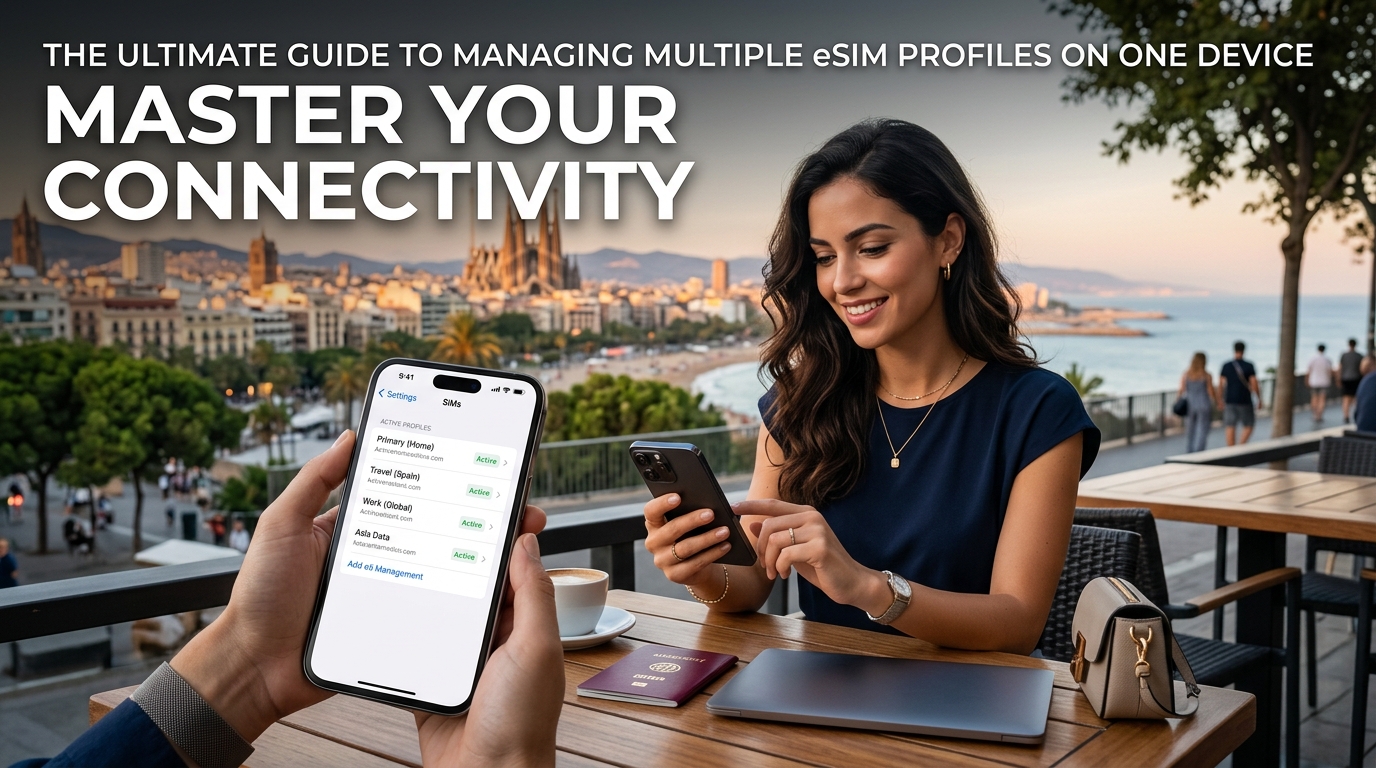
Master Your Connectivity: The Ultimate Guide to Managing Multiple eSIM Profiles on One Device
Master Your Connectivity: The Power of Multiple eSIM Profiles
The landscape of mobile connectivity has undergone a profound transformation, moving beyond the physical constraints of traditional Subscriber Identity Modules (SIMs). At the heart of this evolution lies eSIM technology, an embedded Subscriber Identity Module that fundamentally redefines how devices connect to cellular networks. Unlike its physical predecessor, an eSIM is a small, reprogrammable chip built directly into your smartphone, tablet, smartwatch, or other compatible device. It's a digital SIM, eliminating the need for a removable card and ushering in an era of unparalleled flexibility and convenience.
This inherent digital nature paves the way for an even more powerful concept: multiple eSIM profiles. Imagine a single smartphone capable of storing not just one, but several distinct digital SIM cards simultaneously. Each profile represents a unique cellular plan – whether it's your primary home network, a dedicated business line, or a temporary data plan for an international trip. These profiles reside dormant within your device, ready to be activated at your command, effectively turning your single device into a multi-network powerhouse.
The Technical Backbone: How eSIM Profiles Work
The magic behind multiple eSIM profiles lies in a specialized component within your device called the eUICC (embedded Universal Integrated Circuit Card). This secure, tamper-proof chip is where all your eSIM profiles are digitally stored. When you acquire an eSIM plan, typically through a QR code or an app, the profile data is securely downloaded over-the-air (OTA) and provisioned onto this eUICC chip. Each profile contains all the necessary information – your subscriber identity, network authentication keys, and plan details – just like a physical SIM card would.
Crucially, these profiles remain inactive until you choose to enable them through your device's settings. This allows for seamless switching between different plans without ever needing to physically swap cards. The eUICC ensures that each profile is encrypted and isolated, maintaining the security and integrity of your connection regardless of how many profiles you have stored. This robust technical underpinning is what makes managing multiple cellular identities on one device not just possible, but incredibly reliable and secure.
A Paradigm Shift: Beyond Physical SIM Cards
The ability to manage multiple eSIM profiles represents a fundamental shift from the limitations of physical SIM cards. Gone are the days of fumbling with tiny trays, searching for paperclip-like tools, or worrying about losing a minuscule piece of plastic. This digital transformation offers immediate and significant benefits across various user segments:
- Frequent International Travelers: No more expensive roaming charges or the hassle of buying local physical SIMs in every new country. Travelers can download a local data plan for their destination before even landing, activating it instantly upon arrival.
- Digital Nomads: Maintain a primary number from their home country while seamlessly adding and switching between local data plans as they move across borders, ensuring continuous, cost-effective connectivity.
- Business Professionals: Easily separate personal and business lines on a single device, maintaining distinct phone numbers and data plans without the need to carry two separate smartphones. This enhances privacy and organizational efficiency.
- Enhanced Flexibility & Cost Savings: Users can quickly compare and switch to the most competitive data plans, taking advantage of promotional offers or better local rates without any physical interaction.
Simplifying Connectivity with MollySIM
While the technology of multiple eSIM profiles offers immense power, its full potential is unlocked through platforms that simplify its acquisition and management. This is where MollySIM (https://mollysim.com) emerges as a leading solution, designed to streamline the entire process from selection to activation. MollySIM empowers users to effortlessly browse, purchase, and manage a diverse range of eSIM plans from various providers, all within a user-friendly interface.
A significant advantage offered by MollySIM, particularly for users who rely on consistent performance, is its superior Fair Use Policy (FUP) speed limit. Unlike many competitors who often restrict speeds to a frustrating 128kbps after a certain data threshold, MollySIM provides a generous 384kbps – that's 3x faster. This crucial difference ensures that essential services like Google Maps navigation, Apple Pay transactions, and even light browsing remain smooth and responsive, preventing the frustrating slowdowns often experienced with lower speeds. MollySIM not only makes managing multiple eSIMs accessible but also ensures a high-quality, reliable connection that keeps pace with your digital life.
Unlocking Global Freedom: Practical Scenarios for Juggling eSIMs
🌐 Global Travel High-Speed Travel eSIM & SIM Plans
Instant QR code activation, hotspot enabled, with guaranteed 384kbps fallback speed to keep Maps & Digital Wallets active.
The ability to manage multiple eSIM profiles on a single device isn't just a technical marvel; it's a practical superpower that redefines how we connect, travel, and work. By leveraging platforms like MollySIM (https://mollysim.com), users can effortlessly navigate a world of connectivity options, optimizing for cost, convenience, and reliability. Let's dive into specific, real-world scenarios where this multi-eSIM capability offers unparalleled advantages.
The Frequent International Traveler
For globetrotters constantly crossing borders, the traditional headache of roaming charges or hunting for local SIM cards is a relic of the past. Managing multiple eSIMs transforms international travel into a seamless connectivity experience.
Imagine a business executive or an avid tourist whose itinerary spans continents. They can maintain:
- A dedicated MollySIM regional plan for Europe (e.g., Schengen area): This single eSIM covers multiple countries like France, Germany, Italy, and Spain, eliminating the need for individual country-specific plans and ensuring consistent data access across the entire region.
- Another MollySIM regional plan for Asia (e.g., APAC region): As they move from Singapore to Thailand, then to South Korea, this regional eSIM keeps them connected without interruption or the hassle of purchasing new local SIMs in each destination.
- A third, country-specific MollySIM plan for high-data needs in a single country like the USA or Japan: For destinations where data consumption is particularly high, or where specific local deals offer superior value, a dedicated country eSIM ensures optimal performance and cost-effectiveness.
This setup completely eliminates exorbitant roaming fees and guarantees access to local data rates from the moment of arrival. With MollySIM's user-friendly platform, switching between these profiles is a matter of a few taps, ensuring travelers are always on the most cost-effective and reliable network for their current location. The peace of mind that comes with instant, affordable connectivity upon landing in a new country is invaluable.
The Digital Nomad
Digital nomads embody the ultimate flexibility, working from anywhere in the world. Their connectivity needs are unique, requiring a blend of stability for essential services and dynamic data access for ever-changing locations.
A typical digital nomad's eSIM strategy might look like this:
- A 'home' country eSIM: This profile, often from their country of origin, serves as a stable anchor for critical services like banking, two-factor authentication, and maintaining a local phone number for administrative purposes. This ensures they can always receive important calls or SMS, regardless of their physical location.
- Various data-centric MollySIM profiles activated on demand for different countries or continents: As they journey from, say, the beaches of Bali to the cafes of Lisbon, they can browse MollySIM's diverse offerings and instantly activate a data plan tailored to their current country or region. Need 20GB for a month in Mexico? A few clicks on MollySIM, and they're connected. Moving to Colombia next week? A new plan is ready to go.
This approach provides unparalleled flexibility, allowing nomads to avoid long-term commitments while always having access to high-speed data. Even if a primary data plan runs low, MollySIM's generous 384kbps Fair Use Policy (FUP) speed limit (3x faster than competitors' 128kbps) ensures that essential services like Google Maps navigation, checking emails, or even light browsing remain smooth and responsive, preventing frustrating slowdowns that could disrupt their work or travel plans.
Business & Personal Separation
Maintaining a clear boundary between professional and personal life is crucial, and managing multiple eSIMs offers an elegant solution for this.
Consider a professional who uses their personal device for work:
- Dedicated MollySIM profile for professional communications: This eSIM can be used exclusively for business calls, client emails, video conferences, and work-related applications. It can be a data-only plan or one that includes calling minutes, depending on the professional's needs.
- Separate MollySIM profile for personal use: This eSIM handles all personal communications, social media, entertainment, and private browsing.
The advantages are manifold:
- Clear boundaries: Professionals can effectively "turn off" their business line during personal time without affecting their personal connectivity, promoting a healthier work-life balance.
- Simplified expense tracking: Business-related data and call usage are neatly segregated, making expense reporting straightforward and accurate.
- Enhanced privacy: Personal contacts and data remain separate from professional interactions.
- Professional image: Maintaining a distinct business number, even on a personal device, projects a more professional image.
MollySIM's intuitive interface allows users to easily label and manage these distinct profiles, ensuring that the right connection is always active for the right purpose.
Cost Optimization & Backup
Beyond convenience, managing multiple eSIMs is a powerful tool for strategic cost optimization and ensuring uninterrupted connectivity.
Savvy users can employ the following tactics:
- Strategic activation for cost savings: By monitoring MollySIM's diverse plan offerings, users can activate a specific MollySIM profile only when its data rates are superior to another active profile. For instance, if a promotional 7-day plan in a specific country offers significantly more data for less cost than their current regional plan, they can activate it temporarily. Once the promotion ends or they leave the country, they can switch back or activate a new optimal plan. This dynamic approach ensures they are always leveraging the most economical option available.
- Secondary MollySIM as a backup data source: Running out of data unexpectedly can be more than an inconvenience; it can be a critical issue, especially when relying on navigation, ride-sharing apps, or urgent communications. By keeping a smaller, secondary MollySIM profile active or ready to activate, users have an immediate backup. If their primary plan depletes, a quick switch to the backup eSIM ensures continuous connectivity.
This dual strategy provides maximum cost savings by allowing users to cherry-pick the best deals, while simultaneously offering the peace of mind that comes with uninterrupted connectivity. Even if the backup plan is smaller, MollySIM's 384kbps FUP speed ensures that even with throttled data, critical services like Apple Pay transactions, emergency calls, or essential map directions remain functional, preventing complete disruption and keeping users connected when it matters most.
Your Device, Your Rules: A Step-by-Step Guide to eSIM Management
Managing multiple eSIM profiles on a single device might seem complex at first, but modern smartphones, coupled with user-friendly services like MollySIM, make the process remarkably straightforward. This section provides a detailed, device-specific walkthrough for installing, naming, activating, deactivating, and seamlessly switching between your various eSIM profiles, ensuring you maintain optimal connectivity and control.
General eSIM Management Steps
Regardless of your specific smartphone model, the core actions for managing eSIMs follow a similar pattern. Understanding these general steps will provide a foundation for device-specific instructions.
- Adding an eSIM Profile:
- Via QR Code Scan (Recommended for MollySIM): This is the most common and easiest method. After purchasing a MollySIM plan, you'll receive a QR code via email or directly within the MollySIM app. Navigate to your device's cellular settings, select "Add eSIM" or "Add cellular plan," and choose the option to "Scan QR Code." Position your phone's camera over the QR code, and your device will automatically detect and begin installing the profile. MollySIM's clear activation instructions ensure a smooth, hassle-free setup.
- Via Manual Entry: If a QR code isn't available or scanning fails, you can manually enter the eSIM details. This typically involves inputting an SM-DP+ Address and sometimes an Activation Code provided by your eSIM provider. Select the "Enter Details Manually" option in your device's eSIM setup menu and carefully input the information.
- Naming Your eSIM Profiles: This crucial step helps you identify different plans at a glance. During or immediately after installation, your device will prompt you to name the new eSIM. Choose descriptive names such as 'MollySIM Europe Data', 'Personal Line', 'Work eSIM', or 'MollySIM Japan Backup'. This clarity is vital when you have several profiles active.
- Activating and Deactivating eSIM Profiles: All devices allow you to enable or disable an eSIM profile without deleting it. This means you can keep multiple profiles stored on your device and only activate the one you need at a given time. This is particularly useful for MollySIM users who might have several regional data plans or a backup plan ready to go.
- Switching Mobile Data Lines: When you have multiple active eSIMs, you'll need to designate which one provides your mobile data connection. Your device's cellular settings will have an option to select your preferred data SIM.
iPhone 15 Series: Mastering Your Cellular Options
Apple's iPhone 15 series offers robust eSIM management features, allowing for seamless switching and organization.
- Adding an eSIM:
- Go to Settings > Cellular > Add eSIM.
- You'll be presented with options: "Transfer From Nearby iPhone" (for migrating a physical SIM or eSIM from another iPhone) or "Use QR Code" / "Enter Details Manually."
- For MollySIM, select "Use QR Code" and scan the provided code. Follow the on-screen prompts to confirm installation.
- Naming Profiles: During the setup process, you'll be asked to label your new cellular plan. You can also rename it later by tapping on the plan name under Settings > Cellular and selecting "Cellular Plan Label."
- Setting Default Lines:
- Under Settings > Cellular, scroll down to "Default Voice Line" to choose which eSIM handles outgoing calls and SMS.
- Under "Cellular Data," select which eSIM provides your internet connection.
- Enable "Allow Cellular Data Switching" if you want your iPhone to automatically switch to another active eSIM for data if your primary data line has no service.
- Enabling/Disabling Profiles: In the Settings > Cellular menu, each listed eSIM plan has a toggle switch. Tap the toggle next to the plan name to enable (green) or disable (grey) it.
- Switching Data Lines: Tap on "Cellular Data" under Settings > Cellular, then select the desired eSIM from the list to make it your active data connection.
Samsung Galaxy S24 Series: Seamless SIM Management
Samsung's Galaxy S24 series provides an intuitive SIM Manager for comprehensive eSIM control.
- Adding an eSIM:
- Navigate to Settings > Connections > SIM manager.
- Tap on "Add eSIM."
- Choose "Scan QR code" (ideal for MollySIM activation) or "Add manually" if you have the SM-DP+ address. Follow the prompts to download and activate the profile.
- Naming Profiles: Once an eSIM is added, tap on its entry in the SIM manager and then select "Name" to customize its label for easy identification.
- Activating/Deactivating: In the SIM manager, each eSIM profile has a toggle switch. Toggle it on (blue) or off (grey) to activate or deactivate the profile.
- Setting Preferred SIMs:
- Under the "Preferred SIM card" section in SIM manager, you can designate a default eSIM for "Calls," "Messages," and "Mobile data."
- Switching Data Lines: To change your active data connection, tap on "Mobile data" under "Preferred SIM card" in the SIM manager and select the desired eSIM.
Google Pixel 8 Series: Intuitive Network Control
Google Pixel 8 devices offer a clean and straightforward interface for managing your eSIMs.
- Adding an eSIM:
- Go to Settings > Network & internet > SIMs.
- Tap on "Add eSIM" or the "+" icon next to "Add a SIM."
- Select "Download an eSIM" and then "Scan QR code" (the recommended method for MollySIM). Follow the on-screen instructions to complete the installation.
- Naming Profiles: After installation, tap on the newly added eSIM under Settings > Network & internet > SIMs, then select "SIM name" to give it a descriptive label.
- Managing Profiles: Each eSIM listed under Settings > Network & internet > SIMs has a toggle switch. Toggle it on (blue) or off (grey) to enable or disable the profile without deleting it.
- Switching Data Lines: In the Settings > Network & internet > SIMs menu, locate the "Mobile data" option and tap on it. A list of your active eSIMs will appear; select the one you wish to use for your internet connection.
By following these detailed steps, you gain complete control over your connectivity. With MollySIM's intuitive app and clear activation instructions, the process of adding and managing profiles is streamlined, allowing you to effortlessly switch between plans for optimal cost savings or to ensure continuous connectivity. Even if you find yourself on a throttled backup plan, remember that MollySIM's 384kbps FUP speed is 3x faster than many competitors' 128kbps, ensuring critical services like Google Maps navigation or Apple Pay transactions remain functional, keeping you connected when it matters most.
The Connectivity Showdown: Multi-eSIM vs. Traditional SIMs & Wi-Fi
Navigating the complexities of global connectivity can often feel like a juggling act, especially for frequent travelers or digital nomads. While traditional methods like physical SIM cards, international roaming, and portable Wi-Fi devices have served their purpose, the advent of multi-eSIM technology fundamentally reshapes this landscape. This section dissects the core differences, highlighting why managing multiple eSIM profiles, particularly with a provider like MollySIM, offers a superior, more agile solution for modern connectivity demands.
The table below provides a comprehensive comparison, illustrating the distinct advantages of multi-eSIM management over conventional approaches:
| Feature | Multi-eSIM (MollySIM)
Optimizing Your Multi-eSIM Experience & Troubleshooting Common Issues
Harnessing the full power of multiple eSIM profiles goes beyond mere activation; it involves strategic management and proactive troubleshooting to ensure seamless, uninterrupted connectivity. This section delves into advanced tips for optimizing your multi-eSIM setup and provides practical, step-by-step solutions for common issues, ensuring you remain connected and in control, especially with a robust provider like MollySIM.
Intelligent Data Usage Tracking Across Profiles
Effective data management is paramount to avoiding unexpected overages and ensuring you always have sufficient allowance for your needs. Modern smartphones, coupled with dedicated eSIM provider apps, offer powerful tools for monitoring consumption.
Device-Level Data Monitoring
Most contemporary operating systems provide granular control and visibility over data usage:
- iOS: Navigate to Settings > Cellular (or Mobile Data). Here, you'll see a breakdown of data consumed by individual apps and, crucially, by each active eSIM profile. You can often reset these statistics for a new billing cycle or travel period.
- Android: Go to Settings > Network & internet > Mobile network > App data usage. Similar to iOS, Android allows you to view data consumption per app and, on many devices, distinguish usage between different SIMs/eSIMs. You can also set data warnings and hard limits to prevent exceeding your plan.
MollySIM App for Real-time Insights
Beyond device-level tracking, the MollySIM app offers a centralized hub for managing your purchased eSIM plans. Within the app, you can:
- Monitor Remaining Data: Instantly view the high-speed data remaining for each active MollySIM profile. This real-time insight is invaluable for deciding when to switch profiles, top up an existing one, or purchase a new plan.
- Track Expiration Dates: Keep an eye on the validity period of each eSIM, ensuring you don't lose connectivity unexpectedly.
- Manage Multiple Profiles: Easily switch between your stored MollySIM profiles, activate new ones, or delete old ones directly from the app interface, streamlining your connectivity strategy.
By leveraging both your device's native settings and the MollySIM app, you gain complete transparency over your data consumption, allowing for proactive management and optimal cost savings.
Maximizing Battery Life with Multiple eSIMs
While the convenience of multiple eSIMs is undeniable, managing several active profiles can impact battery life. Strategic optimization can mitigate this.
- Deactivate Unused Data Profiles: Your device only needs one eSIM active for mobile data at any given time (unless you're using a dual-active SIM setup for calls/SMS on one and data on another). If you have multiple data-enabled eSIMs stored, ensure only the one you're actively using for internet is selected as the "Mobile Data" source in your device settings. Deactivating data on other profiles prevents them from constantly searching for a network, which is a significant battery drain.
- Manage Background App Refresh: This standard battery-saving tip is even more critical with multiple data profiles. Limit which apps can refresh their content in the background, as this consumes data and, consequently, battery power.
- Understand Dual-Active SIM Power Consumption: If your device supports "Dual SIM Dual Active" (DSDA), meaning both eSIMs can be simultaneously active for calls, SMS, and data, be aware that this configuration inherently uses more power than a single active SIM. If you only need one for data, consider deactivating the other for calls/SMS when not in use.
- Poor Coverage Areas: In regions with weak cellular signal, your device works harder to maintain a connection, leading to increased battery drain. If you're in an area with consistently poor service for a particular eSIM profile, consider temporarily deactivating it or switching to another profile with better coverage.
Common Troubleshooting & Step-by-Step Solutions
Even with the most robust setup, occasional connectivity hiccups can occur. Here’s how to troubleshoot common multi-eSIM issues:
Issue 1: 'No Service' on a Specific eSIM Profile
- Step 1: Verify Profile Selection: Go to your device's Cellular/Mobile Data settings and ensure the correct eSIM profile is selected and enabled.
- Step 2: Restart Your Device: A simple restart can often resolve temporary network registration issues.
- Step 3: Toggle Airplane Mode: Briefly enable and then disable Airplane Mode. This forces your device to re-register with the cellular network.
- Step 4: Check Physical Location: Confirm you are within the coverage area for the network associated with that eSIM.
- Step 5: Network Settings Reset (as a last resort): In your device settings, you can reset network settings. Be aware this will erase all saved Wi-Fi passwords and Bluetooth pairings.
Issue 2: Data Not Working, But 'Service' is Present
- Step 1: Enable Data Roaming: If you're using an international eSIM (like many MollySIM profiles), ensure Data Roaming is enabled in your device's Cellular/Mobile Data settings for that specific eSIM.
- Step 2: Check APN Settings: Access Point Names (APNs) are crucial for connecting to the internet. While MollySIM profiles typically auto-configure, sometimes manual verification is needed. Go to Settings > Cellular/Mobile Data > (Select your eSIM) > Mobile Data Network (iOS) or Access Point Names (Android). Compare these settings with the APN details provided by MollySIM (usually found in your activation email or the app).
- Step 3: Verify Data Allowance: Check the MollySIM app or your device's data usage monitor to confirm you haven't exhausted your high-speed data allowance for that profile.
- Step 4: Ensure Correct Data eSIM is Selected: Double-check that the eSIM you intend to use for data is indeed selected as the primary data source in your device's settings.
Issue 3: Incorrect Profile Activation
- Step 1: Re-scan QR Code/Re-enter Details: If you're having trouble activating a new MollySIM profile, ensure the QR code was scanned clearly or that all manual activation details were entered precisely.
- Step 2: Device Compatibility & Unlock Status: Confirm your device is eSIM compatible and, crucially, unlocked from any previous carrier. Locked devices cannot use eSIMs from other providers.
- Step 3: Contact MollySIM Support: If you've followed all steps and still face issues, MollySIM's dedicated support team (available via the app or website) can provide personalized assistance.
MollySIM's 384kbps Fallback Advantage: Your Connectivity Safety Net
A standout feature of MollySIM that provides unparalleled peace of mind for multi-eSIM users is its 384kbps Fair Use Policy (FUP) speed after high-speed data is exhausted. This isn't just a slow connection; it's a functional one, offering a significant advantage over competitors who often throttle to a barely usable 128kbps or cut off data entirely.
Here's why MollySIM's 384kbps fallback is crucial for optimizing your multi-eSIM experience:
- Continuous Essential Connectivity: Even if you deplete your high-speed data on one MollySIM profile, you remain connected for critical services. This means Google Maps navigation continues to function smoothly, allowing you to find your way without interruption. Apple Pay or Google Wallet transactions remain viable, ensuring you can make payments when needed. Messaging apps like WhatsApp, iMessage, and email will still send and receive, keeping you in touch. Light web browsing for essential information is also perfectly manageable.
- Seamless Transition: This fallback speed acts as an intelligent buffer. You can continue using essential services while you decide whether to top up your current MollySIM profile, switch to another MollySIM profile with available high-speed data, or purchase a new plan.
- Across All MollySIM Profiles: This benefit applies to each MollySIM profile you activate. If you have multiple MollySIM plans, each one offers this robust fallback, ensuring that even if one runs out, you're not left completely stranded. This redundancy is a cornerstone of reliable multi-eSIM management, guaranteeing you're never truly disconnected when it matters most.
By understanding and leveraging these optimization techniques and troubleshooting steps, combined with MollySIM's unique fallback advantage, you can truly master your connectivity, ensuring a smooth and stress-free experience wherever your travels take you.
Future-Proof Your Travels: Embracing the Multi-eSIM Revolution with MollySIM
The journey through managing multiple eSIM profiles on a single device reveals more than just a convenient trick; it uncovers a fundamental shift in how we approach global connectivity. We've explored the intricate dance of activating, switching, and optimizing various digital plans, transforming what once seemed complex into an empowering skill. Mastering multi-eSIM management isn't merely about having options; it's about unlocking unparalleled flexibility, achieving significant cost savings, and securing robust reliability in an increasingly interconnected world.
The Paradigm Shift: Beyond Traditional Roaming
Gone are the days of fumbling with tiny SIM cards, paying exorbitant roaming fees, or being tethered to unreliable public Wi-Fi. The multi-eSIM revolution heralds an era where your device becomes a dynamic hub for global communication. Imagine landing in a new country and instantly activating a local data plan without searching for a physical store. Picture seamlessly switching between a business plan, a personal plan, and a travel-specific data bundle, all from the comfort of your phone's settings. This level of control is not just a luxury; it's becoming a necessity for the modern traveler, remote worker, and digital nomad. It represents a proactive approach to connectivity, ensuring you're always prepared, always connected, and always in control of your spending.
MollySIM: Your Gateway to Seamless Global Connectivity
At the forefront of this revolution is MollySIM (https://mollysim.com), a platform meticulously designed to make the power of multi-eSIM technology accessible and user-friendly for everyone. MollySIM simplifies the entire process, from discovering and purchasing plans to activation and management. Whether you're a casual tourist seeking a hassle-free data solution for a short trip, or a seasoned international traveler juggling multiple country-specific plans, MollySIM provides the intuitive interface and diverse selection you need.
One of MollySIM's most significant advantages, and a cornerstone of its reliability, is its Fair Use Policy fallback speed of 384kbps. This isn't just a number; it's a critical differentiator. While many competitors throttle speeds down to a barely functional 128kbps after high-speed data is depleted, MollySIM ensures your essential services remain fully operational. This means:
- Google Maps navigation continues to guide you accurately.
- Apple Pay or Google Wallet transactions remain viable for payments.
- Messaging apps like WhatsApp and iMessage continue to send and receive.
- Light web browsing for critical information is still perfectly manageable.
This 3x faster fallback speed compared to the industry standard ensures that even when your high-speed data runs out, you're never truly stranded. It's a testament to MollySIM's commitment to providing not just connectivity, but reliable connectivity, offering peace of mind wherever your adventures take you.
The Future is eSIM-First
The trajectory of mobile technology points unequivocally towards an eSIM-first future. Device manufacturers are increasingly integrating eSIM capabilities, with some newer models even foregoing physical SIM card slots entirely. This trend will only accelerate, making the skills of multi-eSIM management not just beneficial, but essential. As devices become more integrated with these digital solutions, the ability to effortlessly manage multiple profiles will define efficient global communication. From smartwatches and tablets to IoT devices and connected vehicles, eSIM technology is poised to become the ubiquitous standard, streamlining our digital lives across an ever-expanding ecosystem of devices.
Embracing this technology now means future-proofing your travels and your digital lifestyle. It's an investment in unparalleled convenience, significant savings, and the unwavering assurance of staying connected.
Unlock Your Connectivity Potential
The ultimate guide to managing multiple eSIM profiles culminates in a clear call to action: seize the future of connectivity today. The tools and knowledge are now at your fingertips to transform your travel experience, eliminate connectivity anxieties, and empower yourself with truly global communication.
Don't let outdated roaming practices or the limitations of physical SIM cards hold you back. Explore the vast possibilities that multi-eSIM technology offers and discover how MollySIM can be your trusted partner in this exciting revolution.
Visit MollySIM at https://mollysim.com to browse their extensive range of eSIM plans, experience their user-friendly platform, and unlock your full connectivity potential. Embrace the future of travel – seamless, cost-effective, and reliably connected with MollySIM.
🌐 Global Travel High-Speed Travel eSIM & SIM Plans
Instant QR code activation, hotspot enabled, with guaranteed 384kbps fallback speed to keep Maps & Digital Wallets active.