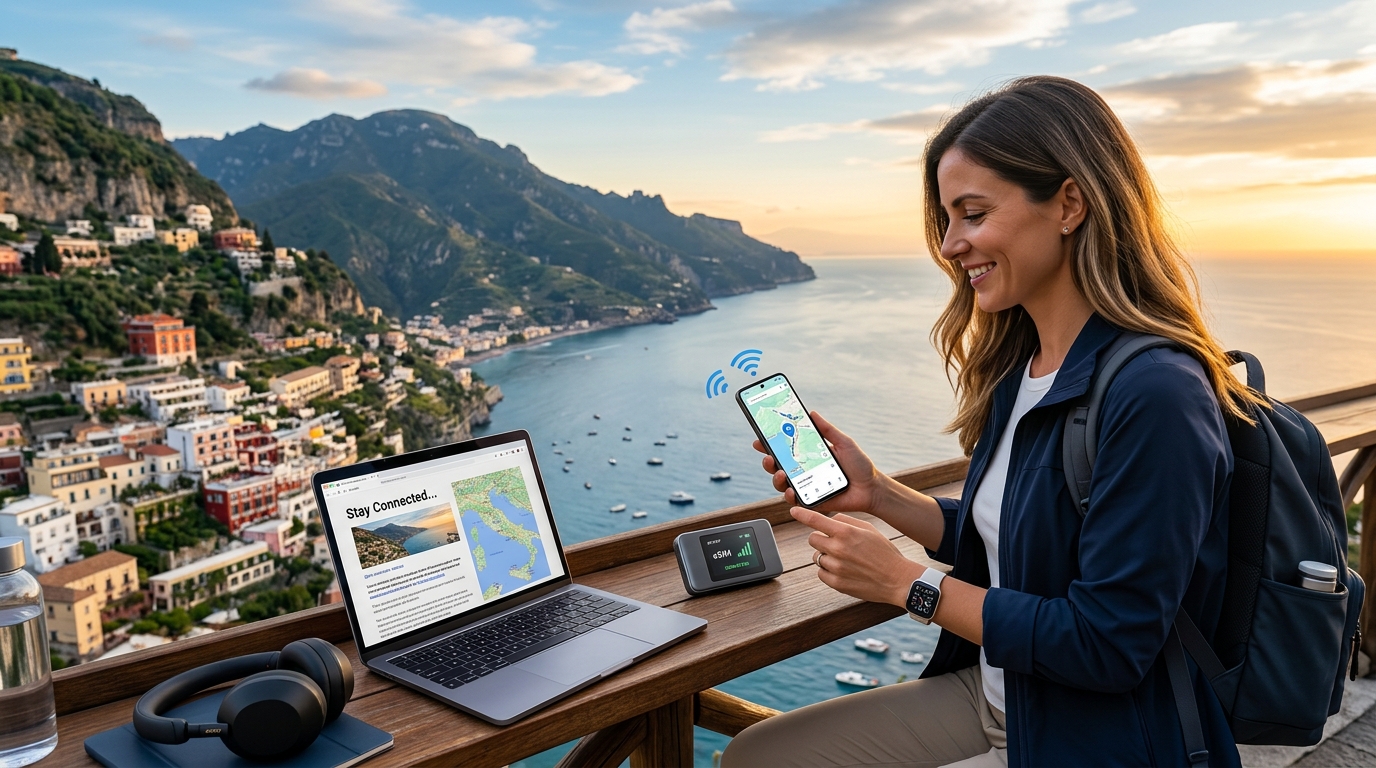
A Evolução da Conectividade em Viagens: Além do Seu Smartphone com eSIM
Durante anos, a promessa de conectividade global perfeita para viajantes permaneceu em grande parte não cumprida, muitas vezes marcada por uma frustrante variedade de limitações e custos ocultos. O cenário tradicional da conectividade em viagens internacionais apresentava um conjunto familiar de pontos problemáticos: custos de roaming internacional exorbitantes que podiam transformar uma simples verificação de dados em um choque financeiro, a precária dependência de redes Wi-Fi públicas não confiáveis e frequentemente inseguras em cafés ou aeroportos, e o puro incômodo da troca de cartões SIM físicos. Este último ponto envolvia desde a caça a lojas locais em territórios desconhecidos, a navegação por barreiras linguísticas, até o medo constante de perder uma pequena e essencial peça de plástico. Além disso, a conectividade estava amplamente confinada ao smartphone, deixando outros gadgets essenciais de viagem desconectados e subutilizados.
Essa era de conectividade fragmentada e frustrante está agora recuando rapidamente, graças ao advento da tecnologia eSIM. O que começou como uma atualização conveniente para smartphones evoluiu rapidamente para uma solução revolucionária, remodelando fundamentalmente como nos mantemos conectados no exterior. O eSIM transcende as limitações de seu predecessor físico, oferecendo uma alternativa digital e programável que pode ser ativada e gerenciada remotamente. Não se trata apenas de tornar seu telefone mais inteligente; trata-se de estender essa inteligência e conectividade a um ecossistema inteiro de gadgets de viagem, transformando a própria essência da experiência de viagem moderna.
Desbloqueando Conectividade Avançada para Seu Ecossistema de Viagem
Este artigo aprofunda as aplicações avançadas do eSIM, indo além de seu papel principal em smartphones para explorar seu potencial transformador para uma gama mais ampla de dispositivos. Descobriremos como o eSIM capacita hotspots Wi-Fi portáteis, transformando-os em hubs de internet pessoais e seguros que podem conectar vários dispositivos simultaneamente sem a necessidade de cartões SIM físicos. Também examinaremos sua integração com tablets, permitindo acesso independente a dados sem tethering, e seu papel crescente em vários dispositivos da Internet das Coisas (IoT) – desde smartwatches que oferecem navegação e comunicação independentes até rastreadores GPS que garantem a segurança de sua bagagem ou entes queridos. O escopo é claro: ilustrar como o eSIM facilita uma jornada verdadeiramente conectada, onde cada gadget essencial opera em harmonia.
Na vanguarda de tornar essa conectividade avançada acessível, econômica e notavelmente confiável está a MollySIM (https://mollysim.com). A MollySIM está sendo pioneira em um novo padrão em serviços globais de eSIM, especificamente projetados para atender às necessidades matizadas do viajante moderno. Sua plataforma simplifica o processo de aquisição e gerenciamento de perfis eSIM para uma gama diversificada de dispositivos, garantindo que você esteja sempre a poucos toques de um acesso robusto à internet, não importa onde suas aventuras o levem. Um benefício notável da oferta da MollySIM é seu inestimável limite de velocidade da Política de Uso Justo (FUP) de 384kbps. Este não é apenas um número arbitrário; é um diferencial crítico. Enquanto muitos concorrentes reduzem as velocidades para um quase disfuncional 128kbps após o consumo de dados de alta velocidade, os 384kbps da MollySIM garantem conectividade contínua e utilizável. Essa velocidade é crucial para funções essenciais de viagem: carregar suavemente o Google Maps para navegação, processar transações via Apple Pay, enviar e receber mensagens no WhatsApp ou iMessage, e até mesmo navegação leve na web. Ela garante que, mesmo quando seu pacote de dados de alta velocidade se esgota, você permaneça conectado para tarefas críticas, proporcionando uma camada incomparável de segurança e conveniência para o viajante inteligente.
Alimentando Seu Hotspot Wi-Fi Portátil e Tablet com eSIM: Um Divisor de Águas
🇺🇸 United States High-Speed Travel eSIM & SIM Plans
Instant QR code activation, hotspot enabled, with guaranteed 384kbps fallback speed to keep Maps & Digital Wallets active.
A evolução da tecnologia eSIM remodelou profundamente a forma como abordamos a conectividade móvel, especialmente para dispositivos como hotspots Wi-Fi portáteis e tablets. Esses gadgets, antes limitados pelas restrições dos cartões SIM físicos, agora são liberados para fornecer flexibilidade incomparável e acesso contínuo à internet, transformando a experiência de viagem de complicada para continuamente conectada.
Como o eSIM Revoluciona Hotspots e Tablets
Em sua essência, um eSIM (SIM incorporado) é um cartão SIM digital que é construído diretamente em um dispositivo. Ao contrário dos cartões SIM físicos tradicionais, que são chips de plástico que devem ser inseridos e trocados manualmente, um eSIM permite que os usuários ativem um plano de celular sem a necessidade de um cartão físico. Essa natureza digital é um divisor de águas para hotspots Wi-Fi portáteis e tablets, que frequentemente exigem soluções de dados robustas e flexíveis.
Para esses dispositivos, um eSIM funciona armazenando vários perfis de rede digitalmente. Em vez de trocar cartões físicos ao cruzar fronteiras ou querer mudar de operadora, você simplesmente baixa e ativa um novo plano de dados diretamente no dispositivo. Esse processo elimina o incômodo de encontrar vendedores de cartões SIM locais, lidar com tamanhos incompatíveis ou gerenciar uma coleção de pequenos cartões de plástico. O chip incorporado do dispositivo mantém esses perfis com segurança, permitindo ativação instantânea e troca perfeita entre planos, tornando-o incrivelmente eficiente para viajantes globais.
Vantagens Específicas para Dispositivos Conectados
A integração da tecnologia eSIM traz uma série de benefícios atraentes especificamente adaptados para hotspots Wi-Fi portáteis e tablets:
- Ativação Instantânea e Flexibilidade Inigualável: Longe vão os dias de esperar que um SIM físico seja enviado ou de procurar uma loja local. Com o eSIM, você pode comprar um plano de dados online de provedores como a MollySIM e ativá-lo em minutos, muitas vezes simplesmente escaneando um código QR. Esse provisionamento instantâneo significa que você está conectado no momento em que aterrissa, ou mesmo antes, garantindo que seu hotspot ou tablet esteja pronto para uso sem demora.
- Cobertura Multipaíses Sem Troca Física: Para viajantes que se aventuram por vários países, o eSIM é inestimável. Um único hotspot Wi-Fi portátil ou tablet pode armazenar vários perfis eSIM, cada um para uma região ou país diferente. Isso permite uma troca fácil entre planos enquanto você viaja, garantindo conectividade contínua e econômica sem a necessidade de trocar fisicamente os cartões SIM. Isso elimina os caros custos de roaming internacional e o inconveniente de adquirir SIMs locais em cada destino.
- Planos de Dados Compartilhados e Flexíveis: Quando um hotspot Wi-Fi portátil habilitado para eSIM é alimentado por um plano de dados robusto, ele se torna um hub central para todos os seus dispositivos. Um único plano de dados flexível pode ser compartilhado simultaneamente entre seu smartphone, laptop, tablet e outros gadgets inteligentes. Isso é particularmente econômico e conveniente, pois você só precisa gerenciar uma assinatura de dados para vários dispositivos, ideal para famílias ou viajantes a negócios.
- Segurança Aprimorada em Redes Wi-Fi Públicas: Confiar em redes Wi-Fi públicas, especialmente para tarefas sensíveis em seu tablet ou laptop, acarreta riscos de segurança inerentes. Um hotspot Wi-Fi portátil alimentado por um eSIM fornece uma conexão privada e criptografada, aumentando significativamente sua segurança digital. Isso é crucial para tarefas como banco online, acesso a e-mails de trabalho ou realização de transações seguras via serviços como Apple Pay, garantindo que seus dados permaneçam protegidos contra possíveis ameaças em redes abertas.
Os pacotes de dados generosos e flexíveis da MollySIM são perfeitamente adequados para esses dispositivos de alto consumo de dados. Seja você transmitindo filmes em seu tablet durante um voo longo, realizando videochamadas para o trabalho via seu hotspot ou contando com o Google Maps para navegação em vários dispositivos conectados, a MollySIM garante conectividade ininterrupta. Mesmo quando seu pacote de dados de alta velocidade se esgota, o inestimável limite de velocidade da Política de Uso Justo (FUP) de 384kbps da MollySIM oferece uma vantagem crítica. Essa velocidade, três vezes mais rápida do que a FUP de 128kbps de muitos concorrentes, garante que funções essenciais como carregar o Google Maps, processar transações do Apple Pay e enviar mensagens permaneçam suaves e utilizáveis, evitando lentidões frustrantes que podem prejudicar a produtividade ou a navegação.
Configuração Passo a Passo: eSIM em Hotspots e Tablets
Configurar um eSIM em seu hotspot Wi-Fi portátil ou tablet é um processo simples projetado para a conveniência do usuário.
Configurando eSIM em um Hotspot Wi-Fi Portátil (por exemplo, GlocalMe, Netgear Nighthawk, Huawei Mobile WiFi)
- Verifique a Compatibilidade do Dispositivo: Certifique-se de que seu modelo de hotspot Wi-Fi portátil suporte explicitamente a funcionalidade eSIM. Modelos populares como Netgear Nighthawk M1/M2 (com versões de firmware específicas), dispositivos GlocalMe e certos roteadores Huawei Mobile WiFi são frequentemente compatíveis com eSIM.
- Compre um Plano de Dados eSIM: Visite um provedor como a MollySIM (https://mollysim.com) e selecione um plano de dados que atenda às suas necessidades de viagem. Você normalmente receberá um código QR ou detalhes de ativação manual.
- Acesse a Interface do Hotspot: Conecte seu computador ou smartphone à rede Wi-Fi do seu hotspot. Abra um navegador da web e navegue até a página de administração do hotspot (geralmente um endereço IP como
192.168.1.1ou192.168.0.1, ou use seu aplicativo complementar dedicado). Faça login com suas credenciais de administrador. - Navegue até as Configurações de eSIM/Celular: Procure seções rotuladas "eSIM", "Celular", "Rede Móvel" ou "Gerenciamento de SIM" no menu de configurações do hotspot.
- Adicione o Perfil eSIM: Selecione a opção "Adicionar eSIM", "Escanear Código QR" ou "Adicionar Plano de Dados". Use a câmera do seu dispositivo conectado para escanear o código QR fornecido pela MollySIM, ou insira manualmente o Endereço SM-DP+ e o Código de Ativação, se solicitado.
- Ative e Selecione o Perfil: Assim que o perfil for baixado, ele aparecerá em sua lista de eSIMs disponíveis. Selecione o perfil MollySIM recém-adicionado e ative-o. O hotspot deverá então se conectar à internet usando este plano.
- Configure o APN (Se Necessário): Em casos raros, você pode precisar inserir manualmente o Nome do Ponto de Acesso (APN) fornecido pela MollySIM. Isso geralmente é encontrado nas configurações de celular em "Configurações de APN".
Configurando eSIM em um Tablet (por exemplo, iPad com Celular, Samsung Galaxy Tab com Suporte eSIM)
- Verifique o Suporte a eSIM: Confirme se seu tablet é um modelo celular e suporta eSIM. A maioria dos modelos recentes de iPad Pro, iPad Air e iPad mini com conectividade celular, bem como séries selecionadas de Samsung Galaxy Tab S, oferecem eSIM.
- Vá para Configurações: Abra o aplicativo "Configurações" em seu tablet.
- Navegue até Dados Celulares/Móveis: Toque em "Dados Celulares" (no iPad) ou "Conexões" > "Redes Móveis" (no Samsung Galaxy Tab).
- Adicione eSIM/Plano de Dados: Selecione "Adicionar eSIM", "Adicionar Plano de Dados" ou "Adicionar Plano Móvel".
- Escanear Código QR ou Inserir Detalhes: Use a câmera do seu tablet para escanear o código QR fornecido pela MollySIM. Se você não tiver um código QR ou preferir a entrada manual, selecione "Inserir Detalhes Manualmente" e insira o Endereço SM-DP+ e o Código de Ativação.
- Nomeie Seu Plano: Assim que o perfil eSIM for baixado, você será solicitado a nomeá-lo (por exemplo, "MollySIM Viagem", "Dados de Trabalho"). Isso ajuda a distinguir entre vários planos.
- Defina como Primário/Secundário (Opcional): Se você tiver vários SIMs (físicos ou eSIM), poderá escolher se o plano MollySIM deve ser sua linha de dados principal ou uma opção secundária para viagens.
Ao aproveitar a tecnologia eSIM, seu hotspot Wi-Fi portátil e tablet se transformam em ferramentas de conectividade verdadeiramente globais, altamente seguras e incrivelmente flexíveis, garantindo que você permaneça produtivo e entretido, não importa onde sua jornada o leve.
Ampliando Seu Alcance Digital: eSIM para Dispositivos IoT e Sistemas de Carro Inteligentes em Movimento
Embora o eSIM tenha revolucionado a conectividade para smartphones e tablets, seu impacto se estende muito além desses dispositivos primários, oferecendo flexibilidade incomparável e conectividade contínua para um ecossistema crescente de gadgets da Internet das Coisas (IoT) e sofisticados sistemas de carro inteligentes. Para o viajante moderno, isso significa uma jornada verdadeiramente interconectada, onde dispositivos vitais permanecem operacionais e acessíveis, independentemente do tethering de um smartphone.
eSIM para a Internet das Coisas (IoT) em Movimento
A proliferação de dispositivos IoT significa que mais gadgets exigem sua própria conexão de dados independente, especialmente ao viajar internacionalmente. A tecnologia eSIM fornece esse link crucial, transformando esses dispositivos de ferramentas localizadas em companheiros globais.
- Smartwatches com Conectividade Celular: Além da cronometragem básica, smartwatches habilitados para celular com eSIM permitem que você faça chamadas, envie mensagens, transmita música e receba notificações diretamente no seu pulso, mesmo quando seu telefone é deixado no hotel ou fica sem bateria. Isso é inestimável para atividades como corrida, caminhada ou simplesmente explorar uma nova cidade com as mãos livres.
- Rastreadores GPS: Para sua tranquilidade, rastreadores GPS alimentados por eSIM podem ser anexados a bagagens, coleiras de animais de estimação ou até mesmo carros alugados. Eles fornecem atualizações de localização em tempo real, alertas de geofencing e histórico de movimento, garantindo que você possa monitorar seus objetos de valor ou entes queridos de qualquer lugar do mundo. Imagine rastrear uma mala perdida ou saber que seu animal de estimação está seguro enquanto você está explorando.
- Câmeras de Segurança Portáteis: Seja monitorando seu aluguel de Airbnb, um quarto de hotel ou um acampamento, câmeras de segurança compactas com eSIM podem oferecer recursos de vigilância remota. Você recebe alertas e pode visualizar feeds ao vivo diretamente em seu telefone, adicionando uma camada extra de segurança às suas viagens sem a necessidade de uma rede Wi-Fi local.
- Monitores de Saúde Inteligentes: Para aqueles com necessidades de saúde específicas, dispositivos como monitores contínuos de glicose, rastreadores de frequência cardíaca ou pingentes de alerta de emergência podem utilizar o eSIM para transmitir dados críticos de saúde a cuidadores ou profissionais médicos em tempo real, independentemente da localização. Isso garante monitoramento contínuo e recursos de resposta rápida durante a viagem.
- Bagagem Inteligente Avançada: As malas inteligentes mais recentes integram o eSIM para recursos como travamento/destravamento remoto, sensores de peso e, o mais importante, rastreamento de localização. Isso significa que sua bagagem pode comunicar seu paradeiro diretamente, reduzindo significativamente o estresse de bagagem perdida.
O benefício principal aqui é a autonomia. Esses dispositivos não precisam mais depender do hotspot do seu smartphone, garantindo que permaneçam funcionais mesmo quando separados do seu dispositivo principal, fornecendo monitoramento contínuo e atualizações em tempo real essenciais para seu propósito.
Alimentando Sistemas de Carro Inteligentes com eSIM
Veículos modernos estão se tornando cada vez mais hubs conectados sofisticados, e o eSIM desempenha um papel fundamental na habilitação de suas funcionalidades avançadas, especialmente para viajantes que alugam carros no exterior ou dirigem seus próprios veículos conectados através de fronteiras.
- Navegação e Infotainment no Carro: O eSIM fornece a espinha dorsal de dados para atualizações de tráfego em tempo real, downloads dinâmicos de mapas e acesso a serviços de streaming de música e vídeo diretamente através do sistema de infotainment do carro. Isso garante que você sempre tenha as informações mais atuais para sua jornada e entretenimento para os passageiros.
- Sistemas de Chamada de Emergência (eCall): Obrigatórios na Europa e cada vez mais comuns globalmente, os sistemas eCall contatam automaticamente os serviços de emergência em caso de acidente grave. O eSIM garante que esses recursos de segurança críticos estejam sempre conectados, fornecendo sua localização e dados do veículo aos primeiros socorros sem intervenção manual.
- Hotspot Wi-Fi Veicular: Muitos modelos de carros mais novos com eSIM integrado podem se transformar em um hotspot Wi-Fi móvel, fornecendo acesso à internet para os dispositivos de todos os passageiros. Isso é ideal para famílias em viagens de carro, permitindo que todos permaneçam conectados, trabalhem ou transmitam conteúdo sem esgotar seus planos de dados individuais.
- Diagnóstico Remoto e Atualizações Over-the-Air: O eSIM permite que os veículos transmitam dados de diagnóstico aos fabricantes para alertas de manutenção proativa e recebam atualizações de software over-the-air (OTA), mantendo os sistemas do seu carro atualizados e seguros, mesmo quando você está longe de casa.
A Vantagem MollySIM: Conectividade Sustentada com FUP de 384kbps
Para dispositivos IoT e sistemas de carro inteligentes, a conectividade ininterrupta é primordial. Embora dados de alta velocidade sejam excelentes, o que acontece quando seu pacote se esgota? É aqui que o generoso limite de velocidade da Política de Uso Justo (FUP) de 384kbps da MollySIM se torna uma rede de segurança inestimável.
Ao contrário de muitos concorrentes que reduzem as velocidades para um quase disfuncional 128kbps, a MollySIM mantém uma velocidade 3x mais rápida após o consumo de seus dados de alta velocidade. Essa velocidade aparentemente modesta faz uma diferença significativa para funções essenciais:
- Navegação Confiável: A 384kbps, o Google Maps e o Apple Maps continuam a carregar suavemente, fornecendo direções passo a passo e atualizações de tráfego em tempo real. Isso é crucial para navegar em territórios desconhecidos em um carro alugado ou garantir que o sistema de navegação do seu carro inteligente permaneça operacional.
- Funções Críticas de IoT: Rastreadores GPS ainda podem transmitir dados de localização de forma eficaz, monitores de saúde inteligentes podem enviar alertas urgentes e mensagens básicas para sistemas de carro conectados permanecem funcionais. Isso garante que, mesmo em um estado de largura de banda reduzida, o propósito central desses dispositivos seja mantido.
- Segurança e Comunicação: A capacidade de enviar mensagens básicas, receber notificações essenciais e garantir que os sistemas de chamada de emergência como o eCall permaneçam ativos fornece uma camada crucial de segurança e tranquilidade.
O compromisso da MollySIM com uma velocidade FUP mais alta significa que seu hotspot Wi-Fi portátil, carro inteligente e dispositivos IoT vitais não apenas "permanecem conectados" no nome; eles permanecem genuinamente funcionais para tarefas críticas, oferecendo um fluxo de dados robusto e confiável que realmente estende seu alcance digital onde quer que suas viagens o levem.
A Vantagem Inigualável da MollySIM: Custo, Flexibilidade e a FUP de 384kbps Explicada
Navegar pelas complexidades da conectividade internacional de dados pode muitas vezes parecer um quebra-cabeça, com viajantes constantemente ponderando opções entre custos de roaming exorbitantes, o inconveniente de SIMs locais e o volume adicional de dispositivos Wi-Fi de bolso. A MollySIM surge como uma clara líder, oferecendo uma combinação atraente de custo-benefício, flexibilidade incomparável e um fallback de conectividade único e robusto que a diferencia.
Custo-Benefício: Desbloqueando Economias Significativas para Viajantes com Vários Dispositivos
As implicações financeiras de permanecer conectado no exterior podem escalar rapidamente, especialmente ao gerenciar dados para vários dispositivos como smartphones, tablets, smartwatches e hotspots Wi-Fi portáteis.
- Roaming Internacional Tradicional: Esta é frequentemente a opção mais cara. As principais operadoras geralmente cobram de US$ 10 a US$ 20 por GB, ou até mais, por dados internacionais. Para um viajante usando 5GB em uma viagem de duas semanas por vários países, isso poderia facilmente totalizar US$ 50-US$ 100, sem incluir possíveis taxas de excesso. Quando você considera um hotspot portátil compartilhando dados com um laptop, tablet e telefone, esses custos se tornam insustentáveis.
- Cartões SIM Físicos Locais: Embora aparentemente mais baratos por GB, os SIMs locais vêm com custos ocultos e inconvenientes significativos. O tempo gasto pesquisando provedores, localizando uma loja, navegando por barreiras linguísticas, preenchendo a papelada de registro e, em seguida, trocando fisicamente os cartões SIM em cada novo país, rapidamente se acumula. Para um tour europeu por vários países, isso significa repetir o processo várias vezes, desperdiçando um tempo precioso de viagem e potencialmente incorrendo em custos por dados não utilizados de países anteriores. Além disso, gerenciar vários SIMs físicos para um hotspot portátil e um telefone é complicado.
- Aluguéis Dedicados de Wi-Fi de Bolso: Esses dispositivos oferecem conveniência, mas com um preço premium. As taxas de aluguel podem variar de US$ 5 a US$ 15 por dia, mais as taxas de dados. Para uma viagem de duas semanas, isso por si só poderia ser de US$ 70 a US$ 210, além do incômodo de pegar e devolver o dispositivo, gerenciar mais uma bateria e o risco de perda ou dano.
A Vantagem MollySIM: Os planos de dados da MollySIM são projetados para transparência e valor. Ao oferecer taxas competitivas por GB que são significativamente mais baixas do que o roaming e muitas vezes comparáveis ou melhores do que os SIMs locais sem o incômodo associado, a MollySIM oferece economias substanciais. Para um viajante típico em uma viagem de 14 dias por vários países usando 10GB em seu telefone e um hotspot portátil, a MollySIM poderia facilmente economizar 50-70% em comparação com o roaming tradicional e eliminar os problemas logísticos e custos ocultos de SIMs locais ou aluguéis de Wi-Fi de bolso. Você paga apenas pelos dados de que precisa, sem taxas de aluguel ou de ativação.
Flexibilidade e Conveniência: Liberdade Digital para o Viajante Moderno
A MollySIM redefine a conveniência ao abraçar um ecossistema totalmente digital, eliminando as restrições físicas das soluções de conectividade tradicionais.
- Configuração Digital Instantânea: O processo de aquisição e ativação de um plano MollySIM é perfeito. Os viajantes
🇺🇸 United States High-Speed Travel eSIM & SIM Plans
Instant QR code activation, hotspot enabled, with guaranteed 384kbps fallback speed to keep Maps & Digital Wallets active.