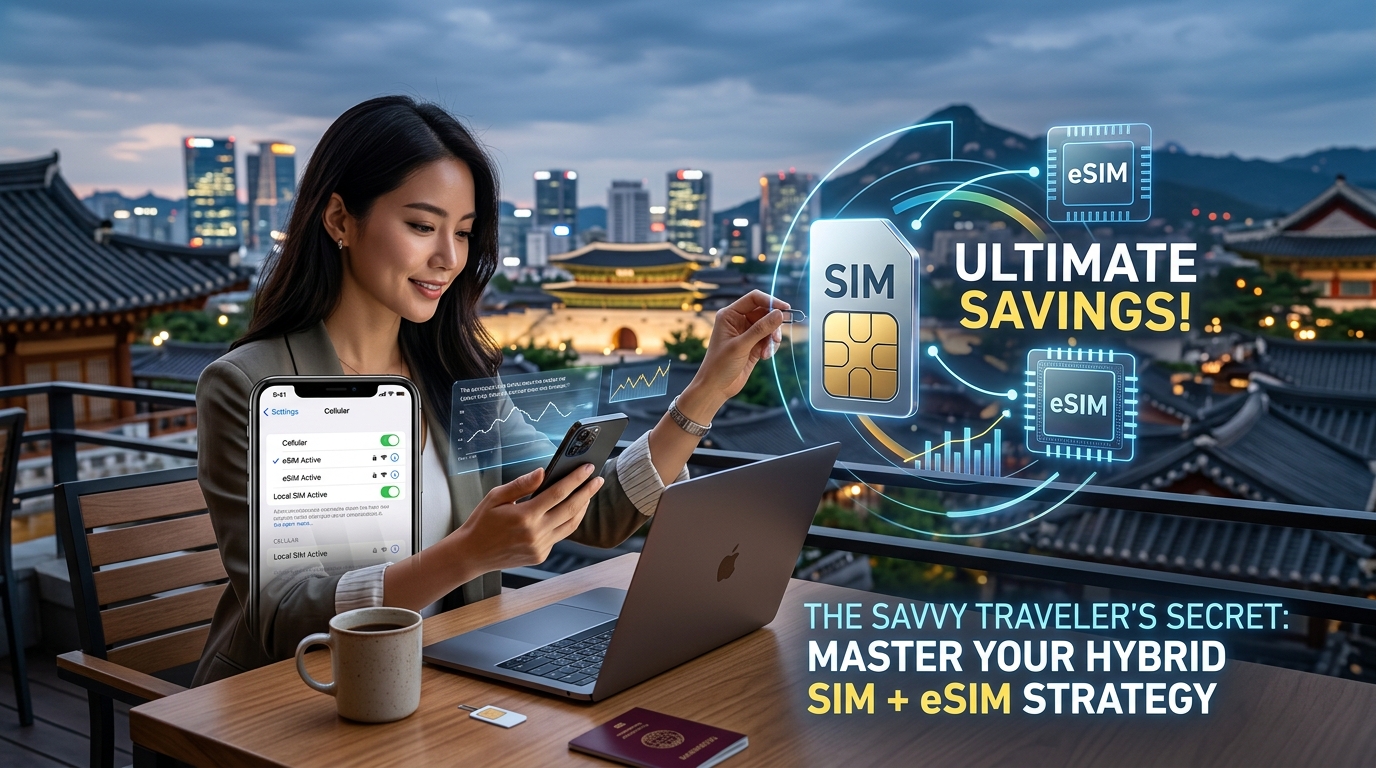
The Savvy Traveler's Secret: Master Your Hybrid SIM + eSIM Strategy for Ultimate Savings
The Savvy Traveler's Edge: Why a Hybrid SIM + eSIM Strategy is Your Ultimate Connectivity Hack
For too long, the promise of global exploration has been shadowed by the looming specter of connectivity woes. Picture this: you've just landed in a new country, eager to navigate, share your experiences, or simply check in with loved ones. But then the familiar anxieties creep in. Will your phone bill skyrocket with exorbitant international roaming charges? Do you face the inconvenience of fumbling with tiny physical SIM cards, risking loss or damage, all while temporarily losing access to your crucial home number for critical calls, SMS, and those indispensable one-time passcodes (OTPs) for banking or app logins? Or perhaps you're caught in the frustrating constant hunt for reliable, secure Wi-Fi hotspots, tethered to cafes or hotel lobbies, sacrificing spontaneity for connectivity.
These common pain points have long plagued even the most seasoned globetrotters. However, the modern era of mobile technology has ushered in a revolutionary solution: the hybrid SIM + eSIM strategy. This sophisticated approach isn't just an upgrade; it's a complete paradigm shift, transforming how discerning travelers stay connected, save money, and maintain control.
At its core, this strategy leverages your smartphone's inherent dual SIM capability – a game-changer for contemporary travel. It involves maintaining your existing physical SIM card for your primary home number. This ensures you can still receive vital calls, SMS, and OTPs, keeping you tethered to your personal and professional life without interruption. Simultaneously, you activate a data-only eSIM specifically for your international data needs. This digital SIM profile is downloaded directly to your phone, eliminating the need for physical swaps and providing instant access to local or regional data networks.
The synergy of this setup delivers unparalleled flexibility, profound cost-effectiveness, and truly seamless connectivity. Imagine stepping off a plane and instantly having high-speed data for maps, ride-sharing apps, and communication, all while your home number remains active in the background. No more worrying about hidden roaming fees, no more frantic searches for Wi-Fi, and critically, no more missing essential calls or OTPs that could lock you out of your accounts.
This is where the choice of your eSIM provider becomes paramount. Services like MollySIM (https://mollysim.com) exemplify the advanced capabilities available today. With MollySIM, travelers benefit from a generous Fair Use Policy speed limit of 384kbps. This might sound technical, but in practical terms, it's a significant advantage – it's 3x faster than many competitors' standard 128kbps limits. This enhanced speed isn't just a number; it directly translates to a smoother, more responsive experience for critical travel applications. Think about effortlessly loading Google Maps for navigation in an unfamiliar city or seamlessly completing transactions with Apple Pay or other mobile payment systems. A faster data connection ensures these essential tools work exactly when and where you need them, preventing frustrating delays or errors that can disrupt your journey.
By adopting a hybrid SIM + eSIM strategy, you're not just buying data; you're investing in peace of mind and unlocking a level of travel freedom previously unattainable. This isn't merely a trick; it's the savvy traveler's secret – a sophisticated, yet surprisingly simple, method to navigate the complexities of global connectivity. This article will delve into the strategic depth and optimization techniques required to master this advanced approach, transforming your travel experience from a connectivity gamble into a consistently connected adventure.
Decoding Dual SIM Technology: Physical SIMs, eSIMs, and Their Synergistic Power
🌐 Global Travel High-Speed Travel eSIM & SIM Plans
Instant QR code activation, hotspot enabled, with guaranteed 384kbps fallback speed to keep Maps & Digital Wallets active.
To truly master the hybrid SIM + eSIM strategy, a foundational understanding of the underlying technologies is essential. Modern smartphones have evolved significantly, moving beyond the single-card limitation to offer robust dual SIM capabilities. This technological leap provides the flexibility needed for the savvy traveler to optimize connectivity, manage costs, and maintain seamless communication across borders.
The Traditional Workhorse: Physical SIM Cards
For decades, the Subscriber Identity Module (SIM) card has been the cornerstone of mobile connectivity. These small, removable plastic cards contain a unique Integrated Circuit Card Identifier (ICCID), an International Mobile Subscriber Identity (IMSI), and authentication keys that securely identify you to your mobile network operator. When inserted into a compatible device, the physical SIM enables your phone to connect to the cellular network, facilitating voice calls, SMS messages, and mobile data.
Key Characteristics of Physical SIMs:
- Tangible Component: A physical chip that must be inserted and removed from a device.
- Single Profile: Typically stores one network profile at a time, tied to a specific carrier and phone number.
- Portability: Can be easily transferred between compatible devices, making it useful for device upgrades or temporary phone swaps.
- Home Number Anchor: Ideal for maintaining a permanent home phone number, crucial for banking two-factor authentication (2FA), receiving calls from family, and managing domestic services.
- Local Calls & SMS: Often the most cost-effective solution for local calls and SMS when traveling within your home country or a specific region with a local physical SIM.
Despite their reliability, physical SIMs come with limitations, including the need for physical handling, the risk of loss or damage, and the inconvenience of swapping cards when changing carriers or countries.
The Digital Revolution: Embedded SIMs (eSIMs)
The embedded SIM (eSIM) represents a significant advancement, eliminating the need for a physical card altogether. Instead, the eSIM is a small, rewritable chip permanently built into your smartphone, tablet, or smartwatch. It functions identically to a traditional SIM but allows you to download and store multiple carrier profiles digitally.
Key Characteristics of eSIMs:
- Integrated Chip: Permanently embedded in the device's hardware.
- Digital Profiles: Stores multiple network profiles, allowing users to switch between carriers or plans instantly without physical swapping.
- Instant Activation: Activation is typically done via a QR code scan or through a carrier's app, enabling immediate connectivity.
- Flexibility & Convenience: Ideal for travelers, as new local or international data plans can be purchased and activated on the fly, often before even landing in a new country.
- Enhanced Security: Less susceptible to physical theft or damage compared to removable SIMs.
The adoption of eSIM technology has been rapid, with most flagship smartphones released since 2018 (e.g., iPhone XS/XR and newer, Google Pixel 3 and newer, Samsung Galaxy S20 series and newer) offering eSIM support. Some newer models, like the iPhone 14 series in the US, have even gone entirely eSIM-only, signaling a clear industry trend.
Dual SIM Functionality: The Power of Two
Modern smartphones leverage Dual SIM technology to manage two active lines simultaneously, offering unprecedented flexibility. The most common implementation is Dual SIM Dual Standby (DSDS). In a DSDS setup, both SIMs (whether physical + eSIM, or dual eSIM) are active and "listening" for incoming calls and texts. When one line is actively engaged in a call or using data, the other line may temporarily become inactive until the first activity concludes.
Common Dual SIM Configurations:
- One Physical SIM + One eSIM: This is the most prevalent configuration across a wide range of iOS and Android devices. It allows users to keep their primary physical SIM (e.g., home number) active while using an eSIM for travel data or a secondary line.
- Dual eSIM: Newer flagship devices, particularly those from Apple (iPhone 13, 14, 15 series) and Google (Pixel 7, 8 series), support two active eSIMs simultaneously. This offers maximum digital flexibility, allowing travelers to manage multiple international data plans or separate work and personal lines entirely digitally.
The phone's operating system (iOS or Android) provides intuitive controls to manage these two lines. Users can designate which SIM is used for mobile data, which is primary for calls and SMS, and even assign specific contacts to use a particular line. This granular control is vital for optimizing costs and ensuring the right number is used for the right communication.
Synergistic Advantages: Why Hybrid is King
The true power emerges when you combine these technologies into a hybrid strategy. By utilizing your physical SIM for your essential home number (for calls, SMS, and crucial 2FA authentications) and an eSIM for data while traveling, you unlock a seamless and cost-effective connectivity solution.
Imagine landing in a new country: your physical SIM remains active for receiving critical banking alerts or calls from home, incurring minimal roaming charges for voice/SMS if necessary (or none if you disable roaming data). Simultaneously, your eSIM, pre-activated with a robust data plan from a provider like MollySIM (https://mollysim.com), instantly provides high-speed internet access. MollySIM's generous Fair Use Policy speed limit of 384kbps is a game-changer, offering a connection 3x faster than many competitors' standard 128kbps limits. This enhanced speed is not just a luxury; it's a necessity for critical travel functions. It ensures you can effortlessly load Google Maps for real-time navigation in an unfamiliar city, seamlessly complete transactions with Apple Pay or other mobile payment systems, and stay connected to essential messaging apps without frustrating delays.
This hybrid approach ensures you're never truly disconnected, providing the reliability of your home number alongside the flexibility and affordability of digital travel data, all managed from a single device. It's the technical foundation upon which the savvy traveler builds their ultimate savings strategy.
Crafting Your Hybrid Strategy: Real-World Scenarios for Unbeatable Connectivity & Savings
The true power of a hybrid SIM + eSIM setup lies in its adaptability. By understanding how to configure your device for specific travel needs, you can unlock unparalleled convenience, cost savings, and connectivity. Here are highly detailed, actionable scenarios demonstrating how to master this strategy.
1. Home Base & Global Data: Stay Connected, Roam Smart
This is the foundational hybrid strategy, ideal for most international travelers. It ensures you maintain access to your essential home number for critical communications while leveraging affordable, high-speed data abroad.
- The "Why":
- Cost Savings: Avoid exorbitant international data roaming charges from your home carrier.
- Reliability: Receive crucial calls, SMS, and two-factor authentication (2FA) codes on your familiar number without interruption. Many banking apps, email services, and social media platforms rely on SMS-based 2FA, making this indispensable.
- Convenience: No need to swap physical SIMs or inform contacts of a temporary number.
- The "How" (Configuration Steps):
- Install Your eSIM: Purchase a data-only eSIM plan for your destination or region from a provider like MollySIM (https://mollysim.com). Install it following the provider's instructions (usually via QR code or manual entry).
- Label Your SIMs: Go into your phone's settings and clearly label your physical SIM (e.g., "Home SIM," "Primary") and your eSIM (e.g., "Travel Data," "Secondary"). This prevents confusion.
- Configure Data & Voice/SMS:
- On iOS (iPhone):
- Navigate to
Settings > Cellular(orMobile Data). - Under
Cellular Plans, tap on your Physical SIM and ensureTurn On This Lineis active. ForVoice & Data, select your Physical SIM. - Now, tap on your eSIM and ensure
Turn On This Lineis active. - Scroll down to
Cellular Dataand select your eSIM as the primary data line. - Crucially: Disable
Allow Cellular Data Switchingto prevent your phone from automatically using your physical SIM's data if the eSIM signal is weak. - Go back to your Physical SIM settings and ensure
Data Roamingis OFF. This prevents accidental data usage on your home plan. - On Android:
- Navigate to
Settings > Network & Internet > SIMs. - You'll see options for
Preferred SIM for Calls,Preferred SIM for SMS messages, andPreferred SIM for Mobile data. - Set
Preferred SIM for Callsto your Physical SIM. - Set
Preferred SIM for SMS messagesto your Physical SIM. - Set
Preferred SIM for Mobile datato your eSIM. - Tap on your Physical SIM settings and ensure
Roaming(orData Roaming) is OFF.
- Enjoy Seamless Connectivity: Your home number remains active for calls and texts, while your eSIM provides high-speed internet. With MollySIM's generous 384kbps Fair Use Policy speed limit, you'll experience a connection 3x faster than many competitors' standard 128kbps limits. This enhanced speed is vital for smooth Google Maps navigation, quick Apple Pay transactions, and reliable video calls without frustrating lag.
2. Multi-Country Odyssey: Seamless Transitions Across Continents
For globetrotters venturing through multiple countries or even continents, the hybrid strategy offers unparalleled flexibility.
- The "Why":
- Cost-Effectiveness: Regional eSIMs are often far cheaper than global roaming plans or buying individual local SIMs in each country.
- Convenience: No need to hunt for local SIM cards upon arrival in each new country.
- Flexibility: Easily switch between different regional plans as you cross borders.
- The "How" (Configuration Steps):
- First Leg (e.g., Europe): Purchase a regional eSIM for your initial travel area (e.g., a Europe-wide plan from MollySIM). Install and configure it as your primary data eSIM, following the steps in Scenario 1, keeping your physical SIM for home calls/SMS.
- Transitioning (e.g., Europe to Asia):
- Before leaving Europe, purchase a new regional eSIM for your next destination (e.g., an Asia-specific plan from MollySIM). Install this new eSIM. Most modern smartphones can store multiple eSIM profiles simultaneously.
- Upon arrival in the new region, navigate to your phone's
Cellular/Mobile Datasettings. - Simply switch your
Cellular Datapreference from your "Europe eSIM" to your newly installed "Asia eSIM." - You can keep the "Europe eSIM" profile installed but inactive, or delete it if you're certain you won't return.
- Benefits: This allows for uninterrupted data connectivity as you move, always leveraging the most cost-effective regional plan. MollySIM's diverse range of regional and global plans makes this strategy incredibly straightforward, ensuring you always have access to their faster 384kbps speeds for all your travel apps.
3. Business & Local Needs: Dedicated Local Number with Global Data
This scenario caters to business travelers, digital nomads, or anyone needing a local number for calls and SMS within a specific country, while still requiring reliable global data.
- The "Why":
- Local Presence: A local number is essential for making local calls, receiving delivery notifications, booking local services, or interacting with local contacts without incurring international call charges.
- Optimized Data: Use a dedicated data eSIM for all internet needs, ensuring consistent, high-speed access regardless of the local physical SIM's data offerings.
- The "How" (Configuration Steps):
- Acquire Local Physical SIM: Upon arrival in the specific country, purchase a local physical SIM card for calls and SMS.
- Install & Configure:
- Insert the local physical SIM into your device.
- On iOS: Go to
Settings > Cellular. Set your Local Physical SIM forVoice & Data. Ensure your eSIM (e.g., a global data plan from MollySIM) is selected forCellular Data. - On Android: Go to
Settings > Network & Internet > SIMs. SetPreferred SIM for CallsandPreferred SIM for SMS messagesto your Local Physical SIM. SetPreferred SIM for Mobile datato your eSIM.
- Data Roaming Check: If your local physical SIM comes with data, ensure
Data Roamingis OFF for that SIM to prioritize your dedicated data eSIM. - Seamless Operation: You now have a local number for all in-country communications, while your MollySIM data eSIM provides fast, reliable internet for everything else – from video conferencing to streaming, all benefiting from its 384kbps speed advantage.
4. Backup & Redundancy: Never Lose Connectivity
Even the most meticulously planned travel can encounter unexpected issues. A backup eSIM profile provides an invaluable safety net.
- The "Why":
- Uninterrupted Connectivity: If your primary eSIM runs out of data, experiences network issues, or its validity expires unexpectedly, a backup ensures you're not stranded without internet.
- Peace of Mind: Travel with confidence, knowing you have an immediate solution for data connectivity.
- The "How" (Configuration Steps):
- Primary eSIM: Purchase your main data eSIM plan (e.g., a larger regional or global plan from MollySIM) and configure it as your primary data line.
- Backup eSIM: Purchase a secondary, smaller data eSIM plan (e.g., a smaller regional plan from MollySIM or a pay-as-you-go option from another provider) and install it on your device. Keep this profile inactive for data initially.
- Activation in Crisis: If your primary eSIM fails or runs out of data:
- On iOS: Go to
Settings > Cellular > Cellular Data. Simply select your Backup eSIM from the list of available plans. - On Android: Go to
Settings > Network & Internet > SIMs. ChangePreferred SIM for Mobile datato your Backup eSIM.
- Immediate Relief: Within moments, your backup eSIM will activate, restoring your internet connection. This strategy is particularly powerful with MollySIM, as you can easily purchase and store multiple eSIM profiles, leveraging their consistent 384kbps speed across all active plans.
The Ultimate Cost Optimization Playbook: Leveraging MollySIM's Flexible Data Plans
The true power of a hybrid SIM + eSIM strategy lies not just in seamless connectivity, but in its unparalleled ability to slash travel expenses, particularly by eradicating the scourge of exorbitant international roaming charges. By strategically combining your physical SIM for calls/texts (if needed) with data-focused eSIMs, you gain granular control over your spending. This is where MollySIM emerges as an indispensable ally, transforming how savvy travelers manage their data budget abroad.
MollySIM's Flexible Data Plans: Tailored for Savings
MollySIM (https://mollysim.com) specializes in data-only eSIMs, perfectly complementing a hybrid setup where your physical SIM handles local calls or specific domestic needs. Their diverse range of plans is designed to fit various travel styles and budgets:
- Regional Plans: Ideal for travelers focusing on a specific continent or group of countries (e.g., Europe, Asia-Pacific). These plans offer a cost-effective solution, providing ample data within a defined geographical area, often at a significantly lower per-GB rate than global alternatives.
- Global Plans: For the intrepid explorer hopping across multiple continents, MollySIM's global plans offer unparalleled convenience. While slightly higher in cost per GB, they eliminate the hassle of purchasing new eSIMs for each region, streamlining your connectivity management.
- Pay-as-You-Go & Top-Up Options: MollySIM provides the flexibility to purchase smaller data packages or top up existing plans as needed. This is invaluable for shorter trips, unpredictable data consumption, or as a cost-controlled backup, ensuring you only pay for what you use.
By selecting the right MollySIM plan, you bypass the punitive rates of traditional roaming, which can often cost upwards of $10-$15 per MB, turning a simple map lookup into a financial headache.
The MollySIM 384kbps Fallback Advantage: Your Financial Safety Net
One of MollySIM's most significant differentiators and a cornerstone of its cost optimization strategy is its unique 384kbps Fair Use Policy speed limit after your high-speed data allowance is exhausted. Unlike many providers that simply cut off your service, leaving you stranded without connectivity, MollySIM ensures you remain connected with a functional, albeit slower, data speed.
What does 384kbps mean in practical terms? It's far from being completely unusable:
- Essential Communication: Send and receive emails, use messaging apps like WhatsApp, iMessage, and Telegram for text and even low-bandwidth voice calls.
- Navigation: Crucially, Google Maps and Apple Maps work smoothly at this speed, allowing you to navigate unfamiliar cities without interruption. This is a lifesaver for finding your way or locating nearby services.
- Light Web Browsing: Access news sites, check opening hours, or look up basic information without significant delays.
- Basic App Functionality: Banking apps, public transport apps, and other essential travel tools remain operational.
- Low-Quality Streaming: Listen to podcasts or low-bitrate audio streaming services.
This continuous basic connectivity is a massive safety net, preventing the need for desperate, overpriced emergency data purchases. It ensures you're never truly cut off, providing immense peace of mind and tangible savings. Furthermore, MollySIM's 384kbps speed is 3x faster than competitors' typical 128kbps fallback, making a substantial difference in the usability of critical applications like navigation and mobile payments (e.g., Apple Pay). This means your essential services remain genuinely functional, not just theoretically connected.
Mastering Data Usage Monitoring and Plan Selection
To fully leverage MollySIM's cost-efficiency, proactive data management is key:
- Device-Level Monitoring: Regularly check your phone's built-in data usage trackers.
- On iOS: Navigate to
Settings > Cellular > Cellular Datato see usage per app and reset statistics. - On Android: Go to
Settings > Network & Internet > SIMsand thenApp data usageto monitor consumption. - MollySIM App: Utilize the dedicated MollySIM application for real-time tracking of your active eSIM plan's data consumption, validity, and easy top-up options. This centralized view helps you stay on top of your usage across multiple profiles.
Tips for Optimal MollySIM Plan Selection:
- Assess Trip Duration: For short trips (1-7 days), a smaller regional plan or pay-as-you-go option might suffice. Longer trips (2+ weeks) often benefit from larger data bundles.
- Estimate Data Needs: Are you a heavy streamer, or do you primarily use data for maps and messaging? Tailor your plan size accordingly. Remember, the 384kbps fallback means you don't need to overbuy data "just in case."
- Consider Travel Regions: A single-country trip warrants a specific country plan, while a multi-country European adventure calls for a regional Europe eSIM.
- Hybrid Synergy: Combine a generous MollySIM data plan with your physical SIM for calls/texts, ensuring you have the best of both worlds without paying for redundant services.
By meticulously monitoring your usage and strategically choosing MollySIM's flexible plans, you transform your connectivity from a potential budget drain into a predictable, cost-effective, and always-on asset.
Seamless Management & Avoiding Pitfalls: A Comparative Guide to Travel Connectivity
Navigating the myriad of connectivity options while traveling can be daunting. From the familiar comfort of your home carrier's roaming to the flexibility of a travel eSIM, each choice presents a unique set of advantages and disadvantages. Understanding these nuances is crucial for making informed decisions that align with your travel style, budget, and data needs.
Here's a comparative overview to help you weigh your options:
| Feature/Option | Local Physical SIM | Roaming (Home Carrier) | Travel eSIM (e.g., MollySIM) | Pocket Wi-Fi Device |
|---|---|---|---|---|
| Pros | Local number, often cheapest for heavy local use, reliable local network. | Utmost convenience, no setup, keeps home number. | Instant activation, flexible plans, cost-effective data, keep home SIM active, digital management, 384kbps fallback (MollySIM). | Shareable with multiple devices, dedicated device, often strong signal. |
| Cons | Finding/buying/registering, losing home SIM, language barrier. | Extremely expensive, bill shock, data caps. | Device compatibility needed, often data-only (no local number), reliance on app/QR code. | Another device to charge/carry, rental costs, security concerns, single point of failure. |
| Ideal Use Case | Long-term stays, heavy local calls/SMS, deep local integration. | Emergency use, very short trips, convenience over cost. | Short to medium trips, data-heavy users, multi-country travel, budget-conscious, maintaining home number. | Group travel, multiple devices, users without dual SIM phones. |
Beyond this comparative glance, mastering your hybrid SIM + eSIM strategy requires proactive management and an understanding of potential pitfalls.
Avoiding Accidental Roaming Charges
One of the most common and costly mistakes travelers make is inadvertently using their home SIM's data roaming. To prevent bill shock, follow these critical steps before and during your trip:
- Identify Your Home SIM: In your phone's settings, clearly label your physical SIM (e.g., "Home SIM - Calls/SMS").
- Disable Data Roaming for Home SIM:
- On iOS: Go to
Settings > Cellular > Cellular Data(under your home SIM's label) and ensure "Data Roaming" is OFF. - On Android: Navigate to
Settings > Network & Internet > SIMs. Select your home SIM, then find and toggle "Roaming" OFF.
- Set eSIM as Primary for Mobile Data:
- On iOS: Go to
Settings > Cellular > Cellular Dataand select your active travel eSIM (e.g., "MollySIM Europe") as the primary line for "Cellular Data". Ensure "Allow Cellular Data Switching" is also off if you want to strictly control data usage. - On Android: Go to
Settings > Network & Internet > SIMs. Under "Mobile data," select your active travel eSIM.
- Verify Before Departure: Always double-check these settings before you leave your home country and upon arrival at your destination.
Managing Multiple eSIM Profiles
Modern smartphones allow you to store multiple eSIM profiles, making it incredibly convenient to switch between plans for different regions or purposes.
- Activation: Most eSIMs are activated by scanning a QR code provided by the provider (like MollySIM) or by manually entering activation details. Once installed, the profile appears in your device's cellular settings.
- Renaming Profiles: For clarity, rename your eSIM profiles immediately after installation. Instead of generic names like "Secondary" or "Travel," use descriptive labels such as "MollySIM Europe," "USA Data," or "Japan Business." This prevents confusion when switching.
- Switching Between Profiles:
- On iOS: Go to
Settings > Cellular. Under "Cellular Plans," tap the plan you want to use, then toggle "Turn On This Line." To switch your active data line, tap "Cellular Data" and select the desired eSIM. - On Android: Go to
Settings > Network & Internet > SIMs. You can toggle individual SIMs on/off and select which SIM is used for "Mobile data," "Calls," and "SMS messages." - Deactivation/Deletion: When a trip is over or a plan expires, you can deactivate an eSIM profile to keep it on your device for future use, or delete it entirely if you no longer need it. This keeps your settings tidy. The MollySIM app also provides a centralized view for managing your active plans, including data consumption and validity.
Troubleshooting Common Connectivity Issues
Even with careful setup, you might encounter connectivity issues. Here’s how to troubleshoot common problems:
- "No Data" or Slow Speeds:
- Check Primary Data Line: Ensure your travel eSIM is selected as the primary for mobile data (refer to "Avoiding Accidental Roaming" steps).
- Data Roaming (eSIM): For some eSIMs, data roaming might need to be enabled in your phone's settings for the eSIM itself to connect to local partner networks. MollySIM plans typically handle this automatically.
- APN Settings: Occasionally, you might need to manually configure Access Point Name (APN) settings. MollySIM usually auto-configures this, but if issues persist, check their support documentation for specific APN details.
- Network Selection: Try manually selecting a network operator in your phone's settings (
Settings > Cellular > Network Selectionon iOS, orSettings > Network & Internet > SIMs > [eSIM Name] > Network operatorson Android). - Signal Strength: Are you in an area with poor coverage? Move to a different location.
- Restart Device: A simple restart can often resolve temporary network glitches.
- MollySIM's 384kbps Fallback: Remember that MollySIM offers a reliable 384kbps fallback speed even after your high-speed data is consumed. This speed is 3x faster than many competitors' 128kbps fallback, ensuring essential services like Google Maps navigation, Apple Pay transactions, and messaging apps continue to function smoothly, preventing you from being completely cut off.
- Network Registration Failure: If your eSIM isn't registering on any network, try restarting your device, toggling the eSIM off and on, or performing a manual network selection.
- Incorrect Primary Line: Double-check your phone's settings to ensure the correct eSIM is designated for mobile data.
Security Considerations
Your digital security is paramount, especially when traveling. A dedicated eSIM data connection offers significant advantages over relying on public Wi-Fi.
- VPN Usage: Always use a Virtual Private Network (VPN), even when connected to your eSIM data. While your eSIM provides a more secure connection than public Wi-Fi, a VPN encrypts your internet traffic, protecting your data from potential eavesdropping and enhancing your privacy.
- Public Wi-Fi vs. eSIM Hotspot: Public Wi-Fi networks (in cafes, airports, hotels) are often unsecured and susceptible to various cyber threats, including data interception and malware. Whenever possible, prioritize using your MollySIM's data connection or creating a personal hotspot from your phone using your eSIM data. This provides a private, encrypted connection that you control, significantly reducing your risk.
- Protecting Your Digital Footprint: Be mindful of what information you access or transmit over any network. Avoid logging into sensitive accounts (banking, personal email) on public Wi-Fi. With a reliable eSIM like MollySIM, you have the peace of mind of a dedicated connection, reducing the temptation to connect to risky public networks for urgent tasks. The consistent connectivity, even with the 384kbps fallback, means you can securely access essential services without compromising your data.
🌐 Global Travel High-Speed Travel eSIM & SIM Plans
Instant QR code activation, hotspot enabled, with guaranteed 384kbps fallback speed to keep Maps & Digital Wallets active.