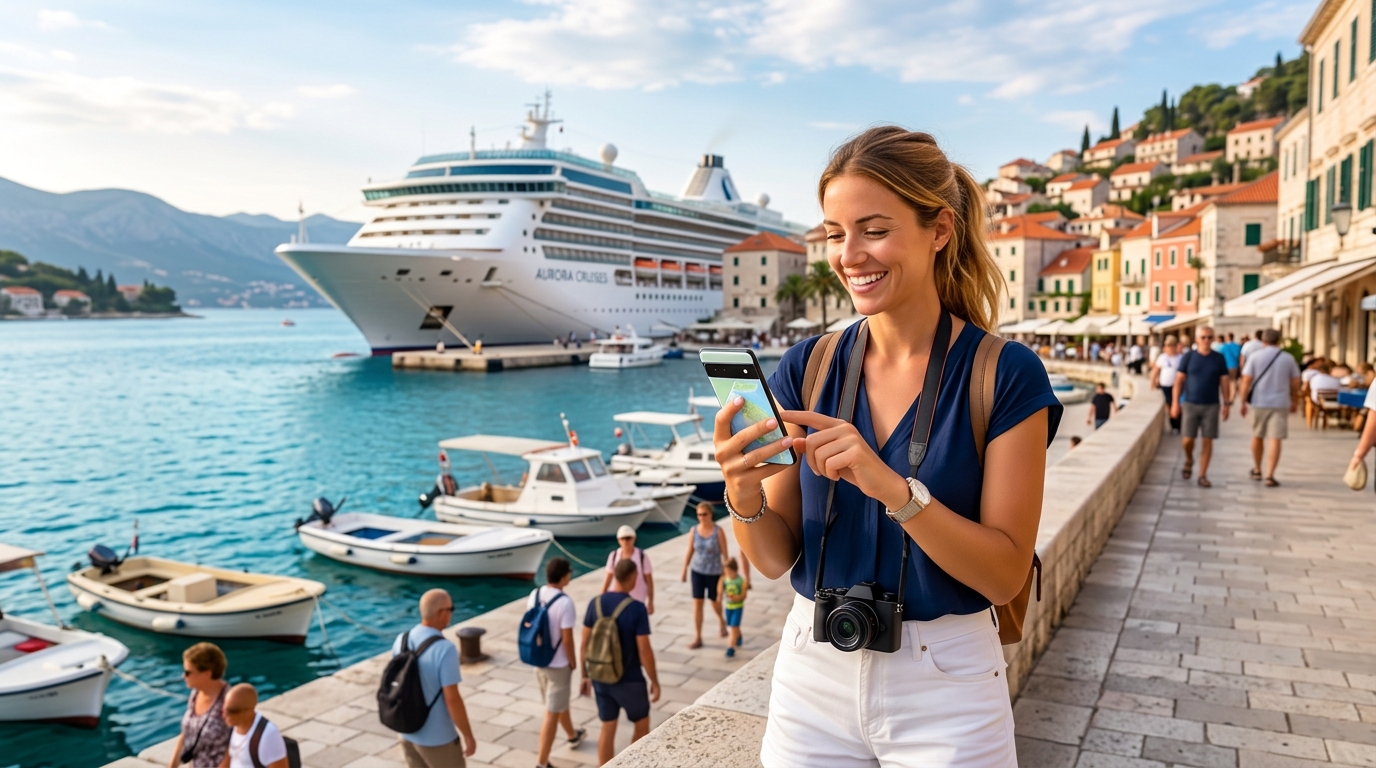
Never Miss a Moment: Your eSIM Guide to Seamless Connectivity on Cruise Shore Excursions
The Connectivity Conundrum: Why Cruise Ship Wi-Fi Fails on Shore
The allure of a cruise vacation often includes the promise of disconnecting from the daily grind. Yet, for many, the desire to stay connected – whether to share breathtaking moments, navigate unfamiliar streets, or simply check in with loved ones – remains a fundamental need. This desire often clashes head-on with the harsh realities of internet access once your ship docks, creating a significant "connectivity conundrum" for cruisers.
The Illusion of Onboard Wi-Fi: High Costs, Low Performance
Cruise lines offer Wi-Fi packages, often marketed as a convenient way to stay online. However, these services typically come with exorbitant price tags that can quickly inflate your vacation budget. Passengers often face tiered pricing models, where basic plans offer painfully slow speeds suitable only for text-based messaging, while premium packages, necessary for anything more demanding like video calls or streaming, can cost upwards of $20-$30 per day, per device. Multiply that across multiple devices and a week-long cruise, and the costs become astronomical.
Beyond the financial strain, the reliability and speed of ship Wi-Fi are notoriously poor. Satellite internet, the backbone of onboard connectivity, is inherently limited by bandwidth, latency, and the sheer number of users sharing the connection. During peak hours, even simple tasks become frustratingly slow, leading to dropped connections, failed uploads, and endless buffering.
Crucially, this already subpar service deteriorates drastically, or even vanishes entirely, once the ship docks in port. Ship Wi-Fi is optimized for open-sea conditions, relying on satellite signals that can be obstructed by landmasses, port infrastructure, or even the ship's own superstructure. As a result, passengers often find themselves completely disconnected just when they need internet access the most – to navigate a new city, find a local restaurant, or coordinate with their group for a shore excursion. Relying on ship Wi-Fi for critical shore-side activities is a recipe for frustration and missed opportunities.
The Perils of Physical SIM Cards: A Race Against Time
Faced with the limitations of ship Wi-Fi, many cruisers consider purchasing a local physical SIM card upon arrival in a foreign port. While seemingly a logical alternative, this approach introduces a host of its own significant challenges, particularly given the extremely limited time windows afforded by shore excursions.
Imagine disembarking in a bustling foreign port, with only a few hours to explore before the ship departs. Your precious time is now consumed by a frantic search for a mobile provider's store. This often involves:
- Locating a Vendor: Navigating unfamiliar streets in a foreign language to find an authorized SIM card seller.
- Language Barriers: Attempting to communicate your needs and understand complex data plans with a vendor who may not speak your language.
- Phone Compatibility: Discovering your phone might be locked to your home carrier or incompatible with local network frequencies, rendering your purchase useless.
- Complex Activation: Enduring a potentially lengthy and bureaucratic activation process, often requiring passport details or local registration, further eating into your valuable exploration time.
- Physical Swapping: The inherent risk of misplacing or losing your tiny home SIM card while fumbling to insert a new one.
The cumulative effect of these hurdles is wasted exploration time. Instead of immediately immersing yourself in the local culture, visiting historical sites, or enjoying authentic cuisine, you're stuck in a queue, grappling with technology, and watching your precious shore time tick away. This problem is compounded when your cruise visits multiple countries, requiring you to repeat this cumbersome process at each new port – an utterly impractical and inefficient solution.
The Urgent Need for a Seamless, Modern Solution
The shortcomings of both onboard Wi-Fi and traditional physical SIM cards highlight a fundamental need for a more modern, efficient, and cost-effective connectivity solution specifically tailored for the unique demands of cruise travel. Cruisers require a method that offers reliable internet access on shore, eliminates the hassle of physical SIM cards, and provides transparent, predictable costs without sacrificing precious exploration time.
This is precisely where eSIM technology emerges as the ideal answer. By eliminating physical cards and enabling instant digital activation, eSIMs directly address the pain points of time constraints, language barriers, and device compatibility. Platforms like MollySIM (https://mollysim.com) exemplify this evolution, offering a truly seamless experience. With MollySIM, travelers can pre-purchase and activate their data plans digitally, often before even leaving home, ensuring they are connected the moment they step off the ship. A key advantage of MollySIM is its generous 384kbps Fair Use Policy speed limit, which is 3x faster than many competitors' 128kbps limits. This higher speed is crucial for practical applications on shore, ensuring essential services like Google Maps and Apple Pay work smoothly, guiding you effortlessly through new cities and facilitating transactions without a hitch. This level of reliable, high-speed connectivity transforms the shore excursion experience, allowing you to truly "never miss a moment."
Unlocking Global Freedom: The MollySIM eSIM Advantage for Cruise Travelers
🌐 Global Travel High-Speed Travel eSIM & SIM Plans
Instant QR code activation, hotspot enabled, with guaranteed 384kbps fallback speed to keep Maps & Digital Wallets active.
The concept of an eSIM, or embedded Subscriber Identity Module, represents a profound leap forward from the traditional physical SIM card. Fundamentally, an eSIM is a small chip permanently built into your device (smartphone, tablet, smartwatch), replacing the removable plastic card. Instead of physically inserting a SIM, an eSIM allows you to download and activate digital SIM profiles directly onto your device. This means your phone can store multiple network profiles simultaneously, enabling you to switch between them with a few taps in your settings, without ever needing a physical card or a paperclip to open the SIM tray. It's a purely software-driven solution that liberates you from the physical constraints of older technology.
For multi-country cruise itineraries, this technology isn't just convenient; it's a complete game-changer. Traditional cruise travel often involves a frustrating dance with connectivity: relying on expensive and often slow onboard Wi-Fi, or scrambling to find local SIM cards in each port, navigating language barriers and varying store hours. An eSIM eliminates this complexity entirely. As your ship sails from one country to the next, your device, equipped with an eSIM, can seamlessly transition to a new local data plan, ensuring you're connected the moment you step ashore. This means no more hunting for local kiosks, no more fumbling with tiny cards, and no more worrying about exorbitant international roaming charges.
MollySIM's Tailored Benefits for the Modern Cruiser
MollySIM (https://mollysim.com) leverages the power of eSIM technology to offer a suite of benefits specifically designed to enhance the cruise traveler's experience:
Instant Digital Delivery and Pre-Departure Activation
One of the most significant advantages of MollySIM is its entirely digital process. You can browse and purchase data plans for your specific cruise destinations from the comfort of your home, days or even weeks before your departure. Once purchased, your eSIM profile – typically a QR code – is delivered instantly to your email. You can then activate this profile on your device before you even leave home, or while still onboard the ship. This ensures that the moment you disembark at your first port of call, your device automatically connects to a local network, providing immediate access to maps, communication apps, and essential services without any delay.
Elimination of Physical SIM Swaps
Say goodbye to the hassle of physical SIM cards. With MollySIM, there's no need to remove your primary SIM card, risking loss or damage, or to carry around a collection of foreign SIMs. Your existing physical SIM remains in your phone, allowing you to continue receiving calls and texts to your primary number, while the MollySIM eSIM handles your data connectivity in each port. This dual-SIM functionality (physical SIM + eSIM) offers unparalleled flexibility and convenience, ensuring you stay connected on your terms.
Multiple Profiles and Global Coverage
MollySIM allows you to store and manage multiple country or regional eSIM profiles on a single device. This is invaluable for cruises that traverse different regions, such as a journey through the Caribbean followed by a transatlantic crossing to Europe. You can purchase a specific MollySIM plan for the Caribbean islands and another for European countries, switching between them effortlessly as your itinerary dictates. MollySIM boasts wide global coverage, ensuring that wherever your cruise takes you, from bustling Mediterranean cities to serene Alaskan fjords, you'll likely find a reliable data plan to keep you connected.
Transparent Pricing and No Roaming Shock
The fear of "roaming shock" – receiving an unexpectedly high bill after international travel – is a common concern for cruisers. MollySIM eliminates this anxiety with its competitive and transparent pre-paid pricing. You know exactly how much you're paying for your data plan upfront, with no hidden fees or surprise charges. This predictability allows you to budget your connectivity costs effectively for every port of call, offering peace of mind and allowing you to focus on enjoying your excursions.
Enhanced Speed for Essential Services
MollySIM understands that reliable speed is paramount for practical applications on shore. Unlike many competitors who cap their Fair Use Policy speed limits at a restrictive 128kbps, MollySIM offers a generous 384kbps Fair Use Policy speed limit. This is 3x faster and makes a tangible difference in your user experience. At 384kbps, essential services like Google Maps and Apple Pay work smoothly, allowing you to navigate unfamiliar streets without frustrating delays and complete mobile payments quickly and efficiently. This higher speed ensures that your shore excursions are truly seamless, empowering you to explore, communicate, and transact with confidence.
Your Pre-Cruise Checklist: Setting Up MollySIM for Seamless Port Hopping
Embarking on a cruise promises adventure, but navigating connectivity in multiple international ports can be a source of stress. With MollySIM, you can transform this challenge into a seamless experience. Preparing your eSIM before you set sail is crucial for ensuring immediate, reliable data access the moment your ship docks. Follow this comprehensive pre-cruise checklist to configure your MollySIM for effortless port hopping.
1. Choosing the Right MollySIM Plan for Your Itinerary
The first step to seamless connectivity is selecting a MollySIM plan that aligns perfectly with your cruise itinerary and data consumption habits.
- Analyze Your Cruise Itinerary: List every country or region your cruise will visit. This is paramount for selecting the correct coverage.
- MollySIM Plan Types:
- Regional Plans: If your cruise stays within a specific continent (e.g., a Mediterranean cruise visiting Italy, Greece, Spain), a regional plan (e.g., "Europe 30-day plan") is often the most cost-effective choice. These plans offer extensive coverage across multiple countries within that geographical area.
- Global Plans: For cruises spanning multiple continents (e.g., a transatlantic crossing, a world cruise, or itineraries touching both the Caribbean and Europe), a MollySIM Global Plan provides comprehensive coverage, ensuring you're connected wherever your journey takes you. While potentially a higher initial cost, the convenience and broad reach are invaluable.
- Single Country Plans: These are generally less suitable for typical cruise port hopping, as you'll likely only spend a day in each location. However, if you have a pre- or post-cruise stay of several days in a specific country, a dedicated single-country plan might offer a larger data allowance at a competitive rate for that extended period.
- Estimate Your Data Needs:
- Light User (1-3 GB/week): Primarily using maps (like Google Maps, which works smoothly with MollySIM's 384kbps FUP), messaging apps, and occasional email checks.
- Moderate User (3-7 GB/week): Includes light usage plus social media browsing, some photo uploads, and occasional web searches.
- Heavy User (7+ GB/week): Frequent video calls, streaming, extensive social media, or using your phone as a hotspot.
- Remember, MollySIM's generous 384kbps Fair Use Policy speed limit (3x faster than many competitors' 128kbps) means essential services like Google Maps and Apple Pay will perform reliably, reducing frustration and potentially conserving data by avoiding slow loading times.
2. Purchase & Installation: Getting MollySIM onto Your Device
Once you've chosen your ideal plan, purchasing and installing your MollySIM is a straightforward process.
- Visit MollySIM.com: Navigate to the official MollySIM website (https://mollysim.com) and select your desired eSIM plan.
- Complete Purchase: Add the plan to your cart and proceed through the secure checkout process.
- Receive eSIM Details: After purchase, you will receive an email containing your eSIM installation details. This typically includes a QR code and manual installation details (SM-DP+ address and Activation Code).
- Install Your eSIM (on stable Wi-Fi):
- For iOS Devices (iPhone XS, XR, 11, SE 2nd Gen, 12, 13, 14, 15 series and newer):
- Go to Settings > Cellular (or Mobile Data).
- Tap "Add eSIM" or "Add Data Plan."
- Choose "Use QR Code" and scan the QR code provided in your MollySIM email. If scanning isn't possible, select "Enter Details Manually" and input the SM-DP+ address and Activation Code.
- Follow the on-screen prompts to complete the installation.
- For Android Devices (Google Pixel 3 and newer, Samsung Galaxy S20 and newer, etc.):
- Go to Settings > Network & internet > SIMs.
- Tap "Add more" or "Download an eSIM."
- Choose "Scan QR code" and scan the QR code. Alternatively, select "Enter it manually" and input the provided details.
- Follow the on-screen prompts.
- Crucial Tip: Perform this installation before you leave home, while you have a stable Wi-Fi connection. This avoids potential connectivity issues or data charges during the installation process.
3. Activating & Testing Your eSIM Before Departure
While MollySIM plans typically activate upon connecting to a supported network in your destination, it's wise to ensure everything is correctly configured pre-departure.
- Enable the eSIM: After installation, go to your phone's cellular settings and ensure the newly installed MollySIM profile is toggled "On." You don't need to set it as your primary data line yet, but ensure it's enabled.
- Preliminary Test (if applicable): If your chosen MollySIM plan includes coverage for your home country, you can briefly set it as your primary data line and attempt to browse the internet to confirm functionality. If not, simply ensuring it's installed and enabled is sufficient.
- Troubleshooting: If you encounter any issues during installation or initial setup, consult MollySIM's comprehensive FAQ section or contact their customer support before you board your cruise. Addressing problems on land is always easier than at sea.
4. Managing Multiple eSIM Profiles for Organized Connectivity
For cruisers, especially those with multiple regional plans or a home SIM alongside their MollySIM, clear organization is key.
- Label Your eSIMs: Immediately after installation, label your MollySIM profiles clearly. This is vital for quick identification when switching between ports.
- iOS: Go to Settings > Cellular (or Mobile Data), tap on your MollySIM profile, and select "Cellular Plan Label" to rename it (e.g., "MollySIM Europe," "MollySIM Caribbean," "Home SIM").
- Android: Go to Settings > Network & internet > SIMs, tap on your MollySIM profile, and select "SIM name" to rename it.
- Organize for Your Itinerary: If you've purchased separate MollySIMs for different regions (e.g., one for the first half of your cruise in Europe, another for the second half in the Caribbean), label them accordingly. This prevents confusion and ensures you activate the correct plan for each port.
5. Switching Profiles: Instant Connectivity at Every Port
One of the greatest advantages of eSIM technology is the ability to switch data plans instantly, without physically swapping SIM cards.
- As the Ship Docks: When your cruise ship arrives at a new port of call:
- For iOS Devices:
- Go to Settings > Cellular (or Mobile Data).
- Under "Cellular Plans," tap the MollySIM profile you wish to activate for the current country (e.g., "MollySIM Europe").
- Toggle "Turn On This Line."
- Then, under "Cellular Data," ensure your active MollySIM profile is selected.
- Important: If you were using a different MollySIM profile or your home SIM for data previously, consider toggling "Turn Off This Line" for the inactive profile to avoid accidental data usage or confusion.
- For Android Devices:
- Go to Settings > Network & internet > SIMs.
- Tap the MollySIM profile you wish to activate.
- Toggle "Use SIM" to the ON position.
- Ensure that "Mobile data" is set to use this active MollySIM profile.
- Important: Deactivate any previously active data eSIMs if you have multiple to prevent conflicts.
- Immediate Benefits: With MollySIM, you'll experience immediate local connectivity, allowing you to access crucial services like Google Maps for navigation and Apple Pay for transactions without delay, all powered by MollySIM's reliable 384kbps FUP speed.
6. Data Roaming Settings: Avoiding Bill Shock
This step is critical to prevent unexpected roaming charges from your home provider and ensure your MollySIM functions correctly.
- Disable Roaming for Your Primary Physical SIM (BEFORE Departure):
- Go to your phone's cellular settings.
- Locate your primary physical SIM (often labeled "Primary," "Home," or by your carrier's name).
- Find the "Data Roaming" option and DISABLE IT. This is your safeguard against exorbitant international roaming fees from your home carrier.
- Consider also disabling "Voice Roaming" if you don't intend to receive calls on your home number while abroad.
- Enable Roaming for Your MollySIM eSIM:
- Once you've activated your chosen MollySIM profile for a specific port (as per step 5), ensure that "Data Roaming" is ENABLED for that specific MollySIM profile.
- MollySIM plans are designed for international use, and enabling data roaming for the active eSIM is essential for it to connect to local networks outside your home country. This is a common point of confusion: disable roaming for your home SIM, but enable it for your MollySIM eSIM.
By meticulously following this pre-cruise checklist, you'll transform your smartphone into a powerful tool for exploration, ensuring you never miss a moment of your shore excursions thanks to MollySIM's seamless and transparent connectivity.
Beyond Basic Browsing: Maximizing Your MollySIM on Shore Excursions
Once your MollySIM is active and configured, it transforms your smartphone into an indispensable travel companion, far beyond simple email checks. On shore excursions, reliable data connectivity isn't just a convenience; it's a fundamental tool for safety, exploration, and capturing memories. MollySIM empowers you to leverage your device's full potential, ensuring every moment ashore is seamless and stress-free.
Uninterrupted Navigation & Exploration
Navigating unfamiliar streets, bustling markets, or sprawling historical sites can be daunting without reliable directions. Your MollySIM data provides the backbone for real-time GPS navigation, ensuring you explore with confidence and make the most of your limited time ashore.
- Google Maps & Apple Maps: Access turn-by-turn directions, search for local points of interest, find nearby restaurants, and estimate walking or public transport times without relying on pre-downloaded maps that might be outdated. This is crucial for staying on schedule and efficiently moving between attractions.
- Local Transport Apps: In many major port cities, local public transport apps (e.g., city bus trackers, metro guides) offer invaluable real-time information. With MollySIM, you can confidently use these apps to understand routes, schedules, and potential delays, saving time and avoiding expensive taxis.
- Ride-Sharing Services: For quick transfers or when public transport isn't feasible, apps like Uber or Lyft are often available. MollySIM ensures you can request a ride, track its arrival, and communicate with your driver seamlessly, enhancing convenience and safety.
Seamless Communication & Connection
Staying connected with loved ones back home or coordinating with fellow travelers is effortless with MollySIM, providing peace of mind and enhancing your shared experiences.
- WhatsApp & Messaging Apps: Send texts, photos, and even make voice and video calls over data to family and friends, avoiding expensive international SMS or call charges. This is particularly useful for quick check-ins or sharing immediate reactions to your experiences.
- FaceTime Audio/Video: Enjoy high-quality calls with Apple users, sharing your adventures visually or simply hearing familiar voices. MollySIM's consistent data speeds support these bandwidth-intensive applications, making you feel closer to home.
- Coordinating with Travel Companions: Whether you're exploring independently or splitting up to see different attractions, MollySIM enables easy communication with your group. Share meeting points, update on delays, or send photos of discoveries in real-time, ensuring everyone stays connected and accounted for.
Instant Sharing & Memory Making
The desire to share incredible travel moments instantly is universal. MollySIM makes this a reality, allowing you to document and disseminate your adventures as they unfold.
- Social Media Uploads: Post high-resolution photos and short videos to Instagram, Facebook, or TikTok directly from the stunning locations you visit. Share your experiences as they happen, allowing friends and family to follow your journey in real-time.
- Live Updates & Stories: Engage your audience with live stories or quick updates, capturing the atmosphere and excitement of your shore excursions.
- Cloud Backups: Automatically back up your precious photos and videos to cloud services like Google Photos or iCloud, providing peace of mind that your memories are safe, even if something happens to your device.
The MollySIM FUP Advantage: Never Truly Offline
One of MollySIM's most significant advantages, especially for cruise travelers, is its Fair Usage Policy (FUP). Unlike many providers where data simply cuts off once your high-speed allowance is consumed, MollySIM ensures you're never truly offline. Even after you've used up your initial high-speed data, your connectivity continues at a functional speed of 384kbps.
This 384kbps speed is a game-changer for several reasons:
- Essential Functionality Maintained: While not suitable for streaming HD video, 384kbps is perfectly adequate for critical tasks. You can still send and receive messages on WhatsApp, check emails, perform basic web browsing, and crucially, continue using Google Maps for navigation. This means you won't get stranded without directions or communication capabilities, even if you've had a particularly data-heavy day exploring.
- 3x Faster Than Competitors: MollySIM's 384kbps FUP speed stands out, being three times faster than the 128kbps offered by many competing eSIM providers. This higher baseline speed ensures that essential services like Google Maps continue to load smoothly, and even mobile payment systems like Apple Pay or Google Pay can process transactions without frustrating delays, providing a level of reliability unmatched in the industry.
- Unrivaled Peace of Mind: For cruise travelers, the ability to avoid being completely disconnected is invaluable. Shore excursions often mean being in unfamiliar places with limited options for topping up data or purchasing a new local SIM. MollySIM's FUP eliminates this anxiety, offering continuous, albeit slower, connectivity throughout your excursion. This peace of mind allows you to explore confidently, knowing you can always reach out for help or find your way back to the ship.
- Significant Cost Savings: This continuous connectivity, combined with MollySIM's transparent pricing, offers substantial savings compared to the exorbitant rates of ship Wi-Fi packages or the unpredictable charges of international roaming from your home carrier. You get reliable, predictable service without the fear of bill shock, even if you exceed your initial data allowance.
The Connectivity Showdown: MollySIM eSIM vs. The Alternatives
Navigating connectivity options while on a cruise can be as complex as charting a course through the high seas. For shore excursions, the choice you make can significantly impact your experience, dictating everything from your ability to find local attractions to staying in touch with loved ones or handling emergencies. To provide clarity, we've compiled a comprehensive comparison of MollySIM eSIM against the most common alternatives, highlighting why MollySIM consistently emerges as the superior choice for the modern cruise traveler.
| Feature / Option | MollySIM eSIM | Ship Wi-Fi Packages | Local Physical SIM | International Roaming (Home Provider) | Pocket Wi-Fi Device |
|---|---|---|---|---|---|
| Cost | Low, predictable | Very High, variable | Low-Moderate, initial outlay | Extremely High, unpredictable | Moderate (device + data) |
| Convenience | High (digital, multi-profile) | Low (limited access, slow) | Low (physical purchase, activation) | High (automatic) | Moderate (extra device, battery) |
| Coverage | Excellent (country-specific) | Limited (on-ship only, poor in port) | Excellent (local network) | Varies by provider/country | Good (local network) |
| Speed | High-speed local data | Often Slow/Throttled | High-speed local data | Varies, often throttled | High-speed local data |
| Reliability | High (local networks) | Low (shared bandwidth) | High (local networks) | Moderate (network agreements) | High (local networks) |
| Setup Time | Minutes (pre-cruise) | Instant (on-ship) | Hours (in-port search, activation) | Instant (if enabled) | Minutes (device setup) |
| Multi-Country | Seamless switching | N/A | Requires new SIM per country | Automatic (expensive) | Requires new SIM/plan per country |
| Emergency Use | Yes (always connected) | Limited (on-ship only) | Yes (once activated) | Yes (expensive) | Yes (if charged) |
| FUP Benefit | 384kbps fallback | No | Varies by plan | No (hard cut-off) | Varies by plan |
Cost-Effectiveness: Predictability vs. Bill Shock
When it comes to cost, MollySIM eSIM offers unparalleled predictability and affordability. Travelers can purchase data packages for specific countries or regions at transparent, upfront rates, eliminating any fear of unexpected charges. This stands in stark contrast to ship Wi-Fi packages, which are notoriously expensive, often sold in limited time blocks or data allowances, and can quickly deplete your vacation budget. International roaming from your home provider is arguably the most financially perilous option, with per-MB rates that can lead to astronomical bills. While local physical SIMs can be cheap, the initial outlay of time and effort to find, purchase, and activate them in each port adds an indirect cost. Pocket Wi-Fi devices incur both the cost of the device itself and recurring data plan expenses, often making them less economical for short-term cruise travel.
Unmatched Convenience and Setup Simplicity
MollySIM's digital nature revolutionizes convenience. An eSIM can be purchased and installed in minutes, pre-cruise, allowing you to land in your first port fully connected. This eliminates the need to hunt for local SIM card vendors in unfamiliar ports, a time-consuming and often frustrating endeavor that eats into precious excursion time. Unlike local physical SIMs that require physical swapping and potential phone unlocking, MollySIM allows for seamless switching between multiple profiles for different countries, all managed digitally on your device. While international roaming is convenient in its automatic activation, its prohibitive cost negates this benefit. Ship Wi-Fi requires logging in and out, often with clunky interfaces, and Pocket Wi-Fi devices add another gadget to charge and carry.
Superior Coverage and Consistent Speed
MollySIM leverages local cellular networks in each country, guaranteeing excellent coverage and high-speed data comparable to what locals experience. This is a critical advantage over ship Wi-Fi, which often suffers from slow speeds, high latency, and limited range once you step off the vessel. While local physical SIMs also offer great local coverage and speed, the hassle of acquiring them for each port makes them impractical for multi-country cruises. International roaming can vary wildly in speed and reliability depending on your home provider's agreements, often leading to throttled connections. Pocket Wi-Fi devices perform well on local networks but are an additional point of failure (battery, device malfunction).
Reliability and Peace of Mind: The FUP Advantage
Reliability is paramount for cruise travelers, especially during shore excursions. MollySIM's reliance on robust local networks ensures a highly reliable connection. Crucially, MollySIM offers a Fair Use Policy (FUP) with a 384kbps fallback speed. This means that even if you exhaust your high-speed data allowance, you're never completely disconnected. This 384kbps speed is three times faster than the 128kbps offered by many competitors, ensuring essential services like Google Maps for navigation continue to function smoothly. You can still use mobile payment systems like Apple Pay without frustrating delays, send messages, and even make low-bandwidth calls. In contrast, ship Wi-Fi is notoriously unreliable due to shared bandwidth and satellite limitations. International roaming often has a hard cut-off once data limits are reached, leaving you stranded. This continuous, albeit slower, connectivity from MollySIM (https://mollysim.com) provides unrivaled peace of mind for any unexpected situation during your shore excursions.
Seamless Multi-Country Capability
For cruises that visit multiple countries, MollySIM truly shines. With a single eSIM, you can easily switch between pre-purchased data plans for different destinations directly from your phone's settings. This eliminates the need to buy a new local physical SIM in every port, a logistical nightmare. While international roaming offers automatic multi-country connectivity, its exorbitant cost makes it a non-starter for budget-conscious travelers. Pocket Wi-Fi devices would similarly require new SIMs or plans for each country, adding complexity. MollySIM streamlines the entire process, making multi-country connectivity effortless and economical.
In summary, for cruise travelers seeking a blend of cost-effectiveness, ultimate convenience, reliable high-speed data, and the crucial safety net of continuous connectivity through its 384kbps FUP, MollySIM eSIM stands head and shoulders above traditional and alternative options. It's designed to keep you connected, confident, and worry-free throughout your global adventures.
Smart Connectivity Habits & Your Unforgettable Cruise Experience
While MollySIM (https://mollysim.com) provides unparalleled connectivity, adopting smart habits can further optimize your smartphone experience and ensure your battery lasts through even the longest shore excursions. Mastering these practices will transform your cruise from one of connectivity anxiety to seamless, stress-free exploration.
Data Management Tips for Savvy Travelers
Effective data management is key to maximizing your MollySIM plan and avoiding unexpected overages. Even with MollySIM's generous data allowances and the safety net of its 384kbps Fair Use Policy (FUP) speed, which is 3x faster than many competitors' 128kbps, conserving high-speed data is a wise strategy.
- Monitor Your Usage Regularly:
- MollySIM Portal/App: MollySIM provides a dedicated portal or app where you can track your real-time data consumption. Make it a habit to check this daily.
- Phone Settings: Both iOS (Settings > Cellular/Mobile Data) and Android (Settings > Network & Internet > Data usage) offer built-in tools to monitor data used by individual apps. Identify data-hungry apps and adjust their settings.
- Prioritize Offline Content:
- Offline Maps: Before disembarking, download maps of your port cities using Google Maps, Apple Maps, or HERE WeGo. This allows for turn-by-turn navigation without consuming cellular data, relying only on your phone's GPS. MollySIM's 384kbps FUP speed is perfectly adequate for real-time location tracking on downloaded maps, ensuring you never get lost.
- Entertainment: Download movies, TV shows, music, and podcasts onto your device while connected to the ship's Wi-Fi (if purchased) or before your cruise. This prevents data drain from streaming during transit or downtime.
- Limit Background Data Refresh:
- Many apps refresh content in the background, consuming data even when not actively in use. Go into your phone's settings and disable "Background App Refresh" for non-essential applications. Allow only critical apps like messaging services to refresh in the background.
- Disable Automatic Updates & Photo Uploads:
- Turn off automatic app updates and cloud photo/video uploads (e.g., Google Photos, iCloud Photos) while on cellular data. These processes can quickly deplete your data allowance. Save these for when you're on a secure Wi-Fi connection.
- Leverage Available Wi-Fi Strategically:
- While MollySIM offers superior reliability, use ship Wi-Fi (if you've purchased a package) or free, secure Wi-Fi hotspots in cafes or ports for large downloads, video calls, or extensive browsing. Switch back to your MollySIM eSIM for general navigation, communication, and secure transactions like Apple Pay or Google Pay, which benefit from MollySIM's consistent 384kbps FUP speed.
Battery Life Extension for All-Day Exploration
Constant connectivity, GPS usage, and frequent screen checks can drain your phone's battery rapidly. Extend your device's life during long shore excursions with these practical tips:
- Lower Screen Brightness: The screen is one of the biggest power consumers. Reduce brightness to the lowest comfortable level.
- Enable Low Power Mode: Both iOS and Android offer power-saving modes that automatically reduce background activity, visual effects, and fetch frequency. Activate this mode when you know you'll be away from a charger for an extended period.
- Disable Unused Radios: Turn off Bluetooth, AirDrop, or personal hotspot if you're not actively using them.
- Close Unused Apps: While modern operating systems manage background apps efficiently, force-closing resource-intensive applications can still save some power.
- Carry a Portable Power Bank: This is arguably the most crucial tip. A fully charged power bank can provide multiple charges for your smartphone, ensuring you stay connected throughout your entire day ashore.
Troubleshooting Common eSIM Connectivity Issues
While MollySIM eSIMs are designed for ease of use, occasional connectivity hiccups can occur. Here’s a quick troubleshooting guide:
- Verify eSIM Profile Activation: Ensure your MollySIM eSIM profile is correctly installed and selected as your primary data line in your phone's cellular settings.
- Enable Data Roaming: This is a common oversight. For your MollySIM eSIM to connect to local networks abroad, Data Roaming MUST be enabled for that specific eSIM line in your phone's settings.
- Check APN Settings: In rare cases, the Access Point Name (APN) settings might need manual configuration. MollySIM usually auto-configures this, but if you face issues, check MollySIM's support documentation for the correct APN and verify it in your phone's cellular settings.
- Restart Your Device: The classic IT solution often works wonders. A simple restart can resolve temporary network registration issues.
- Manual Network Selection: If automatic network selection fails, try manually selecting a local network operator from your phone's cellular settings.
- Contact MollySIM Support: If all else fails, MollySIM offers customer support to assist with any technical difficulties.
Security Considerations: Your Personal, Secure Gateway
One often-overlooked benefit of using a personal eSIM like MollySIM over public Wi-Fi is enhanced security. Public Wi-Fi networks, especially in busy tourist areas, can be unsecured and vulnerable to cyber threats like "man-in-the-middle" attacks, where malicious actors intercept your data.
By using your MollySIM eSIM, you're leveraging a secure, encrypted cellular connection. This is particularly vital when performing sensitive transactions such as online banking, checking emails, or using mobile payment systems like Apple Pay or Google Pay. MollySIM's reliable connection, even at its 384kbps FUP speed, ensures these critical functions remain both accessible and secure, providing peace of mind that your personal information is protected.
Your Unforgettable Cruise Experience, Powered by MollySIM
Ultimately, MollySIM eSIM transforms the cruise shore excursion experience from one fraught with connectivity anxiety to one of seamless, stress-free exploration. It’s more than just data; it’s about enhancing your safety by ensuring you can always access navigation and emergency contacts, providing unparalleled convenience for payments and communication, and empowering you to capture and instantly share those unforgettable memories with loved ones back home. The consistent, reliable connectivity, backed by MollySIM's superior 384kbps FUP speed for essential services, means you can focus entirely on soaking in every moment of your adventure.
Don't let connectivity worries overshadow your next cruise. Explore MollySIM's flexible and cost-effective eSIM plans today at https://mollysim.com and unlock a world of seamless, worry-free exploration on your next global adventure.
🌐 Global Travel High-Speed Travel eSIM & SIM Plans
Instant QR code activation, hotspot enabled, with guaranteed 384kbps fallback speed to keep Maps & Digital Wallets active.