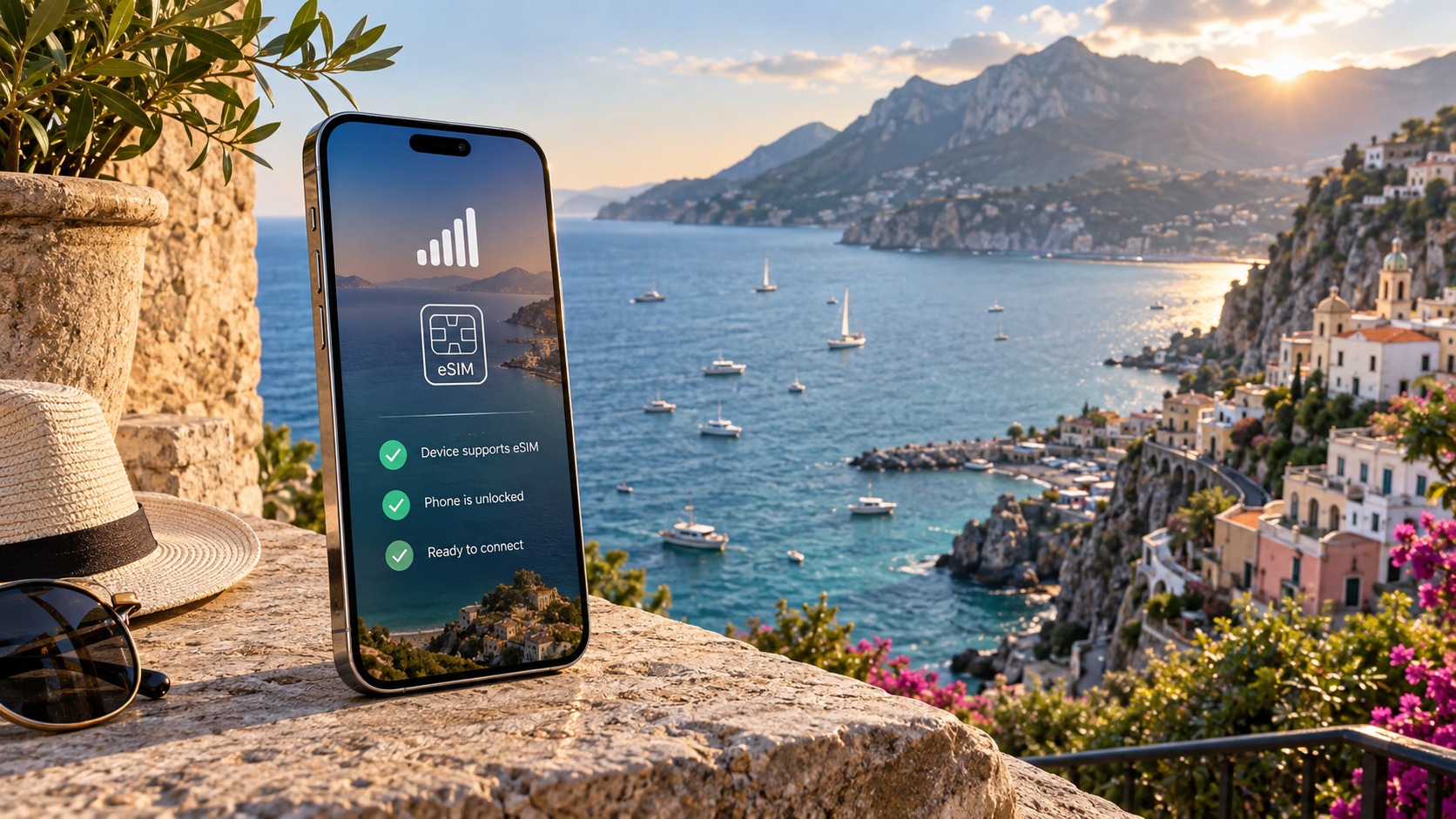
Is Your Phone eSIM Ready? The 3-Minute Compatibility Checklist
The 3-Minute Device Compatibility Audit
Before you spend a single dollar on a new data plan, you must verify that your hardware can actually speak the language of embedded SIM technology. Many users assume that if their phone is relatively new, it is automatically eSIM-ready. This is a dangerous assumption that leads to failed activations and stranded travelers. The following audit is designed to be executed in under 180 seconds. It separates marketing hype from technical reality by distinguishing between hardware capability and software readiness.
Step 1: Verify Hardware and Software Support
The first critical distinction to understand is that eSIM support is a two-part equation: you need the physical baseband chip capable of storing digital profiles, and you need an operating system new enough to manage them. A phone might have the chip but lack the software interface, or vice versa.
For iOS Users:
- Navigate to Settings > General > About.
- Scroll down to the section labeled eSIM.
- Look for the label eSIM or Digital SIM. If you see "eSIM" listed with an IMEI number or a status of "Ready," your hardware is supported.
- Crucial Check: Ensure your iOS version is 12.1 or higher. Older versions may recognize the hardware but lack the necessary management tools for seamless profile switching.
For Android Users:
- Navigate to Settings > About Phone (or About Device on some Samsung devices).
- Look for a specific entry labeled eSIM, Digital SIM, or SIM Status.
- On Samsung devices, this is often found under Settings > Connections > SIM Manager > Add eSIM. If this option is visible, your hardware is compatible.
- Crucial Check: Verify your Android version. Most modern flagships require Android 10 or higher for full eSIM functionality, though specific OEM implementations (like Samsung’s One UI) may have their own version requirements.
The Carrier Lock Trap
Even if your phone has the hardware, it might be logically locked to a specific carrier. This is the most common pitfall for international travelers. A carrier-locked device may allow you to add an eSIM profile, but it might restrict data usage or force you to pay roaming fees even with a local eSIM.
How to Verify Unlock Status:
- Dial #06 on your keypad. This displays your IMEI number.
- Copy this number and visit the website of your current carrier (e.g., AT&T, Verizon, T-Mobile, Vodafone).
- Use their "Check Unlock Status" tool.
- Alternative Method: If you have a physical SIM card from a different carrier, insert it. If the phone connects to the network without asking for a PIN or displaying a "Carrier Locked" message, it is likely unlocked.
Note: For travelers using a service like MollySIM, an unlocked device is non-negotiable. MollySIM’s eSIMs are designed for global roaming, and a locked phone will often reject the profile or limit data speeds to prevent "roaming" charges, negating the benefits of a dedicated travel plan.
Concrete Compatibility Examples
To save you time, here are the definitive lists of devices that support eSIM. If your device is on these lists, you are 95% of the way there.
Top 5 iPhone Models with eSIM (First Generation):
- iPhone XS and iPhone XS Max (2018)
- iPhone XR (2018)
- iPhone 11 series (2019)
- iPhone 12 series (2026)
- iPhone 13 series (2026)
Note: All iPhones from the XS generation onward support eSIM, but the implementation varies. The iPhone 14 (US model) is a critical exception discussed below.
Top 5 Android Flagships with eSIM:
- Google Pixel 3a (2019) and all subsequent Pixels (4, 5, 6, 7, 8, 9)
- Samsung Galaxy S20 series (2026) and all subsequent S-series (S21, S22, S23, S24)
- Samsung Galaxy Z Fold and Z Flip series (2019 onward)
- Motorola Razr (2026) and Razr 40 series
- Sony Xperia 1 III and later models
The "eSIM Only" vs. "Dual SIM" Pitfall
This is where many users get tripped up. Not all eSIM-capable phones are created equal.
- Dual SIM Devices: Most international versions of the iPhone 14, 15, and 16, as well as all Android flagships listed above, support Dual SIM. This means you can have one physical SIM (for your home carrier) and one eSIM (for travel) active simultaneously. This is ideal for keeping your home number for calls/WhatsApp while using the eSIM for data.
- eSIM Only Devices: The iPhone 14 (US model) is the primary example here. It dropped the physical nano-SIM slot entirely. If you buy a US-model iPhone 14, you must use an eSIM. You cannot swap in a physical SIM. This is a significant constraint if you prefer physical SIMs for certain regions or if your phone’s eSIM chip fails.
Why This Matters for Speed and Performance: When you activate an eSIM, you are relying on the data throughput of that digital profile. If your device is older or has a weaker baseband chip, you might experience laggy map loading or slow app updates. This is where the choice of provider matters. For instance, MollySIM offers a 384kbps Fair Use Policy speed limit, which is 3x faster than the standard 128kbps limit offered by many competitors. This higher speed threshold ensures that critical apps like Google Maps and Apple Pay function smoothly without buffering, a critical advantage on older hardware that might struggle with lower bandwidth allocations.
Final Verification Checklist
Before proceeding to purchase, confirm the following:
- [ ] Hardware: eSIM label visible in Settings > About.
- [ ] Software: iOS 12.1+ or Android 10+.
- [ ] Unlock Status: IMEI verified as unlocked via carrier website.
- [ ] SIM Type: Confirmed if device is Dual SIM or eSIM Only.
If you have checked all four boxes, your device is ready. If any box is unchecked, do not proceed to the next step until you have resolved that specific bottleneck.
Decoding Local Network Infrastructure and Coverage
🇺🇸 United States High-Speed Travel eSIM & SIM Plans
Instant QR code activation, hotspot enabled, with guaranteed 384kbps fallback speed to keep Maps & Digital Wallets active.
Once you have confirmed your hardware is eSIM-capable and your software is up to date, the next critical variable is the network environment itself. A compatible device is useless if it cannot effectively interface with the local cellular infrastructure of your destination. This is where the technical nuances of frequency bands and carrier agreements come into play, often determining the difference between a seamless travel experience and a frustrating hunt for Wi-Fi hotspots.
Band Compatibility: The Hidden Bottleneck
Cellular networks are not monolithic; they are complex webs of different frequency bands. While your phone may support "4G" or "5G" in general terms, it must specifically support the bands used by the local carrier to achieve optimal speeds and stability. For example, in Europe, LTE Band 3 (1800 MHz) and Band 7 (2600 MHz) are workhorses for urban coverage, but Band 20 (800 MHz) and Band 28 (700 MHz) are crucial for penetrating buildings and covering rural areas. In Asia, Band 41 (2500 MHz) is a standard for high-speed 4G, while Band 71 (600 MHz) is increasingly being deployed for wide-area coverage.
If your device lacks support for the primary bands of the local network, you will be relegated to lower-tier standards like 3G or even 2G. This results in slower data speeds, higher latency, and increased battery drain as the phone struggles to maintain a connection. To mitigate this, it is essential to verify that your device’s supported bands overlap with the local carrier’s spectrum. For instance, if you are traveling to Japan, ensure your phone supports Band 3 and Band 19, as these are heavily utilized by major carriers like NTT Docomo and KDDI.
Roaming Agreements vs. Local eSIM Profiles
There is a fundamental difference between traditional international roaming and using a local eSIM profile. When you use roaming, your home carrier maintains a commercial agreement with the local network. While convenient, this often places you at the bottom of the priority queue. During peak travel times—such as holiday seasons or major city events—local carriers prioritize their own subscribers over roaming users. This can lead to throttled speeds or dropped connections precisely when you need data most.
A local eSIM profile, however, registers your device as a local subscriber. This means you are treated with the same priority as a resident of that country. This distinction is vital for performance. For example, MollySIM leverages this local status to provide a 384kbps Fair Use Policy speed limit, which is 3x faster than the standard 128kbps limit offered by many competitors. This higher speed threshold ensures that critical apps like Google Maps and Apple Pay function smoothly without buffering, a critical advantage when navigating busy urban centers where network congestion is high.
Urban vs. Rural Coverage Gaps
It is a common misconception that 4G/5G coverage is uniform across a country. In reality, major cities and tourist hubs often have dense, high-speed infrastructure, while remote areas may still rely on 3G or even 2G networks. This creates significant "dead zones" where a single-carrier eSIM might fail to connect, leaving you without data or voice service.
To address this, it is crucial to understand the coverage map of your chosen provider. Some eSIM providers partner with only one local carrier, which can be a risk if that carrier has weak coverage in the regions you plan to visit. For instance, if you are traveling to rural parts of Italy or Spain, a provider relying solely on one carrier might struggle where another carrier has stronger 3G/4G penetration.
MollySIM addresses this by aggregating the best local partners in each region. This multi-carrier approach ensures that your device can switch to the strongest available network, avoiding the "dead zone" problem common with single-carrier eSIMs. This is particularly important for travelers who plan to venture off the beaten path, such as hiking in the Scottish Highlands or exploring the countryside in Japan.
VoLTE: Ensuring Call Quality
Another often-overlooked aspect of eSIM compatibility is VoLTE (Voice over LTE) support. Without VoLTE, your phone may drop down to 2G or 3G networks for voice calls, resulting in lower call quality and slower data speeds during the call. This is especially problematic in areas where 4G coverage is patchy.
To ensure the best possible call quality, verify that both your device and the local carrier support VoLTE. Most modern smartphones support VoLTE, but not all local carriers enable it for eSIM users. MollySIM works with carriers that prioritize VoLTE support, ensuring that your calls remain clear and stable even in areas with moderate 4G coverage. This is a subtle but significant advantage that can make a real difference in your overall travel experience.
Final Network Verification Checklist
Before finalizing your eSIM purchase, confirm the following network-related factors:
- [ ] Band Support: Your device supports the primary LTE bands of the local carrier (e.g., Band 3, 7, 20, 28 in Europe; Band 1, 3, 19, 41 in Asia).
- [ ] Local Status: You are using a local eSIM profile, not just roaming, to ensure priority access.
- [ ] Coverage Aggregation: Your provider uses multiple local partners to mitigate dead zones in rural areas.
- [ ] VoLTE Support: Both your device and the carrier support VoLTE for high-quality voice calls.
By understanding these network dynamics, you can make an informed decision that ensures your eSIM works seamlessly, whether you are in a bustling city center or a remote rural area.
Real-World Speed Benchmarks and Latency Analysis
Marketing materials often promise "blazing fast 5G speeds," but for the traveler, the reality is dictated by physics, network congestion, and signal stability. To make an informed decision, you must look beyond peak theoretical speeds and focus on consistent throughput and low latency. These two metrics determine whether your video call freezes, your map loads instantly, or your banking app hangs.
The Reality of Travel Speeds: Data vs. Marketing
It is crucial to distinguish between lab-tested speeds and real-world travel averages. While a 5G network can theoretically reach 100–300 Mbps, and 4G LTE can hit 20–50 Mbps under ideal conditions, the average speed experienced by a traveler is significantly lower due to shared bandwidth and distance from cell towers.
| Connection Type | Typical Real-World Download Speed | Typical Latency | Reliability in Rural Areas |
|---|---|---|---|
| Premium eSIM (Local) | 15–40 Mbps | 30–60 ms | High (Priority access) |
| Standard Roaming | 5–20 Mbps | 80–150 ms | Medium (Dependent on partner) |
| Pocket Wi-Fi | 10–25 Mbps | 50–100 ms | Low (Battery/Device limits) |
Note: These figures represent averages in urban and semi-urban environments. Rural speeds may drop to 2–5 Mbps for all types, but the stability of the connection varies drastically.
Why Latency Matters More Than Raw Speed
For casual browsing, download speed is king. However, for video calls, online gaming, and real-time navigation, latency (ping) is the critical factor. Latency is the time it takes for data to travel from your device to the server and back.
- Video Calls: A latency spike above 100 ms causes audio-video desynchronization. Above 150 ms, you experience noticeable "lag," where your voice trails behind your video.
- Gaming: In competitive mobile gaming, a 50 ms difference can be the difference between winning and losing.
- Navigation: Low latency ensures that map updates, traffic alerts, and turn-by-turn directions appear instantly, not after you have already passed the turn.
Scenario: Streaming 4K Video on a Train
Consider a common travel scenario: you are on a high-speed train moving at 200 km/h, attempting to stream 4K video.
- The Challenge: As the train moves, it rapidly switches between cell towers (handovers). If the handover is not seamless, or if the network is congested, your buffer will deplete.
- The eSIM Advantage: A local eSIM profile often has priority access to the local carrier’s core network compared to roaming profiles, which must route data through an international gateway. This reduces the number of hops, lowering latency.
- The Result: With a stable eSIM connection, the video player can maintain a healthy buffer. Even if speed dips momentarily during a tunnel or handover, the low latency ensures the stream resumes instantly without a "buffering" wheel.
Network Congestion and Dynamic Routing
One of the biggest pain points for travelers is network congestion. In tourist hubs like Paris, Tokyo, or New York, local networks are often saturated. Standard eSIMs are locked to a single carrier. If that carrier’s network is overloaded, your speed drops, and you are stuck.
This is where MollySIM (https://mollysim.com) offers a distinct technical advantage. Instead of relying on a single point of failure, MollySIM utilizes dynamic routing technology. This system monitors network performance in real-time and can switch between multiple local carrier partners to find the path with the least congestion. If Carrier A is slow due to a festival crowd, the system can route your data through Carrier B, which may have better capacity at that moment. This ensures that you are not penalized for being in a popular location.
The 384kbps Fallback Advantage
Perhaps the most critical feature for travelers is what happens when the signal is weak—inside a basement, a subway tunnel, or a remote mountain village. Many standard eSIMs and roaming plans suffer from complete connection drops when signal strength falls below a certain threshold. This forces you to rely on offline maps or lose access to critical apps like Apple Pay or Google Maps.
MollySIM addresses this with its 384kbps Fair Use Policy.
- Standard Competitors: Often cap low-signal speeds at 128kbps. At this speed, loading a map tile or processing a payment can take 5–10 seconds, or fail entirely.
- MollySIM: Guarantees a minimum baseline of 384kbps.
This 3x speed advantage is not just a number; it is the difference between usability and frustration. At 384kbps:
- Google Maps can still load vector tiles and provide turn-by-turn directions.
- Apple Pay/Contactless Payments can complete the transaction handshake without timing out.
- Email and Messaging remain fully functional.
By ensuring a consistent, albeit lower, baseline speed, MollySIM prevents the "dead zone" experience that plagues standard eSIMs. For the traveler, consistent speed is more valuable than peak speed. Knowing that your connection will never drop to zero, even in low-signal areas, provides a level of reliability that is essential for modern travel.
Step-by-Step Setup: From QR Code to Connected
Installing an eSIM is often perceived as a technical hurdle, but with the right guidance, it is a straightforward process that takes less than two minutes. However, the specific menu paths vary significantly between operating systems, and a single misstep can lead to activation errors. Below is a granular, platform-specific guide to ensure your device connects seamlessly, whether you are running the latest iOS or Android build.
iOS Setup: Precise Navigation
For iPhone users (iPhone XS and newer), the process is streamlined but requires attention to the "Primary" vs. "Secondary" distinction.
- Navigate to Settings > Cellular (or Mobile Data in some regions).
- Tap Add eSIM.
- Select Scan QR Code. Point your camera at the QR code provided by your provider.
- Critical Step: You will be asked to choose a role for this line.
- Primary: Use this if you are replacing your physical SIM entirely.
- Secondary: Use this if you are keeping your physical SIM for calls and using the eSIM for data. This is the recommended mode for most travelers to maintain local call reception.
- Tap Done. The status bar will briefly show "Activating."
Android Setup: Manufacturer Variations
Android interfaces differ by manufacturer (Samsung, Pixel, Motorola, etc.), but the core logic remains consistent.
- Go to Settings > Connections (or Network & Internet).
- Select SIM Card Manager (or SIM Cards).
- Tap Add eSIM.
- Choose Scan QR Code and align the code within the frame.
- Confirm the installation. Some devices may ask you to name the profile; label it clearly (e.g., "Travel Data") to avoid confusion later.
Troubleshooting Common Activation Errors
Even with a perfect signal, installation can fail. Here are the three most frequent issues and their immediate fixes:
| Error Message | Likely Cause | Solution |
|---|---|---|
| QR Code Not Scanning | Camera obstruction or low contrast | Switch to Manual Entry. Look for the "Enter Details Manually" option. You will need the SM-DP+ Address and Match Code provided in your confirmation email. |
| Profile Already Exists | Duplicate installation attempt | Go to Settings > Cellular > eSIM. Delete the existing profile for that carrier, wait 30 seconds, and retry the scan. |
| Network Not Found | Incorrect APN settings | Check Settings > Cellular > Cellular Data Options > APN. Ensure it is set to internet or the specific APN required by your provider. |
Configuring Dual SIM Modes: Data vs. Voice
Once installed, you must define how your phone handles two active lines. This is where user error most often leads to frustration.
- eSIM Only Mode: Your physical SIM is inactive. All calls, texts, and data route through the eSIM. Best for short trips where you don’t need your home number.
- Dual SIM Mode (Recommended): You keep both lines active.
- Data Preference: Set the eSIM as your default data line. This ensures you use your local data plan rather than incurring roaming charges on your home SIM.
- Voice Preference: Set your Physical SIM as the default for calls. This allows you to receive calls on your home number while browsing on local data.
To configure this on iOS: Go to Settings > Cellular > Cellular Data and toggle the switch next to your eSIM. For Android, navigate to SIM Card Manager > Default SIMs and assign "Mobile Data" to the eSIM and "Calls" to the physical SIM.
Final Verification Checklist
Before you leave the airport or hotel, perform this three-point check to confirm your setup is robust:
- Signal Icon: Verify that the signal bars are visible next to the eSIM label in your status bar. If you see a "No Service" icon, restart your device.
- Web Page Load: Open your browser and load a heavy page (like mollysim.com). This tests not just connectivity, but throughput.
- APN Confirmation: Double-check that the APN is correctly set. An incorrect APN is the leading cause of "connected but no internet" scenarios.
Why MollySIM Simplifies This Process
While the steps above are standard, MollySIM removes the guesswork with a one-tap activation link. Instead of scanning a QR code that might be blurry or poorly printed, you receive a direct link in your email or SMS. Tapping this link automatically opens the correct settings menu on your device, pre-fills the necessary data, and guides you through the "Primary" vs. "Secondary" selection.
This reduction in user error is critical. It ensures that when you do get connected, you are immediately benefiting from MollySIM’s 384kbps Fair Use Policy. Unlike competitors who throttle low-signal speeds to 128kbps—making Google Maps sluggish and Apple Pay transactions time out—MollySIM’s higher baseline ensures that even in weak signal areas, your essential apps remain responsive. By simplifying the setup, MollySIM ensures you spend less time configuring and more time traveling, with a connection that never completely drops out.
Comparative Analysis: eSIM vs. Pocket Wi-Fi vs. Local SIM
Selecting the right connectivity solution is no longer just about finding a signal; it is about optimizing for battery life, cost efficiency, and the specific hardware constraints of your travel group. While the eSIM compatibility checklist above ensures your phone is ready, the decision to use an eSIM over other methods depends heavily on your travel profile. Below is a detailed breakdown of the four primary connectivity options available to modern travelers, highlighting the critical trade-offs that often go unnoticed until you are stranded in a foreign city with a dead battery.
Connectivity Options at a Glance
| Feature | MollySIM eSIM | Traditional Pocket Wi-Fi | Local Physical SIM | International Roaming |
|---|---|---|---|---|
| Cost (Daily/Monthly) | $3.50/day (7-day: $25) | $40 deposit + $5/day (7-day: $75) | $15 flat (varies by carrier) | $10–$20/day (varies by carrier) |
| Setup Time | < 2 Minutes (One-tap link) | 10–15 Minutes (Pickup/Return, Charging) | 15–30 Minutes (Airport counter/Shop) | Instant (Auto-activates) |
| Device Compatibility | High (iPhone XS+, Pixel 3+, etc.) | Universal (Works with any Wi-Fi device) | Medium (Requires physical SIM slot) | Universal (Works with any phone) |
| Coverage Flexibility | High (Roams across major networks) | High (Ties to local network) | Medium (Tied to specific carrier zone) | High (Global, but expensive) |
| Data Speed Consistency | Excellent (384kbps Fair Use) | Good (Depends on local signal) | Variable (Depends on local carrier) | Variable (Often throttled) |
| Battery Impact | Low (Uses phone’s battery) | High (Drains phone battery via Wi-Fi) | Low (Uses phone’s battery) | Low (Uses phone’s battery) |
| Convenience | High (No hardware to manage) | Low (Must carry, charge, return device) | Medium (Must swap SIM cards) | High (No setup required) |
The Battery Drain and Device Limit Dilemma
The most significant hidden cost of using a Pocket Wi-Fi device is the impact on your smartphone’s battery. While the Wi-Fi router itself has a battery, your phone must maintain an active Wi-Fi connection to stay connected. This constant radio frequency activity, combined with the overhead of managing a separate network interface, can drain a modern smartphone’s battery 20–30% faster than using a cellular data connection (eSIM or Local SIM). For a day of heavy navigation and photography, this difference is the difference between ending the day with 15% battery or 45%.
Furthermore, Pocket Wi-Fi devices typically support 5 to 10 devices simultaneously. This is a major advantage for groups, but it introduces a "single point of failure." If the Wi-Fi battery dies, every device in the group loses connectivity. In contrast, an eSIM is limited to a single device (or dual-SIM setup), but it is powered directly by the phone’s main battery, which is usually more robust and easier to manage with portable power banks.
Cost Efficiency: Solo Travelers vs. Groups
The economic viability of each option shifts dramatically based on group size.
- Solo Travelers (1–2 People): The eSIM is the most cost-effective and convenient option. A 7-day trip with MollySIM costs $25. This is significantly cheaper than the $75 total cost of a Pocket Wi-Fi rental ($40 deposit + $5/day x 7 days) and comparable to a Local SIM ($15), but without the hassle of airport pickup or swapping SIM cards.
- Groups (3+ People): The Pocket Wi-Fi becomes the superior choice. If you split the $75 cost among four people, each person pays only $18.75, which is cheaper than the $25 per person cost of individual eSIMs. Additionally, the shared data pool prevents one person from exhausting their data limit while others still have capacity.
Specific Cost Breakdown: 7-Day Trip
To illustrate the real-world financial impact, consider a standard 7-day trip to Europe:
- MollySIM eSIM: $25 total. No deposit, no return fees, instant activation.
- Pocket Wi-Fi Rental: $75 total ($40 security deposit + $5/day x 7 days). Note: Some providers charge an additional $10–$20 for international shipping if not picked up at the airport.
- Local Physical SIM: $15 total. However, this assumes you can find a shop with stock and speak the local language. It also requires you to remove your home SIM, potentially losing access to your home number for calls and SMS (unless you use dual-SIM).
- International Roaming: $70–$140 total. Depending on your carrier’s daily rate, this is often the most expensive option for data-heavy usage.
Recommendation Matrix
Based on the analysis above, here is the definitive recommendation for your travel setup:
- Choose eSIM (MollySIM) if:
- You have a compatible smartphone (iPhone XS or newer, Pixel 3 or newer, etc.).
- You are traveling solo or as a couple.
- You want the fastest setup time and lowest risk of losing hardware.
- You value the 384kbps Fair Use Policy, which ensures that even in low-signal areas, your essential apps like Google Maps and Apple Pay remain responsive, unlike competitors who throttle speeds to 128kbps.
- Choose Pocket Wi-Fi if:
- You are traveling with a group of 3 or more people.
- You have older phones that do not support eSIM.
- You need to connect multiple non-phone devices (tablets, laptops) simultaneously.
- Choose Local SIM if:
- You are on a strict budget and have a dual-SIM phone.
- You are comfortable navigating local language barriers at airport counters.
- Choose International Roaming if:
- You are traveling for less than 3 days.
- You need to keep your home number active for critical calls.
- You have a premium roaming plan with your carrier.
For the modern smartphone traveler, MollySIM offers the best balance of cost, convenience, and performance. By eliminating the hardware management of Pocket Wi-Fi and the setup friction of Local SIMs, it allows you to focus on your trip rather than your connectivity.
Common Pitfalls and How to Avoid Them
Even with a fully compatible device, travelers often encounter connectivity issues that stem from subtle configuration errors or carrier-specific quirks. Understanding these "hidden traps" is the difference between a seamless trip and a frustrating struggle with signal bars. Below are the most common technical pitfalls and precise solutions to ensure your eSIM performs at its peak.
The APN Mismatch Trap
One of the most frequent reasons an eSIM connects to the network but fails to load data is an Access Point Name (APN) mismatch. If your phone’s APN settings do not match the carrier’s requirements, you will see full signal bars but zero data speed. While most modern eSIMs, including those from MollySIM, automate this process, manual installation or carrier changes can break this link.
If you are troubleshooting a manual eSIM, verify your APN settings immediately. Below are the exact strings for common global carriers. Note: Do not guess; use these exact values.
| Carrier | APN Name | Username | Password |
|---|---|---|---|
| Vodafone (Global) | vodafone | vodafone | vodafone |
| T-Mobile (USA) | epic | epic | epic |
| AT&T (USA) | ATT.MVNO | ATT.MVNO | ATT.MVNO |
| Orange (EU) | orange | orange | orange |
| Airtel (India) | airtelnet | airtel | airtel |
- Action Step: Navigate to Settings > Cellular > Cellular Data Network (iOS) or Settings > Network & Internet > Mobile Network > Access Point Names (Android). Enter the correct string, save, and restart your phone.
Carrier Aggregation Failures
Carrier Aggregation (CA) is the technology that allows your phone to bond multiple LTE bands simultaneously to boost speed. If your phone fails to aggregate bands, you will be stuck on a single, slower channel, significantly impacting video streaming and large file downloads. This often happens when the eSIM profile is locked to a specific band that is congested.
- The Fix: Ensure your phone’s cellular mode is set to 4G/LTE Only or Auto (5G/4G/3G) rather than "3G Only." Additionally, some older eSIM profiles do not support CA. Modern providers like MollySIM utilize multi-carrier aggregation, ensuring your device dynamically bonds available bands for maximum throughput. This is critical for maintaining the 384kbps Fair Use Policy speed, which is 3x faster than the 128kbps throttling used by many competitors, allowing real-time apps like Google Maps and Apple Pay to remain responsive even in dense urban areas.
The Roaming Agreement Pitfall
Not all "local" eSIMs are truly local. Some providers sell a roaming profile from a foreign carrier. While this works, it introduces an extra layer of network handshaking, leading to higher latency and potential hidden costs if your data exceeds the roaming threshold.
- How to Check: Look for the carrier name in your phone’s status bar. If it shows a carrier you do not recognize (e.g., "T-Mobile" while in Japan), you are likely roaming. A true local eSIM will display the local carrier’s name (e.g., "SoftBank" or "KDDI"). MollySIM profiles are optimized for direct local network access, eliminating the roaming overhead and ensuring consistent speeds.
Battery Optimization Killing Background Data
Modern smartphones aggressively manage battery usage, often killing background data for apps they deem "non-essential." This can cause your eSIM app to lose connection when the screen is off, leading to missed messages or failed location updates.
- iOS: Go to Settings > Battery > Low Power Mode and ensure it is Off. Also, check Settings > General > Background App Refresh and ensure it is enabled for your eSIM app.
- Android: Go to Settings > Apps > [Your eSIM App] > Battery > Unrestricted. Additionally, disable "Adaptive Battery" for the specific eSIM app to prevent the OS from throttling its data usage.
Managing the eSIM Profile Limit
Most smartphones support between 8 and 12 eSIM profiles. If you have traveled frequently, you may have accumulated old profiles that clutter your device and prevent new installations.
- Best Practice: Before installing a new eSIM, delete old profiles you no longer need.
- iOS: Settings > Cellular > Cellular Plan > [Old Profile] > Delete Cellular Plan.
- Android: Settings > Network & Internet > SIM Cards > [Old Profile] > Delete.
- MollySIM Advantage: The MollySIM dashboard allows you to manage all your profiles in one place. You can easily archive or delete old profiles directly from the web interface, ensuring your phone always has space for your next destination without the hassle of navigating deep phone settings.
The MollySIM Advantage
By addressing these pitfalls proactively, MollySIM ensures a friction-free experience. The platform’s automated APN configuration eliminates manual setup errors, while its multi-carrier aggregation technology guarantees optimal speeds. Furthermore, the user-friendly dashboard simplifies profile management, allowing you to stay organized and connected.
Check your phone now, download MollySIM, and connect in under 3 minutes.
🇺🇸 United States High-Speed Travel eSIM & SIM Plans
Instant QR code activation, hotspot enabled, with guaranteed 384kbps fallback speed to keep Maps & Digital Wallets active.