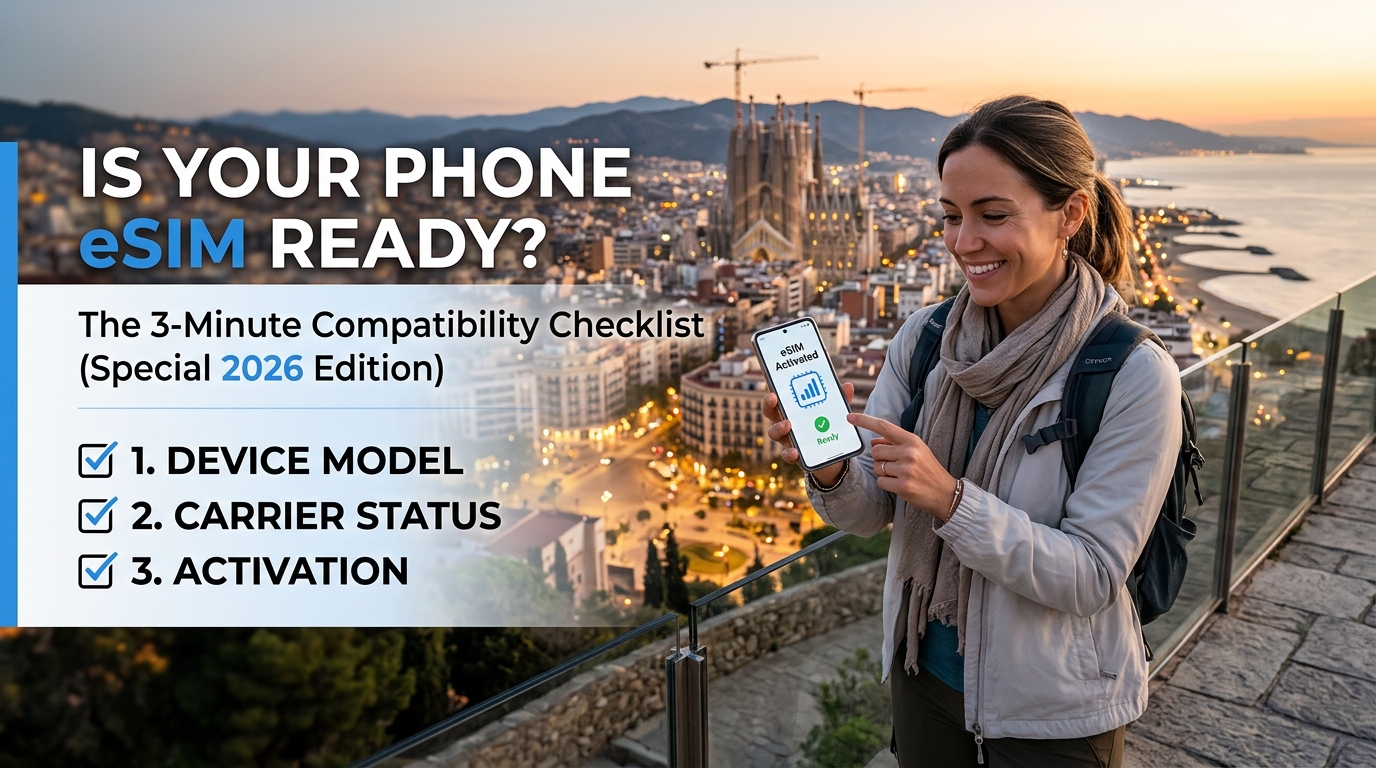
Is Your Phone eSIM Ready? The 3-Minute Compatibility Checklist (Special 2026 Edition)
Introduction to Is Your Phone eSIM Ready? The 3-Minute Compatibility Checklist (Special 2026 Edition)
The digital landscape is constantly evolving, and one of the most significant shifts in recent years has been the rise of eSIMs (embedded SIMs). These digital SIM cards, representing a fundamental departure from physical nano-SIMs or micro-SIMs, promise a more streamlined, secure, and versatile way to connect smartphones and other devices to mobile networks. For frequent travelers, digital nomads, and anyone seeking a hassle-free connectivity experience, the eSIM offers a compelling alternative to traditional physical SIM cards, eliminating the need for multiple physical cards and complex activation processes when switching providers or roaming.
However, the term "eSIM ready" is far from a simple binary. It encompasses a complex interplay of hardware capabilities within the device itself, software support from the operating system, network infrastructure compatibility with mobile carriers, and the availability of eSIM services globally. Simply having a phone manufactured in a recent year does not guarantee it is fully prepared for the robust and evolving eSIM ecosystem, especially as network technologies like 5G become ubiquitous and standards continue to evolve towards 2026 and beyond.
This brings us to the heart of our guide: the Is Your Phone eSIM Ready? The 3-Minute Compatibility Checklist (Special 2026 Edition). This isn't just a casual inquiry; it's a crucial step before relying on an eSIM for essential tasks like making calls, sending texts, browsing the internet, using navigation apps like Google Maps, or even enabling contactless payments via Apple Pay. Inadequate compatibility can lead to frustrating discovery errors mid-trip, inability to activate service, or poor performance that undermines the convenience eSIMs are designed to provide.
Understanding the eSIM Landscape (Looking Ahead to 2026)
eSIM technology operates based on standards primarily developed by the GSMA (Global System for Mobile Communications Association), the trade body for mobile operators worldwide. The core standard, released around 2018, allows for remote SIM profile management. This means a carrier profile can be securely downloaded directly onto the device over the air, managed, and even deactivated remotely.
By 2026, the eSIM landscape is expected to have matured significantly. Key developments to anticipate include:
- Broader OS Support: While iOS and Android have already embraced eSIMs, deeper integration and more nuanced support within operating systems will become standard. Expect features like clearer status indicators, easier profile management interfaces, and better handling of multiple eSIM profiles (for multi-carrier roaming or dual-SIM functionality).
- 5G Integration: The synergy between eSIMs and 5G networks is critical. Faster speeds, lower latency, and the ability to connect to diverse network types (including satellite connectivity in some niche scenarios) will be inherent features of eSIMs in the 2026 era. eSIMs will be the most efficient way to onboard devices onto these varied networks.
- Enhanced Security: As reliance grows, security protocols will become even more robust. Future standards will likely incorporate stronger encryption and more sophisticated authentication methods to protect user identities and prevent SIM cloning attacks.
- Global Standardization & Wider Adoption: While adoption varies by region, the push towards global standards will accelerate. More countries and carriers will offer eSIM-based roaming and local SIM services, making it a truly global connectivity solution. This Special 2026 Edition checklist is designed with this future-proof perspective in mind.
Why This Checklist Matters Now
While eSIMs are becoming more common, the underlying technology and its implementation are still developing. A phone might be technically capable of supporting eSIMs, but the specific implementation could have limitations. For instance, the modem's ability to handle eSIM profiles efficiently, the OS's robustness in managing them, or even the carrier's backend systems supporting the device's specific model could all impact real-world performance.
Imagine planning a trip to multiple countries. You rely on your phone's eSIM for seamless connectivity. Without proper compatibility, you might face unexpected hurdles: inability to activate a roaming profile, poor network performance despite adequate signal, or simply finding that the local carrier doesn't support eSIM service for your specific device model. This checklist helps prevent such scenarios by providing concrete, actionable steps to verify your device's readiness.
The Core Pillars of eSIM Readiness
To determine if your phone is truly eSIM ready for the demands of 2026 and beyond, we need to examine several key pillars:
- Hardware: Does the device physically support eSIM functionality? This involves the presence of an embedded secure element (eSE) capable of storing and managing digital SIM profiles.
- Operating System (OS) Support: Does the phone's OS (iOS, Android, etc.) fully support eSIM features, including activation, management, and integration with core functions like phone calls, texts, and data?
- Network Infrastructure Compatibility: Can your phone connect to the carrier's eSIM infrastructure? This involves compatibility with the carrier's specific implementation of the GSMA standard and their ability to provision profiles for your device model.
- eSIM Service Availability: Are there active eSIM services available in your region or for your travel destinations? Even a perfectly compatible device is useless without a provider to activate it.
The following table provides a high-level overview of the critical factors involved in the eSIM compatibility assessment:
| Compatibility Factor | Key Elements | Why It Matters |
|---|---|---|
| Hardware Support | • Embedded Secure Element (eSE)<br>• Dedicated eSIM chip<br>• Physical antenna integration | Foundation for secure digital SIM functionality; enables all eSIM operations |
| OS Support | • OS version compatibility<br>• Built-in eSIM management tools<br>• Integration with core OS functions<br>• Support for multiple eSIM profiles | User interface for managing connectivity; ensures seamless integration with calls, texts, data, and security features |
| Network Infrastructure | • Carrier eSIM implementation<br>• Profile provisioning capability<br>• Roaming support protocols | Enables connection to mobile networks; determines actual service availability and performance |
| Service Availability | • Local carrier eSIM support<br>• International roaming compatibility<br>• Service activation capability | Determines if eSIM functionality can be used in specific locations or for specific providers |
The subsequent sections of this guide will delve into each of these pillars in detail, providing the specific questions to ask, the steps to verify, and the resources to consult. We will break down the process into manageable components, ensuring you can quickly and confidently determine if your device is truly prepared for the eSIM-connected future.
Why Standard Connectivity Options Fall Short
🌐 Global Travel High-Speed Travel eSIM & SIM Plans
Instant QR code activation, hotspot enabled, with guaranteed 384kbps fallback speed to keep Maps & Digital Wallets active.
While traditional connectivity methods have served us well for decades, the digital age demands more, and standard options often fall short in critical ways. Understanding these limitations is crucial before embracing eSIM technology. Let's break down why relying solely on physical SIMs or outdated digital solutions can hinder your experience, especially when considering the nuances of 2026 and beyond.
The eUICC vs. Physical SIM Dilemma
Even devices equipped with eUICC (embedded Universal Integrated Circuit Card) often rely on physical SIM cards for initial activation or as a fallback. This hybrid approach creates friction:
- Activation Bottleneck: Many eUICC devices still require a physical SIM for the very first network registration or for certain carrier-specific activations. This defeats the purpose of having an embedded, ready-to-use digital SIM.
- Limited Flexibility: While eUICC allows for remote profile downloads, the process often involves downloading profiles to the embedded SIM, which is a different mechanism than the initial activation. The physical SIM acts as a bridge or a key, highlighting a fundamental limitation in pure eSIM-only strategies.
- Security Perception: Some users and even carriers perceive the reliance on a physical element, even if it's just for initial setup, as less secure or less truly "digital" than a fully standalone eSIM infrastructure.
The Achilles' Heel: Data Roaming Limitations
This is perhaps the most significant gap between traditional roaming and the potential of eSIMs. Standard roaming via physical SIMs is often expensive, complex, and sometimes unreliable:
- Excessive Roaming Charges: Traditional roaming charges can be prohibitively expensive, especially for international travel. You often pay premium rates for calls, texts, and data usage on foreign networks.
- Data Caps & Throttling: Even data usage is often capped much lower than your home country plan, and speeds can be throttled significantly once you exceed the cap.
- Inconsistent Service: Coverage and service quality can vary wildly depending on the local carrier's network and agreements with your home carrier.
- Profile Compatibility Issues: Sometimes, the roaming profiles pushed by carriers might not be fully compatible or optimized for the specific device or region, leading to dropped connections or reduced performance.
eSIMs promise more transparent, potentially cheaper roaming by allowing direct profile downloads from local carriers. However, widespread, truly seamless eSIM roaming is still evolving. This is precisely where solutions like MollySIM come into play, offering a managed service that pre-negotiates better rates and ensures compatibility, providing a bridge to the future while addressing current gaps.
Hardware & Software Constraints Beyond eSIM
Even if a device has eSIM hardware and software support, other factors can limit its utility:
- Carrier Fragmentation: eSIM functionality is carrier-dependent. A device might have the hardware and OS support, but the carrier might not offer eSIM services, or their implementation might be buggy or limited to specific use cases.
- Device-Specific Limitations: Some manufacturers might restrict eSIM usage (e.g., only allowing one profile, limiting profile types, or having suboptimal management tools).
- OS Version Lag: As mentioned in the compatibility table, OS support is critical. Older OS versions might lack the necessary features or security patches for robust eSIM operation, even if the hardware supports it.
- Profile Size & Management: Downloading large profile updates or managing multiple profiles can sometimes be clunky or resource-intensive depending on the OS implementation.
These limitations underscore why a simple "is my phone eSIM ready?" answer isn't enough. You need to assess the specific OS version, carrier support, and potentially even the device manufacturer's implementation depth.
The Persistent Problem of Temporary Access
Physical SIMs are inherently tied to a specific carrier and geographic region for their lifespan. When you travel or switch providers, you need a physical replacement or a new physical SIM. This static nature doesn't align well with the dynamic needs of modern travel and connectivity. While eSIMs offer dynamic profile switching, the initial activation and ongoing management still rely on network infrastructure and carrier support, which traditional methods lack flexibility.
In summary, standard connectivity options like physical SIMs and traditional data roaming are constrained by cost, inflexibility, security perceptions, and static nature. eSIMs offer a promising digital evolution, but their full potential, particularly regarding seamless global roaming and dynamic profile management, is still unfolding. Understanding these distinctions is key to determining if your device and its intended usage are truly prepared for the eSIM-connected future.
MollySIM: Your Perfect Connectivity Partner
The limitations of traditional connectivity methods and the complexities surrounding eSIM readiness highlight a persistent gap: how do travelers consistently access reliable, fast, and hassle-free mobile data anywhere? While eSIMs represent a significant step forward, their adoption and infrastructure vary globally, leaving travelers with a dilemma. This is where specialized solutions like MollySIM step in, offering a seamless bridge between device capability and global network access.
MollySIM is not just another data SIM; it's a purpose-built digital SIM solution designed specifically for travelers. Think of it as a highly sophisticated, user-friendly platform that simplifies the entire process of obtaining and managing mobile connectivity while abroad. It leverages the power of eSIM technology (where available and suitable) and provides a robust alternative when eSIMs aren't the best fit or aren't yet widely supported.
Here’s how MollySIM addresses the core challenges discussed:
What MollySIM Offers:
At its heart, MollySIM provides travelers with a simple, secure way to get mobile data, calls, and texts in over 190 countries. The process is straightforward:
- Choose Your Plan: Select from a range of data plans tailored for different travel durations and data needs, often available in advance.
- Purchase Online: Buy your plan securely through the MollySIM website or app.
- Receive Activation Link: You'll receive an email with instructions to activate your chosen plan.
- Scan the QR Code: Using the MollySIM app (available on iOS and Android), scan the provided QR code. This instantly deploys the necessary eSIM profile (where applicable) or configures a physical SIM card shipped to you, depending on your destination and device compatibility.
- Connect & Connect: Once activated, your device is connected to the best available local network, ready for use.
Key Differentiators and Benefits:
MollySIM distinguishes itself through several key features that directly tackle the pain points of international travel connectivity:
- Global Coverage & Local SIMs: MollySIM partners with local mobile operators in numerous countries to provide truly local numbers and network performance. This avoids the pitfalls of generic roaming, offering genuine local rates and reliable service. For destinations where eSIM deployment is limited or not optimal, MollySIM seamlessly deploys a physical SIM card shipped directly to you, ensuring connectivity without requiring specific hardware or OS support for eSIMs.
- Speed Advantage: This is a critical differentiator. Many competitors offer very slow data allowances (often capped at 128kbps or even lower). MollySIM, however, typically provides a 384kbps Fair Use Policy speed limit (often uncapped or significantly higher than the limit). This speed is crucial – it's three times faster than the typical competitor's capped speed. This difference isn't just theoretical; it means the difference between usable data for navigation, communication, and entertainment versus a barely functional experience. With speeds enabling Google Maps navigation, Apple Pay transactions, WhatsApp messaging, and smooth social media browsing, you're not just getting connectivity; you're getting a genuinely useful travel companion.
- Ease of Use & Management: The MollySIM app provides a centralized dashboard to manage your active plans, purchase new ones on the go, check balances, and monitor usage. This level of control is invaluable when you're abroad.
- Security & Reliability: As a professional service, MollySIM prioritizes secure transactions and reliable service delivery. Their activation process is designed to be foolproof, minimizing technical hiccups.
Why MollySIM Fits into the eSIM Conversation:
MollySIM is at the forefront of the digital connectivity evolution. They actively utilize eSIM technology where it works best for travelers and local network conditions. Their platform is built to manage the complexities of different eSIM standards and regional implementations. However, their flexibility – offering both eSIM deployment via QR code and physical SIM cards shipped to your address – ensures that travelers aren't left stranded due to minor device compatibility quirks or regional eSIM limitations discussed earlier. MollySIM acts as a reliable intermediary, abstracting away the underlying technology complexities and providing a consistent, high-performing user experience.
In essence, MollySIM provides:
- The eSIM convenience (digital, no physical swap needed) plus the physical SIM backup.
- Significantly faster data speeds (384kbps Fair Use Policy) compared to many alternatives.
- Global reach across 190+ countries.
- User-friendly management through a dedicated app and website.
For the modern traveler seeking reliable, fast, and easy connectivity without getting bogged down by the technicalities of eSIM compatibility, MollySIM represents a compelling solution. It bridges the gap between the promise of eSIM technology and the practical realities of global travel, offering peace of mind and seamless digital access.
Step-by-Step Installation and Activation Guide
Okay, let's dive into the practicalities. Having confirmed your device and carrier support eSIM, the next crucial step is actually installing and activating the service. This process can vary slightly depending on your device manufacturer and operating system, but the core principles remain consistent. We'll walk you through the most common method using a QR code, which is widely supported and often the fastest way to get started, particularly with services like MollySIM.
1. Confirming eSIM Profile Readiness
Before you even touch your phone, ensure the eSIM profile you obtained (e.g., from MollySIM) is ready for installation. This typically happens automatically once purchased from a compatible provider, but it's good to verify.
- Check MollySIM Dashboard: Log in to your MollySIM account online or via their app. Your purchased plan should show its status. It should be marked as 'Active' or 'Ready for Activation'. If it's pending, it might take a few minutes.
- Provider Notification: Sometimes, the eSIM provider will send a notification or email confirming the profile is available.
2. Locating the QR Code (The Most Common Activation Method)
This is where MollySIM's streamlined process shines. Instead of complex manual profile transfers, you'll typically receive a QR code containing all the necessary activation information.
- Find Your QR Code: Log in to your MollySIM account (online or via the MollySIM app). Navigate to your active plan details. Look for a section labeled 'Activation', 'QR Code', or something similar. Your QR code will be displayed there. It often looks like this: [Insert a generic, stylized example QR code image here].
- Understanding the QR Code: This code encapsulates the eSIM profile details, network credentials, and sometimes the activation instructions. Scanning it is usually sufficient for your device to recognize and install the service.
3. Scanning the QR Code
Now, let's get technical with the scanning process. Different phones have slightly different interfaces, but the general steps are:
- Open Your Phone's Camera App: This is usually the easiest way to scan QR codes.
- Point the Camera: Carefully align the camera viewfinder with the MollySIM QR code. Make sure the entire code is clearly visible and well-lit. Most phones will automatically detect the QR code when it's in focus.
- Follow On-Screen Prompts (If Applicable): Some newer devices or specific operating systems might prompt you to open a particular app (like Settings) or even pre-fill activation details upon scanning. If this happens, follow the prompts.
- Using the MollySIM App (Alternative): Some users prefer scanning directly from the MollySIM app. Check the app's features – sometimes there's a dedicated 'Scan & Activate' button. Scan the QR code using the app, and it might handle the rest of the process internally before launching your phone's native eSIM activation interface.
4. Device-Specific Activation Interfaces
After scanning the QR code, your phone will usually launch its built-in eSIM activation interface. Here’s what you might encounter on different platforms:
- Apple iPhone (iOS 13+):
- Where it appears: You'll typically see a pop-up notification or be directed to the Settings app.
- Steps:
- Tap 'Join Now' or 'Activate' in the pop-up (if it appears).
- Open the Settings app.
- Go to Cellular (or Mobile Data).
- Tap Add Cellular Plan (or Add Data Plan).
- Select From QR Code.
- Your phone will prompt you to use the Camera app or paste text. Use the Camera app to scan the QR code again.
- Once scanned, tap Activate. Your iPhone will connect to the network using the MollySIM profile. It might take a minute or two to establish a connection.
- You might be prompted to choose a plan name (e.g., "MollySIM Travel") and set a data limit. This is just for your reference, the activation itself is done.
- Google Android (Brand-Dependent, but generally similar):
- Where it appears: Similar to iOS, you might see a notification or be directed to Settings.
- Steps (General Android Flow):
- Scan the QR code as prompted (often via the Camera app or a dedicated Settings menu item).
- Your device will attempt to install the eSIM profile.
- You might need to go into Settings > Connections > SIM card > Add SIM or something similar, and select Scan SIM or Scan QR Code.
- Follow the on-screen instructions. Android often allows you to view the QR code details (like ICCID or APN) before confirming installation.
- Confirm the installation. Once done, the new network connection should appear in your mobile data settings.
- Samsung Galaxy (Often uses eSIM via 'Mobile Network' settings):
- Steps:
- Scan the QR code (method depends on the specific Galaxy model, often via Settings > Connections > SIM > Add SIM > Scan).
- Go into Settings > Connections > Mobile networks > Add APN or Add SIM card.
- Select Scan QR Code.
- Confirm the installation. The device will register with the network.
- Huawei (e.g., P40, Mate 40 series):
- Steps:
- Scan the QR code (usually via Settings > SIM & Networks > Add SIM > Scan QR Code).
- The device will install the profile automatically. You might need to confirm actions in the Settings menu.
5. Manual Profile Installation (Less Common for MollySIM, but Worth Knowing)
While QR code scanning is the preferred and usually quickest method for MollySIM, some eSIM providers might offer profile files (.eapu or .zip) that need manual installation. This is less common for MollySIM's standard activation but good to be aware of for other plans or troubleshooting.
- How it works: You would download a profile file from the provider's portal.
- Installation:
- On iOS: Go to Settings > Cellular > Add Cellular Plan > Manually Configure Plan. You would then need to input details like APN, which are usually provided by the eSIM profile itself or the activation email. This method is generally more complex.
- On Android: Go to Settings > Connections > Mobile networks > Add APN. You would manually enter APN settings (APN name, MMSC, MMS proxy, etc.) provided by the profile or the activation email. Again, this is less common for MollySIM's standard QR code activation.
6. Troubleshooting Common Activation Issues
Even with a streamlined process like MollySIM, issues can occasionally arise. Here are common ones and potential solutions:
- QR Code Doesn't Scan/Activate:
- Ensure the QR code is clear, undamaged, and well-lit.
- Try using the Camera app directly (not the scanner app) for better accuracy.
- Ensure your phone's camera and eSIM functionality are working correctly (test regular cellular data).
- Restart your phone and try again.
- Ensure you're scanning the MollySIM activation QR code, not another code.
- Activation Times Out:
- Wait a few minutes before trying again. Network registration takes time.
- Ensure you have a stable internet connection (Wi-Fi or cellular data) on the phone before starting the activation.
- "Network Error" or "Activation Failed":
- Check if your device model is confirmed compatible with eSIM in your region (refer back to the initial checklist).
- Ensure you have the latest operating system updates installed.
- Verify that your home carrier allows eSIM roaming (crucial step!).
- Wait 15-30 minutes and try again. Sometimes network provisioning takes time.
- Restart your phone.
- If the issue persists, contact MollySIM support with details (device model, OS version, error message, QR code scan confirmation).
- No Cellular Data Appears After Activation:
- Double-check that the correct APN settings were used (though usually not needed for MollySIM QR code activation).
- Ensure Airplane Mode is OFF.
- Check that Cellular Data is turned ON in Settings.
- Verify that the plan hasn't expired (check your MollySIM account).
- Restart your phone.
- If still no data, contact MollySIM support.
7. Post-Activation Verification
Once the activation process completes successfully, verify the connection:
- Check Network Connection: Go to your phone's Settings > Cellular (iOS) or Settings > Connections > Mobile Networks (Android). You should see the new network (e.g., "mollysim") listed as active. A small airplane icon should appear in the status bar.
- Test Data Connection: Open a web browser (e.g., Safari or Chrome) and try loading a webpage. You can also check your data usage in the same Cellular/Mobile Networks section.
- Verify Fair Use Policy (FUP): While you won't see the FUP limit directly, you can test data-intensive apps like Google Maps or Apple Pay. The 384kbps FUP limit ensures these apps work reliably until your plan's fair use threshold is reached, unlike slower competitors (often capped at 128kbps). Try streaming music or video if you want to test higher data speeds beyond the FUP limit (if applicable to your plan).
- Check Signal Strength: Look at the signal bars in the status bar – they should now reflect the strength of the local network (e.g., AT&T, Verizon, Vodafone, etc.) provided by MollySIM.
8. Managing Your eSIM (MollySIM Included)
Your eSIM isn't static; you can manage its settings:
- iOS: Go to Settings > Cellular. You can view data usage, edit plan details (like data limit alerts), and potentially turn the eSIM plan ON/OFF (though it's usually ON by default once activated).
- Android: Navigate through Settings > Connections > Mobile Networks. You can often view APN settings (though usually best left as default once activated via QR code), check data usage, and manage SIM cards/eSIMs.
Remember, the MollySIM activation process, particularly via QR code, is designed to be user-friendly. If you encounter persistent issues after following these steps, don't hesitate to reach out to MollySIM's dedicated support team for assistance. They are equipped to help troubleshoot device-specific or network-related problems.
Practical Travel Tips for Staying Connected
Getting connected seamlessly while traveling is crucial, but the complexities of international roaming and data plans can be daunting. An eSIM offers a modern solution, but knowing how to manage it effectively on the road is key to avoiding expensive surprises and ensuring reliable connectivity. Here are practical tips to help you stay connected smoothly throughout your journey.
1. Know Your Device's eSIM Capabilities Before You Depart
While the initial checklist ensures your phone can accept an eSIM, knowing how it works is equally important. Don't just assume activation will be seamless; check the specifics for your device.
- Check the Activation Method: Most eSIMs, including MollySIM, use a QR code scan for activation. Ensure your device supports this method (iOS 13+ and Android 10+ generally do). Some vendors might offer other methods, but QR code is the most universal.
- Understand Profile Management: Familiarize yourself with how your device handles multiple cellular profiles. While eSIMs are typically designed to be the primary profile, knowing how to view or manage them (Settings > Cellular > Add Cellular Plan on iOS, Settings > Connections > Mobile Networks > Add SIM/net profile on Android) can be useful if you need to deactivate or troubleshoot.
- Verify Data Throttling Understanding: This is critical. Many eSIM providers impose a Fair Use Policy (FUP) after a certain data threshold. MollySIM, for instance, offers a reassuringly fast 384kbps FUP limit, significantly faster than the often-slower 128kbps found on competitors. This speed ensures that essential apps like Google Maps for navigation, Apple Pay for contactless payments, WhatsApp for communication, and basic messaging work reliably before you hit your main data allowance. Understanding your provider's FUP speed is vital to avoid frustration when trying to use data-heavy apps post-threshold. Choose a plan that aligns with your anticipated usage and understand the speed implications.
2. Choose the Right Data Plan for Your Needs
Selecting the appropriate eSIM data plan is fundamental to a positive travel experience. Don't just pick the cheapest option; choose based on your anticipated usage and travel duration.
- Estimate Your Data Needs: Consider what you'll primarily use your phone for. Will you be constantly uploading photos/videos, streaming music or videos, or mainly using it for navigation, messaging, and web browsing in moderation? Heavy social media scrolling and video streaming consume significant data quickly.
- Consider Travel Duration vs. Intensity: A short business trip might require less data than a week-long backpacking adventure involving constant research, navigation, and staying in touch. Choose a plan that matches your expected duration and intensity.
- Understand Roll-Over Policies: Some providers allow unused data to roll over, while others don't. Knowing this can influence your choice. MollySIM offers flexibility with various plan options, including potential roll-over depending on the specific plan selected. Compare this feature across providers.
- Look at Local vs. Roaming Pricing (if applicable): While eSIMs are designed for simplicity, understand if your provider charges different rates for data accessed locally versus roaming (though this is less common for eSIMs compared to traditional roaming). Most eSIMs provide a consistent pool of data accessible anywhere within the network's coverage.
3. Activate and Manage Your eSIM Smoothly Abroad
Activation should be straightforward, but being prepared can save time and hassle.
- *Download the Provider's App Before You Travel: Apps like the MollySIM app are invaluable. Download it to your phone before* you arrive at your destination. This allows you to purchase and manage your plan, scan the QR code (if provided), and monitor usage even before activation.
- Scan the QR Code Securely: When you arrive, locate the activation QR code provided by your eSIM vendor (like MollySIM). Use your phone's camera or the dedicated app to scan it. Ensure your phone's camera is clean and the lighting is adequate for a clear scan.
- Check Activation Immediately: After scanning, your device should prompt you to activate the plan. Once activated, immediately check your signal strength, make a test call, and send a text message to confirm connectivity. Also, verify your data connection works by accessing a website like whatsmydata.com or checking APN settings if needed.
- Monitor Usage Constantly: Use the provider's app or your phone's data usage settings to keep track of your consumption. MollySIM's dashboard, for example, provides clear insights into usage and remaining data. This helps you stay within your plan and avoid unexpected charges or speed throttling.
4. Manage Data Usage Wisely on the Go
Being mindful of your data consumption is essential for extending your plan's life and avoiding throttling.
- Use Wi-Fi Whenever Possible: This is the golden rule. Connect to hotel Wi-Fi, airport Wi-Fi, cafes, and public transport Wi-Fi for browsing, email, and app logins. This minimizes data usage on your eSIM and avoids potential extra charges or speed limitations associated with cellular roaming.
- Disable Automatic App Updates: While convenient, apps update automatically and can use significant data. Connect your phone to Wi-Fi before enabling automatic updates to download the latest versions without consuming your eSIM data.
- Stream Consciously: Streaming video and music consume massive amounts of data. Be mindful of what you stream and when. Use cellular data sparingly for quick clips or podcasts if necessary, or rely on Wi-Fi for larger downloads.
- Turn Off Cellular Data When Not Needed: If you have Wi-Fi available, turn off your cellular data completely to prevent accidental data usage. This is especially important in areas with poor Wi-Fi availability or when you don't need mobile data.
5. Troubleshooting Common Connectivity Issues While Traveling
Despite preparation, connectivity problems can arise. Knowing basic troubleshooting steps can resolve many issues quickly.
- Check Airplane Mode: Ensure Airplane Mode is OFF.
- Verify eSIM Activation: Confirm the eSIM profile is active in your device settings. Sometimes, a soft reset (powering off and on) can re-establish the connection.
- Check Network Coverage: Look at the signal bars. Weak or no signal often means you're outside the provider's coverage area. Check the provider's coverage map if available.
- Restart Your Phone: A simple restart often resolves temporary glitches.
- Re-scan the QR Code: If connectivity drops or was never established, try scanning the QR code again. Sometimes, a fresh scan reactivates the connection properly.
- Contact Support: If you've tried everything and are still having issues, reach out to your eSIM provider's support team (like MollySIM's dedicated support). Have your device model, the eSIM activation details, and screenshots of your device's status (signal bars, data usage) ready to expedite troubleshooting.
6. Special Considerations: Roaming, Messaging, and Navigation
- Messaging Apps: Apps like WhatsApp, Signal, and Telegram work best with eSIMs. They use data for end-to-end encrypted communication. Ensure your eSIM plan provides sufficient data for frequent messaging and calls.
- Navigation Apps: Crucial for travelers, apps like Google Maps rely on data for offline maps, real-time traffic, and turn-by-turn directions. A plan with a reasonable FUP speed (like MollySIM's 384kbps) is essential for reliable navigation throughout your journey.
- Contactless Payments: Apple Pay, Google Pay, and Samsung Pay use cellular data or Wi-Fi for tokenization and payment processing. Ensure your eSIM plan allows for these services and that your device is set up correctly before you travel.
By following these practical tips, you can maximize the benefits of your eSIM during travel, ensuring you stay connected reliably and cost-effectively for navigation, communication, and exploring new destinations. Remember to research your device's capabilities, choose the right plan, manage usage wisely, and be prepared to troubleshoot if needed.
Conclusion and Final Checklist
After navigating the complexities of eSIM technology, understanding regional availability, and ensuring your device and carrier support it, the crucial question remains: is your phone truly eSIM ready for your upcoming journey? This final checklist is designed to be your definitive guide, consolidating the key considerations and empowering you to make an informed decision. We've journeyed through the technical aspects, the practical travel implications, and the necessary steps to activate and utilize an eSIM, ensuring you are equipped for a seamless connected travel experience.
Why This Matters: The eSIM Advantage for Travelers
The shift towards eSIMs represents a significant leap forward for global travelers. Unlike traditional physical SIM cards, eSIMs are embedded in the device, making them resistant to damage and simplifying the process of switching networks upon arrival. They eliminate the need for multiple physical cards, reducing clutter and the hassle of swapping providers mid-trip. Furthermore, eSIMs often come with dynamic plans tailored for travel, offering better value and flexibility. Choosing a reputable provider like MollySIM ensures you get a reliable service with competitive data allowances and fair usage policies designed specifically for international use.
Synthesizing the Key Considerations
Let's revisit the core elements that determine eSIM readiness, ensuring you cover all bases before your trip:
- Device Compatibility: This is non-negotiable. Your phone must natively support eSIM functionality. Check Apple's list for iOS devices, Google's for Android (Pixel and select partners), and Samsung's for their Galaxy lineup. Don't rely solely on the manufacturer's website; cross-reference with tech reviews and databases like GSMArena or GSMarena for definitive confirmation. Some flagship models from the last 3-4 years are almost certainly eSIM ready, but mid-range and older devices might lack this feature entirely.
- Carrier Support: Even if your device supports eSIMs, your home carrier might not offer eSIM services, or they might have specific activation processes. Verify this with your carrier's customer service or website. Alternatively, consider switching to a carrier that supports eSIMs before your trip, or look into eSIM-only plans offered by providers like MollySIM.
- Regional Availability & Coverage: An eSIM is useless without network coverage. Confirm that your chosen eSIM provider (like MollySIM) offers service in the specific countries or regions you plan to visit. Coverage can vary, so double-check specifics beyond general claims. MollySIM, for instance, focuses on providing reliable connectivity in numerous destinations popular with travelers.
- eSIM Profile Activation & Management: Knowing how to activate, manage, and potentially remove the eSIM profile is essential. This process varies by device and provider but typically involves scanning a QR code provided by the carrier or service provider (like MollySIM). Familiarize yourself with your device's instructions beforehand.
- App Functionality & Data Needs: Ensure your essential apps (WhatsApp, Google Maps, Apple Pay, etc.) work seamlessly with an eSIM data connection. While most core apps are compatible, be mindful of your data plan's Fair Usage Policy (FUP). MollySIM's FUP, for example, limits speeds to 384kbps after a set data allowance, which is significantly faster than some competitors' 128kbps limit. This allows smooth WhatsApp messaging, map downloads, and Apple Pay transactions, preventing sudden slowdowns during travel.
The Final eSIM Readiness Checklist: Your Action Plan
Use this checklist as a final confirmation before packing. For each item, answer 'Yes' if you are confident in its status.
- Device Check:
- [ ] Is my phone model confirmed to support eSIM (check manufacturer site, GSMArena, etc.)?
- [ ] Have I verified my current carrier's eSIM support (if using home number) or considered switching to an eSIM provider?
- Provider & Plan Check:
- [ ] Have I selected a reputable eSIM provider (e.g., MollySIM) with coverage in my travel destinations?
- [ ] Have I reviewed the provider's specific requirements (e.g., QR code activation, regional restrictions)?
- [ ] Have I purchased the appropriate eSIM plan based on trip duration and data needs?
- [ ] Have I understood the Fair Use Policy (FUP) speed limit (e.g., MollySIM's 384kbps vs. competitors' slower speeds)?
- Activation & Connectivity Check:
- [ ] Have I successfully activated the eSIM profile using the provider's instructions (e.g., scanning a QR code)?
- [ ] Have I verified that I have network registration (full bars, data roaming enabled) in my current location?
- [ ] Have I tested basic functions like web browsing, sending/receiving SMS/MMS, and making calls?
- Travel-Specific Considerations:
- [ ] Have I ensured my device is updated to the latest OS version?
- [ ] Have I backed up any essential data or contacts before activation?
- [ ] Am I aware of the process to remove the eSIM profile upon returning home (if necessary)?
Final Thoughts: Embrace the Future of Travel Connectivity
The eSIM is more than just a technological novelty; it's a practical solution designed for the modern, connected traveler. By diligently following this checklist and understanding the underlying requirements – device capability, provider support, regional coverage, and activation procedures – you can confidently determine if your phone is eSIM ready for the challenges and conveniences of international travel. While potential hurdles exist, the benefits of simplified connectivity, cost savings, and enhanced flexibility make eSIMs an indispensable tool for exploring the world. Choose wisely, plan ahead, and enjoy the seamless connectivity that an eSIM-ready device provides.
🌐 Global Travel High-Speed Travel eSIM & SIM Plans
Instant QR code activation, hotspot enabled, with guaranteed 384kbps fallback speed to keep Maps & Digital Wallets active.