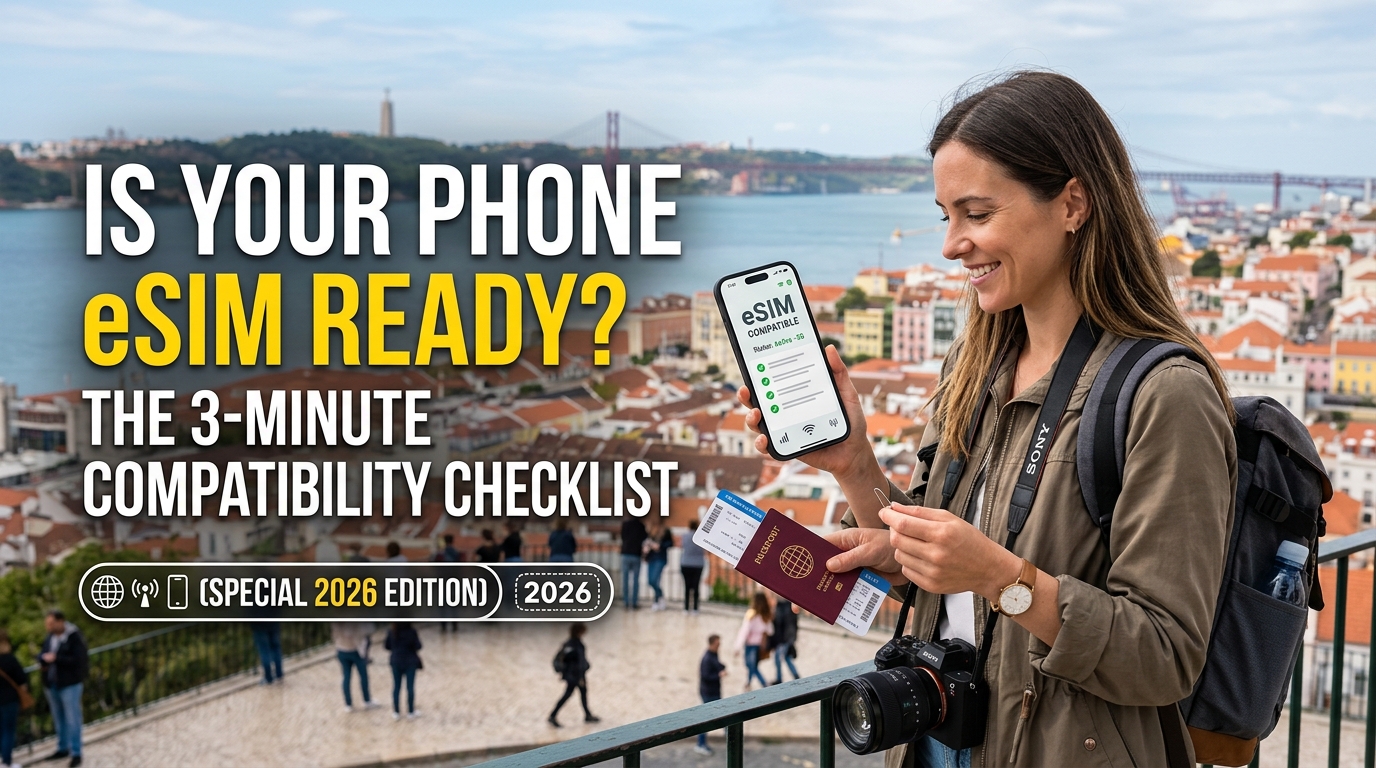
Is Your Phone eSIM Ready? The 3-Minute Compatibility Checklist (Special 2026 Edition)
Introduction to Is Your Phone eSIM Ready? The 3-Minute Compatibility Checklist (Special 2026 Edition)
The landscape of mobile connectivity is undergoing a profound transformation, with the embedded Subscriber Identity Module, or eSIM, rapidly moving from a niche feature to an industry standard. As we approach 2026, the question is no longer if eSIM will dominate, but how quickly it will become the default for seamless, flexible, and secure mobile communication. This "Special 2026 Edition" of our 3-Minute Compatibility Checklist is meticulously crafted to cut through the confusion, providing you with a definitive guide to ascertain your phone's eSIM readiness in mere minutes.
For years, the physical SIM card has been the gatekeeper to cellular networks, a tiny piece of plastic dictating our connectivity. However, the digital revolution has rendered this physical constraint increasingly obsolete. eSIM technology liberates users from the need to swap physical cards, offering unparalleled convenience, especially for frequent travelers, digital nomads, or anyone seeking greater flexibility in managing their mobile plans. Imagine switching carriers or activating a local data plan in a new country with just a few taps on your screen, without ever needing to locate a local store or a SIM ejector tool. This is the promise of eSIM, and by 2026, it's a promise that's largely fulfilled across a vast array of devices.
Why eSIM Readiness Matters More Than Ever in 2026
By 2026, the adoption curve for eSIM-only devices and eSIM-first carriers will have significantly steepened. Major smartphone manufacturers are increasingly phasing out physical SIM card trays in favor of eSIM-only designs, particularly in premium segments. This shift isn't just about aesthetics or saving space; it's about enabling a new paradigm of connectivity:
- Unprecedented Flexibility: Effortlessly manage multiple mobile plans on a single device, switching between personal and business lines, or local and international data plans without physical intervention.
- Enhanced Security: An eSIM cannot be physically removed or lost, adding a layer of security against theft and unauthorized access.
- Streamlined Global Travel: Activate local data plans instantly upon arrival in a new country, avoiding exorbitant roaming charges and the hassle of finding local SIM cards. This is where providers like MollySIM truly shine, offering global connectivity solutions that leverage the power of eSIM.
- Dual SIM Functionality: Many eSIM-compatible phones support both a physical SIM and an eSIM, or even dual eSIMs, allowing you to maintain two active numbers simultaneously.
- Future-Proofing Your Device: As more carriers and services transition to eSIM, ensuring your device is compatible means you won't be left behind.
Navigating the eSIM Ecosystem with Confidence
Despite the clear advantages, a common hurdle for many users remains: uncertainty about their current phone's eSIM capabilities. With new models released annually and varying regional specifications, it can be challenging to determine if your device is truly "eSIM ready." This is precisely why our "3-Minute Compatibility Checklist" has been developed. It provides a straightforward, step-by-step methodology to confirm your device's support, ensuring you can harness the full potential of eSIM technology.
Moreover, understanding eSIM readiness extends beyond just device compatibility. It also involves appreciating the quality of service offered by eSIM providers. For instance, when considering international travel or backup data plans, the Fair Use Policy (FUP) speed limit is a critical, yet often overlooked, factor. Many budget eSIM providers impose a restrictive 128kbps FUP speed once a certain data threshold is met. This speed is barely sufficient for basic text messages, rendering essential applications like navigation or payment systems practically unusable.
This is where innovative providers like MollySIM differentiate themselves. MollySIM offers a significantly more generous 384kbps Fair Use Policy speed limit, which is a remarkable 3x faster than the industry standard 128kbps. This crucial difference ensures that even under fair use conditions, vital applications such as Google Maps, Apple Pay, WhatsApp, and basic messaging continue to work smoothly and reliably. For travelers, this means uninterrupted navigation, seamless payment transactions, and consistent communication, even when managing data consumption.
This introduction sets the stage for a deeper dive into the technical aspects of eSIM compatibility, guiding you through the precise steps to verify your phone's capabilities. By the end of this comprehensive guide, you will not only know if your phone is eSIM ready but also understand the nuances of leveraging this technology for an optimized, future-proof mobile experience in 2026 and beyond.
Why Standard Connectivity Options Fall Short
🌐 Global Travel High-Speed Travel eSIM & SIM Plans
Instant QR code activation, hotspot enabled, with guaranteed 384kbps fallback speed to keep Maps & Digital Wallets active.
While the allure of eSIM technology is clear, understanding its true value requires a critical look at the limitations inherent in conventional mobile connectivity solutions. For years, users have navigated a landscape fraught with inconveniences, hidden costs, and security risks, particularly when venturing beyond their home networks. These traditional methods, while serving their purpose for decades, are increasingly ill-equipped to meet the demands of the modern, hyper-connected world of 2026.
The Inherent Limitations of Physical SIM Cards
Physical SIM cards are a relic of a bygone era, presenting numerous practical challenges that hinder seamless connectivity:
- Logistical Nightmare: Swapping physical SIM cards, especially for frequent travelers or those managing multiple lines, is cumbersome and prone to error. The tiny chips are easily lost, damaged, or require specific tools for insertion and removal, often at inconvenient moments.
- Single-Carrier Dependency: A physical SIM typically locks your device to a single network provider at a time. This rigidity means that to switch carriers, access a local network abroad, or leverage a secondary data plan, you must physically replace the card. This process is not only inconvenient but also means you cannot simultaneously maintain connectivity with your primary number while using a local data plan.
- Security and Environmental Concerns: The physical nature of SIM cards introduces security vulnerabilities. If your phone is lost or stolen, the SIM card can be easily removed, potentially compromising your number or making it harder to track the device. Furthermore, the global production and disposal of billions of plastic SIM cards contribute significantly to electronic waste, an increasingly pressing environmental concern.
The Pitfalls of Traditional Roaming and Local SIM Acquisition
For anyone venturing beyond their home country, traditional roaming and the pursuit of local SIMs present significant hurdles:
- Exorbitant Roaming Charges: Traditional roaming plans offered by home carriers are notorious for their exorbitant costs. "Bill shock" is a common phenomenon, with users often returning home to unexpectedly high charges for data, calls, and texts. Even with "travel packs," data allowances are often meager, and speeds can be throttled without warning, making essential services unreliable.
- The Hassle of Local SIMs: The alternative – purchasing a local physical SIM card upon arrival – presents its own set of challenges. This often involves navigating unfamiliar airports or city centers to find a vendor, dealing with potential language barriers, providing personal identification for registration (which can be a privacy concern), and the time-consuming process of activation. Moreover, this means temporarily losing access to your primary phone number, which can be critical for two-factor authentication or urgent communications.
- Unpredictable Performance and Restrictive FUP: Even when securing a local SIM or a budget roaming package, the quality of service can be highly unpredictable. Many providers, especially those catering to the budget traveler market, impose extremely restrictive Fair Use Policy (FUP) speed limits. As highlighted previously, a common FUP speed of 128kbps is barely functional. Imagine trying to navigate a new city with Google Maps constantly buffering, or attempting to make a critical payment via Apple Pay only to have the transaction time out. This is where the stark difference offered by innovative providers like MollySIM (https://mollysim.com) becomes a game-changer. Their generous 384kbps Fair Use Policy speed limit ensures that even after reaching your data cap, vital applications like Google Maps, Apple Pay, WhatsApp, and basic messaging continue to work smoothly and reliably. This is a remarkable 3x faster than the industry standard 128kbps, providing a crucial safety net for uninterrupted connectivity and peace of mind.
The Perils of Public Wi-Fi Networks
Relying on public Wi-Fi networks, while seemingly convenient and free, is fraught with significant risks and limitations:
- Security Vulnerabilities: These open networks are often unencrypted, making users susceptible to "man-in-the-middle" attacks, data interception, and identity theft. Banking, online shopping, or accessing sensitive personal information on public Wi-Fi is a significant gamble that can have severe consequences.
- Inconsistent Reliability and Availability: Public Wi-Fi is inherently unreliable. Speeds can fluctuate wildly depending on the number of users, and coverage is sporadic, often limited to specific hotspots like cafes, airports, or hotels. This means constant searching for a connection and frequent disconnections, rendering it unsuitable for consistent, on-the-go connectivity needed for navigation, ride-sharing apps, or critical work communications.
- Privacy Concerns: Many public Wi-Fi providers track user activity, collecting data on browsing habits and location. This raises significant privacy concerns, as your digital footprint can be easily monitored and potentially exploited by third parties.
The shift towards eSIM technology is not merely an upgrade; it's a necessary evolution that addresses these fundamental shortcomings, offering unparalleled flexibility, security, and consistent performance, especially when backed by thoughtful policies like MollySIM's enhanced FUP.
MollySIM: Your Perfect Connectivity Partner
In an era where reliable, secure, and flexible connectivity is non-negotiable, especially for the modern traveler, MollySIM emerges as the definitive solution, perfectly complementing the power of eSIM technology. Moving beyond the inherent risks and limitations of public Wi-Fi, MollySIM offers a robust, private, and consistently high-performing mobile data experience designed for peace of mind and unparalleled convenience, wherever your journey takes you.
MollySIM leverages the full potential of eSIMs to deliver a seamless user experience from activation to daily use. Forget the hassle of physical SIM cards, local store visits, or exorbitant roaming charges. With MollySIM, you can activate a data plan for virtually any destination directly from your eSIM-compatible device, often within minutes. This means instant connectivity upon arrival, eliminating the frantic search for Wi-Fi or local SIM vendors, and ensuring you're always connected to essential services like navigation, communication, and emergency contacts.
The MollySIM Advantage: Beyond Basic Connectivity
While many eSIM providers offer global data, MollySIM distinguishes itself through a thoughtful approach to service quality, particularly evident in its Fair Use Policy (FUP). This policy is designed to ensure that even after consuming your high-speed data allowance, your connection remains genuinely usable for critical applications, a stark contrast to many competitors who render your data virtually useless.
Unpacking MollySIM's Superior FUP Speed
MollySIM sets a new industry benchmark with a post-FUP speed limit of 384kbps. This isn't just a number; it's a fundamental difference that profoundly impacts your daily digital life while traveling. To put this into perspective:
- 3x Faster than Competitors: Many rival eSIM providers throttle speeds down to a mere 128kbps after the initial data cap is reached. MollySIM's 384kbps is three times faster, providing a significantly more functional experience.
- Enabling Essential Travel Apps:
- Google Maps & Apple Maps: At 384kbps, navigation apps function smoothly. You can search for directions, load maps, and receive real-time traffic updates without frustrating delays, ensuring you never get lost. This is a critical capability often severely hampered by lower FUP speeds.
- Apple Pay & Google Pay: Mobile payment systems remain responsive and reliable. Whether you're tapping to pay for coffee or making an online purchase, the connection speed is sufficient to process transactions quickly and securely.
- WhatsApp & Basic Messaging: Stay connected with friends, family, and colleagues. Sending and receiving text messages, even with light media like photos, works seamlessly. Group chats remain active, and notifications come through without significant lag.
- Basic Web Browsing & Email: You can still check emails, browse essential travel information, and access light websites without excessive loading times, keeping you informed and productive.
In contrast, a 128kbps connection often struggles to load even basic web pages, makes navigation apps frustratingly slow, and can delay critical messages, turning essential tasks into a test of patience. MollySIM's enhanced FUP ensures that your connectivity remains a tool for empowerment, not frustration, even when managing your data usage. This thoughtful policy underscores MollySIM's commitment to providing a superior user experience, prioritizing functionality over mere availability.
Security, Simplicity, and Global Reach
Beyond its impressive FUP, MollySIM (available at https://mollysim.com) offers inherent security advantages. By providing a private, dedicated cellular connection, it shields your data from the vulnerabilities associated with public Wi-Fi, protecting your sensitive information from potential interception. This robust security, combined with the ease of eSIM activation and management, makes MollySIM an indispensable travel companion.
With extensive global coverage, MollySIM ensures you have access to reliable data in hundreds of countries and regions. This eliminates the need to constantly switch providers or worry about coverage gaps, providing a consistent and predictable connectivity experience wherever your adventures lead. MollySIM isn't just about providing data; it's about delivering peace of mind, empowering you to explore, work, and connect with confidence and unparalleled convenience.
Step-by-Step Installation and Activation Guide
Once you've confirmed your phone is eSIM ready using our comprehensive checklist, the next step is to install and activate your new digital SIM. This process is remarkably straightforward, designed for convenience, especially for travelers who appreciate instant connectivity. MollySIM (available at https://mollysim.com) has streamlined this procedure to get you online quickly, leveraging the inherent simplicity of eSIM technology.
Before you begin, ensure you have:
- A stable internet connection: You'll need Wi-Fi or an existing cellular connection to download the eSIM profile.
- Your MollySIM QR code or manual activation details: These are typically provided via email or within your MollySIM account dashboard after purchase.
- Your eSIM-compatible device: The phone you just confirmed is ready for eSIM.
Installing Your eSIM on iOS Devices (iPhone)
The process for iPhones is consistent across models that support eSIM. Follow these steps carefully:
- Open Settings: Tap the "Settings" app icon on your home screen.
- Navigate to Cellular/Mobile Data: Scroll down and tap on "Cellular" or "Mobile Data."
- Add eSIM: Tap "Add eSIM." You will be presented with options to transfer from another iPhone or use a QR code.
- Scan QR Code or Enter Details Manually:
- Scan QR Code: If you have a QR code from MollySIM, tap "Use QR Code." Your camera will open. Position your phone to scan the QR code provided by MollySIM.
- Enter Details Manually: If you prefer or if scanning isn't possible, tap "Enter Details Manually." You will need to input the SM-DP+ Address and Activation Code provided by MollySIM.
- Confirm and Activate: After scanning or entering details, your iPhone will connect to MollySIM's network to download the eSIM profile. Follow the on-screen prompts, which typically involve confirming the plan you're adding.
- Label Your eSIM: You'll be prompted to label your new eSIM (e.g., "Travel," "MollySIM," "Business"). This is crucial for managing multiple lines, helping you easily identify your MollySIM data plan.
- Set Default Line: Choose which line (your primary physical SIM or your new MollySIM eSIM) you want to use for "Default Voice Line," "iMessage & FaceTime," and "Cellular Data." For travel, you'll likely want to set your MollySIM eSIM as the primary for "Cellular Data" to avoid roaming charges on your home SIM.
- Enable Data Roaming (if applicable): For your MollySIM eSIM, navigate to "Cellular Data" settings, select your MollySIM line, and ensure "Data Roaming" is turned ON. This is essential for your eSIM to connect to local partner networks abroad. MollySIM's global coverage ensures seamless roaming across hundreds of countries.
Installing Your eSIM on Android Devices
Android device interfaces can vary slightly between manufacturers (Samsung, Google Pixel, OnePlus, etc.), but the core steps remain similar.
- Open Settings: Tap the "Settings" app icon.
- Navigate to Network & Internet / Connections: Look for "Network & internet" or "Connections" (on Samsung devices).
- Access SIM Management: Tap on "SIMs," "Mobile network," or "SIM card manager."
- Add eSIM / Download a SIM: Look for an option like "Add more," "Download a SIM," or "Add eSIM."
- Scan QR Code or Enter Details Manually:
- Scan QR Code: Tap "Use 2D code" or "Scan QR code." Your camera will open. Scan the QR code provided by MollySIM.
- Enter Details Manually: If an option for manual entry is available, select it and input the SM-DP+ Address and Activation Code from MollySIM.
- Confirm and Activate: Your Android device will download the eSIM profile. Follow any on-screen instructions to confirm and activate the plan.
- Label Your eSIM: Similar to iOS, you'll have the option to name your new eSIM (e.g., "MollySIM Travel"). This helps differentiate it from other SIMs.
- Set Preferred SIM for Data: Go back to your SIM management settings and set your newly installed MollySIM eSIM as the preferred SIM for "Mobile data."
- Enable Data Roaming (if applicable): For your MollySIM eSIM, go into its specific settings and ensure "Data roaming" is turned ON. This allows your MollySIM to connect to local networks in your destination country.
Post-Installation and Troubleshooting Tips
After installation, your MollySIM eSIM should connect to a local network within a few minutes.
- Connectivity Check: Open a web browser or an app like Google Maps to confirm you have data access. With MollySIM, even if you reach the Fair Use Policy threshold, your connection speed of 384kbps is designed to keep essential services like Google Maps, Apple Pay, WhatsApp, and basic messaging working smoothly – a significant advantage over competitors' 128kbps limits.
- Restart Your Device: If you encounter issues, a simple restart of your phone can often resolve minor connectivity glitches.
- APN Settings: In rare cases, you might need to manually configure Access Point Name (APN) settings. MollySIM typically configures these automatically, but if you face persistent issues, check MollySIM's support documentation for the correct APN settings for your region.
- Contact Support: If problems persist, reach out to MollySIM's customer support. They are equipped to guide you through any activation challenges.
MollySIM's commitment to a seamless user experience extends beyond just providing data. Its straightforward activation process, coupled with a robust global network and a user-friendly Fair Use Policy, ensures that your connectivity is always reliable and empowering, not frustrating.
Practical Travel Tips for Staying Connected
Beyond ensuring your phone is eSIM-ready, a truly seamless travel experience hinges on smart preparation and on-the-ground strategies for staying connected. A reliable data connection, like that offered by MollySIM, transforms your smartphone into an indispensable travel companion, but maximizing its potential requires a few proactive steps.
Pre-Departure Connectivity Checklist
Before you even step foot on the plane, a little foresight can save you significant hassle and ensure uninterrupted connectivity throughout your journey.
- Download Offline Maps and Essential Apps: One of the most critical pre-travel tasks is to download offline maps for your destination using apps such as Google Maps or Apple Maps. This ensures you can navigate even if you temporarily lose data signal or wish to conserve your data allowance. Additionally, download any airline apps, hotel booking platforms, local public transport schedules, or currency converters you anticipate needing. Having these accessible offline means you're never truly lost or without vital information.
- Inform Your Bank and Credit Card Companies: A common pitfall for international travelers is having their credit or debit cards flagged for suspicious activity and subsequently blocked. Proactively notify your bank and credit card providers of your travel dates and destinations. This prevents service interruptions for both physical card transactions and digital payments like Apple Pay or Google Pay, services that MollySIM's robust connectivity (even at its 384kbps Fair Use Policy speed) helps keep fully operational.
- Back Up Important Data: Before you travel, perform a comprehensive backup of your phone's data, including photos, videos, and critical documents, to a secure cloud service (e.g., Google Drive, iCloud, Dropbox) or an external hard drive. This safeguards your precious memories and essential information in the unfortunate event that your device is lost, stolen, or damaged during your trip.
- Download Entertainment and Information: Long flights, train rides, or unexpected delays can be made significantly more bearable with pre-downloaded entertainment. Stock up on movies, TV shows, podcasts, audiobooks, or e-books. Furthermore, download any travel guides, phrasebooks, or local attraction information you might want to access without relying on an active internet connection.
- Invest in a Portable Power Bank: Your phone will undoubtedly be working overtime for navigation, communication, photography, and accessing information. A high-capacity portable power bank is an absolute necessity to keep your device charged throughout the day, especially when power outlets are scarce or inconvenient. Look for models with fast-charging capabilities and sufficient capacity for multiple recharges of your devices.
- Store Emergency Contacts and Information: Beyond your regular contacts, ensure you have local emergency numbers (police, ambulance, fire) saved in your phone. Additionally, keep both digital and physical copies of crucial documents such as your passport, visa, travel insurance details, and hotel reservations. Consider emailing these to yourself or a trusted family member for an extra layer of security.
Smart Connectivity Strategies On The Go
Once you've arrived at your destination, employing smart strategies will help you make the most of your MollySIM eSIM and ensure continuous, efficient connectivity.
- Optimize Your Phone's Battery Life: Constant data usage, GPS tracking, and continuous network searching can rapidly deplete your phone's battery. To extend its life and ensure you stay connected longer:
- Activate Low Power Mode (iOS) or Battery Saver (Android).
- Reduce screen brightness to the lowest comfortable level.
- Disable Background App Refresh for non-essential applications.
- Turn off Wi-Fi and Bluetooth when not actively using them.
- Limit location services to "While Using App" where possible, rather than always on.
- Leverage Free Wi-Fi Securely: Take advantage of free Wi-Fi networks available in hotels, cafes, airports, and public spaces. However, exercise caution on public networks, as they can be less secure. Consider using a Virtual Private Network (VPN) to encrypt your internet traffic and protect your personal data when connected to unfamiliar Wi-Fi hotspots.
- Monitor Your Data Usage: Keep a close eye on your data consumption through your phone's settings or, even more conveniently, through the MollySIM app or user dashboard. This proactive monitoring allows you to track how much data you're using, helping you avoid unexpected overages or running out of data prematurely. MollySIM makes it straightforward to top up your plan if you find yourself needing more data during your travels.
- Prioritize Essential Communication: With an eSIM like MollySIM, you're always connected. Utilize data-driven messaging apps such as WhatsApp, iMessage, or Facebook Messenger for cost-effective communication with friends and family back home. Even if you approach your data limit, MollySIM's industry-leading 384kbps Fair Use Policy speed ensures these critical messaging services, along with Google Maps and Apple Pay, continue to function smoothly – a significant advantage over competitors' slower 128kbps limits.
- Master Navigation with Confidence: While offline maps are an excellent backup, real-time navigation with live traffic updates is invaluable for exploring new places. MollySIM's reliable data connection empowers you to use apps like Google Maps or Waze without interruption, guiding you through unfamiliar streets, public transport routes, and even helping you discover nearby attractions or highly-rated restaurants.
- Stay Informed with Local Information: Beyond navigation, your connected phone is a powerful tool for accessing local information on the fly. Look up restaurant reviews, check public transport schedules, translate languages instantly, and find opening hours for museums and attractions. A reliable data connection, like that provided by MollySIM, transforms your smartphone into an indispensable travel companion, ensuring you're never truly lost or out of the loop.
Conclusion and Final Checklist
As we've explored the evolving landscape of mobile connectivity, especially looking ahead to 2026, it's clear that eSIM technology is not just a convenience; it's a fundamental shift in how we stay connected, particularly for international travelers. The days of fumbling with tiny physical SIM cards, searching for local stores, or incurring exorbitant roaming charges are rapidly fading. Embracing eSIM readiness now ensures you're poised for a future of seamless, flexible, and cost-effective global communication.
The "3-Minute Compatibility Checklist" isn't just a quick scan; it's your essential pre-travel assessment to unlock a world of hassle-free connectivity. By confirming your device's eSIM capabilities, you're not merely checking a box; you're investing in peace of mind, ensuring that your smartphone remains your indispensable travel companion – from navigation and communication to payments and local information access – without interruption.
Your Final eSIM Readiness Checklist for 2026
Before your next adventure, take these concrete steps to ensure you're fully eSIM-ready. This consolidated checklist summarizes the critical points for a smooth transition to digital connectivity:
- Device Compatibility Confirmation:
- Action: Verify your smartphone model is on the manufacturer's official eSIM-compatible list. This often includes most flagship devices released from late 2018 onwards (e.g., iPhone XS/XR and newer, Samsung Galaxy S20 series and newer, Google Pixel 3 and newer).
- How: Check your phone's settings (e.g., iPhone:
Settings > General > Aboutfor "Digital SIM" or "Add eSIM"; Android:Settings > Network & internet > SIMsfor "Download a SIM" or "Add eSIM"). Alternatively, visit your device manufacturer's support website for a definitive list. - Why it matters: An incompatible device cannot utilize eSIMs, regardless of carrier support.
- Carrier Unlocking Status:
- Action: Confirm your phone is unlocked by your current mobile carrier.
- How: Contact your current carrier directly or check your account details online. Some devices might show "No SIM restrictions" in settings.
- Why it matters: A locked phone will prevent you from activating eSIMs from other providers, limiting your flexibility to choose the best travel data plans.
- Operating System (OS) Version:
- Action: Ensure your device's operating system is updated to the latest stable version.
- How: Go to
Settings > General > Software Update(iOS) orSettings > System > System update(Android). - Why it matters: Older OS versions might lack full eSIM management features or introduce compatibility issues with newer eSIM profiles.
- Regional eSIM Support (Less Common, but Worth Noting):
- Action: Be aware that some specific regions or carrier versions of devices might have unique eSIM limitations (e.g., certain models sold in China or Hong Kong might not support eSIMs, or have dual physical SIM slots instead).
- How: This is usually covered in the device compatibility check, but if you purchased your phone in a less common market, a quick online search for your specific model and region is prudent.
- Why it matters: Ensures there are no unexpected regional quirks preventing eSIM activation.
- Wi-Fi Access for Activation:
- Action: Have a stable Wi-Fi connection available when you initially activate your eSIM profile.
- How: Connect to your home Wi-Fi or a reliable public network.
- Why it matters: eSIM profiles are downloaded digitally, requiring an internet connection during the setup process.
The MollySIM Advantage: Staying Connected, Always
Once you've confidently ticked off every item on your compatibility checklist, the next step is choosing the right eSIM provider that truly understands the needs of a modern traveler. This is where MollySIM (https://mollysim.com) stands out as a premier choice. Beyond offering competitive global data plans, MollySIM prioritizes your essential connectivity, even when your primary data is running low.
Imagine navigating a new city with Google Maps, making an urgent payment with Apple Pay, or sending a critical message via WhatsApp or iMessage – all while approaching your data limit. With MollySIM, these vital services continue to function smoothly thanks to its industry-leading 384kbps Fair Use Policy speed. This isn't just a number; it's a practical advantage that's three times faster than many competitors' 128kbps limits. While 128kbps might barely support basic text messages, MollySIM's 384kbps ensures a significantly more functional experience for critical apps, preventing you from being truly disconnected in crucial moments. This superior speed guarantees that your most important communication and navigation tools remain operational, providing an unparalleled safety net for travelers.
By ensuring your phone is eSIM ready and opting for a provider like MollySIM, you're not just buying data; you're investing in a smarter, more secure, and ultimately more enjoyable travel experience for 2026 and beyond. Embrace the future of travel connectivity today!
🌐 Global Travel High-Speed Travel eSIM & SIM Plans
Instant QR code activation, hotspot enabled, with guaranteed 384kbps fallback speed to keep Maps & Digital Wallets active.