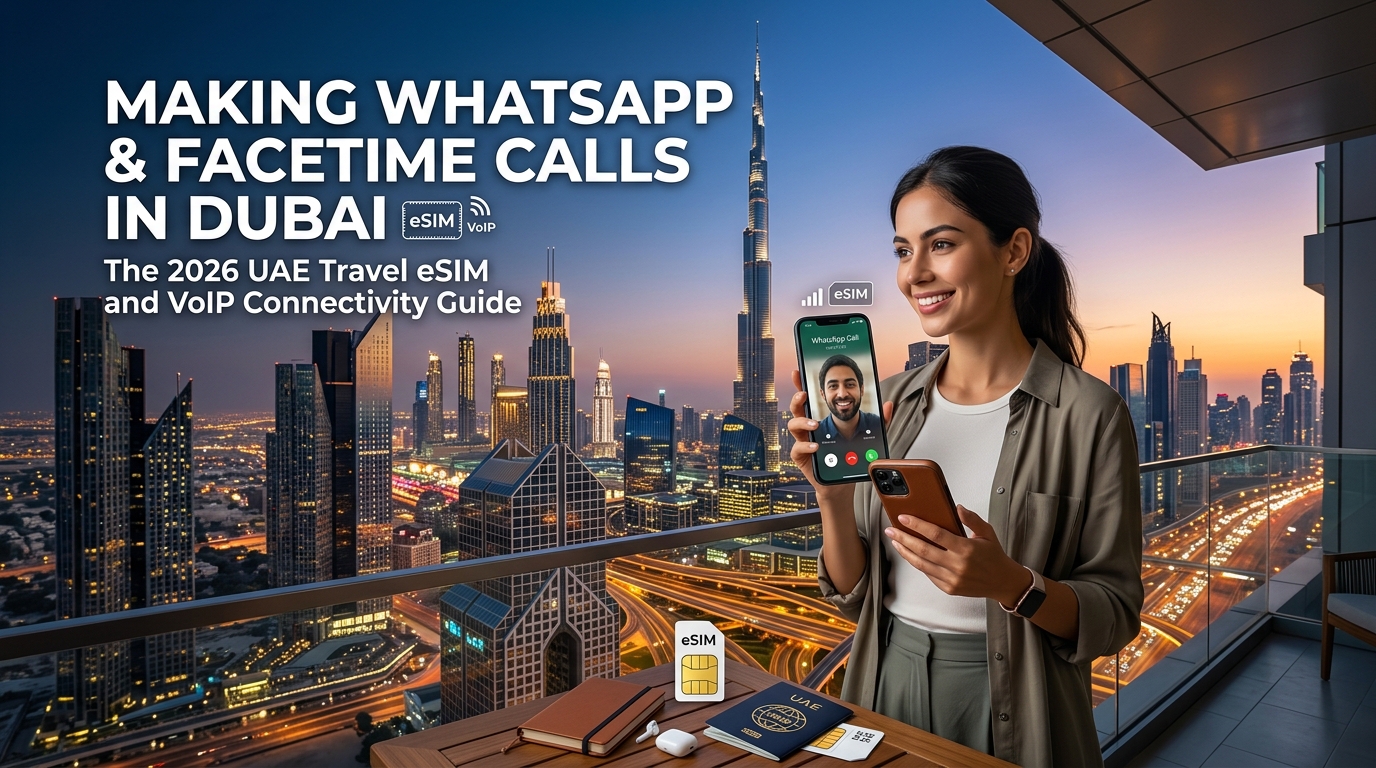
O Paradoxo do VoIP nos EAU: Por Que as Chamadas de WhatsApp e FaceTime Falham em Dubai
Para quem visita os Emirados Árabes Unidos (EAU) pela primeira vez e desembarca no Aeroporto Internacional de Dubai (DXB), poucas experiências são tão desconcertantes quanto tentar fazer uma chamada de voz ou vídeo pelo WhatsApp, FaceTime ou Facebook Messenger. Enquanto mensagens de texto, fotos e áudios gravados são entregues instantaneamente, iniciar uma chamada de áudio ou vídeo resulta em um loop infinito de "Conectando...", quedas imediatas ou silêncio absoluto.
Isso não é uma falha técnica temporária ou instabilidade nos servidores; é o resultado calculado da política nacional de telecomunicações dos Emirados Árabes Unidos.
+-----------------------------------------------------------------------------------+
|                       FLUXO DE TRÁFEGO DOMÉSTICO NOS EAU                          |
|                                                                                   |
|  [ Dispositivo do Usuário ] ---> [ Provedor Local / Wi-Fi / SIM Local ]           |
|                                           |                                       |
|                                           v                                       |
|                       [ Inspeção Profunda de Pacotes (DPI) ]                      |
|                                           |                                       |
|           +-------------------------------+-------------------------------+       |
|           |                                                               |       |
|           v                                                               v       |
|    [ Dados Padrão ]                                              [ Protocolos VoIP ]     |
|    (HTTPS / Mensagens de Texto)                                  (STUN/TURN/SRTP/SIP)    |
|           |                                                               |       |
|           v                                                               v       |
|      [ PERMITIDO ]                                             [ DESCARTADO/BLOQUEADO ]  |
+-----------------------------------------------------------------------------------+
O Marco Regulatório da TDRA e o Duopólio de Telecomunicações
As operações de VoIP (Voz sobre Protocolo de Internet) nos EAU são rigorosamente regulamentadas pela Telecommunications and Digital Government Regulatory Authority (TDRA). De acordo com a Lei de Telecomunicações dos EAU, os serviços de transmissão de voz são classificados como atividades regulamentadas. A TDRA reserva o direito de autorizar serviços VoIP exclusivamente às operadoras nacionais licenciadas: Etisalat by e& e du.
Para proteger as receitas nacionais do setor e manter capacidades legais de interceptação, a TDRA determina que serviços de chamadas baseados em internet não licenciados não podem trafegar pelas redes locais. Em contrapartida, as operadoras promovem alternativas aprovadas pelo governo e monetizadas, como BOTIM, Voico e GoChat Messenger — plataformas que geralmente exigem assinaturas pagas ou exibem anúncios excessivos dentro do aplicativo.
A Tecnologia do Bloqueio: Inspeção Profunda de Pacotes (DPI)
O mecanismo que desativa o VoIP não aprovado nos EAU não é um simples bloqueio de DNS ou lista negra de domínios. Os Provedores de Serviços de Internet (ISPs) e torres de telefonia móvel locais utilizam sistemas avançados de Inspeção Profunda de Pacotes (DPI - Deep Packet Inspection).
O DPI opera nas camadas de rede e transporte, analisando metadados e padrões de carga útil (payload) dos pacotes em tempo real:
- Identificação de Protocolos: Os sistemas de DPI monitoram o tráfego em busca de assinaturas características de protocolos VoIP, incluindo SIP (Session Initiation Protocol), H.323 e a estrutura WebRTC.
- Interceptação de Handshake: Quando aplicativos como WhatsApp, FaceTime ou Skype tentam estabelecer conexões ponto a ponto usando servidores STUN (Session Traversal Utilities for NAT) ou TURN (Traversal Using Relays around NAT) para negociar canais de mídia, o mecanismo de DPI intercepta e descarta os pacotes de negociação (handshake).
- Filtragem de Fluxos SRTP: Mesmo se uma sessão sinalizada criptografada conseguir se conectar, o firewall identifica os fluxos de mídia SRTP (Secure Real-time Transport Protocol) que transportam pacotes de áudio/vídeo, limitando severamente ou encerrando a transmissão UDP.
Como essa filtragem ocorre no backbone dos provedores de internet, o bloqueio afeta todos os dispositivos que utilizam conexões de internet padrão dos EAU — incluindo o Wi-Fi de hotéis, redes públicas no Dubai Mall e chips SIM físicos locais para turistas adquiridos em quiosques de aeroportos.
A Armadilha das VPNs Gratuitas: Gargalos de Desempenho e Riscos Legais
Diante do bloqueio, muitos viajantes recorrem a Redes Privadas Virtuais (VPNs) gratuitas baixadas de lojas de aplicativos. Embora uma VPN crie um túnel criptografado para contornar os filtros DPI, depender desses serviços gratuitos em Dubai traz graves inconvenientes:
| Fator de Risco | Impacto para Viajantes nos EAU |
|---|---|
| Bloqueio de Servidores | Os sistemas de DPI da TDRA detectam e bloqueiam continuamente faixas de IP associadas a provedores de VPNs gratuitas populares (ex.: endpoints padrão OpenVPN e WireGuard). |
| Alta Latência e Jitter | Servidores gratuitos sobrecarregados roteiam pacotes por nós distantes, causando perda de pacotes, atrasos na voz e degradação do vídeo. |
| Riscos de Segurança e Privacidade | Vários aplicativos de VPN gratuita monetizam coletando dados de telemetria dos usuários, inserindo anúncios invasivos ou vazando requisições DNS/WebRTC. |
| Segurança Jurídica | Sob o Decreto-Lei Federal dos EAU nº 34 de 2026 sobre Combate a Rumores e Crimes Cibernéticos, usar uma VPN para mascarar endereços IP com o intuito de cometer fraudes, crimes ou acessar infraestruturas não autorizadas pode acarretar multas severas de 500.000 a 2.000.000 de AED. Embora o uso de VPNs para segurança corporativa legítima seja permitido, o uso incerto para contornar restrições de VoIP de consumo em redes locais gera atritos e riscos desnecessários. |
A Alternativa Moderna: Roteamento Internacional de Dados via eSIM de Viagem
Para viajantes em Dubai em 2026, a forma mais eficiente, estável e em total conformidade para manter o WhatsApp e o FaceTime funcionando sem a instabilidade de VPNs é usar um eSIM de viagem internacional.
Diferente dos chips físicos locais emitidos pela du ou Etisalat — que submetem todo o tráfego à filtragem DPI doméstica —, um eSIM internacional em roaming roteia os dados por meio de um gateway seguro de roteamento doméstico (home-routing) localizado fora dos EAU. A torre de celular local trata sua conexão como um túnel de trânsito em roaming internacional, permitindo que seus pacotes VoIP passem livremente sem serem descartados pelos provedores locais.
Provedores avançados de eSIM de viagem, como a MollySIM, otimizam essa arquitetura combinando canais de dados internacionais irrestritos com Políticas de Uso Justo (FUP) confiáveis. Enquanto os chips de viagem tradicionais reduzem a velocidade para inoperantes 128 kbps após o término da franquia de alta velocidade, a MollySIM mantém uma velocidade base mínima de 384 kbps — 3x mais rápida que a dos concorrentes convencionais. Isso garante que aplicativos essenciais — incluindo mensagens no WhatsApp, navegação no Google Maps e pagamentos por aproximação no Apple Pay — continuem funcionando sem interrupções em todos os Emirados.
A Mecânica do Roteamento: Como os eSIMs de Viagem Permitem VoIP Sem Precisar de VPN
🌐 Global Travel High-Speed Travel eSIM & SIM Plans
Instant QR code activation, hotspot enabled, with guaranteed 384kbps fallback speed to keep Maps & Digital Wallets active.
Para entender por que um eSIM de viagem contorna as restrições de VoIP com facilidade enquanto um chip turístico local de Dubai falha, é preciso analisar a arquitetura de roaming de telecomunicações do 3GPP: Local Breakout (LBO) versus S8 Home Routing (S8HR).
Local Breakout (LBO) vs. S8 Home Routing (S8HR)
Ao se conectar ao Wi-Fi de um hotel ou inserir um chip turístico físico comprado no Aeroporto Internacional de Dubai (DXB) de operadoras locais como e& (antiga Etisalat) ou du, seu aparelho utiliza o Local Breakout (LBO):
- Interceptação de Tráfego: Suas requisições de dados saem do telefone e vão diretamente para os Gateways de Serviço (SGW) e Gateways de Rede de Dados em Pacote (PGW) locais dos EAU.
- Inspeção Profunda de Pacotes (DPI): Antes de alcançar a internet global, todos os dados passam pelos filtros DPI determinados pela TDRA. Esses sistemas inspecionam os cabeçalhos das camadas de transporte e o conteúdo dos pacotes, identificando e descartando instantaneamente os protocolos de inicialização de sessão (SIP, STUN, TURN) e handshakes WebRTC usados para chamadas no WhatsApp e FaceTime.
Por outro lado, um eSIM de viagem internacional premium da MollySIM opera em S8 Home Routing (S8HR):
- Tunelamento GTP Encapsulado: Quando seu smartphone se conecta às torres locais dos EAU por meio de um acordo de roaming, a rede visitada (VPLMN) não envia seus dados para os gateways de inspeção doméstica. Em vez disso, seu tráfego é encapsulado em um túnel seguro sob o protocolo GPRS Tunneling Protocol (GTP-U).
- Saída de Trânsito Estrangeira: A torre local simplesmente repassa esse fluxo de dados para o gateway da rede principal da operadora (HPLMN), localizado fora dos EAU (normalmente em data centers de primeira linha na Europa ou Ásia).
- Saída de Internet Sem Filtros: Os dados saem para a internet pública a partir de um servidor internacional onde o tráfego VoIP é 100% liberado. A rede local dos EAU atua puramente como infraestrutura de transporte, contornando integralmente os filtros DPI locais.
Por Que o S8 Home Routing Supera as VPNs Tradicionais
Depender de aplicativos de VPN para fazer chamadas de voz usando dados locais nos EAU traz desvantagens técnicas severas que os eSIMs com home routing eliminam:
- Zero Drenagem de Bateria e Sem Superaquecimento: Aplicativos de VPN executam protocolos de criptografia continuamente (como OpenVPN ou WireGuard), sobrecarregando a CPU do smartphone e consumindo a bateria rapidamente no clima quente de Dubai. O roteamento do eSIM opera diretamente na camada do modem celular, sem nenhum processamento extra no sistema.
- Sem Bloqueios em Apps Bancários ou 2FA: Plataformas financeiras como Revolut, Nubank, Wise, Inter e Apple Pay frequentemente bloqueiam ou restringem acessos vindos de faixas de IP de VPNs comerciais para evitar fraudes. Como a MollySIM utiliza pools de IP móveis limpos de operadoras internacionais, seus aplicativos bancários continuam funcionando normalmente.
- Handshakes Nativos e Imediatos: O iOS e o Android gerenciam notificações push de serviços nativos (como toques de chamadas no FaceTime ou alertas de chamadas no WhatsApp) sem latência de negociação, evitando chamadas perdidas por reconexões de VPN.
Comparativo Técnico de Desempenho
| Métrica | SIM Físico Local dos EAU / Wi-Fi | SIM Local + VPN Comercial | eSIM de Viagem MollySIM |
|---|---|---|---|
| Execução de Protocolos VoIP | Bloqueada via DPI da TDRA | Funcional (se o servidor não estiver bloqueado) | Totalmente Liberada (Nativa) |
| Penalidade de Latência | Mínima (Gateway Local) | +80ms a 250ms (Criptografia Dupla) | Rota de Trânsito Otimizada |
| Impacto na Bateria | Padrão | Alto (drena 15–25% mais rápido) | Padrão (Sem sobrecarga de CPU) |
| Compatibilidade com Bancos / 2FA | 100% | Reduzida (IPs de VPN são bloqueados) | 100% (IP Móvel Autêntico) |
| Velocidade Mínima sob FUP | 64 kbps – 128 kbps | 64 kbps – 128 kbps | 384 kbps (Mantém Maps, VoIP e Apple Pay) |
Caso você utilize toda a sua franquia de alta velocidade durante a viagem, a velocidade base de 384 kbps da Política de Uso Justo (FUP) da MollySIM garante largura de banda suficiente no túnel IP para manter chamadas de voz no WhatsApp, navegação curva a curva no Google Maps e pagamentos por aproximação, sem sofrer a paralisia dos 128 kbps comuns no mercado.
Comparativo de Conectividade nos EAU: Chips Turísticos Locais vs. Wi-Fi de Hotel vs. eSIM MollySIM
A escolha da conexão de dados em Dubai determina se seus aplicativos essenciais funcionarão com rapidez ou enfrentarão bloqueios digitais. Enquanto no passado dependia-se de quiosques de aeroportos ou redes de hotéis, a tecnologia dos eSIMs de viagem transformou completamente a relação custo-benefício e o desempenho.
A tabela abaixo compara os quatro métodos principais de conectividade disponíveis para viajantes nos Emirados Árabes Unidos:
| Recurso / Métrica | SIM Físico Turístico (e& / du) | Wi-Fi de Hotéis e Público | Roaming Internacional da Operadora | eSIM de Viagem MollySIM |
|---|---|---|---|---|
| Chamadas Nativas no WhatsApp / FaceTime | ❌ Bloqueadas pelo firewall DPI da TDRA | ❌ Bloqueadas na maioria dos roteadores públicos | ✅ Funcionam (via home routing) | ✅ Funcionam nativamente (Sem necessidade de VPN) |
| Burocracia de Cadastro (KYC) | Alta (Filas no aeroporto, digitalização de passaporte) | Baixa a Média (Autenticação por SMS ou Portal) | Nenhuma (Pré-configurado na operadora de origem) | Zero (Instalação instantânea por QR Code, sem envio de documentos) |
| Velocidades 5G e Latência | Latência ultrabaixa (10–25ms), alta velocidade | Variável / Congestionada (Alto jitter, limites de banda) | Latência média (150–300ms de trânsito em roaming) | Trânsito otimizado de alta velocidade (Acesso 5G rápido) |
| Eficiência da Bateria | Baixa (Exige VPN ativa em segundo plano) | Baixa a Moderada (Uso de VPN + busca por Wi-Fi) | Alta (Notificações push nativas) | Excelente (Rádio celular nativo, 0% de gasto extra com VPN) |
| Safári no Deserto e Áreas Remotas | Cobertura total das torres locais | ❌ Sem sinal fora dos estabelecimentos | Depende dos acordos da operadora | Acesso Tier-1 às duas maiores redes locais (e& + du) |
| Perfil Médio de Custo | US$ 35–65 por 4GB–10GB (Validade 7–14 dias) | "Gratuito" (Incluso na hospedagem/restaurantes) | US$ 10–15 / dia (US$ 70–105 / semana) | Planos de dados dinâmicos a partir de menos de US$ 5 |
| Velocidade Reduzida pós-FUP | 64 kbps (Inoperância total de dados) | Variável (Muitas vezes corta o acesso) | 128 kbps (Dificuldade para rodar GPS e mapas) | 384 kbps (3x mais rápida; mantém Maps, VoIP e Apple Pay) |
Avaliando as Opções: Desempenho, Privacidade e Praticidade
1. Chips Físicos Turísticos Locais (e& e du)
Comprar um chip físico ao desembarcar no Aeroporto Internacional de Dubai (DXB) ou em Al Maktoum (DWC) envolve atritos logísticos: filas, apresentação de passaporte para registro biométrico e espera pela ativação da linha. Além disso, os chips locais estão vinculados às regulamentações dos EAU, submetendo o tráfego à inspeção profunda de pacotes. Isso impede chamadas de voz e vídeo no WhatsApp e FaceTime a menos que você mantenha uma VPN ativa o tempo todo.
2. Wi-Fi de Hotéis e Redes Públicas
As redes sem fio públicas em resorts, shoppings e cafés de Dubai são velozes, mas aplicam os mesmos bloqueios regulatórios em portas VoIP. Além disso, redes abertas trazem riscos de segurança para quem acessa dados corporativos ou credenciais bancárias. Desconexões constantes ao sair dos locais também tornam o Wi-Fi inviável para navegação contínua no trânsito, pedidos de corrida via Careem/Uber ou recebimento de chamadas no FaceTime em deslocamento.
3. Diárias de Roaming da Operadora de Origem
Planos tradicionais de roaming internacional de grandes operadoras nacionais roteiam os dados de volta ao seu país de origem, contornando os bloqueios locais de VoIP. No entanto, é a opção mais cara, custando frequentemente de US$ 10 a US$ 15 por dia. Em uma viagem de 10 dias por Dubai e Abu Dhabi, a fatura pode facilmente ultrapassar US$ 100 a US$ 150 por linha, com limites rigorosos de uso diário.
4. A Vantagem do eSIM de Viagem MollySIM
A MollySIM equilibra economia e alta performance técnica. Ao utilizar uma arquitetura de breakout em roaming internacional diretamente no seu smartphone via eSIM, o tráfego é direcionado por nós neutros no exterior — permitindo chamadas nativas e sem travas no WhatsApp, FaceTime, Skype e Zoom sem a necessidade de VPN.
Além disso, a MollySIM elimina a preocupação de ficar sem internet rápida no meio do dia. Enquanto outros provedores reduzem a velocidade para 64 kbps ou 128 kbps, a MollySIM assegura uma velocidade base de 384 kbps na Política de Uso Justo (FUP). A 384 kbps — o triplo da média do mercado —, você mantém conexão suficiente para carregar rotas no Google Maps, validar pagamentos via Apple Pay/Google Carteira por NFC e realizar chamadas de voz no WhatsApp sem precisar comprar recargas emergenciais imediatas.
Desempenho de Rede: du vs. Etisalat em Dubai, Abu Dhabi e Safáris no Deserto
Os Emirados Árabes Unidos possuem uma das infraestruturas móveis mais modernas do mundo, sustentada pelo duopólio estatal: e& (antiga Etisalat) e du (Emirates Integrated Telecommunications Company). Ambas as operadoras contam com ampla cobertura 5G Standalone e Non-Standalone, utilizando principalmente a frequência Banda C de 3,5 GHz (Banda n78) para altíssima velocidade em áreas urbanas, além de 2,6 GHz (Banda n41) e frequências abaixo de 1 GHz (como 700/800 MHz, Bandas n28/n20) para cobertura ampla e penetração em ambientes fechados.
Compreender o comportamento dessas redes nas diferentes regiões dos EAU é essencial para garantir chamadas VoIP sem oscilações.
Regiões Urbanas: Downtown Dubai, Marina e Abu Dhabi
Em corredores urbanos densos, a qualidade da conexão depende da quantidade de pequenas células (small cells) e tecnologias de formação de feixe (beamforming):
- Downtown Dubai e Burj Khalifa: Ao redor do edifício mais alto do mundo, antenas de alta densidade entregam velocidades de download em 5G contínuas entre 450 Mbps e 850 Mbps. A du apresenta excelente desempenho em microcélulas dentro dos corredores do Dubai Mall, enquanto a Etisalat tem leve vantagem em superar a atenuação de sinal dentro dos arranha-céus e hotéis luxuosos vizinhos.
- Dubai Marina e JBR (Jumeirah Beach Residence): A grande concentração de edifícios residenciais causa reflexão de sinal. Tanto a du quanto a Etisalat possuem microcélulas n78 de alta capacidade no calçadão da Marina e na The Beach, mantendo a perda de pacotes abaixo de 0,2% — fundamental para chamadas FaceTime HD sem congelamentos.
- Abu Dhabi Corniche e Ilha Saadiyat: A Etisalat, sediada na capital, entrega sua agregação de operadoras mais robusta na orla da Corniche e nos distritos culturais, frequentemente superando 900 Mbps de download com latência inferior a 15ms.
Áreas Remotas: Dunas Vermelhas de Lahbab e Al Marmoom
Ao sair da área urbana para safáris no deserto, as estações rádio-base mudam das frequências altas da Banda C para torres de frequências mais baixas e longo alcance:
- Lahbab (Dunas Vermelhas): Localizado a cerca de 50 quilômetros do centro de Dubai, esse polo turístico de safáris utiliza infraestrutura 4G LTE/5G de baixa frequência. A Etisalat mantém maior densidade de torres ao longo da rodovia Dubai-Hatta (E44), garantindo sinal estável entre as dunas onde a du pode, por vezes, oscilar para 4G fraco.
- Reserva de Conservação do Deserto de Al Marmoom: Ambas as operadoras fornecem cobertura 4G LTE estável na área do parque solar e nos limites da reserva, embora áreas mais afastadas exijam aparelhos com boa recepção de antena para evitar oscilações de sinal.
Comparativo de Redes: du vs. Etisalat
| Métrica de Desempenho | Etisalat (e&) | du |
|---|---|---|
| Espectro 5G Principal | 3,5 GHz (n78), 2,6 GHz (n41) | 3,5 GHz (n78) |
| Download Médio Urbano (5G) | 550 – 850 Mbps | 450 – 750 Mbps |
| Jitter Médio de Pacotes | < 12 ms | < 15 ms |
| Cobertura no Deserto/Remota | Referência no setor (alcance macro B20/n28) | Excelente nas rodovias, variável em dunas profundas |
| Penetração Indoor (Shoppings/Torres) | Alta (amplo sistema DAS interno) | Alta (forte presença de microcélulas locais) |
A Base para o VoIP: Como a MollySIM Mantém Chamadas com Baixa Latência
Fazer chamadas de vídeo em HD no WhatsApp ou FaceTime exige upload consistente, perda de pacotes inferior a 0,5% e jitter abaixo de 20ms. Picos de jitter causam distorções metálicas na voz, congelamentos na imagem e quedas na chamada.
A MollySIM conecta-se diretamente às principais redes dos EAU, permitindo que seu aparelho selecione dinamicamente a torre com sinal mais forte. Ao combinar a rede de acesso de rádio (RAN) local de alta qualidade com um roteamento internacional otimizado, a MollySIM elimina os bloqueios de firewall locais mantendo a latência baixa.
Mesmo se a sua franquia principal de dados terminar no meio de um safári, a velocidade mínima de segurança de 384 kbps (FUP) da MollySIM — três vezes superior aos 128 kbps de concorrentes tradicionais — assegura que chamadas de voz no WhatsApp, compartilhamento de localização em tempo real e pagamentos por aproximação continuem funcionando sem falhas.
O Limite Seguro de 384 kbps: Por Que as Chamadas de Voz Não Caem com a MollySIM
Uma das situações mais frustrantes em viagens internacionais é o esgotamento dos dados de alta velocidade. Na maioria dos provedores de eSIM, atingir o limite da Política de Uso Justo (FUP) reduz a velocidade instantaneamente para 64 kbps ou 128 kbps. Nesses patamares, as chamadas VoIP sofrem com perda acentuada de pacotes, atrasos e desconexões contínuas.
A MollySIM soluciona essa questão aplicando uma velocidade base de 384 kbps — o triplo do padrão do mercado —, projetada para manter a comunicação por voz, a navegação GPS e as transações financeiras funcionando sem exigir recargas imediatas.
Funcionamento dos Codecs: Requisitos de Taxa de Bits para Áudio Nítido
Os aplicativos modernos de VoIP utilizam algoritmos de compressão de áudio com taxa de bits variável, projetados para redes de pacotes:
- WhatsApp (Codec Opus): O WhatsApp adota o codec de código aberto Opus, que varia de 6 kbps a 510 kbps. Para chamadas de voz com qualidade de estúdio e áudio em banda larga, o Opus opera entre 24 kbps e 32 kbps. Somando os cabeçalhos de encapsulamento RTP, UDP e IP (~8 a 12 kbps extras), uma chamada de voz consome entre 36 e 44 kbps contínuos nos dois sentidos.
- FaceTime Áudio (Variante AAC-ELD / Opus): O algoritmo AAC-ELD da Apple transmite voz em banda larga entre 32 kbps e 48 kbps, exigindo de 45 a 60 kbps no fluxo total ao somar a criptografia e os cabeçalhos de rede.
- Skype e VoIP Padrão (Silk / G.722): Plataformas corporativas e legadas exigem entre 16 kbps e 64 kbps para transmitir voz com clareza.
+-------------------------------------------------------------------------+
|                  Consumo de Banda por Codec VoIP                        |
+-------------------------------------------------------------------------+
| Codec / Aplicativo| Taxa de Áudio Base | Overhead RTP/IP | Fluxo Total  |
|-------------------|--------------------|-----------------|--------------|
| WhatsApp (Opus)   | 24 – 32 kbps       | 8 – 12 kbps     | ~36 – 44 kbps|
| FaceTime Áudio    | 32 – 48 kbps       | 10 – 14 kbps    | ~45 – 60 kbps|
| Telegram (Opus)   | 16 – 36 kbps       | 8 – 12 kbps     | ~24 – 48 kbps|
+-------------------------------------------------------------------------+
O Gargalo da Largura de Banda: Por Que 128 kbps Não É Suficiente no Uso Real
Na teoria, uma velocidade de 128 kbps parece suficiente para uma chamada de voz de 40 kbps. Na prática, os sistemas operacionais modernos executam diversos processos em segundo plano que saturam conexões limitadas:
- Telemetria e Serviços Push do Sistema (APNs / FCM): Consomem continuamente de 20 a 40 kbps.
- Sincronização Ativa de GPS (Google Maps / Waze): O carregamento de mapas vetoriais consome picos de 30 a 70 kbps.
- Atualização de Mensagens e Notificações: Picos periódicos de 30 a 50 kbps.
Em conexões limitadas a 128 kbps, essas atividades concorrentes excedem o teto da largura de banda. Isso cria filas de espera de pacotes, elevando a perda de pacotes para mais de 15% e o jitter para além de 120ms, resultando em voz robotizada e chamadas interrompidas.
| Cenário de Conexão | Demanda Total | Largura Disponível | Jitter / Perda de Pacotes | Desempenho da Chamada |
|---|---|---|---|---|
| eSIM Convencional (Limitado a 64 kbps) | ~90–120 kbps | 64 kbps | >250ms / >30% de perda | Cai imediatamente / Inutilizável |
| eSIM Convencional (Limitado a 128 kbps) | ~90–120 kbps | 128 kbps | >95ms / 12–20% de perda | Voz muito robotizada, quedas frequentes |
| MollySIM (Limite Base de 384 kbps) | ~90–120 kbps | 384 kbps | <18ms / 0% de perda | Qualidade HD Completa (Opus/AAC-ELD sem falhas) |
Margem Técnica: Estabilidade para Recursos Críticos
A 384 kbps, seu smartphone dispõe de **48 kilobytes por
🌐 Global Travel High-Speed Travel eSIM & SIM Plans
Instant QR code activation, hotspot enabled, with guaranteed 384kbps fallback speed to keep Maps & Digital Wallets active.