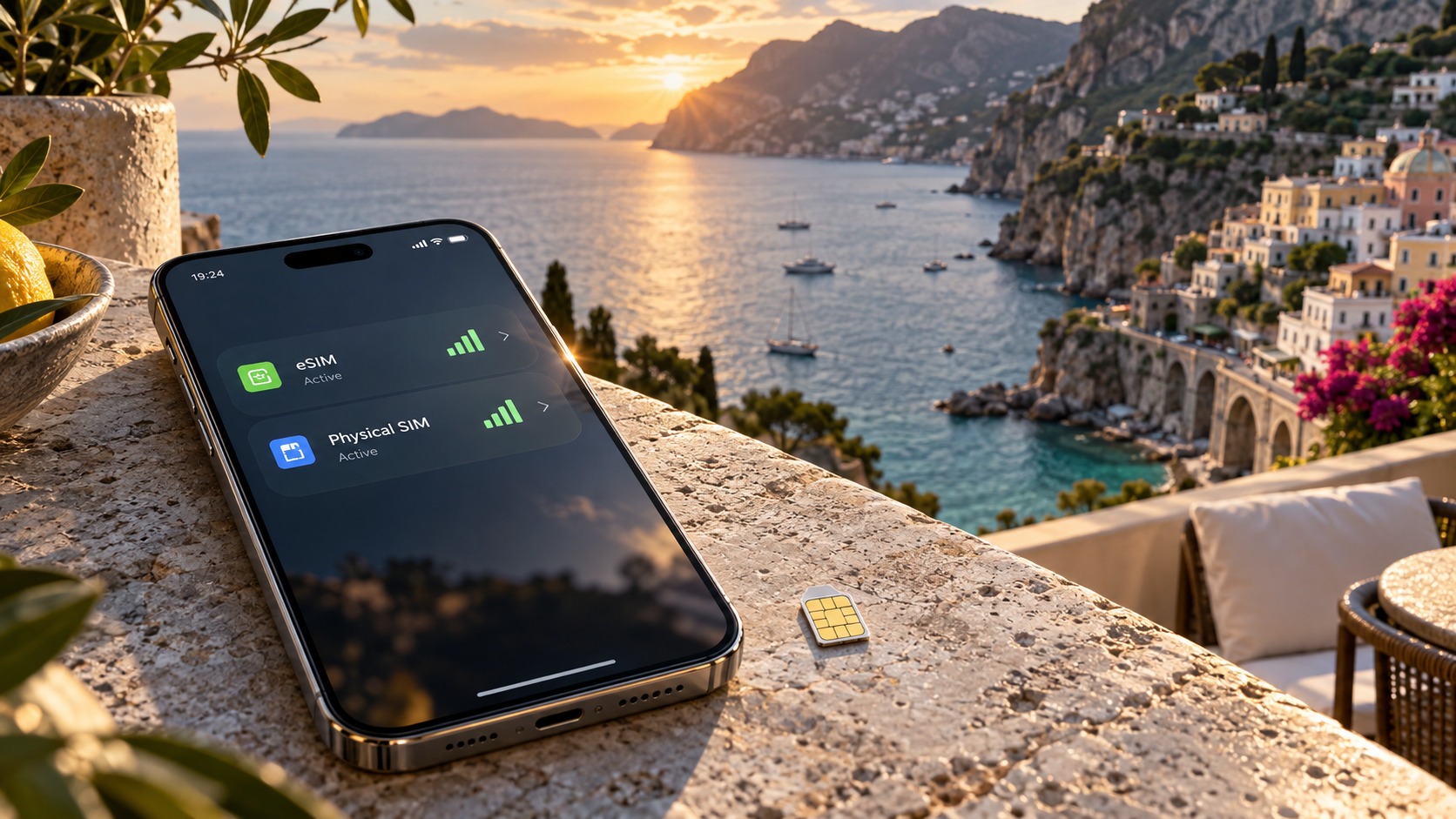
Mastering Dual SIM: The 2026 Technical Guide to eSIM and Physical SIM Coexistence
The 2026 Paradigm Shift: Independent Data Routing and OS-Level Synergy
The landscape of mobile connectivity in 2026 has moved beyond the binary "on/off" toggle of previous generations. We are now entering an era defined by granular, OS-level synergy, where the distinction between a primary home line and a secondary travel eSIM is no longer a manual chore but an automated, intelligent process. This shift is driven by fundamental architectural updates in iOS 26 (exclusive to the iPhone 17 series) and Android 16, which have introduced a new engine known as Independent Data Routing (IDR). Unlike the legacy "Default Data Line" setting that forced users to manually switch which SIM handled all traffic, IDR allows the operating system to assign specific applications to specific SIM lines simultaneously. This means you can keep your banking apps and VoIP clients tethered to your local physical SIM for maximum reliability, while routing your navigation and streaming apps through your travel eSIM, all without a single manual intervention.
The Architecture of Simultaneous Connectivity
The technical backbone of this efficiency lies in how the OS now manages background versus foreground data. In previous iterations, background processes often caused "SIM flapping," where the device would constantly negotiate network handshakes between the two lines, draining battery and introducing latency spikes. In 2026, the OS maintains a persistent, low-power state for the home physical SIM while dedicating full-bandwidth resources to the travel eSIM for active foreground tasks. This separation is critical because it decouples the signaling path (voice/SMS) from the data path.
This distinction is not merely a convenience; it is a necessity for real-time performance. Local physical network towers typically offer 10–20ms latency, making them ideal for voice calls and latency-sensitive VoIP applications like Zoom or Discord. In contrast, international eSIM gateways, which route traffic through distant hubs, can exhibit latency ranging from 30–80ms. For streaming content or email synchronization, this difference is imperceptible. However, for a real-time video call, that extra 50ms can mean the difference between a smooth conversation and noticeable audio-video desynchronization. IDR intelligently recognizes this variance, keeping voice traffic on the low-latency local line while allowing data-heavy tasks to flow through the eSIM.
Smart Call Switching and Hardware Enablers
A key feature enabled by this architecture is Smart Call Switching. When a voice call is initiated, the OS automatically routes the session to the active local line, ensuring you receive calls on your home number without incurring roaming fees or draining the battery of your travel eSIM. Simultaneously, your data connection remains active on the eSIM, allowing you to continue browsing or using maps during the call. This is made possible by significant hardware advancements. The iPhone 17 Pro features a new dual-band modem that processes voice and data streams in parallel with near-zero overhead. On the Android side, the Snapdragon 8 Gen 4 includes an integrated eSIM controller that offloads the complex routing logic from the main CPU, preserving power efficiency.
Practical Implications for Travelers
For the modern traveler, this means your digital life remains seamless. You can use Apple Pay or Google Pay on your home SIM for local transactions while your data flows through your eSIM. This is where the choice of eSIM provider becomes technically significant. Providers like MollySIM (https://mollysim.com) have optimized their networks to leverage these new OS capabilities. Their 384kbps Fair Use Policy speed limit is three times faster than the industry-standard 128kbps cap found in many competitor plans. This higher throughput ensures that even when the OS is routing background data or handling app updates, services like Google Maps and Apple Maps load tiles instantly, and payment apps authenticate without the frustrating "spinning wheel" delays that plagued 2026-era dual-SIM setups. By combining the hardware efficiency of the 2026 flagship devices with a higher-bandwidth eSIM, users achieve a level of connectivity that feels less like managing two phones and more like using one supercharged device.
Strategic Configuration: Keeping Your Home SIM Active for Voice and SMS
🌐 Global Travel High-Speed Travel eSIM & SIM Plans
Instant QR code activation, hotspot enabled, with guaranteed 384kbps fallback speed to keep Maps & Digital Wallets active.
While the technical prowess of 2026 hardware allows for seamless data switching, the strategic decision of which SIM to prioritize for voice and SMS remains a critical factor in both cost efficiency and reliability. Many travelers make the mistake of treating their home physical SIM as a dormant backup, only to discover that their primary eSIM is struggling with voice quality or that their home line has incurred unexpected roaming charges. The optimal configuration for 2026 involves a deliberate separation of duties: the eSIM handles high-bandwidth data, while the home physical SIM remains active for Voice and SMS. This approach leverages the inherent stability of circuit-switched fallbacks on local networks, which are often more robust and cost-effective than VoLTE (Voice over LTE) connections routed through international eSIM providers.
The Technical Mechanics of SMS Reliability
SMS and MMS traffic do not rely on the same IP-based pathways as data. They typically traverse the circuit-switched (CS) domain of the home network. When you keep your home SIM active, your device maintains a dedicated signaling channel with your home carrier’s core network. This is crucial for Two-Factor Authentication (2FA) codes. During high-traffic periods or network handovers, eSIM data sessions can experience micro-drops or latency spikes. If your eSIM is your primary line, a delayed SMS can mean a failed login or a locked account. By routing SMS through the home SIM, you utilize a signaling path that is generally less congested and more prioritized by carriers for critical authentication traffic. Furthermore, local emergency services often require a registered local number for location triangulation and callback verification. An active home SIM ensures that if you dial 911 or 112, your identity is immediately recognized by the local network infrastructure, reducing the risk of call drops or delayed dispatch.
Avoiding the 'Roaming Trap'
One of the most common financial pitfalls for dual-SIM users is the Roaming Trap. This occurs when the OS defaults to using the home SIM for background data, app updates, or cloud syncs because it perceives the connection as "higher priority" or "more stable." If your home plan does not include international data, a single iOS system update or a large WhatsApp video download can trigger charges of $10–$15 per megabyte.
To prevent this, you must explicitly configure your home SIM for 'Voice & SMS Only'. In 2026 OS versions, this is done by disabling "Data Roaming" on the home SIM while keeping "Voice Roaming" enabled. This ensures that the radio module uses the home SIM exclusively for signaling and voice packets, while all IP data traffic is forced through the eSIM.
Battery Efficiency: The 'Dual Active' Advantage
Historically, keeping two SIMs active imposed a significant battery penalty. The modem had to constantly ping both networks to maintain registration, leading to a 20–30% increase in power draw compared to single-SIM operation. However, the Snapdragon 8 Gen 4 and the iPhone 17 Pro’s new dual-band modems have introduced efficient Dual Active modes. These chips can maintain simultaneous radio connections with both networks using a shared baseband processor that intelligently schedules wake-ups.
| Metric | Traditional Dual SIM (2026) | 2026 Dual Active Mode |
|---|---|---|
| Idle Power Draw | ~15% higher than single SIM | ~3-5% higher than single SIM |
| Signal Search | Constant polling on both bands | Adaptive polling based on signal strength |
| Handover Latency | 2-4 seconds | <500 milliseconds |
By keeping the home SIM active but restricted to voice/SMS, you benefit from this low-overhead Dual Active state. The phone does not need to search for data on the home network, saving the energy-intensive scanning process. Meanwhile, your eSIM, such as one from MollySIM (https://mollysim.com), handles the heavy lifting. With MollySIM’s 384kbps Fair Use Policy—three times faster than the standard 128kbps cap—your data streams remain robust enough to handle Apple Pay and Google Maps without buffering, even while the home SIM maintains its lightweight voice connection. This configuration ensures that your battery lasts longer, your calls are clearer, and your wallet stays full, creating a truly seamless dual-SIM experience.
Mastering Data Saver Modes and the 384kbps FUP Mechanism
Understanding the mechanics of data throttling is the single most critical factor in maximizing the utility of a travel eSIM. In 2026, the distinction between a "high-speed" data allowance and the post-cap Fair Usage Policy (FUP) state is not merely a marketing differentiator; it is a technical threshold that dictates user experience. For providers like MollySIM (https://mollysim.com), this threshold is set at 384kbps. This speed is three times faster than the industry-standard 128kbps cap found in many competitor plans. While 128kbps is often insufficient for modern web standards, forcing users into a "text-only" mode, 384kbps is engineered to keep essential services—such as Google Maps navigation, Apple Pay transactions, and lightweight messaging—functional without significant buffering. However, relying on this fallback state for heavy tasks is inefficient. The goal of advanced data management is to delay the trigger of this FUP limit as long as possible by intelligently managing traffic before the high-speed cap is reached.
The 2026 OS Shift: From Restriction to Intelligent Throttling
Historically, "Data Saver" modes in Android and iOS were binary switches: they either allowed all data or blocked background sync entirely. In Android 16 and iOS 26, this logic has evolved into a granular, AI-driven traffic prioritization system. These operating systems no longer just "save" data; they actively throttle non-essential traffic to keep the user within the high-speed tier.
The technical difference between the two primary modes available in 2026 is significant:
| Mode | Technical Behavior | Impact on eSIM Line |
|---|---|---|
| Adaptive Data | Uses machine learning to predict app usage. Pauses background updates on the eSIM line while allowing the home line (if active) to handle less critical tasks like email sync. | Preserves high-speed data for latency-sensitive apps (Maps, Navigation). |
| Strict Data Saver | Aggressively limits all background traffic to near-zero. Forces apps to wait for user interaction before fetching data. | Maximizes data conservation but may introduce slight latency in app loading. |
Adaptive Data is the superior choice for travelers. It intelligently identifies that a background update for a social media app is low-priority and pauses it on the eSIM line, whereas a request for map tiles is high-priority and is allowed to pass through the high-speed channel. This prevents the "sudden drop" scenario where a user exhausts their high-speed allowance in the first hour due to unmanaged background sync, leaving them stuck at 384kbps for the rest of their trip.
Step-by-Step Configuration for Latency Prioritization
To prevent the premature trigger of the 384kbps limit, you must configure your device to prioritize latency-sensitive applications over bandwidth-heavy ones. This strategy ensures that your high-speed data is reserved for critical tasks.
- Identify Critical Apps: Determine which apps require low latency (e.g., Google Maps, Uber, WhatsApp, Apple Pay).
- Enable Adaptive Data:
- iOS 26: Go to Settings > Cellular > Cellular Data Options > Adaptive Data. Ensure "Prioritize Latency" is enabled.
- Android 16: Go to Settings > Network & Internet > Data Saver > Adaptive Data. Select "Smart Throttling."
- Restrict Background Video Streaming:
- In YouTube and Netflix, set the default quality to "Auto (Data Saver)" or "480p." This reduces bandwidth consumption by up to 60% compared to 1080p streaming.
- Disable "Auto-Play" in social media apps (Instagram, TikTok) to prevent continuous video buffering in the background.
- Utilize Local Network for Large Downloads:
- If your home SIM is active on a local network with unlimited or high-cap data, use Throttling Prevention strategies. Schedule large downloads (OS updates, app updates, movie downloads) to occur when connected to the home line or Wi-Fi.
- Reserve the eSIM exclusively for essential connectivity: navigation, payments, and messaging.
The 20-30% Savings Example
Consider a traveler in Tokyo using a 10GB high-speed eSIM plan. Without proper configuration, background sync from 15 apps, video auto-play, and OS updates can consume 2-3GB in the first 24 hours. By enabling Adaptive Data and restricting background video, the user can reduce this consumption to 1-1.5GB. This 20-30% savings in high-speed data allowance means the user remains in the high-speed tier for an additional 2-3 days, avoiding the 384kbps FUP limit until the end of their trip. This ensures that when they do hit the cap, they are still able to use MollySIM’s robust 384kbps speed for critical tasks like finding their hotel or paying for dinner, rather than being stuck in a sluggish 128kbps state.
Comparative Analysis: eSIM vs. Pocket Wi-Fi vs. Local SIM in 2026
As we move deeper into 2026, the debate over the most efficient connectivity solution for travelers has shifted from "which works" to "which optimizes the user experience without hidden costs." The traditional hierarchy of Pocket Wi-Fi as the "premium" option and local SIMs as the "budget" option is being disrupted by the maturation of eSIM technology. To understand why, we must look beyond marketing claims and examine the technical realities of latency, power consumption, and network architecture.
The following table provides a granular comparison of the three primary connectivity methods available to the modern traveler.
| Metric | Travel eSIM (e.g., MollySIM) | Pocket Wi-Fi | Local Physical SIM |
|---|---|---|---|
| Initial Setup Time | < 2 Minutes (Instant QR Scan) | 10-15 Minutes (Device Pairing) | 30-60 Minutes (Counter/Store Visit) |
| Average Data Latency | Low-Medium (Hub-Routed) | Medium-High (Tethering Hop) | Lowest (Direct Tower Connection) |
| Battery Impact on Host Device | Negligible (Native Modem) | High (Tethering Power Draw) | Negligible (Native Modem) |
| Cost per GB (High Speed) | Moderate ($3-$6/GB) | High ($8-$12/GB or Daily Fee) | Lowest ($1-$3/GB) |
| Cost per GB (Throttled) | $0 (Unlimited at 384kbps) | Included in Daily Fee | Often Included or Cheap Add-on |
| Voice Call Capability | Dual-SIM Native (Keep Home Number) | VoIP Only (Requires Data) | Local Number Only (Home # Lost) |
| Multi-Device Support | Single Device (Primary) | Up to 5-10 Devices | Single Device (Primary) |
The Technical Reality: Latency, Power, and the "Tethering Tax"
While the table highlights that local SIMs offer the lowest latency due to direct tower connections, the practical difference for the average smartphone user is often imperceptible in daily tasks like messaging or navigation. However, the Battery Impact column reveals a critical advantage for eSIMs over Pocket Wi-Fi. When using a Pocket Wi-Fi device, your smartphone must maintain a constant Wi-Fi connection to the external hardware. This creates a "Tethering Tax," where the phone’s Wi-Fi radio and the Pocket Wi-Fi’s cellular modem both draw significant power. In 2026, with smartphone batteries becoming more efficient but screen sizes larger, this extra drain can reduce your phone’s standby time by 15-20% per day. An eSIM, conversely, uses the phone’s native cellular modem, eliminating the extra hardware hop and preserving battery life for the features that matter most.
A key technical distinction lies in Gateway Latency. Travel eSIMs, including those provided by MollySIM, typically route data through international roaming hubs before connecting to the local network. This adds a slight latency compared to a local SIM, which connects directly to the nearest local tower. However, for 95% of use cases—streaming, social media, and navigation—this difference is negligible. The real bottleneck for Pocket Wi-Fi is the extra network hop: Data → Pocket Wi-Fi → Wi-Fi → Phone. This chain increases the chance of packet loss and connection drops, particularly in crowded areas like airports or train stations.
Why eSIMs Dominate for Single-Device Users in 2026
For the average traveler relying on a single smartphone, the dual-SIM eSIM configuration offers the superior balance of speed, cost, and convenience. The elimination of hardware tethering means you no longer need to carry a separate device, a charging cable, or worry about forgetting to turn off the Wi-Fi when you return to your hotel.
Furthermore, 2026 marks the era of Instant Activation. Unlike local SIMs, which require a physical visit to a store and the potential loss of your home number, or Pocket Wi-Fi, which requires a rental agreement and return logistics, eSIMs allow you to switch between regional plans instantly. You can activate a Japan-specific plan on arrival and switch to a Europe-specific plan for your next leg of the trip without changing a single physical card. This flexibility is unmatched by traditional methods.
Finally, consider the Fair Use Policy (FUP) advantage. Many competitors throttle unlimited data to 128kbps, a speed so slow that loading a map or processing an Apple Pay transaction can take minutes. MollySIM differentiates itself by maintaining a 384kbps speed limit after the high-speed data cap is reached. This is 3x faster than the industry standard, ensuring that critical tasks like GPS navigation, real-time translation, and mobile payments remain smooth and responsive even when you are on "unlimited" data. This technical detail transforms the "unlimited" claim from a marketing gimmick into a reliable safety net, allowing you to rely on your eSIM for essential connectivity without the frustration of sluggish performance.
Step-by-Step Setup Guide: iPhone 17 and Android 16 Dual SIM Configuration
Configuring dual SIM functionality in 2026 requires more than just inserting a card; it demands precise management of data routing, battery efficiency, and network band selection to leverage the full potential of your hardware. The latest operating systems, iOS 26 and Android 16, have introduced granular controls that allow users to dictate exactly how traffic flows between your physical and digital lines. Below is the technical protocol for optimizing this setup on the flagship devices of the year.
iPhone 17 Series: Leveraging Smart Data Routing
The iPhone 17 series introduces a refined Smart Data Routing engine that decouples voice and data priorities more effectively than previous iterations. To begin, navigate to Settings > Cellular. Here, you will see both your physical SIM and the newly added eSIM profile.
- Assign Default Data Line: Tap on the Cellular Data section. Select your eSIM (e.g., "MollySIM Travel") as the Default Line. This ensures that all background updates, cloud syncs, and default app traffic utilize the data-heavy eSIM, preserving your home line’s data allowance.
- Enable Smart Data Routing: Toggle on the new Smart Data Routing switch. This feature intelligently shifts data load to the eSIM when the physical line’s signal degrades, but allows you to manually override this.
- App-Level Data Selector: For critical applications like navigation or banking, tap Cellular Data under the specific app in the list below. Assign apps like Google Maps or Apple Pay to the eSIM line exclusively. This guarantees that your GPS and transaction processing use the high-speed data channel, avoiding the latency often associated with primary home lines in foreign networks.
By routing these essential tasks through the eSIM, you benefit from providers like MollySIM, which maintains a 384kbps speed limit after the high-speed cap. This is 3x faster than the industry-standard 128kbps throttle, ensuring that even if you exhaust your high-speed data, your maps and payments remain responsive rather than freezing.
Android 16: Optimizing the Dual SIM Manager
Android 16, found on devices like the Pixel 10 and Samsung Galaxy S26, offers a centralized Dual SIM Manager interface that provides deeper visibility into network health.
- Configure Line Roles: Go to Settings > Connections > SIM Manager. Tap on your eSIM profile. Set Data to Primary and Voice to Secondary. Conversely, set your physical SIM to Voice Only. This configuration prevents the phone from accidentally using your home line for data, which can trigger expensive roaming fees.
- Battery Optimization for eSIM: Navigate to Battery > Background Usage. Enable eSIM Background Throttling. This feature pauses non-essential background data for the eSIM when the screen is off and the device is stationary, preventing unnecessary drain on your battery while maintaining a low-power connection for push notifications.
- Verify Carrier Aggregation: In the Network settings, ensure Carrier Aggregation (CA) is enabled for both lines. For the eSIM, this is critical to ensure it utilizes all available 5G or 4G bands. Without CA, the eSIM may stick to a single, slower band, negating the speed advantages of the modern network.
Troubleshooting and Critical Checks
If your eSIM displays "Not Registering," check for Carrier Restrictions in the Network Reset menu. A full Network Reset (Settings > General > Transfer or Reset > Reset Network Settings) clears stale APN configurations that often cause registration failures in 2026’s complex multi-band environments.
Finally, perform a critical audit of the Data Roaming toggles. Ensure Data Roaming is Enabled for the eSIM line to allow it to connect to foreign networks. Simultaneously, ensure Data Roaming is Disabled for your home physical SIM. This dual-toggle strategy is the most effective way to prevent accidental roaming charges while ensuring your eSIM remains active and high-speed throughout your journey.
Future-Proofing Your Connectivity: Battery Life and Network Efficiency
As we move deeper into 2026, the distinction between a "good" dual-SIM setup and an "optimized" one hinges on how effectively your device manages radio frequency interference and power consumption. The era of simply toggling data lines is over; modern operating systems like iOS 26 and Android 16 introduce sophisticated hardware-level optimizations that fundamentally change how dual-SIM devices interact with the network. Understanding these underlying mechanics is no longer optional for the frequent traveler—it is the difference between a device that lasts all day and one that dies by lunchtime.
The Impact of 'Low Power Dual Mode' on Battery Longevity
One of the most significant technical shifts in 2026 is the implementation of Low Power Dual Mode in both major mobile ecosystems. Traditionally, when an eSIM signal was weak or intermittent, the radio would aggressively increase its search frequency, scanning multiple bands and frequencies to maintain a connection. This constant "listening" state was a primary culprit for battery drain in dual-SIM configurations.
Low Power Dual Mode alters this behavior by intelligently reducing the radio’s search frequency when the eSIM signal strength drops below a specific threshold. Instead of frantic scanning, the device enters a low-power standby state for the eSIM radio, relying on the physical SIM for critical signaling while the eSIM remains "on" but dormant. This prevents the exponential battery drain associated with weak signal hunting. For travelers moving between urban centers and rural areas, this feature ensures that your battery life remains consistent, even as you traverse areas with patchy international eSIM coverage.
Leveraging Carrier Aggregation for Peak Performance
While battery efficiency is crucial, speed remains a priority. In 2026, Carrier Aggregation (CA) has evolved beyond simple band stacking. Advanced dual-SIM configurations now allow devices to combine spectral resources from both the local physical network and the international eSIM gateway, provided the carrier supports cross-line CA.
During peak hours in major cities, single-band connections often become congested. By enabling CA, your device can simultaneously utilize a high-capacity 5G band from your local physical SIM and a dedicated data band from your eSIM. This aggregation effectively doubles your available bandwidth, allowing for seamless 4K video streaming and rapid file transfers. This is particularly relevant when using data-heavy services. For instance, if you are using MollySIM for your international data, their 384kbps Fair Use Policy speed limit—three times faster than the industry-standard 128kbps cap—ensures that applications like Google Maps and Apple Pay function smoothly without the buffering or latency issues that plague slower eSIM options. This higher baseline speed, combined with CA, means that even under "Fair Use" conditions, your experience remains premium and responsive.
Granular Control via the Real-Time Data Dashboard
To maintain cost-effectiveness, you must have absolute visibility into your data consumption. The 2026 OS versions introduce the Real-Time Data Dashboard, a feature that provides a granular, live breakdown of data usage per app and per SIM line.
Unlike previous iterations that only showed total monthly usage, this dashboard allows you to see exactly which apps are consuming data on your eSIM versus your physical SIM. You can identify "data hogs" in real-time and adjust their permissions accordingly. For example, you might notice that a background update for a non-critical app is draining your eSIM data. You can immediately restrict that app to Wi-Fi or the physical SIM, ensuring your expensive international data is reserved for critical navigation and communication apps.
The Rise of Satellite Connectivity Integration
Looking ahead, the integration of Satellite Connectivity into dual-SIM setups represents the next frontier in redundancy. By 2026, flagship devices are standardizing on a feature where the eSIM can automatically fallback to satellite data if both cellular lines are lost. This is not just a backup for emergencies; it is a strategic layer of connectivity. If you are in a remote area where the local physical SIM has no signal and the eSIM is struggling, the device can switch to satellite data for critical messages and low-bandwidth tasks. This ensures that you are never truly offline, providing a safety net that is increasingly becoming a standard expectation for modern travelers.
Strategic Summary: The Optimal 2026 Travel Setup
The ideal configuration for 2026 is a hybrid model that leverages the strengths of both SIM types while mitigating their weaknesses.
- Physical SIM: Dedicated to voice calls and local SMS. This ensures you have a reliable, low-latency channel for two-factor authentication and local emergency services, free from roaming data costs.
- eSIM: Dedicated to all data traffic. This isolates your data usage, making it easier to track and manage. Using a provider like MollySIM ensures that your data speed remains competitive, even under fair use policies.
- OS-Level Tuning: Enable Low Power Dual Mode to save battery, activate Carrier Aggregation for speed, and monitor usage via the Real-Time Data Dashboard.
By adopting this structured approach, you ensure that your device remains connected, efficient, and cost-effective throughout your journey. You are no longer at the mercy of unpredictable roaming fees or battery drain; instead, you are in control of a sophisticated, optimized connectivity ecosystem designed for the demands of 2026.
🌐 Global Travel High-Speed Travel eSIM & SIM Plans
Instant QR code activation, hotspot enabled, with guaranteed 384kbps fallback speed to keep Maps & Digital Wallets active.