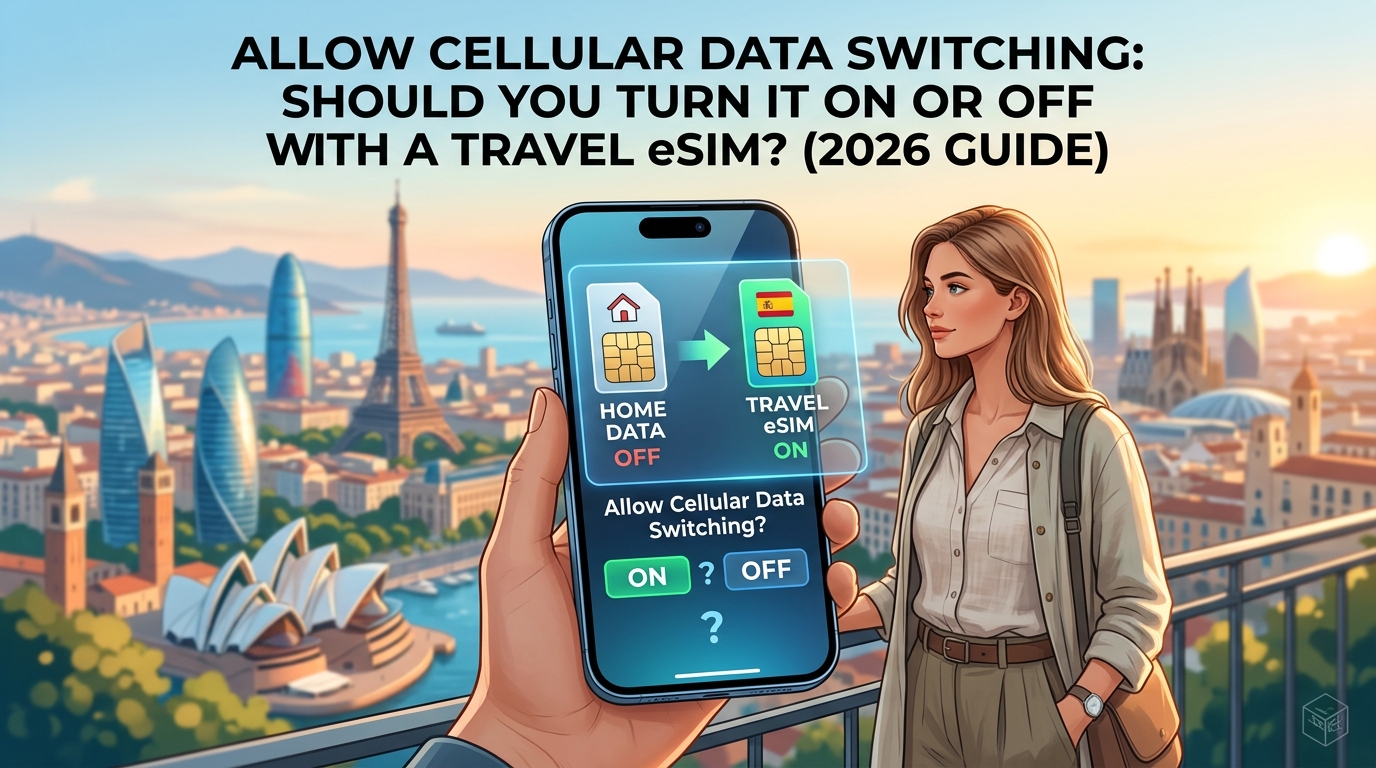
Allow Cellular Data Switching: Should You Turn It On or Off with a Travel eSIM? (2026 Guide)
Demystifying 'Allow Cellular Data Switching': What It Actually Does Under the Hood
To understand why a seemingly harmless toggle can lead to hundreds of dollars in unexpected carrier fees, you must understand how modern smartphones manage multiple active radio connections simultaneously.
The Hardware Reality: Dual SIM Dual Standby (DSDS)
Modern flagship devices—including iPhones from the XS/XR series forward and contemporary Android flagships like the Samsung Galaxy S-series and Google Pixel lineup—utilize Dual SIM Dual Standby (DSDS) architecture.
In a DSDS implementation:
- Both your primary physical SIM (pSIM) and your secondary travel eSIM share a single baseband processor (cellular modem) and a shared RF (Radio Frequency) front-end.
- Both lines remain registered to their respective cellular networks concurrently in an idle state, listening to paging channels for incoming voice calls and SMS.
- Only one line can maintain an active high-speed Packet Data Protocol (PDP) context for cellular data routing at any given millisecond.
+-------------------------------------------------------------------+
|                     Application Processor                         |
|   (iOS / Android OS Data Routing Engine & Connection Manager)     |
+---------------------------------+---------------------------------+
                                  |
                                  v
+-------------------------------------------------------------------+
|               Baseband Modem (Shared DSDS Controller)             |
+---------------------------------+---------------------------------+
        |                                           |
        v                                           v
+-----------------------+                   +-----------------------+
|  Primary SIM (Home)   |                   | Travel eSIM (Target)  |
|  Status: Idle Standby |                   | Status: Active PDP    |
|  (Paging / Calls / SMS)|                   | (LTE/5G Packet Data)  |
+-----------------------+                   +-----------------------+
When you assign your travel eSIM as the designated mobile data line, the operating system locks the cellular packet engine to that specific subscriber profile. However, enabling "Allow Cellular Data Switching" (iOS) or "Auto Data Switching" (Android) grants the operating system's connection manager autonomous authority to override your assignment on the fly.
The Metrics: What Triggers an Automatic Baseband Handover?
The operating system does not switch networks arbitrarily; it constantly monitors lower-layer Radio Access Network (RAN) metrics and upper-layer IP throughput. When your travel eSIM's connection degrades past hardcoded firmware thresholds, the DSDS controller executes an immediate baseband handover to the secondary available transceiver profile—your home carrier.
| Trigger Metric | Description | Critical Threshold for Failover |
|---|---|---|
| RSRP (Reference Signal Received Power) | Measures the core signal strength from the connected cell tower. | Drops below -115 dBm to -120 dBm (approaching the cell edge). |
| RSRQ (Reference Signal Received Quality) | Measures interference and signal clarity across the channel. | Deteriorates past -16 dB to -20 dB, signaling severe RF noise. |
| Packet Loss & TCP Timeouts | Measures layer-4 transmission integrity at the OS network stack. | Sustained packet loss exceeding 15–20% over a rolling 5-second window. |
| DNS Resolution Latency | Evaluates round-trip query performance to upstream gateways. | DNS queries fail or exceed >1,500ms repeatedly. |
When these conditions are met—such as when entering a subterranean metro station, driving through rural topography, or navigating high-density urban canyons—the OS determines that the current eSIM data pipe is non-viable. If cellular data switching is active, it drops the eSIM's data session and instantly establishes a new PDP context on your domestic home line.
Intended Domestic Utility vs. The International Roaming Trap
Operating system vendors engineered this feature for a completely different use case: domestic multi-SIM redundancy.
If you maintain two domestic plans (for example, AT&T on your pSIM for personal use and Verizon on an eSIM for business), dynamic switching offers uninterrupted productivity. If AT&T loses coverage in a rural dead zone, your phone seamlessly routes data through Verizon at zero additional cost beyond your standard monthly subscriptions.
The feature becomes a financial hazard the moment you cross an international border:
- Silent Fallback: When your travel eSIM hits a dead zone or experiences transient network congestion, your phone drops over to your domestic carrier without requiring an interactive confirmation prompt.
- Instant Roaming Billing: Your domestic carrier detects data transmission on a foreign roaming partner's tower and automatically triggers an exorbitant pay-per-megabyte rate (often $2.00 to $15.00 per MB) or activates an unrequested $10–$15 daily roaming pass.
- Background Data Ingestion: Even if your screen is locked in your pocket, system daemons (iCloud backups, photo syncs, app updates, and background push notifications) immediately saturate the newly established connection, burning through dozens of megabytes in seconds.
Mitigating Dynamic Dropouts with Stable eSIM Infrastructure
A frequent catalyst for unwanted carrier handovers is an eSIM provider that imposes aggressive throughput throttling once you exceed nominal daily caps. Cheap travel SIMs often throttle speeds down to an unusable 64kbps or 128kbps—a state so congested that high packet loss triggers the OS to declare the connection "dead" and initiate a failover.
This is where premium travel eSIM architectures make a substantial difference. Providers like MollySIM mitigate this by utilizing high-priority multi-carrier roaming agreements that automatically attach to the strongest local network (such as Vodafone, Orange, or NTT Docomo) and implementing a 384kbps Fair Use Policy (FUP) speed limit. By operating at three times the speed of traditional 128kbps throttles, critical services like Apple Pay, Google Maps, and VoIP messaging continue to exchange packets cleanly. This continuous packet flow prevents the baseband modem from registering a false-positive connection failure, stopping OS-level data switching from kicking in even during throttled states.
The Bill Shock Trap: Why Leaving Data Switching 'ON' Overseas Costs Hundreds of Dollars
🌐 Global Travel High-Speed Travel eSIM & SIM Plans
Instant QR code activation, hotspot enabled, with guaranteed 384kbps fallback speed to keep Maps & Digital Wallets active.
The primary danger of toggling Allow Cellular Data Switching to "ON" lies in the silent, automated nature of modern smartphone baseband modems. When your device detects that the secondary travel eSIM’s cellular link is degrading, it does not prompt you with a confirmation dialogue. It executes an autonomous background failover to protect throughput continuity—routing all active and background data streams directly through your domestic Primary SIM.
The Anatomy of Silent Carrier Fallback
Mobile operating systems measure connectivity through metrics like Reference Signal Received Power (RSRP) and Reference Signal Received Quality (RSRQ). If you step into a deep subway transit tunnel, an elevator shaft, or a reinforced concrete building, your travel eSIM’s RSRP value can drop below the threshold required to sustain active TCP/IP sessions (typically around -115 dBm to -120 dBm).
If "Allow Cellular Data Switching" is enabled:
- The OS baseband modem marks the travel data path as degraded or stalled.
- The device instantly bridges network routing to your home carrier line (which might be registering a nominal 2G/3G or roaming LTE connection with different tower coverage).
- The moment your home line handles a single packet, it triggers international roaming billing mechanics on your domestic account.
The Financial Multipliers: Daily Passes vs. Pay-As-You-Go
Domestic carriers monetize unauthorized international data transmission through two punitive models:
| Carrier Billing Structure | Trigger Mechanism | Real-World Financial Impact |
|---|---|---|
| Automated Daily Roaming Pass (e.g., AT&T International Day Pass, Verizon TravelPass) | A single keepalive packet, DNS lookup, or push notification (as small as 5KB). | $10.00 – $12.00 per 24-hour cycle, billed automatically every day a fallback occurs. |
| Tiered Pay-As-You-Go (PAYG) Roaming (e.g., T-Mobile on non-roaming plans, MVNOs, European/Asian carriers) | Raw megabyte consumption by unconstrained background daemons. | $2.00 – $15.00 per Megabyte. A 100MB background iCloud photo sync can cost $200 to $1,500. |
Real-World Case Study: The $340 "Ghost Roaming" Bill in Tokyo
To understand how quickly these micro-fallbacks accumulate, consider the scenario of Marcus, an iPhone 15 Pro user traveling through Tokyo for 10 days:
- Setup: Marcus installed a standard travel eSIM for data and kept his primary home line active strictly for SMS two-factor authentication codes. He mistakenly left Allow Cellular Data Switching turned ON.
- The Incident: While riding the Tokyo Metro and navigating underground shopping corridors in Shinjuku, his travel eSIM temporarily dropped signal multiple times a day. Each time, iOS rerouted his background data traffic to his domestic home carrier.
- The Background Surge: During these 3-to-5-minute network handovers, background processes kicked in. Apple Photos synced 18 captured snapshots, an automated app update downloaded in the background, and email attachments synced via Microsoft Outlook.
- The Final Invoice: His domestic carrier automatically billed him for ten consecutive days of $12 Daily Roaming Passes ($120), plus an additional $220 in tier-2 roaming overages when data consumption exceeded the daily high-speed allowance during a subway commute.
- Total stealth cost: $340.00—all while Marcus believed he was exclusively using his $15 prepaid travel eSIM.
Safeguarding Your Connection from Carrier Failover
Eliminating bill shock requires a dual-layered strategy: strictly disabling Allow Cellular Data Switching in your OS settings, and selecting a travel eSIM that maintains consistent connection integrity so your device never faces persistent data blackouts.
Deploying a resilient connectivity provider like MollySIM prevents the extreme signal degradation that prompts failover loops. By partnering with leading Tier-1 cellular infrastructures globally and backing plans with a generous 384kbps Fair Use Policy (FUP)—which is three times faster than the standard 128kbps cap seen across budget providers—essential tools like Google Maps navigation, Apple Pay tokenization, and messaging apps maintain reliable throughput, eliminating the baseband errors that lead to stealth roaming fees.
Pros vs. Cons Analysis: Evaluating Data Switching Scenarios for Global Travelers
The decision to enable or disable Allow Cellular Data Switching is not universal; it hinges on your technical workflow, expense profile, and reliance on real-time dual-network availability. While casual tourists must prioritize cost containment, corporate users and high-throughput remote workers navigate different operational trade-offs.
Scenario Breakdown: Who Benefits and Who Gets Penalized?
1. Corporate Travelers with Fully Expensed SIMs
- Verdict: Switching Permissible (With Caveats)
- The Operational Trade-off: Executive and enterprise travelers handling low-latency video calls, live client communications, and mission-critical transactions cannot tolerate transient dead zones. Enabling switching ensures seamless continuity if a local roaming node drops packet throughput.
- The Catch: It frequently causes administrative headaches during expense reconciliation, as domestic telcos bill unpredictable single-megabyte international spikes across multiple daily billing cycles.
2. Budget Backpackers and Independent Vacationers
- Verdict: Switching Strictly OFF (Locked)
- The Operational Trade-off: For travelers managing strict budgets, leaving switching active introduces unacceptable financial exposure. Modern mobile operating systems treat any sub-second failure on the secondary line as a license to route high-bandwidth background daemons (such as iCloud Photo Library and Google Photos backups) straight to your domestic carrier.
- The Strategic Alternative: Locking cellular data exclusively to a dedicated travel eSIM guarantees zero domestic roaming line items.
3. Remote Digital Nomads and Multi-Week Remote Workers
- Verdict: Switching OFF + High-FUP Primary eSIM
- The Operational Trade-off: Remote professionals require continuous access to 2FA banking prompts, Slack notifications, and VoIP communications on their primary identity line, while routing all heavy bandwidth through an affordable international data pool.
- The Solution: Leaving switching disabled while deploying an eSIM with a generous Fair Use Policy—such as MollySIM—provides the best of both worlds. Even if high-speed bucket allowances are exhausted, MollySIM’s 384kbps continuous baseline (compared to the restrictive 128kbps industry standard) sustains mission-critical tools like Apple Pay, Google Maps, and enterprise messaging without triggering OS-level failover panic.
4. Multi-Country Transit Passengers (Airport Layovers & Cross-Border Trains)
- Verdict: Switching Strictly OFF
- The Operational Trade-off: Navigating international transit hubs (e.g., a 4-hour layover in Doha or Frankfurt en route to Southeast Asia) exposes devices to rapid baseband handshakes across overlapping national cell towers. If data switching is active, the device often locks onto expensive terrestrial roaming networks before your transit eSIM can complete registration on local partner towers.
Technical Configuration Matrix
The following matrix compares the four primary dual-SIM data configurations across core performance and cost metrics:
| Parameter | Configuration 1: Primary Only (Roaming ON) | Configuration 2: Travel eSIM + Data Switching ON | Configuration 3: Travel eSIM + Data Switching OFF (Locked) | Configuration 4: Airplane Mode + Wi-Fi Calling |
|---|---|---|---|---|
| Out-of-Pocket Cost Risk | Extreme ($10–$15/day or pay-per-MB overages) | High (Stealth carrier failover charges) | Zero ($0 domestic data fees guaranteed) | Zero (All cellular baseband radios offline) |
| Background Data Leakage | Complete domestic exposure | Moderate-to-High during local dropouts | None (Strictly bounded to eSIM payload) | None (Data restricted to active Wi-Fi) |
| Inbound 2FA / SMS Reliability | Flawless (Native carrier network) | Flawless (Active secondary baseband) | Flawless (Calls/SMS route via Primary IMS) | Conditional (Requires active, supported Wi-Fi) |
| Battery Consumption Impact | Minimal (Single transceiver active) | Moderate-High (Dual modems + continuous ping) | Moderate (Dual Standby baseline draw) | Lowest (Transceivers powered down) |
| Network Latency & Handoff | Low-to-Medium (Dependent on home routing) | Dynamic (Can switch unexpectedly) | Stable & Deterministic | Variable (Subject to local Wi-Fi router quality) |
| Setup Complexity | Zero configuration required | Low (Toggle switch enabled) | Low (Single explicit toggle lock) | Moderate (Requires manual profile overrides) |
Key Takeaways: The Architectural Verdict
- Enabling Data Switching turns your smartphone into an automated network selector that prioritizes connection persistence over billing protection. The moment signal strength falls below operating thresholds on your travel eSIM, your baseband modem silently reroutes packets to the most accessible tower via your domestic SIM.
- Disabling Data Switching (Locked Configuration) establishes an absolute boundary. Your primary SIM remains active exclusively for zero-rated inbound SMS two-factor authentication and IMS voice channels, while 100% of outbound IP packet traffic is forced through your travel eSIM.
By locking data switching to OFF and running a resilient travel profile from MollySIM, you eliminate the baseband instability that triggers roaming penalties while preserving continuous, secure access to global navigation, payment endpoints, and messaging tools.
Step-by-Step Configuration Guide: Locking Data Safely on iOS and Android
Achieving absolute billing isolation requires configuring your device’s radio settings across two phases: pre-departure preparation (at home or in the departure terminal) and in-flight/arrival execution. Follow these platform-specific walkthroughs to lock mobile data strictly to your travel profile while preserving domestic cellular voice and zero-rated inbound SMS.
Apple iOS: iPhone Dual-SIM Lock Configuration
Apple’s baseband manager operates aggressively. To prevent iOS from dynamically falling back to your carrier when moving between cellular base stations, configure your iPhone as follows:
Detailed iOS Setup Steps:
- Prepare the Primary SIM:
- Navigate to Settings > Cellular (or Mobile Data).
- Under SIMs, tap your domestic Primary line.
- Ensure Turn On This Line is toggled ON (needed for SMS 2FA delivery).
- Set Data Roaming to OFF. This ensures the baseband modem will reject data packet sessions initiated on domestic carrier bands abroad.
- Designate MollySIM as the Active Data Pipeline:
- Return to the main Cellular menu and tap Cellular Data.
- Tap your installed MollySIM profile to set it as the primary data interface (indicated by a blue checkmark).
- Disable Baseband Failover:
- Directly below the SIM selection list on the same screen, find Allow Cellular Data Switching.
- Toggle Allow Cellular Data Switching to OFF.
- Critical: If left ON, iOS will silently route background push notifications and iCloud syncs through your domestic SIM the millisecond travel eSIM signal margins dip.
- Enable Roaming on the Travel eSIM:
- Return to Cellular, select MollySIM, and toggle Data Roaming to ON. MollySIM utilizes global interconnect agreements across tier-1 regional networks, requiring data roaming to handshake with foreign host towers.
Android: Samsung One UI, Google Pixel, and Android 14/15/16
Android manufacturers label dual-SIM routing menus differently. Below are the precise configurations for the two dominant software skins.
1. Samsung Galaxy (One UI 6.x / 7.x / 8.x)
- Navigate to Settings > Connections > SIM Manager.
- Under the Preferred SIMs header:
- Set Calls to Primary (or Always Ask).
- Set Messages to Primary (for continuous SMS 2FA delivery).
- Set Mobile Data exclusively to MollySIM.
- Scroll down and locate Auto Data Switching (or Switch Data Automatically). Toggle this setting OFF.
- Tap Settings > Connections > Mobile Networks. Ensure Data Roaming is enabled for the MollySIM slot, while disabled for your domestic physical SIM.
2. Google Pixel & Stock Android (Android 14, 15, 16)
- Go to Settings > Network & Internet > SIMs.
- Select your Primary Carrier SIM:
- Toggle Use SIM to ON.
- Toggle Mobile Data to OFF.
- Toggle Roaming to OFF.
- Return to SIMs and tap MollySIM:
- Toggle Use SIM to ON.
- Toggle Mobile Data to ON.
- Toggle Roaming to ON.
- Disable Backup Calling or Mobile Data Auto-Switch if surfaced under SIM priority preferences.
Diagnostic Checklist: Verifying Zero Data Leakage
Perform this audit immediately after taking your phone out of Airplane Mode at your destination:
| Verification Point | Expected Status | Diagnostic Action if Failed |
|---|---|---|
| Control Center / Quick Settings | Primary: "No Service" or "Voice/SMS Only"<br>MollySIM: "LTE" / "5G" | Re-check data routing assignment; confirm domestic Data Roaming toggle is OFF. |
| IP Address Geolocation | Reflects MollySIM's local breakout server | Check public IP via whatismyipaddress.com to ensure traffic is not tunneling via domestic APNs. |
| SMS 2FA Reception | Functional (Green bubbles / SMS received) | Ensure Primary line is powered ON with roaming data disabled. |
| Continuous Baseline Throughput | Active (Navigation & Financial APIs stable) | Verify APN setting matches MollySIM documentation (globaldata or auto-provisioned). |
                +---------------------------------------+
                |    Cellular Engine Verification       |
                +---------------------------------------+
                                    |
          +-------------------------+-------------------------+
          |                                                   |
[Primary SIM]                                         [MollySIM eSIM]
- Voice/IMS: STANDBY                                  - Voice/IMS: N/A
- SMS (2FA): ACTIVE                                   - Data Path: ACTIVE (100% Load)
- Data Gateway: LOCKED OFF                            - Roaming Handshake: AUTHORIZED
- Financial Leakage Risk: 0.00%                       - FUP Floor: 384kbps (Sustained)
Even if you exhaust a high-speed data tier on an unlimited bundle while navigating dense urban centers, MollySIM's optimized network architecture enforces a 384 kbps Fair Use Policy (FUP) floor—nearly 3x the legacy 128 kbps industry standard. By keeping data switching locked to OFF, you avoid domestic roaming fees entirely while maintaining enough localized bandwidth for turn-by-turn navigation on Google Maps, rideshare dispatching, and point-of-sale Apple Pay/Google Pay authentication without service drops.
Carrier Stability Matters: How MollySIM's Tier-1 Agreements Prevent Signal Drops
To understand why smartphones execute aggressive, unauthorized data failovers back to your domestic carrier, you must examine the underlying radio frequency (RF) and packet-routing handshakes. Both iOS and Android monitor real-time cellular data health via continuous ICMP ping tests, DNS query resolution speeds, and TCP ACK response times. If packet loss spikes or the cellular interface suffers a momentary PDP (Packet Data Protocol) context drop, the operating system flags the active data path as "degraded" or "dead," immediately routing outbound requests through your primary SIM if Data Switching remains enabled.
The root cause of these micro-disconnects almost always lies in cheap, wholesale eSIM routing architecture.
The Hidden Trap: Budget Aggregators and "Trombone" Routing
Discount eSIM resellers frequently cut infrastructure costs by leasing non-priority, Tier-2 or Tier-3 MVNO roaming channels. These budget routes rely on centralized foreign data tromboning, where your local mobile traffic is routed thousands of miles away to an offshore gateway before reaching the open internet:
- High-Latency Routing Loops: If you connect to a cell tower in Tokyo using a budget eSIM, your data packets may be tunneled to an inexpensive routing server in Poland or Hong Kong before returning to Japan. This adds 350ms–600ms of latency to every basic HTTP request.
- Deprioritized Quality of Service (QoS): National infrastructure operators deprioritize low-tier roaming traffic during peak hours on congested cell towers, pushing budget eSIM connections to the back of the queue.
- Silent Socket Drops: High latency and packet jitter cause secure SSL/TLS handshakes to time out. The OS modem manager interprets this timeout as a loss of carrier service, instantly executing a failover to your home carrier's active IMS line.
MollySIM Direct Tier-1 Partnerships vs. Wholesale Aggregators
MollySIM eliminates the network instability that triggers OS-level cellular failovers by partnering directly with leading national Tier-1 telecommunications providers across 180+ global destinations:
| Architectural Feature | Standard Discount eSIM Reseller | MollySIM Tier-1 Infrastructure |
|---|---|---|
| Direct Host Carrier | Low-priority Tier-2 / Tier-3 MVNO leasing | Direct Tier-1 (e.g., NTT Docomo, Chunghwa Telecom, Orange, Vodafone) |
| Traffic Routing Architecture | High-latency foreign tromboning | Local Breakout (LBO) edge nodes for ultra-low latency |
| QoS Class Identifier (QCI) | Lowest-tier background data priority | High-priority commercial consumer data channel |
| Signal Retention in Transit | Frequent packet loss in subways and dense cores | Stable handovers between high-frequency 5G/LTE bands |
| Post-Cap Throttle Floor | 64 kbps – 128 kbps (or complete 0 kbps cutoff) | 384 kbps continuous baseline (3x faster than industry average) |
| Failover Risk to Domestic SIM | Severe: Frequent DNS timeouts trip OS switching | Near Zero: Continuous, sustained data stream |
Preventing the 0 kbps Drop: How Continuous Bandwidth Protects Your Primary Line
The most critical factor in stopping aggressive operating system failover is preventing your connection from flatlining to absolute zero.
When a standard travel eSIM exhausts its high-speed allocation, many providers cut the connection completely (0 kbps) or drop it to a legacy 64 kbps or 128 kbps rate. At 64 kbps, modern operating systems cannot successfully complete background cryptographic exchanges or resolve basic DNS lookups. The phone's network stack marks the interface as having No Internet Connection and automatically falls back to your home SIM card.
MollySIM's network architecture features an engineered 384 kbps Fair Use Policy (FUP) floor. By guaranteeing a sustained 384 kbps throughput even after exhausting high-speed allocations:
- Keep-Alive Packets Clear Successfully: Operating system network daemons consistently receive valid TCP/UDP responses, preventing the device from declaring an outage.
- Critical Apps Remain Fully Functional: Bandwidth remains high enough to continuously run Google Maps turn-by-turn directions, process Apple Pay and Google Pay tokenizations, and dispatch rideshare services without freezing.
- Primary SIM Remains Dormant: Because the eSIM data pipe never breaks, your primary carrier never has an opportunity to step in and trigger a $10–$15 daily international roaming charge.
Troubleshooting & Best Practices: Dual SIM 2FA, Wi-Fi Calling, and Battery Optimization
Managing two active SIM profiles simultaneously introduces specific network routing behaviors. Understanding how operating systems handle concurrent baseband radios allows you to receive critical security credentials, route domestic voice calls over local data, and prevent abnormal battery depletion while traveling.
1. Receiving 2FA SMS and iMessages Without Incurring Roaming Fees
One of the primary reasons travelers keep their domestic line active is to receive critical One-Time Passwords (OTPs) and Two-Factor Authentication (2FA) codes from banking, corporate, and verification platforms.
- SMS vs. MMS/RCS: Standard incoming SMS messages travel over the signaling channel (Control Plane) rather than the packet data channel (User Plane). On virtually all major global carriers, incoming SMS is free worldwide. As long as Data Roaming is toggled OFF on your primary line, receiving bank authentication codes will not trigger daily roaming fees or per-megabyte data charges.
- Apple iMessage & FaceTime: Keep your primary phone number checked under Settings > Messages > Send & Receive. Because data flows exclusively through your travel eSIM, iMessages sent to your phone number or Apple ID will sync seamlessly over MollySIM's data connection without routing through your domestic carrier's cellular data gateway.
- Android RCS Warnings: If you use Google Messages with RCS Chat features enabled, RCS messages consume data. If you have "Allow Cellular Data Switching" turned off and primary data roaming disabled, RCS messages to your primary SIM may hold in queue until connected to Wi-Fi unless fallback to standard SMS is enabled in your messaging settings.
2. "Backup Calling": Routing Primary Voice Calls Over Travel Data
Modern iOS and Android implementations support a feature colloquially known as Backup Calling (displayed as "[Carrier] using Cellular Data" on iPhone Status Bar/Control Center). This allows your primary home carrier to establish an IPsec tunnel over your secondary travel eSIM's data connection, functioning identically to Wi-Fi Calling.
To enable this configuration:
- Turn on Wi-Fi Calling on your primary line prior to departing your home country.
- Ensure your primary line's Network Selection is set to a carrier that does not have an active roaming agreement with your home network, or manually select a forbidden network so the primary SIM drops standard cellular signal.
- The device will automatically switch your primary line to IMS over Cellular Data, routing all incoming/outgoing domestic calls and SMS across your MollySIM data connection.
Bandwidth Note: Standard G.711 / AMR-WB voice codecs over Wi-Fi Calling require between 30 kbps and 80 kbps of continuous throughput. While competitors' 64 kbps or 128 kbps throttled tiers introduce significant jitter, robotic artifacts, or complete packet failure, MollySIM's 384 kbps baseline FUP floor preserves the voice codec pipeline, keeping Backup Calling fully functional even if high-speed data has been completely consumed.
3. Mitigating Dual SIM Battery Drain & Border-Hopping Latency
Running Dual SIM Dual Standby (DSDS) activates two distinct transceivers within your smartphone’s baseband processor. When traveling, this can increase battery consumption by 15% to 25% due to aggressive radio frequency (RF) amplification.
┌─────────────────────────────────────────────────────────────────────────────┐
│                             BATTERY DRAIN FACTORS                           │
├────────────────────────────────┬────────────────────────────────────────────┤
│ Root Cause                     │ Technical Fix                              │
├────────────────────────────────┼────────────────────────────────────────────┤
│ Dual 5G Standalone (SA) Search │ Set primary and secondary lines to         │
│                                │ "5G Auto" or "LTE" in regional dead zones  │
├────────────────────────────────┼────────────────────────────────────────────┤
│ Border Baseband Thrashing      │ Switch "Network Selection" from Auto to    │
│ (Cross-border signal bouncing) │ Manual, locking to your destination network│
├────────────────────────────────┼────────────────────────────────────────────┤
│ Weak Signal Amplification      │ Disable primary line temporarily if in     │
│ (Out of range cell scanning)   │ remote areas with zero partner coverage    │
└────────────────────────────────┴────────────────────────────────────────────┘- Lock Network Selection Near Borders: If you are traveling near international borders (e.g., driving between France and Switzerland), automatic network selection causes the modem to constantly negotiate location updates (LU) and authentication handshakes between foreign cell towers. Lock your travel eSIM manually to the preferred partner network specified in your eSIM installation instructions to avoid ping spikes and battery depletion.
- Downgrade to LTE/5G Auto: 5G mmWave and 5G Standalone (SA) search algorithms place excessive drain on battery capacity in areas with patchy mid-band coverage. Toggling your Cellular Data Options to 5G Auto or LTE stabilizes modem power draw while maintaining throughput well above standard application thresholds.
4. Definitive Pre-Flight Dual-SIM Configuration Checklist
Verify these settings before departure to ensure seamless data delivery and eliminate unexpected roaming charges:
| Setting Category | Primary (Domestic) Line | Travel eSIM (e.g., MollySIM) | Device-Level Setting |
|---|---|---|---|
| Line Status | ON (Active for SMS/2FA) | ON | DSDS Active |
| Cellular Data | Unchecked / Inactive | Checked / Active | — |
| Data Roaming | OFF (Prevents carrier fees) | ON (Required for routing) | — |
| Data Switching | — | — | OFF (Prevents failover) |
| Wi-Fi Calling | ON (Configured pre-flight) | Not Applicable | — |
| Voice / Default Line | Set as Default Voice Line | Secondary / Data Only | — |
| Network Selection | Automatic (or Manual for IMS) | Automatic (or locked to partner) | — |
🌐 Global Travel High-Speed Travel eSIM & SIM Plans
Instant QR code activation, hotspot enabled, with guaranteed 384kbps fallback speed to keep Maps & Digital Wallets active.