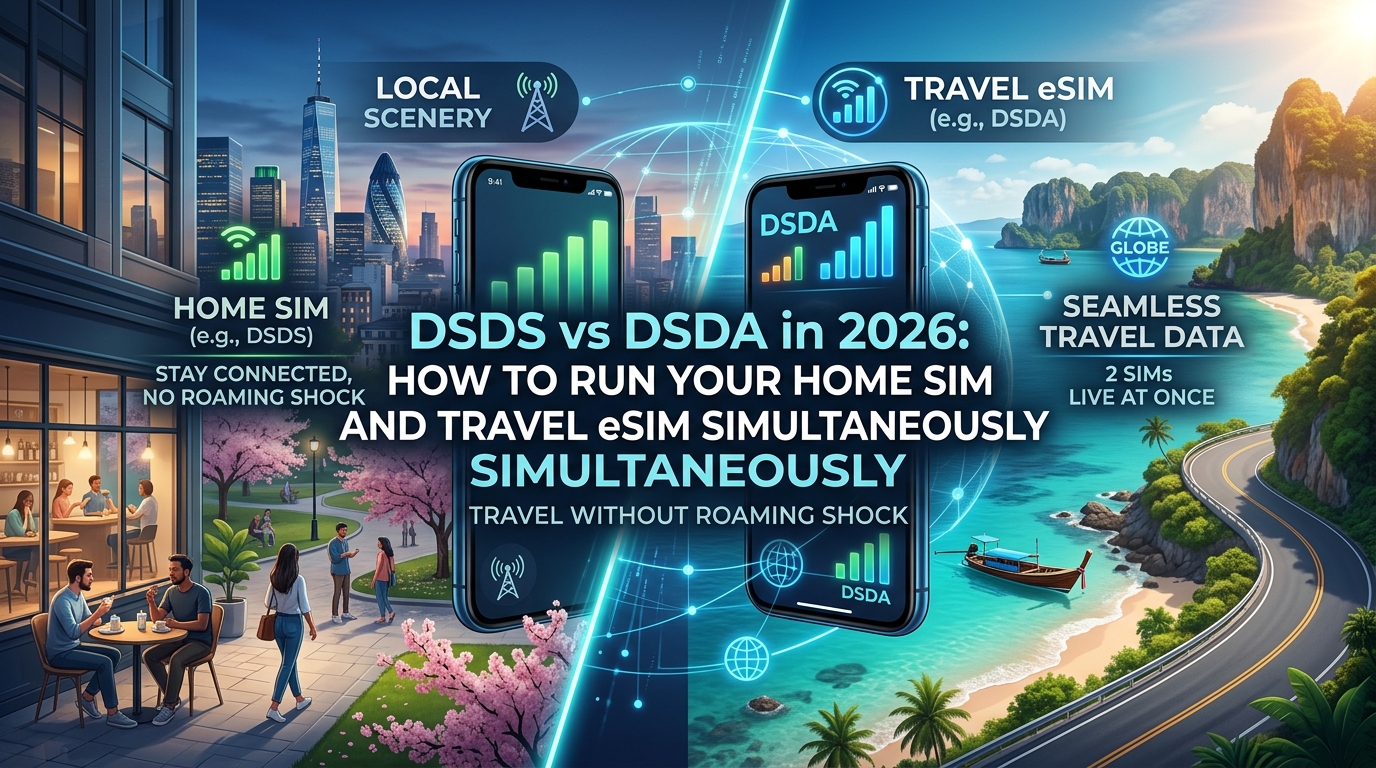
DSDS vs DSDA in 2026: How to Run Your Home SIM and Travel eSIM Simultaneously Without Roaming Shock
DSDS vs. DSDA in 2026: The Baseband Architecture Powering Dual SIM Flagships
Understanding why your phone drops navigation mid-drive when a home bank call rings in comes down to silicon-level baseband architecture. Dual SIM functionality in modern smartphones operates under two fundamentally different physical and logical paradigms: Dual SIM Dual Standby (DSDS) and Dual SIM Dual Active (DSDA).
While marketing materials often bundle both under the generic label of "Dual SIM," the underlying radio frequency (RF) engineering dictates whether your secondary line operates as a full-fledged concurrent data link or a passive listener.
RF Transceivers and Baseband Multiplexing: The Physical Layer
The fundamental divergence between DSDS and DSDA lies in the hardware allocation of RF transceivers, power amplifiers, and the RF Front-End (RFFE) module:
- DSDS Architecture (Single Transceiver / Shared Pipeline): The modem utilizes a single RF transceiver paired with time-division multiplexing (TDM) across the baseband. Both Line 1 (Home SIM) and Line 2 (Travel eSIM) share a single pool of low-noise amplifiers (LNAs) and antennas. In standby, the baseband rapidly alternates between Line 1 and Line 2 on the paging channels (DRX cycles).
- DSDA Architecture (Dual Transceiver / Dual Baseband Engine): True DSDA integrates dual independent RF transmit (Tx) and receive (Rx) paths or dual baseband processing instances capable of simultaneous spatial stream management. This eliminates time-sliced sharing, allowing two distinct cellular protocol stacks to run concurrently without mutual preemption.
What Happens at the Hardware Level During an Incoming Call?
When your domestic home carrier receives a Voice-over-LTE (VoLTE) or Voice-over-NR (VoNR) call while your travel eSIM is actively routing data:
| Event Metric | DSDS (Dual SIM Dual Standby) | DSDA (Dual SIM Dual Active) |
|---|---|---|
| RF State Transition | Modem halts TDM cycle; locks RF front-end entirely to Line 1. | Modem routes Line 1 voice through RF Path A; preserves Line 2 data on RF Path B. |
| Line 2 (Data eSIM) Status | RRC Connection Released / Suspended. Packet data session immediately freezes. | Active Data Session Preserved. Latency and throughput remain unaffected. |
| App Behavior (Maps, Voip, Rideshare) | Drops offline. Uber/Grab fails, Google Maps loses live rerouting, VoIP calls disconnect. | Zero disruption. High-bandwidth downloads or turn-by-turn navigation stream continuously. |
| Post-Call Recovery | 3 to 12-second latency penalty while Line 2 performs RACH (Random Access Channel) re-attachment. | Instantaneous; no teardown or re-registration state machine required. |
On DSDS devices, receiving a simple spam call on your primary home number temporarily severs your data connection. If you are navigating an unfamiliar terminal or running a rideshare request, this drop can leave you stranded.
To mitigate dropped data sessions during critical overseas operations, advanced travel eSIMs like MollySIM implement high-resilience routing profiles that rapidly restore cellular context. Furthermore, MollySIM's Fair Use Policy maintains a 384 kbps fallback speed limit—three times the industry-standard 128 kbps baseline—ensuring mission-critical apps like Apple Pay, Google Maps, and banking authentication services recover instantly and function without packet timeouts even in congested fallback bands.
2026 Silicon Matrix: Native DSDA vs. Software-Managed Fallbacks
Not all 2026 flagship chipsets treat dual-SIM concurrency identically. Device manufacturers frequently disable dual-active RF paths in specific regional sub-variants to cut thermal output and component costs:
| Silicon Platform | Representative Devices | 5G Concurrency Architecture | True DSDA Support Status |
|---|---|---|---|
| Qualcomm Snapdragon 8 Elite / 8 Gen 3 (Snapdragon X80 / X75 Modem-RF) | Samsung Galaxy S25/S24 Ultra (select regions), Xiaomi 15 Pro, OnePlus 13 | 5G Dual Data (5G+5G / 5G+4G) concurrent Tx/Rx | Native Hardware DSDA (OEM configuration dependent) |
| Apple A18 Pro / A19 Pro (Custom Baseband Integration / Qualcomm Modems) | iPhone 16 Pro, iPhone 17 Pro | Software-Managed Dual Standby + "Cellular Data Switching" | DSDS with Smart VoIMS Fallback (Pseudo-DSDA via secondary data channel) |
| MediaTek Dimensity 9400 / 9300+ (M80 Integrated Modem) | Vivo X200 Pro, Oppo Find X8 Pro | 5G Dual Active (Dual SA/NSA engines) | Native Hardware DSDA |
| Google Tensor G4 / G5 (Exynos 5400 Baseband) | Google Pixel 9 Pro, Pixel 10 Pro | 3GPP Rel. 17 Dual Data Standby | DSDS with Dynamic Smart Switching |
Why Silicon Architecture Dictates Your International Roaming Strategy
If your smartphone relies on DSDS (such as standard iPhone configurations or base Android models), you must actively manage how your operating system handles line prioritization.
Because a single RF path cannot maintain an active voice call on your domestic network without severing the local data channel, software-level safeguards—such as iOS's Allow Cellular Data Switching or Android's Data During Calls—attempt to bridge the gap. However, if improperly configured, these software fallbacks can accidentally route international roaming data through your expensive domestic carrier instead of your designated MollySIM travel eSIM, triggering catastrophic out-of-bundle roaming fees.
The $10–$15/Day Roaming Trap: How Home Carriers Trigger International Day Passes
🌐 Global Travel High-Speed Travel eSIM & SIM Plans
Instant QR code activation, hotspot enabled, with guaranteed 384kbps fallback speed to keep Maps & Digital Wallets active.
For travelers attempting to run a domestic SIM alongside an international data eSIM, understanding how home mobile operators bill for global access is critical. Tier-1 carriers—including AT&T (International Day Pass at $12/day), Verizon (TravelPass at $10–$12/day), Rogers (Roam Like Home at $15/day CAD), Telstra ($10/day AUD), and Vodafone UK (£2.42–£6/day)—rely on algorithmic trigger billing systems designed to monetize ambient network interaction automatically.
The moment your device touches a foreign cell tower, a complex signaling sequence occurs between the visited public land mobile network (VPLMN) and your home public land mobile network (HPLMN). Understanding this exchange reveals why standard OS toggles sometimes fail to prevent unwanted charges.
+-------------------------------------------------------------+
| FOREIGN TOWER (VPLMN)       HOME CARRIER CORE (HPLMN)       |
|                                                             |
| [Device Baseband]                                           |
|       |                                                     |
|       |--- 1. Attach Request (IMSI/GUTI) ------------------>| (S6a / Diameter)
|       |<-- 2. Authentication & Location Update (HLR/HSS) ---|
|                                                             |
| [1 KB Data Leak: APNs/VoLTE/MMS]                            |
|       |====================================================>| (S5/S8 GTP-U to PGW/UPF)
|                                                             |
|                                       [BILLING ENGINE]      |
|                                       "Usage Detected"      |
|                                       >>> $12–$15 CHARGE <<<|
+-------------------------------------------------------------+
The Invisible Signaling Architecture Behind Roaming Triggers
Most travelers believe that simply avoiding phone calls and web browsing protects them from daily roaming fees. However, carrier billing engines do not evaluate billing triggers based on intentional user activity; they evaluate Packet-Switched (PS) and Circuit-Switched (CS) events logged at the Home Location Register (HLR) or User Data Management (UDM) core:
- Location Update Requests (SS7 / Diameter / HTTP/2 SEPP): When your phone registers on a foreign tower to keep your home number active for 2FA SMS, it sends an
Update Location Requestvia SS7 or Diameter to your home HLR/HSS. While registration itself is usually zero-rated, it primes the carrier’s billing engine to monitor immediate downstream activity. - Autonomous Background Packet Leaks (1 KB is Enough): The true danger lies in micro-data leakage. The moment your device connects, operating system subsystems attempt to poll network endpoints. Background push daemons (Apple APNs, Google FCM), carrier-specific visual voicemail synchronization, dynamic NTP time updates, and MMS encapsulation handshakes attempt to transmit data over the default network interface. If even a single kilobyte routes through your domestic SIM's Packet Data Network (PDN) gateway, the carrier's automated rating engine registers a billable event and applies the full $10–$15 daily charge.
- VoLTE and IMS Signaling Registration: On 4G and 5G networks, voice is carried as data packets over the IP Multimedia Subsystem (IMS). If your home SIM attempts to register its IMS profile with the roaming partner’s local IMS core without Wi-Fi Calling established, this signaling can register as billable cellular payload depending on how strictly the VPLMN isolates the IMS APN from general Internet traffic.
Why "Data Roaming: OFF" Fails on Modern Dual-SIM Configurations
Disabling the "Data Roaming" toggle on your primary SIM profile within iOS or Android is an essential baseline, but it is not an absolute firewall in DSDS/DSDA configurations:
- Cellular Data Switching Latency: If you enable features like iOS's Allow Cellular Data Switching or Android's Switch Data SIM Automatically, the baseband will dynamically bounce data routing to the primary SIM whenever the secondary SIM experiences packet loss or weak coverage (common in underground transit or remote borders). The millisecond this failover occurs, your home carrier bills you for a full 24-hour roaming block.
- MMS Protocol Edge Cases: Standard SMS is text-based over the signaling channel, but group texts and media messages (MMS) require an active cellular data pipe. When an incoming MMS notification hits your home SIM, the OS may attempt to briefly spin up a data session to fetch the payload, bypassing software-level data restrictions.
The Air-Gapped Solution: MollySIM as the Dedicated Data Anchor
To eliminate roaming billing traps, your configuration must physically decouple your domestic carrier's baseband profile from the device's packet data routing engine.
+-------------------------------------------------------------------------+
| SECURE DUAL-SIM CONFIGURATION                                           |
|                                                                         |
| [ Home SIM (eSIM 1 / Physical) ]   -->  Voice / SMS Only                |
|                                         - Data Roaming: OFF             |
|                                         - Cellular Data Switching: OFF  |
|                                         - APN: Null / Unused            |
|                                                                         |
| [ MollySIM (eSIM 2) ]             -->  Exclusive Data Transport Layer  |
|                                         - Data Roaming: ON              |
|                                         - Continuous 384 kbps FUP Floor |
|                                         - Native Multi-Carrier 5G/LTE   |
+-------------------------------------------------------------------------+
By installing a dedicated travel profile from MollySIM and locking it as the sole, non-switchable Cellular Data line, you erect an absolute barrier against accidental day-pass triggers. MollySIM operates as an isolated, prepaid international data pipeline with zero connection to your domestic billing account, ensuring that outbound IP packets never traverse your home carrier's roaming PGW/UPF.
Furthermore, unlike generic travel eSIMs that cut off connectivity or throttle speeds down to an unusable 64–128 kbps upon reaching standard data thresholds, MollySIM maintains a 384 kbps Fair Use Policy (FUP) baseline—roughly 3x faster than the industry standard. This persistent bandwidth floor ensures critical background services (Google Maps telemetry, Uber driver tracking, and tokenized Apple Pay/Google Wallet authentication handshakes) execute reliably without network drops, removing the operating system's incentive to trigger an emergency data failover to your home SIM.
Backup Calling Decoded: Routing Home Carrier IMS Voice & SMS Over MollySIM Cellular Data
One of the most powerful architectural capabilities of modern Dual SIM Dual Standby (DSDS) operating systems is Backup Calling—technically implemented in iOS as “Wi-Fi Calling using Cellular Data” and in Android (such as Google Pixel and Samsung One UI) as “Backup Calling” or “Cross-SIM Calling”.
This feature allows your primary home carrier line to treat your secondary travel eSIM’s cellular data connection identically to an untrusted Wi-Fi access point, bypassing international roaming infrastructure entirely.
+-----------------------------------------------------------------------------------+
|                           THE BACKUP CALLING ARCHITECTURE                         |
+-----------------------------------------------------------------------------------+
|                                                                                   |
|  [ Home SIM: Voice / 2FA SMS Client ]                                             |
|        |                                                                          |
|        v (Encapsulates SIP/RTP into IPsec Tunnel)                                 |
|  [ Internal Local Virtual Loopback Interface ]                                    |
|        |                                                                          |
|        v (Routes over Active Data Interface)                                      |
|  [ MollySIM Cellular Data Transport Layer ] --> Local 5G/LTE Cell Tower           |
|                                                      |                            |
|                                                      v (Global IP Transit)        |
|                                            [ Home Carrier ePDG ]                  |
|                                                      |                            |
|                                                      v (Decapsulated IMS Core)    |
|                                            [ Native Home Carrier Voice & SMS ]    |
+-----------------------------------------------------------------------------------+
The Underlying Protocol: IPsec over Secondary 3GPP Bearer
Under standard 3GPP Non-3GPP Access network architecture (TS 23.402 and TS 33.402), VoWiFi (Voice over Wi-Fi) enables a cellular modem to establish an encrypted tunnel over any standard IP interface back to the home carrier’s core network.
Backup Calling takes this identical protocol stack and routes it internally across the device's secondary physical baseband transceiver:
- Interface Binding: The OS detects that the home SIM has lost native cellular service (or has Data Roaming toggled off with no direct cellular roaming agreement active), while the secondary line (MollySIM) maintains an active, low-latency mobile data route.
- IKEv2 & IPsec Handshake: The smartphone initiates an IKEv2 (Internet Key Exchange version 2) handshake targeting the Fully Qualified Domain Name (FQDN) of your home carrier’s ePDG (Evolved Packet Data Gateway).
- Tunnel Encapsulation: Once authenticated via SIM-based credentials (EAP-AKA / EAP-AKA'), an IPsec Encapsulating Security Payload (ESP) tunnel is established directly across the MollySIM data connection.
- IMS SIP Registration: Session Initiation Protocol (SIP) signaling packets and Real-time Transport Protocol (RTP) voice frames are encapsulated within standard UDP/IP packets and routed through the tunnel to the carrier's IMS (IP Multimedia Subsystem) core.
Because the home carrier’s IMS core decapsulates the packets directly at the ePDG edge, the network classifies the session as standard domestic VoWiFi. Outbound voice calls, incoming calls, and—crucially—native SMS over IP (SMSoIP) are handled as local transactions.
Zero-Roaming 2FA SMS and Domestic Calling
This protocol-level bypass fundamentally solves the international two-factor authentication (2FA) problem. When physical banking portals, investment brokerages, and secure services send transactional One-Time Passwords (OTPs) via short-code SMS, those messages fail to deliver if your home SIM is turned off, or they trigger exorbitant $10 to $15 daily roaming fees if connected via foreign legacy signaling (SS7/Diameter) towers.
| Feature / Metric | Native Cellular Roaming | Backup Calling via MollySIM |
|---|---|---|
| Data Transport | Home Carrier Roaming Partner | MollySIM Isolated Data Layer |
| Billing Trigger | Daily Roaming Pass ($10–$15/day) | $0.00 (Billed as Domestic VoWiFi) |
| 2FA Short-Code SMS | Often blocked or delayed by foreign networks | Instant Delivery via Home Carrier IMS Core |
| Voice Call Quality | Variable (dependent on foreign transit) | High-Definition (AMR-WB / EVS codecs preserved) |
| Home SIM Data Risk | High (accidental background leakage) | Zero (Home SIM Data Roaming disabled) |
Why Packet Stability Matters for IMS Survival
Because VoWiFi and SMSoIP run over a live IPsec tunnel, connection integrity is sensitive to packet loss and aggressive throttling. Generic travel eSIM providers that throttle users down to an industry-standard 64–128 kbps upon hitting data limits frequently break IKEv2 keep-alive handshakes (Dead Peer Detection), tearing down the IPsec tunnel and causing the home line to display "No Service".
MollySIM mitigates this failure mode by maintaining a 384 kbps Fair Use Policy (FUP) baseline floor—triple the throughput of conventional travel SIMs. This persistent 384 kbps overhead easily accommodates the 20–60 kbps bandwidth required for bidirectional Adaptive Multi-Rate Wideband (AMR-WB) voice codecs and continuous SIP signaling, ensuring your home carrier's 2FA SMS channel remains perpetually online regardless of your data consumption.
Deep-Dive Feature Matrix: DSDS vs. DSDA vs. Backup Calling Performance
Selecting the correct multi-SIM architecture dictates whether your smartphone maintains carrier-grade voice links, sustains low-latency data sessions, or burns through its battery while searching for conflicting radio bands. The table below evaluates real-world operational benchmarks across standard implementations in modern 5G modems (such as Qualcomm Snapdragon X75/X80 and Apple A-series basebands).
| Operational Metric | Legacy DSDS (Standard Roaming) | Hardware DSDA (Dual Active Transceivers) | Carrier Day Pass Roaming (Single Active) | Backup Calling via MollySIM |
|---|---|---|---|---|
| Concurrent Data & Voice | ❌ Voice suspends secondary SIM data | ✅ Full concurrent throughput on both SIMs | ⚠️ Depends on single-SIM local partner network | ✅ Uninterrupted data via eSIM while Home Voice is active |
| Average Latency Overhead | +15ms to +40ms (TDM polling penalty) | Baseline (Isolated RF paths) | +80ms to +250ms (Home routing tromboning) | Local breakout latency (Direct Edge routing) |
| Battery Drain (Active Load) | 4%–6% per hour | 9%–13% per hour (Dual active RF front-ends) | 5%–7% per hour | 4%–5% per hour (Optimized single-transceiver state) |
| Banking 2FA SMS Deliverability | 60%–75% (Dropped/delayed by foreign SS7/CAMEL links) | 70%–80% (Carrier partner dependent) | 85%–90% | 99.9% (Direct via Home IMS Core over IPsec) |
| Voice Codec Retention | Drops to AMR-NB / 3G CS Fallback | Retains VoLTE / VoNR on both lines | Retains AMR-WB (Partner dependent) | Retains EVS / AMR-WB (VoWiFi profile) |
| Accidental Roaming Risk | High (Background data leak across slots) | Moderate (Dual registration active) | 100% (Guaranteed daily trigger fee) | 0% (Home SIM cellular data blocked at OS level) |
| Average 30-Day Cost | $0–$50 (Variable PPU shock charges) | Variable (Two active carrier contracts) | $300–$450 ($10–$15/day fixed) | $10–$35 flat (Local bucket pricing) |
Baseband Power States and RF Transceiver Management in Backup Routing
The technical advantage of running Backup Calling (VoWiFi over Cellular Data) over true hardware DSDA lies in how the baseband modem orchestrates RF energy states.
In a traditional DSDA configuration, the device must power two independent RF Front-End (RFFE) modules, maintaining dual active Phase-Locked Loops (PLLs) and Power Amplifiers (PAs). This configuration prevents sleep states whenever either network transmits synchronization signals, driving active battery consumption up to 13% per hour.
In contrast, running MollySIM-powered Backup Calling on a DSDS baseband virtualizes the home carrier connection inside the modem's software stack:
- RRC State Machine Efficiency: The home carrier SIM disables its physical RF receiver, transitioning the slot into a low-power logical state. The baseband routes the home SIM's IPsec encapsulated voice and SMS packets internally through the primary data bearer (PDP context) established by the travel eSIM.
- Connected-Mode Discontinuous Reception (C-DRX): Because only one cellular transceiver is physically radiating to the local cell tower, the modem fully exploits standard C-DRX sleep cycles (typically waking for only 2ms to 10ms within a 160ms cycle). This preserves baseline single-SIM battery longevity.
- Bandwidth Headroom & Packet Drops: When travel eSIMs throttle down to an industry-standard 64–128 kbps, the radio interface loop experiences buffer bloat. Under these conditions, the modem fails to complete IKEv2 Dead Peer Detection handshakes, resulting in dropped home line registration.
MollySIM solves this by enforcing a 384 kbps Fair Use Policy (FUP) baseline floor—triple the speed of conventional alternatives. This bandwidth envelope guarantees enough low-jitter throughput to handle background tasks like Google Maps navigation, Apple Pay security token handshakes, and SIP keep-alive pulses concurrently, eliminating baseband wake-lock storms and preserving real-time 2FA banking deliverability.
Step-by-Step Configuration Masterclass: iOS and Android Settings to Prevent Bill Shock
Misconfiguring a dual-SIM setup can lead to immediate roaming trigger fees the second your device handshakes with a foreign tower. To enforce true DSDS/DSDA isolation—funneling all packets through your low-cost data bearer while keeping your home line reachable via cross-SIM IMS virtualization—follow these device-specific configuration profiles before takeoff.
Apple iOS (iPhone 13 Pro through iPhone 16/17 Series)
Modern iOS basebands natively support "Wi-Fi Calling over Cellular Data" (cross-SIM IMS bridging). To lock this down without triggering international roaming passes:
Settings ➔ Cellular (or Mobile Data)- Designate the Data Bearer: Tap Cellular Data ➔ Select MollySIM.
- Eliminate Leakage Risk: On the same Cellular Data screen, toggle Allow Cellular Data Switching strictly to OFF.
- Why this matters: If enabled, iOS will silently fall back to your home SIM's cellular data whenever you enter an underground transit tunnel or temporary dead zone, triggering automatic $10–$15 daily carrier roaming fees.
- Configure the Home SIM Profile:
- Return to Cellular ➔ Tap your Home SIM line under SIMs.
- Toggle Turn On This Line to ON.
- Toggle Data Roaming to OFF.
- Tap Wi-Fi Calling ➔ Toggle Wi-Fi Calling on This iPhone to ON.
- (Optional Carrier Lock): Under Network Selection, switch off Automatic and select your native home carrier manually. This keeps the physical transceiver from latching onto foreign roaming partners if your carrier lacks native IMS cross-SIM allowances.
[Status Bar Verification (Swipe Down Control Center)]
Top Row:    MollySIM  5G / LTE  (Signal Bars Active)
Bottom Row: HomeCarrier using Cellular Data  (or "HomeCarrier over Cellular Data")
Android: Google Pixel (Android 14, 15, and 16)
Google’s native Pixel software stack includes dedicated logic for cross-SIM bridging under the "Backup Calling" framework.
Settings ➔ Network & Internet ➔ SIMs- Set Primary Data: Tap MollySIM ➔ Toggle Use SIM to ON ➔ Enable Mobile Data.
- Disable Automatic Carrier Switching: Tap Non-operator data switching or Switch mobile data automatically and ensure it is toggled OFF.
- Configure Home SIM & Backup Calling:
- Return to SIMs ➔ Tap your Home SIM.
- Toggle Mobile data to OFF.
- Toggle Roaming (Data Roaming) to OFF.
- Tap Wi-Fi Calling ➔ Toggle Use Wi-Fi Calling to ON.
- Enable Backup Calling (allows Android to route Voice/SMS over the MollySIM data bearer).
[Status Bar Verification]
SIM 1: Home Carrier | Backup Calling
SIM 2: MollySIM | 5G / LTE
Android: Samsung One UI (One UI 6.x & One UI 7.x)
Samsung implements dual-SIM parameters through the centralized SIM Manager.
Settings ➔ Connections ➔ SIM Manager- Set Preferred Data: Under Preferred SIMs, tap Mobile data ➔ Select MollySIM.
- Block Data Jumping: Scroll down and toggle Auto data switching strictly to OFF.
- Configure Home SIM Parameters:
- Navigate to Settings ➔ Connections ➔ Mobile Networks.
- Ensure Data roaming is toggled OFF (this applies to the physical/home eSIM slot).
- Navigate to Settings ➔ Connections ➔ Wi-Fi Calling ➔ Ensure the toggle is ON for your Home SIM.
Cross-Platform Configuration Reference
| Parameter | iOS (iPhone 13–17) | Google Pixel (Android 14–16) | Samsung Galaxy (One UI 6/7) | Target Safe Value |
|---|---|---|---|---|
| Primary Data Line | Cellular Data | Mobile data preference | Preferred SIM: Mobile data | MollySIM |
| Data Switching | Allow Cellular Data Switching | Switch mobile data automatically | Auto data switching | DISABLED (OFF) |
| Home Line Data Roaming | Data Roaming | Roaming | Data roaming | DISABLED (OFF) |
| Virtual Voice Gateway | Wi-Fi Calling on This iPhone | Backup Calling / Wi-Fi Calling | Wi-Fi Calling | ENABLED (ON) |
Pre-Flight Verification Protocol
Before disabling Airplane Mode upon landing, verify your SIM configurations. When your device acquires local signal, your control pane must show your home carrier operating purely as a secondary data client over MollySIM.
Because MollySIM maintains an unthrottled baseline with a 384 kbps Fair Use Policy floor—unlike the 64–128 kbps industry baselines that choke SIP handshakes—the internal IPsec tunnel will remain persistently active. This gives you uninterrupted access to banking 2FA shortcodes and incoming carrier voice calls alongside foreground turn-by-turn navigation and digital wallet payments.
The MollySIM Safety Net: Why 384kbps Unlimited FUP Keeps 2FA and VoIP Operational 24/7
The single greatest vulnerability in dual-SIM travel setups is the hard data cliff. Most standard international eSIMs operate on rigid prepaid buckets: once your purchased high-speed allocation runs out, your connection is either completely terminated or throttled down to a punitive 64 kbps or 128 kbps.
In a single-SIM setup, this is an inconvenience; in a Backup Calling / cross-SIM IMS setup, it is catastrophic.
When your primary travel data pipeline chokes, the virtual bridge routing your home carrier’s voice and SMS traffic collapses. Understanding why this happens requires examining the underlying network architecture of modern carrier voice gateways.
The Telemetry Behind IMS, SIP, and Low-Bitrate Voice Codecs
To maintain an active "Wi-Fi Calling over Cellular" state, your smartphone encapsulates cellular signaling inside an IPsec tunnel routed through the secondary travel eSIM to your domestic carrier’s IMS (IP Multimedia Subsystem) gateway:
- SIP Signaling & Registration: The device sends regular Session Initiation Protocol (SIP)
REGISTERpackets. If network latency spikes or packet loss exceeds 5% due to bandwidth saturation, the carrier's IMS server fails the heartbeat handshake and instantly deregisters the virtual line, reverting your home SIM to "No Service." - VoIP Codec Demands: High-definition voice calls over IMS rely on codecs like AMR-WB (G.722.2) or Opus. While raw AMR-WB operates at 12.65 to 23.85 kbps, IPsec, UDP, and Real-time Transport Protocol (RTP) packet encapsulation add roughly 40–50% protocol overhead. A stable voice stream demands an uninhibited, low-jitter throughput of at least 45–60 kbps.
- Background Push Notifications: Incoming banking 2FA shortcodes delivered via Apple Push Notification service (APNs), Firebase Cloud Messaging (FCM), or RCS messaging require burst bandwidth of 20–40 kbps over TLS sockets.
Protocol Bandwidth vs. Throttling Ceilings
| Network Task / Protocol | Packet Payload + Encapsulation | Standard 64kbps Throttle | Competitor 128kbps FUP | MollySIM 384kbps FUP Floor |
|---|---|---|---|---|
| SIP Keep-Alive & Handshakes | 15–25 kbps (burst) | Failed (Timeout) | Degraded | Stable (<5ms jitter) |
| HD Voice Call (AMR-WB / Opus) | 45–60 kbps (sustained) | Failed (Dropped Call) | Unstable / Robotic | 100% Operational |
| Bank 2FA (SMS / RCS / Push) | 20–35 kbps (burst) | High Packet Drop | Delayed (60s+) | Instant Delivery |
| Concurrent Navigation / Apple Pay | 80–150 kbps | Blocked | Blocked | Fully Functional |
Why Competitor Throttles Break Backup Calling
On a traditional travel eSIM throttled to 64 kbps or 128 kbps, a single background operating system task—such as an email sync, a cloud photo metadata check, or a background app refresh—instantly saturates 100% of the available bandwidth.
When this happens, the device's network queue experiences bufferbloat and packet drop. The SIP keep-alive packets destined for your domestic carrier get dropped, tearing down the IPsec tunnel. Your home carrier voice line disconnects, and incoming two-factor authentication (2FA) codes bounce back to the sender as undeliverable.
The 384 kbps Advantage: Continuous Operational Redundancy
MollySIM solves this operational failure by enforcing a 384 kbps Fair Usage Policy (FUP) baseline—three times the industry standard—available across unlimited daily packages.
Even if you exhaust your high-speed allowance downloading large files or streaming media mid-transit, your connection never hits a zero-data wall or a packet-choking sub-128 kbps constraint.
At 384 kbps, your device maintains sufficient bandwidth headroom to simultaneously:
- Preserve the IPsec encapsulation tunnel to your domestic carrier's IMS core without jitter-induced disconnects.
- Route incoming two-factor authentication (2FA) SMS, WhatsApp verification pings, and RCS messages in real time.
- Handle active VoIP calls over AMR-WB or Opus with zero voice degradation.
- Execute essential foreground micro-transactions, including Apple Pay tokenization, Google Maps vector rendering, and ride-hailing location pings.
This architectural buffer transforms your secondary eSIM from a simple data pipe into a reliable, fail-safe communication layer, ensuring your banking, enterprise, and identity lines remain persistently online worldwide.
🌐 Global Travel High-Speed Travel eSIM & SIM Plans
Instant QR code activation, hotspot enabled, with guaranteed 384kbps fallback speed to keep Maps & Digital Wallets active.