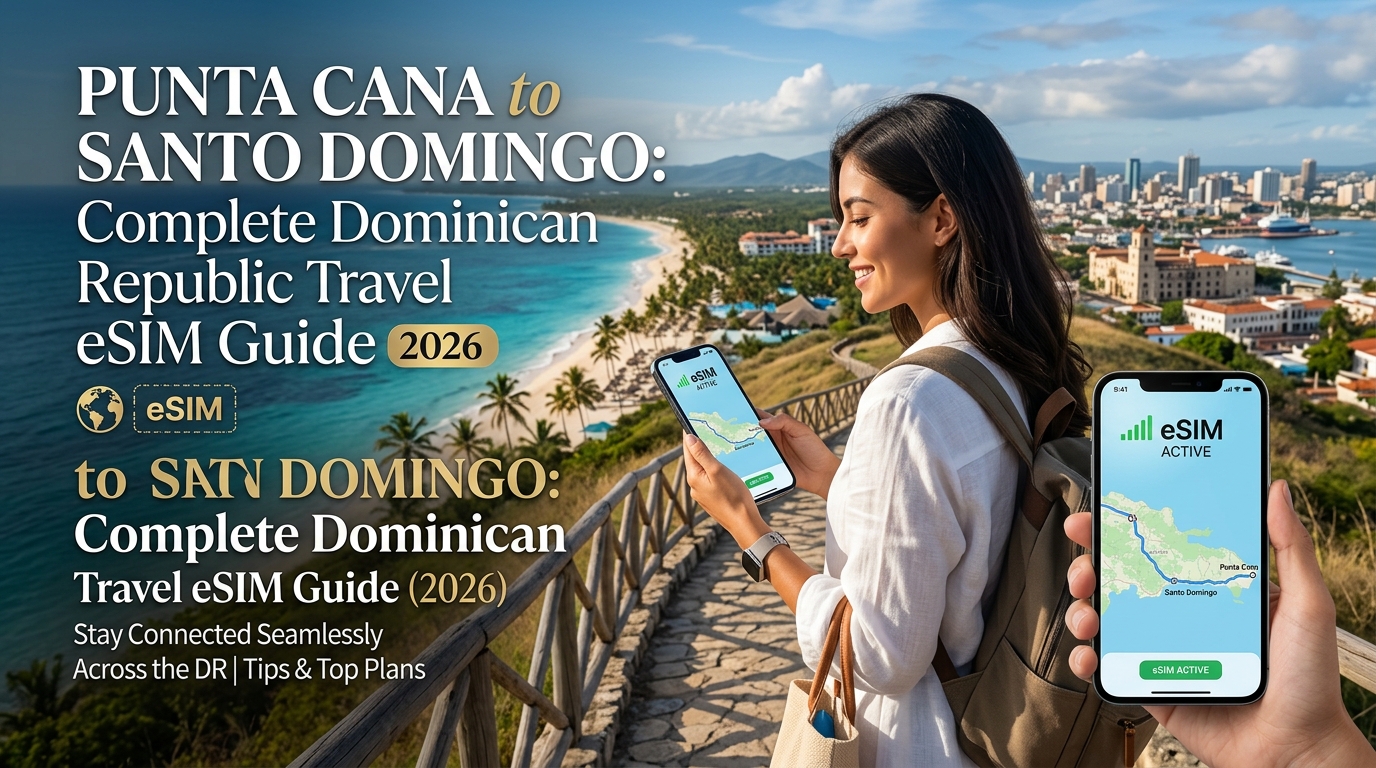
Dilema Ketersambungan Republik Dominika: Perangkap Wi-Fi Resort & Hakikat Perayauan
Republik Dominika menampilkan satu paradoks pelancongan yang menarik. Di satu sisi, anda mempunyai kawasan serba mewah dan eksklusif di Punta Cana—merentangi Pantai Bávaro, Cap Cana, dan Uvero Alto—di mana setiap koktel dan tuala disediakan dengan sempurna. Di sisi lain pula terdapat denyut nadi dinamik Zon Kolonial bersejarah di Santo Domingo, laluan hutan hujan Samaná yang masih belum diterokai, serta kawasan beting pasir terpencil di Pulau Saona.
Merapatkan kedua-dua dunia ini memerlukan ketersambungan mudah alih yang berterusan dan boleh dipercayai. Namun, sebahagian besar pelancong tiba dengan andaian yang akhirnya menyebabkan mereka terputus hubungan pada saat-saat kritikal atau berdepan dengan bil perayauan selular yang melambung tinggi sekembalinya ke tanah air.
Keselamatan Palsu Wi-Fi Resort
Kebanyakan resort serba lengkap (all-inclusive) mempromosikan "Wi-Fi berkelajuan tinggi di seluruh kawasan hartanah" sebagai kemudahan standard. Hakikat di lokasi jarang sekali menepati apa yang dijanjikan dalam brosur.
- Zon Mati yang Luas: Susun atur resort bertingkat rendah yang luas dibina menggunakan konkrit bertetulang tebal dan batu karang yang direka untuk menahan ribut tropika. Walaupun penghala (router) bilik anda mungkin memberikan kelajuan yang memuaskan, kekuatan isyarat merosot dengan ketara sebaik sahaja anda berjalan menuju ke kabana tepi pantai, bar kolam renang (swim-up bar), atau vila taman.
- Isu Log Keluar Portal Captive: Rangkaian resort bergantung pada log keluar portal captive yang agresif. Tinggalkan kerusi santai anda selama sejam, dan peranti anda akan terputus sambungan secara senyap, menghentikan notifikasi kerja penting, panggilan VoIP masuk, dan makluman keselamatan.
- Sekatan Jalur Lebar & Kesesakan Rangkaian: Antara jam 5:00 petang hingga 8:00 malam—apabila ribuan tetamu kembali dari kolam renang untuk menstrim video atau memuat naik foto—titik akses tempatan mengalami kesesakan teruk, sering kali menjunamkan kelajuan di bawah 1 Mbps.
Sebaik sahaja anda melangkah keluar dari pintu keselamatan resort untuk menyertai lawatan ke Hoyo Azul atau menaiki Uber merentasi Santo Domingo, Wi-Fi resort langsung tidak memberikan sebarang fungsi.
Perangkap Perayauan Syarikat Telekomunikasi Domestik
Mengaktifkan perayauan syarikat telekomunikasi domestik (seperti pas perayauan antarabangsa harian syarikat telekomunikasi asal) kelihatan seperti pilihan paling mudah, namun ia sangat tidak cekap dari segi kos.
| Pilihan Ketersambungan | Kos Harian Tipikal (14 Hari) | Had Kelajuan / Pendikitan | Fleksibiliti Liputan |
|---|---|---|---|
| Pas Perayauan Harian Domestik | $140 – $210+ (termasuk cukai) | Kelajuan tinggi dihadkan kepada 500MB–2GB/hari; disekat ke ~128kbps | Terikat kepada satu rakan perayauan sahaja |
| Wi-Fi Resort Sahaja | "Percuma" (Termasuk dalam yuran resort) | Tidak konsisten; terhad sepenuhnya di kawasan pusat resort | Tiada kegunaan di luar kawasan resort |
| eSIM Pelancongan Prabayar | ~$15 – $35 jumlah keseluruhan | Kuota 4G/LTE penuh tanpa sekatan dengan tahap FUP tinggi | Peralihan rangkaian pembawa tempatan automatik |
Selain daripada kos harian yang mahal iaitu $10 hingga $15 sehari untuk setiap talian, pas harian syarikat telekomunikasi menyembunyikan Polisi Penggunaan Saksama (FUP) yang membebankan. Selepas menggunakan kuota harian yang terhad antara 500MB hingga 2GB, kelajuan anda akan disekat ke tahap 2G yang hampir tidak boleh digunakan (kebiasaannya 128kbps). Pada kelajuan 128kbps, aplikasi e-panggilan gagal mengesan lokasi pemandu, Google Maps enggan memaparkan muka bumi satelit, dan proses pembayaran transaksi mudah alih akan tamat masa (time out).
Penyelesaian eSIM Pelancongan: Kebebasan Di Luar Perimeter Resort
eSIM pelancongan prabayar telah merevolusikan sistem lapuk ini. Dengan memuat turun profil digital ke peranti anda sebelum mendarat di Lapangan Terbang Antarabangsa Punta Cana (PUJ) atau Las Américas (SDQ), anda mendapat akses serta-merta ke menara selular tempatan Dominika tanpa perlu mencari kad SIM fizikal atau membayar caj perayauan harian yang membebankan.
Penyedia moden seperti MollySIM mengoptimumkan lagi pengalaman ini dengan menangani isu penurunan kelajuan selepas kuota habis. Tidak seperti perjanjian perayauan standard yang menyekat pengguna ke kelajuan 128kbps yang tidak praktikal, MollySIM menampilkan ambang had Polisi Penggunaan Saksama (FUP) 384kbps yang menerajui industri—hampir tiga kali ganda lebih pantas daripada had konvensional. Penampan kelajuan kritikal ini memastikan bahawa walaupun anda kehabisan kuota data berkelajuan tinggi utama semasa menstrim muzik di sepanjang Lebuhraya Coral, aplikasi penting seperti pemesejan WhatsApp, pengesahan Apple Pay, dan navigasi arah belokan demi belokan masa nyata tetap berfungsi dengan lancar.
Infrastruktur Telekomunikasi Dominika: Claro lwn. Altice, Jalur 4G/5G & Keserasian Peranti
🇬🇧 United Kingdom High-Speed Travel eSIM & SIM Plans
Instant QR code activation, hotspot enabled, with guaranteed 384kbps fallback speed to keep Maps & Digital Wallets active.
Memahami landskap digital Republik Dominika memerlukan pemahaman tentang duopoli yang mendominasi infrastruktur telekomunikasi negara tersebut: Claro Dominicana (anak syarikat América Móvil) dan Altice Dominicana (dahulunya Orange dan Tricom). Walaupun pengendali serantau yang lebih kecil iaitu Viva menguasai sebahagian kecil pasaran bajet, hampir semua trafik mudah alih komersial, profil perayauan, dan eSIM pelancongan antarabangsa beroperasi di atas menara Claro dan Altice.
       LANDSKAP LIPUTAN SELULAR REPUBLIK DOMINIKA
┌───────────────────────────┬───────────────────────────┐
│     CLARO DOMINICANA      │     ALTICE DOMINICANA     │
├───────────────────────────┼───────────────────────────┤
│ • Terbaik Luar Bandar/Lebuhraya│ • Kelajuan Bandar Padat   │
│ • Liputan Lawatan Pulau   │ • Santiago & Santo Domingo│
│ • Pangkalan Geografi Terluas │ • 5G Pantas Kependaman Rendah │
└───────────────────────────┴───────────────────────────┘
Claro lwn. Altice: Medan Persaingan Serantau
- Claro Dominicana (Raja Liputan): Claro kekal sebagai penanda aras utama bagi pelancong yang meneroka kawasan di luar resort tertutup. Dengan jejak geografi terluas di seluruh pulau, Claro mengekalkan liputan LTE yang kukuh di sepanjang koridor antara bandar seperti Autovía del Coral (menghubungkan Punta Cana ke Santo Domingo), merentasi pergunungan Cordillera Central menuju ke Jarabacoa, serta laluan air pantai ke destinasi luar pesisir seperti Pulau Saona dan Pulau Catalina.
- Altice Dominicana (Peneraju Kelajuan Bandar): Altice telah melabur secara agresif dalam sel mikro bandar berkepadatan tinggi dan spektrum berkapasiti tinggi di seluruh Santo Domingo, Santiago de los Caballeros, dan Puerto Plata. Di daerah berkepadatan tinggi seperti Piantini, Naco, dan Zon Kolonial, Altice sering kali memberikan kelajuan muat turun mentah yang lebih pantas dan kependaman (latency) yang lebih rendah, walaupun isyaratnya merosot lebih cepat daripada Claro apabila merentasi zon pertanian pedalaman.
| Metrik / Pengendali | Claro Dominicana | Altice Dominicana | Viva Dominicana |
|---|---|---|---|
| Jejak Geografi | Luar Biasa (92%+ kawasan berpenduduk) | Kukuh (85%+ kawasan berpenduduk) | Terhad (Pusat bandar sahaja) |
| Liputan Lebuhraya | 4G/LTE berterusan di semua laluan utama | Penurunan 3G sekali-sekala di laluan sekunder | Tidak stabil di luar bandar utama |
| Prestasi Bandar | Konsisten 35–90 Mbps | Kelajuan lonjakan sehingga 120+ Mbps (5G Bandar) | Sederhana 10–25 Mbps |
| Jalur 4G LTE Utama | B2 (1900 MHz), B4 (AWS) | B2 (1900 MHz), B4 (AWS), B7 (2600 MHz) | B4 (AWS) |
| Spektrum 5G Aktif | Jalur n78 (3500 MHz) | Jalur n78 (3500 MHz) | Fasa ujian |
Jalur Kritikal 4G LTE & 5G di Republik Dominika
Untuk mendapatkan akses data berkelajuan tinggi tanpa terputus ke rangkaian 3G atau 2G lama, peranti anda mesti menyokong jalur frekuensi radio berikut yang digunakan oleh pembawa tempatan:
- Jalur 4 / AWS-1 (1700/2100 MHz): Spektrum nadi utama untuk 4G LTE di seluruh negara. Kedua-dua Claro dan Altice menggunakan Jalur 4 sebagai lapisan penggunaan utama mereka untuk jalur lebar mudah alih kawasan luas.
- Jalur 2 (1900 MHz PCS): Digunakan secara meluas untuk kapasiti rangkaian dan sokongan pembawa legasi; penting untuk mengekalkan kestabilan panggilan dan data di ruang dalam bangunan serta kawasan pinggir bandar.
- Jalur 7 (2600 MHz): Penggalak kapasiti utama Altice di koridor metropolitan yang padat. Peranti yang tidak mempunyai Jalur 7 akan mengalami kelajuan yang sesak di pusat bandar Santo Domingo semasa waktu puncak perniagaan.
- Jalur n78 (3.5 GHz): Frekuensi asas sub-6 GHz yang menguasakan penggunaan 5G terkini di Daerah Kebangsaan dan kawasan tumpuan pelancong yang sibuk.
Keserasian Peranti & Prasyarat Perkakasan
Sebelum membeli eSIM, pastikan peranti anda memenuhi dua kriteria asas berikut:
- Status Nyahkunci Pembawa (Carrier Unlock): Peranti anda tidak boleh terikat dengan kontrak pelan ansuran syarikat telekomunikasi.
- iOS: Pergi ke Settings > General > About > Carrier Lock. Ia mesti menyatakan "No SIM restrictions" (Tiada sekatan SIM).
- Android: Pergi ke Settings > Connections > Mobile Networks > Network Operators (atau semak terus dengan syarikat telekomunikasi asal anda).
- Integrasi Perkakasan eSIM: Model yang serasi termasuk:
- Apple: iPhone XR, XS, XS Max, dan semua model daripada siri iPhone 11 hingga siri iPhone 16 (termasuk model pasaran AS yang beroperasi secara eksklusif dengan dwi eSIM).
- Samsung: Siri Galaxy S20 hingga S24/S25 Ultra, siri Z Fold/Flip, dan varian siri A terpilih (semak SKU serantau).
- Google: Pixel 3a hingga siri Pixel 9 Pro.
SENARAI SEMAK PENGESAHAN PERANTI:
[1] Settings > General > About > Carrier Lock: "No SIM restrictions"
[2] Modem eSIM terbina dalam aktif (Nilai EID wujud dalam info peranti)
[3] Pengesahan frekuensi: Peranti menyokong B2 (1900MHz) dan B4 (AWS)
Peering Pelbagai Rangkaian: Mengapa Peralihan Pembawa Itu Penting
Penyedia eSIM bajet sering mengurangkan kos dengan melesenkan data daripada satu MVNO tempatan atau rakan kongsi pembawa tunggal sahaja. Sekiranya pembawa tunggal tersebut mengalami gangguan perkhidmatan atau mempunyai liputan yang lemah di kawasan lembah luar bandar di sepanjang Autovía del Este, peranti anda akan terputus sambungan sepenuhnya.
Penyedia pelancongan premium menghapuskan titik kegagalan tunggal ini melalui penghalaan rangkaian teras dinamik tahap-1 (tier-1) yang pintar. Penyelesaian canggih seperti MollySIM menghubungkan sistem secara lancar dengan rangkaian tempatan, membolehkan peranti anda memilih sambungan secara automatik berdasarkan kekuatan isyarat masa nyata.
Sekiranya Claro merupakan satu-satunya rangkaian dengan isyarat yang boleh digunakan semasa lawatan merentasi Taman Negara Los Haitises, profil akan disambungkan ke Claro; apabila memasuki daerah kewangan Santo Domingo di mana grid bandar Altice memberikan kelajuan yang lebih unggul, profil akan beralih secara automatik. Digabungkan dengan garis dasar Polisi Penggunaan Saksama 384kbps MollySIM—iaitu 3x lebih pantas daripada standard sekatan 128kbps oleh pembawa konvensional—navigasi GPS langsung, pemprosesan pembayaran digital, dan aplikasi pemesejan anda kekal beroperasi sepenuhnya di setiap wilayah Dominika.
Perbandingan Ketersambungan: eSIM MollySIM lwn. Kios SIM Lapangan Terbang, Pocket Wi-Fi & Perayauan
Pemilihan persediaan mudah alih yang tepat untuk Republik Dominika menentukan kualiti pengalaman perjalanan anda. Memandu dari Lapangan Terbang Antarabangsa Punta Cana (PUJ) di sepanjang Autovía del Coral memerlukan navigasi belokan demi belokan serta-merta, akses perkhidmatan e-panggilan yang berfungsi, dan alat terjemahan masa nyata.
Bagi membantu anda membuat keputusan antara membeli kad SIM fizikal tempatan, menyewa perkakasan, bergantung pada pas perayauan syarikat telekomunikasi asal, atau menggunakan profil digital, berikut adalah perbandingan empat kaedah ketersambungan utama merentasi pelbagai metrik operasi:
Perbandingan Ketersambungan 10 Hari di Republik Dominika
| Metrik | eSIM Pelancongan MollySIM | SIM Fizikal Tempatan (Kios PUJ/SDQ) | Sewaan Pocket Wi-Fi | Perayauan Pembawa Asal (MY/SG/US/UK) |
|---|---|---|---|---|
| Kerumitan Persediaan Awal | Muat turun serta-merta melalui kod QR atau aplikasi sebelum berlepas | Tinggi; pertukaran SIM manual, konfigurasi APN, borang kertas | Sederhana; pengambilan peranti, pengecasan, penyambungan manual | Sifar; pengaktifan automatik sebaik sahaja mendarat |
| Masa Menunggu di Lapangan Terbang | 0 minit (Aktif serta-merta sebaik sahaja mendarat) | 20–45+ minit di dewan ketibaan terminal yang sesak | 15–30 minit di kaunter sewaan | 0 minit |
| Pendaftaran Identiti / KYC | Tiada; proses pembelian digital tanpa renyah | Wajib imbas pasport fizikal & tandatangan kontrak bahasa Sepanyol | Deposit kad kredit (pegangan $150–$200) | Tiada (akaun sedia ada) |
| Lebihan Rangkaian (Redundancy) | Peering Dwi-Teras (Peralihan automatik Claro + Altice) | Terkunci pada satu rangkaian (Claro ATAU Altice) | Terkunci pada satu rangkaian (melalui slot SIM tempatan) | Perjanjian rakan perayauan tunggal |
| Hotspot / Penambatan (Tethering) | Ya (Penambatan penuh tanpa sekatan diaktifkan) | Terhad mengikut tahap pelan prabayar | Bawaan asal (Hab Wi-Fi berbilang peranti) | Disekat atau dikenakan surcaj tambahan harian |
| Polisi Data Berlebihan | FUP 384kbps (3x lebih pantas daripada standard 128kbps) | Terputus terus; memerlukan tambah nilai tunai manual | Disekat teruk kepada 64–128kbps | Caj lebihan bayar-per-MB yang sangat mahal |
| Kos Tipikal 10 Hari | $12 – $28 (bergantung pada pelan) | $25 – $40 (harga tokokan pelancong lapangan terbang yang tinggi) | $80 – $130 (sewaan + yuran insurans harian) | $100 – $150 (pas perjalanan $10–$15/hari) |
Kesukaran Tersembunyi di Kios SIM Lapangan Terbang: Peraturan INDOTEL
Membeli SIM fizikal semasa ketibaan di lapangan terbang Punta Cana (PUJ), Las Américas (SDQ), atau Cibao (STI) melibatkan kekangan kawal selia yang ketat. Di bawah mandat yang ditetapkan oleh INDOTEL (Instituto Dominicano de las Telecomunicaciones), penjualan SIM prabayar tanpa nama adalah dilarang sama sekali di Republik Dominika.
Apabila membeli di kios terminal lapangan terbang:
- Pengimbasan Pasport Wajib: Ejen mesti mengambil imbasan fizikal beresolusi tinggi pada halaman biodata pasport dan cop kemasukan anda.
- Dokumentasi Kontrak: Anda mesti menandatangani borang langganan tempatan dalam bahasa Sepanyol yang bersetuju dengan syarat INDOTEL.
- Kelewatan Pengaktifan: Kad SIM tempatan tidak diaktifkan serta-merta. Sistem penyediaan teras boleh mengambil masa antara 30 minit hingga 4 jam untuk mengesahkan rekod identiti warga asing merentasi menara selular tempatan.
- Manipulasi Harga di Lapangan Terbang: Kedai runcit rasmi di pusat bandar Santo Domingo mengenakan kadar standard (~RD$150 / $2.50 USD untuk kad kosong), tetapi konsesi kios lapangan terbang menaikkan harga pakej pelancong prabayar sehingga 300–400%, mengenakan bayaran $30 hingga $50 USD untuk kuota data yang kecil.
Menyediakan eSIM lebih awal melalui MollySIM menghapuskan halangan birokrasi ini sepenuhnya. Oleh kerana profil data antarabangsa menggunakan sambungan perayauan global, pelancong tidak perlu melalui pengesahan KYC tempatan, tidak berdepan kekangan bahasa, dan menghapuskan risiko kehilangan kad nano-SIM utama anda.
Hakikat Pocket Wi-Fi dan Pas Harian Antarabangsa
- Unit Pocket Wi-Fi: Membawa peranti hotspot mudah alih berkuasa bateri menambah beban logistik yang tidak perlu. Dalam cuaca tropika lembap dan panas melebihi 30°C (86°F) di laluan pantai Dominika, bateri penghala luaran cepat merosot, sering kali mati secara automatik akibat suhu panas melampau semasa lawatan panjang ke Pulau Saona atau Samaná. Selain itu, anda terikat dalam jarak 10 meter dari unit tersebut, dan kehilangan peranti akan dikenakan penalti penggantian yang mahal.
- Pas Perayauan Pembawa Asal: Pas harian tambahan daripada syarikat telekomunikasi asal dengan cepat menjadi pilihan ketersambungan paling mahal untuk jadual perjalanan 10 hari. Tambahan pula, syarikat telekomunikasi konvensional beroperasi melalui perjanjian rakan kongsi pembawa tunggal. Jika rangkaian asal anda hanya bekerjasama dengan Altice, telefon anda akan kehilangan isyarat ("Tiada Perkhidmatan") di kawasan pergunungan tengah yang luas (Cordillera Central) di mana hanya Claro mempunyai menara selular yang berfungsi.
Kelebihan 384kbps: Kelajuan Sandaran Kritikal Misi
Kebanyakan penyedia eSIM bajet dan pengendali rangkaian maya mudah alih (MVNO) menurunkan kelajuan penghantaran data anda kepada 128kbps atau 64kbps sebaik sahaja kuota berkelajuan tinggi anda habis. Pada kelajuan 128kbps, aplikasi moden akan gagal berfungsi: Google Maps tidak dapat memuatkan paparan jalan vektor, aplikasi e-panggilan (Uber/InDrive) tamat masa semasa mencari pemandu, dan token pengesahan perbankan gagal disegerakkan.
PENANDA ARAS KELAJUAN POLISI PENGGUNAAN SAKSAMA (FUP): PRESTASI APLIKASI KRITIKAL

Aplikasi              eSIM Standard (128kbps)       MollySIM (Garis Dasar 384kbps)
────────────────────────────────────────────────────────────────────────────────
Navigasi Google Maps  ❌ Tamat Masa / Paparan Kelabu ✅ Navigasi Vektor Masa Nyata
Apple Pay / Google    ❌ Kegagalan SSL Handshake     ✅ Pelepasan Token Serta-Merta
WhatsApp Teks + Audio ⚠️ Teks sahaja (Tiada Suara)   ✅ Panggilan Suara VoIP HD
Radar Uber / InDrive  ❌ Ralat Sambungan             ✅ Penjejakan Penuh Masa Nyata
Dengan menjamin jaringan keselamatan garis dasar 384kbps—tiga kali ganda purata industri—MollySIM memastikan bahawa walaupun anda kehabisan kuota berkelajuan tinggi utama semasa menstrim video di Juan Dolio, navigasi penting, pemesejan, dan saluran pembayaran digital anda terus berfungsi tanpa gangguan di seluruh pulau.
Pemasangan Langkah demi Langkah: Menyediakan Dwi SIM untuk iPhone dan Android
Bagi mengelakkan kerumitan pada hari ketibaan, pasang eSIM pelancongan anda 12 hingga 24 jam sebelum berlepas ke Lapangan Terbang Antarabangsa Punta Cana (PUJ) atau Lapangan Terbang Antarabangsa Las Américas (SDQ) di Santo Domingo. Melakukan konfigurasi awal pada rangkaian Wi-Fi rumah atau pejabat yang selamat memastikan peranti anda memuat turun profil eSIM dengan lancar tanpa perlu bergantung pada portal Wi-Fi lapangan terbang yang sesak.
Konfigurasi iOS (iPhone 11 hingga iPhone 16 Pro)
Seni bina Dwi SIM Apple membolehkan anda menggunakan talian pembawa asal bersama profil perjalanan Dominika secara serentak. Ikuti langkah tepat ini:
- Imbas Profil: Pergi ke Settings > Cellular (atau Mobile Data) > Add eSIM. Ketik Use QR Code dan imbas token digital yang dihantar melalui e-mel pengesahan MollySIM anda.
- Labelkan Pelan Selular Anda:
- Tetapkan talian syarikat telekomunikasi domestik anda sebagai Primary (Utama).
- Labelkan profil yang baru ditambah sebagai Travel (Pelancongan) atau MollySIM DR.
- Talian Suara Lalai (Default Voice Line): Pilih Primary. Ini mengekalkan keupayaan anda untuk menerima panggilan masuk dan kod pengesahan SMS (2FA) percuma untuk aplikasi perbankan anda.
- iMessage & FaceTime: Pautkan perkhidmatan ini dengan talian Primary anda untuk mengekalkan perbualan mesej yang berterusan dengan kenalan di tanah air.
- Tetapkan Data Selular: Pilih Travel (eSIM Dominika anda).
- Elakkan Kejutan Bil Perayauan: Matikan (Turn OFF) "Allow Cellular Data Switching."
Mengapa ini penting: Jika isyarat tempatan anda menurun seketika di sepanjang lebuh raya Autovía del Este, membiarkan tetapan ini aktif membolehkan iOS menukar penghantaran data kembali ke SIM asal anda secara automatik, mencetuskan caj perayauan antarabangsa harian yang mahal daripada syarikat telekomunikasi asal anda.
- Aktifkan Perayauan pada Talian Perjalanan Sahaja: Ketik Settings > Cellular > Travel (MollySIM), togol Turn On This Line ke ON, dan togol Data Roaming ke ON. Pastikan perayauan data kekal OFF pada kad SIM Utama (Primary) anda.
Konfigurasi Android (Samsung Galaxy & Google Pixel)
Sistem operasi Android memerlukan pengasingan jelas bagi trafik data berbanding saluran suara/SMS dalam pengurus sambungannya.
Untuk Peranti Samsung Galaxy (One UI):
- Pergi ke Settings > Connections > SIM manager.
- Ketik Add eSIM > Scan QR code from service provider dan daftarkan kod QR MollySIM anda.
- Di bawah menu Preferred SIMs:
- Tetapkan Calls ke SIM 1 (Primary).
- Tetapkan Messages ke SIM 1 (Primary).
- Tetapkan Mobile data ke eSIM 1 (MollySIM).
- Kembali ke Settings > Connections > Mobile networks dan aktifkan Data roaming.
- Di bawah Data switching, togol suis ke OFF untuk menghalang kebocoran data latar belakang pembawa asal.
Untuk Peranti Google Pixel (Stock Android):
- Pergi ke Settings > Network & internet > SIMs > Add SIM (ikon +).
- Pilih Download a new eSIM, ketik Next, dan imbas kod QR.
- Apabila diminta, pilih Use this SIM for mobile data.
- Ketik profil yang baru dibuat dan togol Roaming ke ON.
- Pastikan SIM fizikal asal anda kekal aktif untuk panggilan dan SMS, tetapi pastikan Mobile data dimatikan di bawah panel tetapan khususnya.
Seni Bina Dwi SIM: Mengekalkan SMS Perbankan 2FA
Mengekalkan akses tanpa gangguan ke akaun kewangan anda adalah penting semasa menempah pengangkutan antara bandar, Airbnb, atau menyewa bot di Las Terrenas. Dengan mengkonfigurasi peranti anda sebagai persediaan Dwi SIM:
MATRIKS PENGHALAAN TRAFIK DWI SIM
Talian Ditetapkan     Trafik Suara & SMS 2FA       Trafik Data Selular       Status Perayauan
──────────────────────────────────────────────────────────────────────────────────────────
SIM Asal Utama        ✅ AKTIF (SMS Masuk Percuma) ❌ DIMATIKAN              ❌ Perayauan OFF
MollySIM Travel ❌ Panggilan/SMS Dimatikan ✅ AKTIF (4G/5G Tempatan) ✅ Perayauan ON- SMS Masuk Adalah Percuma Secara Global: Kebanyakan pembawa global tidak mengenakan caj untuk menerima mesej teks SMS standard semasa berada di luar negara. Memastikan talian Utama sentiasa aktif menjamin anda boleh menerima kod pengesahan keselamatan perbankan dan transaksi 3D-Secure dengan serta-merta.
- Pengasingan Data MollySIM: Semua pelayaran web, navigasi peta, dan panggilan VoIP (WhatsApp, FaceTime) dihalakan secara eksklusif melalui rangkaian berkelajuan tinggi tempatan. Walaupun anda menggunakan banyak data untuk navigasi, keselamatan garis dasar 384kbps MollySIM memastikan aplikasi penting seperti Apple Pay dan pengesah perbankan mengekalkan sambungan aktif tanpa mengalami ralat tamat masa.
Pengesahan Nama Titik Akses (APN)
Walaupun MollySIM mengkonfigurasi tetapan APN secara automatik melalui profil over-the-air (OTA) apabila bersambung ke menara selular rakan kongsi di Republik Dominika, pengesahan manual hanya mengambil masa sepuluh saat:
- iOS: Pergi ke Settings > Cellular > Travel > Cellular Data Network. Pastikan medan APN memaparkan teks yang dinyatakan dalam baucar pemasangan anda (kebiasaannya ditetapkan kepada
globaldataatau dibiarkan pada tetapan lalai pembawa secara automatik). - Android: Pergi ke Settings > Connections/Network > Mobile Networks > Access Point Names. Sahkan APN yang dipilih sepadan dengan arahan pada helaian pemasangan.
Biarkan medan Username dan Password kosong melainkan diarahkan sebaliknya. Setelah ditetapkan, togol Airplane Mode ke ON dan OFF selama tiga saat untuk melengkapkan sambungan dengan menara selular tempatan Dominika.
Navigasi Pulau & Rangkaian
🇬🇧 United Kingdom High-Speed Travel eSIM & SIM Plans
Instant QR code activation, hotspot enabled, with guaranteed 384kbps fallback speed to keep Maps & Digital Wallets active.